Introduction
Meeting rooms are essential shared resources in modern workplaces. However, organizations frequently struggle to manage room availability, reservations, and scheduling conflicts efficiently.
Employees may arrive at a meeting room only to discover that another team has already reserved it. In other situations, rooms remain empty even though the calendar shows an active reservation.
These problems create unnecessary interruptions and reduce workplace productivity. They can also make it difficult for facilities teams to understand how meeting spaces are actually used.
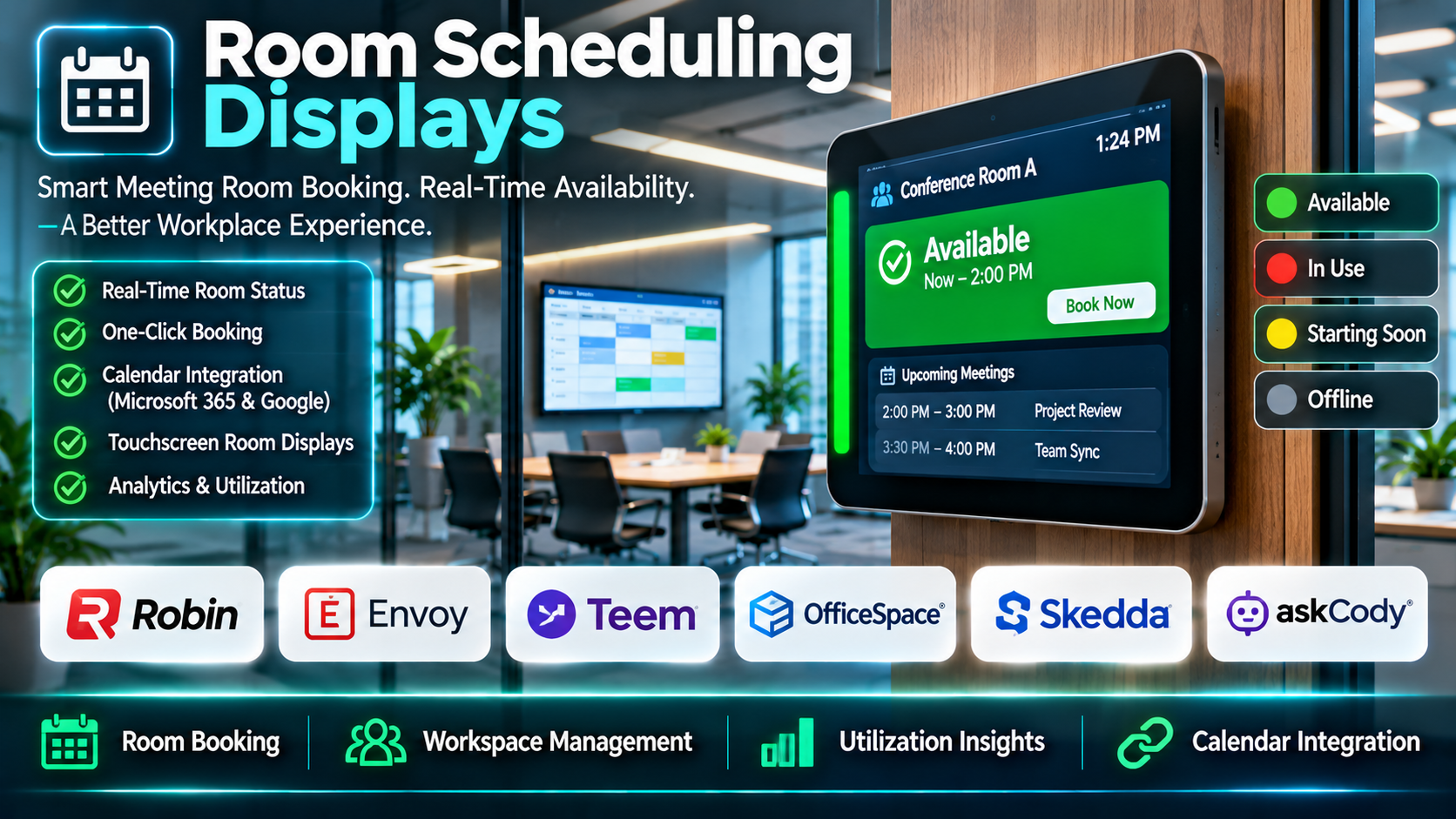
Room scheduling displays help organizations address these challenges by showing reservation information directly outside meeting rooms. Employees can quickly check availability, identify upcoming meetings, and access supported booking functions.
Modern room scheduling displays combine touchscreen hardware, calendar synchronization, visual availability indicators, and centralized management software. Some solutions also support occupancy detection, room analytics, and automated release of unused reservations.
For example, an employee walking through an office may see a green availability indicator outside a conference room. The employee can check the display and reserve the space for an immediate meeting if the organization’s booking rules permit it.
In another scenario, a scheduled meeting may require participants to check in. If nobody confirms attendance within the configured period, the system may release the room for another reservation.
Organizations can use these capabilities to reduce scheduling confusion, improve room utilization, and create a more organized workplace experience.
Room scheduling displays are particularly relevant to corporate offices, coworking facilities, universities, healthcare administration buildings, and hybrid workplaces.
However, not all room scheduling solutions offer the same features. Some focus on simple calendar displays, while others provide comprehensive workplace management systems.
Hardware compatibility, calendar integration, installation requirements, subscription costs, and centralized administration can significantly influence the best choice.
This guide examines ten room scheduling display solutions and explains how organizations can evaluate their capabilities, benefits, limitations, and practical applications.
What Are Room Scheduling Displays?
Room scheduling displays are digital screens installed near meeting rooms, conference spaces, and other reservable facilities.
They provide information about room availability, current reservations, and upcoming bookings.
Many displays allow authorized users to reserve a room directly from the screen.
The displays typically connect to a scheduling platform or calendar system so that reservation information remains synchronized.
Depending on the product, room scheduling displays may be dedicated hardware devices, tablet-based applications, or components of larger workplace management systems.
How Room Scheduling Displays Work
1. Calendar Connection
The display connects to a supported calendar or room booking platform.
2. Room Identification
Administrators associate each display with a specific meeting room.
3. Reservation Synchronization
The system retrieves booking information from the connected scheduling environment.
4. Availability Visualization
The display indicates whether the room is available or occupied.
5. On-Device Booking
Where supported, employees can reserve available rooms directly from the display.
6. Meeting Check-In
Some platforms allow participants to confirm that a scheduled meeting is taking place.
7. Automatic Room Release
Certain solutions can release unclaimed reservations according to configured policies.
8. Occupancy Integration
Compatible sensors may provide additional information about actual room usage.
9. Centralized Administration
IT and facilities teams manage devices, room assignments, and booking settings.
10. Usage Reporting
Some platforms provide analytics about room reservations and workplace utilization.
Common Applications
- Corporate conference room scheduling.
- Hybrid office meeting spaces.
- Coworking facility reservations.
- University meeting rooms.
- Training room management.
- Executive conference rooms.
- Shared collaboration spaces.
- Healthcare administrative meeting rooms.
- Government office meeting spaces.
- Hotel conference facilities.
- Room availability visualization.
- On-demand room booking.
- Meeting check-in.
- Automated release of unused rooms.
- Facilities utilization reporting.
- Workplace resource management.
Benefits of Room Scheduling Displays
Room scheduling displays provide immediate visibility into room availability.
Employees can identify available spaces without searching multiple calendars or contacting facilities staff.
They can also reduce scheduling conflicts by presenting reservation information at the room entrance.
For organizations with many meeting spaces, centralized management can simplify room administration.
Some systems provide analytics that help facilities teams identify heavily used rooms and underutilized spaces.
However, room scheduling displays work best when employees follow consistent booking practices.
A display cannot independently resolve every scheduling problem if calendar permissions are incorrect, room resources are poorly configured, or employees regularly occupy rooms without reservations.
Top 10 Room Scheduling Displays
1. Joan
Short Description
Joan provides workplace scheduling solutions that include room booking displays and related space management capabilities.
The platform is known for dedicated room scheduling devices, including electronic-paper display options.
Joan is relevant to organizations seeking visible room availability information without relying exclusively on conventional tablets.
For example, a medium-sized office may install Joan displays outside conference rooms to show current reservations and upcoming meetings.
Employees can identify whether a room is available and use supported booking functions.
Facilities teams can manage room resources through the relevant scheduling environment.
Electronic-paper display technology can be attractive in locations where low-power operation and flexible installation are priorities.
However, organizations should evaluate device-specific functionality carefully.
Different display models may provide different interaction methods, power requirements, and connectivity capabilities.
Key Features
- Room Availability Displays: Shows current reservation status.
- Electronic-Paper Hardware Options: Provides low-power display configurations.
- Calendar Integration: Connects with supported scheduling platforms.
- Room Booking: Supports applicable reservation workflows.
- Meeting Information: Displays relevant booking details.
- Centralized Management: Supports administration of room devices.
- Workplace Scheduling: Connects room displays with broader space management workflows.
- Device Configuration: Supports relevant room assignment and display settings.
- Flexible Installation: Provides hardware options suited to different office environments.
Benefits
- Improves room availability visibility.
- Reduces scheduling confusion.
- Supports convenient room identification.
- Provides dedicated hardware options.
- Helps employees locate available spaces.
- Supports centralized administration.
- Can reduce reliance on manual room signage.
Pros
- Dedicated room display products.
- Electronic-paper options.
- Calendar synchronization.
- Workplace scheduling capabilities.
- Centralized administration.
- Flexible deployment scenarios.
Cons
- Hardware capabilities vary by model.
- Some advanced features require subscriptions.
- Calendar compatibility must be verified.
- Device management requires planning.
- Hardware costs can increase with room count.
Use Cases
Corporate Offices: Display conference room reservations.
Hybrid Workplaces: Coordinate shared meeting spaces.
Small Meeting Rooms: Provide visible availability information.
Facilities Management: Administer multiple room displays.
Best For
Organizations seeking dedicated room scheduling hardware with electronic-paper display options.
2. Robin
Short Description
Robin is a workplace management platform that supports room booking, desk scheduling, and related workplace coordination.
Its room scheduling capabilities can be used with compatible display configurations.
Robin is particularly relevant to organizations managing hybrid offices with shared spaces.
For example, employees may use Robin to reserve meeting rooms before arriving at the office.
A room display can provide relevant availability information near the meeting space.
Facilities administrators can review reservation patterns and coordinate workplace resources.
Robin’s broader workplace management functionality can be valuable when room scheduling is part of a larger hybrid office strategy.
However, organizations seeking only a basic room availability screen may not require the full platform.
Buyers should verify current display hardware compatibility and supported calendar integrations.
Key Features
- Room Booking: Supports meeting space reservations.
- Room Display Integration: Provides relevant display workflows.
- Calendar Synchronization: Connects with supported scheduling systems.
- Desk Booking: Supports shared desk reservations.
- Workplace Analytics: Provides selected utilization insights.
- Hybrid Workplace Management: Coordinates shared office resources.
- Administrative Controls: Supports centralized management.
- Employee Booking Experience: Helps employees find appropriate spaces.
- Workplace Integrations: Connects with supported productivity applications.
Benefits
- Improves shared space coordination.
- Supports hybrid workplace scheduling.
- Reduces room booking conflicts.
- Provides utilization information.
- Connects room and desk management.
- Helps employees locate available spaces.
- Supports centralized administration.
Pros
- Broad workplace management capabilities.
- Room booking workflows.
- Desk scheduling.
- Workplace analytics.
- Calendar integrations.
- Suitable for hybrid offices.
Cons
- Broader functionality may increase complexity.
- Display hardware requirements need verification.
- Advanced capabilities depend on subscription.
- Implementation may require workplace policy changes.
- Not every organization needs desk booking.
Use Cases
Hybrid Offices: Coordinate meeting rooms and desks.
Corporate Facilities: Monitor space utilization.
Employee Scheduling: Reserve shared workspaces.
Workplace Planning: Analyze room booking patterns.
Best For
Hybrid workplaces seeking room scheduling alongside broader workplace management.
3. Logitech Tap Scheduler
Short Description
Logitech Tap Scheduler is a dedicated meeting room scheduling panel designed to display room availability and support reservation workflows.
It is relevant to organizations that prefer purpose-built touchscreen hardware.
The device can work with supported room scheduling platforms.
For example, an enterprise may install Tap Scheduler outside conference rooms to provide consistent room availability information.
Employees can identify room status and interact with supported scheduling functions.
IT administrators can manage deployment within the organization’s chosen meeting room ecosystem.
Its dedicated hardware design distinguishes it from software-only tablet scheduling applications.
However, functionality depends on the connected scheduling platform.
Organizations should confirm platform compatibility, licensing requirements, installation needs, and device management capabilities.
Key Features
- Dedicated Scheduling Panel: Provides purpose-built room display hardware.
- Touchscreen Interface: Supports relevant user interactions.
- Room Availability Indicators: Shows room status through supported software.
- Scheduling Platform Compatibility: Works with selected room booking ecosystems.
- Room Reservation Workflows: Supports applicable booking functions.
- Meeting Information Display: Presents relevant reservation details.
- Enterprise Deployment: Supports organizational installation.
- Device Management: Provides relevant administration options.
- Wall-Mounted Design: Supports placement near meeting room entrances.
Benefits
- Provides dedicated room scheduling hardware.
- Improves room status visibility.
- Supports consistent office deployment.
- Reduces reliance on general-purpose tablets.
- Connects with supported meeting platforms.
- Helps employees locate available rooms.
- Supports professional workplace installations.
Pros
- Purpose-built hardware.
- Touchscreen interaction.
- Enterprise deployment relevance.
- Scheduling ecosystem compatibility.
- Professional installation design.
- Consistent device experience.
Cons
- Requires hardware purchase.
- Scheduling features depend on platform.
- Compatibility must be confirmed.
- Installation may require technical support.
- Subscription costs may apply through connected services.
Use Cases
Enterprise Offices: Install standardized room panels.
Conference Rooms: Display reservation status.
Microsoft Teams Environments: Support compatible scheduling configurations.
Zoom Rooms Environments: Support compatible room scheduling workflows.
Best For
Organizations seeking dedicated touchscreen room scheduling panels.
4. Crestron Room Scheduling
Short Description
Crestron provides enterprise room scheduling hardware and workplace technology solutions.
Its scheduling panels can support meeting room availability displays and relevant reservation workflows.
Crestron is particularly relevant to organizations with established audiovisual and meeting room infrastructure.
For example, a corporate headquarters may use Crestron scheduling panels alongside conference room control systems.
Employees can view room availability at the entrance.
IT and facilities teams can coordinate room scheduling as part of a broader workplace technology deployment.
Crestron’s enterprise orientation can be valuable for organizations managing large meeting room environments.
However, deployment complexity and cost may be greater than lightweight tablet-based solutions.
Organizations should evaluate the specific panel model, supported scheduling services, and installation requirements.
Key Features
- Room Scheduling Panels: Provides dedicated meeting room display hardware.
- Room Status Indicators: Shows availability information.
- Calendar Integration: Supports relevant scheduling platforms.
- Touchscreen Booking: Enables applicable reservation workflows.
- Enterprise Device Management: Supports centralized administration.
- AV Ecosystem Integration: Connects with relevant meeting room technology.
- Meeting Information Display: Presents reservation details.
- Professional Installation: Supports enterprise room deployments.
- Workplace Technology Integration: Connects scheduling with broader room infrastructure.
Benefits
- Supports enterprise meeting environments.
- Improves room availability visibility.
- Connects with AV infrastructure.
- Provides dedicated hardware.
- Supports centralized administration.
- Reduces room scheduling confusion.
- Helps standardize meeting room technology.
Pros
- Enterprise hardware portfolio.
- AV integration relevance.
- Dedicated scheduling panels.
- Professional deployment options.
- Centralized management.
- Suitable for large facilities.
Cons
- Hardware and installation costs.
- Configuration complexity.
- Platform compatibility requires verification.
- May exceed small office requirements.
- Ongoing technical administration may be necessary.
Use Cases
Corporate Headquarters: Manage conference room displays.
Enterprise AV Deployments: Integrate scheduling with room systems.
Large Office Buildings: Standardize room panels.
Facilities Administration: Coordinate multiple meeting spaces.
Best For
Enterprises seeking room scheduling panels integrated with professional meeting room infrastructure.
5. Appspace
Short Description
Appspace is a workplace experience platform that includes space reservation and digital signage capabilities.
It can support room scheduling displays as part of broader workplace communication and resource management.
Appspace is relevant to organizations seeking to combine room booking with employee communications and workplace experience tools.
For example, a large office may use Appspace to manage meeting room reservations and display relevant information across workplace screens.
Employees can access supported scheduling workflows, while administrators manage workplace content and resources.
The platform’s broader capabilities can help organizations consolidate workplace technologies.
However, its comprehensive scope may introduce additional configuration requirements.
Organizations should verify compatible hardware, scheduling integrations, and relevant subscription modules.
Key Features
- Room Booking: Supports meeting space reservations.
- Room Display Workflows: Provides relevant room availability interfaces.
- Digital Signage: Supports workplace information displays.
- Workplace Experience Tools: Coordinates shared workplace resources.
- Calendar Integration: Connects with supported scheduling services.
- Centralized Administration: Supports organizational configuration.
- Space Management: Helps manage relevant workplace areas.
- Employee Communications: Supports workplace information delivery.
- Analytics: Provides selected workplace usage information.
Benefits
- Combines room scheduling with workplace communications.
- Improves space visibility.
- Supports centralized administration.
- Helps coordinate shared resources.
- Reduces disconnected workplace systems.
- Supports enterprise deployments.
- Provides relevant utilization insights.
Pros
- Broad workplace platform.
- Room booking capabilities.
- Digital signage integration.
- Centralized management.
- Workplace communications.
- Enterprise relevance.
Cons
- May be complex for simple room displays.
- Hardware compatibility requires verification.
- Licensing can involve multiple capabilities.
- Implementation planning is necessary.
- Not every organization needs digital signage.
Use Cases
Corporate Offices: Manage room displays and communications.
Hybrid Workplaces: Coordinate shared spaces.
Enterprise Facilities: Centralize workplace systems.
Digital Workplace Projects: Connect scheduling with signage.
Best For
Organizations seeking room scheduling as part of a comprehensive workplace experience platform.
6. MeetingRoomApp
Short Description
MeetingRoomApp provides meeting room scheduling software designed for room displays and workplace booking workflows.
It is relevant to organizations seeking a focused solution for managing meeting room availability.
The platform supports room reservation interfaces and compatible display deployments.
For example, a growing business may install tablet displays outside conference rooms.
Employees can view current reservations and use available booking functions.
Administrators can manage room information through supported calendar integrations.
MeetingRoomApp’s focused approach may appeal to organizations that do not need extensive workplace analytics or desk booking.
However, buyers should verify supported operating systems, hardware compatibility, and current integration capabilities.
Key Features
- Room Scheduling Displays: Shows meeting room availability.
- Room Booking: Supports applicable reservations.
- Calendar Synchronization: Connects with supported calendars.
- Meeting Information: Displays reservation details.
- Tablet Compatibility: Supports relevant tablet-based deployments.
- Availability Visualization: Helps identify open rooms.
- Administrative Configuration: Supports room setup.
- Scheduling Interface: Provides room booking interaction.
- Multi-Room Support: Helps manage several meeting spaces.
Benefits
- Simplifies room scheduling.
- Improves availability visibility.
- Supports tablet-based deployment.
- Reduces scheduling confusion.
- Provides focused functionality.
- Helps employees book meeting spaces.
- Supports room administration.
Pros
- Dedicated room scheduling focus.
- Tablet deployment options.
- Calendar integration.
- On-device booking.
- Availability display.
- Suitable for smaller offices.
Cons
- Hardware compatibility needs confirmation.
- Advanced analytics may be limited.
- Subscription terms require review.
- Integration support varies.
- Larger enterprises may need broader management capabilities.
Use Cases
Small Offices: Manage conference room bookings.
Shared Workspaces: Display room availability.
Growing Businesses: Standardize meeting room scheduling.
Training Rooms: Coordinate reservations.
Best For
Organizations seeking focused room scheduling displays without a comprehensive workplace management suite.
7. Condeco
Short Description
Condeco is a workplace scheduling solution associated with room booking, desk booking, and workplace resource management.
It is part of the broader Eptura workplace technology portfolio.
Condeco is relevant to organizations managing substantial office space and hybrid workplace requirements.
For example, a multinational organization may use room scheduling displays to coordinate conference spaces across several offices.
Employees can reserve appropriate rooms through supported booking workflows.
Facilities teams may use relevant utilization information to improve space planning.
The platform’s enterprise orientation can support complex workplace environments.
However, buyers should confirm the current product packaging and how Condeco capabilities are offered within Eptura’s portfolio.
Key Features
- Room Booking: Supports meeting space reservations.
- Room Display Integration: Provides relevant availability workflows.
- Desk Booking: Supports shared desk scheduling.
- Calendar Integration: Connects with supported productivity systems.
- Workplace Analytics: Provides selected utilization information.
- Enterprise Administration: Supports multi-location environments.
- Resource Management: Coordinates relevant workplace assets.
- Hybrid Workplace Scheduling: Supports flexible office use.
- Booking Policy Controls: Helps enforce applicable reservation rules.
Benefits
- Supports large workplace environments.
- Improves room reservation visibility.
- Connects room and desk scheduling.
- Helps manage multiple office locations.
- Provides workplace usage insights.
- Supports centralized administration.
- Reduces scheduling conflicts.
Pros
- Enterprise scheduling capabilities.
- Room and desk booking.
- Workplace analytics.
- Multi-location relevance.
- Calendar integrations.
- Resource management workflows.
Cons
- Enterprise implementation complexity.
- Commercial pricing requires consultation.
- Hardware compatibility needs verification.
- Product packaging may change.
- Smaller offices may not need its full scope.
Use Cases
Large Enterprises: Coordinate conference rooms.
Hybrid Offices: Manage shared spaces.
Multi-Site Organizations: Standardize scheduling.
Facilities Teams: Analyze workplace utilization.
Best For
Enterprises seeking comprehensive room and workplace scheduling capabilities.
8. Skedda
Short Description
Skedda is a space booking platform designed to manage reservable rooms, desks, and other shared resources.
It provides scheduling workflows and booking rules that can support workplace resource management.
Skedda is relevant to organizations seeking flexible space reservations across different facility types.
For example, a coworking facility may use Skedda to manage meeting rooms and shared workspaces.
An educational institution may use the platform to coordinate training rooms.
Organizations can configure booking rules to control who can reserve spaces and under what conditions.
However, Skedda should be evaluated as a space booking platform rather than assumed to include dedicated proprietary room display hardware.
Buyers should verify current room display options, compatible devices, and integration requirements.
Key Features
- Space Booking: Supports reservations for rooms and shared spaces.
- Booking Rules: Helps control reservation eligibility.
- Calendar Views: Displays relevant availability information.
- User Permissions: Supports access restrictions.
- Space Management: Organizes reservable facilities.
- Administrative Controls: Supports booking configuration.
- Workplace Integrations: Connects with supported applications.
- Reservation Management: Helps users modify and manage bookings.
- Usage Reporting: Provides relevant booking information.
Benefits
- Simplifies shared space reservations.
- Supports flexible booking policies.
- Reduces scheduling conflicts.
- Helps manage different resource types.
- Improves availability visibility.
- Supports centralized administration.
- Reduces manual reservation coordination.
Pros
- Flexible space booking.
- Booking rule configuration.
- User permissions.
- Multi-space management.
- Calendar-based workflows.
- Suitable for varied facilities.
Cons
- Dedicated display hardware is not its primary focus.
- Display deployment options require verification.
- Advanced features depend on subscription.
- Configuration requires planning.
- Some organizations may need additional signage solutions.
Use Cases
Coworking Spaces: Manage shared rooms.
Educational Facilities: Coordinate training spaces.
Corporate Offices: Reserve meeting rooms.
Community Facilities: Manage reservable spaces.
Best For
Organizations prioritizing flexible room booking policies and shared space management.
9. YAROOMS
Short Description
YAROOMS is a workplace management platform that supports room booking, desk booking, and relevant workplace scheduling workflows.
It is designed for organizations coordinating shared office resources.
YAROOMS can support meeting room availability and booking experiences through compatible configurations.
For example, a hybrid office may use the platform to manage conference rooms and employee desk reservations.
Employees can check available spaces and reserve resources according to workplace policies.
Facilities teams may review usage information and manage workplace settings.
The platform’s combination of room and desk scheduling can be useful for flexible workplaces.
However, organizations should verify current room display functionality, compatible hardware, and integration requirements.
Key Features
- Room Booking: Supports meeting space reservations.
- Room Availability: Provides relevant scheduling information.
- Desk Booking: Supports flexible workplace reservations.
- Calendar Integration: Connects with supported calendars.
- Workplace Analytics: Provides selected usage information.
- Booking Policies: Supports reservation controls.
- Employee Scheduling Experience: Helps users find spaces.
- Administrative Management: Supports centralized configuration.
- Workplace Resource Management: Coordinates relevant shared assets.
Benefits
- Improves room scheduling.
- Supports hybrid office operations.
- Connects room and desk reservations.
- Provides workplace usage information.
- Reduces scheduling confusion.
- Supports centralized administration.
- Helps employees locate available spaces.
Pros
- Room and desk booking.
- Workplace analytics.
- Hybrid office relevance.
- Calendar integrations.
- Booking policy support.
- Centralized management.
Cons
- Display compatibility requires verification.
- Advanced features may depend on subscription.
- Broader functionality may increase complexity.
- Implementation requires policy configuration.
- Smaller offices may prefer a simpler solution.
Use Cases
Hybrid Offices: Coordinate meeting rooms and desks.
Corporate Facilities: Manage shared resources.
Workplace Planning: Review utilization patterns.
Multi-Department Offices: Standardize booking workflows.
Best For
Hybrid organizations seeking integrated room and desk scheduling.
10. Roomzilla
Short Description
Roomzilla is a room booking and scheduling platform designed to simplify meeting room reservations.
It supports room availability workflows and relevant display configurations.
Roomzilla is particularly relevant to organizations seeking straightforward meeting room management.
For example, a small technology company may use Roomzilla to manage several conference rooms.
Employees can check availability and reserve spaces through supported interfaces.
A compatible display can help communicate room status near the entrance.
The platform’s focused functionality may appeal to teams that do not need comprehensive facilities management software.
However, organizations should verify current device support, calendar integrations, and administrative capabilities.
Key Features
- Room Booking: Supports meeting space reservations.
- Room Availability Displays: Provides relevant status information.
- Calendar Integration: Connects with supported scheduling services.
- On-Demand Reservations: Supports applicable immediate booking.
- Room Management: Organizes meeting space resources.
- Booking Interface: Provides accessible reservation workflows.
- Administrative Settings: Supports room configuration.
- Meeting Information Display: Shows relevant reservation details.
- Multi-Room Scheduling: Helps coordinate several spaces.
Benefits
- Simplifies room reservations.
- Improves availability visibility.
- Reduces scheduling conflicts.
- Supports smaller office environments.
- Helps employees locate rooms.
- Reduces manual coordination.
- Supports centralized room administration.
Pros
- Focused room booking functionality.
- Availability displays.
- Calendar integrations.
- Straightforward reservation workflows.
- Suitable for small and medium offices.
- Multi-room support.
Cons
- Hardware compatibility requires verification.
- Advanced analytics may be limited.
- Enterprise governance features may be less extensive.
- Subscription requirements need review.
- Complex workplace environments may require broader tools.
Use Cases
Small Offices: Coordinate conference rooms.
Medium-Sized Businesses: Manage shared meeting spaces.
Coworking Environments: Support room reservations.
Training Facilities: Display room availability.
Best For
Small and medium-sized organizations seeking straightforward room scheduling and display workflows.
Comparison Table: Top 10 Room Scheduling Displays
| Solution | Primary Strength | Best For | Main Consideration |
|---|---|---|---|
| Joan | Dedicated room displays | Offices seeking electronic-paper options | Device capabilities |
| Robin | Hybrid workplace management | Shared offices | Platform scope |
| Logitech Tap Scheduler | Purpose-built touchscreen panel | Enterprise meeting rooms | Scheduling platform compatibility |
| Crestron | Enterprise room scheduling hardware | AV-integrated offices | Installation complexity |
| Appspace | Workplace experience and signage | Large organizations | Configuration requirements |
| MeetingRoomApp | Focused room scheduling | Small and medium offices | Hardware compatibility |
| Condeco | Enterprise workplace scheduling | Multi-site organizations | Product packaging |
| Skedda | Flexible space booking | Coworking and shared facilities | Display options |
| YAROOMS | Room and desk management | Hybrid workplaces | Integration requirements |
| Roomzilla | Straightforward room booking | Smaller offices | Advanced functionality |
How to Choose the Best Room Scheduling Display
1. Define the Room Scheduling Problem
Identify whether the organization primarily struggles with double bookings, unavailable rooms, unused reservations, or poor visibility.
A clear problem definition helps prevent unnecessary software purchases.
2. Determine Hardware Requirements
Decide whether the organization needs dedicated panels, electronic-paper displays, or tablet-based interfaces.
Consider installation location, power availability, network connectivity, and maintenance.
3. Verify Calendar Compatibility
Confirm support for the organization’s scheduling environment.
Test synchronization with actual room resources rather than relying only on general integration claims.
4. Evaluate On-Device Booking
Determine whether employees can reserve available rooms directly from the display.
Consider whether booking should require authentication.
5. Review Availability Indicators
Clear visual indicators help employees identify room status quickly.
Evaluate visibility from appropriate distances and lighting conditions.
6. Assess Check-In and Auto-Release
Organizations experiencing unused reservations may benefit from meeting check-in and automatic room release.
Verify how these functions work and whether they can be configured.
7. Examine Occupancy Integration
Some systems can use compatible sensors to improve utilization information.
Sensor availability, accuracy, privacy, and installation requirements should be evaluated.
8. Review Centralized Management
IT administrators should be able to configure room assignments, monitor devices, and apply updates.
9. Evaluate Security
Review device access, calendar permissions, network requirements, and information displayed publicly.
Confidential meeting titles may need to be hidden.
10. Consider Accessibility
Displays should be installed at appropriate heights and provide usable interfaces.
Organizations should also consider visual contrast, touch interaction, and alternative booking methods.
11. Calculate Total Cost
Include hardware, mounting, power, subscriptions, installation, network configuration, maintenance, and replacement devices.
12. Conduct a Pilot
Install displays outside a small group of rooms and evaluate actual employee usage.
Best Room Scheduling Displays by User Type
1. Small Offices
Roomzilla is relevant to smaller organizations seeking straightforward room booking.
A focused platform may reduce implementation complexity.
2. Offices Seeking Electronic-Paper Displays
Joan provides dedicated room display options that may suit low-power deployment requirements.
3. Enterprises Standardizing Hardware
Logitech Tap Scheduler provides purpose-built scheduling panels.
It is particularly relevant when organizations use compatible meeting room ecosystems.
4. AV-Integrated Enterprises
Crestron is relevant to organizations with professional audiovisual infrastructure.
5. Hybrid Workplaces
Robin supports room scheduling alongside broader workplace coordination.
6. Organizations Combining Scheduling and Signage
Appspace provides relevant workplace experience and digital signage capabilities.
7. Large Multi-Site Organizations
Condeco is relevant to complex enterprise workplace scheduling requirements.
8. Coworking Facilities
Skedda provides flexible booking rules for shared spaces.
9. Hybrid Offices Managing Rooms and Desks
YAROOMS supports integrated workplace reservations.
10. Small and Medium Businesses Seeking Tablet Displays
MeetingRoomApp provides a focused room scheduling approach.
| User Type | Recommended Solution | Primary Reason |
|---|---|---|
| Small office | Roomzilla | Straightforward room booking |
| Electronic-paper deployment | Joan | Dedicated display options |
| Enterprise hardware standardization | Logitech Tap Scheduler | Purpose-built panel |
| AV-integrated enterprise | Crestron | Room technology integration |
| Hybrid workplace | Robin | Workplace scheduling |
| Workplace signage program | Appspace | Scheduling and communications |
| Multi-site enterprise | Condeco | Enterprise resource management |
| Coworking facility | Skedda | Flexible booking rules |
| Hybrid room and desk management | YAROOMS | Integrated reservations |
| Tablet-based room display | MeetingRoomApp | Focused scheduling interface |
Practical Example: Implementing Room Scheduling Displays
Consider a technology company with 250 employees and 18 meeting rooms.
The company uses a hybrid work model.
Employees frequently report that meeting rooms appear occupied in the calendar but remain physically empty.
Other employees enter rooms without reservations, creating scheduling conflicts.
The company decides to introduce room scheduling displays.
Step 1: Define the Objectives
The organization identifies three priorities:
- Improve room availability visibility.
- Reduce unused reservations.
- Simplify on-demand booking.
Step 2: Audit Existing Rooms
Facilities staff document room locations, capacities, equipment, and current reservation practices.
Step 3: Review Calendar Configuration
IT verifies that each room has an appropriately configured calendar resource.
Step 4: Compare Suitable Solutions
The organization evaluates Joan, Logitech Tap Scheduler, Robin, and MeetingRoomApp.
Step 5: Select Display Hardware
The team reviews touchscreen requirements, power availability, mounting options, and connectivity.
Step 6: Configure Room Resources
Administrators associate each display with the correct meeting room.
Step 7: Establish Booking Policies
The company defines reservation limits, check-in expectations, and rules for unused rooms.
Step 8: Protect Confidential Information
Displays are configured to avoid exposing sensitive meeting details.
Step 9: Launch a Pilot
Four meeting rooms receive scheduling displays.
Step 10: Train Employees
Employees learn how to identify availability, reserve rooms, and check in where required.
Step 11: Evaluate Results
Facilities staff measure booking conflicts, unused reservations, device reliability, and employee feedback.
Step 12: Expand Deployment
After a successful pilot, the company installs displays outside the remaining rooms.
Common Mistakes to Avoid
1. Purchasing Hardware Before Checking Compatibility
A display may not support the organization’s calendar or scheduling environment.
2. Ignoring Network Requirements
Unreliable connectivity can cause outdated reservation information.
3. Exposing Confidential Meeting Details
Public displays should not reveal sensitive information unnecessarily.
4. Failing to Configure Room Resources
Incorrect room assignments can create confusing or misleading availability information.
5. Assuming Every Platform Includes Hardware
Some vendors provide scheduling software that requires separate compatible devices.
6. Ignoring Installation Costs
Mounting, power, cabling, and network configuration can affect the budget.
7. Overlooking Accessibility
Displays should be usable by employees with different accessibility needs.
8. Failing to Train Employees
Users need to understand booking and check-in procedures.
9. Enabling Auto-Release Without Testing
Poorly configured policies can cancel legitimate reservations.
10. Ignoring Maintenance
Displays require monitoring, software updates, and occasional replacement.
Frequently Asked Questions
1. What are room scheduling displays?
Room scheduling displays are digital screens that show meeting room availability and reservation information.
2. How do room scheduling displays work?
They connect to supported calendar or booking systems and display current room reservation information.
3. Can employees book rooms directly from the display?
Many solutions support on-device booking, depending on the hardware and software configuration.
4. What is Joan used for?
Joan provides workplace scheduling solutions, including dedicated room display options.
5. What is Logitech Tap Scheduler?
It is a dedicated touchscreen panel designed for compatible meeting room scheduling environments.
6. What is Crestron room scheduling?
Crestron provides room scheduling panels and related enterprise meeting room technology.
7. What is Robin used for?
Robin supports room booking, desk scheduling, and broader workplace coordination.
8. What is Appspace used for?
Appspace provides workplace experience capabilities, including relevant room scheduling and digital signage workflows.
9. What is MeetingRoomApp used for?
MeetingRoomApp provides room booking and scheduling display software.
10. What is Condeco used for?
Condeco is associated with enterprise room booking and workplace scheduling capabilities.
11. What is Skedda used for?
Skedda manages reservations for rooms, desks, and other shared spaces.
12. What is YAROOMS used for?
YAROOMS supports room booking, desk booking, and workplace management.
13. What is Roomzilla used for?
Roomzilla provides meeting room booking and availability workflows.
14. Can room scheduling displays integrate with Microsoft 365?
Many solutions support Microsoft scheduling environments, subject to product compatibility.
15. Can they integrate with Google Workspace?
Several platforms support Google Calendar or related scheduling integrations.
16. Can room displays show meeting availability?
Yes. Availability visualization is a core function of these solutions.
17. Can room displays prevent double bookings?
They can reduce conflicts when reservations remain synchronized with the authoritative booking system.
18. What is meeting room check-in?
Check-in is a process through which participants confirm that a reserved room is being used.
19. What is automatic room release?
It is a feature that can free an unclaimed reservation according to configured rules.
20. Do room scheduling displays require internet access?
Connectivity requirements vary by product and deployment architecture.
21. Can tablets be used as room scheduling displays?
Yes. Some software solutions support compatible tablet hardware.
22. Are electronic-paper room displays available?
Yes. Some vendors provide electronic-paper scheduling devices.
23. Can room scheduling displays provide analytics?
Some platforms provide reservation and utilization reporting.
24. Can room scheduling displays detect occupancy?
Certain solutions support compatible occupancy sensors or related integrations.
25. Are room scheduling displays suitable for hybrid offices?
Yes. They can help employees coordinate shared meeting spaces.
26. Can room scheduling displays protect meeting privacy?
Many systems provide settings that limit which meeting details are shown.
27. How much do room scheduling displays cost?
Costs depend on hardware, software subscriptions, installation, and maintenance.
28. Are room scheduling displays difficult to install?
Installation complexity varies with device type, mounting, power, and network requirements.
29. What should organizations test before deployment?
They should test calendar synchronization, booking, check-in, device connectivity, privacy settings, and employee usability.
30. Which room scheduling display is best?
The best solution depends on hardware preferences, calendar compatibility, office size, booking requirements, and workplace management needs.
Final Thoughts
Room scheduling displays help organizations make meeting room availability visible and improve reservation workflows.
Joan provides dedicated display options, while Logitech Tap Scheduler and Crestron offer purpose-built enterprise hardware.
Robin, Appspace, Condeco, and YAROOMS connect room scheduling with broader workplace management.
MeetingRoomApp and Roomzilla provide focused room scheduling capabilities, while Skedda supports flexible shared-space booking.
The best solution depends on whether an organization needs dedicated hardware, tablet-based scheduling, enterprise administration, or integrated workplace resource management.
Before purchasing, organizations should verify calendar compatibility, hardware requirements, privacy settings, installation costs, and ongoing maintenance.
A carefully implemented room scheduling display system can reduce booking confusion, improve room utilization, and create a more convenient workplace experience.
