Introduction
Meetings play an important role in organizational communication, project coordination, decision-making, and strategic planning. However, poorly managed meetings can consume substantial working time without producing clear outcomes.
Employees frequently attend meetings without defined agendas, relevant preparation materials, or a clear understanding of expected decisions. Discussions may become repetitive, important topics may receive insufficient attention, and participants may leave without knowing what happens next.
The challenge becomes more significant as organizations grow. Departments conduct recurring operational reviews, executives organize leadership discussions, project managers coordinate stakeholders, and governance teams maintain formal meeting records.
Traditional meeting management often relies on disconnected calendars, documents, spreadsheets, and email conversations. Although these tools can support individual activities, they do not always provide a consistent process for preparing, conducting, documenting, and following up on meetings.
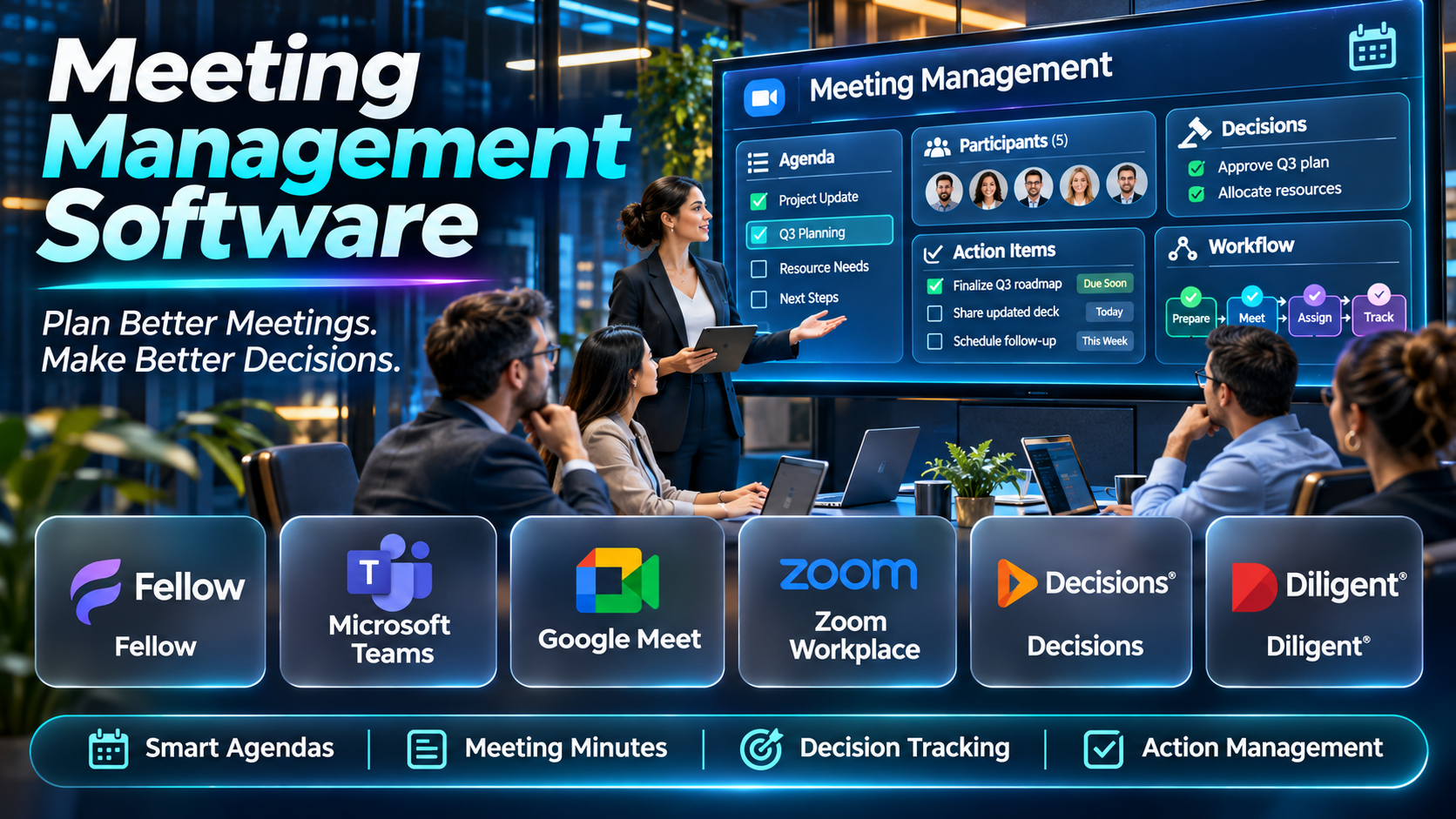
Meeting management software helps organizations organize these activities within structured workflows. Depending on the platform, users can create agendas, distribute meeting materials, record decisions, assign action items, manage meeting minutes, and monitor follow-up responsibilities.
For example, a project management team may use meeting software to maintain recurring agendas and track unresolved tasks. An executive leadership team may use a meeting management platform to review strategic priorities and monitor decisions.
A nonprofit board may require secure document distribution, formal meeting minutes, voting records, and governance workflows. A technology company may prioritize collaborative agendas, AI-generated notes, and integration with project management applications.
These requirements demonstrate why meeting management software is not a single uniform category. Some platforms focus on everyday team collaboration, while others specialize in board governance, executive meetings, or structured operating systems.
Artificial intelligence has also expanded meeting management capabilities. Certain platforms can automatically generate summaries, identify potential action items, and help users retrieve information from previous discussions.
However, AI automation does not eliminate the need for clear meeting objectives, responsible decision-making, and human verification. Automatically generated meeting notes may contain inaccuracies, while poorly configured workflows can create additional administrative work.
Organizations must also consider security, access permissions, confidentiality, retention policies, and the appropriate handling of meeting recordings.
This guide compares ten meeting management software platforms, explains their capabilities and limitations, and provides practical guidance for selecting and implementing an effective solution.
What Is Meeting Management Software?
Meeting management software is a category of applications designed to help individuals and organizations plan, conduct, document, and follow up on meetings.
These platforms provide structured tools for managing meeting agendas, participants, documents, decisions, and responsibilities.
Traditional meeting management may involve separate applications for scheduling, note-taking, task tracking, and document storage. Dedicated meeting management software brings relevant activities together or connects them through integrations.
The primary objective is not simply to schedule more meetings. It is to help organizations conduct purposeful discussions, document outcomes, and ensure that agreed actions are completed.
How Meeting Management Software Works
1. Meeting Planning
The organizer defines the meeting purpose, expected outcomes, participants, and relevant discussion topics.
2. Agenda Preparation
A structured agenda is created, often using reusable templates or collaborative editing.
3. Document Distribution
Relevant reports, presentations, and supporting materials are shared with authorized participants.
4. Meeting Coordination
Participants receive scheduling information, meeting links, and preparation instructions.
5. Discussion Management
The organizer follows the agenda, records relevant contributions, and maintains focus on the meeting objectives.
6. Decision Documentation
Important agreements, approvals, and unresolved questions are recorded.
7. Action Item Assignment
Follow-up responsibilities are assigned to appropriate individuals, with deadlines where necessary.
8. Meeting Minutes Creation
The platform helps prepare a written record of the meeting.
9. Follow-Up Tracking
Outstanding actions are monitored until they are completed or formally closed.
10. Meeting Performance Review
Organizations evaluate whether meetings produce useful decisions and outcomes.
Common Applications
- Weekly team meetings.
- Executive leadership meetings.
- Project status reviews.
- Board and committee meetings.
- Department planning sessions.
- Strategic planning discussions.
- Employee one-on-one meetings.
- Operational performance reviews.
- Customer account meetings.
- Governance and compliance meetings.
- Sprint planning and retrospective meetings.
- Cross-functional coordination.
- Decision tracking.
- Action item management.
- Meeting minutes documentation.
- Organizational accountability.
Benefits of Meeting Management Software
Meeting management software can improve preparation, reduce administrative work, and create greater clarity around decisions.
It can also help organizations maintain consistent records of recurring discussions.
For example, a department that reviews the same operational metrics every week can use a standardized agenda to avoid unnecessary preparation.
A project team can connect meeting decisions with assigned tasks, reducing the likelihood that important commitments are forgotten.
However, software alone does not guarantee productive meetings. Organizations must establish clear objectives, invite appropriate participants, and distinguish issues that require meetings from matters that can be handled asynchronously.
Top 10 Meeting Management Software
1. Fellow
Short Description
Fellow is a meeting management platform designed to help teams prepare agendas, document discussions, manage action items, and improve recurring meeting workflows.
It combines collaborative meeting practices with AI-assisted note-taking capabilities.
Fellow is particularly relevant to organizations seeking a consistent meeting process across departments.
For example, a department manager may use Fellow to prepare a weekly meeting agenda containing project updates, unresolved issues, and upcoming priorities. Participants can contribute agenda items before the meeting begins.
During or after the discussion, the team can maintain relevant notes and assign follow-up responsibilities.
The platform can also support one-on-one meetings, team reviews, and leadership discussions.
Its emphasis on structured preparation and follow-up distinguishes it from tools focused exclusively on recording conversations.
However, successful implementation requires employees to adopt consistent meeting habits.
Organizations should evaluate integrations, administrative permissions, and the suitability of AI note-taking features for confidential discussions.
Key Features
- Collaborative Meeting Agendas: Allows participants to contribute discussion topics before meetings.
- AI Meeting Notes: Supports automated documentation of relevant discussions.
- Meeting Templates: Standardizes recurring meeting structures.
- Action Item Tracking: Helps assign and monitor follow-up responsibilities.
- Meeting Minutes: Supports structured documentation of outcomes.
- One-on-One Meeting Workflows: Helps managers organize recurring employee discussions.
- Calendar Integrations: Connects with supported scheduling applications.
- Meeting History: Maintains previous agendas, notes, and decisions.
- Collaboration Features: Supports shared preparation and follow-up.
Benefits
- Improves meeting preparation.
- Creates consistent agendas.
- Reduces manual documentation.
- Supports action item accountability.
- Helps managers organize recurring discussions.
- Improves access to previous decisions.
- Encourages more structured collaboration.
Pros
- Comprehensive meeting workflows.
- Collaborative agendas.
- AI-assisted documentation.
- Action item tracking.
- Reusable templates.
- Suitable for recurring team meetings.
Cons
- Requires organizational adoption.
- Advanced capabilities vary by plan.
- Some functions may overlap with project management software.
- AI notes require verification.
- Complex organizations may need additional governance tools.
Use Cases
Weekly Team Meetings: Maintain recurring agendas and action items.
Manager One-on-Ones: Organize discussion topics and follow-up commitments.
Project Reviews: Record decisions and unresolved issues.
Leadership Meetings: Standardize preparation and documentation.
Best For
Organizations seeking structured team meeting management with AI-assisted documentation.
2. Microsoft Teams
Short Description
Microsoft Teams is a workplace collaboration platform that combines communication, video meetings, file sharing, and integration with Microsoft 365 applications.
Although Teams is broader than dedicated meeting management software, it provides an environment for organizing and conducting business meetings.
Organizations can use Teams alongside Microsoft calendars, collaborative documents, meeting notes, and relevant workflow applications.
For example, an enterprise department may schedule a recurring meeting through Outlook, conduct the discussion in Teams, and maintain supporting documents within Microsoft 365.
Teams also provides meeting-related features such as recordings, transcripts, and AI-assisted capabilities, depending on licensing and configuration.
Its main advantage is integration with a broader productivity ecosystem.
However, comprehensive agenda management, decision tracking, and formal governance may require additional applications.
Organizations should distinguish native Teams capabilities from features supplied by Microsoft 365 services or third-party integrations.
Key Features
- Online Meetings: Supports video and audio collaboration.
- Calendar Integration: Connects with Microsoft scheduling workflows.
- Meeting Chat: Maintains relevant participant communication.
- Document Collaboration: Connects with supported Microsoft files.
- Meeting Recording: Supports authorized recording workflows.
- Meeting Transcription: Provides relevant speech-to-text capabilities.
- AI Meeting Assistance: Offers selected AI features under applicable licensing.
- Application Integrations: Connects with supported business tools.
- Administrative Controls: Supports enterprise meeting governance.
Benefits
- Centralizes meeting communication.
- Connects with Microsoft 365.
- Supports distributed collaboration.
- Reduces application switching.
- Provides meeting documentation options.
- Supports enterprise administration.
- Connects meetings with workplace workflows.
Pros
- Microsoft 365 integration.
- Video conferencing.
- Collaborative documents.
- Meeting recording and transcription.
- Enterprise administration.
- Familiar collaboration environment.
Cons
- Not exclusively a meeting management platform.
- Formal decision tracking may require other tools.
- AI features depend on licensing.
- Complex governance workflows may need additional applications.
- Meeting information can become fragmented without consistent practices.
Use Cases
Department Meetings: Conduct recurring discussions.
Project Collaboration: Connect meetings with shared documents.
Remote Team Meetings: Support distributed communication.
Enterprise Collaboration: Manage meetings within Microsoft 365.
Best For
Microsoft 365 organizations seeking integrated meeting and collaboration workflows.
3. Google Meet
Short Description
Google Meet is a video conferencing application within the Google Workspace ecosystem.
It supports virtual meetings and integrates with relevant Google productivity services.
Google Meet is useful for organizations that rely on Google Calendar, Google Docs, and other Workspace applications.
For example, a marketing team may schedule a weekly planning meeting through Google Calendar and conduct the discussion in Google Meet.
Participants can collaborate on supporting documents and maintain meeting information within their existing Workspace environment.
Depending on subscription and configuration, Google Meet may provide recording, transcription, and AI-assisted meeting features.
However, it is primarily a conferencing platform rather than a comprehensive meeting governance solution.
Organizations requiring advanced agenda workflows, formal decision records, or complex action tracking may need additional software.
Key Features
- Video Conferencing: Supports online meetings.
- Google Calendar Integration: Connects with scheduling workflows.
- Meeting Invitations: Supports participant coordination.
- Screen Sharing: Enables presentation of relevant content.
- Meeting Recording: Provides applicable recording capabilities.
- Transcription Features: Supports selected meeting documentation workflows.
- AI Meeting Assistance: Offers relevant capabilities in eligible environments.
- Google Workspace Integration: Connects with supported productivity applications.
- Administrative Controls: Supports organizational meeting configuration.
Benefits
- Simplifies virtual meetings.
- Connects with Google Workspace.
- Supports distributed teams.
- Reduces meeting setup effort.
- Enables collaborative document workflows.
- Provides meeting documentation options.
- Supports organizational administration.
Pros
- Google Workspace integration.
- Accessible video meetings.
- Calendar connectivity.
- Document collaboration.
- Recording and transcription options.
- Suitable for distributed teams.
Cons
- Not dedicated meeting management software.
- Formal agenda management requires additional workflows.
- AI features depend on subscription.
- Complex action tracking is limited.
- Governance requirements may need supplementary tools.
Use Cases
Remote Meetings: Conduct virtual discussions.
Team Planning: Coordinate Google Workspace teams.
Client Meetings: Support external collaboration.
Training Sessions: Conduct online instruction.
Best For
Google Workspace organizations seeking integrated virtual meeting capabilities.
4. Zoom Workplace
Short Description
Zoom Workplace is a collaboration environment that includes Zoom Meetings and related workplace productivity capabilities.
It supports video conferencing, meeting communication, and relevant AI-assisted workflows.
Zoom is particularly relevant to organizations that conduct frequent virtual meetings with internal and external participants.
For example, a consulting company may use Zoom to conduct client workshops and recurring project reviews.
Meeting participants can collaborate through supported conferencing and documentation features.
Zoom AI Companion provides selected AI-assisted capabilities, subject to applicable product availability and account settings.
These capabilities may help users summarize discussions and identify relevant meeting information.
However, Zoom Workplace is broader than dedicated agenda and action management software.
Organizations requiring formal governance, board voting, or extensive decision tracking should evaluate complementary applications.
Key Features
- Video Meetings: Supports virtual collaboration.
- Meeting Scheduling: Provides relevant appointment coordination.
- Screen Sharing: Enables collaborative presentations.
- Meeting Recording: Supports authorized recording.
- Meeting Transcription: Provides relevant speech-to-text features.
- AI Companion: Offers selected AI-assisted meeting functionality.
- Team Collaboration: Supports relevant workplace communication.
- Application Integrations: Connects with supported business applications.
- Administrative Controls: Supports organizational meeting management.
Benefits
- Supports virtual collaboration.
- Reduces geographic meeting barriers.
- Provides meeting documentation options.
- Supports external participant meetings.
- Connects with workplace applications.
- Offers AI-assisted meeting workflows.
- Supports enterprise administration.
Pros
- Video conferencing capabilities.
- AI meeting assistance.
- Recording and transcription.
- External meeting support.
- Collaboration integrations.
- Enterprise relevance.
Cons
- Not primarily a formal meeting governance platform.
- Advanced AI features depend on eligibility.
- Action tracking may require integrations.
- Recording policies require careful management.
- Additional tools may be needed for structured agendas.
Use Cases
Client Workshops: Conduct external discussions.
Team Meetings: Support distributed employees.
Training Sessions: Deliver online presentations.
Project Reviews: Conduct recurring virtual meetings.
Best For
Organizations seeking virtual meeting management within the Zoom ecosystem.
5. Diligent Boards
Short Description
Diligent Boards is a board management and governance platform designed to support directors, executives, and governance professionals.
It focuses on formal meeting preparation, secure document distribution, and board-related workflows.
Unlike general team meeting software, Diligent Boards addresses requirements associated with organizational governance.
For example, a corporate secretary may use the platform to distribute board materials before a quarterly meeting.
Directors can review authorized documents and prepare for discussions.
The platform supports relevant governance workflows, helping organizations maintain structured board meeting processes.
Its security and board-oriented capabilities make it relevant to enterprises with formal governance requirements.
However, Diligent Boards may be unnecessarily complex for routine departmental meetings.
Organizations should evaluate product modules, implementation requirements, and commercial terms.
Key Features
- Board Meeting Management: Supports formal board workflows.
- Board Materials Distribution: Provides secure access to relevant documents.
- Agenda Management: Organizes meeting topics.
- Document Review: Supports director preparation.
- Meeting Documentation: Helps maintain relevant governance records.
- Access Controls: Restricts sensitive information.
- Governance Workflows: Supports selected board processes.
- Board Collaboration: Enables relevant director communication.
- Administrative Management: Supports governance team responsibilities.
Benefits
- Improves board meeting preparation.
- Centralizes governance materials.
- Supports secure document distribution.
- Reduces manual board administration.
- Helps maintain formal meeting records.
- Supports director collaboration.
- Improves governance workflow consistency.
Pros
- Board governance specialization.
- Secure document management.
- Formal meeting workflows.
- Director collaboration.
- Enterprise governance relevance.
- Administrative controls.
Cons
- Broader than ordinary team meeting needs.
- Implementation may require governance expertise.
- Commercial pricing requires consultation.
- Learning requirements may be higher.
- Not designed primarily for everyday team collaboration.
Use Cases
Corporate Board Meetings: Manage board materials.
Governance Committees: Coordinate formal discussions.
Executive Governance: Support leadership oversight.
Board Administration: Maintain meeting workflows.
Best For
Enterprises requiring dedicated board meeting and governance management.
6. BoardEffect
Short Description
BoardEffect is a board management platform designed to support governance meetings, board collaboration, and document administration.
It is relevant to nonprofit organizations, educational institutions, healthcare organizations, and other entities with formal board structures.
BoardEffect helps administrators organize meeting materials and support governance workflows.
For example, a nonprofit organization may use the platform to prepare board agendas and distribute financial reports.
Board members can access authorized documents before meetings.
The platform can also support relevant meeting records and committee collaboration.
Its specialization makes it useful when organizations require more structure than ordinary meeting note-taking tools provide.
However, small teams conducting informal operational meetings may not need dedicated board software.
Key Features
- Board Meeting Management: Supports governance discussions.
- Agenda Preparation: Organizes meeting topics.
- Board Document Management: Maintains relevant materials.
- Committee Collaboration: Supports governance groups.
- Meeting Minutes: Supports formal documentation workflows.
- Board Member Access: Provides authorized information access.
- Governance Administration: Supports relevant board processes.
- Document Distribution: Shares meeting materials securely.
- Meeting History: Maintains relevant governance records.
Benefits
- Simplifies board administration.
- Supports secure document access.
- Improves meeting preparation.
- Helps maintain governance records.
- Supports committee collaboration.
- Reduces manual distribution.
- Encourages consistent board processes.
Pros
- Board management specialization.
- Agenda workflows.
- Meeting minutes support.
- Committee collaboration.
- Document management.
- Relevant to nonprofit governance.
Cons
- Not intended for ordinary team meetings.
- Implementation requires governance planning.
- Commercial pricing needs evaluation.
- Advanced features may exceed smaller organizations’ needs.
- Administrative training may be necessary.
Use Cases
Nonprofit Boards: Organize governance meetings.
Healthcare Boards: Distribute approved materials.
Education Governance: Coordinate committee meetings.
Board Administration: Maintain formal meeting records.
Best For
Nonprofits and institutions seeking structured board meeting management.
7. Hypercontext
Short Description
Hypercontext is a meeting and performance management platform associated with structured team meetings, one-on-ones, and goal-oriented management workflows.
Its approach emphasizes connecting discussions with employee goals and management practices.
For example, a department manager may use structured meeting agendas to discuss progress, challenges, and priorities.
Recurring one-on-one meetings can help employees and managers maintain continuity.
The platform’s focus on management conversations distinguishes it from basic meeting transcription applications.
However, buyers should verify current product availability, ownership, and supported capabilities before selecting it.
Organizations should also consider whether the platform overlaps with existing performance management software.
Key Features
- Meeting Agendas: Supports structured discussion preparation.
- One-on-One Meetings: Helps organize recurring manager conversations.
- Meeting Notes: Maintains discussion records.
- Action Items: Supports follow-up responsibilities.
- Goal Alignment: Connects relevant discussions with objectives.
- Meeting Templates: Provides reusable formats.
- Meeting History: Supports continuity across conversations.
- Team Management Workflows: Helps managers organize discussions.
- Collaboration Features: Supports relevant participant contributions.
Benefits
- Encourages structured one-on-ones.
- Improves meeting preparation.
- Supports management continuity.
- Connects discussions with goals.
- Helps track follow-up actions.
- Reduces fragmented meeting notes.
- Supports team communication.
Pros
- One-on-one meeting focus.
- Structured agendas.
- Goal-oriented workflows.
- Meeting templates.
- Action item support.
- Management relevance.
Cons
- Current commercial status requires verification.
- Not a comprehensive board governance tool.
- May overlap with performance management platforms.
- Integration availability needs confirmation.
- Advanced AI capabilities should be verified.
Use Cases
Manager One-on-Ones: Maintain recurring discussion records.
Team Meetings: Organize priorities.
Goal Reviews: Connect meetings with objectives.
Employee Development: Track agreed follow-up actions.
Best For
Managers seeking structured one-on-one and team meeting workflows, subject to current product availability.
8. Decisions
Short Description
Decisions is a meeting management platform designed to help organizations prepare agendas, organize meeting materials, document outcomes, and manage follow-up activities.
It is particularly relevant to organizations using Microsoft 365.
Decisions helps bring structure to meetings by connecting preparation, discussion, and post-meeting workflows.
For example, a leadership team may use Decisions to organize a recurring management meeting.
Participants can review agenda topics and supporting materials before the discussion.
During or after the meeting, relevant decisions and follow-up actions can be documented.
Its Microsoft-oriented approach can be useful for organizations seeking structured meeting management within existing productivity systems.
However, buyers should evaluate the exact integrations, licensing requirements, and supported workflows.
Key Features
- Agenda Management: Supports structured meeting preparation.
- Meeting Templates: Standardizes recurring discussions.
- Meeting Minutes: Helps document outcomes.
- Action Item Tracking: Supports follow-up responsibilities.
- Microsoft 365 Integration: Connects with supported Microsoft applications.
- Document Management: Organizes meeting materials.
- Decision Tracking: Maintains relevant meeting outcomes.
- Meeting Workflow Automation: Supports preparation and follow-up.
- Collaboration Features: Enables participant contributions.
Benefits
- Improves meeting preparation.
- Supports consistent agendas.
- Helps document decisions.
- Reduces administrative work.
- Connects meetings with Microsoft workflows.
- Supports action accountability.
- Improves recurring meeting organization.
Pros
- Dedicated meeting management.
- Microsoft ecosystem relevance.
- Agenda and minutes workflows.
- Decision tracking.
- Action item management.
- Suitable for leadership meetings.
Cons
- Strongest fit is within supported Microsoft environments.
- Licensing requires evaluation.
- Implementation may require workflow changes.
- Some organizations may prefer simpler tools.
- Integration capabilities vary by configuration.
Use Cases
Leadership Meetings: Maintain structured agendas.
Management Reviews: Document decisions.
Project Governance: Track meeting actions.
Microsoft 365 Meetings: Connect preparation and follow-up.
Best For
Microsoft 365 organizations seeking dedicated meeting management workflows.
9. Ninety
Short Description
Ninety is a business operating system platform that supports structured leadership meetings, organizational priorities, accountability, and performance management.
It is associated with recurring management rhythms and business execution frameworks.
Ninety is particularly relevant to leadership teams seeking to connect meetings with measurable organizational priorities.
For example, a growing company may use Ninety to conduct weekly leadership meetings focused on performance indicators, issues, and action commitments.
The platform can help teams organize recurring discussions and maintain visibility into business objectives.
Its approach differs from general meeting transcription software.
Ninety emphasizes operating discipline, accountability, and organizational execution.
However, companies that only need meeting notes or appointment scheduling may find the broader platform unnecessary.
Key Features
- Structured Meetings: Supports recurring leadership meeting workflows.
- Agenda Management: Organizes discussion priorities.
- Issue Tracking: Helps teams document and resolve problems.
- To-Do Management: Supports follow-up commitments.
- Performance Scorecards: Provides relevant business metrics.
- Goal Management: Connects meetings with organizational priorities.
- Accountability Tools: Helps assign responsibilities.
- Organizational Planning: Supports relevant management workflows.
- Meeting History: Maintains previous discussions and outcomes.
Benefits
- Connects meetings with business execution.
- Supports leadership accountability.
- Improves issue visibility.
- Encourages structured discussions.
- Helps monitor organizational priorities.
- Reduces fragmented management workflows.
- Supports recurring operating reviews.
Pros
- Structured leadership meetings.
- Goal and priority management.
- Issue tracking.
- Accountability workflows.
- Performance scorecards.
- Business operating system approach.
Cons
- Broader than basic meeting management.
- Adoption requires management discipline.
- Commercial pricing requires evaluation.
- May not suit informal collaboration.
- Teams must adapt to structured operating workflows.
Use Cases
Leadership Meetings: Review organizational priorities.
Weekly Operating Reviews: Monitor performance.
Issue Resolution: Track organizational problems.
Business Execution: Connect meetings with accountability.
Best For
Leadership teams seeking structured meeting rhythms and business execution management.
10. OnBoard
Short Description
OnBoard is a board management platform designed to support board meetings, governance workflows, and secure collaboration.
It provides tools for organizing meeting materials and supporting director preparation.
OnBoard is particularly relevant to organizations with formal governance responsibilities.
For example, a financial services organization may use OnBoard to distribute board documents and coordinate meeting preparation.
A nonprofit board may use the platform to organize committee materials and maintain relevant governance records.
The platform’s focus on board collaboration distinguishes it from general meeting productivity tools.
However, organizations should evaluate the specific governance features they require.
Advanced board workflows, voting capabilities, and administrative controls may depend on the selected product configuration.
Key Features
- Board Meeting Management: Supports formal governance meetings.
- Agenda Preparation: Organizes board discussions.
- Board Materials: Provides relevant document access.
- Secure Collaboration: Supports authorized director communication.
- Meeting Minutes: Helps maintain governance documentation.
- Committee Management: Supports relevant governance groups.
- Administrative Controls: Manages meeting access.
- Governance Workflows: Supports selected board processes.
- Meeting Records: Maintains relevant board information.
Benefits
- Improves board meeting preparation.
- Supports secure collaboration.
- Reduces manual document distribution.
- Helps maintain governance records.
- Supports committee coordination.
- Improves director access to materials.
- Encourages consistent meeting processes.
Pros
- Dedicated board management.
- Secure document distribution.
- Governance workflows.
- Agenda support.
- Committee collaboration.
- Enterprise relevance.
Cons
- Not intended for everyday team meetings.
- Commercial pricing requires evaluation.
- Implementation may require governance expertise.
- Advanced features depend on product selection.
- Smaller teams may not need its capabilities.
Use Cases
Corporate Boards: Coordinate formal meetings.
Nonprofit Governance: Organize board materials.
Committee Meetings: Support governance collaboration.
Board Administration: Maintain meeting records.
Best For
Organizations requiring secure board meeting management and governance workflows.
Comparison Table: Top 10 Meeting Management Software
| Platform | Primary Strength | Best For | Main Consideration |
|---|---|---|---|
| Fellow | Collaborative agendas and action tracking | Team managers | Workflow adoption |
| Microsoft Teams | Integrated collaboration | Microsoft 365 enterprises | Formal meeting workflows |
| Google Meet | Google Workspace meetings | Distributed teams | Dedicated management features |
| Zoom Workplace | Virtual meetings and AI assistance | Remote organizations | Governance integrations |
| Diligent Boards | Board governance | Large enterprises | Implementation complexity |
| BoardEffect | Board and committee management | Nonprofits and institutions | Specialized scope |
| Hypercontext | One-on-ones and team meetings | People managers | Current availability |
| Decisions | Structured meeting workflows | Microsoft 365 organizations | Licensing and configuration |
| Ninety | Leadership operating meetings | Growing leadership teams | Operating model adoption |
| OnBoard | Secure board collaboration | Governance teams | Specialized requirements |
How to Choose the Best Meeting Management Software
Selecting meeting management software requires understanding how the organization prepares for meetings, conducts discussions, documents decisions, and manages follow-up responsibilities.
A platform that works well for informal team meetings may not provide the controls required for board governance.
Similarly, a comprehensive board portal may introduce unnecessary complexity for a small project team.
1. Define the Meeting Types
Identify the meetings the organization conducts most frequently.
These may include team meetings, executive reviews, project meetings, one-on-ones, or formal board meetings.
Different meeting types have different documentation and security requirements.
2. Identify the Primary Problem
Determine whether the organization struggles with preparation, participation, decision documentation, or follow-up accountability.
For example, if meetings frequently end without clear responsibilities, action tracking should be a priority.
3. Evaluate Agenda Management
Look for collaborative agendas, reusable templates, agenda ownership, and document attachments.
Participants should be able to prepare before meetings.
4. Review Meeting Minutes
Determine whether the platform supports structured meeting documentation.
Formal governance meetings may require approval workflows and detailed records.
5. Assess Action Item Tracking
Evaluate whether responsibilities can be assigned, monitored, and completed.
Consider integration with existing project management systems.
6. Examine AI Capabilities
If automated summaries are important, test accuracy using realistic meetings.
Determine whether users can correct generated information before distribution.
7. Review Collaboration Features
Evaluate shared agendas, document access, participant contributions, and meeting history.
8. Assess Security and Permissions
Meeting records may contain confidential information.
Review access controls, administrative permissions, retention policies, and vendor security practices.
9. Evaluate Integrations
Consider calendars, conferencing applications, document repositories, and task management tools.
10. Review Mobile Accessibility
Executives, directors, and distributed employees may need access from different devices.
11. Calculate Total Cost
Include subscriptions, implementation, integrations, training, and ongoing administration.
12. Conduct a Pilot
Test the software with representative meetings before organization-wide deployment.
Best Meeting Management Software by User Type
1. Team Managers
Fellow is relevant to managers seeking collaborative agendas, recurring meeting notes, and action item tracking.
It can support weekly team meetings and one-on-one conversations.
2. Microsoft 365 Organizations
Microsoft Teams provides a familiar environment for conducting meetings and collaborating on documents.
Organizations requiring more structured agendas and decision tracking may also evaluate Decisions.
3. Google Workspace Teams
Google Meet is relevant to teams conducting virtual meetings within Google Workspace.
It can be combined with collaborative documents and calendar workflows.
4. Remote and Hybrid Organizations
Zoom Workplace provides virtual meeting capabilities and relevant AI-assisted features.
It is useful when organizations conduct frequent online discussions.
5. Enterprise Governance Teams
Diligent Boards is relevant to organizations requiring formal board meeting management.
6. Nonprofit Boards
BoardEffect provides governance-oriented meeting workflows suitable for relevant nonprofit and institutional requirements.
7. People Managers
Hypercontext has been associated with structured one-on-ones and management discussions.
Current product availability should be verified.
8. Leadership Teams Using Microsoft 365
Decisions supports structured meeting preparation, minutes, and follow-up workflows.
9. Business Operating Teams
Ninety is relevant to leadership groups seeking structured recurring meetings connected with organizational priorities.
10. Corporate Boards
OnBoard supports secure board meeting preparation and governance collaboration.
| User Type | Recommended Platform | Main Reason |
|---|---|---|
| Team manager | Fellow | Agendas and action items |
| Microsoft 365 enterprise | Microsoft Teams | Integrated collaboration |
| Google Workspace team | Google Meet | Native meeting environment |
| Remote organization | Zoom Workplace | Virtual meetings |
| Enterprise governance team | Diligent Boards | Board management |
| Nonprofit board | BoardEffect | Governance workflows |
| People manager | Hypercontext | Structured one-on-ones |
| Microsoft leadership team | Decisions | Meeting preparation and decisions |
| Business operating team | Ninety | Accountability and priorities |
| Corporate board | OnBoard | Secure board collaboration |
Practical Example: Implementing Meeting Management Software
Consider a professional services company with 180 employees.
The organization conducts weekly department meetings, project reviews, leadership discussions, and client coordination sessions.
Employees currently prepare agendas in separate documents and record action items in spreadsheets.
Meeting follow-up is inconsistent, and managers frequently repeat discussions because previous decisions are difficult to locate.
The company decides to implement a structured meeting management process.
Step 1: Identify the Business Objectives
The organization establishes four goals:
- Improve meeting preparation.
- Reduce unnecessary meeting time.
- Document decisions consistently.
- Increase follow-up accountability.
These objectives guide platform selection.
Step 2: Review Existing Meeting Practices
Department managers document how meetings are currently organized.
The review identifies inconsistent agendas, incomplete minutes, and unclear task ownership.
Step 3: Define Meeting Categories
The organization separates meetings into operational reviews, project meetings, leadership discussions, and employee one-on-ones.
Each category receives an appropriate documentation standard.
Step 4: Establish Standard Agenda Templates
A project review template includes progress updates, risks, decisions, and action items.
A leadership meeting template includes strategic priorities, performance indicators, unresolved issues, and responsibilities.
Step 5: Compare Software Platforms
The company evaluates Fellow, Decisions, and Ninety.
It also considers existing Microsoft Teams capabilities.
Step 6: Review Integrations
IT verifies compatibility with calendars, conferencing applications, and task management systems.
Step 7: Configure Permissions
Administrators define which employees can view meeting records.
Sensitive leadership and HR discussions receive additional restrictions.
Step 8: Launch a Pilot
Three departments use the selected software for recurring meetings.
Meeting organizers prepare agendas before each discussion.
Step 9: Document Decisions and Actions
Meeting owners record important outcomes.
Each action item receives an appropriate owner and target date.
Step 10: Establish Follow-Up Reviews
At the beginning of each recurring meeting, participants review outstanding actions.
Completed tasks are closed, while unresolved items remain visible.
Step 11: Measure Results
The company evaluates agenda preparation rates, meeting duration, action completion, and employee feedback.
Step 12: Expand Deployment
After reviewing the pilot, the organization introduces the process to additional departments.
It maintains separate governance procedures for confidential meetings.
Common Mistakes to Avoid
1. Scheduling Meetings Without Clear Objectives
Every meeting should have a defined purpose and expected outcome.
2. Failing to Prepare Agendas
Unstructured discussions can consume time without resolving important issues.
3. Inviting Too Many Participants
Meeting attendance should reflect actual involvement in the discussion or decision.
4. Ignoring Action Item Ownership
Tasks without responsible individuals are less likely to be completed.
5. Treating AI Summaries as Authoritative
Automated notes may contain errors and should be reviewed.
6. Using Too Many Disconnected Applications
Fragmented workflows can increase administrative work.
7. Failing to Review Previous Decisions
Recurring meetings should maintain continuity rather than repeatedly revisit resolved topics.
8. Overlooking Confidentiality
Sensitive meeting records require appropriate access controls.
9. Selecting Board Software for Ordinary Team Meetings
Specialized governance platforms may be unnecessarily complex.
10. Measuring Meeting Success Only by Duration
Shorter meetings are not necessarily better if they fail to produce useful outcomes.
Frequently Asked Questions
1. What is meeting management software?
Meeting management software helps organizations prepare agendas, conduct meetings, document outcomes, and track follow-up responsibilities.
2. How is meeting management software different from video conferencing software?
Video conferencing software primarily enables remote communication, while meeting management software supports preparation, documentation, decisions, and follow-up.
3. What is Fellow used for?
Fellow supports collaborative agendas, AI meeting notes, action items, and recurring meeting workflows.
4. Can Microsoft Teams manage meetings?
Yes. Teams supports meeting communication and related collaboration workflows, although advanced management requirements may need additional tools.
5. Can Google Meet be used for meeting management?
Google Meet supports virtual meetings and integrates with Google Workspace applications.
6. What is Zoom Workplace used for?
Zoom Workplace supports virtual meetings and related collaboration capabilities.
7. What is Diligent Boards used for?
Diligent Boards supports board meeting management and governance workflows.
8. What is BoardEffect used for?
BoardEffect provides board and committee meeting management capabilities.
9. What is Hypercontext used for?
Hypercontext has been associated with structured one-on-one meetings, team discussions, and management workflows.
10. What is Decisions used for?
Decisions supports structured meeting preparation, minutes, and follow-up workflows.
11. What is Ninety used for?
Ninety helps leadership teams connect recurring meetings with business priorities and accountability.
12. What is OnBoard used for?
OnBoard supports secure board meeting management and governance collaboration.
13. What is a meeting agenda?
A meeting agenda is a structured outline of topics, objectives, and expected discussions.
14. What are meeting minutes?
Meeting minutes are written records of relevant discussions, decisions, and actions.
15. Can meeting management software track action items?
Many platforms support assigning and monitoring follow-up responsibilities.
16. Can AI generate meeting summaries?
Some platforms provide AI-assisted summaries based on authorized meeting information.
17. Are AI meeting summaries always accurate?
No. They can omit context or misinterpret statements.
18. Can meeting management software improve productivity?
It can reduce administrative work and improve accountability when supported by effective meeting practices.
19. Can meeting management software integrate with calendars?
Many platforms support calendar integrations.
20. Can meeting management software support remote teams?
Yes. Many solutions provide virtual collaboration and shared documentation.
21. What is board meeting management software?
It is software designed to support formal board preparation, document distribution, governance records, and related workflows.
22. What is decision tracking?
Decision tracking involves documenting important agreements and monitoring their implementation.
23. What is action item management?
It is the process of assigning, monitoring, and completing responsibilities arising from meetings.
24. Can meeting management software support one-on-one meetings?
Some platforms provide templates and workflows for recurring manager-employee discussions.
25. Are meeting management platforms secure?
Security depends on vendor capabilities, configuration, permissions, and organizational governance.
26. Can meeting management software replace project management software?
Some functions overlap, but dedicated project management systems usually provide broader planning and execution capabilities.
27. How much does meeting management software cost?
Pricing varies by vendor, user count, product features, governance requirements, and subscription model.
28. How long does implementation take?
Basic meeting workflows may be introduced quickly, while enterprise governance deployments can require substantial planning.
29. What should organizations test before purchasing?
They should test agendas, minutes, action tracking, integrations, permissions, usability, and reporting.
30. Which meeting management software is best?
The best platform depends on meeting types, organizational size, collaboration tools, governance requirements, and follow-up workflows.
Final Thoughts
Meeting management software helps organizations improve preparation, structure discussions, document decisions, and maintain accountability.
Fellow provides collaborative agendas and action tracking for everyday team meetings.
Microsoft Teams, Google Meet, and Zoom Workplace support virtual collaboration within their respective productivity environments.
Diligent Boards, BoardEffect, and OnBoard focus on formal board governance and secure meeting administration.
Hypercontext has been associated with structured management conversations, while Decisions provides meeting management workflows relevant to Microsoft 365 organizations.
Ninety connects recurring leadership meetings with organizational priorities and business execution.
These platforms address different requirements and should not be treated as interchangeable.
Organizations should begin by identifying their meeting challenges and selecting software that supports clear objectives, consistent documentation, and reliable follow-up.
They should also avoid unnecessary complexity and ensure that sensitive meeting information is protected.
When combined with effective meeting practices, the right platform can reduce administrative friction, improve decision visibility, and help organizations turn discussions into meaningful results.
