Introduction
Organizations depend on analytics to understand customer behavior, improve products, evaluate marketing campaigns, and make business decisions. However, collecting and analyzing data can create significant privacy risks.
Traditional analytics systems may gather detailed information about individual users, devices, locations, and interactions. When organizations collect more information than necessary, they increase the potential consequences of unauthorized access, inappropriate use, and accidental disclosure.
Privacy regulations, changing browser technologies, and growing customer expectations have encouraged businesses to reconsider how they collect and analyze information.
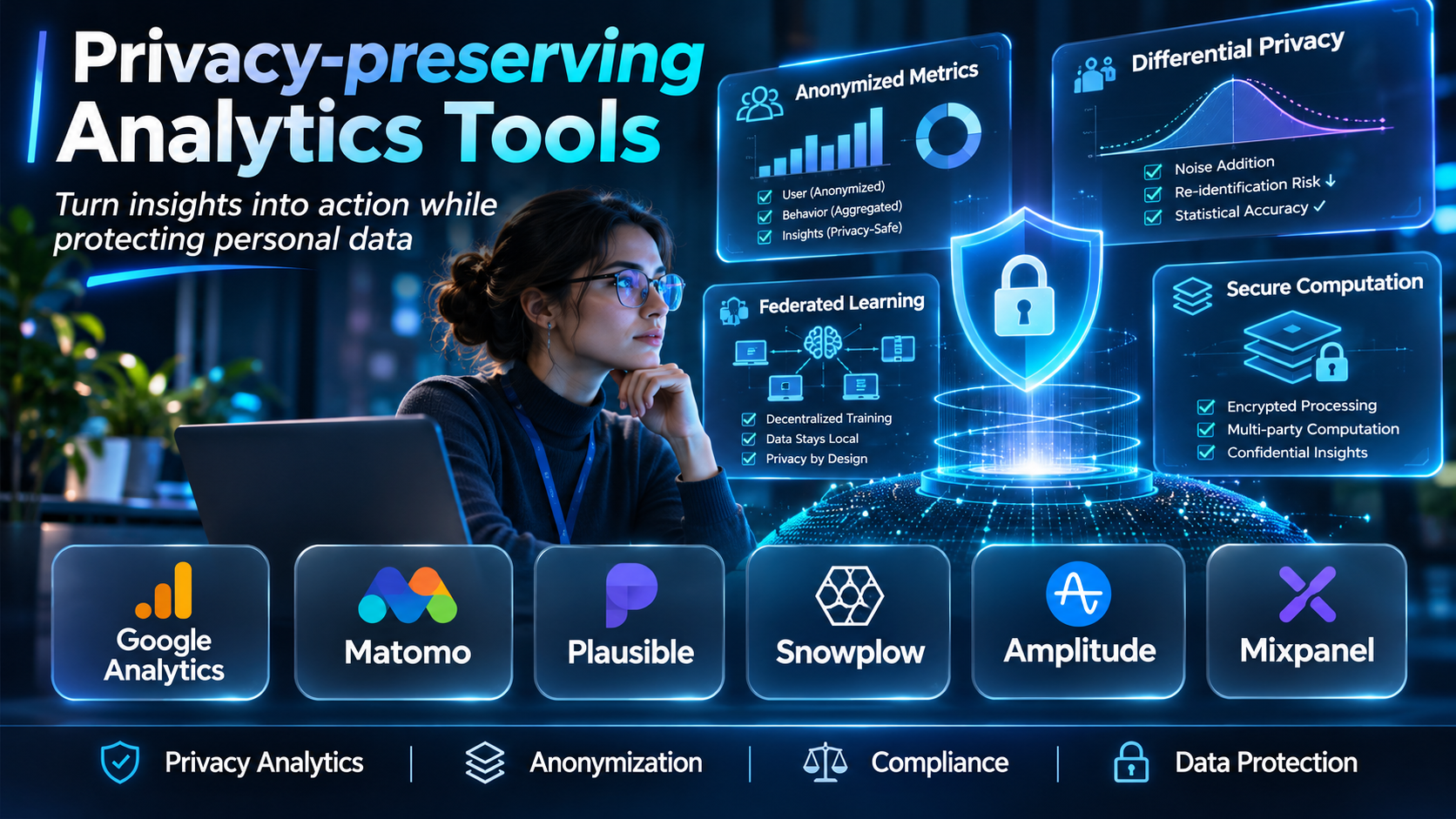
Privacy-preserving analytics tools help organizations generate useful insights while reducing unnecessary exposure of personal information.
These tools use different approaches. Some minimize the information collected from website visitors. Others rely on aggregation, differential privacy, secure multiparty computation, confidential computing, or privacy-conscious data collaboration.
For example, a website owner may only need to know which pages attract visitors and which referral sources generate traffic. Collecting detailed behavioral profiles may not be necessary.
A healthcare research organization faces a different challenge. It may need to analyze information across several institutions without allowing participating organizations to access one another’s patient-level records.
Similarly, a retailer and advertising partner may want to understand campaign performance without exchanging unrestricted customer databases.
Privacy-preserving analytics technologies can support these scenarios, but no single approach addresses every privacy risk.
A lightweight website analytics platform is not equivalent to a cryptographic computation framework. Likewise, removing cookies does not automatically make a system anonymous or exempt from privacy requirements.
Choosing the right solution requires understanding what information is collected, how it is processed, who can access it, and what can be learned from the results.
Organizations must also consider analytical accuracy, implementation complexity, data governance, and applicable legal obligations.
This guide compares ten privacy-preserving analytics tools and technologies, explains their capabilities, and provides practical guidance for selecting an appropriate solution.
What Are Privacy-preserving Analytics Tools?
Privacy-preserving analytics tools are software platforms, frameworks, or services designed to support data analysis while reducing privacy risks associated with collecting, processing, sharing, or releasing information.
Their objective is to produce useful analytical results while limiting unnecessary exposure of sensitive data.
Different tools address different parts of the analytical process.
Some reduce data collection at the source. Others protect information during computation, restrict access to contributed datasets, or limit what published results reveal about individuals.
How Privacy-preserving Analytics Works
A privacy-conscious analytical workflow typically includes several stages.
Data minimization: Collect only the information necessary for a defined analytical purpose.
Purpose definition: Document why the information is needed and which analyses are authorized.
Access control: Restrict data access to approved users and systems.
Privacy-enhancing processing: Apply suitable techniques such as aggregation, differential privacy, secure computation, or confidential execution.
Output protection: Reduce the possibility that analytical results reveal sensitive information.
Retention management: Keep information only as long as justified by the approved purpose and applicable requirements.
Ongoing validation: Review the system for privacy risks, data quality issues, and changes in technology or regulation.
Major Privacy-preserving Analytics Approaches
Data Minimization
Data minimization limits the collection and retention of information to what is necessary.
A website analytics platform may avoid collecting detailed device identifiers when aggregate page statistics are sufficient.
Aggregation
Aggregation combines information into groups or summary statistics.
For example, a report may show the number of visitors from a region rather than listing individual visitor records.
Aggregation can reduce exposure but does not automatically prevent re-identification.
Differential Privacy
Differential privacy is a mathematical framework that limits how much an analytical output can reveal about whether a particular individual contributed data.
It often uses carefully calibrated randomness.
The privacy protection depends on the mechanism, privacy parameters, and cumulative information released.
Secure Multiparty Computation
Secure multiparty computation allows multiple participants to compute agreed functions using private inputs without revealing those inputs to one another beyond what the protocol and its outputs permit.
It is relevant to collaborative analytics across organizations.
Confidential Computing
Confidential computing uses protected execution environments to help safeguard information while it is being processed.
It addresses particular infrastructure threats but does not automatically prevent sensitive outputs or misuse by authorized participants.
Federated Analytics
Federated analytics performs selected computations across separate data environments rather than necessarily centralizing all raw records.
Privacy depends on the protocol, information exchanged, and protection of intermediate and final results.
Common Applications
- Privacy-conscious website analytics.
- Product usage measurement.
- Advertising campaign analysis.
- Healthcare research.
- Financial data collaboration.
- Cross-organization statistical analysis.
- Sensitive dataset exploration.
- Aggregate audience measurement.
- Confidential business intelligence.
- Privacy-aware machine learning evaluation.
Benefits of Privacy-preserving Analytics
These approaches can help organizations reduce unnecessary data exposure, support controlled collaboration, strengthen data governance, and maintain useful analytical capabilities.
They may also reduce reliance on invasive tracking practices.
However, privacy protection often introduces trade-offs involving analytical detail, accuracy, performance, cost, and implementation complexity.
Top 10 Privacy-preserving Analytics Tools
1. Matomo
Short Description
Matomo is a web analytics platform that provides organizations with an alternative to conventional advertising-centered analytics systems.
It is particularly relevant to businesses seeking greater control over website analytics data and tracking configuration.
Matomo supports both self-hosted and cloud-based deployment options.
A self-hosted deployment can give an organization direct responsibility for infrastructure, data storage, and access management.
For example, a university may want to understand which educational resources attract visitors without relying entirely on a third-party advertising analytics ecosystem.
Matomo can support website traffic reporting, campaign analysis, and conversion measurement.
Its privacy-related capabilities include configurable tracking and data management options.
However, Matomo does not automatically guarantee regulatory compliance or anonymity.
Organizations must configure data collection, consent handling, retention, and access controls according to their circumstances.
Key Features
- Website Analytics: Measures page views, visits, traffic sources, and configured interactions.
- Self-Hosting Option: Allows organizations to operate analytics infrastructure under their control.
- Privacy Configuration: Provides options for limiting or modifying collected information.
- Cookie Management Options: Supports relevant privacy-conscious tracking configurations.
- Data Retention Controls: Helps administrators manage stored analytics information.
- Conversion Tracking: Measures configured business outcomes.
- Campaign Analytics: Supports analysis of marketing traffic sources.
- Reporting Dashboards: Presents website performance information.
- Extensibility: Supports applicable integrations and additional analytical functionality.
Benefits
- Provides greater control over analytics infrastructure.
- Supports privacy-conscious configurations.
- Reduces dependence on advertising-centered analytics ecosystems.
- Enables website performance measurement.
- Offers flexible deployment options.
- Supports organizational data governance.
- Provides conversion and campaign reporting.
Pros
- Self-hosting availability.
- Configurable privacy controls.
- Website and conversion analytics.
- Data ownership flexibility.
- Broad reporting functionality.
- Suitable for organizations with governance requirements.
Cons
- Self-hosting requires operational resources.
- Privacy depends on configuration.
- Advanced capabilities may involve additional costs.
- Implementation requires tracking expertise.
- It does not provide formal differential privacy by default for every report.
Use Cases
University Website Analytics: An institution measures educational content engagement.
Government Website Reporting: A public organization monitors service usage.
Business Website Measurement: A company evaluates traffic and conversions.
Self-Hosted Analytics: An enterprise maintains direct control over its analytics infrastructure.
Best For
Organizations seeking configurable website analytics, self-hosting options, and greater control over data collection.
2. Plausible Analytics
Short Description
Plausible Analytics is a lightweight web analytics platform designed around simple reporting and privacy-conscious data collection.
It focuses on essential website performance information rather than detailed individual behavioral profiling.
Plausible is particularly relevant to website owners who want straightforward traffic statistics without implementing a complex analytics environment.
For example, an independent publisher may need to understand page views, referral sources, and campaign performance.
The publisher may not require persistent individual visitor profiles.
Plausible supports this simpler measurement approach.
Its design emphasizes lightweight tracking and accessible reporting.
However, organizations should still assess the information collected, deployment configuration, and applicable privacy requirements.
A privacy-focused product design does not remove the need for legal and technical evaluation.
Key Features
- Lightweight Tracking: Uses a compact website analytics implementation.
- Privacy-Conscious Measurement: Focuses on minimizing unnecessary personal data collection.
- Traffic Reporting: Measures website visits and page views.
- Referral Analysis: Identifies relevant traffic sources.
- Campaign Tracking: Supports campaign parameter reporting.
- Goal Measurement: Tracks configured website outcomes.
- Simple Dashboard: Presents essential metrics without extensive complexity.
- Self-Hosting Availability: Offers an option for organizations managing their own deployment.
- Website Performance Focus: Supports streamlined traffic analysis.
Benefits
- Simplifies website analytics.
- Reduces tracking complexity.
- Supports privacy-conscious measurement.
- Provides clear traffic insights.
- Helps analyze referrals and campaigns.
- Offers deployment flexibility.
- Reduces unnecessary analytical overhead.
Pros
- Lightweight implementation.
- Simple reporting interface.
- Privacy-oriented design.
- Self-hosting option.
- Campaign and goal tracking.
- Suitable for smaller websites.
Cons
- Less detailed behavioral analysis than enterprise suites.
- Limited suitability for complex customer journey attribution.
- Some advanced analytics requirements may exceed its scope.
- Privacy obligations still require assessment.
- Commercial hosting involves subscription costs.
Use Cases
Content Websites: Publishers monitor traffic and popular articles.
Small Business Websites: Companies measure referrals and conversions.
Marketing Landing Pages: Teams evaluate campaign visits.
Privacy-Conscious Website Reporting: Organizations collect essential traffic statistics.
Best For
Bloggers, publishers, startups, small businesses, and website owners prioritizing simple privacy-conscious analytics.
3. Fathom Analytics
Short Description
Fathom Analytics is a website analytics platform focused on straightforward measurement and privacy-conscious operation.
It is designed for organizations that need useful traffic information without extensive individual-level tracking.
Fathom emphasizes simplicity, making it relevant to businesses that do not require highly complex analytics implementations.
For example, a professional services company may want to know which pages generate inquiries and which referral sources attract visitors.
Fathom can provide relevant website performance metrics through a streamlined interface.
Its approach can reduce the operational complexity associated with larger analytics suites.
However, organizations should examine the specific tracking methods and legal requirements applicable to their websites.
The platform is best viewed as a privacy-oriented website analytics solution rather than a comprehensive cryptographic privacy framework.
Key Features
- Website Traffic Analytics: Reports visits and page activity.
- Privacy-Oriented Tracking: Focuses on limiting unnecessary visitor information.
- Simple Dashboard: Presents essential performance metrics.
- Referral Reporting: Identifies relevant traffic sources.
- Campaign Analysis: Supports marketing source measurement.
- Event Tracking: Measures configured interactions.
- Goal Reporting: Supports analysis of selected outcomes.
- Lightweight Implementation: Reduces tracking overhead.
- Website Performance Insights: Helps organizations understand traffic patterns.
Benefits
- Simplifies website reporting.
- Supports privacy-conscious tracking.
- Reduces analytics administration.
- Provides useful referral insights.
- Helps measure selected conversions.
- Supports marketing performance analysis.
- Avoids unnecessary reporting complexity.
Pros
- Simple interface.
- Privacy-focused design.
- Lightweight tracking.
- Event measurement.
- Referral reporting.
- Suitable for small and medium-sized websites.
Cons
- Limited enterprise journey analytics.
- Not intended for advanced cross-organization computation.
- Less flexible than comprehensive analytics suites.
- Subscription costs require evaluation.
- Privacy requirements still depend on implementation and jurisdiction.
Use Cases
Professional Services Websites: A firm measures inquiry-related traffic.
Content Publishing: A publisher monitors article performance.
Small Business Analytics: A company evaluates marketing referrals.
Landing Page Measurement: A team tracks selected events.
Best For
Small businesses, agencies, content publishers, and organizations wanting straightforward privacy-oriented web analytics.
4. Simple Analytics
Short Description
Simple Analytics is a privacy-focused web analytics platform designed to provide useful website statistics without conventional invasive tracking practices.
Its emphasis is on collecting essential information and presenting it through an accessible reporting interface.
Simple Analytics is relevant to organizations that prefer minimal data collection and uncomplicated analytics.
For example, a nonprofit organization may want to understand how visitors discover its website and which information pages attract attention.
Detailed individual profiles may not be necessary for that purpose.
Simple Analytics can support aggregate website reporting while limiting the complexity of the tracking environment.
However, it is not a replacement for advanced product analytics, secure multiparty computation, or enterprise data clean rooms.
Organizations should evaluate its specific collection methods and capabilities against their measurement requirements.
Key Features
- Privacy-Focused Website Tracking: Emphasizes limited data collection.
- Traffic Analytics: Reports visits and page performance.
- Referral Analysis: Identifies relevant acquisition sources.
- Campaign Reporting: Supports analysis of marketing traffic.
- Event Measurement: Tracks selected website interactions.
- Simple Reporting: Provides accessible dashboards.
- Lightweight Integration: Supports straightforward website implementation.
- Aggregate Insights: Focuses on useful website-level statistics.
- Operational Simplicity: Reduces analytics administration requirements.
Benefits
- Supports minimal-data analytics.
- Simplifies website reporting.
- Reduces dependence on detailed visitor profiling.
- Helps evaluate content performance.
- Supports referral analysis.
- Provides accessible marketing insights.
- Reduces implementation complexity.
Pros
- Privacy-oriented design.
- Straightforward interface.
- Lightweight tracking.
- Useful traffic reports.
- Campaign measurement.
- Suitable for content-focused websites.
Cons
- Limited advanced behavioral analytics.
- Not designed for complex enterprise attribution.
- Does not replace cryptographic privacy technologies.
- Commercial pricing requires evaluation.
- Some organizations may need more detailed reporting.
Use Cases
Nonprofit Website Analytics: An organization monitors resource usage.
Blog Performance: A publisher evaluates popular content.
Small Business Reporting: A company tracks website traffic.
Campaign Landing Pages: Marketers measure visits and selected interactions.
Best For
Nonprofits, publishers, small businesses, and organizations prioritizing minimal-data website analytics.
5. Piwik PRO Analytics Suite
Short Description
Piwik PRO Analytics Suite is an analytics platform designed for organizations requiring website and product analytics alongside data governance and privacy-related controls.
It is particularly relevant to businesses operating in regulated or privacy-sensitive environments.
Piwik PRO combines analytical capabilities with features associated with consent management and data handling.
For example, a financial institution may need to understand how visitors navigate its digital services while maintaining strict requirements around data collection and access.
The platform can support configured analytics workflows within a broader governance program.
Its relevance extends beyond basic page-view reporting because organizations may require event tracking, conversion analysis, and more detailed digital measurement.
However, implementing a privacy-conscious analytics environment still requires organizational decisions about consent, lawful processing, retention, and access.
The platform’s controls should be evaluated against specific compliance requirements rather than treated as automatic certification.
Key Features
- Website Analytics: Measures configured digital interactions.
- Event Tracking: Supports detailed interaction measurement.
- Conversion Analytics: Examines important business outcomes.
- Consent-Related Capabilities: Supports relevant consent and tracking workflows.
- Data Governance Controls: Provides options for managing analytical information.
- Audience Analysis: Supports relevant segmentation.
- Reporting Dashboards: Presents website and product performance.
- Deployment and Data Handling Options: Supports selected organizational requirements.
- Enterprise Integrations: Connects with relevant business systems.
Benefits
- Supports detailed digital analytics.
- Provides privacy-related controls.
- Helps manage consent-aware measurement.
- Supports regulated organizations.
- Enables conversion analysis.
- Improves digital reporting.
- Supports governance-oriented implementations.
Pros
- Analytics and privacy focus.
- Event-based measurement.
- Conversion reporting.
- Consent-related capabilities.
- Enterprise applications.
- Relevant to regulated industries.
Cons
- More complex than lightweight analytics tools.
- Implementation requires planning.
- Advanced requirements may involve commercial costs.
- Governance remains an organizational responsibility.
- Not a substitute for formal privacy-enhancing computation.
Use Cases
Financial Services Analytics: A bank measures digital service engagement.
Healthcare Website Reporting: An organization monitors permitted website interactions.
Enterprise Product Analytics: A business evaluates configured user events.
Consent-Aware Measurement: A company coordinates analytics with consent preferences.
Best For
Regulated businesses, enterprise analytics teams, financial institutions, and organizations needing detailed analytics with privacy controls.
6. OpenDP
Short Description
OpenDP is an open-source initiative and software ecosystem focused on differential privacy.
Unlike conventional website analytics products, OpenDP provides technical building blocks for developing analytical systems with formal privacy guarantees.
Differential privacy is particularly useful when organizations need to publish statistics derived from sensitive datasets while limiting the information revealed about individuals.
For example, a research institution may want to publish aggregate statistics about a population without exposing individual participant records.
OpenDP can help developers construct and reason about privacy-preserving computations.
Its approach requires understanding mathematical privacy definitions, sensitivity, and privacy budget management.
This makes it more appropriate for technical teams than organizations seeking a ready-made website dashboard.
OpenDP should be evaluated as a privacy engineering toolkit rather than a direct substitute for a commercial analytics platform.
Key Features
- Differential Privacy Framework: Supports construction of formally privacy-preserving computations.
- Privacy Accounting: Helps reason about cumulative privacy loss.
- Statistical Mechanisms: Provides building blocks for privacy-protected analysis.
- Open-Source Development: Enables inspection and adaptation of relevant components.
- Mathematical Foundations: Supports rigorous privacy definitions.
- Custom Analytical Workflows: Allows developers to construct specialized analyses.
- Research Applications: Supports privacy-oriented statistical projects.
- Developer Integration: Provides relevant programming interfaces.
- Privacy Engineering Support: Helps teams evaluate analytical privacy properties.
Benefits
- Supports formal privacy guarantees.
- Enables privacy-conscious statistical analysis.
- Provides reusable technical components.
- Supports research and experimentation.
- Encourages transparent privacy engineering.
- Helps manage privacy loss.
- Enables customized analytical applications.
Pros
- Differential privacy specialization.
- Open-source approach.
- Strong mathematical foundations.
- Customizable computations.
- Research relevance.
- Useful for privacy engineering teams.
Cons
- Requires technical and mathematical expertise.
- Not a turnkey analytics dashboard.
- Privacy parameters require careful selection.
- Added noise can reduce statistical accuracy.
- Incorrect implementation can weaken guarantees.
Use Cases
Population Statistics: Researchers publish protected aggregate measurements.
Sensitive Dataset Analysis: Analysts develop privacy-preserving statistical workflows.
Privacy Engineering Research: Teams evaluate differential privacy mechanisms.
Custom Analytics Systems: Developers incorporate formal privacy protections.
Best For
Privacy engineers, researchers, data scientists, and organizations building custom differentially private analytics systems.
7. Tumult Analytics
Short Description
Tumult Analytics is a differential privacy-oriented analytics solution designed to help organizations derive statistical insights from sensitive information.
It focuses on applying formal privacy techniques to analytical workflows.
Unlike lightweight web analytics tools, its primary value lies in privacy-protected computation rather than website traffic reporting.
For example, a research organization may need to produce aggregate statistics from confidential records while limiting disclosure risks.
A differential privacy approach can support this goal by controlling how much information individual records contribute to released results.
Tumult’s technology is relevant to organizations seeking operational differential privacy capabilities.
However, the appropriate privacy parameters depend on the dataset, analytical questions, and acceptable accuracy trade-offs.
Organizations should verify current product availability, deployment options, and supported workflows.
Key Features
- Differential Privacy: Supports privacy-protected statistical analysis.
- Privacy Budget Management: Helps control cumulative privacy exposure.
- Aggregate Analytics: Produces relevant statistical outputs.
- Sensitive Data Applications: Supports analysis of confidential datasets.
- Analytical Workflow Integration: Fits selected data processing environments.
- Privacy Engineering Controls: Supports defined privacy parameters.
- Statistical Reporting: Enables protected analytical results.
- Enterprise Applications: Addresses organizational privacy requirements.
- Custom Analysis Support: Enables selected privacy-aware analytical workflows.
Benefits
- Supports formal privacy approaches.
- Helps reduce individual disclosure risks.
- Enables analysis of sensitive datasets.
- Provides privacy budget concepts.
- Supports aggregate reporting.
- Helps operationalize privacy engineering.
- Enables controlled statistical insights.
Pros
- Differential privacy specialization.
- Relevant to sensitive datasets.
- Statistical analysis focus.
- Privacy budget management.
- Enterprise use cases.
- Supports formal privacy methodology.
Cons
- Requires careful statistical design.
- Privacy and accuracy trade-offs remain.
- Not a conventional website analytics platform.
- Integration requirements vary.
- Commercial capabilities require verification.
Use Cases
Confidential Statistics: An organization produces protected aggregate reports.
Research Analytics: Analysts examine sensitive datasets.
Enterprise Privacy Programs: A company implements differential privacy.
Statistical Data Releases: Teams reduce disclosure risks in published results.
Best For
Privacy engineering teams, research organizations, enterprises, and data scientists requiring differential privacy.
8. Decentriq
Short Description
Decentriq is a privacy-enhancing data collaboration platform that supports controlled analysis across organizations.
Its approach includes confidential computing technologies designed to protect information during processing.
Decentriq is particularly relevant when several organizations need to collaborate using sensitive datasets.
For example, healthcare institutions may want to investigate a shared research question without providing unrestricted access to patient-level information.
A controlled collaboration environment can help participating institutions perform approved analyses.
Decentriq’s capabilities are also relevant to financial services and marketing measurement.
However, confidential computing protects against particular infrastructure risks and does not automatically prevent inappropriate outputs.
Organizations must still define authorized purposes, data minimization requirements, and disclosure controls.
Key Features
- Confidential Computing: Supports protected data processing environments.
- Secure Data Collaboration: Enables approved cross-organization analytics.
- Controlled Access: Restricts participant permissions.
- Privacy-Enhancing Architecture: Provides relevant processing protections.
- Aggregate Analysis: Supports approved statistical workflows.
- Collaboration Management: Coordinates participating organizations.
- Sensitive Data Applications: Addresses selected regulated-industry needs.
- Output Governance: Helps manage analytical result disclosure.
- Enterprise Security Focus: Supports protected collaborative computation.
Benefits
- Supports sensitive data collaboration.
- Reduces unnecessary information exposure.
- Provides confidential computing capabilities.
- Enables cross-institution analysis.
- Supports regulated-industry use cases.
- Helps control analytical access.
- Strengthens collaboration governance.
Pros
- Confidential computing focus.
- Cross-organization analytics.
- Sensitive data applications.
- Controlled processing.
- Enterprise security relevance.
- Privacy-enhancing design.
Cons
- Requires technical evaluation.
- Confidential computing does not eliminate all privacy risks.
- Integration complexity varies.
- Commercial pricing requires consultation.
- Output controls remain essential.
Use Cases
Healthcare Research: Institutions analyze approved datasets collaboratively.
Financial Analytics: Organizations investigate aggregate patterns.
Marketing Collaboration: Partners evaluate eligible campaign outcomes.
Sensitive Enterprise Research: Businesses perform controlled cross-company analysis.
Best For
Healthcare organizations, financial institutions, research teams, and enterprises requiring confidential data collaboration.
9. AWS Clean Rooms
Short Description
AWS Clean Rooms is a cloud data collaboration service designed to support approved analytical workflows between organizations.
It provides a controlled environment for analyzing eligible datasets without granting partners unrestricted access to contributed information.
The platform is relevant to organizations seeking privacy-conscious collaboration within the AWS ecosystem.
For example, a retailer and advertising partner may want to analyze eligible customer overlap and campaign-related purchases.
AWS Clean Rooms can support defined analytical operations while applying configured restrictions.
Its privacy-related capabilities depend on the selected collaboration architecture, analysis rules, and available protection mechanisms.
AWS Clean Rooms is not a conventional website analytics platform.
It is more suitable for controlled multi-party analysis than for simple page-view reporting.
Key Features
- Controlled Collaboration: Supports approved analysis between participants.
- Analysis Rules: Restricts permitted computations.
- SQL-Based Analytics: Supports structured analytical workflows.
- Privacy-Enhancing Options: Provides relevant protections for selected use cases.
- AWS Integration: Connects with applicable AWS services.
- Collaboration Administration: Manages authorized participants.
- Output Restrictions: Helps control released results.
- Access Management: Uses relevant permission mechanisms.
- Cloud-Native Processing: Supports analytical workloads in AWS environments.
Benefits
- Enables privacy-conscious collaboration.
- Reduces unrestricted data sharing.
- Supports partner analytics.
- Provides configurable analysis restrictions.
- Fits AWS infrastructure.
- Supports advertising measurement.
- Helps manage analytical permissions.
Pros
- Cloud-native collaboration.
- Analysis rules.
- AWS integration.
- Relevant privacy-enhancing capabilities.
- Multi-party applications.
- Enterprise scalability.
Cons
- Requires AWS expertise.
- Not intended for basic website analytics.
- Privacy depends on configuration.
- Processing costs require monitoring.
- Partner integration can be complex.
Use Cases
Advertising Measurement: Partners analyze approved campaign outcomes.
Retail Data Collaboration: Organizations examine aggregate purchasing patterns.
Audience Overlap: Businesses calculate eligible customer intersections.
Enterprise Analytics: Partners perform controlled statistical analysis.
Best For
AWS customers, advertisers, retailers, and enterprises requiring controlled cross-organization analytics.
10. Google Analytics 4
Short Description
Google Analytics 4 is a digital analytics platform that provides website and application measurement capabilities.
It is included in this comparison because it offers privacy-related controls and measurement approaches relevant to organizations adapting to modern privacy requirements.
However, GA4 should not be classified as a privacy-preserving analytics platform in the same sense as a differential privacy toolkit or confidential computing service.
GA4 can collect event-based interaction information and supports selected consent-related and data management capabilities.
For example, a business may configure GA4 to measure purchases and important website interactions while applying appropriate consent settings.
Its privacy-related controls can help organizations manage selected aspects of data collection.
Nevertheless, GA4 remains a broad digital analytics platform, and its data practices require careful configuration and legal review.
Organizations prioritizing strict data minimization or formal privacy guarantees may prefer other approaches.
Key Features
- Event-Based Analytics: Measures configured website and app interactions.
- Consent-Related Controls: Supports relevant consent-aware measurement configurations.
- Data Retention Settings: Provides selected retention management options.
- Privacy Configuration: Supports applicable controls over collected information.
- Conversion Tracking: Measures important business outcomes.
- Acquisition Reporting: Analyzes marketing traffic sources.
- Audience Analytics: Supports relevant segmentation.
- Google Ads Integration: Connects with supported advertising workflows.
- Reporting and Exploration: Provides flexible digital analytics views.
Benefits
- Supports website and app measurement.
- Provides privacy-related configuration options.
- Helps evaluate marketing campaigns.
- Enables conversion reporting.
- Supports consent-aware implementations.
- Integrates with Google advertising.
- Provides broad analytical capabilities.
Pros
- Comprehensive digital analytics.
- Event-based tracking.
- Privacy-related controls.
- Conversion measurement.
- Google Ads integration.
- Accessible entry-level offering.
Cons
- Not a dedicated privacy-enhancing computation platform.
- Requires careful consent and data governance.
- Tracking can involve personal data.
- Configuration complexity may be significant.
- Does not provide universal formal privacy guarantees.
Use Cases
Consent-Aware Website Analytics: A business configures tracking according to applicable requirements.
E-commerce Measurement: A retailer evaluates purchase activity.
Marketing Analytics: A team examines acquisition channels.
Application Analytics: A company measures configured app interactions.
Best For
Organizations requiring broad digital analytics with configurable privacy-related controls, rather than strict privacy-minimizing analytics alone.
Comparison Table: Top 10 Privacy-preserving Analytics Tools
| Tool | Primary Approach | Best For | Key Distinction |
|---|---|---|---|
| Matomo | Configurable privacy-conscious web analytics | Self-hosted analytics | Data control and deployment flexibility |
| Plausible Analytics | Minimal-data website analytics | Small websites | Lightweight measurement |
| Fathom Analytics | Privacy-focused web analytics | Businesses and publishers | Simple traffic reporting |
| Simple Analytics | Minimal-data analytics | Content websites | Streamlined privacy-oriented tracking |
| Piwik PRO | Analytics with privacy controls | Regulated organizations | Governance-oriented digital analytics |
| OpenDP | Differential privacy framework | Researchers and developers | Formal privacy engineering |
| Tumult Analytics | Differential privacy analytics | Sensitive statistical analysis | Privacy-protected computation |
| Decentriq | Confidential computing | Cross-organization research | Protected collaborative processing |
| AWS Clean Rooms | Controlled data collaboration | AWS enterprises | Restricted multi-party analytics |
| Google Analytics 4 | General analytics with privacy controls | Digital marketers | Broad event-based measurement |
Comparison note: These tools are not direct substitutes. Website analytics products primarily address data collection and reporting, while OpenDP and Tumult focus on differential privacy, Decentriq emphasizes confidential collaboration, and AWS Clean Rooms supports controlled multi-party analysis. GA4 is included as a broader analytics option with privacy-related controls, not as a formal privacy-enhancing computation solution.
How to Choose the Best Privacy-preserving Analytics Tool
1. Define the Analytical Objective
Determine whether the organization needs website traffic statistics, product analytics, sensitive dataset research, or cross-organization collaboration.
Different objectives require different technical approaches.
2. Identify the Privacy Risks
Consider unnecessary data collection, unauthorized access, re-identification, sensitive outputs, and information leakage during processing.
The selected technology should address the relevant threats.
3. Classify the Data
Identify personal information, confidential business data, regulated records, and other sensitive fields.
Determine which information is necessary.
4. Evaluate Data Minimization
Consider whether useful insights can be produced with fewer identifiers, shorter retention periods, or aggregate information.
Avoid collecting detailed records without a clear purpose.
5. Review Privacy Guarantees
Distinguish between privacy-focused product design, contractual restrictions, security controls, and mathematically defined privacy guarantees.
These provide different protections.
6. Examine Analytical Accuracy
Some privacy techniques introduce statistical noise or restrict detailed reporting.
Determine whether the remaining accuracy is sufficient for the intended decisions.
7. Assess Integration Requirements
Review compatibility with websites, data warehouses, cloud platforms, and existing analytical systems.
Consider implementation and maintenance resources.
8. Evaluate Governance
Establish clear rules for access, retention, data processing, and result disclosure.
Privacy technology must operate within an appropriate governance program.
9. Consider Regulatory Requirements
Review applicable privacy laws, contractual obligations, and organizational policies.
No product automatically guarantees compliance.
10. Calculate Total Cost
Include licensing, infrastructure, implementation, privacy engineering, monitoring, and ongoing maintenance.
Best Privacy-preserving Analytics Tools by User Type
| User Type | Recommended Tool | Reason |
|---|---|---|
| Self-hosted website operator | Matomo | Infrastructure and data control |
| Small website owner | Plausible Analytics | Lightweight reporting |
| Professional services business | Fathom Analytics | Simple privacy-oriented measurement |
| Content publisher | Simple Analytics | Minimal-data traffic analytics |
| Regulated enterprise | Piwik PRO | Analytics with governance controls |
| Privacy researcher | OpenDP | Differential privacy development |
| Statistical analytics team | Tumult Analytics | Privacy-protected computation |
| Healthcare research consortium | Decentriq | Confidential collaboration |
| AWS-based enterprise | AWS Clean Rooms | Controlled multi-party analytics |
| General digital marketing team | Google Analytics 4 | Broad analytics with configurable privacy controls |
Practical Example: Implementing Privacy-preserving Website Analytics
Consider a nonprofit organization operating a public educational website.
The organization wants to understand which resources visitors use, how people discover the site, and whether important information pages are accessible.
It does not need to build detailed individual visitor profiles.
Step 1: Define the Measurement Goals
The organization identifies three priorities: page popularity, referral sources, and selected resource downloads.
It documents why each metric is necessary.
Step 2: Review Existing Tracking
The technical team audits analytics scripts, cookies, third-party tags, and stored information.
It identifies unnecessary collection.
Step 3: Select an Appropriate Platform
The organization evaluates Matomo, Plausible Analytics, Fathom Analytics, and Simple Analytics.
It prioritizes minimal data collection, straightforward reporting, and manageable costs.
Step 4: Configure Data Collection
Administrators enable only the events and metrics needed for the defined objectives.
They avoid collecting unnecessary personal information.
Step 5: Review Privacy Requirements
The organization evaluates applicable notice, consent, retention, and data processing obligations.
It updates relevant policies and configurations.
Step 6: Validate Reporting
The team checks whether page views, referrals, and selected events are recorded as intended.
It also verifies that unnecessary information is not collected.
Step 7: Establish Access Controls
Only authorized staff receive access to analytics reports.
Administrative permissions are limited.
Step 8: Define Retention Rules
The organization establishes an appropriate retention schedule.
Information is not kept indefinitely without justification.
Step 9: Monitor Analytical Quality
The team reviews reporting accuracy and investigates unexpected changes.
It recognizes that privacy-conscious measurement may not capture every interaction.
Step 10: Review the Implementation Regularly
The organization reassesses its analytics requirements when new website features are introduced.
It removes unnecessary tracking and updates privacy configurations when needed.
Common Mistakes to Avoid
1. Assuming Cookie-Free Means Anonymous
A system may still process personal information without using cookies.
2. Confusing Security With Privacy
Encryption and access controls protect information against certain threats, but they do not automatically prevent inappropriate collection or use.
3. Collecting More Information Than Necessary
Excessive collection increases exposure and operational complexity.
4. Treating Aggregation as Complete Protection
Small groups and repeated queries can reveal sensitive information.
5. Misconfiguring Differential Privacy
Incorrect privacy parameters or repeated releases can weaken protection.
6. Ignoring Analytical Accuracy
Privacy controls may affect the precision and completeness of reports.
7. Overlooking Legal Requirements
Technical safeguards do not eliminate regulatory and contractual obligations.
8. Choosing a Tool Without Defining the Threat Model
A website analytics tool cannot replace secure multiparty computation when the main problem is confidential cross-organization analysis.
Frequently Asked Questions
1. What is privacy-preserving analytics?
Privacy-preserving analytics refers to methods and tools that support data analysis while reducing risks to sensitive information.
2. Why is privacy-preserving analytics important?
It helps organizations obtain useful insights while limiting unnecessary data exposure.
3. What is privacy-first website analytics?
It is website measurement designed to minimize unnecessary personal data collection and tracking.
4. Are privacy-focused analytics tools always cookie-free?
No. Collection methods vary by product and configuration.
5. Does cookie-free analytics guarantee privacy?
No. Other identifiers and data processing practices may still create privacy risks.
6. What is differential privacy?
Differential privacy is a mathematical framework for limiting what analytical outputs reveal about an individual’s participation.
7. What is a privacy budget?
A privacy budget represents a defined limit on cumulative privacy loss in differential privacy systems.
8. Does differential privacy reduce accuracy?
It can introduce statistical noise or other restrictions that affect analytical accuracy.
9. What is secure multiparty computation?
It allows participants to compute agreed functions using private inputs without revealing those inputs beyond permitted information.
10. What is confidential computing?
It uses protected execution environments to help safeguard data during processing.
11. What is federated analytics?
Federated analytics performs selected computations across separate data environments.
12. Is aggregation enough to protect personal data?
Not always. Small groups, repeated queries, and external information can create disclosure risks.
13. What is data minimization?
Data minimization means collecting and retaining only information necessary for a defined purpose.
14. Can privacy-preserving analytics measure conversions?
Yes. Some tools support conversion reporting while limiting unnecessary tracking.
15. Can privacy-preserving analytics support marketing?
Yes. Applications include website measurement, campaign reporting, and controlled advertising analysis.
16. Can healthcare organizations use privacy-preserving analytics?
Yes, subject to appropriate technical safeguards and applicable legal requirements.
17. Is Matomo a privacy-preserving analytics tool?
Matomo provides configurable privacy-conscious website analytics capabilities.
18. Is Plausible Analytics suitable for small businesses?
Yes. It is particularly relevant to organizations seeking simple website traffic reporting.
19. What is OpenDP used for?
OpenDP provides building blocks for developing differentially private analytical systems.
20. What is Tumult Analytics?
It is a differential privacy-oriented analytics solution for sensitive statistical analysis.
21. Can data clean rooms support privacy-preserving analytics?
Yes. Properly configured clean rooms can support controlled collaborative analysis.
22. Is Google Analytics 4 privacy-preserving?
GA4 offers privacy-related controls, but it is a general analytics platform rather than a dedicated formal privacy-enhancing computation system.
23. Do privacy-preserving analytics tools guarantee GDPR compliance?
No. Compliance depends on the complete processing arrangement and applicable legal requirements.
24. Can privacy-preserving analytics work without personal identifiers?
Some use cases can rely on aggregate or minimized information without persistent individual identifiers.
25. What are the main limitations of privacy-preserving analytics?
Limitations can include reduced detail, statistical uncertainty, implementation complexity, and incomplete data.
26. How do privacy-preserving analytics tools handle retention?
Capabilities vary. Organizations must establish appropriate retention policies and configure available controls.
27. Are privacy-preserving analytics tools expensive?
Costs range from open-source software to enterprise platforms requiring substantial technical investment.
28. Can privacy-preserving analytics support cross-organization research?
Yes. Technologies such as secure computation, confidential computing, and controlled data collaboration can support appropriate use cases.
29. How should organizations evaluate privacy guarantees?
They should examine technical documentation, threat models, implementation details, independent assessments where available, and the risks addressed.
30. How do businesses choose the right privacy-preserving analytics tool?
They should define analytical objectives, identify privacy risks, evaluate technical approaches, assess integrations, and review governance and total cost.
Final Thoughts
Privacy-preserving analytics tools help organizations obtain useful insights while reducing unnecessary exposure of sensitive information.
Matomo, Plausible Analytics, Fathom Analytics, and Simple Analytics are relevant to privacy-conscious website measurement.
Piwik PRO supports organizations requiring more detailed digital analytics alongside privacy and governance controls.
OpenDP and Tumult Analytics address formal differential privacy applications.
Decentriq and AWS Clean Rooms support controlled collaboration involving sensitive datasets.
Google Analytics 4 offers broad digital analytics with configurable privacy-related capabilities, although it should not be confused with a dedicated privacy-enhancing computation framework.
The best solution depends on the analytical objective, sensitivity of the information, required privacy guarantees, available technical expertise, and acceptable accuracy trade-offs.
Organizations should avoid assuming that a product’s privacy-focused branding automatically establishes anonymity, security, or regulatory compliance.
A reliable approach combines data minimization, appropriate technology, carefully defined purposes, access controls, retention policies, and ongoing validation.
When these practices are implemented together, businesses can develop analytical capabilities that support informed decisions while better respecting the privacy of the people represented in their data.
