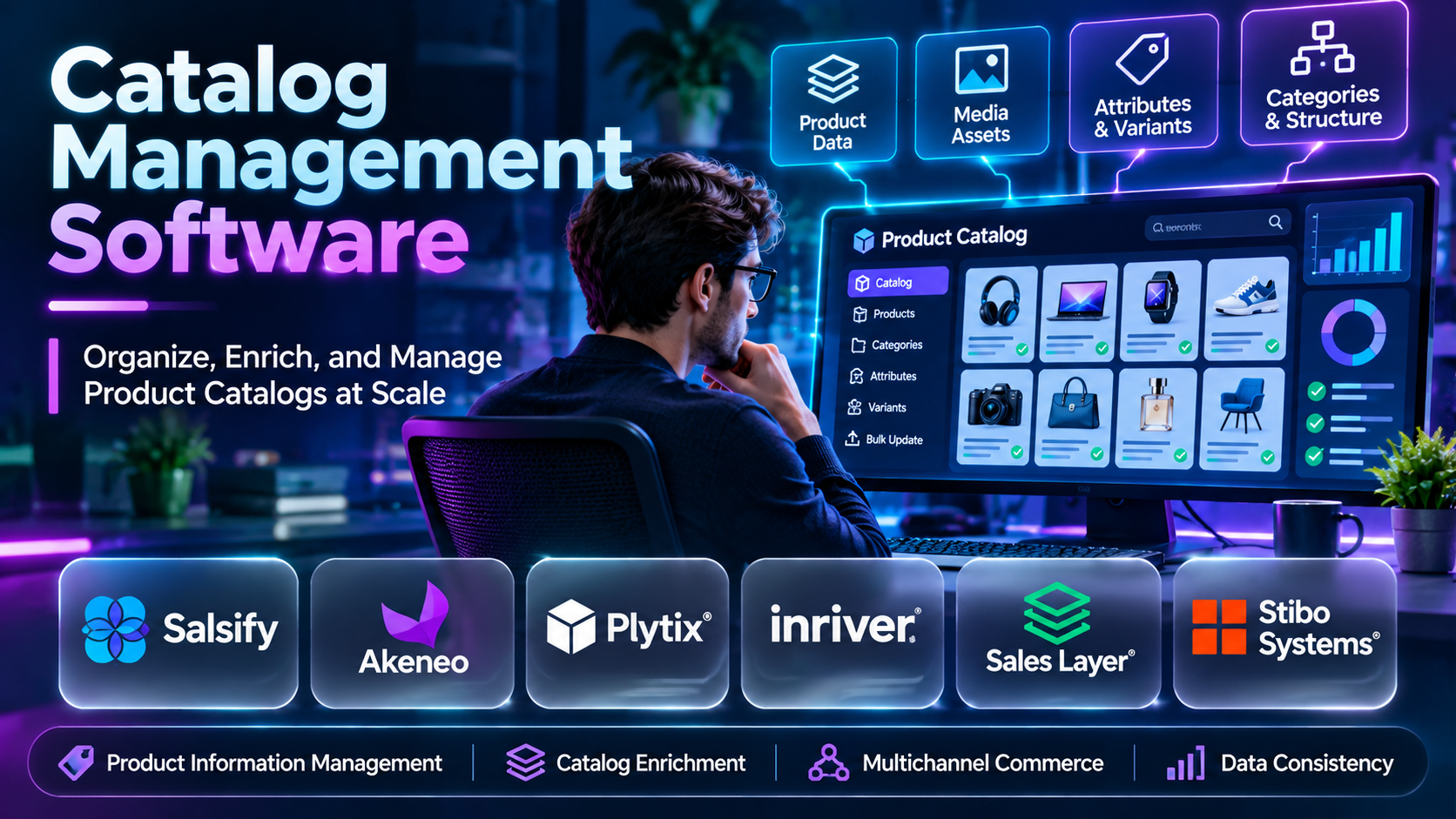
Introduction
A product catalog is more than a collection of product names and prices. It contains the information customers, sales teams, marketplaces, and business systems need to identify, compare, purchase, and manage products.
As businesses expand across websites, marketplaces, retail partners, and international markets, maintaining accurate product information becomes increasingly difficult. A single product may require different descriptions, images, specifications, languages, currencies, and category attributes depending on where it appears.
Catalog management software helps businesses organize, maintain, validate, and distribute product information. It reduces the need to update disconnected spreadsheets and supports consistent product presentation across multiple sales channels.
Some solutions focus on product information management (PIM), while others provide digital asset management (DAM), catalog publishing, product content syndication, or commerce integration capabilities. These functions overlap, but they address different operational requirements.
For example, a furniture retailer may need to manage dimensions, materials, finishes, assembly instructions, lifestyle photographs, and regional descriptions for thousands of products. A distributor may prioritize supplier data ingestion, technical attributes, standardized identifiers, and customer-specific catalogs.
This guide examines ten catalog management software platforms, explains their capabilities and limitations, and compares their suitability for different organizations. It also provides selection guidance, a practical implementation example, comparison tables, and frequently asked questions.
What Is Catalog Management Software?
Catalog management software is a system for organizing, maintaining, and distributing structured product information. It helps businesses establish consistent records for products, variants, categories, attributes, descriptions, images, and related commercial information.
A catalog management platform may function as a central product information repository or connect several systems that collectively manage product data. Depending on the product, it can support approval workflows, validation rules, data enrichment, localization, and distribution to commerce channels.
Catalog management overlaps with PIM, product data management, and digital asset management. PIM concentrates on structured product information, while DAM concentrates on media assets such as images, videos, and documents. Enterprise catalog workflows often require both.
A well-designed catalog process ensures that product information is accurate, complete, current, and appropriate for each destination. It also establishes ownership, governance, and review procedures so that data quality does not depend on individual employees maintaining separate files.
Common applications include:
- E-commerce Catalogs: Maintain product descriptions, specifications, variants, and imagery for online storefronts.
- Marketplace Distribution: Prepare channel-specific product information for supported marketplaces and retail partners.
- Wholesale Catalogs: Organize supplier data, technical attributes, and customer-facing product records.
- Multilingual Commerce: Translate and localize product information for different markets.
- Digital Asset Coordination: Associate approved product images, videos, and documents with relevant product records.
- Catalog Publishing: Prepare product content for digital catalogs, printed materials, and sales presentations.
- Product Data Governance: Establish required attributes, approval processes, and quality checks.
- Omnichannel Retail: Maintain consistent product information across websites, marketplaces, and physical retail systems.
Top 10 Catalog Management Software
1. Akeneo
Short Description
Akeneo is a product information management platform designed to help organizations centralize, enrich, govern, and distribute product information. It is relevant to retailers, manufacturers, distributors, and brands managing extensive product catalogs.
The platform allows businesses to organize products using structured attributes, categories, families, and related product information. Teams can use this structure to maintain consistent product records across different product types and commerce requirements.
Akeneo is particularly useful when product information comes from several departments or external suppliers. Merchandising teams, product managers, content specialists, and localization teams can collaborate around a shared product information process.
Its capabilities extend beyond basic catalog storage into product experience management and related product data workflows. Businesses should evaluate the exact Akeneo offering, integration requirements, and licensing arrangements before implementation.
Key Features
- Centralized Product Information: Maintains structured product records in a shared environment, reducing reliance on disconnected spreadsheets.
- Attribute Management: Supports product-specific attributes such as dimensions, materials, specifications, and descriptions.
- Product Families: Groups similar products according to shared information requirements, helping teams maintain consistent data structures.
- Data Completeness: Evaluates whether required product information has been supplied for defined contexts.
- Catalog Enrichment: Helps teams improve product descriptions, specifications, and other information before publication.
- Localization: Supports product information requirements for multiple languages and markets.
- Workflow Collaboration: Provides capabilities for coordinating product data responsibilities and approvals.
- Commerce Integrations: Connects product information with supported commerce platforms and business systems.
- Product Data Distribution: Supports publishing product information through eligible integration and syndication workflows.
Benefits
- Establishes a central product information repository.
- Improves catalog completeness and consistency.
- Reduces duplicate product data entry.
- Supports international product information.
- Helps teams coordinate enrichment activities.
- Improves channel readiness.
- Supports scalable catalog governance.
Pros
- Strong PIM specialization.
- Flexible product attribute structures.
- Useful data completeness capabilities.
- Supports complex product catalogs.
- Relevant to international commerce.
- Broad integration opportunities.
Cons
- Implementation requires product data planning.
- Advanced deployments may need technical specialists.
- Commercial costs depend on the selected offering.
- Existing data often requires extensive cleanup.
- Not a replacement for every commerce or inventory system.
Use Cases
- Retail Catalog Consolidation: Bring product records from several departments into one PIM environment and standardize important attributes.
- Marketplace Preparation: Validate required product information before distributing records to supported sales channels.
- International Product Launch: Maintain localized product descriptions and market-specific information.
- Supplier Data Enrichment: Improve incomplete supplier records before products enter the active catalog.
- Product Family Management: Establish consistent information structures for related products and variants.
- Catalog Quality Improvement: Monitor missing attributes and assign correction responsibilities to relevant teams.
Best For
- Mid-sized retailers.
- Enterprise product teams.
- Manufacturers.
- Wholesale distributors.
- International commerce businesses.
- Organizations requiring structured PIM workflows.
2. Salsify
Short Description
Salsify is a product experience management platform that helps brands and retailers organize product content and distribute it through supported digital commerce channels. Its capabilities connect product information management with product content syndication and related commerce workflows.
The platform is especially relevant to consumer brands that sell through numerous retailers and marketplaces. These organizations often need to maintain different content requirements for each destination while preserving accurate core product information.
Salsify helps teams coordinate product content across merchandising, digital commerce, marketing, and retail operations. Its workflows can support product enrichment, validation, and publication through supported connections.
The platform’s strongest value is its focus on digital shelf execution and channel-specific product experiences. Organizations should evaluate supported retail destinations, data requirements, and commercial terms for their intended use.
Key Features
- Product Content Management: Organizes descriptions, specifications, and relevant product information in a shared environment.
- Digital Asset Coordination: Associates approved product media with corresponding product records.
- Content Syndication: Distributes product content through supported retailer and marketplace connections.
- Channel Requirements: Helps teams manage destination-specific product information needs.
- Data Validation: Supports checks intended to identify missing or inconsistent product information.
- Product Content Enrichment: Coordinates improvements to product descriptions and related content.
- Workflow Collaboration: Supports cross-functional product content processes.
- Digital Shelf Insights: Offers capabilities associated with evaluating product presence and performance across supported digital retail environments.
- Commerce Integrations: Connects with eligible enterprise and commerce systems.
Benefits
- Improves product content consistency.
- Supports retailer-specific requirements.
- Reduces manual content distribution.
- Helps coordinate brand and retail teams.
- Supports digital shelf management.
- Improves product data readiness.
- Centralizes relevant product content workflows.
Pros
- Strong digital commerce orientation.
- Product syndication capabilities.
- Relevant to consumer brands.
- Supports complex retail relationships.
- Product content governance features.
- Useful for large catalogs.
Cons
- May exceed smaller merchants’ requirements.
- Enterprise implementation requires planning.
- Channel coverage must be verified.
- Pricing generally requires vendor consultation.
- Does not eliminate the need for source data governance.
Use Cases
- Consumer Brand Syndication: Publish approved product content to supported retail destinations.
- Retailer Content Compliance: Prepare destination-specific attributes and product descriptions.
- Digital Shelf Improvement: Identify product content gaps affecting online retail presentation.
- New Product Launch: Coordinate approved content across multiple retailer relationships.
- Brand Consistency: Maintain consistent product claims, descriptions, and imagery.
- Cross-Team Content Operations: Align merchandising, marketing, and retail account teams.
Best For
- Consumer packaged goods brands.
- Enterprise retailers.
- Digital shelf teams.
- Retail account managers.
- Product content operations teams.
- Brands selling through multiple retail partners.
3. Pimcore
Short Description
Pimcore is a digital experience and data management platform offering capabilities for product information management, master data management, digital asset management, and related content workflows.
It is relevant to organizations requiring a customizable product information architecture. Manufacturers, distributors, and enterprises with specialized product structures can use Pimcore to organize complex data relationships.
A major advantage is its combination of structured data management and digital asset capabilities. Businesses can coordinate product specifications with approved images, documents, and related information within a broader architecture.
Pimcore also supports integration and development-oriented implementation approaches. This flexibility is valuable for complex projects, although it can increase the need for technical expertise and governance.
Key Features
- Product Information Management: Organizes structured product data and attributes.
- Master Data Management: Supports management of selected business data entities and relationships.
- Digital Asset Management: Maintains product-related images, documents, and other digital media.
- Custom Data Models: Allows organizations to design structures for specialized product requirements.
- Data Relationships: Connects products with categories, assets, and related information.
- Workflow Management: Supports review and approval processes for relevant data operations.
- Localization: Helps manage multilingual product information.
- API Connectivity: Provides integration capabilities for supported enterprise systems.
- Data Quality Processes: Enables validation and governance workflows appropriate to configured implementations.
Benefits
- Combines product and asset management.
- Supports specialized data structures.
- Reduces disconnected product information.
- Provides integration flexibility.
- Supports complex product relationships.
- Helps maintain data governance.
- Accommodates customized enterprise workflows.
Pros
- Flexible data architecture.
- PIM and DAM capabilities.
- Strong customization potential.
- Relevant to complex catalogs.
- Integration-oriented design.
- Suitable for technical organizations.
Cons
- Implementation can require development resources.
- Configuration complexity may be significant.
- Governance responsibilities remain substantial.
- Enterprise support and licensing costs require evaluation.
- Small businesses may find simpler tools more practical.
Use Cases
- Industrial Product Catalog: Maintain complex specifications and technical documents.
- Product Asset Management: Associate images, diagrams, and manuals with product records.
- Custom Product Models: Build specialized data structures for unusual product categories.
- Enterprise Integration: Connect product data with existing business applications.
- International Catalogs: Maintain translated product information across markets.
- Data Consolidation: Organize related information previously stored in disconnected systems.
Best For
- Manufacturers.
- Enterprise IT teams.
- Industrial distributors.
- Technical product managers.
- Organizations requiring custom data models.
- Businesses combining PIM and DAM.
4. inriver
Short Description
inriver is a product information management and product experience platform designed for organizations that manage extensive product information across digital commerce channels.
It is relevant to manufacturers, distributors, and retailers requiring structured product enrichment and distribution. These businesses often maintain large numbers of products, variants, technical attributes, and channel-specific requirements.
The platform helps teams manage product information as an ongoing business process rather than a one-time catalog preparation task. Product records can be enriched, reviewed, and prepared for different customer experiences.
inriver also emphasizes product content distribution and related product experience workflows. Businesses should evaluate the current platform capabilities and integration requirements against their catalog complexity.
Key Features
- Centralized PIM: Maintains structured product information in a shared environment.
- Product Enrichment: Supports improving product content before distribution.
- Attribute Management: Organizes technical and commercial product characteristics.
- Product Relationships: Helps manage related products and associated information.
- Content Distribution: Supports delivering approved product information to connected destinations.
- Workflow Collaboration: Coordinates product information responsibilities.
- Localization: Supports multilingual and market-specific product content.
- Data Quality Controls: Helps identify incomplete or inconsistent information.
- Integration Capabilities: Connects with supported commerce and enterprise systems.
Benefits
- Improves product information consistency.
- Supports complex catalogs.
- Coordinates enrichment workflows.
- Reduces duplicate content administration.
- Helps prepare channel-specific information.
- Supports international commerce.
- Strengthens catalog governance.
Pros
- PIM specialization.
- Product enrichment capabilities.
- Suitable for large product portfolios.
- Supports collaborative workflows.
- Product relationship management.
- Integration opportunities.
Cons
- Implementation requires careful data modeling.
- Licensing costs may be significant.
- Integration work can require specialists.
- Data migration requires preparation.
- Some advanced needs require additional systems.
Use Cases
- Manufacturer Catalog: Organize specifications across extensive product ranges.
- Distributor Content Management: Prepare consistent product information for business customers.
- Channel Distribution: Deliver approved information through supported integrations.
- Localization: Maintain market-specific product descriptions.
- Product Launch Coordination: Prepare product records before commercial release.
- Catalog Governance: Assign ownership and quality checks to product teams.
Best For
- Manufacturers.
- Distributors.
- Enterprise retailers.
- Product content teams.
- International businesses.
- Organizations managing complex product relationships.
5. Plytix
Short Description
Plytix is a product information management platform focused on helping businesses organize and share product information. It is particularly relevant to small and medium-sized commerce teams that want to move beyond spreadsheet-based catalog administration.
The platform provides a central environment for maintaining product records, attributes, images, and related catalog information. Teams can collaborate on content improvements and prepare product data for different destinations.
A distinguishing advantage is its orientation toward practical product information workflows. Businesses can establish a more structured catalog process without necessarily implementing a large enterprise data architecture.
Plytix also provides catalog sharing and product data distribution capabilities. Organizations should verify current plan limits, integration availability, and publishing requirements before selecting a subscription.
Key Features
- Central Product Database: Maintains product information in a shared workspace.
- Custom Attributes: Organizes relevant product characteristics.
- Digital Asset Association: Links product images and files with catalog records.
- Bulk Editing: Supports updating multiple product records efficiently.
- Data Completeness: Helps teams identify missing product information.
- Product Feeds: Supports preparing product information for selected destinations.
- Catalog Sharing: Helps distribute product information to partners and internal stakeholders.
- Team Collaboration: Supports coordinated catalog editing and maintenance.
- Import and Export: Enables structured product data exchange through supported methods.
Benefits
- Reduces spreadsheet dependency.
- Simplifies product record maintenance.
- Supports team collaboration.
- Improves catalog completeness.
- Helps organize product assets.
- Supports catalog distribution.
- Provides a practical PIM starting point.
Pros
- Accessible PIM workflows.
- Relevant to smaller teams.
- Product asset association.
- Bulk product editing.
- Catalog sharing capabilities.
- Useful data organization tools.
Cons
- Enterprise requirements may exceed its scope.
- Integration capabilities vary by plan.
- Complex data models require evaluation.
- Some workflows depend on external systems.
- Pricing and usage limits can change.
Use Cases
- Small Retail Catalog: Replace product spreadsheets with structured records.
- Wholesale Product Sharing: Prepare catalogs for distributors and sales partners.
- Product Content Cleanup: Identify missing descriptions and specifications.
- Team Collaboration: Coordinate catalog edits across merchandising and marketing.
- Product Launch Preparation: Complete required information before publication.
- Catalog Export: Prepare product records for supported external systems.
Best For
- Small and medium-sized retailers.
- E-commerce teams.
- Wholesale businesses.
- Merchandising specialists.
- Growing product brands.
- Businesses replacing spreadsheets.
6. Sales Layer
Short Description
Sales Layer is a product information management platform that helps businesses centralize and distribute product information across sales channels. It is relevant to retailers, manufacturers, distributors, and organizations managing multi-channel product catalogs.
The platform emphasizes maintaining a consistent product information repository and preparing content for different commercial destinations. Businesses can organize attributes, product variations, and related information in one environment.
Sales Layer is particularly useful when teams need to reduce repeated product data entry. Instead of maintaining separate records for every sales channel, organizations can update central product information and distribute it through supported connections.
The platform also supports catalog collaboration and integration workflows. Buyers should review its current connector coverage, data modeling capabilities, and subscription arrangements.
Key Features
- Centralized Catalog: Maintains product information in one managed environment.
- Product Attributes: Supports structured specifications and commercial data.
- Data Quality: Helps identify missing or inconsistent product fields.
- Product Variants: Supports relevant relationships between product variations.
- Channel Distribution: Prepares information for supported commerce destinations.
- Catalog Collaboration: Helps teams coordinate product information updates.
- Import and Export: Supports structured product data exchange.
- Integration Capabilities: Connects with eligible commerce and business systems.
- Catalog Maintenance: Provides workflows for updating product information as catalogs change.
Benefits
- Improves consistency across channels.
- Reduces duplicate product updates.
- Supports structured product data.
- Helps coordinate catalog teams.
- Improves product information readiness.
- Supports multi-channel commerce.
- Reduces spreadsheet-based administration.
Pros
- PIM-focused functionality.
- Multi-channel orientation.
- Product data quality tools.
- Relevant to growing businesses.
- Catalog collaboration support.
- Integration opportunities.
Cons
- Advanced customization requires evaluation.
- Channel compatibility varies.
- Initial data cleanup remains necessary.
- Pricing depends on selected arrangements.
- Not a full order management replacement.
Use Cases
- E-commerce Catalog Management: Maintain accurate product content for an online store.
- Multi-Channel Distribution: Prepare product data for different commerce destinations.
- Supplier Data Standardization: Normalize inconsistent product information.
- Product Variant Organization: Manage sizes, colors, and related product differences.
- Catalog Quality Review: Identify incomplete records before publication.
- Team Coordination: Establish shared responsibility for catalog updates.
Best For
- Growing retailers.
- E-commerce managers.
- Manufacturers.
- Distributors.
- Product data teams.
- Multi-channel merchants.
7. Catsy
Short Description
Catsy is a product information management and digital asset management solution designed to help businesses organize product content and associated media. It is relevant to brands, manufacturers, and distributors that need structured catalog administration.
The platform combines product attributes and digital assets in workflows that support product content preparation. Businesses can associate images, specifications, documents, and related content with product records.
A notable advantage is its focus on managing both structured product information and supporting product media. This is useful for organizations that frequently prepare product content for different retailers, sales partners, and marketing materials.
Catsy also supports selected catalog distribution and content management workflows. Businesses should verify current features, integrations, and commercial terms before adoption.
Key Features
- Product Information Management: Maintains structured product records and attributes.
- Digital Asset Management: Organizes product images and related files.
- Catalog Organization: Supports product categories and related information structures.
- Content Enrichment: Helps teams improve product descriptions and specifications.
- Product Data Sharing: Supports distribution of relevant catalog information.
- Data Validation: Helps identify missing product information.
- Workflow Collaboration: Coordinates product content maintenance.
- Bulk Updates: Supports efficient changes across multiple records.
- Commerce Integration: Connects with supported systems and destinations.
Benefits
- Combines product and media management.
- Reduces scattered product files.
- Improves content consistency.
- Supports catalog distribution.
- Helps coordinate teams.
- Reduces manual product updates.
- Supports product content governance.
Pros
- Combined PIM and DAM orientation.
- Useful for product-rich businesses.
- Product asset organization.
- Catalog content workflows.
- Relevant to manufacturers.
- Supports product data sharing.
Cons
- Integration requirements need review.
- Advanced enterprise needs may require additional systems.
- Data migration requires preparation.
- Pricing must be confirmed.
- Complex catalog structures require careful configuration.
Use Cases
- Manufacturer Product Catalog: Maintain technical product records and images.
- Retailer Content Preparation: Organize approved content for retail partners.
- Digital Asset Coordination: Link product photos and documents to catalog records.
- Catalog Updates: Apply changes across multiple products.
- Product Launch: Prepare complete product content packages.
- Sales Content Distribution: Share relevant product information with commercial teams.
Best For
- Manufacturers.
- Product brands.
- Wholesale distributors.
- Product marketing teams.
- Digital asset managers.
- Businesses needing combined PIM and DAM.
8. Syndigo
Short Description
Syndigo is a product content and commerce data technology provider offering solutions for product information management, content syndication, and related product experience workflows. It serves brands, retailers, distributors, and other commerce participants.
The platform is relevant to organizations that exchange product information with numerous retail partners. These businesses often need to meet specific product content requirements and maintain accurate information across different commercial destinations.
Its distinguishing strength is its orientation toward product content exchange and syndication. This can help businesses coordinate product information between internal systems and supported external commerce networks.
Syndigo also provides capabilities associated with product data quality and digital shelf management, depending on the selected offering. Buyers should verify exact functionality and destination coverage before implementation.
Key Features
- Product Content Management: Organizes product information for commercial use.
- Content Syndication: Supports distribution to eligible retail and commerce destinations.
- Data Quality Controls: Helps identify missing or inconsistent product content.
- Retailer Requirements: Supports preparation for destination-specific information needs.
- Digital Asset Coordination: Manages relevant product imagery and content relationships.
- Product Data Exchange: Facilitates structured information sharing.
- Catalog Enrichment: Supports improving product content before distribution.
- Digital Shelf Capabilities: Provides selected product presence and performance workflows.
- Enterprise Integrations: Connects with supported business systems.
Benefits
- Supports product content distribution.
- Improves retailer data consistency.
- Reduces manual information exchange.
- Helps maintain product content quality.
- Supports complex retail networks.
- Improves cross-organization coordination.
- Supports digital commerce execution.
Pros
- Product syndication specialization.
- Relevant to large retail networks.
- Product content governance capabilities.
- Enterprise integration opportunities.
- Supports complex commerce relationships.
- Suitable for consumer brands.
Cons
- Commercial implementation can be complex.
- Destination coverage requires verification.
- Smaller merchants may not need its full scope.
- Pricing depends on selected services.
- Internal data quality remains essential.
Use Cases
- Retailer Content Distribution: Publish approved product information to supported partners.
- Consumer Brand Management: Maintain consistent product content across retailers.
- Product Data Validation: Identify information gaps before distribution.
- Digital Shelf Operations: Review product content readiness and related performance.
- Supplier Collaboration: Coordinate product information exchange.
- Enterprise Product Governance: Establish controlled content distribution processes.
Best For
- Consumer brands.
- Enterprise retailers.
- Retail supplier teams.
- Product syndication managers.
- Digital shelf specialists.
- Organizations managing retail networks.
9. Pimberly
Short Description
Pimberly is a product information management and digital asset management platform that helps organizations centralize and enrich product content. It is relevant to retailers, manufacturers, distributors, and businesses with complex product portfolios.
The platform supports structured product information and associated media within a managed catalog environment. Teams can organize product attributes, descriptions, and assets while preparing content for different commercial channels.
A major advantage is the combination of product information governance and workflow automation. This can help organizations reduce manual tasks associated with maintaining extensive catalogs.
Pimberly also supports integration and data distribution workflows for relevant commerce systems. Buyers should verify current functionality, connector availability, and implementation requirements.
Key Features
- Product Information Management: Maintains structured product data.
- Digital Asset Management: Organizes images, videos, and related files.
- Product Enrichment: Supports improving product information before publication.
- Workflow Automation: Helps coordinate repetitive catalog processes.
- Data Validation: Identifies selected missing or inconsistent information.
- Product Relationships: Organizes related items and variants.
- Localization: Supports product content for different markets.
- Channel Distribution: Prepares approved information for connected destinations.
- Integration Capabilities: Supports data exchange with relevant business systems.
Benefits
- Centralizes product information and assets.
- Reduces repetitive catalog administration.
- Supports complex product structures.
- Improves data quality.
- Helps coordinate enrichment workflows.
- Supports multi-channel distribution.
- Provides scalable product content management.
Pros
- Combined PIM and DAM capabilities.
- Workflow automation orientation.
- Relevant to complex catalogs.
- Supports data enrichment.
- Product relationship management.
- Enterprise integration opportunities.
Cons
- Implementation requires planning.
- Technical integration work may be necessary.
- Costs depend on the commercial offering.
- Data migration can be demanding.
- Smaller catalogs may not justify the complexity.
Use Cases
- Large Retail Catalog: Centralize extensive product information.
- Manufacturer Product Data: Maintain specifications and related technical assets.
- Catalog Automation: Reduce repetitive enrichment and publishing tasks.
- International Product Content: Manage localized information.
- Digital Asset Governance: Associate approved media with product records.
- Channel Expansion: Prepare consistent data for additional destinations.
Best For
- Mid-sized and enterprise retailers.
- Manufacturers.
- Product operations teams.
- Digital asset managers.
- International commerce businesses.
- Organizations requiring catalog automation.
10. Shopify
Short Description
Shopify is an e-commerce platform that includes product catalog management capabilities for merchants operating online stores and supported sales channels. It allows businesses to create product records, organize collections, manage variants, and maintain relevant commerce information.
The platform is particularly relevant to small and growing retailers that want catalog management integrated with storefront and order operations. Merchants can maintain product information without implementing a separate enterprise PIM system.
Its principal advantage is the connection between product administration and day-to-day selling. Businesses can update product records, manage merchandise, and publish information through supported commerce workflows.
Shopify can also connect with specialized PIM and catalog management applications as operational complexity increases. Merchants should evaluate its native product data capabilities against their attribute, localization, and channel requirements.
Key Features
- Product Catalog: Maintains titles, descriptions, prices, images, and relevant product information.
- Product Variants: Supports product options and variations within applicable platform limits.
- Collections: Organizes merchandise into categories and curated groups.
- Inventory Information: Tracks stock quantities through supported workflows.
- Metafields: Supports additional structured information for selected product requirements.
- Bulk Editing: Helps merchants update multiple product records.
- Sales Channel Integrations: Connects product information with supported destinations.
- Commerce Administration: Combines catalog management with orders and storefront operations.
- Application Ecosystem: Provides access to additional catalog and PIM functionality.
Benefits
- Combines catalog and store administration.
- Simplifies product updates.
- Supports growing online retailers.
- Organizes product variants and collections.
- Connects product information with selling.
- Provides integration options.
- Reduces the need for separate tools at smaller scales.
Pros
- Integrated commerce functionality.
- Accessible product administration.
- Product variant management.
- Collection organization.
- Broad application ecosystem.
- Suitable for small businesses.
Cons
- Complex enterprise PIM needs may exceed native functionality.
- Specialized syndication often requires integrations.
- Subscription and application costs can accumulate.
- Advanced product structures may need customization.
- Not a complete replacement for enterprise master data governance.
Use Cases
- Small Online Store: Maintain product listings and images within the commerce platform.
- Collection Management: Organize products into customer-facing categories.
- Product Variant Administration: Manage sizes, colors, and related options.
- Multi-Channel Commerce: Connect products with supported sales destinations.
- Catalog Updates: Apply changes to product information and pricing.
- Growing Retail Business: Extend catalog functionality through compatible applications.
Best For
- Small e-commerce businesses.
- Direct-to-consumer brands.
- Shopify merchants.
- Online store managers.
- Growing retailers.
- Businesses needing integrated catalog and commerce tools.
Comparison Table: Top 10 Catalog Management Software
| Tool Name | Best For | Platform(s) | Standout Feature | Pricing |
|---|---|---|---|---|
| Akeneo | Structured enterprise PIM | Web, integrations | Product completeness and enrichment | Community and commercial offerings |
| Salsify | Retail content syndication | Web, integrations | Digital shelf content distribution | Custom pricing |
| Pimcore | Complex data architecture | Web, APIs | Combined PIM, MDM, and DAM | Community and commercial offerings |
| inriver | Enterprise product content | Web, integrations | Product enrichment workflows | Custom pricing |
| Plytix | Small and medium-sized PIM | Web, integrations | Practical catalog collaboration | Free or paid offerings; verify plans |
| Sales Layer | Multi-channel product data | Web, integrations | Centralized catalog distribution | Commercial pricing |
| Catsy | Combined PIM and DAM | Web, integrations | Product content and asset management | Custom pricing |
| Syndigo | Retail product syndication | Web, enterprise integrations | Retailer content distribution | Custom pricing |
| Pimberly | Catalog automation | Web, integrations | PIM and DAM workflows | Custom pricing |
| Shopify | Integrated store catalogs | Web, mobile, integrations | Storefront-connected product management | Paid subscription |
Note: Pricing, licensing, supported platforms, and available features can change. Check official vendor websites for current plans, regional availability, and commercial terms.
Which Catalog Management Software Is Right for You?
Selecting catalog management software begins with understanding how product information enters, changes, and leaves your business. A small online store may need only a straightforward product database, while a global manufacturer may require advanced product relationships, technical specifications, localization, and complex distribution workflows.
Before comparing vendors, document your product count, attribute requirements, number of languages, connected sales channels, and current data quality problems. Consider whether your main requirement is catalog storage, product enrichment, digital asset management, or content syndication.
For Beginners: Shopify and Plytix
Shopify is a practical option for businesses that primarily manage products within their own online store. It combines product records with commerce operations.
Plytix is more appropriate when product information must be organized independently of a storefront. It can help smaller teams establish a dedicated PIM process.
Choose Shopify for integrated store administration and Plytix for a separate product information management environment.
For Enterprise Retailers: Akeneo and inriver
Akeneo supports structured product information and enrichment workflows. It is useful for organizations managing complex product attributes and data completeness requirements.
inriver is relevant to enterprises coordinating product content across numerous channels and teams. It supports ongoing enrichment and distribution processes.
Both require careful data modeling and implementation planning. Evaluate their integration capabilities against existing enterprise architecture.
For Consumer Brands: Salsify and Syndigo
Salsify is relevant to brands coordinating product content across retail destinations. Its product experience orientation supports digital shelf operations.
Syndigo emphasizes product content exchange and syndication across supported commerce networks. It can help organizations meet retailer-specific information requirements.
Choose according to destination coverage, data validation requirements, and integration compatibility.
For Manufacturers: Pimcore and Pimberly
Pimcore offers flexible product data modeling and digital asset management. It can support manufacturers with specialized technical requirements.
Pimberly combines PIM and DAM with workflow capabilities. It is relevant to organizations seeking structured enrichment and automation.
Manufacturers should test representative technical product records before selecting either platform.
For Small Businesses: Plytix and Shopify
Plytix can help growing teams replace spreadsheets with structured catalog records. It is useful when several employees maintain product information.
Shopify is suitable when catalog management is primarily connected to online selling. It provides native product and collection administration.
The better option depends on whether the business needs a standalone product data system or a commerce platform.
For Digital Asset Management: Pimcore and Catsy
Pimcore provides product data and digital asset capabilities within a customizable environment. It can support complex relationships between products and media.
Catsy combines product information with related asset workflows. It is relevant to businesses coordinating product images, documents, and catalog content.
Evaluate asset approval, file versioning, metadata, and publishing requirements before implementation.
For Multi-Channel Distribution: Sales Layer and Akeneo
Sales Layer helps organizations maintain product information for multiple commercial destinations. It supports central catalog maintenance and distribution workflows.
Akeneo offers structured product enrichment and integration capabilities. It can support businesses with more complex governance requirements.
Both require accurate source information and channel-specific validation.
For Retail Content Operations: Salsify and Syndigo
Salsify helps brands coordinate product content for supported retailers. It is relevant to digital shelf and retail account teams.
Syndigo supports product content distribution and exchange. It may be suitable for organizations managing complex retailer relationships.
Evaluate the exact retail destinations and required content standards rather than comparing platform names alone.
Best Catalog Management Software for Different Users
| User Type | Recommended Software | Why? |
|---|---|---|
| Enterprise PIM team | Akeneo | Structured product information |
| Consumer brand | Salsify | Retail content syndication |
| Technical manufacturer | Pimcore | Flexible data models |
| Large product content team | inriver | Enrichment workflows |
| Small commerce team | Plytix | Accessible PIM administration |
| Multi-channel retailer | Sales Layer | Catalog distribution |
| Product asset manager | Catsy | Combined product and media management |
| Retail supplier | Syndigo | Retailer content exchange |
| Catalog automation team | Pimberly | PIM and DAM workflows |
| Small online store | Shopify | Integrated catalog and commerce |
Practical Example: Implementing Catalog Management for a Furniture Retailer
Consider a furniture retailer selling 4,000 products through its website, wholesale partners, and selected marketplaces. Product information is currently stored in multiple spreadsheets, and different teams maintain descriptions, dimensions, images, and pricing records.
The retailer wants to establish a centralized product information process using a dedicated PIM platform such as Akeneo or Plytix. Its objectives are to reduce incomplete listings, improve consistency, and shorten the time required to publish new products.
Step 1: Audit Existing Product Information
Collect product records from the website, spreadsheets, supplier files, and relevant internal systems. Identify duplicates, missing attributes, inconsistent category names, and outdated descriptions.
Record the source and owner of each important field. Separate confirmed information from values requiring verification.
Create a data quality report showing the number of products affected by each issue.
Step 2: Design the Product Data Model
Define product families such as sofas, tables, chairs, and storage furniture. Establish required attributes for each family.
For example, sofas may require width, depth, height, upholstery material, frame material, color, and assembly information. Dining tables may require surface material, seating capacity, dimensions, and care instructions.
Define which attributes are shared across all products and which apply only to specific categories.
Step 3: Import and Standardize Product Records
Prepare source files using consistent product identifiers and attribute formats. Normalize measurement units, category labels, and material names.
Import a limited test group before migrating the full catalog. Verify that product relationships, variants, and assets remain correctly associated.
Investigate errors and repeat the import until the process is reliable.
Step 4: Establish Enrichment and Approval Workflows
Assign responsibilities to product managers, content writers, and quality reviewers. Define which fields each role can update.
Create completeness rules for required information. Prevent publication of records missing critical specifications or approved images.
Document how corrections are requested, reviewed, and approved.
Step 5: Connect Commerce Channels
Identify the information required by the retailer’s website and supported marketplaces. Map internal attributes to destination-specific fields.
Configure supported integrations or approved export workflows. Test product titles, dimensions, variants, images, and availability-related information.
Do not assume every destination accepts identical product data. Maintain documented channel requirements.
Step 6: Validate Product Content
Select representative products from every major category and review their published information. Compare displayed content with the approved central records.
Check product images, technical specifications, translated descriptions, and category assignments. Investigate any discrepancies.
Introduce regular data quality reviews and monitor recurring errors.
Step 7: Measure Operational Improvement
Track catalog completeness, publication time, error rates, and the number of manual corrections required. Compare results with the baseline established before implementation.
Review whether the new process reduces duplicate work and improves product information consistency. Gather feedback from merchandising and commerce teams.
Use the findings to refine data structures, approval procedures, and integrations.
The completed workflow establishes a governed product catalog that can support additional channels without requiring every team to maintain separate product information.
Frequently Asked Questions (FAQs)
1. What is catalog management software?
Catalog management software helps businesses organize, maintain, and distribute product information. It can include product attributes, descriptions, variants, images, categories, and related commercial data.
The exact capabilities vary by platform. Some solutions focus on storefront administration, while others provide enterprise PIM, DAM, and content syndication.
2. What is the difference between PIM and catalog management?
Product information management is a specialized approach to managing structured product data. Catalog management is a broader term that may include PIM, storefront catalog administration, publishing, and channel distribution.
A dedicated PIM platform is particularly useful when several teams and systems depend on the same product information.
3. Which catalog management software is best for beginners?
Shopify is practical for merchants primarily managing products within an online store. Plytix is relevant to businesses that need a separate product information repository.
The best option depends on catalog complexity and whether the business already operates a commerce platform.
4. Is free catalog management software available?
Some platforms offer community editions, limited free plans, or other accessible entry options. However, implementation, hosting, integrations, and support may still create costs.
Businesses should evaluate total operating expenses rather than subscription price alone.
5. What is the difference between PIM and DAM?
PIM manages structured product information such as descriptions, specifications, and attributes. DAM manages digital assets such as images, videos, and documents.
Businesses often need both functions to maintain complete product records.
6. Can catalog management software integrate with ERP systems?
Many enterprise catalog platforms support ERP integration through APIs, connectors, or data exchange processes. The exact capabilities depend on the vendor and existing ERP architecture.
Organizations should define which system owns each field before implementing synchronization.
7. How does catalog management improve data quality?
Catalog management software can establish required fields, validation rules, and review workflows. These controls help identify missing or inconsistent product information.
Improvement also depends on clear ownership and reliable source data.
8. Which software is suitable for manufacturers?
Pimcore, Akeneo, inriver, and Pimberly are relevant to manufacturers managing complex product attributes. The best choice depends on technical specifications, product relationships, and integration requirements.
Manufacturers should test real product data during vendor evaluation.
9. Can catalog software support multiple languages?
Many PIM platforms support multilingual product information. Teams can maintain translated descriptions and market-specific attributes.
Businesses still need translation quality controls and localization procedures.
10. Does catalog management software manage inventory?
Some commerce platforms combine catalog and inventory administration. Dedicated PIM systems generally focus on product information rather than real-time stock control.
Businesses should verify how inventory data is synchronized with ERP, warehouse, or commerce systems.
11. What is product content syndication?
Product content syndication is the process of distributing product information to external destinations such as retailers, marketplaces, and commerce partners.
Syndication workflows help businesses prepare content for different destination requirements.
12. How long does implementation take?
Implementation time depends on catalog size, data quality, integrations, and workflow complexity. A small catalog project may be considerably simpler than a global enterprise deployment.
A pilot using representative products can help estimate the effort required.
13. What are product attributes?
Product attributes are structured characteristics that describe a product. Examples include dimensions, materials, colors, technical specifications, and capacity.
Well-defined attributes improve search, filtering, product comparisons, and channel distribution.
14. Can catalog management software help with SEO?
Yes. Accurate product titles, descriptions, structured attributes, and consistent content can support product page quality and search relevance.
However, catalog software does not guarantee search rankings. Technical SEO, site architecture, and customer experience also matter.
15. How should businesses evaluate catalog management software?
Evaluate data modeling, integrations, validation, collaboration, localization, asset management, and publishing capabilities. Include licensing and implementation costs.
Test representative products and workflows before committing to a full deployment.
16. Which platforms are suitable for enterprise catalog management?
Akeneo, Salsify, Pimcore, inriver, Syndigo, and Pimberly are relevant to different enterprise requirements.
Organizations should prioritize architecture compatibility, data governance, integration reliability, and long-term operating costs.
17. What is a product family?
A product family groups products that share a common set of attributes. For example, all office chairs may require seat height, material, dimensions, and weight capacity.
Product families help businesses maintain consistent information requirements across similar products.
18. How does catalog software support marketplace selling?
Catalog software helps prepare product information for supported marketplaces. It can organize attributes, validate required fields, and distribute approved content.
Businesses must still comply with each marketplace’s product listing rules.
19. What are the biggest catalog migration challenges?
Common challenges include duplicate identifiers, missing attributes, inconsistent categories, outdated assets, and unclear data ownership.
A staged migration with validation checkpoints reduces the risk of publishing incorrect information.
20. Can catalog management software replace spreadsheets?
For many recurring product information workflows, yes. A structured catalog platform provides stronger validation, collaboration, and governance than disconnected spreadsheets.
Spreadsheets may still be useful for controlled imports, exports, and analysis.
Final Thoughts
Catalog management software helps businesses maintain reliable product information as catalogs, teams, and sales channels expand. It improves consistency by establishing structured records and repeatable workflows.
Akeneo and inriver are relevant to complex product information management. Salsify and Syndigo emphasize product content distribution, while Pimcore and Pimberly provide flexible product data and digital asset capabilities.
Plytix, Sales Layer, and Catsy address different product content administration needs. Shopify offers integrated catalog management for businesses primarily operating through its commerce environment.
The right platform depends on product complexity, data quality, channel requirements, integration architecture, and available resources. A successful implementation begins with clear product data ownership and realistic testing.
Businesses should prioritize accurate information and sustainable governance over feature count alone. Reliable product data supports better customer experiences, more efficient operations, and long-term commerce growth.
