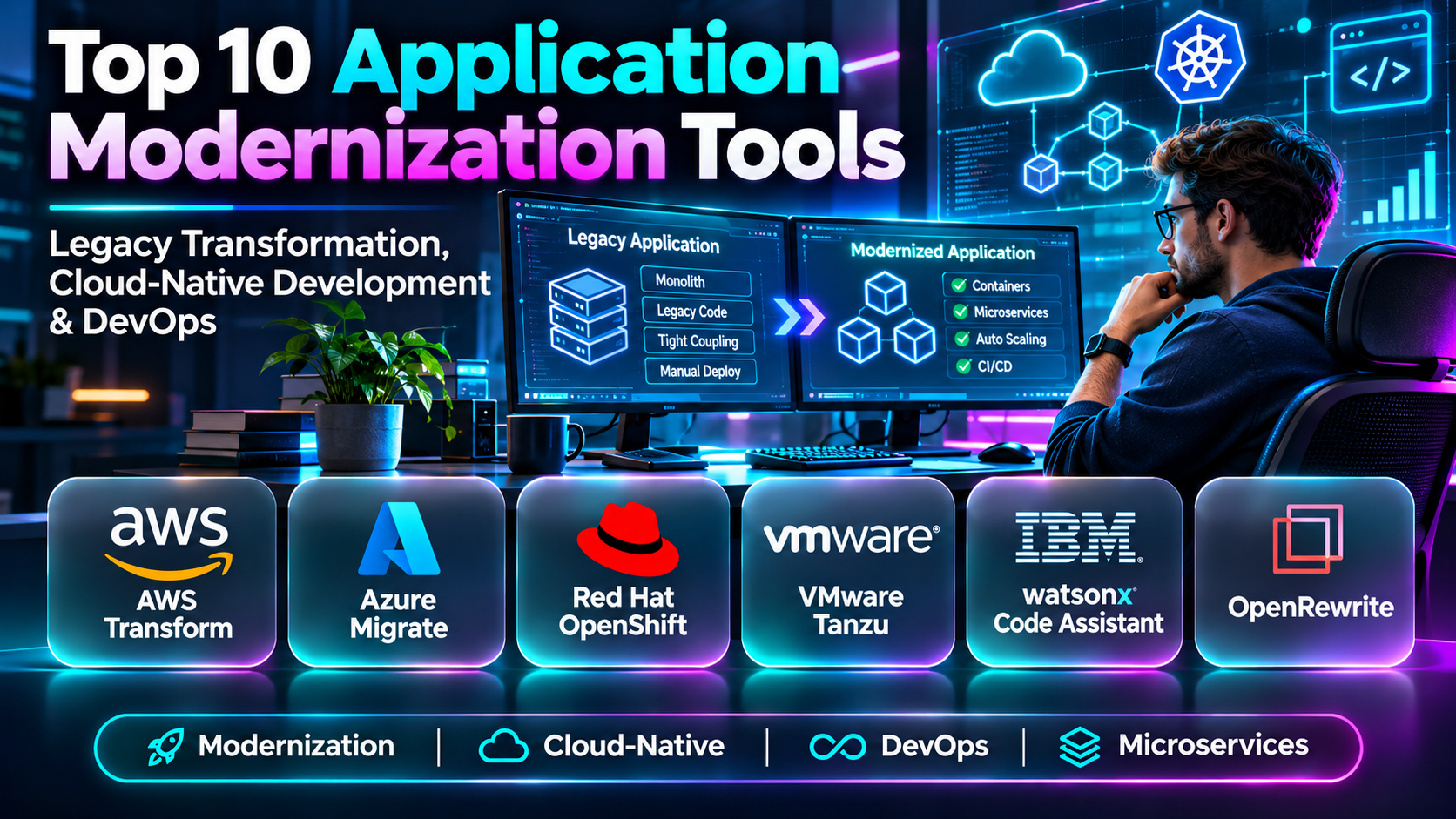
Introduction
Many organizations depend on applications that were designed years or even decades ago. These applications often support essential business operations, including financial transactions, inventory management, customer services, manufacturing, and internal administration.
Although older applications may remain reliable, their architecture can make them difficult to maintain, scale, secure, and integrate with modern technologies.
Traditional applications frequently depend on tightly coupled components, outdated frameworks, manually managed servers, and deployment processes that require extensive coordination.
These limitations can slow development teams, increase operating costs, and make it harder to respond to changing business requirements.
Application modernization helps organizations improve existing software without necessarily replacing every application from scratch.
Modernization may involve migrating applications to cloud infrastructure, updating programming languages, replacing obsolete dependencies, introducing containers, improving deployment automation, or gradually separating monolithic applications into smaller services.
Application modernization tools support these activities through discovery, analysis, code transformation, containerization, deployment automation, and infrastructure management.
However, modernization is not a single technical operation.
A platform that helps migrate virtual machines does not necessarily transform application code. Similarly, a container orchestration platform cannot automatically resolve outdated business logic or incompatible dependencies.
Successful modernization requires selecting technologies that address the actual limitations of each application.
This guide compares ten important application modernization tools and platforms, examining their capabilities, advantages, limitations, ideal users, and practical implementation scenarios.
It also explains how to select modernization technology and develop a phased strategy that improves applications while protecting business continuity.
What Are Application Modernization Tools?
Application modernization tools are software products, platforms, and development technologies that help organizations update existing applications, infrastructure, and delivery processes.
Their purpose is to make applications easier to maintain, operate, scale, secure, and extend.
Some tools focus on assessing legacy applications and identifying modernization opportunities.
Others support code transformation, cloud migration, container deployment, application integration, or continuous delivery.
How Application Modernization Works
A typical modernization initiative begins with understanding the existing application.
Teams examine the application’s architecture, programming languages, frameworks, dependencies, databases, infrastructure, and business importance.
They then identify problems that modernization should solve.
These may include high maintenance costs, slow deployment cycles, security vulnerabilities, limited scalability, or dependence on unsupported technologies.
Next, teams select an appropriate modernization strategy.
They may move the application to modern infrastructure, upgrade its runtime, restructure components, or replace selected functionality.
Modernization tools help implement these changes and validate the resulting application.
Finally, teams deploy the modernized application, monitor its behavior, and improve it through ongoing development.
Common Application Modernization Strategies
Rehosting: Moves an application to a new infrastructure environment with limited code changes.
Replatforming: Changes selected infrastructure or platform components without completely redesigning the application.
Refactoring: Improves application code or structure while preserving its intended behavior.
Rearchitecting: Makes substantial architectural changes, such as separating tightly coupled components into independent services.
Rebuilding: Recreates an application using a new implementation while retaining required business functionality.
Replacing: Substitutes an existing application with another product or service.
Retiring: Removes applications that no longer provide sufficient business value.
Why Application Modernization Matters
Application modernization can help organizations:
- Reduce technical debt.
- Improve application maintainability.
- Strengthen software security.
- Support modern deployment practices.
- Improve scalability.
- Reduce dependence on obsolete infrastructure.
- Accelerate software delivery.
- Improve integration capabilities.
- Support cloud-native architectures.
- Increase infrastructure flexibility.
- Reduce operational complexity.
- Improve system reliability.
These benefits depend on choosing appropriate changes rather than modernizing technology simply because it is old.
Top 10 Application Modernization Tools
1. AWS Transform
Short Description
AWS Transform is an AWS service designed to help organizations modernize selected legacy technologies and workloads through AI-assisted transformation workflows.
It addresses modernization scenarios that may involve substantial manual analysis and repetitive conversion tasks.
AWS Transform is particularly relevant to organizations evaluating supported transformations involving legacy application environments, infrastructure, and specialized technologies.
For example, an enterprise may have applications that depend on older Windows environments or legacy programming technologies. Supported AWS Transform workflows can assist with analyzing the existing environment and preparing transformation activities.
The service aims to reduce manual effort in eligible modernization scenarios by using automation and AI-assisted processes.
However, modernization is not equivalent to automatically converting an entire enterprise application into a production-ready cloud-native system.
Business logic, application dependencies, security requirements, integration behavior, and testing remain important.
AWS Transform also has workload-specific capabilities. Organizations should confirm that their source technologies and desired outcomes are supported before selecting it.
Key Features
- AI-assisted modernization: Uses automated analysis and transformation workflows for supported scenarios.
- Legacy workload assessment: Helps examine eligible existing application environments.
- Transformation planning: Supports structured modernization activities.
- Automated conversion assistance: Reduces selected repetitive transformation tasks.
- AWS integration: Connects modernization work with the AWS ecosystem.
- Workflow coordination: Supports multi-stage transformation processes.
- Modernization visibility: Helps teams review transformation progress.
- Supported workload specialization: Targets defined legacy technology scenarios.
- Human review and validation: Allows teams to evaluate generated transformation results.
Benefits
AWS Transform can reduce manual effort in supported legacy modernization projects and help teams organize complex transformation activities.
It is particularly useful when a workload matches one of its specialized modernization capabilities.
Pros
- AI-assisted transformation.
- AWS ecosystem integration.
- Automation of selected repetitive tasks.
- Structured modernization workflows.
- Relevant to legacy environments.
- Supports large modernization initiatives.
- Can accelerate supported assessments.
Cons
- Limited to supported transformation scenarios.
- AWS-oriented.
- Generated changes require validation.
- Application-specific complexity remains.
- Migration and modernization costs must be evaluated.
- Does not eliminate the need for skilled engineers.
Use Cases
Legacy application transformation, supported Windows modernization, infrastructure modernization, and enterprise migration programs.
Best For: Organizations modernizing eligible legacy workloads within an AWS-oriented strategy.
2. Azure Migrate
Short Description
Azure Migrate is Microsoft’s service for discovering, assessing, and migrating supported workloads to Azure.
Although primarily associated with cloud migration, it plays an important role in application modernization planning.
Many modernization projects begin with moving existing applications away from aging infrastructure.
Azure Migrate helps organizations understand their current server environments, assess cloud readiness, and identify potential migration paths.
For example, an enterprise operating hundreds of VMware virtual machines can use Azure Migrate to discover its infrastructure and assess which workloads are suitable for Azure.
This information helps architects decide whether applications should be rehosted, replatformed, or evaluated for deeper modernization.
Azure Migrate is particularly useful for organizations already using Microsoft technologies.
However, it does not automatically rewrite application architectures or eliminate technical debt.
Code modernization, containerization, and application redesign generally require additional services and development tools.
Key Features
- Infrastructure discovery: Identifies supported servers and virtual machines.
- Cloud readiness assessment: Evaluates workload suitability for Azure.
- Dependency insights: Helps identify selected application relationships.
- Resource sizing: Provides recommendations for destination infrastructure.
- Cost estimation: Supports financial planning for cloud migration.
- Migration workflows: Connects assessment with supported migration services.
- Database assessment integration: Supports selected database modernization planning.
- Project visibility: Helps track migration activities.
- Azure ecosystem integration: Connects with relevant Microsoft cloud services.
Benefits
Azure Migrate helps organizations make informed infrastructure modernization decisions before moving production workloads.
Its assessment capabilities can reduce avoidable migration risks.
Pros
- Strong Azure integration.
- Infrastructure discovery.
- Migration readiness assessment.
- Resource sizing recommendations.
- Cost planning.
- Enterprise relevance.
- Useful for phased modernization.
Cons
- Azure-centered.
- Limited direct application code transformation.
- Requires additional modernization tools.
- Dependency information may be incomplete.
- Cost estimates are not guaranteed.
- Complex applications need manual assessment.
Use Cases
Data center modernization, VMware migration, infrastructure assessment, and Azure application migration planning.
Best For: Microsoft-oriented enterprises modernizing infrastructure and preparing applications for Azure.
3. Red Hat OpenShift
Short Description
Red Hat OpenShift is an enterprise application platform built around Kubernetes and related cloud-native technologies.
It provides infrastructure and development capabilities for deploying, managing, and operating containerized applications.
OpenShift is particularly relevant to organizations modernizing traditional applications into container-based deployment models.
For example, an enterprise may have a Java application deployed manually to virtual machines.
Developers can package compatible application components into containers and deploy them through OpenShift.
The platform supports automated deployment, scaling, configuration management, and operational controls.
OpenShift can also help organizations standardize application delivery across supported infrastructure environments.
However, adopting Kubernetes does not automatically modernize an application’s internal architecture.
A monolithic application can run in a container while retaining the same architectural limitations.
Teams must still evaluate application design, state management, dependencies, and operational requirements.
Key Features
- Kubernetes orchestration: Manages containerized application workloads.
- Container deployment: Supports standardized application packaging and execution.
- Developer workflows: Provides tools for building and deploying applications.
- CI/CD integration: Connects with automated delivery processes.
- Application scaling: Supports horizontal scaling for suitable workloads.
- Security controls: Provides enterprise-oriented workload security capabilities.
- Hybrid cloud deployment: Supports compatible infrastructure environments.
- Operational monitoring: Integrates application and platform observability.
- Platform administration: Centralizes cluster and application management.
Benefits
OpenShift provides a consistent enterprise platform for running modernized container applications.
It can help organizations standardize deployment and operational practices.
Pros
- Enterprise Kubernetes platform.
- Hybrid cloud relevance.
- Container deployment automation.
- Developer ecosystem.
- Security capabilities.
- Scalable infrastructure.
- Commercial support options.
Cons
- Kubernetes learning curve.
- Infrastructure complexity.
- Commercial licensing considerations.
- Containerization requires application preparation.
- Operational expertise needed.
- Does not automatically refactor legacy code.
Use Cases
Java application modernization, container migration, enterprise Kubernetes adoption, and hybrid cloud application deployment.
Best For: Enterprises standardizing modernized applications on Kubernetes.
4. VMware Tanzu
Short Description
VMware Tanzu is a portfolio of technologies and services focused on modern application development, delivery, and operations.
Its capabilities are relevant to organizations modernizing applications within VMware-oriented and Kubernetes-based environments.
For example, an enterprise may operate traditional applications on virtual machines while gradually introducing containerized services.
Applicable Tanzu technologies can help development and operations teams manage supported cloud-native workloads and application delivery processes.
This can support a gradual transition from conventional infrastructure to more standardized application platforms.
Tanzu is particularly relevant when organizations want to connect modernization with existing virtualization investments.
However, VMware Tanzu is a portfolio rather than one fixed product with identical capabilities across every deployment.
Organizations must identify which current Tanzu components address their requirements.
Product packaging, licensing, integration, and operational responsibilities should be reviewed carefully.
Key Features
- Application platform capabilities: Supports modern application delivery through relevant offerings.
- Kubernetes-related operations: Manages compatible container environments.
- Developer productivity: Provides selected application development workflows.
- Application deployment: Supports modern delivery practices.
- Infrastructure integration: Connects with compatible VMware environments.
- Platform management: Supports operational administration.
- Modernization workflows: Helps transition selected applications to modern platforms.
- Enterprise integration: Fits existing enterprise infrastructure strategies.
- Operational standardization: Supports consistent application management.
Benefits
VMware Tanzu can help organizations modernize application delivery while building on compatible VMware infrastructure.
Pros
- Enterprise platform focus.
- VMware ecosystem integration.
- Kubernetes relevance.
- Application delivery capabilities.
- Hybrid infrastructure applicability.
- Developer workflow support.
- Suitable for phased modernization.
Cons
- Portfolio complexity.
- Licensing considerations.
- Product-specific functionality.
- Infrastructure expertise required.
- Modernization may need additional tools.
- Deployment architecture must be planned.
Use Cases
Enterprise application platform modernization, Kubernetes adoption, VMware infrastructure transformation, and developer platform standardization.
Best For: Organizations modernizing applications within VMware-oriented environments.
5. IBM watsonx Code Assistant
Short Description
IBM watsonx Code Assistant is a family of AI-assisted coding and modernization capabilities designed for supported enterprise development scenarios.
It is particularly relevant to organizations maintaining large codebases and specialized enterprise technologies.
Selected offerings address modernization workflows involving technologies such as Java and mainframe applications.
For example, an enterprise may operate business-critical COBOL applications that contain decades of business logic.
AI-assisted modernization tools can help developers understand portions of the codebase, document functionality, and support selected transformation activities.
IBM’s approach is especially relevant when modernization requires preserving complex business rules.
However, AI-generated explanations and transformed code must be reviewed carefully.
Legacy systems often contain undocumented assumptions that automated tools may not fully understand.
Organizations should also verify the capabilities of the specific watsonx Code Assistant offering being considered.
Key Features
- AI-assisted code understanding: Helps developers analyze supported codebases.
- Code explanation: Produces assistance for understanding existing logic.
- Modernization assistance: Supports selected application transformation workflows.
- Enterprise language focus: Addresses relevant legacy and enterprise technologies.
- Developer productivity: Reduces selected manual analysis tasks.
- Code transformation support: Assists with eligible modernization activities.
- Documentation assistance: Helps explain application behavior.
- Enterprise integration: Fits supported development environments.
- Human review workflows: Enables validation of generated results.
Benefits
IBM watsonx Code Assistant can help teams understand and modernize complex enterprise codebases.
It is particularly relevant where institutional knowledge about legacy software is limited.
Pros
- AI-assisted code analysis.
- Enterprise modernization focus.
- Legacy technology relevance.
- Documentation assistance.
- Developer productivity benefits.
- IBM ecosystem integration.
- Useful for large codebases.
Cons
- Capabilities depend on the selected offering.
- Generated output requires verification.
- Complex business logic remains difficult.
- Commercial licensing.
- Integration and training requirements.
- Not a complete migration platform.
Use Cases
Mainframe application analysis, Java modernization, legacy code documentation, and enterprise code transformation.
Best For: Large enterprises modernizing complex legacy codebases.
6. OpenRewrite
Short Description
OpenRewrite is an open-source automated code refactoring framework designed to apply structured transformations across supported codebases.
It is particularly relevant to Java and JVM ecosystem modernization, with additional language and configuration support.
OpenRewrite uses recipes to describe repeatable code transformations.
For example, a development team maintaining dozens of Java services may need to upgrade framework versions, replace deprecated APIs, or update dependency configurations.
Instead of modifying every repository manually, the team can use appropriate OpenRewrite recipes to automate supported changes.
This approach is especially valuable when many applications require similar updates.
OpenRewrite is not a cloud migration platform or application hosting service.
Its purpose is to transform source code and related configuration in controlled ways.
Developers still need to review changes, run tests, and validate application behavior.
Key Features
- Automated refactoring: Applies structured source code transformations.
- Recipe-based changes: Defines reusable modernization operations.
- Java ecosystem support: Addresses common Java modernization tasks.
- Framework upgrades: Supports selected dependency and framework migrations.
- Large-scale transformations: Applies changes across multiple repositories.
- Build configuration updates: Modifies supported build files.
- Repeatable automation: Reduces inconsistent manual edits.
- Open-source framework: Provides extensible modernization tooling.
- Developer integration: Fits code review and automated development workflows.
Benefits
OpenRewrite can significantly reduce repetitive code modernization work.
It is particularly useful for organizations upgrading multiple applications with similar dependencies.
Pros
- Open-source foundation.
- Automated refactoring.
- Repeatable recipes.
- Java modernization relevance.
- Large codebase support.
- Developer workflow integration.
- Reduces manual changes.
Cons
- Language and transformation coverage varies.
- Requires developer expertise.
- Not every change can be automated.
- Tests remain essential.
- Custom recipes may require development.
- Does not replace architectural redesign.
Use Cases
Java framework upgrades, dependency modernization, deprecated API replacement, and organization-wide code transformation.
Best For: Development teams modernizing Java applications and related codebases.
7. Docker
Short Description
Docker provides container development and packaging technologies widely used in application modernization.
It allows developers to package applications with their required runtime components into container images.
This can help reduce differences between development, testing, and production environments.
For example, an organization may operate an application that depends on a specific runtime and several supporting libraries.
By containerizing the application, developers can create a repeatable deployment artifact.
The container image can then be deployed through compatible container platforms.
Docker is especially useful when organizations want to modernize application packaging and delivery without immediately rewriting the complete application.
However, containers do not automatically solve application architecture problems.
An application that depends on local persistent storage, fixed hostnames, or manually configured services may require changes before containerization works reliably.
Docker also does not replace enterprise orchestration, monitoring, or security processes.
Key Features
- Container images: Packages applications and runtime dependencies.
- Dockerfile builds: Defines repeatable image creation.
- Development environments: Supports consistent local workflows.
- Image registries: Integrates with container distribution systems.
- Docker Compose: Coordinates multi-container development environments.
- CI/CD integration: Supports automated image builds and delivery.
- Cross-environment portability: Runs compatible images across supported environments.
- Container isolation: Provides operating-system-level workload isolation.
- Developer tooling: Supports image inspection, debugging, and testing.
Benefits
Docker helps organizations standardize application packaging and improve deployment consistency.
It provides a practical foundation for many container modernization projects.
Pros
- Widely adopted.
- Repeatable builds.
- Strong developer ecosystem.
- Container portability.
- CI/CD integration.
- Suitable for incremental modernization.
- Extensive documentation.
Cons
- Not a complete orchestration platform.
- Security configuration is necessary.
- Stateful applications require planning.
- Container images require maintenance.
- Does not automatically modernize code.
- Licensing considerations apply to some Docker products.
Use Cases
Application containerization, development environment standardization, CI/CD modernization, and migration from traditional server deployments.
Best For: Development teams beginning container-based application modernization.
8. Kubernetes
Short Description
Kubernetes is an open-source container orchestration platform used to deploy and manage containerized applications.
It provides capabilities for scheduling workloads, maintaining desired application state, scaling services, and coordinating deployments.
Kubernetes is central to many cloud-native modernization strategies.
For example, an organization may transform a traditional application into several independently deployable services.
Kubernetes can help run these services across a cluster of compatible infrastructure.
It supports service discovery, configuration management, rolling deployments, and workload scaling.
Kubernetes is particularly useful when organizations need consistent orchestration across multiple applications.
However, Kubernetes introduces operational complexity.
Teams must manage networking, security, observability, storage, upgrades, and application configuration.
Organizations should not adopt Kubernetes solely because it is popular.
For smaller applications, a managed application platform may be simpler and more economical.
Key Features
- Container orchestration: Schedules and manages container workloads.
- Desired-state management: Reconciles actual workload state with declared configuration.
- Service discovery: Helps applications locate services.
- Horizontal scaling: Adjusts supported workload replicas.
- Rolling deployments: Supports controlled application updates.
- Self-healing behavior: Restarts or replaces selected failed workloads.
- Configuration management: Uses Kubernetes configuration resources.
- Storage integration: Supports persistent storage through compatible systems.
- Extensible APIs: Enables custom controllers and platform capabilities.
Benefits
Kubernetes provides a scalable foundation for operating modern containerized applications.
It can support consistent deployment and operational automation across environments.
Pros
- Open-source ecosystem.
- Broad cloud support.
- Powerful orchestration.
- Automated scaling.
- Declarative deployment.
- Extensibility.
- Cloud-native integration.
Cons
- Significant learning curve.
- Operational complexity.
- Security requires expertise.
- Cluster maintenance overhead.
- Stateful workloads need careful design.
- Can be excessive for simple applications.
Use Cases
Microservices deployment, cloud-native modernization, container orchestration, and platform engineering.
Best For: Organizations operating multiple containerized applications at scale.
9. GitHub Actions
Short Description
GitHub Actions is a workflow automation and continuous integration and delivery platform integrated with GitHub repositories.
It is relevant to application modernization because legacy applications often depend on manual build, testing, and deployment processes.
Modernization frequently requires improving software delivery as well as updating application architecture.
For example, a development team may maintain a traditional web application that is deployed manually once every month.
GitHub Actions can automate supported build steps, run tests, analyze code, and coordinate deployment workflows.
This helps teams introduce repeatable delivery processes before undertaking deeper architectural changes.
GitHub Actions integrates with a broad ecosystem of developer tools and cloud platforms.
However, it does not directly refactor legacy applications or provide production hosting.
Workflow security, secret management, runner configuration, and deployment approvals require careful planning.
Key Features
- CI/CD workflows: Automates builds, tests, and deployments.
- Repository integration: Responds to supported GitHub events.
- Workflow configuration: Uses version-controlled YAML definitions.
- Automated testing: Runs application validation steps.
- Deployment automation: Coordinates releases to supported environments.
- Reusable workflows: Standardizes automation across repositories.
- Marketplace integrations: Connects with development tools.
- Runner options: Supports GitHub-hosted and self-hosted execution.
- Security integration: Supports relevant permissions and secret management controls.
Benefits
GitHub Actions helps organizations modernize software delivery processes.
It can reduce manual deployment work and improve release consistency.
Pros
- GitHub integration.
- Flexible automation.
- CI/CD capabilities.
- Large integration ecosystem.
- Reusable workflows.
- Supports multiple programming languages.
- Suitable for incremental improvement.
Cons
- Not a code modernization engine.
- Workflow maintenance required.
- Usage and runner costs may apply.
- Secret management requires care.
- Complex pipelines can become difficult to maintain.
- Deployment infrastructure must be managed separately.
Use Cases
Legacy application CI/CD, automated testing, container image builds, and release process modernization.
Best For: GitHub-based development teams modernizing application delivery.
10. Google Cloud Application Modernization Ecosystem
Short Description
Google Cloud provides multiple services that support application modernization, including Cloud Run, Google Kubernetes Engine, and related development and infrastructure capabilities.
These services address different modernization requirements rather than operating as one interchangeable tool.
Cloud Run can support eligible containerized applications through a managed execution model.
Google Kubernetes Engine provides managed Kubernetes infrastructure for organizations requiring greater orchestration flexibility.
For example, a company may containerize an existing web application and deploy it to Cloud Run.
A more complex application with multiple services and specialized orchestration requirements may be better suited to Google Kubernetes Engine.
Google Cloud also provides supporting services for networking, databases, observability, and software delivery.
However, the correct modernization path depends on the application’s architecture.
Moving an application to Cloud Run or GKE does not automatically resolve outdated code, insecure dependencies, or poorly designed integrations.
Organizations must assess technical compatibility and operational requirements.
Key Features
- Cloud Run: Supports managed execution of compatible container workloads.
- Google Kubernetes Engine: Provides managed Kubernetes capabilities.
- Container deployment: Supports cloud-native application packaging.
- Managed infrastructure: Reduces selected infrastructure administration.
- Application scaling: Supports workload scaling through relevant services.
- Cloud integrations: Connects applications to Google Cloud services.
- Observability: Provides monitoring and logging capabilities.
- CI/CD compatibility: Integrates with supported delivery tools.
- Modernization flexibility: Offers multiple deployment architectures.
Benefits
Google Cloud’s application platform services help organizations choose between managed container execution and Kubernetes-based operations.
They can support gradual migration toward cloud-native architectures.
Pros
- Managed cloud services.
- Cloud Run and GKE options.
- Container support.
- Scalable infrastructure.
- Observability integration.
- Modern developer ecosystem.
- Flexible deployment choices.
Cons
- Google Cloud dependence.
- Service-specific limitations.
- Cloud operating costs.
- Application changes may be required.
- Architecture selection can be complex.
- Does not automatically refactor legacy applications.
Use Cases
Containerized application migration, cloud-native deployment, microservices modernization, and managed application hosting.
Best For: Organizations modernizing applications within Google Cloud.
Application Modernization Tools Comparison Table
| Tool | Primary Focus | Main Strength | Best For | Key Limitation |
|---|---|---|---|---|
| AWS Transform | AI-assisted legacy transformation | Supported automated modernization | AWS-oriented enterprises | Workload-specific support |
| Azure Migrate | Assessment and infrastructure migration | Cloud readiness analysis | Azure enterprises | Limited direct code transformation |
| Red Hat OpenShift | Enterprise container platform | Kubernetes-based application delivery | Large enterprises | Platform complexity |
| VMware Tanzu | Application platform modernization | VMware and Kubernetes integration | VMware organizations | Portfolio and licensing complexity |
| IBM watsonx Code Assistant | AI-assisted code modernization | Legacy code understanding | Mainframe and enterprise teams | Human validation required |
| OpenRewrite | Automated code refactoring | Repeatable source transformations | Java developers | Limited to supported transformations |
| Docker | Application containerization | Portable application packaging | Development teams | No built-in enterprise orchestration |
| Kubernetes | Container orchestration | Scalable workload management | Cloud-native operations | Operational overhead |
| GitHub Actions | CI/CD modernization | Delivery automation | GitHub development teams | No direct code refactoring |
| Google Cloud application services | Managed cloud-native deployment | Cloud Run and GKE flexibility | Google Cloud teams | Cloud-specific architecture |
How to Choose the Best Application Modernization Tool
1. Identify the Main Modernization Problem
Begin by defining what needs improvement.
A slow deployment process requires a different solution from an unsupported programming language or aging server infrastructure.
2. Assess the Existing Application Architecture
Document application components, frameworks, databases, integrations, runtime requirements, and deployment processes.
Determine which components are tightly coupled and which can be modernized independently.
3. Evaluate Technical Debt
Identify outdated dependencies, unsupported frameworks, security vulnerabilities, and difficult-to-maintain code.
Prioritize issues that create measurable business or operational risk.
4. Select the Modernization Strategy
Choose between rehosting, replatforming, refactoring, rearchitecting, rebuilding, replacing, retaining, or retiring.
Not every application needs a complete architectural redesign.
5. Evaluate Automation Capabilities
Determine whether the tool can automate repetitive work such as dependency upgrades, code transformations, builds, or deployments.
Automation should produce reviewable and testable results.
6. Consider Cloud Compatibility
If the organization uses AWS, Azure, or Google Cloud, evaluate integration with its chosen cloud services.
Avoid unnecessary dependence on a specific provider unless the benefits justify it.
7. Review Developer Skills
A tool that requires extensive Kubernetes or platform engineering expertise may not be appropriate for a small development team.
Match technical complexity with available skills.
8. Assess Security Requirements
Modernization should address authentication, authorization, secrets management, dependency security, and runtime protection.
Do not treat infrastructure migration as a substitute for application security improvements.
9. Evaluate Integration Requirements
Determine how the modernized application will communicate with existing databases, services, and business systems.
Legacy integrations can be among the most difficult modernization challenges.
10. Consider Testing Requirements
Assess the availability of automated tests, integration environments, performance testing, and regression validation.
Modernization without reliable testing creates significant operational risk.
11. Review Total Cost
Include software licenses, cloud infrastructure, engineering time, training, testing, migration, and ongoing maintenance.
12. Plan for Long-Term Operations
Choose technologies that the organization can operate, secure, monitor, and upgrade consistently.
Best Application Modernization Software by User Type
| User Type | Recommended Tool | Reason |
|---|---|---|
| AWS modernization team | AWS Transform | AI-assisted supported transformation |
| Azure infrastructure architect | Azure Migrate | Discovery and cloud readiness |
| Enterprise platform engineer | Red Hat OpenShift | Enterprise container platform |
| VMware enterprise | VMware Tanzu | Existing infrastructure alignment |
| Mainframe modernization team | IBM watsonx Code Assistant | Legacy code analysis |
| Java development team | OpenRewrite | Automated refactoring |
| Developer beginning containerization | Docker | Repeatable application packaging |
| Cloud-native operations team | Kubernetes | Container orchestration |
| GitHub development team | GitHub Actions | CI/CD automation |
| Google Cloud application team | Cloud Run or GKE | Managed deployment options |
| Enterprise modernization architect | OpenShift, AWS Transform, or IBM tooling | Depends on modernization objective |
| Small software team | Docker and GitHub Actions | Incremental delivery improvement |
Practical Example: Modernizing a Legacy Java Application
Consider a financial services company operating a Java application developed more than ten years ago.
The application runs on virtual machines and uses an outdated framework.
Deployments are performed manually, and releases frequently require extended maintenance windows.
The company wants to improve security, accelerate deployments, and prepare the application for cloud infrastructure.
Step 1: Assess the Existing Application
Document the Java version, application framework, dependencies, database, external integrations, and deployment architecture.
Identify unsupported components and known security vulnerabilities.
Step 2: Establish Business Objectives
Define measurable goals such as reducing deployment time, improving patching frequency, and minimizing downtime.
Step 3: Review Application Dependencies
Identify database connections, external APIs, scheduled jobs, file storage, and authentication services.
Step 4: Create a Test Baseline
Establish automated unit tests, integration tests, and representative business workflow tests.
Record current application performance.
Step 5: Select Modernization Tools
Use OpenRewrite for supported code and dependency transformations.
Use Docker for container packaging.
Use GitHub Actions for automated builds and tests.
Evaluate OpenShift or Kubernetes for deployment if operational requirements justify orchestration.
Step 6: Upgrade Dependencies
Apply supported framework and library upgrades incrementally.
Review changes carefully and address compatibility problems.
Step 7: Modernize Build Processes
Replace manual build procedures with reproducible automated workflows.
Ensure dependency versions are controlled.
Step 8: Containerize the Application
Create a Dockerfile and build a compatible container image.
Externalize configuration and secrets.
Step 9: Separate Persistent Data
Avoid relying on temporary container file systems for critical application data.
Use appropriate database and persistent storage services.
Step 10: Introduce CI/CD
Configure GitHub Actions to compile the application, run tests, and build container images.
Step 11: Configure Security Checks
Add dependency scanning, image scanning, and appropriate code security analysis.
Step 12: Deploy to a Test Environment
Use a supported container platform or managed cloud service.
Step 13: Validate Functionality
Test authentication, business transactions, integrations, scheduled jobs, and database operations.
Step 14: Perform Performance Testing
Compare response times, resource consumption, and throughput with the original application.
Step 15: Plan Production Cutover
Define deployment windows, rollback criteria, and responsible personnel.
Step 16: Deploy Incrementally
Use controlled rollout strategies where supported.
Avoid migrating every component simultaneously.
Step 17: Monitor Production
Review application logs, metrics, traces, error rates, and infrastructure usage.
Step 18: Improve the Architecture Gradually
After stabilizing the modernized application, evaluate whether selected components should be separated into independent services.
Step 19: Retire Obsolete Infrastructure
Decommission legacy servers only after confirming application stability and recovery readiness.
Step 20: Continue Modernization
Maintain dependency updates, security improvements, and automated delivery processes.
Common Application Modernization Challenges
Undocumented Business Logic
Legacy applications often contain important behavior that is not fully documented.
Modernization teams must understand this behavior before changing code.
Outdated Dependencies
Unsupported libraries and frameworks can complicate upgrades.
Some changes require multiple intermediate versions.
Tight Application Coupling
Monolithic applications may contain components that cannot easily be separated.
Attempting premature decomposition can increase complexity.
Database Compatibility
Modernized applications may require changes to database drivers, queries, or schemas.
Insufficient Automated Testing
Without reliable tests, teams cannot easily determine whether refactoring preserves expected behavior.
Security Gaps
Modernization can introduce new risks through misconfigured cloud services, exposed secrets, or vulnerable container images.
Skills Shortages
Cloud-native platforms and modern development practices may require additional training.
Operational Complexity
Container orchestration and distributed systems can introduce new monitoring, networking, and reliability requirements.
Unexpected Costs
Licensing, infrastructure, engineering, and ongoing platform maintenance can increase modernization expenses.
Business Disruption
Poorly planned migrations can interrupt critical applications.
Vendor Dependence
Cloud-specific services may simplify operations while increasing switching costs.
Incomplete Modernization
Moving an application to a new server or container does not necessarily improve its architecture or maintainability.
Frequently Asked Questions
1. What is application modernization?
Application modernization is the process of improving existing applications, infrastructure, architecture, and delivery practices to meet current business and technical requirements.
2. What are application modernization tools?
They are technologies that help assess, transform, migrate, containerize, deploy, or operate existing applications.
3. Why do businesses modernize applications?
Common reasons include reducing technical debt, improving security, increasing scalability, accelerating delivery, and replacing unsupported infrastructure.
4. What is legacy application modernization?
It is the process of updating older applications while preserving or improving required business functionality.
5. What is the difference between migration and modernization?
Migration moves workloads between environments. Modernization improves the technology, architecture, or processes used to develop and operate them.
6. What is application refactoring?
Refactoring changes the internal structure of code while aiming to preserve its externally observable behavior.
7. What is application rearchitecting?
Rearchitecting involves substantial changes to application structure, components, or interactions.
8. What is replatforming?
Replatforming changes selected infrastructure or platform components without completely rebuilding an application.
9. What is rehosting?
Rehosting moves an application to new infrastructure with limited architectural changes.
10. What is cloud-native modernization?
Cloud-native modernization adapts applications and operations to use capabilities such as containers, managed services, automation, and scalable infrastructure.
11. Can AI modernize legacy applications?
AI-assisted tools can help analyze and transform supported code, but human validation and testing remain essential.
12. What is AWS Transform?
AWS Transform is an AWS service supporting AI-assisted transformation for selected legacy modernization scenarios.
13. What is Azure Migrate?
Azure Migrate provides discovery, assessment, and migration capabilities for supported workloads moving to Azure.
14. What is Red Hat OpenShift?
OpenShift is an enterprise application platform based on Kubernetes and related cloud-native technologies.
15. What is VMware Tanzu?
VMware Tanzu is a portfolio of technologies and services supporting modern application development and operations.
16. What is IBM watsonx Code Assistant?
It provides AI-assisted coding and modernization capabilities for supported enterprise development scenarios.
17. What is OpenRewrite?
OpenRewrite is an automated refactoring framework that applies structured code transformations through reusable recipes.
18. Can Docker modernize applications?
Docker can modernize application packaging and deployment, but it does not automatically improve internal application architecture.
19. Is Kubernetes necessary for application modernization?
No. Kubernetes is useful for certain containerized workloads, but simpler platforms may be more appropriate for smaller applications.
20. Can GitHub Actions help modernization?
Yes. It can automate builds, testing, and deployments, improving software delivery processes.
21. What is the difference between Docker and Kubernetes?
Docker provides container development and packaging capabilities, while Kubernetes orchestrates containerized workloads across infrastructure.
22. What are microservices?
Microservices are independently deployable application components organized around defined responsibilities.
23. Should every monolithic application become microservices?
No. A well-maintained monolith may be simpler and more appropriate than a distributed architecture.
24. Can legacy Java applications be modernized?
Yes. Modernization may include framework upgrades, dependency changes, containerization, and deployment automation.
25. Can mainframe applications be modernized?
Yes. Strategies include code transformation, integration, replatforming, and selective replacement.
26. Does modernization always require cloud migration?
No. Applications can be modernized while remaining on-premises.
27. What is technical debt?
Technical debt refers to future maintenance costs and limitations arising from existing design, implementation, or technology decisions.
28. How long does application modernization take?
Duration depends on application size, complexity, dependencies, testing, and the modernization strategy.
29. Is application modernization expensive?
It can require substantial investment, but costs vary by scope, tooling, infrastructure, and engineering effort.
30. How should modernization success be measured?
Use metrics such as deployment frequency, change failure rate, recovery time, security findings, performance, and maintenance costs.
31. Can modernization improve security?
Yes. Updating dependencies, runtimes, authentication, and deployment practices can reduce security risks.
32. Can modernization reduce cloud costs?
It can improve resource efficiency, but poorly designed modernization may increase costs.
33. What is incremental modernization?
It is a phased approach that improves selected application components without replacing the entire system simultaneously.
34. What is the biggest application modernization risk?
Changing critical functionality without understanding dependencies or validating business behavior is a major risk.
35. What is the best application modernization tool?
The best tool depends on whether the organization needs code transformation, infrastructure migration, containerization, orchestration, or delivery automation.
Final Thoughts
Application modernization is an ongoing process of improving software systems to meet changing technical and business requirements.
AWS Transform and IBM watsonx Code Assistant provide AI-assisted capabilities for supported transformation scenarios.
Azure Migrate helps organizations assess infrastructure and prepare workloads for Azure.
Red Hat OpenShift and VMware Tanzu support enterprise application platform modernization.
OpenRewrite provides automated code refactoring for supported development ecosystems.
Docker helps standardize application packaging, while Kubernetes supports container orchestration.
GitHub Actions improves software delivery automation.
Google Cloud’s application services provide managed options for modern containerized workloads.
These technologies address different stages of modernization and should not be treated as direct substitutes.
Organizations should begin with clear objectives, accurate application inventories, dependency analysis, and reliable testing.
They should select tools based on specific modernization requirements rather than adopting technologies solely because they are widely used.
The most successful modernization programs improve applications incrementally, preserve critical business functionality, and establish sustainable development and operational practices.
A modernized application should not merely run on newer infrastructure. It should be easier to maintain, secure, deploy, observe, and evolve as business needs change.
