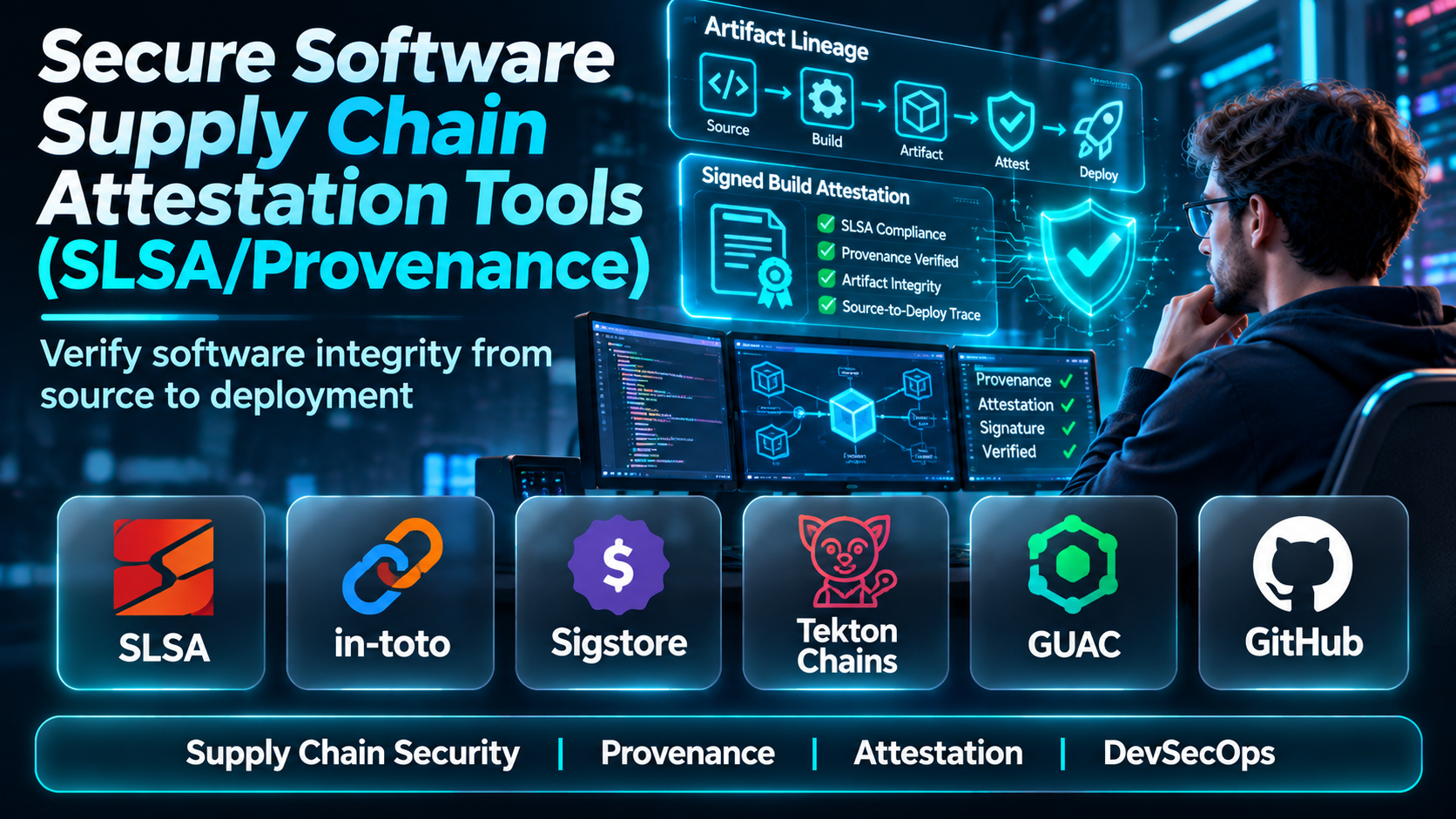
Introduction
Modern software is rarely produced from a single source code repository or by one developer working independently.
Applications depend on open-source libraries, third-party packages, container images, automated build pipelines, cloud infrastructure, and numerous development tools.
Every dependency and automation step introduces potential supply chain risks.
An attacker who compromises a build environment may introduce malicious code without directly changing the original source repository. A misconfigured release pipeline may publish an artifact from an unexpected branch. An organization may also deploy software without knowing which build process produced it.
Traditional vulnerability scanning cannot answer every question about these situations.
Software supply chain attestation tools help organizations establish verifiable evidence about how software was created, which processes produced it, and whether those processes followed expected security controls.
The Supply-chain Levels for Software Artifacts framework, commonly called SLSA, provides a structured approach to improving software supply chain integrity.
Provenance is a central part of this approach. It records information about software production, including build inputs, build systems, and resulting artifacts.
However, generating provenance is only one part of a complete security strategy. Organizations must also verify its authenticity, evaluate its contents, and enforce appropriate deployment policies.
This guide compares ten tools and platforms that support software supply chain attestation, build provenance, and related verification workflows.
It also explains their differences, practical benefits, limitations, and appropriate deployment scenarios.
What Are Secure Software Supply Chain Attestation Tools?
Software supply chain attestation tools create, sign, store, inspect, or verify structured statements about software artifacts and their production processes.
An attestation is a statement connecting an artifact to information about a particular activity or property.
For example, an attestation may indicate that a container image was produced by a specific build workflow using a particular source code revision.
A provenance attestation focuses on how the artifact was produced.
Other attestations may describe security scan results, dependency information, testing outcomes, or policy compliance.
Understanding SLSA
SLSA is a security framework that defines progressively stronger expectations for software supply chain integrity.
Its requirements address the trustworthiness of build processes and the evidence used to verify software origins.
SLSA should not be confused with a vulnerability scanner or a product that automatically certifies every application as secure.
Instead, it provides a framework for evaluating the integrity and trustworthiness of software production.
What Is Build Provenance?
Build provenance is structured information describing how a software artifact was produced.
It may identify:
- The source repository and revision.
- The build platform.
- The build workflow or configuration.
- Relevant build inputs.
- The resulting artifact digest.
- The build process identity.
- Additional information required by the applicable provenance format.
A consumer can compare this information with expectations established by an organization.
For example, a deployment policy might require production images to originate from an approved repository and trusted build workflow.
Why Attestation Matters
A software artifact may pass vulnerability scanning and still have an untrustworthy origin.
Attestation helps answer a different set of questions:
- Was the artifact produced by an approved build system?
- Does its digest match the expected release?
- Was the correct source repository used?
- Can the provenance be authenticated?
- Was the build process appropriately isolated?
- Does the evidence satisfy the organization’s release policy?
These questions are important for regulated environments, enterprise software delivery, and organizations adopting zero-trust development practices.
Top 10 Secure Software Supply Chain Attestation Tools
1. SLSA GitHub Generator
Short Description
SLSA GitHub Generator is an open-source project that provides reusable GitHub Actions workflows for generating SLSA build provenance.
It is designed to help software projects produce verifiable information about their build processes without implementing every provenance-generation component independently.
The generator is particularly relevant to organizations already using GitHub Actions for continuous integration and release automation.
For example, a development team can incorporate an appropriate reusable workflow into its release process to produce provenance associated with a generated artifact.
The resulting evidence can help downstream consumers determine whether an artifact originated from the expected repository and build environment.
A major benefit is that teams can adopt standardized provenance-generation patterns rather than creating entirely custom attestations.
However, organizations must select the correct generator for their artifact type and carefully follow the project’s documented integration requirements.
Using a generator does not automatically make an entire development organization compliant with every SLSA requirement.
The actual security guarantees depend on the build environment, workflow configuration, artifact handling, and verification process.
Key Features
- Reusable GitHub workflows: Provides standardized workflow components for supported build scenarios.
- Build provenance generation: Creates evidence describing the software build process.
- Artifact digest binding: Associates provenance with particular build outputs.
- GitHub Actions integration: Works within supported GitHub automation environments.
- Verification support: Produces evidence that can be checked by compatible verification tools.
- Standardized build patterns: Helps teams avoid inconsistent custom provenance formats.
- Release pipeline integration: Supports incorporation into software publication workflows.
- Open-source implementation: Allows inspection and community-driven improvement.
Benefits
The generator reduces the engineering effort required to introduce provenance into GitHub-based release pipelines.
It also helps organizations establish repeatable practices for generating build evidence.
Pros
- Open-source.
- GitHub Actions integration.
- Standardized provenance workflows.
- Useful for release automation.
- Supports supply chain integrity initiatives.
Cons
- GitHub-specific.
- Requires careful workflow integration.
- Not a complete security platform.
- Verification remains a separate responsibility.
- Supported artifact types and workflows vary.
Use Cases
Open-source package releases, GitHub-hosted software projects, CI/CD provenance generation, and SLSA-oriented build improvements.
Best For: Development teams using GitHub Actions that want standardized build provenance.
2. GitHub Artifact Attestations
Short Description
GitHub Artifact Attestations is a platform-native capability for generating and verifying attestations associated with software artifacts produced through supported GitHub workflows.
It is designed to connect artifact identity with information about its production environment.
For teams already building software on GitHub, artifact attestations can provide a relatively direct route to introducing provenance into existing delivery pipelines.
For example, a development team can generate an attestation for a release binary and later verify that the artifact corresponds to an expected GitHub repository and workflow identity.
This can improve confidence during release distribution and downstream deployment.
The feature also supports broader software supply chain verification patterns through compatible tooling.
However, organizations should distinguish between the existence of an attestation and the trustworthiness of the underlying build process.
An attestation describing an insecure workflow does not make that workflow secure.
Teams should also review artifact storage, verification requirements, and current feature availability for their GitHub environment.
Key Features
- Artifact attestations: Associates structured statements with software outputs.
- Build provenance: Supports evidence about artifact production.
- GitHub workflow integration: Connects attestations with supported automation.
- Artifact verification: Provides mechanisms to validate supported attestations.
- Repository identity: Helps associate evidence with a source repository.
- Release automation: Fits into established GitHub delivery processes.
- CLI support: Enables scripted verification workflows.
- Supply chain visibility: Helps consumers understand artifact origins.
Benefits
GitHub Artifact Attestations can reduce the complexity of introducing provenance when the development workflow already operates on GitHub.
Pros
- Native GitHub integration.
- Straightforward workflow adoption.
- Useful release evidence.
- Automation support.
- Familiar developer environment.
Cons
- GitHub ecosystem dependence.
- Requires appropriate verification policies.
- Not a substitute for secure build configuration.
- Feature availability may vary by environment.
- External systems require integration planning.
Use Cases
Release verification, GitHub Actions provenance, package distribution, and deployment integrity checks.
Best For: GitHub-based organizations seeking integrated artifact attestation.
3. Sigstore Cosign
Short Description
Cosign is an open-source tool within the Sigstore ecosystem for signing and verifying software artifacts.
Although frequently associated with container image signing, Cosign also supports attestation-related workflows.
It can associate signed statements with artifacts, helping organizations verify both the identity of the signer and the integrity of the evidence.
For example, a platform engineering team can generate provenance through its build pipeline and use compatible Cosign functionality to sign or verify attestations.
These attestations may then become inputs to release or deployment policies.
Cosign is particularly valuable when an organization needs a common verification approach across different build systems and artifact distribution workflows.
Its support for keyless signing can also reduce some traditional private-key management burdens.
However, signing and provenance generation are separate concepts.
Cosign can establish authenticity and integrity for a statement, but the contents of that statement still require validation.
A signed claim is not automatically a truthful or sufficient claim.
Key Features
- Artifact signing: Supports cryptographic signatures for compatible software artifacts.
- Attestation support: Works with structured artifact statements.
- Keyless signing: Supports identity-based signing workflows.
- Signature verification: Checks supported signatures against expected identities.
- Container integration: Works with compatible OCI registries.
- Transparency ecosystem: Integrates with Sigstore transparency mechanisms.
- Policy integration: Provides evidence that policy engines can evaluate.
- Automation support: Fits into CI/CD and release pipelines.
Benefits
Cosign provides a practical foundation for connecting artifact signatures, attestations, and verification workflows.
Pros
- Open-source.
- Strong cloud-native relevance.
- Keyless signing options.
- Supports attestation workflows.
- Broad ecosystem integration.
Cons
- Requires trust policy configuration.
- Does not automatically generate trustworthy provenance.
- Identity verification requires care.
- Registry behavior can affect workflows.
- Cryptographic terminology introduces a learning curve.
Use Cases
Container attestation, artifact verification, release signing, software provenance workflows, and deployment policy enforcement.
Best For: DevSecOps teams combining provenance with cryptographic artifact verification.
4. in-toto
Short Description
in-toto is an open-source framework for securing software supply chain workflows through verifiable statements about the steps involved in producing software.
It helps organizations describe expected supply chain activities and collect evidence about their execution.
Unlike tools that focus on a single artifact signature, in-toto can support broader verification of software production processes.
For example, an organization may define a workflow that includes source preparation, building, testing, and packaging.
The framework can then help verify whether the required steps were performed by expected parties and whether the recorded materials and products are consistent.
This is especially relevant when software passes through several independent systems or organizations.
in-toto also provides an important foundation for modern attestation formats used throughout the software supply chain ecosystem.
However, implementing comprehensive supply chain verification requires careful workflow modeling and trust management.
Key Features
- Supply chain layout modeling: Describes expected production steps.
- Step attestations: Records evidence about performed activities.
- Cryptographic verification: Supports checking authenticated supply chain evidence.
- Materials and products tracking: Relates workflow inputs to outputs.
- Delegated responsibilities: Supports workflows involving multiple authorized parties.
- Attestation formats: Provides foundational structures for supply chain evidence.
- Policy-oriented verification: Checks evidence against expected workflows.
- Open-source extensibility: Supports integration into custom development systems.
Benefits
in-toto helps organizations verify more than the final artifact by examining evidence about the process that produced it.
Pros
- Strong supply chain security model.
- Open-source.
- Workflow-oriented verification.
- Flexible architecture.
- Important ecosystem relevance.
Cons
- Requires workflow design.
- Can be complex to implement.
- Evidence management needs planning.
- Not a turnkey enterprise dashboard.
- Trust relationships must be maintained.
Use Cases
Multi-stage build verification, regulated software delivery, supply chain workflow assurance, and custom attestation systems.
Best For: Security engineering teams requiring detailed verification of software production workflows.
5. Tekton Chains
Short Description
Tekton Chains is a Kubernetes-native project that supports signing and attestation for Tekton pipeline execution.
It helps organizations capture evidence from build and delivery workflows running through Tekton.
This makes it relevant to platform engineering teams that operate Kubernetes-based CI/CD infrastructure.
For example, an organization using Tekton to build container images can configure compatible attestation workflows to produce evidence about completed pipeline activities.
The resulting information can support artifact verification and deployment governance.
Tekton Chains is particularly useful when attestation generation should be closely connected to the execution of pipeline tasks.
However, it is not a general-purpose replacement for every CI/CD system.
Organizations need to understand Tekton resources, Kubernetes permissions, signing configuration, and the lifecycle of generated attestations.
Key Features
- Tekton integration: Connects directly with supported Tekton pipeline execution.
- Task and pipeline evidence: Captures relevant execution information.
- Attestation generation: Produces structured statements about supported activities.
- Signing support: Authenticates generated evidence.
- Artifact associations: Connects pipeline outputs with attestation information.
- Kubernetes deployment: Operates in Kubernetes-oriented environments.
- Configuration flexibility: Supports different attestation and signing arrangements.
- Automation: Reduces manual evidence collection during builds.
Benefits
Tekton Chains makes attestation generation part of the build infrastructure rather than an optional manual release activity.
Pros
- Kubernetes-native.
- Strong Tekton integration.
- Automated evidence generation.
- Open-source.
- Suitable for platform engineering.
Cons
- Requires Tekton adoption.
- Kubernetes operational complexity.
- Configuration can be demanding.
- Verification policies still need implementation.
- Not ideal for unrelated CI/CD platforms.
Use Cases
Kubernetes build pipelines, container provenance, automated attestation generation, and enterprise platform engineering.
Best For: Organizations using Tekton for secure software delivery.
6. Google Cloud Build
Short Description
Google Cloud Build is a managed build service that supports automated software builds within Google Cloud environments.
It also provides provenance-related capabilities for supported build and artifact workflows.
Organizations can use Cloud Build as part of a controlled process for producing software and recording information about its origin.
For example, a team may build container images through Cloud Build and evaluate available provenance evidence before allowing deployment.
Its managed architecture can reduce the burden of operating custom build infrastructure.
Integration with Google Cloud services also makes it relevant to organizations using Artifact Registry and cloud-native deployment workflows.
However, provenance capabilities and security guarantees depend on the particular build configuration and supported service features.
Organizations should not assume that every Cloud Build job automatically satisfies the same SLSA requirements.
Key Features
- Managed build execution.
- Build automation.
- Provenance-related capabilities.
- Container image workflows.
- Artifact Registry integration.
- Google Cloud IAM integration.
- Build logging.
- Cloud deployment integration.
Benefits
Cloud Build can combine managed build execution with provenance evidence and cloud-native delivery workflows.
Pros
- Managed infrastructure.
- Google Cloud integration.
- Scalable build execution.
- Suitable for container pipelines.
- Supports supply chain security initiatives.
Cons
- Google Cloud dependence.
- Service configuration matters.
- Costs depend on usage.
- Provenance support varies by workflow.
- Requires cloud security expertise.
Use Cases
Cloud-native software builds, container release pipelines, Google Cloud deployment governance, and build provenance.
Best For: Organizations operating their software delivery infrastructure on Google Cloud.
7. JFrog Artifactory
Short Description
JFrog Artifactory is an artifact repository management platform used to store and distribute software packages, binaries, and container images.
It plays an important role in software supply chain governance by providing a controlled location for managing artifacts and related metadata.
Within broader JFrog workflows, organizations can connect artifact management with build information, security analysis, and supported evidence or attestation capabilities.
For example, a software company can publish approved release artifacts to Artifactory and maintain traceability between builds and distributed packages.
This helps establish a more structured software release process.
However, an artifact repository is not automatically equivalent to a SLSA provenance generator.
Teams must evaluate which attestation capabilities are available through their selected JFrog products and integrations.
They must also implement verification and release policies rather than assuming repository storage alone establishes artifact trust.
Key Features
- Artifact repositories: Stores packages and software binaries.
- Build information: Associates supported artifacts with build metadata.
- Repository access controls: Restricts publication and consumption.
- Package format support: Handles multiple software ecosystems.
- CI/CD integrations: Connects artifact management with build pipelines.
- Metadata management: Supports artifact traceability.
- Security ecosystem integration: Connects with supported software security capabilities.
- Distribution workflows: Helps manage software promotion and delivery.
Benefits
Artifactory provides centralized control over software artifacts and can serve as part of an evidence-driven supply chain architecture.
Pros
- Broad artifact support.
- Enterprise repository management.
- Build metadata capabilities.
- Access controls.
- Strong CI/CD relevance.
Cons
- Attestation support depends on integrations and product configuration.
- Commercial licensing considerations.
- Administration overhead.
- Not a standalone SLSA verifier.
- Enterprise deployment complexity.
Use Cases
Artifact governance, package distribution, software traceability, controlled releases, and enterprise supply chain management.
Best For: Organizations needing centralized artifact management integrated with supply chain evidence.
8. Chainguard
Short Description
Chainguard provides software supply chain security products and infrastructure focused on trustworthy software artifacts and secure software delivery.
Its offerings include security-oriented container images and related approaches to software production and verification.
Chainguard is relevant to organizations seeking stronger confidence in the origins and maintenance practices of software components they consume.
For example, an enterprise may adopt security-focused container images and incorporate provenance or signature verification into its deployment process.
The value extends beyond simply scanning an image for known vulnerabilities.
Organizations also need confidence in how software was built and how releases are maintained.
However, Chainguard is a commercial software supply chain provider rather than a universal standalone attestation generator for every existing CI/CD pipeline.
Teams should review the exact product, artifact formats, provenance evidence, and verification interfaces available for their requirements.
Key Features
- Security-focused software artifacts.
- Software origin transparency.
- Supply chain integrity practices.
- Container ecosystem support.
- Artifact verification compatibility.
- Secure build-oriented workflows.
- Enterprise software delivery support.
- Security-focused package maintenance.
Benefits
Chainguard can help organizations reduce risks associated with consuming and deploying third-party software artifacts.
Pros
- Strong supply chain security focus.
- Container ecosystem relevance.
- Secure software distribution approach.
- Enterprise applicability.
- Supports provenance-oriented strategies.
Cons
- Commercial costs.
- Product-specific scope.
- Does not replace internal build governance.
- Integration requirements.
- Evidence availability must be verified.
Use Cases
Secure container consumption, enterprise software supply chain improvement, trusted base images, and artifact verification.
Best For: Organizations prioritizing trustworthy software components and secure container supply chains.
9. SLSA Verifier
Short Description
SLSA Verifier is an open-source verification utility associated with the SLSA ecosystem.
It focuses on validating supported provenance evidence against expected artifact and build identities.
This is an important distinction because generating provenance is only useful when downstream systems can meaningfully verify it.
For example, a release consumer may download a binary together with its provenance and use an appropriate verifier to check the artifact’s origin.
The verification process can help detect mismatches between the expected source repository, build workflow, and delivered artifact.
SLSA Verifier is useful for organizations that want verification to be an explicit part of release acceptance.
However, it is not a complete build system, signing service, or enterprise policy management platform.
It must also be used with compatible provenance formats and trusted expectations.
Key Features
- Provenance verification.
- Artifact digest checking.
- Build identity validation.
- Source expectation checking.
- Command-line operation.
- Automation support.
- SLSA ecosystem compatibility.
- Release verification workflows.
Benefits
SLSA Verifier helps turn provenance from passive metadata into actionable release verification evidence.
Pros
- Open-source.
- Focused verification purpose.
- Automation-friendly.
- Useful for release consumers.
- Complements provenance generators.
Cons
- Does not generate provenance.
- Requires compatible evidence.
- Command-line oriented.
- Limited broader governance features.
- Trust expectations must be configured correctly.
Use Cases
Release artifact validation, downstream provenance checking, CI/CD verification, and software supply chain policy implementation.
Best For: Teams that need to verify SLSA provenance before accepting software artifacts.
10. GUAC
Short Description
GUAC, or Graph for Understanding Artifact Composition, is an open-source project for connecting and analyzing software supply chain metadata.
It is designed to help organizations understand relationships between artifacts, dependencies, provenance, and other software security information.
GUAC is not primarily a provenance generator.
Instead, it helps make different types of supply chain evidence more useful by connecting them into a queryable model.
For example, a security team may want to understand which applications depend on a particular package and which build evidence is associated with those applications.
GUAC can support this type of relationship analysis when relevant metadata is available.
This becomes increasingly valuable in large organizations where software evidence is scattered across repositories, build systems, and security tools.
However, GUAC requires data ingestion, integration work, and a clear understanding of the questions the organization wants to answer.
Key Features
- Software supply chain graph.
- Metadata ingestion.
- Artifact relationship modeling.
- Dependency information.
- Provenance-related data connections.
- Query capabilities.
- Security analysis support.
- Open-source architecture.
Benefits
GUAC helps organizations connect fragmented software supply chain information and investigate relationships across artifacts.
Pros
- Open-source.
- Graph-based analysis.
- Broad metadata relevance.
- Useful for complex supply chains.
- Supports investigation workflows.
Cons
- Not a standalone attestation generator.
- Requires data integrations.
- Operational setup.
- Data completeness affects results.
- Technical learning curve.
Use Cases
Software supply chain analysis, dependency investigations, provenance exploration, and enterprise artifact relationship mapping.
Best For: Security teams needing broader visibility across software supply chain evidence.
Secure Software Supply Chain Attestation Tools Comparison Table
| Tool | Primary Category | Main Strength | Best For | Key Limitation |
|---|---|---|---|---|
| SLSA GitHub Generator | Provenance generator | Standardized build provenance | GitHub Actions teams | GitHub-specific |
| GitHub Artifact Attestations | Native attestation service | Integrated evidence generation | GitHub organizations | Platform dependence |
| Cosign | Signing and verification | Cryptographic attestation workflows | DevSecOps teams | Requires trust policies |
| in-toto | Supply chain framework | Workflow verification | Security engineers | Implementation complexity |
| Tekton Chains | Pipeline attestation | Kubernetes-native automation | Tekton users | Tekton dependence |
| Google Cloud Build | Managed build platform | Build and provenance integration | Google Cloud teams | Workflow-specific guarantees |
| JFrog Artifactory | Artifact repository | Artifact governance | Enterprises | Attestation integrations vary |
| Chainguard | Secure software supply | Trustworthy software distribution | Container security teams | Product-specific scope |
| SLSA Verifier | Provenance verifier | Evidence validation | Release consumers | No generation capability |
| GUAC | Supply chain graph | Connected evidence analysis | Security analysts | Requires metadata ingestion |
How to Choose Secure Software Supply Chain Attestation Tools
1. Identify the Security Objective
Start by defining the problem.
An organization may need to generate provenance, verify third-party releases, secure its build infrastructure, or enforce deployment policies.
These objectives require different capabilities.
2. Evaluate the Existing Build Platform
GitHub Actions, Tekton, Google Cloud Build, and other CI/CD systems have different integration models.
Selecting a tool that fits the existing environment can reduce implementation effort.
However, convenience should not override required security guarantees.
3. Understand the SLSA Requirements
Review the relevant SLSA specification and identify which requirements the organization wants to satisfy.
Do not assume that generating a signed attestation automatically establishes a particular SLSA level.
Build isolation, provenance integrity, and platform trust remain important.
4. Require Artifact Digest Binding
Provenance should unambiguously identify the artifact it describes.
A release name or mutable tag alone is not sufficient.
Cryptographic digests provide a stronger way to associate evidence with exact artifact contents.
5. Establish Trusted Build Identities
Verification should check whether the artifact originated from an expected build environment.
A valid signature from an unexpected identity should not automatically authorize deployment.
6. Integrate Verification Into Delivery
Attestations provide limited protection when nobody checks them.
Production deployment workflows should evaluate relevant evidence before accepting artifacts.
7. Plan Evidence Retention
Organizations may need to retain attestations for investigations, audits, or long-term software maintenance.
Retention should account for artifact lifecycle and compliance obligations.
8. Test Failure Scenarios
A security process should reject evidence that is missing, malformed, incorrectly signed, or associated with an unexpected artifact.
Best Software Supply Chain Attestation Tools by User Type
| User Type | Recommended Tools | Why |
|---|---|---|
| Open-source maintainer | SLSA GitHub Generator | Standardized release provenance |
| GitHub enterprise | GitHub Artifact Attestations | Native workflow integration |
| Container security engineer | Cosign | Signing and verification |
| Supply chain security architect | in-toto | Process-level assurance |
| Kubernetes platform engineer | Tekton Chains | Pipeline-native attestations |
| Google Cloud team | Cloud Build | Managed build workflows |
| Enterprise artifact administrator | JFrog Artifactory | Centralized artifact governance |
| Secure container consumer | Chainguard | Trusted software distribution |
| Release verification engineer | SLSA Verifier | Provenance validation |
| Security analyst | GUAC | Connected supply chain evidence |
Practical Example: Implementing SLSA Provenance in a Container Release Pipeline
Consider a SaaS company that releases container images through automated CI/CD pipelines.
The company wants to prevent unverified images from reaching production.
Step 1: Inventory Build Workflows
Identify the repositories, build runners, registries, and deployment environments used for production software.
Document which teams own each workflow.
Step 2: Establish Approved Build Identities
Define the repositories and build workflows authorized to produce production artifacts.
Avoid relying solely on human-readable image tags.
Step 3: Introduce Provenance Generation
Configure a compatible build platform or generator to produce provenance for release artifacts.
Ensure that the provenance references the correct artifact digest.
Step 4: Authenticate the Evidence
Use an appropriate signing or attestation mechanism.
Protect the identity and credentials associated with the build system.
Step 5: Publish the Artifact and Evidence
Store the software artifact and its associated provenance through supported distribution mechanisms.
Ensure consumers can retrieve both.
Step 6: Configure Verification
Use a compatible verification tool to validate the artifact digest, provenance authenticity, and expected build identity.
Step 7: Apply Deployment Policies
Require production deployment workflows to reject artifacts that fail the defined checks.
Begin with a monitored rollout before introducing blocking enforcement.
Step 8: Test Tampering Scenarios
Attempt to deploy an artifact with an incorrect digest or unexpected build identity.
Confirm that the verification process rejects it.
Step 9: Monitor Coverage
Measure how many production artifacts have valid provenance and how many deployment attempts fail verification.
Step 10: Improve Build Security
Strengthen build isolation, workflow permissions, dependency management, and source protection.
Provenance should complement these controls rather than replace them.
Common Challenges and Limitations
Incomplete Provenance
Evidence may omit important build inputs or contain insufficient information for downstream policy decisions.
Untrusted Build Systems
A compromised build system may produce misleading evidence.
The security of the provenance depends partly on the trustworthiness of the system generating it.
Weak Verification Policies
Checking only that a signature exists is not enough.
Organizations should validate expected identities and relevant provenance claims.
CI/CD Integration Complexity
Different build systems may generate evidence in different formats or require separate integration methods.
Missing Third-Party Evidence
External suppliers may not provide compatible provenance.
Organizations need policies for handling such dependencies.
Operational Overhead
Attestation generation, storage, verification, and monitoring create ongoing operational responsibilities.
Frequently Asked Questions
1. What is software supply chain attestation?
It is a structured statement about a software artifact or activity that can be authenticated and evaluated.
2. What is SLSA?
SLSA is a framework for improving software supply chain integrity through defined security requirements.
3. What is build provenance?
Build provenance describes how a software artifact was produced.
4. Is SLSA a software product?
No. SLSA is a specification and security framework.
5. Does signing an artifact prove it is secure?
No. Signing can establish authenticity and integrity, but it does not establish that the artifact is free from vulnerabilities or malicious behavior.
6. What is the difference between a signature and an attestation?
A signature authenticates data. An attestation is a statement containing claims about an artifact or activity, which may itself be signed.
7. What is in-toto?
It is a framework and ecosystem for describing and verifying software supply chain activities.
8. What does Cosign do?
Cosign signs and verifies software artifacts and supports attestation workflows.
9. What is Tekton Chains?
It is a project for generating signing and attestation evidence from supported Tekton workflows.
10. Can GitHub Actions generate provenance?
Yes, through supported provenance-generation approaches.
11. What is a trusted builder?
It is a build system whose identity and security properties satisfy an organization’s expectations.
12. Can provenance prevent every supply chain attack?
No. It helps address selected integrity and origin risks but does not replace secure development practices.
13. What is artifact digest verification?
It checks that the artifact’s cryptographic digest matches the expected value.
14. What is the role of GUAC?
GUAC connects and analyzes software supply chain metadata and relationships.
15. Should organizations verify provenance before deployment?
Yes, when provenance is part of their deployment trust policy.
16. Is provenance useful for open-source software?
Yes. It can help consumers understand how distributed software was produced.
17. Does SLSA replace an SBOM?
No. An SBOM describes software components, while build provenance describes production information.
18. Can attestations support compliance?
They can provide useful evidence, but compliance depends on the applicable requirements and broader controls.
19. What is the biggest implementation mistake?
Generating attestations without defining meaningful verification expectations.
20. Which attestation tool is best?
The best choice depends on whether the organization needs evidence generation, signing, verification, workflow governance, or supply chain analysis.
Final Thoughts
Secure software supply chain attestation is becoming an important part of trustworthy software delivery.
Organizations need more than vulnerability scan results to understand the origin and integrity of their applications.
SLSA GitHub Generator and GitHub Artifact Attestations provide practical provenance options for GitHub-based development.
Cosign and in-toto support important signing and verification workflows.
Tekton Chains and Google Cloud Build connect provenance-related capabilities with build infrastructure.
JFrog Artifactory and Chainguard address complementary artifact management and secure software supply concerns.
SLSA Verifier helps consumers evaluate provenance, while GUAC provides broader visibility into supply chain relationships.
The strongest approach combines trustworthy build infrastructure, authenticated provenance, explicit verification policies, and continuous improvement.
The goal is not simply to collect more metadata. It is to make software releases demonstrably traceable to the processes and identities an organization trusts.
