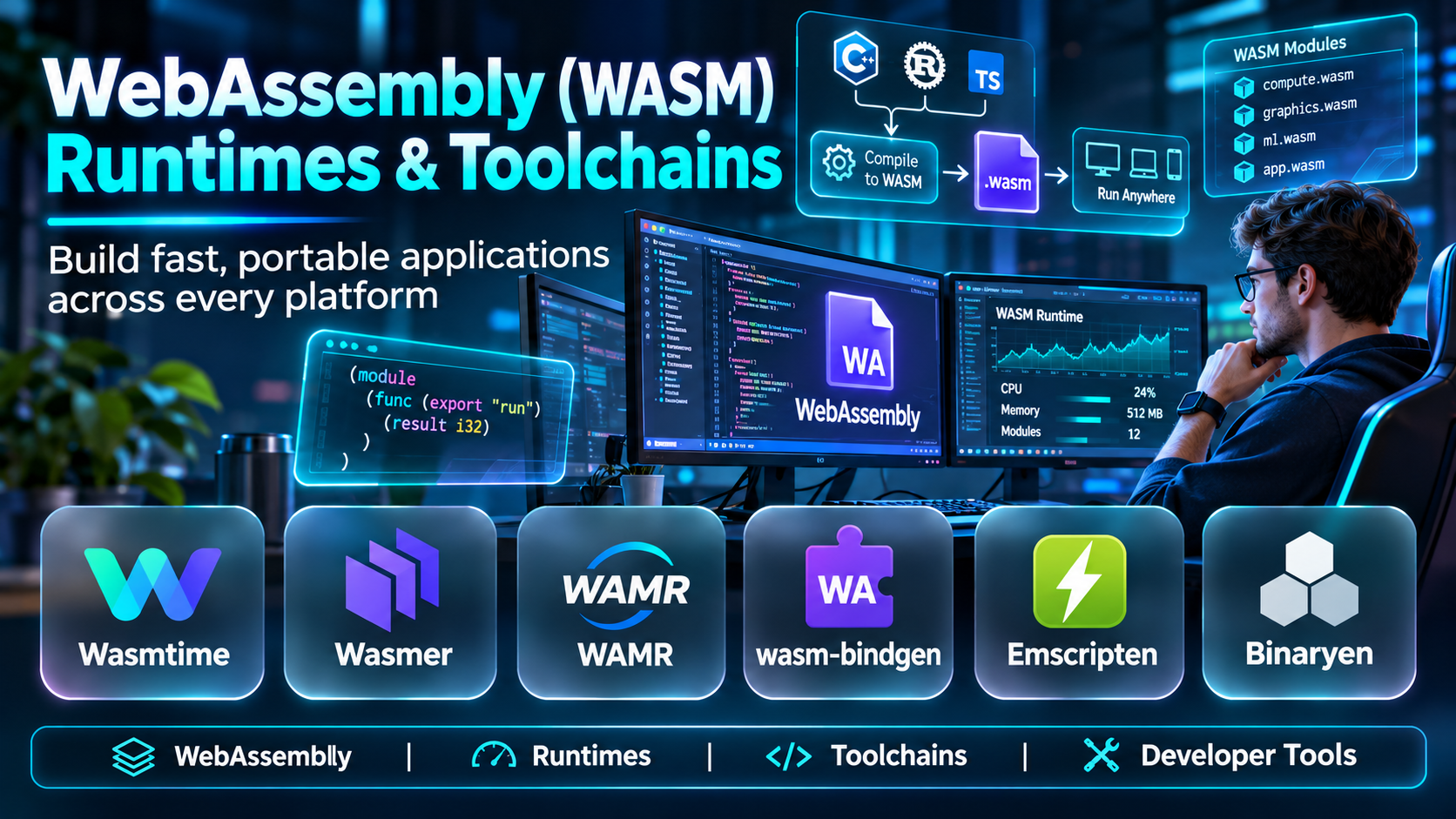
Introduction
Software developers increasingly need applications that run across different operating systems, processors, browsers, and cloud environments.
Traditional application deployment often requires platform-specific binaries, dependencies, or container images.
WebAssembly provides an alternative execution format designed for portability and efficient execution.
Originally associated with web browsers, WebAssembly is now used in server-side applications, edge computing, embedded environments, and plugin architectures.
However, building and running WebAssembly applications requires suitable runtimes, compilers, and development tools.
This guide compares ten WebAssembly runtimes and toolchains, explains their differences, and provides practical selection guidance.
What Are WebAssembly Runtimes and Toolchains?
WebAssembly, commonly abbreviated WASM, is a portable binary instruction format designed for execution in compatible environments.
A WebAssembly runtime loads and executes WASM modules.
A WebAssembly toolchain compiles source code or provides supporting tools for creating, inspecting, and managing WASM modules.
WebAssembly Runtime vs. Toolchain
A runtime executes compiled modules.
A toolchain helps developers produce or work with those modules.
For example, a developer may compile Rust code into WebAssembly using a supported compiler target and execute the resulting module using Wasmtime.
Important WebAssembly Capabilities
- Portable binary execution.
- Sandboxed execution models.
- WASI compatibility.
- Language compilation support.
- Runtime embedding.
- Resource limits.
- Component Model support.
- Edge deployment.
- Browser integration.
- Debugging and profiling.
- Host function interfaces.
- Cross-platform execution.
WebAssembly portability does not mean every module runs everywhere automatically. Host interfaces, runtime capabilities, and supported standards must also be compatible.
Top 10 WebAssembly Runtimes and Toolchains
1. Wasmtime
Short Description
Wasmtime is an open-source WebAssembly runtime developed within the Bytecode Alliance ecosystem.
It is designed to execute WebAssembly modules outside browsers and can be embedded into applications.
Wasmtime is particularly relevant to developers building secure plugin systems, server-side workloads, and WASI-oriented applications.
For example, a platform team may use Wasmtime to execute customer-provided extensions within a controlled environment.
Its support for modern WebAssembly standards makes it useful for organizations exploring component-based architectures.
However, runtime integration, capability configuration, and host interfaces require careful engineering.
Key Features
- WebAssembly execution: Runs compatible WASM modules.
- WASI support: Provides supported system interfaces for non-browser workloads.
- Runtime embedding: Integrates execution into host applications.
- Component Model support: Enables supported component-oriented workflows.
- Security isolation: Applies runtime execution boundaries.
- Resource controls: Supports execution management and limits.
- Language integrations: Provides supported embedding APIs.
- Performance optimization: Uses compilation techniques designed for efficient execution.
Benefits
Wasmtime provides a flexible foundation for portable application components and controlled code execution.
Pros
- Open-source.
- Active standards ecosystem.
- Embeddable runtime.
- WASI support.
- Strong developer relevance.
Cons
- Requires integration expertise.
- Host APIs need design.
- Standards evolve.
- Not a complete application platform.
Use Cases
Server-side WASM, plugin execution, application extensibility, component architectures, and controlled workloads.
Best For: Developers building embeddable or server-side WebAssembly applications.
2. Wasmer
Short Description
Wasmer is a WebAssembly runtime and tooling ecosystem focused on executing portable applications across supported environments.
It supports server-side and embedded WebAssembly use cases.
Wasmer can be relevant to developers who want to package and execute WASM applications outside the browser.
For example, an application developer may distribute a compatible WebAssembly module to environments with supported Wasmer runtimes.
Its broader ecosystem includes tools intended to simplify WebAssembly development and deployment.
However, organizations should review the compatibility of runtime versions, supported system interfaces, and deployment features.
Key Features
- WebAssembly runtime.
- WASI support.
- Runtime embedding.
- Compilation options.
- Developer tooling.
- Cross-platform execution.
- Package-related workflows.
- Application deployment capabilities.
Benefits
Wasmer helps developers execute portable WebAssembly applications in supported server-side and embedded contexts.
Pros
- Portable execution.
- Embedding options.
- Developer tooling.
- Multiple use cases.
- WebAssembly ecosystem support.
Cons
- Compatibility requires testing.
- Deployment options vary.
- Runtime integration effort.
- Standards support changes over time.
Use Cases
Portable applications, server-side execution, plugin systems, and WebAssembly development.
Best For: Developers seeking a versatile WebAssembly runtime ecosystem.
3. WasmEdge
Short Description
WasmEdge is a lightweight WebAssembly runtime designed for cloud-native, edge, and embedded computing scenarios.
It is particularly relevant to workloads where resource efficiency and deployment flexibility matter.
WasmEdge can execute compatible WebAssembly modules and provides integrations for selected application environments.
For example, an edge computing application may use WebAssembly to run lightweight processing logic near data sources.
Its architecture makes it attractive for experimentation with portable services and event-driven workloads.
However, users should evaluate extension compatibility, runtime support, and operational tooling for their particular application.
Key Features
- Lightweight WASM execution.
- WASI support.
- Edge computing relevance.
- Cloud-native integrations.
- Runtime embedding.
- Performance optimization.
- Supported extensions.
- Cross-platform deployment.
Benefits
WasmEdge supports portable application execution in resource-conscious environments.
Pros
- Lightweight architecture.
- Edge computing focus.
- Cloud-native relevance.
- Portable execution.
- Flexible integrations.
Cons
- Extension compatibility varies.
- Requires technical setup.
- Ecosystem differences.
- Production deployment needs testing.
Use Cases
Edge applications, cloud-native services, embedded workloads, and lightweight server-side execution.
Best For: Developers exploring WebAssembly for edge and cloud-native environments.
4. Emscripten
Short Description
Emscripten is a compiler toolchain used to compile C and C++ applications into WebAssembly and related web-compatible outputs.
It is especially relevant to developers porting existing native applications to browsers.
Emscripten provides libraries, build tools, and compatibility mechanisms that help bridge differences between native environments and web execution.
For example, a team maintaining a C++ visualization engine may use Emscripten to make selected functionality available in a browser application.
Its tooling can support substantial code reuse.
However, porting applications may require changes to dependencies, threading assumptions, file access, and browser-specific behavior.
Key Features
- C and C++ compilation.
- WebAssembly output.
- JavaScript interoperability.
- Browser integration.
- Build tooling.
- Compatibility libraries.
- Debugging support.
- Performance optimization options.
Benefits
Emscripten helps developers reuse existing C and C++ code in compatible web environments.
Pros
- Strong C/C++ support.
- Mature web compilation workflows.
- Useful compatibility tools.
- Broad application relevance.
- Supports code reuse.
Cons
- Porting complexity.
- Browser restrictions.
- Build configuration effort.
- Not a standalone WASM runtime.
Use Cases
Browser-based applications, game engines, scientific visualization, legacy code reuse, and web application development.
Best For: Developers compiling C and C++ applications for the web.
5. WebAssembly Binary Toolkit (WABT)
Short Description
WABT is a collection of tools for working with WebAssembly binary and text formats.
It is primarily a development and inspection toolkit rather than a full application deployment platform.
WABT is useful for developers who need to examine WASM modules, convert formats, and validate module structure.
For example, an engineer debugging a generated WebAssembly file may use WABT to inspect its text representation.
Its tools can also support testing and educational workflows.
However, WABT does not replace a production runtime or complete compiler toolchain.
Key Features
- WASM binary inspection.
- Text-format conversion.
- Module validation.
- Disassembly.
- Assembly.
- Development utilities.
- Command-line workflows.
- WebAssembly format testing.
Benefits
WABT provides practical utilities for inspecting and validating WebAssembly modules.
Pros
- Open-source.
- Useful debugging utilities.
- Format conversion.
- Developer-friendly commands.
- Standards-oriented tooling.
Cons
- Not a deployment platform.
- Limited high-level workflows.
- Requires WASM knowledge.
- Primarily command-line oriented.
Use Cases
Module inspection, debugging, compiler testing, WebAssembly education, and binary validation.
Best For: Developers needing low-level WebAssembly utilities.
6. Binaryen
Short Description
Binaryen is a compiler and toolchain infrastructure project focused on WebAssembly optimization and transformation.
It provides tools for processing WASM modules and improving generated code.
Binaryen is relevant to compiler developers, toolchain maintainers, and engineers working on WebAssembly build performance.
For example, a development pipeline may use Binaryen optimization tools to reduce module size or improve selected execution characteristics.
Its functionality can complement other compilers and toolchains.
However, Binaryen is not designed as a general-purpose application runtime.
Key Features
- WebAssembly optimization.
- Module transformation.
- Compiler infrastructure.
- Binary processing.
- Optimization passes.
- Toolchain integration.
- Command-line utilities.
- WASM development support.
Benefits
Binaryen helps development teams optimize WebAssembly modules and build supporting compiler workflows.
Pros
- Optimization focus.
- Open-source.
- Useful compiler tooling.
- Build pipeline integration.
- Technical flexibility.
Cons
- Not a runtime.
- Advanced usage requires expertise.
- Optimization results vary.
- Limited graphical interface.
Use Cases
WASM optimization, compiler development, build pipelines, and module transformation.
Best For: Compiler engineers and developers optimizing WebAssembly output.
7. WebAssembly Micro Runtime (WAMR)
Short Description
WebAssembly Micro Runtime, commonly called WAMR, is a lightweight WebAssembly runtime designed for constrained environments.
It is relevant to embedded systems, IoT devices, and applications where runtime size and resource usage matter.
WAMR supports execution of compatible WebAssembly modules through different execution approaches.
For example, an embedded device manufacturer may evaluate WAMR for running portable application logic within a controlled environment.
Its compact architecture is a major advantage for constrained systems.
However, hardware compatibility, available host interfaces, and security requirements must be validated carefully.
Key Features
- Lightweight runtime.
- Embedded deployment.
- WASM module execution.
- Interpreter options.
- Compilation options.
- Runtime embedding.
- Resource-conscious architecture.
- Supported system interfaces.
Benefits
WAMR makes WebAssembly execution practical for selected embedded and resource-limited environments.
Pros
- Compact design.
- Embedded relevance.
- Portable execution.
- Multiple execution approaches.
- Open-source.
Cons
- Limited environment resources.
- Integration expertise required.
- Feature compatibility varies.
- Not a complete cloud platform.
Use Cases
IoT applications, embedded plugins, constrained devices, and portable device logic.
Best For: Embedded developers seeking a lightweight WASM runtime.
8. wasm-pack
Short Description
wasm-pack is a development tool designed to help Rust developers build and package WebAssembly projects.
It is closely associated with Rust’s WebAssembly development ecosystem.
wasm-pack simplifies common tasks involved in compiling Rust code and preparing packages for JavaScript-oriented environments.
For example, a developer can create a Rust library and package it for use in a browser application.
Its workflow can reduce manual configuration during development.
However, wasm-pack is not a standalone runtime, and its primary focus is Rust-to-WebAssembly packaging.
Key Features
- Rust WebAssembly builds.
- Package generation.
- JavaScript interoperability workflows.
- Development testing.
- Build configuration.
- Package metadata.
- Browser-oriented integration.
- Rust ecosystem support.
Benefits
wasm-pack simplifies packaging and testing Rust-based WebAssembly modules.
Pros
- Rust integration.
- Developer-friendly workflows.
- Package generation.
- Useful for browser applications.
- Open-source tooling.
Cons
- Rust-specific.
- Not a runtime.
- Build dependencies required.
- Deployment still requires a host environment.
Use Cases
Rust WebAssembly libraries, browser integrations, JavaScript package development, and WASM testing.
Best For: Rust developers creating WebAssembly packages.
9. Extism
Short Description
Extism is an open-source framework for building plugin systems using WebAssembly.
It provides a developer-oriented abstraction for loading and executing compatible WASM plugins within host applications.
Extism is relevant to software companies that want extensibility without allowing plugins unrestricted access to host environments.
For example, a SaaS application may allow customers to install supported plugins that perform approved transformations.
Its plugin-oriented design can reduce the amount of custom runtime integration required.
However, developers must still define permissions, host functions, resource limits, and trust boundaries carefully.
Key Features
- WebAssembly plugin execution.
- Host application integrations.
- Plugin SDKs.
- Cross-language development support.
- Runtime abstraction.
- Host function interfaces.
- Plugin lifecycle workflows.
- Extensible application architecture.
Benefits
Extism helps developers build portable plugin systems using WebAssembly-based execution.
Pros
- Plugin-focused architecture.
- Multiple language integrations.
- WASM isolation benefits.
- Open-source.
- Useful extensibility model.
Cons
- Not a general compiler toolchain.
- Host integration required.
- Security depends on configuration.
- Plugin interfaces require design.
Use Cases
SaaS extensions, application plugins, customer-defined processing, and embedded execution.
Best For: Developers building extensible applications with WebAssembly plugins.
10. Spin
Short Description
Spin is an open-source framework and toolchain for building WebAssembly-based applications, particularly event-driven and server-side workloads.
It provides development workflows for creating applications that run through compatible WebAssembly components and host environments.
Spin is relevant to developers exploring lightweight services and cloud-native WASM architectures.
For example, a developer may build a small HTTP service using a supported language and deploy it through an appropriate Spin-compatible environment.
Its application-oriented approach can simplify certain development tasks compared with assembling runtime integrations manually.
However, production deployment depends on compatible hosting infrastructure and supported application capabilities.
Key Features
- WASM application development.
- Event-driven workloads.
- HTTP application support.
- Developer command-line tooling.
- Supported language integrations.
- Component-oriented workflows.
- Local development.
- Deployment integration options.
Benefits
Spin helps developers build and package WebAssembly applications using higher-level workflows.
Pros
- Application-focused tooling.
- Open-source.
- Server-side WASM relevance.
- Useful developer experience.
- Event-driven architecture support.
Cons
- Requires compatible hosting.
- Ecosystem is evolving.
- Not a general-purpose browser compiler.
- Deployment design matters.
Use Cases
Server-side WASM services, lightweight APIs, event-driven applications, and cloud-native experimentation.
Best For: Developers building application-oriented WebAssembly services.
WebAssembly Runtimes & Toolchains Comparison Table
| Tool | Type | Best For | Main Limitation |
|---|---|---|---|
| Wasmtime | Runtime | Server-side WASM | Integration expertise |
| Wasmer | Runtime and tooling | Portable applications | Compatibility planning |
| WasmEdge | Runtime | Edge computing | Extension compatibility |
| Emscripten | Compiler toolchain | C/C++ web applications | Porting effort |
| WABT | Binary toolkit | Module inspection | Not a runtime |
| Binaryen | Optimization toolkit | Compiler workflows | Specialized use |
| WAMR | Lightweight runtime | Embedded devices | Resource constraints |
| wasm-pack | Build tool | Rust WASM packages | Rust focus |
| Extism | Plugin framework | Application extensibility | Host integration |
| Spin | Application framework | Server-side WASM | Hosting requirements |
How to Choose WebAssembly Runtimes and Toolchains
1. Define the Execution Environment
Browser, server, edge, and embedded applications have different requirements.
2. Identify the Source Language
C/C++ developers may need Emscripten, while Rust developers may use wasm-pack or supported Rust compiler targets.
3. Review WASI Compatibility
Non-browser applications often depend on supported WASI interfaces.
4. Consider the Component Model
Component-oriented architectures require compatible tooling and runtime capabilities.
5. Evaluate Security Boundaries
WebAssembly sandboxing is useful, but host permissions and runtime configuration remain critical.
6. Test Performance
Measure startup time, memory usage, execution throughput, and integration overhead.
7. Review Operational Support
Production workloads require monitoring, updates, deployment procedures, and compatibility management.
Best WebAssembly Tools by User Type
| User Type | Recommended Tools | Reason |
|---|---|---|
| Server-side developer | Wasmtime, Wasmer | Runtime execution |
| Edge developer | WasmEdge | Edge-oriented architecture |
| C/C++ developer | Emscripten | Compilation to WASM |
| Compiler engineer | Binaryen, WABT | Optimization and inspection |
| Embedded developer | WAMR | Lightweight execution |
| Rust developer | wasm-pack | Rust packaging |
| Plugin platform developer | Extism | Extensibility |
| Cloud-native application developer | Spin | Application workflows |
Practical Example: Building a Portable WebAssembly Service
Consider a development team building a lightweight data transformation service.
The team wants to deploy the same application logic across compatible environments.
Step 1: Define the Workload
Identify inputs, outputs, performance requirements, and required host capabilities.
Step 2: Select a Language
Choose a language with suitable WebAssembly compilation support.
Step 3: Choose a Toolchain
Use the appropriate compiler or application framework.
Step 4: Compile to WebAssembly
Produce a compatible WASM module or component.
Step 5: Select a Runtime
Evaluate Wasmtime, Wasmer, or another compatible runtime.
Step 6: Configure Host Permissions
Grant only the capabilities required by the application.
Step 7: Test Functionality
Verify file access, networking, memory use, and error handling where supported.
Step 8: Benchmark Performance
Compare startup time and execution performance under representative workloads.
Step 9: Deploy and Monitor
Use appropriate operational controls and maintain compatible runtime versions.
Common WebAssembly Development Challenges
Host interface compatibility: Modules may require interfaces unavailable in the target runtime.
Debugging complexity: Some debugging workflows differ from traditional native development.
Language limitations: Not every language or library supports all WebAssembly environments.
Performance differences: Runtime behavior depends on compilation and workload characteristics.
Security assumptions: Sandboxing does not eliminate risks from unsafe host functions or vulnerable runtimes.
Standards evolution: WASI and Component Model capabilities continue to develop.
Frequently Asked Questions
1. What is WebAssembly?
WebAssembly is a portable binary instruction format for compatible execution environments.
2. What is a WASM runtime?
It executes WebAssembly modules.
3. What is a WASM toolchain?
It provides tools for compiling, inspecting, or packaging WebAssembly code.
4. Does WebAssembly run only in browsers?
No. Compatible runtimes can execute modules outside browsers.
5. What is WASI?
WASI provides standardized interfaces for selected system capabilities.
6. What is Wasmtime?
It is an open-source WebAssembly runtime.
7. What is Wasmer?
It is a WebAssembly runtime and tooling ecosystem.
8. What is Emscripten?
It is a toolchain for compiling C and C++ into WebAssembly and web-compatible outputs.
9. Can Rust compile to WebAssembly?
Yes, through supported compiler targets and tooling.
10. What is WABT used for?
It provides utilities for inspecting and manipulating WASM formats.
11. What is Binaryen?
It is WebAssembly compiler and optimization infrastructure.
12. Can WebAssembly run on embedded devices?
Yes, with suitable runtimes and hardware resources.
13. Is WebAssembly secure?
It provides useful isolation properties, but security depends on the complete runtime and host configuration.
14. Is WebAssembly faster than JavaScript?
Performance depends on the workload and implementation.
15. Can WebAssembly replace containers?
It can support some alternative deployment models, but it does not universally replace containers.
16. Which WebAssembly runtime is best?
The best choice depends on execution environment, standards compatibility, language support, and operational requirements.
Final Thoughts
WebAssembly runtimes and toolchains enable portable application development across a growing range of environments.
Wasmtime, Wasmer, and WasmEdge support different runtime use cases.
Emscripten, Binaryen, WABT, and wasm-pack provide compilation, optimization, inspection, and packaging capabilities.
WAMR addresses resource-constrained environments, while Extism and Spin support plugin-oriented and application-oriented development workflows.
The right choice depends on what the application needs to execute, where it will run, and which host capabilities it requires.
Developers should prioritize compatibility, security, maintainability, and measured performance rather than assuming every WebAssembly tool serves the same purpose.
