Introduction
Therapy practices manage much more than appointments. They must coordinate confidential client records, treatment notes, telehealth sessions, payments, insurance claims, and ongoing communication.
Practice management software helps therapists organize these responsibilities within a consistent workflow. The right system can reduce administrative work while supporting privacy, continuity of care, and financial oversight.
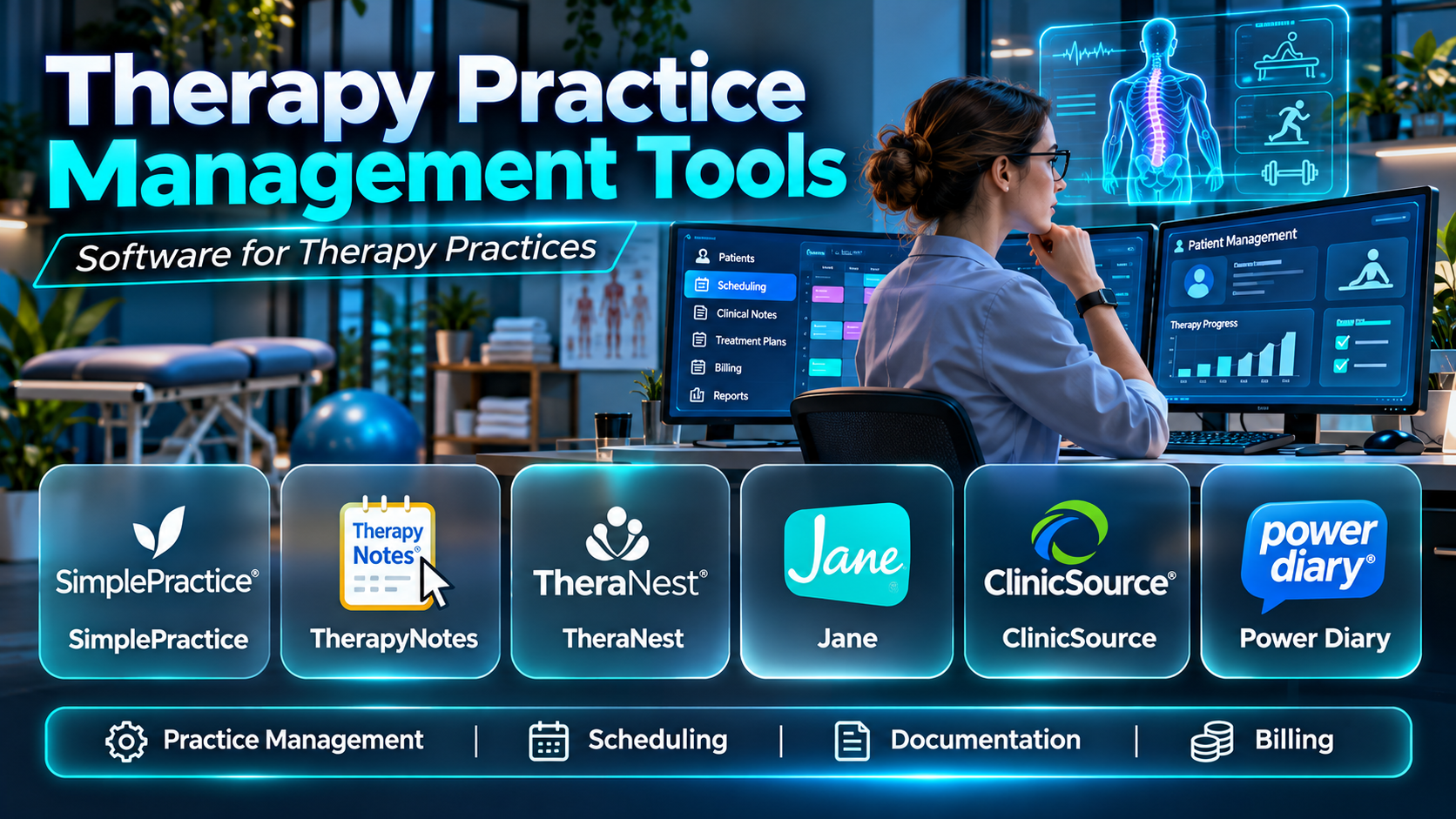
This guide compares ten therapy practice management platforms for independent clinicians, group practices, and multidisciplinary behavioral health organizations. It examines their functionality, integrations, advantages, limitations, and practical applications.
What Are Therapy Practice Management Tools?
Therapy practice management tools are software applications designed to support the administrative and clinical operations of therapy providers. They typically combine scheduling, client records, documentation, billing, and practice reporting.
Some platforms specialize in mental health counseling and psychotherapy. Others support multidisciplinary practices offering occupational therapy, speech therapy, physical therapy, or related services.
Why Therapy Practices Need Management Software
Therapists often divide their time between clinical care and administrative responsibilities. Manual scheduling, scattered records, and disconnected billing processes can reduce the time available for clients.
A well-configured platform can simplify these activities and improve operational consistency. However, privacy safeguards, clinical judgment, and accurate documentation remain the responsibility of the practice.
Essential Features
- Client intake and registration
- Appointment scheduling
- Clinical documentation
- Treatment plans
- Telehealth sessions
- Insurance claims
- Invoicing and payments
- Client portals
- Appointment reminders
- Practice analytics
- Access controls and audit records
Top 10 Therapy Practice Management Tools
1. SimplePractice
Detailed Description
SimplePractice is a practice management platform designed for mental health professionals and other wellness providers. It brings scheduling, client documentation, telehealth, billing, and communication into one practice environment.
A solo therapist can use the platform to manage intake forms, schedule recurring sessions, document treatment, and collect payments. Group practices can use additional administrative features to coordinate multiple clinicians and their client appointments.
The platform supports client-facing workflows through online booking, forms, reminders, and a secure client portal. These features can help reduce repetitive communication while giving clients a consistent way to interact with the practice.
SimplePractice is particularly relevant to private practices seeking an integrated system without maintaining multiple independent applications. Its suitability depends on subscription features, insurance requirements, and the complexity of the organization’s reporting needs.
Practices should evaluate the documentation templates, billing workflows, and telehealth experience using realistic client scenarios. Larger behavioral health organizations may require more specialized operational controls than a general private-practice platform provides.
Key Features
- Appointment scheduling
- Electronic client records
- Progress notes
- Treatment planning
- Integrated telehealth
- Client portal
- Insurance billing
- Online payments
- Intake forms and reminders
Benefits
- Centralizes practice administration.
- Reduces repetitive scheduling tasks.
- Supports consistent documentation.
- Simplifies client intake.
- Connects billing with appointments.
- Enables remote sessions.
- Improves practice visibility.
Pros
- Broad private-practice functionality.
- Integrated telehealth.
- Client-facing workflows.
- Clinical documentation tools.
- Billing capabilities.
- Suitable for solo and group practices.
Cons
- Features vary by subscription.
- Larger organizations may need more customization.
- Migration requires planning.
- Insurance workflows need verification.
- Costs increase with selected features.
Use Cases
- Solo psychotherapy practices
- Group counseling offices
- Online therapy sessions
- Client intake management
- Insurance billing
- Practice administration
Best For
- Independent therapists
- Psychologists
- Counselors
- Small group practices
- Telehealth-focused clinicians
- Wellness professionals
2. TherapyNotes
Detailed Description
TherapyNotes is a practice management and electronic health record platform designed specifically for behavioral health professionals. Its workflows focus on the operational needs of therapists, psychologists, psychiatrists, and related providers.
The system connects appointment scheduling with clinical documentation, treatment plans, and financial processes. Clinicians can use structured documentation workflows while administrative staff manage appointments and insurance-related tasks.
TherapyNotes includes tools for telehealth, client communication, and billing management. This makes it relevant to practices that want their clinical and administrative activities closely connected.
Group practices may find its clinician scheduling, documentation, and administrative controls particularly useful. However, organizations should assess whether the available customization and reporting options meet their specific operational requirements.
During evaluation, practices should test progress notes, treatment planning, claim submission, and payment reconciliation. They should also review the costs of additional services and the process for importing historical records.
Key Features
- Behavioral health EHR
- Appointment scheduling
- Progress notes
- Treatment plans
- Telehealth
- Insurance claims
- Client portal
- Billing and payments
- Practice reporting
Benefits
- Supports behavioral health workflows.
- Connects scheduling and documentation.
- Facilitates claims management.
- Improves clinical record consistency.
- Supports group administration.
- Enables remote sessions.
- Provides financial visibility.
Pros
- Behavioral health specialization.
- Structured clinical documentation.
- Integrated billing.
- Group practice functionality.
- Telehealth support.
- Established therapy workflows.
Cons
- Specialty focus may not suit every therapy discipline.
- Template flexibility requires evaluation.
- Migration can be time-consuming.
- Subscription costs vary.
- Some integrations may require separate arrangements.
Use Cases
- Mental health counseling
- Psychology practices
- Psychiatry offices
- Group therapy administration
- Insurance billing
- Telehealth delivery
Best For
- Behavioral health clinicians
- Group therapy practices
- Psychologists
- Psychiatrists
- Insurance-based practices
- Mental health administrators
3. TheraNest
Detailed Description
TheraNest is a therapy practice management platform serving mental health and behavioral health providers. It combines scheduling, documentation, billing, and administrative features within a connected practice system.
Therapists can use the platform to manage client information, document sessions, and organize treatment-related activities. Administrative teams can coordinate appointments, invoices, and insurance processes without relying entirely on separate tools.
The platform is relevant to practices managing individual therapy, family counseling, and group services. Its capabilities may also support organizations with several clinicians and varied appointment schedules.
TheraNest can help standardize routine workflows while maintaining a central client record. However, buyers should verify current product packaging, telehealth options, and any changes within the vendor’s broader software portfolio.
Implementation should focus on accurate client data migration, documentation templates, and billing setup. Practices should test real scheduling and claim scenarios before adopting the system.
Key Features
- Client management
- Appointment scheduling
- Clinical notes
- Treatment plans
- Billing
- Insurance claims
- Telehealth options
- Client portal
- Administrative reporting
Benefits
- Organizes therapy operations.
- Supports documentation consistency.
- Reduces manual scheduling.
- Facilitates financial administration.
- Connects client information.
- Supports group practices.
- Improves operational oversight.
Pros
- Therapy-oriented workflows.
- Clinical documentation.
- Scheduling capabilities.
- Billing support.
- Group practice relevance.
- Centralized client records.
Cons
- Current product packages need verification.
- Integration options vary.
- Training is necessary.
- Migration requires preparation.
- Reporting needs should be tested.
Use Cases
- Counseling practices
- Family therapy
- Group therapy administration
- Treatment documentation
- Insurance claims
- Appointment management
Best For
- Mental health practices
- Family therapists
- Group practices
- Behavioral health administrators
- Counseling centers
- Practices seeking centralized operations
4. Sessions Health
Detailed Description
Sessions Health is an electronic health record and practice management platform developed for mental health professionals. It emphasizes the core workflows needed to operate an independent therapy practice.
The platform supports scheduling, clinical documentation, client intake, and financial administration. Therapists can organize appointments and records without managing several unrelated systems.
Its client-facing capabilities help practices distribute intake forms and coordinate appointments. These functions can reduce administrative work while supporting a more consistent client experience.
Sessions Health is particularly relevant to solo practitioners and smaller group practices seeking a focused behavioral health solution. Organizations with complex enterprise reporting, extensive custom integrations, or multidisciplinary requirements should assess its limits carefully.
Buyers should test documentation workflows, insurance processing, and client communications before committing. They should also review data export options and the total cost of their intended configuration.
Key Features
- Therapy scheduling
- Electronic client records
- Progress notes
- Treatment plans
- Client intake forms
- Billing
- Insurance-related workflows
- Client communication
- Practice administration
Benefits
- Simplifies private-practice operations.
- Supports clinical documentation.
- Organizes client information.
- Reduces administrative duplication.
- Connects appointments and billing.
- Supports consistent intake.
- Improves workflow visibility.
Pros
- Mental health focus.
- Private-practice relevance.
- Documentation tools.
- Client intake capabilities.
- Scheduling support.
- Focused administrative workflows.
Cons
- Enterprise features may be limited.
- Specialty compatibility needs testing.
- Integrations vary.
- Migration requires planning.
- Subscription features should be reviewed.
Use Cases
- Solo counseling
- Small therapy groups
- Clinical documentation
- Client intake
- Scheduling
- Billing administration
Best For
- Solo therapists
- Small counseling practices
- Psychotherapists
- Independent psychologists
- New private practices
- Mental health clinicians
5. Jane
Detailed Description
Jane is a practice management platform designed for health and wellness professionals, including therapists and multidisciplinary clinics. It combines scheduling, charting, payments, and client management within a cloud-based environment.
The platform is particularly relevant to clinics where multiple types of practitioners share administrative resources. A practice offering counseling, physiotherapy, massage therapy, or related services can evaluate Jane for coordinated scheduling and patient administration.
Jane supports online booking and client-facing workflows that can reduce reception workload. Its charting and payment capabilities also help connect clinical appointments with documentation and financial activities.
However, Jane is not exclusively designed for mental health care. Behavioral health practices should carefully evaluate psychotherapy documentation, insurance requirements, and privacy workflows before selection.
Organizations should assess whether the available charting templates and integrations support their disciplines. The platform’s suitability depends on the balance between multidisciplinary flexibility and specialty-specific clinical requirements.
Key Features
- Online booking
- Appointment scheduling
- Clinical charting
- Client records
- Payment processing
- Invoicing
- Appointment reminders
- Multi-practitioner management
- Practice reporting
Benefits
- Supports multidisciplinary clinics.
- Simplifies appointment booking.
- Connects charts and payments.
- Reduces reception tasks.
- Improves practitioner scheduling.
- Organizes client information.
- Provides operational reporting.
Pros
- Multidisciplinary relevance.
- Online booking.
- Cloud-based access.
- Charting functionality.
- Payment workflows.
- Multi-practitioner support.
Cons
- Behavioral health specialization is limited.
- Insurance requirements vary by region.
- Advanced psychiatric workflows need evaluation.
- Integrations may add complexity.
- Costs depend on practitioners and features.
Use Cases
- Multidisciplinary wellness clinics
- Counseling appointments
- Physiotherapy administration
- Online booking
- Patient payments
- Multi-provider scheduling
Best For
- Multidisciplinary clinics
- Wellness practices
- Physical therapists
- Counseling providers
- Allied health professionals
- Clinics with shared administration
6. CounSol.com
Detailed Description
CounSol.com is an online practice management platform designed for counselors and therapists. It provides tools for scheduling, client records, billing, and communication.
The platform is relevant to clinicians who want to organize routine private-practice activities through a single online system. Appointment management and documentation workflows can help reduce reliance on manual calendars and disconnected files.
CounSol.com also offers client-facing capabilities that can support communication and practice administration. Buyers should verify current telehealth, payment, and insurance features against their specific needs.
Its focused approach may appeal to smaller counseling practices that do not require extensive enterprise functionality. Larger organizations should evaluate administrative controls, integrations, and reporting depth.
Practices should test client intake, clinical notes, appointment changes, and financial workflows. They should also review security documentation and data portability before implementation.
Key Features
- Appointment scheduling
- Client records
- Clinical notes
- Client portal
- Billing
- Online communication
- Intake forms
- Practice administration
- Reporting
Benefits
- Organizes counseling workflows.
- Supports client recordkeeping.
- Facilitates appointments.
- Reduces manual administration.
- Supports client communication.
- Connects billing activities.
- Provides practice visibility.
Pros
- Counseling-focused design.
- Online access.
- Scheduling capabilities.
- Client records.
- Administrative tools.
- Private-practice relevance.
Cons
- Enterprise capabilities need evaluation.
- Integrations may be limited.
- Current features require verification.
- Migration needs planning.
- Specialty requirements may differ.
Use Cases
- Individual counseling
- Psychotherapy administration
- Client scheduling
- Clinical notes
- Billing
- Client communication
Best For
- Independent counselors
- Solo therapists
- Small counseling groups
- Private practices
- Mental health professionals
- Practices seeking online administration
7. TherapyAppointment
Detailed Description
TherapyAppointment is practice management software developed for mental health professionals. It supports scheduling, client records, insurance billing, and related administrative processes.
The platform helps therapists connect appointment information with financial and clinical workflows. This can be useful for practices managing recurring sessions, insurance claims, and multiple client accounts.
TherapyAppointment is particularly relevant to counseling and psychotherapy practices with established billing requirements. Its operational focus may appeal to clinicians who want to coordinate scheduling and insurance administration within one environment.
Organizations should evaluate documentation flexibility, client communication, and reporting capabilities. Group practices should also test role permissions and multi-clinician workflows.
Implementation requires accurate transfer of client records, outstanding balances, and insurance information. Buyers should confirm current pricing and supported integrations before adoption.
Key Features
- Therapy scheduling
- Client management
- Clinical documentation
- Insurance claims
- Billing
- Payment tracking
- Client communication
- Group practice administration
- Reporting
Benefits
- Supports recurring therapy appointments.
- Connects billing and scheduling.
- Facilitates insurance workflows.
- Organizes client records.
- Reduces administrative duplication.
- Supports group operations.
- Improves financial visibility.
Pros
- Mental health specialization.
- Insurance billing focus.
- Scheduling tools.
- Client record management.
- Group practice relevance.
- Financial administration.
Cons
- Interface preferences vary.
- Integration needs require review.
- Migration can be complex.
- Training is necessary.
- Advanced reporting should be tested.
Use Cases
- Insurance-based counseling
- Psychotherapy practices
- Group scheduling
- Claims administration
- Client records
- Practice billing
Best For
- Mental health therapists
- Insurance-based practices
- Group counseling offices
- Private practitioners
- Practice billing teams
- Behavioral health administrators
8. Valant
Detailed Description
Valant is a behavioral health electronic health record and practice management platform designed for mental health organizations. It supports clinical documentation, scheduling, billing, and operational workflows.
The platform is relevant to practices with multiple providers and more complex behavioral health service requirements. Organizations may use it to coordinate clinical records and financial processes across a structured care environment.
Valant supports workflows associated with psychiatric and behavioral health treatment. Its broader operational scope can be important for organizations managing medication-related documentation, clinician productivity, and insurance billing.
The platform may be more appropriate for established behavioral health organizations than for clinicians needing only basic scheduling and invoicing. Buyers should evaluate implementation complexity, configuration, and ongoing administrative requirements.
During procurement, organizations should test clinical templates, billing processes, and reporting. They should also confirm integrations with other healthcare applications and the available support model.
Key Features
- Behavioral health EHR
- Appointment scheduling
- Clinical documentation
- Treatment planning
- Billing
- Insurance claims
- Patient communication
- Operational reporting
- Multi-provider administration
Benefits
- Supports structured behavioral health care.
- Connects clinical and financial operations.
- Facilitates group practice administration.
- Improves documentation consistency.
- Supports insurance billing.
- Provides operational analytics.
- Organizes complex workflows.
Pros
- Behavioral health specialization.
- Clinical documentation depth.
- Multi-provider relevance.
- Billing capabilities.
- Operational reporting.
- Suitable for established organizations.
Cons
- Implementation may be substantial.
- Smaller practices may find it complex.
- Commercial costs vary.
- Training requirements can be significant.
- Integrations need verification.
Use Cases
- Behavioral health clinics
- Psychiatry practices
- Group therapy organizations
- Clinical documentation
- Insurance billing
- Practice performance management
Best For
- Behavioral health groups
- Psychiatry organizations
- Established mental health clinics
- Multi-provider practices
- Clinical administrators
- Practices requiring detailed workflows
9. Ensora Mental Health
Detailed Description
Ensora Mental Health is a practice management and clinical software offering associated with the Ensora Health portfolio. It supports mental health professionals managing scheduling, documentation, billing, and practice operations.
The platform is relevant to practices seeking software designed around therapy and behavioral health workflows. Its broader vendor ecosystem also includes solutions serving other therapy disciplines.
Clinicians can evaluate Ensora for coordinating patient records and routine administrative tasks. Group practices may also consider its scheduling and financial management capabilities.
Because product branding and packaging have evolved, buyers should confirm the exact offering available to their organization. Features should be assessed against clinical documentation, telehealth, insurance, and reporting requirements.
Implementation should include migration testing, permission setup, and validation of billing workflows. Organizations should also review support arrangements and compatibility with existing applications.
Key Features
- Therapy scheduling
- Client records
- Clinical notes
- Treatment plans
- Billing
- Insurance workflows
- Telehealth-related capabilities
- Administrative reporting
- Practice management
Benefits
- Supports therapy administration.
- Organizes client information.
- Connects appointments and billing.
- Facilitates documentation.
- Supports practice coordination.
- Reduces manual processes.
- Improves operational visibility.
Pros
- Therapy-focused workflows.
- Practice management capabilities.
- Documentation support.
- Scheduling tools.
- Billing functionality.
- Broader therapy software ecosystem.
Cons
- Product packaging requires confirmation.
- Integrations vary.
- Migration needs planning.
- Subscription terms differ.
- Specialty requirements need testing.
Use Cases
- Mental health counseling
- Therapy practice administration
- Client documentation
- Appointment scheduling
- Billing
- Group practice workflows
Best For
- Independent therapists
- Counseling practices
- Group therapy organizations
- Behavioral health administrators
- Practices reviewing Ensora solutions
- Mental health clinicians
10. Practice Better
Detailed Description
Practice Better is a practice management platform designed for health and wellness professionals. It supports client scheduling, documentation, programs, communication, and payment workflows.
The platform is relevant to wellness-oriented practitioners who deliver ongoing services, coaching, and structured client programs. Its workflow design can support appointment-based services alongside educational materials and follow-up activities.
Therapists working in multidisciplinary wellness settings may evaluate Practice Better for administrative coordination. However, licensed mental health providers should carefully assess whether its clinical documentation and billing features meet their professional obligations.
The platform is particularly useful when client engagement and ongoing program delivery are central to the service model. Practices requiring specialized psychiatric documentation or complex insurance billing may need a more dedicated behavioral health system.
Buyers should evaluate privacy requirements, recordkeeping, client communication, and payment processes. They should also review how the platform fits their jurisdiction and professional discipline.
Key Features
- Client scheduling
- Client records
- Intake forms
- Program management
- Telehealth-related sessions
- Client communication
- Payments
- Documentation
- Practice administration
Benefits
- Connects wellness workflows.
- Supports client engagement.
- Organizes appointments.
- Facilitates program delivery.
- Simplifies administrative tasks.
- Connects payments and services.
- Supports ongoing communication.
Pros
- Wellness practice orientation.
- Program management.
- Client-facing workflows.
- Scheduling.
- Payment capabilities.
- Multidisciplinary relevance.
Cons
- Not a dedicated psychiatric EHR.
- Insurance billing fit may be limited.
- Clinical compliance needs verification.
- Specialty documentation varies.
- Advanced enterprise functions may be limited.
Use Cases
- Wellness therapy administration
- Client coaching programs
- Appointment management
- Intake forms
- Client follow-up
- Payments
Best For
- Wellness professionals
- Health coaches
- Multidisciplinary practitioners
- Program-based practices
- Non-insurance service models
- Providers emphasizing client engagement
Comparison of the Top 10 Therapy Practice Management Tools
| Platform | Primary Focus | Typical User | Main Consideration |
|---|---|---|---|
| SimplePractice | Integrated private-practice management | Solo and group therapists | Subscription features |
| TherapyNotes | Behavioral health EHR and billing | Mental health practices | Specialty scope |
| TheraNest | Therapy administration | Counseling groups | Current packaging |
| Sessions Health | Focused mental health workflows | Solo therapists | Enterprise depth |
| Jane | Multidisciplinary practice management | Allied health clinics | Behavioral health fit |
| CounSol.com | Counseling practice administration | Independent counselors | Integration depth |
| TherapyAppointment | Therapy scheduling and billing | Insurance-based practices | Workflow configuration |
| Valant | Behavioral health EHR | Established organizations | Implementation complexity |
| Ensora Mental Health | Therapy practice management | Counseling organizations | Product configuration |
| Practice Better | Wellness practice management | Wellness providers | Clinical specialty fit |
Which Therapy Practice Management Tool Is Right for You?
| Buyer Persona | Platforms to Evaluate | Main Reason |
|---|---|---|
| Solo psychotherapist | SimplePractice, Sessions Health | Core private-practice workflows |
| Insurance-based counseling practice | TherapyNotes, TherapyAppointment | Billing and claims |
| Established behavioral health group | Valant, TherapyNotes | Multi-provider clinical workflows |
| Family counseling center | TheraNest, SimplePractice | Client and appointment management |
| Multidisciplinary allied health clinic | Jane | Shared practitioner administration |
| Independent counselor | CounSol.com, Sessions Health | Focused practice management |
| Practice reviewing therapy software ecosystems | Ensora Mental Health | Therapy-oriented operations |
| Wellness-oriented service provider | Practice Better | Programs and client engagement |
How to Implement Therapy Practice Management Software
Step 1: Map Current Practice Operations
Document scheduling, intake, documentation, billing, and communication. Identify manual tasks and recurring problems.
Action checklist:
- Review appointment workflows.
- Assess documentation.
- Identify billing delays.
- Map client communication.
- Define implementation goals.
Step 2: Define Clinical and Privacy Requirements
Identify the records and safeguards required for the practice. Review applicable confidentiality, professional, and healthcare privacy obligations.
Action checklist:
- Review documentation standards.
- Define user permissions.
- Assess telehealth requirements.
- Establish retention policies.
- Review security controls.
Step 3: Evaluate Vendors
Test products using representative therapy workflows. Compare clinical functionality, usability, support, and total costs.
Action checklist:
- Demonstrate client intake.
- Test progress notes.
- Review telehealth.
- Evaluate insurance claims.
- Compare pricing.
Step 4: Prepare Data Migration
Review client records, appointment histories, balances, and treatment documentation. Validate imported data before clinical use.
Action checklist:
- Clean client information.
- Review historical notes.
- Reconcile balances.
- Test data imports.
- Verify access permissions.
Step 5: Configure Workflows
Set up appointment types, clinical templates, billing rules, and client communication. Test common and exceptional scenarios.
Action checklist:
- Configure schedules.
- Set documentation templates.
- Review billing codes.
- Test reminders.
- Validate user roles.
Step 6: Train and Launch
Train clinicians and administrative staff according to their responsibilities. Monitor early appointments, documentation, and payments.
Action checklist:
- Train clinicians.
- Train billing staff.
- Test telehealth sessions.
- Prepare support procedures.
- Monitor initial activity.
Step 7: Measure and Improve
Review appointment utilization, documentation completion, claim outcomes, and client experience. Use findings to improve practice operations.
Action checklist:
- Track appointment attendance.
- Review note completion.
- Monitor rejected claims.
- Assess payment delays.
- Refine workflows.
Common Challenges in Therapy Practice Management
Confidentiality and Privacy
Therapy records may contain highly sensitive personal information. Access controls and documentation practices require careful oversight.
Insurance Billing Complexity
Coverage, authorization, and reimbursement requirements can vary. Software automation does not eliminate the need for accurate billing review.
Clinical Documentation
Therapists need documentation that reflects their treatment methods and professional standards. Rigid templates can create unnecessary administrative work.
Telehealth Reliability
Remote sessions depend on technology, connectivity, and appropriate privacy safeguards. Practices need procedures for interruptions and emergencies.
Frequently Asked Questions
1. What is therapy practice management software?
It helps therapy providers manage appointments, records, billing, and administration. Some systems also include telehealth and clinical documentation.
2. Can therapists use electronic health records?
Yes, many platforms provide electronic clinical records. Requirements vary by profession and jurisdiction.
3. Does therapy software include telehealth?
Many platforms offer telehealth features. Buyers should verify the capabilities included in their plans.
4. Can therapy software manage insurance claims?
Some systems provide insurance billing tools. Claim support varies by platform and market.
5. Is therapy software suitable for solo practitioners?
Yes, several products focus on solo practices. Simplicity and cost are important selection factors.
6. Can group practices use one system?
Many platforms support multiple clinicians. Role permissions and reporting should be tested.
7. Does therapy software support treatment plans?
Many behavioral health systems include treatment planning. Template flexibility differs.
8. What is a client portal?
A client portal provides a controlled way to exchange forms, appointments, and other information. Available features vary.
9. Can clients book appointments online?
Some platforms support online booking. Scheduling rules should match practice policies.
10. Does software replace clinical judgment?
No, software supports administrative and documentation processes. Clinical decisions remain with qualified professionals.
11. Can therapy software handle recurring appointments?
Many systems support recurring sessions. Practices should test cancellation and rescheduling workflows.
12. How is sensitive client data protected?
Platforms may provide encryption, permissions, and audit controls. Organizations must configure safeguards appropriately.
13. Can existing records be migrated?
Many vendors offer import options or migration assistance. Historical records require careful validation.
14. How much does therapy software cost?
Pricing depends on clinicians, modules, billing services, and subscriptions. Migration and training may add costs.
15. What metrics should therapy practices monitor?
Useful measures include attendance, documentation completion, claims, and collections. Measures should support care quality and operational goals.
16. How should a therapist choose software?
Start with clinical documentation, scheduling, privacy, and billing requirements. Test realistic workflows before purchasing.
Final Thoughts
Therapy practice management software can reduce administrative complexity and improve the consistency of clinical operations. Its value depends on how well it supports the practice’s actual treatment and business workflows.
SimplePractice, TherapyNotes, and Sessions Health offer different approaches to private-practice management. Their suitability depends on documentation, insurance, telehealth, and administrative requirements.
Valant and other behavioral health-focused platforms may be relevant to larger organizations. Multidisciplinary clinics may prefer systems designed for several allied health disciplines.
No single platform is appropriate for every therapist or practice model. Buyers should compare specialty requirements, integration capabilities, security, and total ownership costs.
The best therapy practice management tool supports confidential care while keeping routine administration manageable. Careful implementation, staff training, and continuous evaluation help practices achieve sustainable results.
