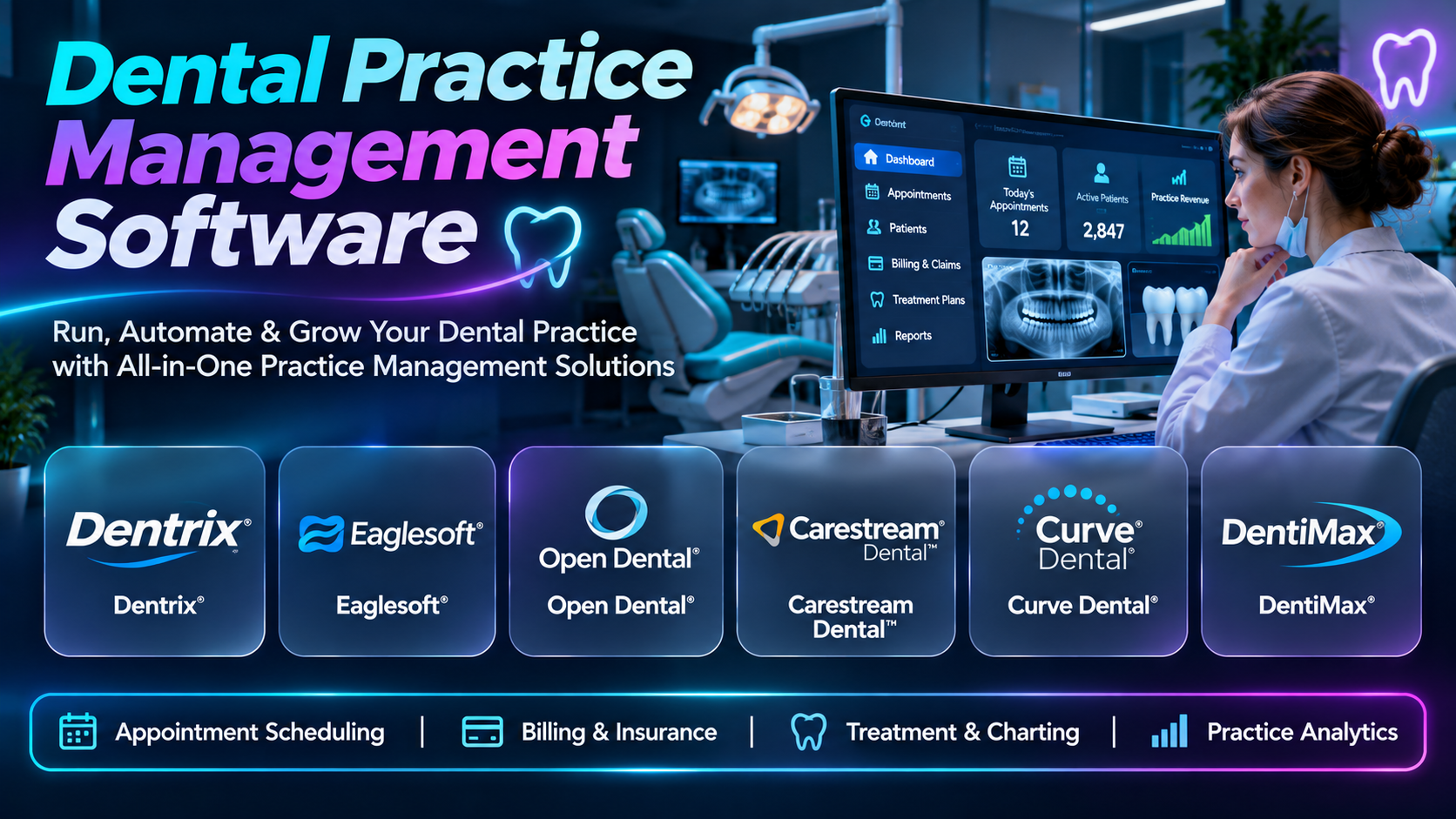
Introduction
Dental practices must coordinate appointments, patient records, treatment plans, insurance claims, payments, and daily administrative activities. Dental practice management software brings these processes together within a structured operational environment.
Different platforms serve independent dentists, specialty practices, and large dental service organizations. Some emphasize traditional office management, while others provide cloud-based access, imaging integration, and multi-location reporting.
This guide compares ten dental practice management platforms and explains their capabilities, limitations, and best-fit organizations. It also provides implementation guidance and answers common purchasing questions.
What Is Dental Practice Management Software?
Dental practice management software helps dental offices manage clinical and administrative operations. Typical capabilities include scheduling, patient registration, treatment planning, billing, insurance workflows, and reporting.
Some products also include clinical charting and electronic dental records. Others connect with imaging, patient communication, and payment applications through integrations.
Why Dental Practice Management Software Matters
Dental practices need accurate information across reception, clinical, and financial teams. Disconnected systems can create scheduling conflicts, missed treatment follow-ups, and billing errors.
An appropriate platform can improve workflow consistency and provide better operational visibility. However, successful adoption still requires accurate data, trained staff, and clearly defined procedures.
Core Features
- Appointment scheduling
- Patient records
- Dental charting
- Treatment planning
- Insurance claims
- Patient billing
- Payment processing
- Imaging integration
- Patient communication
- Practice analytics
Top 10 Dental Practice Management Software
1. Dentrix
Detailed Description
Dentrix is an established dental practice management system designed to support the clinical and administrative activities of dental offices. It provides tools for scheduling, patient records, treatment planning, billing, and practice reporting.
The platform helps connect front-office activities with information used by dentists and clinical staff. Appointment details, patient histories, and treatment information can be managed within coordinated practice workflows.
Dentrix is particularly relevant to established dental practices that need comprehensive operational functionality. Its broader ecosystem includes related products and integrations that may extend patient communication, imaging, and financial workflows.
Organizations should evaluate the specific Dentrix product and deployment model rather than assume all versions provide identical capabilities. Migration, training, and integration with existing equipment are important implementation considerations.
Key Features
- Appointment scheduling
- Patient record management
- Dental charting
- Treatment planning
- Insurance billing
- Patient accounts
- Practice reporting
- Imaging integration options
- Administrative workflows
Benefits
- Centralizes practice information.
- Supports appointment coordination.
- Connects clinical and financial workflows.
- Helps manage treatment plans.
- Facilitates insurance billing.
- Supports patient communication.
- Provides operational visibility.
Pros
- Established dental software presence.
- Broad practice management functions.
- Clinical charting capabilities.
- Treatment planning.
- Integration ecosystem.
- Suitable for established practices.
Cons
- Product versions differ.
- Migration requires planning.
- Training is necessary.
- Commercial costs vary.
- Integration compatibility needs verification.
Use Cases
- General dental practice management
- Patient scheduling
- Treatment planning
- Insurance claims
- Patient billing
- Practice reporting
Best For
- Established dental practices
- General dentists
- Multidisciplinary dental offices
- Practice administrators
- Growing dental groups
- Organizations seeking comprehensive workflows
2. Open Dental
Detailed Description
Open Dental is dental practice management software used by independent dental practices and other dental organizations. It provides scheduling, patient records, charting, billing, and administrative capabilities.
The platform is known for its configurable workflows and integration-oriented approach. Dental practices can use it to organize patient care information while connecting selected external systems and services.
Open Dental is particularly relevant to practices with technical resources or implementation partners who can manage configuration and integration requirements. Its flexibility can support varied workflows, but that flexibility also creates administrative responsibilities.
Organizations should evaluate hosting arrangements, backup procedures, security controls, and ongoing support. Staff training and careful data migration remain important when replacing an existing practice system.
Key Features
- Appointment scheduling
- Patient records
- Dental charting
- Treatment plans
- Insurance claims
- Patient billing
- Reporting
- Integration interfaces
- Configurable workflows
Benefits
- Supports flexible practice operations.
- Connects clinical and billing information.
- Facilitates appointment management.
- Helps organize treatment plans.
- Supports reporting.
- Enables selected integrations.
- Provides operational control.
Pros
- Configurable platform.
- Broad dental functionality.
- Integration flexibility.
- Established user community.
- Clinical charting.
- Suitable for different practice sizes.
Cons
- Configuration requires expertise.
- Hosting responsibilities vary.
- Integration quality depends on implementation.
- Training is necessary.
- Support and deployment costs need review.
Use Cases
- General dentistry
- Dental scheduling
- Insurance billing
- Treatment planning
- Custom practice workflows
- Multi-provider operations
Best For
- Independent dental practices
- Technically capable organizations
- Growing dental groups
- Practices needing configuration flexibility
- Dental administrators
- Integration-focused practices
3. Eaglesoft
Detailed Description
Eaglesoft is dental practice management software associated with Patterson Dental. It supports the administrative and clinical information needs of dental offices.
The platform provides tools for scheduling, charting, treatment planning, patient accounts, and practice reporting. It can help coordinate daily activities between reception staff, dental assistants, hygienists, and dentists.
Eaglesoft is relevant to practices seeking a comprehensive dental office system with connections to dental technology and equipment workflows. Its integration environment should be evaluated against the specific imaging and clinical devices already in use.
Organizations should confirm supported software versions, deployment requirements, and long-term maintenance arrangements. A practical evaluation should include both clinical charting and front-office financial workflows.
Key Features
- Appointment scheduling
- Patient records
- Clinical charting
- Treatment planning
- Insurance processing
- Patient billing
- Imaging connections
- Practice reporting
- Administrative workflows
Benefits
- Organizes dental office operations.
- Supports clinical documentation.
- Facilitates scheduling.
- Connects treatment and billing.
- Helps manage patient accounts.
- Supports imaging workflows.
- Improves operational consistency.
Pros
- Established dental industry presence.
- Broad practice functionality.
- Clinical and administrative tools.
- Dental technology connections.
- Treatment planning.
- Relevant to general practices.
Cons
- Deployment requirements need review.
- Migration can be complex.
- Training is necessary.
- Commercial costs vary.
- Integration compatibility differs.
Use Cases
- Dental office administration
- Patient scheduling
- Clinical charting
- Treatment planning
- Insurance claims
- Dental imaging coordination
Best For
- General dental practices
- Established dental offices
- Practices using Patterson technology
- Clinical teams
- Dental administrators
- Organizations seeking integrated workflows
4. CareStack
Detailed Description
CareStack is a cloud-based dental practice management platform designed to connect clinical, administrative, and financial operations. It is particularly relevant to dental organizations seeking centralized management across one or more locations.
The platform supports scheduling, patient records, treatment planning, billing, and practice analytics. Its cloud-oriented design can help organizations manage distributed operations without maintaining every application locally.
CareStack is relevant to growing dental groups and dental service organizations that need consistent workflows and centralized visibility. Multi-location reporting and operational standardization may be important reasons to evaluate the platform.
Implementation requires careful attention to existing patient records, insurance workflows, and clinical integrations. Organizations should also assess subscription costs, connectivity requirements, and data portability.
Key Features
- Cloud-based scheduling
- Patient management
- Dental charting
- Treatment planning
- Insurance workflows
- Revenue cycle management
- Patient communication
- Multi-location reporting
- Practice analytics
Benefits
- Centralizes dental operations.
- Supports multi-location management.
- Connects clinical and financial workflows.
- Facilitates scheduling.
- Improves reporting visibility.
- Supports operational standardization.
- Reduces fragmented applications.
Pros
- Cloud-oriented architecture.
- Broad dental functionality.
- Multi-location relevance.
- Integrated billing workflows.
- Practice analytics.
- Suitable for growing organizations.
Cons
- Internet connectivity is important.
- Migration requires planning.
- Subscription costs vary.
- Configuration takes time.
- Integration needs verification.
Use Cases
- Dental group management
- Multi-location scheduling
- Revenue cycle workflows
- Treatment planning
- Practice reporting
- Dental operations standardization
Best For
- Growing dental groups
- Dental service organizations
- Multi-location practices
- Cloud-focused dental offices
- Practice operations leaders
- Organizations consolidating software
5. Curve Dental
Detailed Description
Curve Dental provides cloud-based dental practice management software for dental offices. It supports patient records, scheduling, charting, billing, and related administrative workflows.
The platform is designed to give dental teams access to practice information through a connected software environment. It can help reduce dependence on traditional locally installed practice management applications.
Curve Dental is relevant to independent practices and dental groups seeking cloud-oriented operations. Its suitability depends on the practice’s imaging requirements, specialty needs, and preferred integrations.
Buyers should test daily scheduling, clinical charting, treatment plans, and insurance workflows. They should also evaluate internet reliability, data migration, and ongoing subscription arrangements.
Key Features
- Cloud scheduling
- Patient records
- Dental charting
- Treatment planning
- Insurance billing
- Patient accounts
- Practice reporting
- Imaging integration
- Administrative workflows
Benefits
- Supports cloud-based operations.
- Centralizes patient information.
- Facilitates scheduling.
- Connects treatment and billing.
- Supports clinical documentation.
- Reduces local infrastructure needs.
- Improves operational visibility.
Pros
- Cloud delivery.
- Dental-specific functionality.
- Clinical charting.
- Practice billing.
- Integrated workflows.
- Relevant to independent practices.
Cons
- Connectivity requirements matter.
- Migration needs planning.
- Specialty fit requires evaluation.
- Subscription costs vary.
- Integration scope differs.
Use Cases
- General dental practices
- Cloud practice management
- Patient scheduling
- Dental charting
- Insurance processing
- Treatment planning
Best For
- Independent dentists
- Small dental groups
- Cloud-focused practices
- General dentistry offices
- Dental administrators
- Practices replacing local systems
6. Denticon by Planet DDS
Detailed Description
Denticon is a cloud-based dental practice management platform associated with Planet DDS. It is designed to support dental organizations managing clinical, financial, and administrative workflows across locations.
The system provides scheduling, patient records, treatment planning, billing, and reporting capabilities. Its enterprise orientation makes it relevant to dental groups that need consistent information across multiple practices.
Denticon can help organizations standardize procedures and centralize selected operational activities. Dental service organizations may evaluate it for multi-location oversight and management reporting.
Implementation should include careful assessment of patient data migration, clinical workflows, and financial controls. Buyers should also review integrations with imaging, communication, and payment systems.
Key Features
- Cloud practice management
- Multi-location scheduling
- Patient records
- Dental charting
- Treatment planning
- Insurance billing
- Centralized administration
- Reporting and analytics
- Integration capabilities
Benefits
- Supports dental group operations.
- Centralizes patient information.
- Facilitates multi-location management.
- Connects clinical and financial workflows.
- Supports consistent processes.
- Improves enterprise reporting.
- Reduces fragmented administration.
Pros
- Multi-location focus.
- Cloud architecture.
- Broad dental workflows.
- Centralized reporting.
- Dental group relevance.
- Enterprise administration.
Cons
- Implementation can be complex.
- Costs depend on scale.
- Migration requires planning.
- Staff training is necessary.
- Integration scope needs verification.
Use Cases
- Dental service organizations
- Multi-location dental management
- Centralized billing
- Enterprise scheduling
- Treatment planning
- Group practice analytics
Best For
- Dental service organizations
- Large dental groups
- Multi-location practices
- Enterprise administrators
- Dental operations teams
- Organizations standardizing workflows
7. tab32
Detailed Description
tab32 provides cloud-based dental practice management technology with clinical and administrative functionality. It is relevant to practices seeking a modern digital environment for managing patient care and business operations.
The platform supports scheduling, patient records, treatment planning, and financial workflows. Its connected approach can help coordinate information between dental staff and practice administrators.
tab32 is relevant to independent practices and dental groups considering cloud-based modernization. Buyers should evaluate the platform’s specific capabilities against their specialty and integration requirements.
Implementation planning should address patient record migration, clinical documentation, and billing processes. Organizations should also test user experience and operational reporting before selection.
Key Features
- Cloud scheduling
- Patient records
- Dental charting
- Treatment planning
- Billing workflows
- Patient communication
- Practice reporting
- Clinical integration
- Administrative management
Benefits
- Supports connected practice operations.
- Centralizes patient information.
- Facilitates scheduling.
- Connects treatment and billing.
- Supports digital workflows.
- Improves administrative visibility.
- Reduces disconnected systems.
Pros
- Cloud-based platform.
- Dental-specific workflows.
- Clinical and administrative functions.
- Patient management.
- Practice reporting.
- Suitable for modernization projects.
Cons
- Integration needs verification.
- Specialty fit varies.
- Migration requires planning.
- Subscription costs differ.
- Training is necessary.
Use Cases
- Cloud dental management
- Patient scheduling
- Clinical charting
- Treatment planning
- Billing administration
- Practice modernization
Best For
- Independent dental offices
- Growing dental groups
- Cloud-focused practices
- Practice administrators
- General dentists
- Organizations replacing legacy software
8. DentiMax
Detailed Description
DentiMax provides dental practice management software and related dental imaging technology. Its solutions are designed to support the administrative and clinical activities of dental offices.
The platform helps manage appointments, patient records, treatment plans, insurance information, and billing. Connections with dental imaging can be relevant to practices seeking coordinated clinical workflows.
DentiMax is particularly relevant to independent practices evaluating practice management and imaging requirements together. Organizations should compare available deployment options and product packages.
A practical evaluation should include scheduling, charting, insurance processing, and imaging workflows. Buyers should also examine migration support, training, and long-term maintenance.
Key Features
- Appointment scheduling
- Patient records
- Dental charting
- Treatment planning
- Insurance claims
- Patient billing
- Imaging integration
- Practice reporting
- Administrative workflows
Benefits
- Organizes dental operations.
- Connects clinical and financial records.
- Supports scheduling.
- Facilitates insurance workflows.
- Helps manage treatment plans.
- Supports imaging-related activities.
- Improves practice visibility.
Pros
- Dental practice specialization.
- Imaging ecosystem.
- Clinical charting.
- Billing functionality.
- Independent practice relevance.
- Broad administrative tools.
Cons
- Product packages vary.
- Integration compatibility needs review.
- Migration can be complex.
- Training is necessary.
- Costs depend on deployment.
Use Cases
- General dental management
- Patient scheduling
- Insurance billing
- Dental imaging workflows
- Treatment planning
- Practice administration
Best For
- Independent dental practices
- General dentists
- Small dental groups
- Practices reviewing imaging integration
- Dental office administrators
- Organizations seeking connected dental tools
9. iDentalSoft
Detailed Description
iDentalSoft provides cloud-based dental practice management technology. It supports administrative and clinical workflows for dental practices seeking online access to practice information.
The platform includes capabilities for scheduling, patient records, treatment planning, and financial administration. Its cloud orientation may appeal to practices seeking reduced dependence on local servers.
iDentalSoft is relevant to small and mid-sized dental organizations that want a connected practice management environment. Buyers should evaluate specialty requirements, imaging compatibility, and operational reporting.
Implementation should include migration of patient records and validation of insurance workflows. Practices should also review data security, support availability, and subscription arrangements.
Key Features
- Cloud scheduling
- Patient records
- Dental charting
- Treatment planning
- Billing workflows
- Insurance processing
- Patient communication
- Reporting
- Practice administration
Benefits
- Supports cloud practice operations.
- Organizes patient information.
- Facilitates scheduling.
- Connects treatment and billing.
- Supports digital administration.
- Improves workflow visibility.
- Reduces local infrastructure dependence.
Pros
- Cloud-oriented design.
- Dental practice focus.
- Scheduling capabilities.
- Clinical record management.
- Billing support.
- Suitable for smaller practices.
Cons
- Integration scope varies.
- Specialty workflows need testing.
- Migration requires planning.
- Internet reliability matters.
- Commercial terms need review.
Use Cases
- Independent dental management
- Appointment scheduling
- Patient records
- Insurance billing
- Treatment planning
- Cloud modernization
Best For
- Small dental practices
- Independent dentists
- Cloud-focused offices
- General dentistry providers
- Practice administrators
- Growing dental clinics
10. ACE Dental
Detailed Description
ACE Dental is dental practice management software designed to support appointment scheduling, patient records, billing, and related office administration. It is relevant to smaller practices seeking essential management functionality.
The platform helps dental offices organize daily activities without necessarily adopting a large enterprise software environment. Its workflows can support front-office administration and basic clinical information management.
ACE Dental may appeal to practices prioritizing straightforward operational requirements. However, buyers should confirm current product support, available features, and compatibility with modern dental technologies.
Organizations should evaluate the system using realistic scheduling, insurance, and treatment workflows. Data security, backup procedures, and future migration options should also be considered.
Key Features
- Appointment scheduling
- Patient records
- Dental charting
- Treatment planning
- Insurance billing
- Patient accounts
- Office administration
- Practice reporting
- Clinical workflow support
Benefits
- Supports basic dental operations.
- Organizes patient records.
- Facilitates scheduling.
- Helps manage billing.
- Supports treatment planning.
- Reduces paper-based administration.
- Provides operational visibility.
Pros
- Dental-specific functionality.
- Small practice relevance.
- Scheduling tools.
- Patient management.
- Billing capabilities.
- Focused office workflows.
Cons
- Current product support needs verification.
- Advanced features may be limited.
- Integration options require review.
- Migration planning is necessary.
- Enterprise scalability needs evaluation.
Use Cases
- Small dental office administration
- Patient scheduling
- Insurance billing
- Treatment planning
- Patient account management
- Practice recordkeeping
Best For
- Small dental practices
- Independent dentists
- Basic practice management needs
- Dental office administrators
- Practices with limited complexity
- Organizations evaluating straightforward software
Comparison of the Top 10 Dental Practice Management Software
| Platform | Primary Focus | Typical Organization | Main Consideration |
|---|---|---|---|
| Dentrix | Comprehensive dental management | Established practices | Product version |
| Open Dental | Configurable dental workflows | Independent practices | Technical administration |
| Eaglesoft | Integrated dental office operations | General practices | Deployment |
| CareStack | Cloud dental operations | Growing dental groups | Migration |
| Curve Dental | Cloud practice management | Independent practices | Connectivity |
| Denticon | Multi-location dental management | Dental service organizations | Enterprise configuration |
| tab32 | Cloud dental workflows | Modernizing practices | Integration |
| DentiMax | Practice management and imaging | Independent offices | Product selection |
| iDentalSoft | Cloud dental administration | Small practices | Specialty fit |
| ACE Dental | Essential dental operations | Small offices | Product support |
Which Dental Practice Management Software Is Right for You?
| Buyer Persona | Platforms to Evaluate | Main Reason |
|---|---|---|
| Established general practice | Dentrix, Eaglesoft | Comprehensive workflows |
| Independent practice seeking flexibility | Open Dental | Configuration options |
| Growing dental group | CareStack, Denticon | Multi-location management |
| Cloud-focused independent dentist | Curve Dental, tab32 | Connected cloud operations |
| Dental service organization | Denticon, CareStack | Centralized administration |
| Practice prioritizing imaging integration | DentiMax, Eaglesoft | Dental technology connections |
| Small cloud-oriented office | iDentalSoft, Curve Dental | Cloud administration |
| Small practice with basic needs | ACE Dental, Open Dental | Essential management functions |
How to Implement Dental Practice Management Software
Step 1: Review Practice Workflows
Document scheduling, treatment planning, billing, and patient communication. Identify the activities that create delays or duplicate work.
Action checklist:
- Map appointments.
- Review patient records.
- Assess treatment planning.
- Identify billing problems.
- Define operational goals.
Step 2: Assess Clinical Requirements
Identify charting, imaging, and specialty needs. Confirm that the platform supports the practice’s actual clinical workflows.
Action checklist:
- Review dental charting.
- Assess imaging systems.
- Identify specialty requirements.
- Document treatment workflows.
- Define record access needs.
Step 3: Compare Vendors
Test software with representative patient scenarios. Evaluate usability, integrations, security, and total cost.
Action checklist:
- Request demonstrations.
- Test scheduling.
- Review treatment plans.
- Verify insurance workflows.
- Compare costs.
Step 4: Prepare Data Migration
Clean patient records, insurance information, and outstanding balances. Validate migrated records before deployment.
Action checklist:
- Review patient data.
- Clean insurance records.
- Reconcile balances.
- Test migration.
- Verify historical information.
Step 5: Configure the System
Set up appointment templates, treatment codes, permissions, and financial workflows. Test daily operations before launch.
Action checklist:
- Configure schedules.
- Set user roles.
- Review treatment codes.
- Test billing.
- Validate integrations.
Step 6: Train Staff and Launch
Train reception teams, clinicians, and billing personnel. Monitor early appointments and financial transactions closely.
Action checklist:
- Train staff.
- Test clinical workflows.
- Prepare support procedures.
- Monitor initial activity.
- Resolve issues.
Step 7: Measure and Improve
Review appointment utilization, treatment acceptance, collections, and patient experience. Use findings to improve practice processes.
Action checklist:
- Track scheduling performance.
- Review outstanding balances.
- Monitor treatment workflows.
- Assess patient feedback.
- Improve configuration.
Common Challenges in Dental Software Adoption
Patient Data Migration
Dental records may include clinical charts, treatment histories, images, and financial information. Migration must preserve accuracy and accessibility.
Imaging Integration
Dental imaging systems vary in compatibility and technical requirements. Practices should test real image access before implementation.
Insurance Workflows
Coverage rules and claim requirements can differ across payers. Staff need reliable procedures for eligibility and claims follow-up.
Staff Adoption
Clinical and administrative teams use software differently. Role-based training can reduce confusion and workflow disruption.
Frequently Asked Questions
1. What is dental practice management software?
It manages clinical and administrative activities in dental offices. Common functions include scheduling, records, billing, and reporting.
2. Can dental software manage appointments?
Yes, scheduling is a common feature. Advanced capabilities vary by product.
3. Does dental software include charting?
Many systems include dental charting. Specialty-specific functions should be verified.
4. Can it manage insurance claims?
Most comprehensive platforms support dental insurance workflows. Payer connectivity and automation differ.
5. What is dental treatment planning?
Treatment planning organizes proposed dental procedures and related information. Software can help document and communicate plans.
6. Can dental software integrate with imaging?
Many products offer imaging integrations. Compatibility depends on the equipment and software involved.
7. Is cloud dental software available?
Yes, several platforms use cloud-based architectures. Connectivity and data security remain important.
8. Can dental groups manage multiple locations?
Some products provide centralized multi-location capabilities. Organizations should evaluate reporting and permissions.
9. What is a dental service organization?
A dental service organization provides administrative or business support to dental practices. Software requirements often include multi-location oversight.
10. Can dental software support patient payments?
Many platforms provide billing and payment functions. Available integrations vary.
11. Does dental software support reminders?
Some systems include reminders or connect with patient communication tools. Features depend on configuration.
12. Is dental practice data secure?
Security depends on platform controls and organizational practices. Access management and backups are essential.
13. How difficult is migration?
Difficulty depends on the quality and complexity of existing data. Historical charts and images require careful validation.
14. How much does dental software cost?
Pricing depends on users, locations, modules, and deployment. Integration and training also affect total costs.
15. What practice metrics should be monitored?
Useful measures include appointment utilization, collections, and treatment acceptance. Metrics should reflect the practice’s goals.
16. How should a dental practice choose software?
Start with clinical workflows, scheduling, billing, and imaging needs. Test representative cases before purchasing.
Final Thoughts
Dental practice management software connects clinical care with the administrative processes needed to operate a dental office. Its value depends on accurate information, reliable workflows, and staff adoption.
Dentrix, Eaglesoft, and Open Dental provide different approaches to comprehensive dental practice management. Practices should compare their clinical functionality, integration options, and deployment requirements.
CareStack and Denticon are particularly relevant to organizations managing multiple locations. Curve Dental, tab32, and iDentalSoft offer additional cloud-oriented options.
Smaller practices may prioritize straightforward scheduling, billing, and patient record management. Larger dental organizations often require centralized administration and more detailed reporting.
The best dental practice management platform fits the organization’s clinical and operational needs without introducing unnecessary complexity. Careful migration, training, and continuous evaluation are essential to long-term success.
