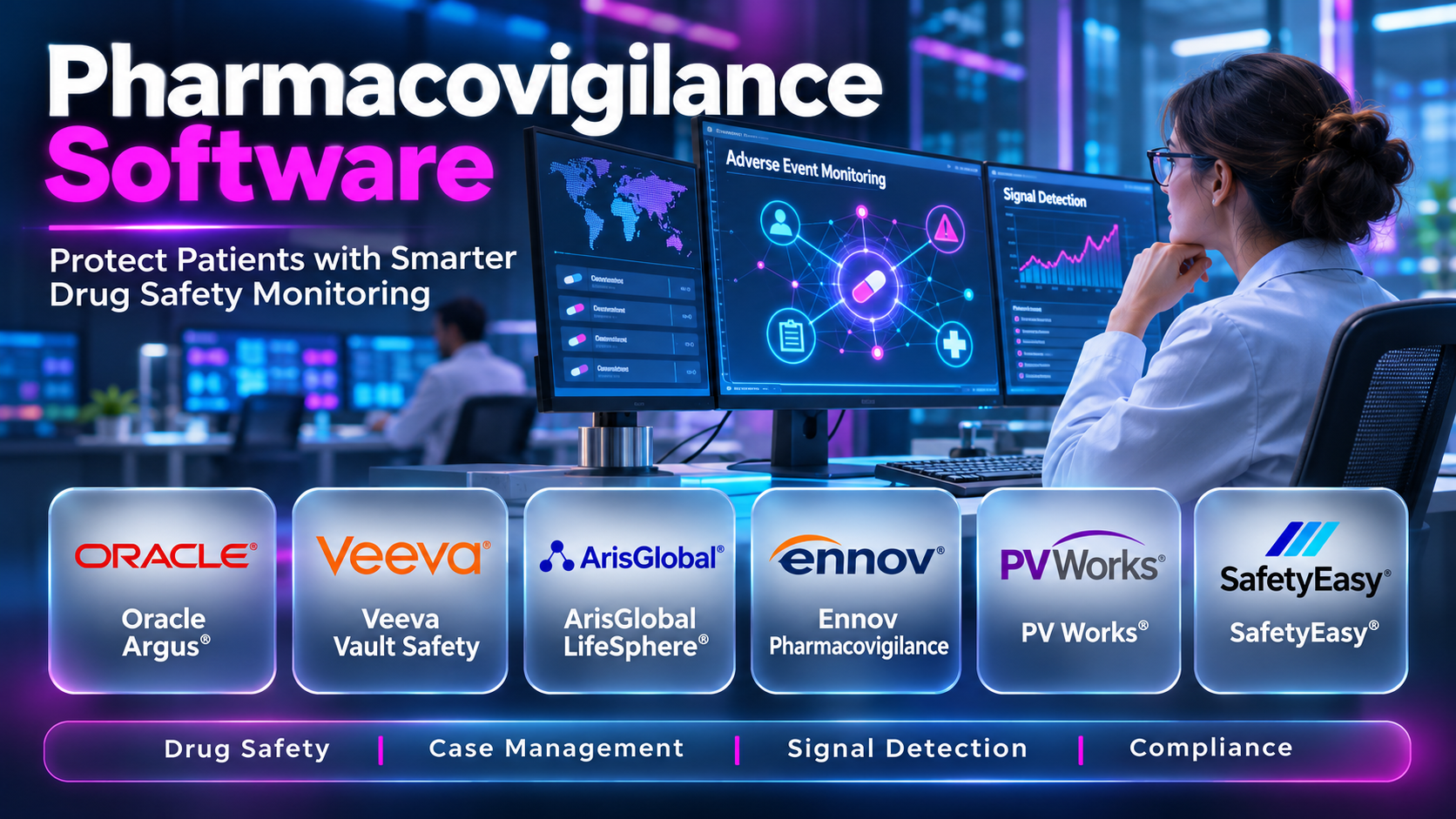
Introduction
Drug safety monitoring continues after medicines enter clinical trials and commercial markets. Pharmaceutical companies must collect, evaluate, and report information about suspected adverse drug reactions throughout a product’s lifecycle.
Pharmacovigilance software helps organizations manage safety cases, identify potential safety signals, and coordinate regulatory reporting. These systems can improve consistency and traceability when supported by appropriate procedures and qualified safety professionals.
Choosing suitable software requires careful assessment of regulatory requirements, case volumes, integration capabilities, and operational resources. This guide compares ten pharmacovigilance platforms and related safety technologies to support informed selection.
What Is Pharmacovigilance Software?
Pharmacovigilance software supports activities related to detecting, assessing, understanding, and preventing adverse effects associated with medicinal products. It helps drug safety teams process safety information and maintain records needed for medical assessment and regulatory reporting.
Many platforms support Individual Case Safety Reports (ICSRs), which document suspected adverse reactions involving identifiable patients and medicinal products. Other capabilities may include aggregate reporting, signal detection, medical review, literature monitoring, and safety analytics.
Core Functions
- Adverse event intake and case creation
- Individual Case Safety Report management
- Duplicate case detection
- Medical coding using supported terminology
- Case assessment and review
- Regulatory reporting and submissions
- Signal detection and evaluation
- Aggregate safety reporting
- Literature surveillance
- Audit trails and access controls
A safety database does not independently determine whether a medicine caused a reported event. Clinical judgment, regulatory guidance, and established causality assessment procedures remain essential.
Why Pharmacovigilance Software Matters
Safety teams receive information from healthcare professionals, patients, clinical studies, literature, and regulatory authorities. Managing these sources manually can increase the risk of duplicate records, delayed processing, and inconsistent reporting.
Pharmacovigilance systems can centralize case information and provide structured workflows. Automated checks may help teams identify missing information and prioritize records requiring attention.
Organizations also need evidence of timely review, appropriate oversight, and controlled changes. Software can support these requirements through documented workflows, audit trails, and reporting capabilities.
Top 10 Pharmacovigilance Software Tools
The following selection includes enterprise safety databases, cloud safety platforms, and complementary pharmacovigilance technologies. The products are not interchangeable, and organizations should distinguish full case management systems from specialized analytics or automation tools.
1. Oracle Argus Safety
Short Description
Oracle Argus Safety is an established pharmacovigilance case management platform used by pharmaceutical organizations. It supports adverse event processing, medical review, and regulatory safety reporting.
Key Features
- Individual safety case management
- Adverse event intake workflows
- Medical coding support
- Case assessment and review
- Duplicate detection workflows
- Regulatory reporting configuration
- Electronic safety reporting
- Audit trails and user permissions
- Integration with related safety applications
Benefits
- Centralizes safety case information
- Supports structured case processing
- Helps coordinate medical review
- Improves case status visibility
- Supports regulatory reporting workflows
- Provides traceable case modifications
- Can support high-volume safety operations
Pros
- Established enterprise pharmacovigilance platform
- Comprehensive case management capabilities
- Suitable for complex safety organizations
- Supports global safety workflows
- Extensive configuration possibilities
- Relevant to pharmaceutical and CRO environments
Cons
- Implementation can be complex
- Specialist configuration expertise may be required
- Training requirements can be substantial
- Commercial costs require detailed evaluation
- Upgrades and integrations need careful planning
Use Cases
- Global postmarketing safety operations
- Clinical trial adverse event processing
- Individual safety report management
- Regulatory submission preparation
- Centralized medical safety review
- Multinational pharmacovigilance programs
Best For
- Large pharmaceutical companies
- Global safety departments
- Contract research organizations
- Organizations with complex reporting obligations
- High-volume safety case teams
- Enterprises with established safety governance
2. Veeva Vault Safety
Short Description
Veeva Vault Safety is a cloud-based safety application designed for pharmacovigilance case management. It supports structured adverse event workflows and related safety activities.
Key Features
- Safety case intake
- Case processing workflows
- Medical review support
- Regulatory reporting capabilities
- Controlled case records
- Role-based access
- Audit trails
- Workflow automation
- Integration with related Veeva applications
Benefits
- Provides centralized safety records
- Supports standardized case processing
- Helps coordinate safety personnel
- Enables controlled case review
- Supports reporting preparation
- Reduces reliance on disconnected records
- Can align with broader regulated application workflows
Pros
- Cloud-oriented deployment model
- Integrated safety application environment
- Structured workflow management
- Suitable for regulated organizations
- Supports collaborative case handling
- Relevant to enterprise safety modernization
Cons
- Migration requires careful planning
- Licensing depends on commercial agreements
- Configuration and validation remain necessary
- Integration requirements vary
- Organizations must evaluate platform dependencies
Use Cases
- Safety database modernization
- Adverse event case processing
- Global pharmacovigilance operations
- Regulatory safety reporting
- Safety workflow standardization
- Connected pharmaceutical applications
Best For
- Pharmaceutical sponsors
- Biotechnology companies
- Enterprise safety departments
- Organizations adopting cloud safety platforms
- Teams using Veeva applications
- Growing global safety operations
3. ArisGlobal LifeSphere Safety
Short Description
ArisGlobal LifeSphere Safety supports pharmacovigilance operations through case management and related safety capabilities. Its product portfolio includes technologies designed to improve safety workflow efficiency.
Key Features
- Safety case management
- Adverse event intake
- Workflow automation
- Medical coding support
- Case quality checks
- Regulatory reporting
- Safety data review
- Audit trails
- Related automation and analytics capabilities
Benefits
- Helps standardize case processing
- Supports large safety operations
- Reduces repetitive administrative work
- Improves visibility into case workflows
- Supports safety reporting activities
- Enables centralized safety oversight
- Can support operational efficiency initiatives
Pros
- Pharmacovigilance-focused product portfolio
- Enterprise safety functionality
- Workflow automation options
- Supports global safety processes
- Relevant to large case volumes
- Broad safety technology ecosystem
Cons
- Product scope depends on selected modules
- Implementation may be resource-intensive
- Automated workflows require oversight
- Integration design can be complex
- Commercial terms require evaluation
Use Cases
- Global safety case management
- Case processing automation
- Regulatory safety submissions
- Safety operations modernization
- Medical review coordination
- Pharmacovigilance analytics
Best For
- Large pharmaceutical organizations
- Global CROs
- High-volume safety departments
- Teams evaluating automation
- Organizations modernizing safety infrastructure
- Enterprises managing complex reporting requirements
4. Ennov Pharmacovigilance
Short Description
Ennov offers pharmacovigilance solutions for safety case management and related regulatory activities. Its platform is designed to support structured drug safety processes within regulated organizations.
Key Features
- Safety case management
- Adverse event processing
- Medical review workflows
- Regulatory reporting support
- Case tracking
- Documented audit trails
- User access controls
- Safety reporting workflows
- Related regulated content capabilities
Benefits
- Supports centralized safety operations
- Helps organize adverse event information
- Provides controlled processing workflows
- Supports regulatory documentation
- Improves safety case traceability
- Enables collaboration between safety roles
- Can reduce fragmented record management
Pros
- Focused regulated industry solutions
- Supports pharmacovigilance workflows
- Suitable for pharmaceutical organizations
- Related quality and regulatory capabilities
- Structured case management
- Enterprise-oriented functionality
Cons
- Implementation requires detailed requirements
- Integration scope should be verified
- Licensing is commercially negotiated
- Training may be needed
- Specific features depend on purchased modules
Use Cases
- Pharmaceutical safety operations
- Regulatory case reporting
- Adverse event intake
- Safety record management
- Drug safety process standardization
- Regulated document coordination
Best For
- Pharmaceutical manufacturers
- Midmarket life sciences companies
- Regulatory safety teams
- Organizations seeking connected regulated workflows
- Safety operations departments
- Companies evaluating enterprise alternatives
5. IQVIA Vigilance Platform
Short Description
IQVIA offers pharmacovigilance technology and services supporting safety case processing and related operations. Its capabilities should be assessed according to the specific platform, service, and contractual scope.
Key Features
- Safety case processing support
- Adverse event intake workflows
- Medical review coordination
- Regulatory reporting services
- Safety data management
- Operational reporting
- Workflow standardization
- Safety process oversight
- Integration with related services
Benefits
- Can combine technology and specialist services
- Supports operational safety workflows
- Helps manage safety case volumes
- Provides access to domain expertise
- Supports regulatory reporting processes
- Enables centralized operational oversight
- Can assist organizations with limited internal capacity
Pros
- Extensive clinical and safety industry experience
- Technology and service options
- Relevant to global pharmaceutical operations
- Supports outsourced operating models
- Broad life sciences capabilities
- Suitable for complex safety programs
Cons
- Technology scope requires precise clarification
- Service dependencies may affect flexibility
- Pricing varies by engagement
- Data migration needs detailed planning
- Buyers must distinguish software from managed services
Use Cases
- Outsourced pharmacovigilance operations
- Safety case processing
- Regulatory safety reporting
- Global safety support
- Operational safety modernization
- Pharmaceutical safety services
Best For
- Sponsors using outsourced safety operations
- Global pharmaceutical companies
- Biotechnology companies
- Organizations needing specialist support
- CRO-supported programs
- Teams evaluating technology-service combinations
6. RxLogix PV Case Management
Short Description
RxLogix provides pharmacovigilance applications supporting safety case management and related processes. Its portfolio also includes specialized tools for signal management and safety analytics.
Key Features
- Safety case workflow support
- Adverse event intake
- Case processing automation options
- Medical review support
- Safety data management
- Regulatory reporting workflows
- Case quality review
- Safety analytics integration
- Operational dashboards
Benefits
- Supports structured safety processes
- Can reduce repetitive processing activities
- Improves safety workflow visibility
- Supports case review coordination
- Helps connect safety operations with analytics
- Provides configurable process support
- Can assist safety modernization programs
Pros
- Specialized pharmacovigilance portfolio
- Safety analytics expertise
- Automation-oriented capabilities
- Relevant to pharmaceutical organizations
- Supports connected safety workflows
- Multiple safety technology offerings
Cons
- Module boundaries require evaluation
- Integration requirements may be significant
- Licensing varies by product
- Automation needs human validation
- Implementation complexity depends on scope
Use Cases
- Safety case processing
- Pharmacovigilance automation
- Safety workflow modernization
- Medical review coordination
- Safety analytics integration
- Regulatory reporting operations
Best For
- Pharmaceutical safety teams
- Organizations evaluating automation
- Global pharmacovigilance departments
- Companies seeking specialized safety applications
- Teams combining cases and analytics
- Safety process improvement programs
7. SafetyEasy by Extedo
Short Description
EXTEDO offers regulatory and pharmacovigilance technology, including safety-related solutions. Organizations should confirm the current naming, availability, and functional scope of specific safety products.
Key Features
- Safety case workflow support
- Regulatory reporting processes
- Safety record management
- Structured data handling
- Review and approval workflows
- User access controls
- Audit trail support
- Regulatory data exchange capabilities
- Related regulatory technology integration
Benefits
- Supports structured regulatory safety processes
- Helps coordinate safety documentation
- Provides controlled review workflows
- Can improve reporting consistency
- Supports record traceability
- Reduces reliance on disconnected files
- May align with existing regulatory infrastructure
Pros
- Regulatory technology specialization
- Relevant to regulated life sciences
- Supports structured reporting processes
- Related regulatory product ecosystem
- Controlled workflow orientation
- Suitable for evaluation in regulatory-led environments
Cons
- Current product details require verification
- Availability may vary by region
- Implementation requirements depend on scope
- Integration may require technical resources
- Not every regulatory application is a full safety database
Use Cases
- Safety reporting workflows
- Regulatory safety documentation
- Pharmacovigilance record coordination
- Controlled safety review
- Regulatory data management
- Life sciences compliance processes
Best For
- Regulatory affairs departments
- Pharmaceutical organizations
- Safety reporting teams
- Companies evaluating connected regulatory tools
- Midmarket life sciences organizations
- Teams with specialized submission needs
8. VigiFlow
Short Description
VigiFlow is a web-based Individual Case Safety Report management system associated with the WHO Programme for International Drug Monitoring. It is primarily intended for national pharmacovigilance centers and authorized safety monitoring programs.
Key Features
- Individual safety report entry
- Case management
- Structured adverse event data
- Medical terminology support
- Case review workflows
- Data quality checks
- Controlled user access
- Safety data exchange
- National reporting support
Benefits
- Supports public health safety reporting
- Standardizes case information
- Helps organize national safety reports
- Facilitates data quality review
- Supports controlled access
- Improves safety record traceability
- Supports international monitoring workflows
Pros
- Designed for pharmacovigilance centers
- Relevant to national reporting programs
- Structured ICSR workflows
- Public health orientation
- Supports standardized reporting
- Established international safety context
Cons
- Not generally a commercial enterprise safety database
- Access depends on program arrangements
- May not meet all sponsor requirements
- Customization options may be limited
- Commercial procurement comparisons are not directly equivalent
Use Cases
- National adverse reaction reporting
- Public health safety surveillance
- ICSR collection
- Safety data quality review
- National pharmacovigilance programs
- International safety reporting coordination
Best For
- National pharmacovigilance centers
- Public health authorities
- Authorized drug monitoring programs
- Government safety teams
- National reporting networks
- Organizations operating within relevant program agreements
9. Oracle Empirica Signal
Short Description
Oracle Empirica Signal is a specialized safety signal detection and analysis application. It complements pharmacovigilance case management systems rather than replacing a full safety database.
Key Features
- Safety signal detection
- Disproportionality analysis
- Safety data exploration
- Statistical screening
- Signal prioritization
- Analytical visualizations
- Safety review workflows
- Reporting support
- Integration with safety data sources
Benefits
- Helps identify potential safety patterns
- Supports systematic signal screening
- Improves analytical review efficiency
- Enables data-driven prioritization
- Supports documented signal evaluation
- Helps examine large safety datasets
- Complements case processing systems
Pros
- Specialized signal detection functionality
- Relevant to mature safety organizations
- Supports statistical analysis
- Suitable for large safety datasets
- Complements enterprise safety databases
- Focused analytical workflows
Cons
- Not a complete case management platform
- Requires suitable source data
- Statistical results need expert interpretation
- Integration may require technical work
- Licensing and training require evaluation
Use Cases
- Postmarketing signal detection
- Safety database analytics
- Adverse event trend analysis
- Signal prioritization
- Medical safety review
- Periodic safety surveillance
Best For
- Signal management teams
- Pharmaceutical safety scientists
- Epidemiology groups
- Large safety organizations
- Companies with established case databases
- Organizations requiring advanced safety analytics
10. RxLogix PV Signal
Short Description
RxLogix PV Signal supports pharmacovigilance signal detection, evaluation, and management. It is a specialized analytics and signal workflow product rather than a substitute for complete ICSR processing.
Key Features
- Signal detection workflows
- Safety data analysis
- Signal review management
- Statistical screening support
- Signal prioritization
- Safety visualizations
- Evaluation documentation
- Signal tracking
- Integration with safety data sources
Benefits
- Supports structured signal management
- Helps identify potential safety concerns
- Improves analytical workflow visibility
- Supports documented evaluations
- Enables systematic safety review
- Helps coordinate signal teams
- Complements existing safety databases
Pros
- Dedicated signal management focus
- Pharmacovigilance-specific workflows
- Relevant to enterprise safety teams
- Supports analytical review
- Complements case processing platforms
- Suitable for mature safety programs
Cons
- Not a standalone ICSR database
- Requires reliable source information
- Expert interpretation remains essential
- Integration requirements need evaluation
- Licensing depends on product scope
Use Cases
- Signal detection
- Postmarketing surveillance
- Safety signal evaluation
- Risk monitoring
- Safety analytics
- Pharmacovigilance signal governance
Best For
- Safety signal teams
- Global pharmaceutical organizations
- Medical safety scientists
- Established pharmacovigilance departments
- Organizations with existing case databases
- Companies improving signal oversight
Comparison of the Top 10 Pharmacovigilance Tools
| Platform | Primary Function | Typical Users | Important Consideration |
|---|---|---|---|
| Oracle Argus Safety | Enterprise safety case management | Global pharmaceutical companies | Complex configuration |
| Veeva Vault Safety | Cloud safety case management | Sponsors and biotechnology companies | Migration and ecosystem fit |
| ArisGlobal LifeSphere Safety | Safety operations and automation | Enterprise safety departments | Module selection |
| Ennov Pharmacovigilance | Regulated safety workflows | Pharmaceutical organizations | Implementation scope |
| IQVIA Vigilance Platform | Safety technology and services | Sponsors and outsourced teams | Software-service distinction |
| RxLogix PV Case Management | Case workflows and automation | Safety operations teams | Current product scope |
| EXTEDO safety solutions | Regulatory safety workflows | Regulatory and safety teams | Product availability |
| VigiFlow | National safety reporting | Public health centers | Program eligibility |
| Oracle Empirica Signal | Signal detection and analysis | Safety scientists | Complementary application |
| RxLogix PV Signal | Signal management | Signal evaluation teams | Requires source safety database |
Evaluation Criteria
Case management: Assess whether the system supports the complete safety case lifecycle. Confirm intake, triage, coding, medical review, quality control, and reporting workflows.
Regulatory reporting: Review support for applicable regional requirements and electronic reporting standards. Reporting capabilities should be evaluated against the organization’s actual markets.
Automation: Identify tasks that can be automated without compromising medical judgment. Require documented validation and monitoring of automated processing.
Data integration: Evaluate connections with clinical databases, call centers, literature sources, and reporting gateways. Inconsistent data transfers can create safety and compliance risks.
Auditability: Confirm that relevant activities and record changes are traceable. Review permissions, electronic signatures where applicable, and record retention requirements.
Total ownership cost: Include licenses, implementation, validation, maintenance, training, and data migration. Managed service arrangements should be assessed separately from software subscriptions.
Which Pharmacovigilance Software Is Right for You?
| User or Organization | Platforms to Evaluate | Main Reason |
|---|---|---|
| Global pharmaceutical company | Oracle Argus Safety, ArisGlobal LifeSphere Safety | Enterprise case processing |
| Cloud modernization team | Veeva Vault Safety | Cloud-based safety workflows |
| Midmarket pharmaceutical sponsor | Ennov, Veeva Vault Safety | Structured safety operations |
| Outsourced safety program | IQVIA safety technology and services | Technology-service model |
| Automation-focused safety department | ArisGlobal, RxLogix | Process automation |
| National pharmacovigilance center | VigiFlow | Public health case reporting |
| Signal detection team | Oracle Empirica Signal, RxLogix PV Signal | Safety analytics |
| Regulatory-led safety organization | EXTEDO solutions, Ennov | Connected regulatory workflows |
These recommendations should be treated as an initial shortlist. Organizations must verify current product functionality, supported jurisdictions, and regulatory obligations before procurement.
Practical Implementation Workflow
Step 1: Define Safety Requirements
Document the organization’s products, markets, reporting responsibilities, and expected case volumes. Identify clinical and postmarketing safety processes that the platform must support.
Action checklist:
- Map reporting jurisdictions.
- Estimate case volumes.
- Document current workflows.
- Identify safety data sources.
- Define compliance requirements.
Step 2: Assess Current Systems
Review existing databases, spreadsheets, reporting tools, and service-provider arrangements. Identify gaps affecting traceability, efficiency, or reporting consistency.
Action checklist:
- Inventory current applications.
- Review data quality.
- Identify manual processes.
- Document integration points.
- Assess migration complexity.
Step 3: Select the Platform
Evaluate shortlisted vendors using realistic safety scenarios. Test case intake, medical review, duplicate detection, and reporting workflows.
Action checklist:
- Prepare vendor requirements.
- Request demonstrations.
- Compare reporting capabilities.
- Review security documentation.
- Evaluate total cost.
Step 4: Configure and Validate
Configure workflows, user permissions, reporting rules, and controlled terminology. Conduct risk-based validation appropriate to intended use and regulatory expectations.
Action checklist:
- Configure case workflows.
- Set reporting rules.
- Assign user roles.
- Execute validation tests.
- Document deviations.
Step 5: Migrate Safety Data
Prepare existing records for controlled transfer into the new environment. Verify completeness, consistency, and traceability before retiring legacy systems.
Action checklist:
- Define migration scope.
- Clean source records.
- Map data fields.
- Reconcile migrated cases.
- Document acceptance.
Step 6: Train Safety Personnel
Provide role-specific training for case processors, medical reviewers, quality personnel, and administrators. Establish clear procedures for escalation and issue management.
Action checklist:
- Train processing teams.
- Train medical reviewers.
- Document procedures.
- Test reporting responsibilities.
- Establish support channels.
Step 7: Monitor Operational Performance
Track processing timeliness, quality findings, reporting performance, and system incidents. Review trends and update procedures when risks or requirements change.
Action checklist:
- Monitor reporting deadlines.
- Review case quality.
- Track workflow bottlenecks.
- Audit system changes.
- Review improvement opportunities.
Frequently Asked Questions
1. What is pharmacovigilance software?
Pharmacovigilance software supports drug safety monitoring and related reporting processes. It helps organizations manage adverse event information and evaluate potential safety concerns.
2. What is an Individual Case Safety Report?
An ICSR documents a suspected adverse reaction involving a medicinal product. It includes relevant information about the patient, event, product, and reporter.
3. Is pharmacovigilance software mandatory?
Organizations must meet applicable pharmacovigilance obligations, but regulations do not universally require one specific software product. System requirements depend on jurisdiction, product portfolio, and operating model.
4. What is adverse event case processing?
Case processing involves receiving, evaluating, documenting, and reporting relevant safety information. It includes quality checks and medical review according to established procedures.
5. What is safety signal detection?
Signal detection identifies information suggesting a possible new or changed safety concern. A signal requires evaluation and does not automatically establish causation.
6. What is the difference between case management and signal management?
Case management handles individual safety reports. Signal management examines broader patterns and evaluates potential safety risks.
7. Can pharmacovigilance software automate case processing?
Some systems automate data extraction, classification, and workflow tasks. Qualified personnel must oversee automated outputs and clinically important decisions.
8. What is E2B reporting?
E2B refers to standards used for electronic transmission of individual safety reports. Organizations must confirm support for applicable versions and regional requirements.
9. What is MedDRA?
The Medical Dictionary for Regulatory Activities is a standardized medical terminology used in regulatory and safety activities. It supports consistent coding and analysis of medical information.
10. Can small biotechnology companies use these platforms?
Yes, smaller companies can use safety software or outsourced service arrangements. The best approach depends on product development stage, case volume, and internal resources.
11. Does pharmacovigilance software replace medical reviewers?
No, medical review remains essential for assessing clinical information. Software supports processing and analysis but does not independently establish medical conclusions.
12. How long does implementation take?
Implementation time varies with configuration, migration, integrations, and validation requirements. Complex enterprise programs generally require more preparation than limited deployments.
13. Can a safety platform integrate with clinical trial systems?
Many platforms support integrations or structured data exchanges. Compatibility should be confirmed for the specific clinical applications and data formats involved.
14. What are aggregate safety reports?
Aggregate reports summarize safety information across defined periods or product populations. Their format and reporting obligations depend on applicable regulatory requirements.
15. What should organizations check before migrating safety databases?
They should assess record completeness, coding, audit history, reporting status, and data mapping. A documented reconciliation process is essential for controlled migration.
16. How should pharmacovigilance software be selected?
Begin with regulatory obligations and safety workflows. Evaluate functional fit, validation support, integrations, vendor capabilities, and total ownership cost.
Final Thoughts
Pharmacovigilance software supports important drug safety activities throughout clinical development and commercial use. Its value depends on reliable information, appropriate workflows, and effective professional oversight.
Oracle Argus Safety, Veeva Vault Safety, and ArisGlobal LifeSphere Safety are relevant options for organizations evaluating enterprise safety case management. Their implementation and operating requirements differ substantially.
Specialized applications such as Oracle Empirica Signal and RxLogix PV Signal address analytical needs beyond individual case processing. They should be evaluated as complementary technologies rather than direct substitutes for full safety databases.
Organizations should prioritize reporting obligations, data integrity, auditability, and integration requirements during selection. Vendor demonstrations should use realistic safety scenarios rather than generic product presentations.
The most suitable pharmacovigilance platform is the one that supports reliable safety decisions and timely regulatory processes. Successful implementation also requires trained professionals, documented procedures, and continuous oversight.
