Introduction
Meeting Room Booking Software serves as the operational engine for hybrid workplaces, modern corporate offices, coworking spaces, and financial institutions in 2026. These digital reservation platforms help facilities teams, office managers, and hybrid employees coordinate conference room schedules, eliminate double bookings, and optimize physical office real estate.
Traditional manual scheduling methods—such as office whiteboards, paper calendar books, disconnected outlook folders, and scattered chat requests—frequently lead to scheduling conflicts, “ghost meetings” (where a room is booked but left empty), and inefficient space usage. Relying on fragmented tools also leaves facility planners without data to determine actual space utilization.
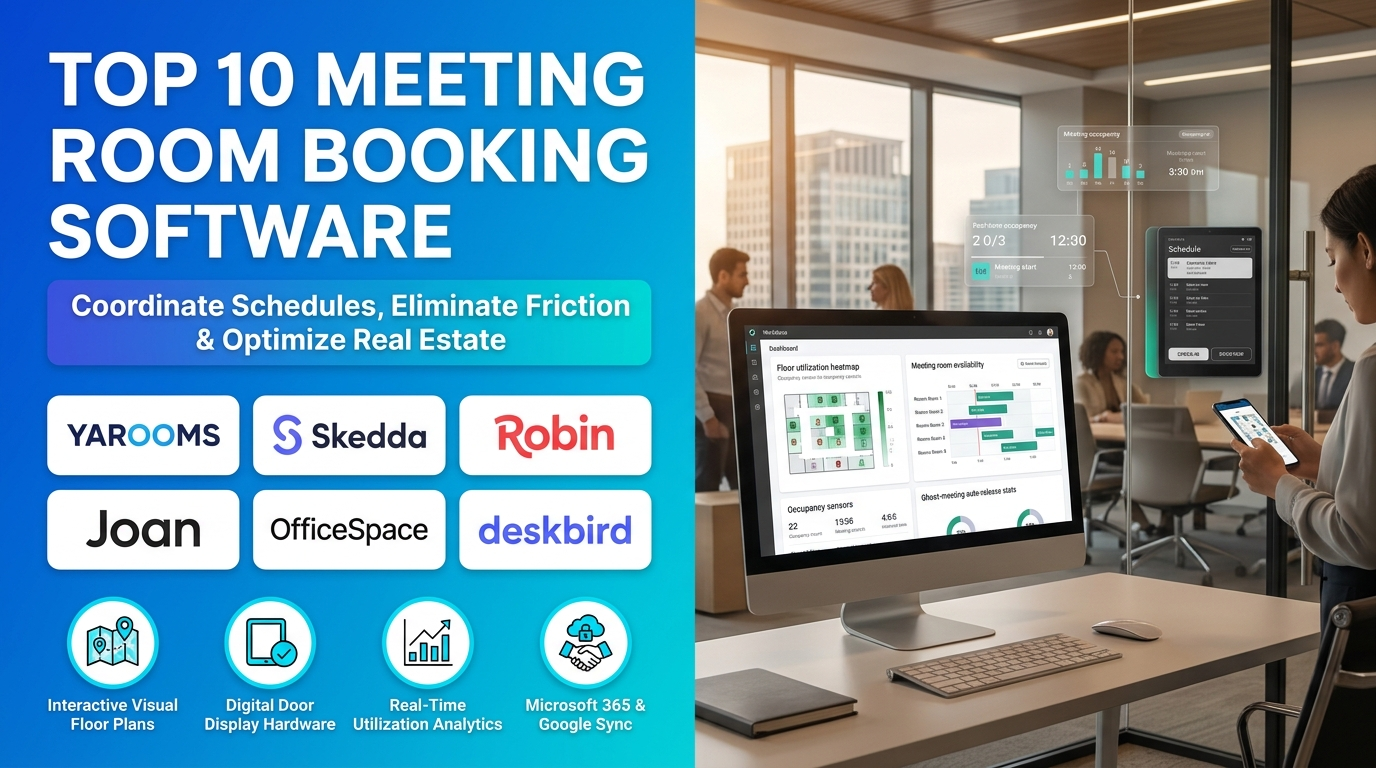
Modern meeting room booking systems extend far beyond basic calendar blocks by offering interactive office floor plans, automated check-in systems, ghost-meeting auto-releases, digital door display hardware, and deep integrations with Microsoft 365, Google Workspace, Slack, and Microsoft Teams.
Selecting the right room booking software is a critical decision for organizations navigating hybrid work schedules. An appropriately matched platform prevents scheduling friction while capturing utilization analytics that help right-size physical real estate.
Key selection factors include calendar ecosystem (Microsoft-first versus Google-first stacks), hardware requirements (such as tablet door displays or e-paper panels), pricing structure (flat monthly tiers versus per-user licensing), and advanced space management features like desk or visitor booking. For example, a mid-market team embedded entirely in Microsoft Teams benefits from a native scheduling tool with AI booking assistants, whereas a small coworking space requires a customizable, self-service portal with transparent tiered pricing.
This guide examines the top 10 Meeting Room Booking Software platforms in 2026, detailing key features, benefits, pros, cons, and ideal use cases. It also includes a side-by-side comparison table, a buyer selection framework, a step-by-step operational workflow, and answers to frequently asked questions.
What Is Meeting Room Booking Software?
Meeting Room Booking Software is specialized workplace management technology designed to schedule, manage, and analyze conference room usage across physical and hybrid office environments. It unifies employee reservation portals, calendar synchronizations, interactive floor maps, and digital door displays in a single system.
Conceptually, the software acts as a real-time availability engine that locks resources instantly across every connected surface. When an employee books a room via Outlook, Slack, or a mobile app, the system updates calendar resources, blocks the time slot, and prevents double bookings instantly.
In a typical workplace workflow, employees search for available rooms matching required criteria (such as seating capacity, video conferencing hardware, or whiteboards), confirm the reservation, and check in upon arrival via mobile app, QR code, or tablet display. If no one checks in within a specified window, automated auto-release features cancel the booking and return the room to the shared pool.
By automating reservations and recovering wasted space from no-shows, meeting room booking software eliminates scheduling chaos, maximizes office ROI, and provides facilities teams with actionable utilization data.
Common applications of meeting room booking software include:
- Hybrid Corporate Offices: Organizations with flexible in-office schedules manage unpredictable mid-week spikes in room demand, preventing gridlock on peak collaboration days.
- Financial and Legal Firms: Law firms and financial institutions coordinate tightly scheduled client-facing boardrooms with strict access controls and department-level restrictions.
- Coworking Spaces and Shared Workspaces: Operators manage self-service tenant bookings, resource billing, and flexible scheduling permissions.
- Healthcare and Clinical Facilities: Hospitals and clinics coordinate consultation rooms, medical conference spaces, and specialized equipment shared across clinical departments.
- Higher Education Institutions: Universities manage faculty meeting rooms, study pods, and lecture hall booking calendars for staff and students.
Top 10 Meeting Room Booking Software in 2026
1. YAROOMS
Short Description
YAROOMS is a comprehensive, AI-powered workplace experience and meeting room booking platform designed for mid-market to enterprise organizations. It unifies conference room scheduling, desk booking, visitor management, digital door signage, and workplace automation into a single cohesive product.
The platform serves hybrid corporate offices, financial institutions, healthcare providers, and higher-education facilities. Its workflows emphasize deep native Microsoft 365 and Microsoft Teams integration, automated ghost-meeting releases, and robust analytics.
YAROOMS’ standout technical advantage is its native, bi-directional Microsoft 365 and Microsoft Teams integration paired with Yarvis AI conversational assistance. Employees can book rooms using natural language directly inside Microsoft Teams or Outlook without navigating a separate web portal.
Within its broader ecosystem, YAROOMS includes tablet room panel apps at no extra hardware license cost, automatic ghost-meeting check-in and release rules, and enterprise-grade security compliance (ISO 27001, SOC 2 Type II, GDPR).
Key Features
– Native Microsoft 365 and Microsoft Teams Integration: Delivers true bi-directional Exchange/Outlook sync and an in-app Teams bot allowing natural language room booking without leaving Teams.– Yarvis AI Conversational Assistant: Lets employees secure rooms using natural language commands (e.g., “Book a room for 8 people on Friday at 10am with a projector”).– Included Room Display Panel App: Runs on standard iPad and Android tablets at no additional hardware license fee, supporting walk-up tap-to-book check-ins.– Ghost-Meeting Auto-Release: Reclaims unused rooms automatically via configurable check-in windows (panel tap, mobile app, or QR code) when no one shows up. – Interactive Office Floor Plans: Visualizes real-time room availability, floor layouts, and equipment assets across the workplace.– Comprehensive Workplace Analytics: Tracks room utilization heatmaps, no-show rates, peak demand hours, and exportable reports for facilities teams.– Enterprise Compliance and Security: Offers ISO 27001, ISO 27701, SOC 2 Type II, GDPR compliance, and optional EU data hosting.– Flat-Rate Pricing Model: Charges predictable flat monthly rates rather than per-user scaling fees, making it highly economical for large headcounts.
Benefits
- Streamlines daily scheduling by allowing employees to book rooms directly inside Microsoft Teams and Outlook.
- Eliminates wasted capacity from ghost meetings using automated check-in and no-show auto-releases.
- Lowers hardware overhead by including room panel display apps for standard tablets at no extra cost.
- Protects enterprise data integrity with rigorous ISO, SOC 2, and GDPR compliance standards.
- Controls software expenditures using a predictable flat-rate pricing structure instead of per-user fees.
- Provides facilities teams with actionable heatmaps and utilization analytics to optimize real estate.
- Simplifies user interactions with Yarvis AI natural-language scheduling.
Pros
- Industry-leading native Microsoft Teams and Outlook integration.
- Flat-rate pricing is significantly more economical for large organizations than per-user models.
- Room panel apps included without separate hardware license fees.
- Yarvis AI natural-language assistant speeds up scheduling.
- Exceptional compliance credentials for regulated industries.
- Comprehensive analytics and utilization heatmaps.
Cons
- Feature depth can feel extensive if an organization only requires basic room scheduling without analytics or desk booking.
- Advanced features require Business or Enterprise tier subscriptions.
- Custom enterprise setups require structured IT coordination.
Use Cases
- Microsoft-First Hybrid Enterprise Offices: Large corporate workforces coordinate hybrid seating and meeting rooms entirely inside Microsoft Teams.
- Regulated Banking and Healthcare Facilities: Organizations with strict data residency and compliance requirements utilize SOC 2 and GDPR-compliant room scheduling.
- Facility Space Optimization Projects: Real estate teams analyze utilization heatmaps to convert underused large conference rooms into small focus pods.
Best For
- Mid-market to enterprise organizations using Microsoft-first technology stacks
- Teams wanting a flat-rate pricing model that avoids per-user scaling penalties
- Regulated industries requiring strict SOC 2, ISO, and GDPR compliance
- Workplaces deploying tablet door displays without paying separate hardware license fees
2. Skedda
Short Description
Skedda is a highly customizable, cloud-based space and meeting room booking platform designed to simplify reservations for workplaces, coworking spaces, and community organizations. It provides real-time availability, flexible scheduling rules, and visual floor plans.
The platform serves hybrid corporate offices, coworking hubs, sports facilities, and shared organizational spaces. Its workflows emphasize a clean self-service booking portal, granular user access controls, and transparent tiered pricing.
Skedda’s standout technical advantage is its balance of deep customization rules paired with an approachable, straightforward user interface. Administrators can restrict specific boardrooms to senior staff, set maximum booking duration windows, or enforce required buffer times between meetings without complex coding.
Within its broader ecosystem, Skedda integrates with Google Calendar, Microsoft 365, and single sign-on (SSO) providers, offering robust usage reporting to track room utilization over time.
Key Features
– Self-Service Branded Booking Portal: Enables users to search, view, and reserve available meeting rooms directly through a customized web portal. – Granular Access Controls and Booking Rules: Restricts specific rooms by department or role, sets maximum time windows, and enforces mandatory meeting buffers. – Interactive Visual Floor Plans: Uploads floor maps that display real-time room availability, status colors, and spatial layouts.– Calendar Synchronization: Syncs reservations bi-directionally with Google Calendar and Microsoft 365. – Usage and Utilization Reporting: Tracks room booking patterns, peak times, and underused spaces over time to guide facility decisions.– Flat-Tiered Monthly Pricing: Offers predictable tiered subscription plans ($99 / $149 / $199 monthly) based on feature sets rather than per-user headcounts. – Single Sign-On (SSO) Security: Secures access via enterprise identity providers and role-based permissions.
Benefits
- Simplifies daily scheduling with an intuitive, self-service booking portal that requires minimal training.
- Enforces organizational scheduling policies automatically using custom booking rules and role-based access.
- Provides predictable flat-tiered subscription pricing without per-user penalties.
- Tracks room utilization data to identify booking patterns and optimize office space.
- Syncs reliably with Google Workspace and Microsoft 365 calendar ecosystems.
- Deploys rapidly without requiring extensive IT implementation consulting.
Pros
- Straightforward, user-friendly interface for everyday employees.
- Flat-tiered monthly pricing provides predictable budgeting.
- Powerful custom booking rules enforce room policies automatically.
- Strong calendar syncing capabilities.
- Good usage reporting and analytics.
Cons
- Certain advanced features and customizations are gated behind higher subscription tiers.
- Multi-booking capabilities and complex cancellation management have minor limitations compared to enterprise suites.
- Native tablet door kiosk app features are lighter than specialized hardware-first tools like Joan.
Use Cases
- Growing Hybrid Startup Offices: Companies scaling past 50 employees implement Skedda to eliminate double-booking chaos and spreadsheet confusion.
- Coworking Space Resource Management: Coworking operators manage tenant reservations for shared conference rooms and meeting pods.
- Multi-Departmental Office Space Coordination: Organizations restrict executive boardrooms to senior management while keeping breakout rooms open to all staff.
Best For
- Organizations wanting a clean, customizable booking portal with predictable flat-tiered pricing
- Hybrid corporate offices and coworking spaces
- Teams needing automated booking rules and role-based room restrictions
- Administrators looking for rapid deployment without complex IT overhead
3. Robin
Short Description
Robin is an established, analytics-driven workplace platform built to manage meeting rooms, desk reservations, visitor management, and office utilization. It is widely recognized for its robust workspace analytics and visual office maps.
The platform serves mid-market to enterprise organizations, tech companies, and professional services firms. Its workflows emphasize data-driven facilities planning, clean user interfaces, and reliable calendar integrations.
Robin’s standout technical advantage is its industry-leading workplace analytics suite. It visualizes actual room usage versus booked reservations, helping real estate and facilities teams identify ghost meetings, no-shows, and structural space mismatches.
Within its broader ecosystem, Robin integrates natively with Microsoft 365, Google Workspace, Microsoft Teams, Slack, and leading occupancy sensor hardware partners.
Key Features
– Advanced Utilization Analytics & Reporting: Visualizes actual physical presence versus scheduled bookings to highlight underused rooms and true space demand. – Interactive Office Maps and Floor Plans: Displays real-time room availability, desk locations, and colleague presence across visual floor layouts.– Multi-Platform Calendar Sync: Connects bi-directionally with Microsoft 365, Google Calendar, Outlook, Microsoft Teams, and Slack. – iPad Lobby and Room Display Hardware: Supports dedicated room display panels and lobby check-in kiosks to manage walk-up bookings. – Automated Ghost-Meeting Check-In: Reclaims unutilized rooms automatically when meetings go unattended. – Visitor Management Add-Ons: Tracks guest check-ins, visitor badges, and front-desk notifications. – Enterprise Security and Role Management: Secures access through user group permissions and directory integrations.
Benefits
- Unlocks deep facility insights by comparing actual room utilization against calendar bookings.
- Improves office efficiency with clean interactive floor maps and real-time presence indicators.
- Integrates smoothly into existing productivity stacks including Microsoft Teams, Slack, and Google Calendar.
- Reclaims wasted meeting space using automated check-in and no-show releases.
- Supports comprehensive workplace needs by combining room booking with desk reservation and visitor management.
- Enhances lobby professionalism with iPad visitor check-in displays.
Pros
- Exceptional utilization analytics and reporting dashboards.
- Polished, user-friendly interface that employees adopt rapidly.
- Comprehensive ecosystem combining rooms, desks, and visitors.
- Strong integrations with Slack, Teams, Outlook, and Google Calendar.
- Reliable room display hardware support.
Cons
- Pricing is custom and quote-based, requiring sales engagement rather than public self-serve tiers.
- Advanced analytics and visitor workflows depend on higher subscription tiers.
- AI booking assistant features are less mature than competitors like YAROOMS.
Use Cases
- Data-Driven Real Estate Planning: Facilities teams analyze utilization reports to downsize excess conference rooms and build needed focus pods.
- Hybrid Office Presence Coordination: Employees check office maps in Slack or Teams to see which colleagues and meeting rooms are available before commuting.
- Enterprise Visitor and Room Management: Organizations manage external client meetings and internal boardrooms under one unified platform.
Best For
- Data-driven workplace teams prioritizing occupancy analytics and utilization reporting
- Mid-market to enterprise organizations balancing room and desk bookings
- Facilities planners needing verified data to optimize real estate footprints
- Teams embedded in Microsoft 365 or Google Workspace stacks wanting clean calendar sync
4. Joan
Short Description
Joan is a specialized workplace management platform famous for its signature energy-efficient E Ink (e-paper) room display hardware and meeting room booking software. It is designed to eliminate meeting room clutter while blending seamlessly into professional office aesthetics.
The platform serves corporate offices, financial institutions, legal firms, healthcare providers, and architectural spaces requiring elegant, cable-free door displays. Its workflows prioritize wireless installation, distraction-free e-paper signage, and tight calendar synchronization.
Joan’s standout technical advantage is its battery-powered E Ink room display hardware. Joan ePaper panels mount wirelessly to any wall without electrical cables or drilling, running for up to a year on a single battery charge while syncing real-time room statuses directly from enterprise calendars.
Within its broader ecosystem, Joan integrates natively with Microsoft 365, Google Workspace, Slack, and Microsoft Teams, offering a comprehensive management portal alongside desk booking capabilities.
Key Features
– Wireless E Ink (E Paper) Room Displays: Mounts cleanly to glass or drywall without cable wiring, displaying room schedules on glare-free, battery-powered screens lasting up to a year. – Instant Calendar Synchronization: Syncs real-time meeting room statuses bi-directionally with Microsoft 365, Google Calendar, Outlook, and Microsoft Teams. – Centralized Management Portal: Allows facility managers to configure room naming, booking permissions, and device battery health across global offices from one dashboard. – Walk-Up Tap-to-Book and Check-In: Enables employees to reserve or check into rooms directly via touchscreen or button interactions on the door display panel. – Workspace Analytics and Usage Logs: Tracks room occupancy, meeting duration, and booking patterns across the office. – Enterprise Security and Compliance: Secures data transmission and device management for regulated corporate environments. – Scalable Pricing Structure: Combines user-based software subscriptions with device hardware licensing.
Benefits
- Eliminates messy electrical wiring and cable installation costs with wireless, battery-powered E Ink displays.
- Enhances office aesthetics with elegant, distraction-free e-paper signage that matches high-end corporate interiors.
- Prevents double bookings and ghost meetings by showing live, synchronized room schedules right outside the door.
- Integrates smoothly with existing calendar ecosystems including Microsoft 365 and Google Workspace.
- Simplifies device fleet management via a centralized cloud portal.
- Trusted by major enterprises (such as PwC) for secure, compliant workplace scheduling.
Pros
- Unique E Ink displays offer unmatched battery life and wireless installation ease.
- Premium, professional aesthetic ideal for client-facing boardrooms and legal firms.
- Highly reliable calendar synchronization.
- Low ongoing maintenance due to long-lasting battery power.
- Strong enterprise trust and security credentials.
Cons
- Hardware purchase costs for Joan display panels represent an upfront investment compared to software-only solutions.
- Non-Joan hardware screens only support basic display functionality rather than full e-paper benefits.
- Advanced workplace features require tiered software subscriptions.
Use Cases
- Client-Facing Legal and Financial Boardrooms: Law firms mount wireless Joan displays outside client conference rooms to display professional, real-time schedules.
- Cable-Free Glass-Wall Office Architecture: Modern corporate offices with glass conference room walls deploy wireless displays without running unsightly cables across glass.
- Enterprise Multi-Office Rollouts: Global enterprises manage hundreds of wireless door displays from a single IT management portal.
Best For
- Organizations prioritizing wireless, battery-powered E Ink room display hardware
- Client-facing corporate offices, law firms, and financial institutions
- Workplaces wanting clean, cable-free door signage on glass walls
- Teams seeking tight Microsoft 365 and Google Calendar synchronization
5. OfficeSpace
Short Description
OfficeSpace is an enterprise-grade workplace management and space planning platform designed for strategic real estate management, hybrid office coordination, and real-time room booking. It combines robust facility planning tools with intuitive employee reservation interfaces.
The platform serves large corporate enterprises, facilities management teams, and real estate directors. Its workflows emphasize strategic floor-plan design, asset management, and deep data analytics.
OfficeSpace’s standout technical advantage is its advanced space planning and AI-powered workplace agents. Beyond basic room booking, OfficeSpace includes neighborhood clustering, live presence tracking, asset management tracking (depreciation, maintenance work orders), and AI planning agents that assist facility teams in re-stacking office floors.
Within its broader ecosystem, OfficeSpace integrates with enterprise HRIS platforms, single sign-on security, Wi-Fi presence detection, and collaboration tools like Microsoft Teams and Slack.
Key Features
– Strategic Space Planning & Stacking Tools: Enables real estate teams to design floor plans, manage departmental neighborhoods, and optimize physical office layouts.– Real-Time Room and Desk Booking: Provides employees with interactive floor maps to locate and reserve available meeting rooms and desks instantly. – AI-Powered Workplace Agents: Utilizes AI tools (Space Planning Agent, Insights Agent, Workplace Experience Agent) to automate office layout recommendations and utilization analysis. – Comprehensive Asset Management Module: Tracks office equipment, depreciation, warranties, maintenance work orders, and facilities service tickets in one system. – Emergency Messaging and Safety Tools: Coordinates building safety alerts, emergency rosters, blocklists, audit logs, and compliance protocols. – Enterprise HRIS and SSO Integrations: Syncs employee directory data automatically with enterprise HR platforms and directory services.– Tablet and Kiosk Display Support: Displays real-time availability on door tablets and lobby check-in kiosks.
Benefits
- Solves complex real estate and facilities management challenges with enterprise-grade space planning depth.
- Unifies meeting room booking, desk reservations, asset tracking, and facilities maintenance under one roof.
- Leverages AI-powered agents to streamline floor stacking and utilization insights.
- Enhances office safety with emergency messaging, audit logs, and compliance tools.
- Automates employee directory synchronization via HRIS integrations.
- Scales seamlessly across massive multi-building corporate real estate portfolios.
Pros
- Unmatched strategic space planning and real estate management depth.
- Comprehensive asset management and work-order tracking.
- Innovative AI workplace agents.
- Robust emergency safety and compliance tools.
- Enterprise-grade reliability and security.
Cons
- Custom quote-based enterprise pricing requires formal sales engagement.
- Heavy initial setup and configuration require dedicated facilities and IT personnel.
- Over-engineered for small offices or teams wanting simple, standalone meeting room scheduling.
Use Cases
- Global Corporate Real Estate Portfolio Management: Real estate directors optimize multi-building office footprints and departmental seating neighborhoods.
- Enterprise Facilities Maintenance & Asset Tracking: Facilities teams track conference room equipment warranties, depreciation, and repair work orders.
- Hybrid Workplace Safety and Emergency Planning: Corporate safety officers utilize emergency muster rosters and audit logs during building incidents.
Best For
- Large corporate enterprises and facilities management teams
- Organizations needing strategic space planning, stacking, and real estate analytics
- Teams combining meeting room booking with asset management and facilities maintenance
- Enterprises requiring robust HRIS integrations and emergency safety protocols
6. deskbird
Short Description
deskbird is a mobile-first, user-friendly workplace management platform designed to make hybrid office coordination effortless. It specializes in desk and meeting room booking with a strong emphasis on clean user experience and rapid team adoption.
The platform serves mid-market companies, hybrid tech firms, and modern corporate teams. Its workflows prioritize mobile app accessibility, calendar syncing, and team presence visibility.
deskbird’s standout technical advantage is its polished, highly rated mobile-first user interface paired with native Microsoft Outlook and Google Calendar synchronization. Employees can view where their teammates are sitting, book a meeting room, or reserve a desk in seconds directly from their smartphones or calendar apps.
Within its broader ecosystem, deskbird integrates natively with Microsoft Teams, Slack, Google Workspace, and Microsoft 365, offering optional visitor management and room display add-ons.
Key Features
– Mobile-First Booking Interface: Provides an exceptionally fast, highly rated iOS and Android app for booking rooms and desks on the go. – Team Presence and Colleague Location: Shows employees which office days their teammates have planned and which meeting rooms are booked.– Native Outlook and Google Calendar Sync: Keeps calendar events and room reservations synchronized bi-directionally in real time.– Microsoft Teams and Slack Integrations: Enables users to book spaces directly inside chat and collaboration apps without opening a separate portal. – User Group Management: Organizes employee permissions and access by office location, department, or user role. – Workspace Utilization Analytics: Tracks office occupancy trends, peak days, and booking patterns for management.– Scalable Per-User Pricing: Charges predictable per-user monthly subscription fees.
Benefits
- Drives high employee adoption through a fast, beautifully designed mobile-first user experience.
- Solves hybrid coordination headaches by letting team members see when and where their colleagues are working.
- Embeds smoothly into daily workflows via Microsoft Teams, Slack, and calendar integrations.
- Deploys rapidly with minimal administrative overhead or IT complexity.
- Offers transparent per-user pricing tailored to modern organization sizes.
- Connects room booking with desk reservations in one unified app.
Pros
- Exceptionally fast, well-liked user interface.
- Strong mobile-first design.
- Seamless Slack and Microsoft Teams integrations.
- Easy onboarding and high day-to-day employee engagement.
Cons
- Room display hardware tools and visitor management features often carry separate add-on costs.
- Per-user pricing model can scale up quickly for very large headcounts compared to flat-rate platforms.
- Deep facilities asset management and real estate stacking tools are lighter than OfficeSpace.
Use Cases
- Hybrid Tech Company Office Coordination: Hybrid software teams use deskbird to coordinate in-office collaboration days and book meeting rooms for sprint planning.
- Slack-First Remote-First Culture Hubs: Companies distributed across remote hubs book shared local meeting spaces directly via Slack commands.
- Fast-Growing Team Office Rollouts: Organizations scaling headcount deploy deskbird rapidly without training seminars.
Best For
- Hybrid corporate teams prioritizing a fast, mobile-first user experience
- Organizations embedded in Slack and Microsoft Teams
- Companies wanting rapid employee adoption with zero training overhead
- Teams needing unified desk and meeting room booking
7. Dibsido
Short Description
Dibsido is a trusted workplace booking platform designed to simplify hybrid office management, covering meeting rooms, desks, and parking spaces. It is particularly recognized for offering a generous free tier alongside intuitive interactive floor plans.
The platform serves small-to-mid-sized hybrid offices, startups, and growing teams seeking an approachable, multi-resource booking app. Its workflows emphasize visual floor maps, quick availability checks, and native team chat integrations.
Dibsido’s standout technical advantage is its accessible free plan supporting up to 10 users, 1 meeting room, unlimited desks, and up to 5 parking spaces, paired with native Microsoft Teams and Slack integrations.
Within its broader ecosystem, Dibsido provides mobile apps for Android and iOS, browser access, interactive floor plan visualization, check-in tracking, and utilization analytics.
Key Features
– Multi-Resource Booking (Rooms, Desks, Parking): Manages meeting rooms, shared desks, and parking spaces within a single unified platform.– Interactive Floor Plans: Highlights available, occupied, and permission-restricted spaces visually on office floor maps.– Generous Free Tier: Supports up to 10 users, 1 meeting room, unlimited desks, and 5 parking spaces at zero cost. – Native Microsoft Teams and Slack Integration: Allows employees to check availability and book spaces without leaving chat apps.– Mobile Apps (iOS and Android): Provides dedicated mobile applications for on-the-go reservations.– Check-In and Utilization Analytics: Tracks resource check-ins and usage data to monitor office patterns.
Benefits
- Provides a cost-free entry option for small teams and startups managing shared office resources.
- Simplifies daily scheduling with visual interactive floor plans.
- Combines meeting room, desk, and parking space reservations in one app.
- Integrates cleanly with Microsoft Teams and Slack for frictionless chat-based booking.
- Accessible via web browser or dedicated iOS and Android mobile apps.
Pros
- Generous free tier for small hybrid teams.
- Covers meeting rooms, desks, and parking spaces.
- Intuitive interactive floor plans.
- Native MS Teams and Slack integrations.
Cons
- Free plan is strictly limited to 1 meeting room and 10 users.
- Advanced enterprise analytics and multi-location governance require paid tier upgrades.
- Lacks specialized E Ink hardware device ecosystems like Joan.
Use Cases
- Small Startup Office Resource Scheduling: A 10-person startup utilizes Dibsido’s free tier to manage their single boardroom, flexible desks, and parking spots.
- Hybrid Team Chat-Based Room Booking: Employees reserve meeting rooms directly inside Microsoft Teams or Slack channels.
Best For
- Small hybrid offices and startups looking for a generous free tier
- Teams wanting to manage meeting rooms, desks, and parking in one tool
- Organizations using Microsoft Teams or Slack
8. Roomzilla
Short Description
Roomzilla is a streamlined workplace resource scheduling system designed to manage meeting rooms, shared desks, and office equipment. It treats physical assets as bookable resources with an emphasis on simplicity and rapid deployment.
The platform serves small businesses, creative studios, coworking spaces, and agile teams wanting straightforward resource scheduling without bloated enterprise software.
Roomzilla’s standout technical advantage is its flexible resource definition model paired with a generous free plan allowing up to 3 bookable resources (such as meeting rooms, desks, or equipment) with unlimited users and reservations.
Within its broader ecosystem, Roomzilla offers clean browser-based scheduling, calendar synchronization, and straightforward resource management dashboards.
Key Features
– Flexible Resource Management: Treats meeting rooms, desks, and office equipment as universal bookable resources.– Unlimited Users and Reservations (Free Plan): Allows businesses to manage up to 3 resources with unlimited users and booking transactions at zero cost. – Clean Calendar Interface: Provides a straightforward visual calendar for viewing and reserving available time slots. – Simple Setup and Administration: Deploys rapidly without requiring IT consulting or complex configuration. – Calendar Sync Support: Connects reservations with standard business calendar systems.
Benefits
- Offers a completely free tier for small offices managing two or three meeting rooms or resources.
- Supports unlimited users and reservations even on the free plan.
- Treats rooms, desks, and equipment uniformly as bookable assets.
- Deploys in minutes with a distraction-free user interface.
Pros
- Free plan supports unlimited users for up to 3 resources.
- Very simple to set up and use.
- Flexible resource categorization (rooms, equipment, desks).
Cons
- Limited to 3 resources on the free tier; scaling requires paid upgrades.
- Lacks advanced interactive floor plans, AI assistants, or complex analytics found in enterprise tools.
- Minimal native hardware door display integrations compared to Joan or YAROOMS.
Use Cases
- Small Offices Managing A Few Boardrooms: Businesses with two or three meeting rooms coordinate schedules without paying software subscription fees.
- Shared Equipment Scheduling: Teams book shared presentation projectors, podcast studio cameras, or conference phones alongside rooms.
Best For
- Small offices and startups wanting to manage 2 to 3 meeting rooms or resources for free
- Teams needing simple resource scheduling without complex installation
- Organizations managing shared equipment alongside rooms
9. Officely
Short Description
Officely is a Slack-native workplace management app designed to make desk and meeting room booking feel completely natural for teams living inside Slack. It eliminates the need to open separate web portals by bringing space scheduling directly into Slack channels.
The platform serves remote-first and hybrid tech companies, creative agencies, and Slack-centric organizations. Its workflows emphasize Slack bot commands, team visibility, and frictionless booking.
Officely’s standout technical advantage is its deep Slack-native architecture. Employees check room availability, book spaces, invite teammates, and coordinate office days using simple Slack slash commands or automated bots without ever leaving their chat workspace.
Within its broader ecosystem, Officely integrates with Google Calendar and Microsoft Outlook, offering basic floor maps and office utilization insights.
Key Features
– Slack-Native Booking Workflow: Book meeting rooms, check availability, and invite participants directly inside Slack without opening a separate browser app. – Google Calendar and Outlook Sync: Synchronizes Slack reservations bi-directionally with business calendar systems. – Team Office Day Coordination: Helps hybrid teams align on which days colleagues plan to come into the office.– Custom Availability Windows: Controls when meeting rooms can and cannot be booked to enforce office policies. – Simple Floor Plan and Space Views: Visualizes bookable meeting spaces and desks within chat or web dashboards. – Predictable Per-Space Pricing: Charges a flat monthly rate per bookable space (e.g., $12 per space/month).
Benefits
- Eliminates app fatigue by keeping room booking entirely inside Slack where teams already work.
- Coordinates hybrid office days effortlessly through chat-based visibility.
- Deploys in minutes by connecting directly to Slack workspaces.
- Enforces booking windows and office policies automatically.
- Offers clear, predictable per-space pricing.
Pros
- Exceptional Slack-native integration.
- Extremely fast adoption since employees do not learn a new portal.
- Simple setup and transparent pricing.
Cons
- Primarily optimized for Slack; Microsoft Teams users will find fewer native workflows.
- Limited tablet kiosk display support compared to Joan or YAROOMS.
- Advanced real estate planning and asset tracking are outside its scope.
Use Cases
- Slack-First Tech Company Offices: Software engineering and product teams book sprint rooms and huddle spaces via Slack commands.
- Hybrid Team Office Day Planning: Employees coordinate in-office schedules and meeting spaces entirely within team chat channels.
Best For
- Slack-centric remote-first and hybrid companies
- Teams wanting to book meeting rooms without leaving chat applications
- Organizations looking for rapid deployment with zero portal training
10. Eptura (formerly Condeco / iOffice)
Short Description
Eptura is an enterprise-grade workplace experience and asset management platform formed by the union of workplace leaders Condeco and iOffice. It provides massive enterprise scale, robust visitor management, and advanced meeting room booking for global organizations.
The platform serves global Fortune 500 enterprises, massive corporate campuses, and multi-national corporations. Its workflows prioritize enterprise security, legacy hardware support, and multi-office governance.
Eptura’s standout technical advantage is its enterprise pedigree and broad hardware/software ecosystem support. It handles complex visitor management, legacy enterprise access control integrations, multi-floor room booking, and robust Microsoft Teams synchronization at a global scale.
Within its broader ecosystem, Eptura connects with enterprise HR systems, directory services, access control turnstiles, Wi-Fi sensors, and digital door panels across distributed international offices.
Key Features
– Enterprise-Scale Room & Desk Booking: Coordinates thousands of meeting rooms and workstations across global corporate real estate portfolios. – Legacy Hardware and Sensor Support: Integrates with existing enterprise door panels, visitor kiosks, and occupancy sensor hardware. – Robust Visitor Management & Access Control: Tracks external guests, visitor badges, NDAs, watchlists, and physical turnstile access.– Microsoft Teams and Enterprise Calendar Integration: Syncs seamlessly with Microsoft Teams, Outlook, and corporate Exchange servers. – Global Compliance and Security: Delivers enterprise-grade data protection, SSO, audit logs, and international compliance standards. – Comprehensive Workplace Analytics: Aggregates global occupancy data, space utilization, and portfolio trends for real estate directors.
Benefits
- Scales reliably to support massive global enterprise corporations with tens of thousands of employees.
- Protects prior hardware investments by integrating with legacy enterprise door displays and access control systems.
- Unifies meeting room booking, visitor management, and access control in one platform.
- Enforces strict enterprise security and global compliance protocols.
- Provides executive leadership with macro-level real estate utilization analytics.
Pros
- Massive enterprise pedigree and global scalability.
- Strong visitor management and physical access control integrations.
- Supports legacy enterprise hardware.
- Robust Microsoft Teams integration.
Cons
- Post-rebrand consolidation can introduce navigation and support friction for legacy users.
- Quote-based enterprise pricing requires formal sales engagement and substantial budget.
- Heavy implementation timelines require dedicated IT and facilities teams.
- Overkill for mid-market or growing startup offices.
Use Cases
- Global Multi-National Corporate Campuses: Multinational banks manage meeting rooms, visitor check-ins, and turnstile access across 40 international offices.
- Enterprise Secure Building Access Control: Organizations integrate room bookings with physical security badges and visitor watchlists.
Best For
- Massive global enterprise corporations
- Organizations requiring visitor management integrated with room booking
- Companies needing to support legacy enterprise hardware and access control systems
- Real estate directors managing international multi-office portfolios
Comparison Table: Top 10 Meeting Room Booking Software
| Tool Name | Best For | Platform(s) | Standout Feature | Pricing |
| YAROOMS | Microsoft-first enterprises wanting flat-rate pricing | Web, iOS, Android, Teams | Yarvis AI & native MS Teams bi-directional sync without per-user penalties | Flat monthly tiers ($99–$899/mo) |
| Skedda | Customizable portals & automated booking rules | Web, iOS, Android | Highly customizable access rules & self-service booking portal | Tiered monthly ($99 / $149 / $199) |
| Robin | Data-driven teams prioritizing occupancy analytics | Web, iOS, Android | Industry-leading utilization reporting & actual vs. booked insights | Custom quote-based |
| Joan | Wireless E Ink door displays & sleek hardware aesthetics | Web, iOS, Android | Battery-powered E Ink displays mounting wirelessly on glass | Per user + device licensing |
| OfficeSpace | Enterprise real estate planning & asset management | Web, iOS, Android | Strategic space planning, stacking tools, and AI workplace agents | Custom quote-based |
| deskbird | Mobile-first hybrid teams wanting team presence visibility | Web, iOS, Android | Polished mobile app with colleague presence and fast calendar sync | Per-user pricing (from ~$3.75/mo) |
| Dibsido | Small hybrid offices wanting a generous free tier | Web, iOS, Android | Free plan for up to 10 users, 1 room, unlimited desks, and parking | Free tier + paid upgrades |
| Roomzilla | Small offices managing 2–3 resources for free | Web, Browser | Free plan supporting up to 3 bookable resources with unlimited users | Free tier + paid upgrades |
| Officely | Slack-centric teams wanting chat-based room booking | Slack, Web | Native Slack bot commands for booking rooms without opening portals | Per-space pricing (~$12/space/mo) |
| Eptura | Massive global enterprises & physical access control | Web, iOS, Android | Enterprise scale with visitor management & legacy hardware support | Custom quote-based |
Note: Pricing, licensing, supported platforms, and available features can change. Check the official vendor websites for current plans, educational access, and regional availability.
Which Meeting Room Booking Software Is Right for You?
No single meeting room booking software fits every organization because technical and cultural priorities differ sharply between a 10-person startup managing a single boardroom, a Microsoft-first enterprise coordinating hybrid teams in Teams, a legal firm requiring wireless e-paper door displays, and a global corporation managing multi-building real estate.
Evaluating your calendar ecosystem (Microsoft versus Google), hardware requirements (such as tablet displays or e-paper panels), pricing preferences (flat monthly tiers versus per-user licensing), and space management scope will quickly narrow your shortlist. Below is a breakdown of top meeting room booking recommendations matched to eight distinct workplace profiles.
For Microsoft-First Enterprises Wanting Flat-Rate Pricing: YAROOMS
Organizations embedded deeply in Microsoft 365 and Microsoft Teams that want a complete workplace platform—including AI scheduling assistants, room displays, and utilization analytics—without paying per-user scaling penalties choose YAROOMS.
Choose YAROOMS if you want native Microsoft Teams booking, Yarvis AI scheduling, flat-rate pricing, and included room display apps.
For Customizable Portals and Automated Rules: Skedda
Workplaces and coworking spaces that need a clean self-service booking portal, granular access controls to restrict boardrooms to senior staff, and predictable flat-tiered pricing select Skedda.
Choose Skedda if you want a customizable booking portal with robust custom scheduling rules and flat-tier pricing.
For Data-Driven Occupancy Analytics: Robin
Workplace teams that prioritize deep utilization analytics—visualizing actual physical room presence against calendar bookings to optimize real estate footprints—turn to Robin.
Choose Robin if your primary goal is occupancy analytics and utilization reporting to guide real estate decisions.
For Wireless E Ink Door Displays: Joan
Corporate offices, law firms, and client-facing boardrooms that require elegant, cable-free door signage that mounts wirelessly to glass walls and runs for a year on battery power choose Joan.
Choose Joan if you want wireless E Ink room display hardware that installs without electrical cabling.
For Strategic Real Estate Planning and Asset Tracking: OfficeSpace
Large corporate enterprises and facilities management teams managing complex office floor stacking, departmental neighborhoods, asset depreciation, and AI space planning agents choose OfficeSpace.
Choose OfficeSpace if you need enterprise real estate planning depth, stacking tools, and facilities asset management.
For Mobile-First Hybrid Team Presence: deskbird
Hybrid corporate teams where employees want to see where their colleagues are sitting, check room availability, and book spaces rapidly via a polished mobile app or calendar choose deskbird.
Choose deskbird if you prioritize a fast, mobile-first user experience with team presence visibility.
For Slack-Centric Teams: Officely
Remote-first and hybrid companies where employees live inside Slack and want to book meeting rooms using simple chat commands without opening separate web portals choose Officely.
Choose Officely if your team is centralized in Slack and wants native chat-based room booking.
For Small Teams and Startups Wanting a Free Tier: Dibsido and Roomzilla
Small hybrid offices, startups, and creative studios managing a handful of meeting rooms and shared resources without software budgets choose Dibsido or Roomzilla.
Choose Dibsido if you want a free tier for up to 10 users covering 1 meeting room, desks, and parking. Choose Roomzilla if you want to manage up to 3 bookable resources with unlimited users for free.
Best Meeting Room Booking Software for Different Users
| User Type | Recommended Software | Why? |
| Microsoft-First Enterprise | YAROOMS | Native MS Teams bot, Yarvis AI, flat-rate pricing, and included room panels. |
| Customizable Portal / Rules | Skedda | Clean self-service portal with custom access rules and flat-tier pricing. |
| Data-Driven Facilities Team | Robin | Industry-leading utilization analytics comparing actual vs. booked usage. |
| Glass-Wall / Client Boardroom | Joan | Wireless E Ink door displays mounting cleanly without electrical cables. |
| Enterprise Real Estate / Stacking | OfficeSpace | Strategic space planning, stacking tools, and AI workplace agents. |
| Mobile-First Hybrid Team | deskbird | Polished mobile app with colleague presence tracking and fast calendar sync. |
| Slack-Centric Workplace | Officely | Native Slack bot commands for booking rooms without opening portals. |
| Small Startup / Free Tier | Dibsido / Roomzilla | Generous free plans for small teams managing a few rooms or resources. |
Practical Example: Implementing and Managing Hybrid Meeting Rooms Using Room Booking Software
To see how meeting room booking software operates in real-world practice, consider a common scenario: a 250-person hybrid technology company is experiencing severe scheduling friction. Employees complain of double-booked boardrooms, frequent ghost meetings where reserved rooms sit empty, and a lack of visibility into available spaces on peak in-office days.
Using a modern room reservation platform such as YAROOMS, Skedda, or Robin, the workplace operations team can centralize room resources, automate check-in rules, integrate with Microsoft Teams or Slack, and capture utilization analytics.
Below is the seven-step operational workflow demonstrating how workplace teams implement and manage a reliable room reservation system from setup to space optimization.
Step 1: Audit Room Inventory and Map Workplace Resources
The workplace operations team begins by auditing all physical conference rooms, huddle pods, and boardrooms across the office. Each room is registered in the software resource database with its specific attributes—recording maximum seating capacity, video conferencing hardware (such as Zoom Rooms or Microsoft Teams Rooms), whiteboard availability, and projection screens.
Step 2: Configure Calendar Sync and Chat Integrations
Next, the system administrator connects the booking platform bi-directionally to the company’s core calendar ecosystem (Microsoft 365 or Google Workspace). Integrations with Microsoft Teams or Slack are enabled so employees can search and reserve rooms directly inside their everyday collaboration apps without opening a separate browser portal.
Step 3: Define Booking Rules and Access Policies
To prevent abuse and ensure fair access, the administrator configures automated governance rules inside the platform:
- Boardroom Restrictions: Restricted exclusively to senior management and executive assistants.
- Duration Limits: Capped at a maximum of 2 hours for small breakout rooms to prevent hoarding.
- Buffer Times: Enforces a mandatory 15-minute buffer between meetings so departing groups have time to clear out.
Step 4: Deploy Door Display Hardware and Check-In Rules
For high-traffic conference rooms, standard tablets or E Ink displays are mounted outside doors to show live schedules. To combat ghost meetings, the system is configured with a 15-minute check-in window: if a meeting organizer fails to check in via tablet tap, mobile app, or QR code when the meeting starts, the room is automatically released back to the shared pool.
Step 5: Employee Booking and Daily Hybrid Scheduling
When an employee needs to host a team sync, they open Microsoft Teams, Slack, or the mobile app, filter for rooms with video conferencing equipment for 6 people, and select an open time slot. The reservation syncs instantly to their Outlook or Google calendar, locking the room across every surface.
Step 6: On-Site Arrival and Ghost-Meeting Recovery
On the day of the meeting, the team gathers in the conference room. The meeting organizer taps “Check In” on the tablet door display or scans a QR code.
If another group had booked a room earlier in the day but failed to show up, the 15-minute auto-release timer triggers, freeing up the room for walk-in collaboration.
Step 7: Analyze Utilization Data and Right-Size Real Estate
At the end of the month, the facilities director pulls utilization dashboards and heatmaps from the platform. The data reveals that 6-9 person conference rooms are consistently running at 30% capacity with frequent no-shows, while small 2-person huddle pods face severe shortages.
Armed with verified utilization metrics, management plans to reconfigure underused large boardrooms into focus pods to better match actual employee collaboration needs.
Frequently Asked Questions (FAQs)
1. What is meeting room booking software?
Meeting room booking software is specialized workplace management technology designed to schedule, manage, and analyze conference room usage across physical and hybrid offices. It unifies employee reservation portals, calendar synchronizations, interactive floor maps, and digital door displays in a single system.
2. Which meeting room booking software is best for Microsoft Teams users?
YAROOMS is an exceptional choice for Microsoft-first organizations, offering native bi-directional Microsoft 365 Exchange sync, an in-app Microsoft Teams scheduling bot, and Yarvis AI natural-language room booking.
3. Are there free meeting room booking software options available?
Yes, several platforms offer generous free tiers for small teams. Dibsido provides a free plan supporting up to 10 users, 1 meeting room, unlimited desks, and 5 parking spaces. Roomzilla offers a free plan allowing up to 3 bookable resources (such as meeting rooms or desks) with unlimited users and reservations.
4. What is a “ghost meeting” and how do room booking systems prevent it?
A ghost meeting occurs when a meeting room is reserved on a calendar but left entirely empty because the meeting was canceled or attendees forgot to show up.
Room booking software prevents ghost meetings using auto-release features—requiring attendees to check in via mobile app, QR code, or tablet door display within a set window (e.g., 15 minutes). If no check-in occurs, the system automatically cancels the booking and frees the room for others.
5. Do I need special hardware to run meeting room booking software?
No specialized hardware is required for day-to-day use; employees can book rooms via web browsers, mobile apps, Slack, or Microsoft Teams.
However, many offices choose to install tablet door displays or wireless E Ink panels (such as Joan) outside conference rooms to show live availability and enable walk-up check-ins.
6. Can meeting room booking software integrate with Google Workspace and Microsoft 365?
Yes, all professional room booking platforms integrate bi-directionally with Google Workspace (Google Calendar) and Microsoft 365 (Exchange / Outlook). When a user books a room in either the software portal or their native calendar app, the reservation syncs across both instantly.
7. What is the difference between flat-rate pricing and per-user pricing in workplace software?
Flat-rate pricing (offered by platforms like YAROOMS) charges a predictable monthly subscription fee regardless of how many employees use the system.
Per-user pricing (offered by tools like deskbird) scales monthly costs based on your total employee headcount. Flat-rate pricing is typically much more economical for larger organizations.
8. What are E Ink (e-paper) room display panels?
E Ink room displays (such as Joan) are wireless, battery-powered door screens that mount cleanly to glass or drywall without electrical wiring. They display real-time meeting room schedules using glare-free electronic paper technology and run for up to a year on a single charge.
9. How does meeting room booking software help optimize real estate costs?
By tracking actual utilization data, no-show rates, and peak demand heatmaps, room booking software reveals how effectively office space is being used. Facilities directors often discover that large conference rooms sit empty while small collaboration pods face severe shortages, allowing them to right-size office layouts and reduce real estate overhead.
10. How do I choose the right meeting room booking software for my office?
Follow a structured four-step evaluation process before signing a contract:
- Audit your calendar stack: Confirm whether your organization relies primarily on Microsoft 365, Google Workspace, Slack, or Microsoft Teams.
- Determine hardware needs: Decide if you want wireless e-paper door displays, standard tablet kiosks, or software-only mobile/chat booking.
- Compare pricing models: Evaluate whether flat-rate monthly subscriptions or per-user headcounts fit your budget.
- Test employee workflows: Run a pilot test with a small team to ensure high day-to-day adoption.
Final Thoughts
Meeting Room Booking Software has evolved into an essential workplace infrastructure category, replacing chaotic whiteboards and double-booked calendars with synchronized, data-driven reservation systems. Selecting a platform aligned with your calendar ecosystem, hardware preferences, and pricing model ensures smooth hybrid scheduling and optimized office space.
Across the top 10 platforms, YAROOMS leads for Microsoft-first enterprises with flat-rate pricing and AI assistance, Skedda excels with customizable portals and booking rules, and Robin provides industry-leading occupancy analytics. Joan sets the hardware standard with wireless E Ink displays, OfficeSpace dominates enterprise real estate stacking, and deskbird delivers a polished mobile-first hybrid experience.
For specialized workflows, Dibsido and Roomzilla offer generous free tiers for small offices, Officely provides native Slack chat-based scheduling, and Eptura scales massively for global corporations with access control integration.
Before committing to a subscription, map your team’s collaboration habits, test calendar integrations during vendor demos, and verify whether flat-rate or per-user pricing aligns with your headcount. Choosing the right room booking foundation will eliminate scheduling friction and maximize the efficiency of your hybrid workplace.
