Introduction
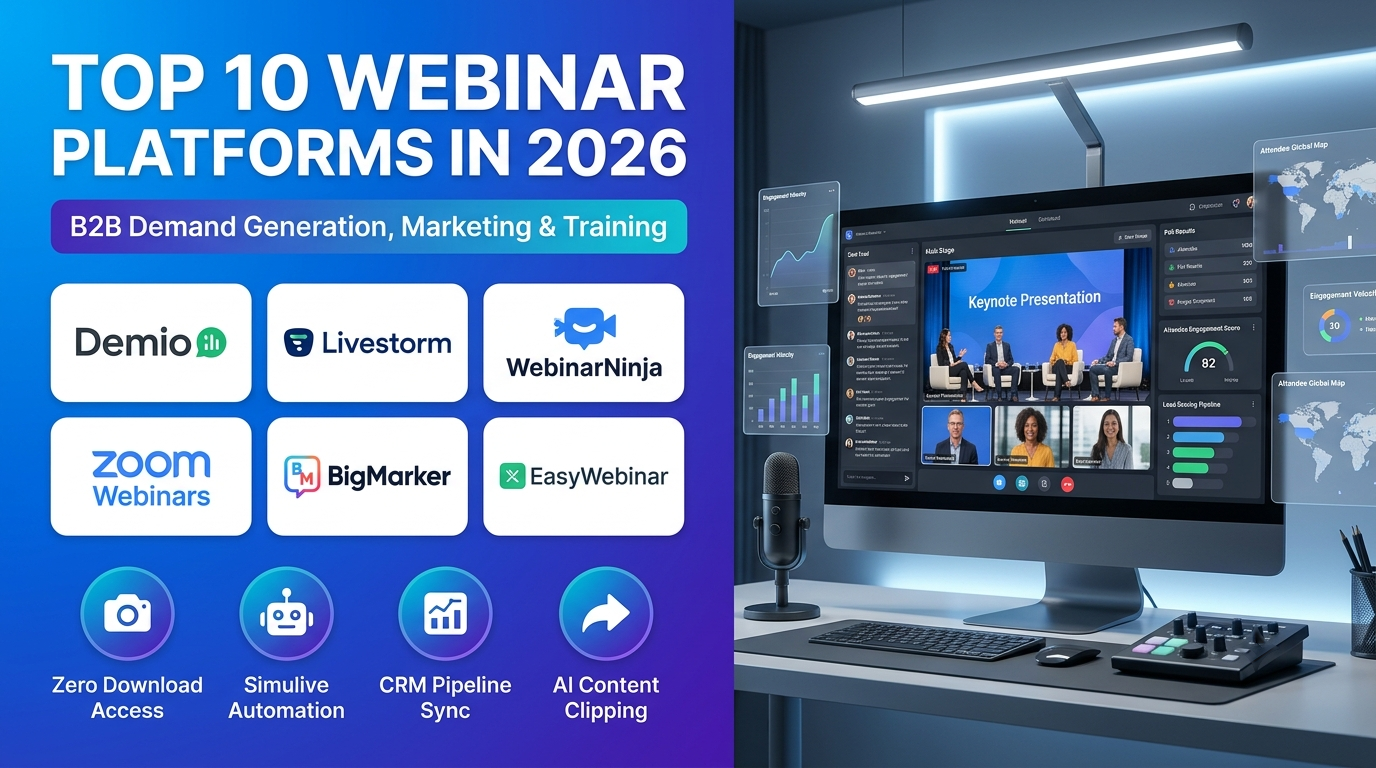
Webinar platforms serve as the foundational digital channel for B2B demand generation, customer education, product launches, and professional training in 2026. These specialized video broadcasting tools enable marketing teams, educators, and enterprise organizations to host live presentations, automate evergreen replays, track detailed attendee engagement, and sync lead data directly into CRM pipelines.
Traditional video conferencing tools—such as basic meeting links or standard video calls—frequently result in low attendance conversion rates, poor audience interaction controls, fragmented registration data, and limited marketing analytics. Relying on disconnected tools also prevents organizations from creating branded registration funnels and automated follow-up sequences.
Modern webinar platforms extend far beyond basic video streaming by offering 100% browser-based access with zero download friction, automated simulive (simulated-live) scheduling, AI-powered content clipping, interactive CTAs, and deep integrations with marketing automation platforms like HubSpot and Salesforce.
Selecting the right webinar platform is a critical operational decision for organizations running anything from occasional product demos to high-volume enterprise demand-generation engines. An appropriately matched system automates repetitive registration workflows while providing clean data visibility for sales and marketing teams.
Key selection factors include webinar format (live, automated/evergreen, or simulive), expected attendee capacity, branding flexibility, and CRM integration depth.For example, a mid-market B2B marketing team running recurring demand-gen sessions benefits from a browser-based platform with robust HubSpot syncing, whereas an enterprise organization running large-scale compliance training requires high-capacity seating and strict administrative controls.
This guide examines the top 10 Webinar Platforms in 2026, detailing key features, benefits, pros, cons, and ideal use cases. It also includes a side-by-side comparison table, a buyer selection framework, a step-by-step practical workflow, and answers to frequently asked questions.
What Is a Webinar Platform?
A Webinar Platform is specialized software designed to host one-to-many online presentations, training sessions, and marketing events. It unifies branded registration landing pages, automated email reminder sequences, HD video broadcasting, interactive engagement widgets, and post-session analytics in a single system.
Conceptually, a webinar platform acts as a digital presentation stage optimized for audience conversion and data collection. When a registrant fills out an intake form online, the platform processes their registration, sends automated calendar invites, and issues a secure viewing link that tracks their exact watch time, poll responses, and CTA clicks.
In a typical operational workflow, marketing or training teams use the platform to publish custom registration pages, run live or pre-recorded (simulive) broadcasts with real-time Q&A moderation, and export engagement reports that feed directly into CRM sales pipelines.
By centralizing webinar hosting and automating follow-up workflows, webinar platforms eliminate technical friction, boost attendee show-up rates, and generate qualified leads for sales teams.
Common applications of webinar platforms include:
- B2B Demand Generation and Product Marketing: Marketing teams host product launch webinars and thought-leadership panels, syncing attendee engagement data straight into CRM pipelines.
- Automated and Evergreen Lead Funnels: Businesses run pre-recorded webinars on automated schedules around the clock to capture continuous inbound leads without live presenter overhead.
- Corporate Training and Compliance Education: Human resources and learning development teams deliver structured training courses with attendance tracking and completion verification.
- Customer Success and Onboarding Academies: Customer success teams host recurring product training sessions to educate users and reduce churn.
- Thought Leadership and Content Repurposing: Content marketers broadcast expert interviews and slice session recordings into short social media clips using built-in AI tools.
Top 10 Webinar Platforms in 2026
1. Demio
Short Description
Demio is a marketing-focused webinar platform built specifically to help B2B teams, creators, and educators host frictionless, high-converting live and automated webinars.It combines a clean, 100% browser-based attendee experience with robust marketing automation and analytics.
The platform serves B2B marketing departments, SaaS companies, digital creators, and professional educators. Its workflows prioritize zero download friction for attendees, clean visual branding, and smooth CRM data synchronization.
Demio’s standout technical advantage is its marketing-first design philosophy paired with seamless browser accessibility and flexible session formats (live, automated, series, and hybrid).Attendees join sessions with a single click without installing desktop software.
Within its broader ecosystem, Demio integrates natively with HubSpot, Salesforce, ActiveCampaign, Mailchimp, and ConvertKit, providing robust engagement tools including polls, handouts, featured actions (CTAs), and detailed analytics.
Key Features
– 100% Browser-Based Attendee Experience: Eliminates technical drop-off by allowing participants to join live or automated webinars instantly from any browser without downloading apps.
– Marketing-First Registration and Branding: Builds custom registration pages, thank-you pages, and branded reminder email sequences.
– Flexible Event Formats (Live, Automated, Series): Supports standard live broadcasts, simulated-live sessions, evergreen automated funnels, and multi-part webinar series.
– Interactive In-Session Engagement Widgets: Boosts audience participation using live chat, upvoted Q&A queues, interactive polls, downloadable handouts, and featured CTA buttons.
– Comprehensive Analytics and Engagement Tracking: Measures registration conversion, attendance duration, poll participation, and CTA click rates to score leads.
– Native CRM and Marketing Automation Integrations: Connects bi-directionally with HubSpot, Salesforce, ActiveCampaign, Mailchimp, and ConvertKit.
– Automated Recording and Replay Delivery: Generates cloud recordings immediately after events end and publishes automated replay pages.
Benefits
- Maximizes attendee turnout by removing all software download barriers with browser-based access.
- Boosts conversion rates using marketing-focused registration pages and featured CTA action buttons.
- Saves team bandwidth by running automated and evergreen webinar funnels around the clock.
- Proves marketing ROI by syncing granular engagement data straight into CRM pipelines.
- Simplifies multi-session event management with support for webinar series.
- Provides clear, actionable analytics reports highlighting high-intent leads.
Pros
- Purpose-built specifically for marketing teams and demand-gen professionals.
- Exceptionally clean, modern interface that requires zero technical training.
- Browser-based join experience minimizes technical support issues on show days.
- Strong native integrations with leading CRMs and email marketing platforms.
- Flexible support for both live and automated webinar formats.
Cons
- Lacks massive multi-day virtual trade show expo floors or complex physical badge printing hardware.
- Pricing tiers scale based on attendee room capacity limits.
- Advanced custom developer webhooks require careful configuration.
- Custom enterprise branding options are more structured than open-ended developer tools.
Use Cases
- B2B Software Demand-Gen Webinars: SaaS marketing teams run weekly product demos that sync qualified lead engagement metrics directly into HubSpot.
- Evergreen Automated Sales Funnels: Digital creators host pre-recorded masterclasses on automated schedules to generate continuous product sales.
- Customer Education and Training Series: Customer success teams host multi-part onboarding courses with downloadable handouts and automated replays.
Best For
- B2B marketing teams focused on lead generation and demand creation
- Small-to-mid-sized businesses wanting an intuitive, marketing-first webinar tool
- Organizers running a mix of live and automated evergreen webinars
- Teams requiring seamless CRM and email marketing integrations
2. Livestorm
Schort Description
Livestorm is a browser-based, all-in-one video engagement and webinar platform built to manage online events, customer training, and marketing presentations.It eliminates software download friction for attendees while providing robust automation and analytics.
The platform serves B2B marketing teams, customer success departments, remote educational institutions, and corporate communication groups. Its workflows emphasize fast browser accessibility, marketing automation, and clean lead-attribution tracking.
Livestorm’s standout technical advantage is its 100% browser-based architecture requiring zero downloads or plugins for hosts or attendees, paired with automated “simulive” streaming and multi-language event asset support in up to 24 languages.
Within its broader ecosystem, Livestorm integrates natively with HubSpot, Salesforce, Marketo, Slack, Zapier, and Google Workspace, offering robust engagement tools including live polls, Q&A moderation, breakout rooms, and automatic session recordings.
Key Features
– 100% Browser-Based Access: Runs instantly in any modern web browser on desktop or mobile devices without forcing attendees to download desktop apps.
– Automated and Simulive Webinar Hosting: Broadcasts pre-recorded video content as a live event with automated chat and Q&A to run recurring webinar programs effortlessly.
– Customizable Registration Pages and Emails: Builds branded registration landing pages and automated email reminder sequences.
– Interactive Engagement Tools (Polls, Q&A, Chat): Boosts audience participation using live polls, upvoted Q&A queues, emoji reactions, and structured chat rooms.
– Breakout Rooms for Small-Group Discussions: Splits large virtual sessions into intimate breakout rooms for interactive workshops or networking circles.
– Deep CRM and Marketing Automations: Syncs registration data, attendance duration, and engagement scores directly into HubSpot, Salesforce, Marketo, and Zapier.
– Instant Automated Recordings and Analytics: Generates cloud recordings immediately after events end and compiles comprehensive participant analytics dashboards.
Benefits
- Eliminates technical drop-off by allowing attendees to join sessions instantly via browser clicks.
- Saves team bandwidth by running recurring webinar programs on automated and simulive schedules.
- Proves marketing ROI by syncing detailed attendance metrics straight into HubSpot and Salesforce.
- Enhances audience retention using built-in polls, Q&A moderation, and breakout rooms.
- Streamlines post-event follow-up with instant cloud recordings and engagement reports.
- Supports international audiences with multi-language event assets.
Pros
- Unmatched browser-based simplicity eliminates all download friction for attendees.
- Excellent automation features for recurring webinars, simulive broadcasts, and email reminders.
- Strong native integrations with major B2B CRM and marketing automation platforms.
- Clean, intuitive interface that requires virtually no user training.
- Reliable video stream stability and high-quality recording outputs.
Cons
- Reaching attendee credit quotas blocks new registrations until accounts are upgraded.
- Advanced custom virtual expo hall floor plans are less specialized than dedicated expo platforms.
- Pricing scales based on active attendee volume tiers.
Use Cases
- B2B Software Product Demonstrations: Marketing teams run weekly automated product webinars that sync qualified lead scores directly into HubSpot.
- Customer Success Training Academies: Education teams host recurring multi-session training classes with automated attendee tracking.
- Enterprise Remote Town Halls: Corporate communications broadcast all-hands meetings with Q&A moderation and instant recording archives.
Best For
- B2B marketing teams focused on lead generation and demand creation
- Organizations wanting browser-based accessibility with zero attendee download friction
- Teams managing multiple recurring webinars and training sessions
- Organizations integrating event engagement data with HubSpot or Salesforce
3. WebinarNinja
Schort Description
WebinarNinja is an all-in-one webinar platform built specifically for small businesses, coaches, trainers, and creators who want to host live, automated, series, and hybrid webinars without complex technical setups.
The platform serves independent educators, consultants, small-to-mid-sized business owners, and training coordinators. Its workflows prioritize simplicity, fast registration page creation, and built-in marketing tools.
WebinarNinja’s standout technical advantage is its comprehensive format coverage paired with an accessible SMB price point. It is one of the few platforms under $100/month that natively handles live, automated, series, and hybrid training sessions with built-in landing pages and automated email notifications.
Within its broader ecosystem, WebinarNinja integrates natively with major CRMs like HubSpot, ActiveCampaign, Mailchimp, and ConvertKit, while offering built-in Q&A, polls, and offers.
Key Features
– Four Core Webinar Formats (Live, Automated, Series, Hybrid): Runs live interactive sessions, evergreen automated replays, multi-part webinar series, and hybrid training programs.
– Built-In Landing Pages and Timed Offers: Provides customizable registration landing pages, timed checkout offers, and automated email reminder sequences.
– In-Session Engagement Tools (Polls, Q&A, Handouts): Engages audiences using live chat, structured Q&A boxes, interactive polls, and downloadable files.
– Post-Session Recording and Replay Delivery: Automatically records sessions and delivers replay links to registrants who missed the live broadcast.
– Attendance Analytics and Reporting: Tracks registration conversion, live attendance duration, and engagement rates in clean dashboards.
– Native CRM and Email Tool Integrations: Connects bi-directionally with HubSpot, ActiveCampaign, Mailchimp, and ConvertKit.
– SMB-Friendly Pricing Structure: Offers robust all-in-one functionality at a price point accessible to small business teams.
Benefits
- Simplifies event management by supporting live, automated, series, and hybrid webinars in a single tool.
- Saves time with built-in landing pages and automated email notification workflows.
- Boosts sales conversion rates using timed in-session offers and checkout links.
- Delivers an SMB-friendly price point without sacrificing core webinar features.
- Automates post-session replay delivery to capture additional leads from absent registrants.
- Connects smoothly with popular small-business email marketing and CRM tools.
Pros
- Excellent value for small businesses and solo creators under ~100–300 attendees.
- Covers all four primary webinar formats (live, automated, series, hybrid) natively.
- Intuitive interface that requires zero technical web development expertise.
- Built-in landing pages eliminate the need for separate funnel builders.
- Reliable replay automation and email reminders.
Cons
- Not built for massive enterprise all-hands sessions exceeding 1,000+ attendees.
- Advanced custom developer webhooks are less robust than enterprise suites.
- Visual customizability of landing pages offers fewer design extremes than dedicated page builders.
Use Cases
- Independent Business Coaching and Consulting: Coaches run paid live masterclasses and automated evergreen training funnels to sell advisory packages.
- Small Business Training Academies: Training coordinators host multi-part webinar series with automated attendance tracking and replay delivery.
- Membership Site Lead Generation: Creators host live webinars with timed checkout offers to convert email subscribers into paying members.
Best For
- Small businesses, independent coaches, and creators (under ~100–300 attendees)
- Organizers wanting an all-in-one tool for live, automated, series, and hybrid webinars
- Teams looking for SMB-friendly pricing without complex IT configuration
- Users seeking built-in landing pages and email reminder automation
4. Zoom Webinars (Zoom Events + Webinars)
Schort Description
Zoom Webinars is a robust virtual event and webinar platform built on top of Zoom’s universally trusted video communications infrastructure. It combines familiar one-click meeting reliability with enterprise registration, ticketing, multi-session agendas, and attendee engagement.
The platform serves businesses of all sizes, educational institutions, enterprise corporations, and independent creators who want reliable video broadcasting without teaching attendees a new software interface.
Zoom Webinars’ standout technical advantage is its massive global brand familiarity and video stability. Because nearly every professional attendee already has Zoom installed, technical onboarding friction is virtually zero, ensuring exceptionally high live attendance conversion rates.
Within its broader ecosystem, Zoom integrates natively with HubSpot, Salesforce, Marketo, Eventbrite, and Stripe, offering features like multi-track ticketing, backstage green rooms, and robust analytics.
Key Features
– Universal Brand Familiarity and Zero Learning Curve: Leverages Zoom’s ubiquitous interface, eliminating technical hurdles and software downloads for participants.
– Multi-Track Ticketing and Registration Hub: Creates custom registration landing pages, sells paid or free event tickets, and manages multi-session agendas.
– Backstage Green Room and Speaker Controls: Provides a secure holding area for speakers and moderators to prep before entering the live broadcast stage.
– Interactive Engagement (Polls, Q&A, Chat, Reactions): Engages audiences using live polling, moderated Q&A queues, hand raising, and emoji reactions.
– Simulive and Pre-Recorded Streaming Support: Broadcasts pre-recorded video or simulated-live presentations with reliable cloud streaming.
– Comprehensive Post-Event Analytics: Measures registrant numbers, live attendance duration, engagement scores, and Q&A transcripts.
– Native CRM and Payment Integrations: Connects registration data and ticket sales with Stripe, HubSpot, and Salesforce.
Benefits
- Maximizes attendee turnout by utilizing a video platform everyone already knows how to use.
- Simplifies event setup with intuitive registration pages, ticketing, and agenda builders.
- Eliminates video streaming instability thanks to Zoom’s proven global infrastructure.
- Supports multi-track conferences and professional webinars under a single trusted ecosystem.
- Lowers training overhead for both event organizers and participants.
- Integrates ticketing and payment processing smoothly via Stripe.
- Offers predictable licensing models for existing Zoom enterprise customers.
Pros
- Universal attendee familiarity virtually eliminates technical support issues on show days.
- Exceptional video streaming stability backed by global cloud infrastructure.
- Strong all-in-one features including registration, ticketing, and audience engagement.
- Reliable integrations with Stripe, HubSpot, and Salesforce.
- Cost-effective for organizations already subscribed to Zoom enterprise tiers.
Cons
- Visual branding and lobby customizability are more standardized than purpose-built marketing webinar tools.
- Lacks advanced AI-driven B2B pipeline attribution depth found in specialized demand-gen suites.
- License costs scale based on webinar capacity tiers.
Use Cases
- Enterprise Corporate Town Halls: Large corporations broadcast secure internal updates to thousands of employees using familiar Zoom controls.
- Professional Training and Certification Webinars: Training organizations sell ticketed educational webinars with automated registration tracking.
- Multi-Session Virtual Industry Conferences: Associations host 2-day virtual events across multiple simultaneous Zoom webinar tracks.
Best For
- Organizations wanting universal attendee familiarity and zero technical friction
- Teams already subscribed to Zoom enterprise ecosystems
- Enterprise all-hands sessions and large internal town halls
- Organizers needing reliable, stable video streaming infrastructure
5. BigMarker
Schort Description
BigMarker is an enterprise-grade virtual, hybrid, and webinar platform built to manage complex marketing webinars, online summits, and large-scale digital events. It combines customizable webinar broadcasting with built-in automation, custom landing pages, and robust CRM integrations.
The platform serves B2B marketing departments, enterprise training organizations, media brands, and professional associations. Its workflows emphasize automation, white-label customizability, and multi-format event execution.
BigMarker’s standout technical advantage is its advanced webinar automation engine paired with flexible custom room layouts. Organizers can build fully automated evergreen webinar funnels that handle registration, simulated-live streaming, interactive polling, and automated follow-up emails without manual intervention.
Within its broader ecosystem, BigMarker integrates natively with HubSpot, Salesforce, Marketo, Zapier, and Stripe, providing extensive API access for custom developer workflows.
Key Features
– Advanced Webinar Automation Engine: Builds sophisticated evergreen and automated webinar funnels that run 24/7 with simulated-live video and automated chat.
– Custom Room Layouts and Branding: Tailors virtual stage layouts, branding colors, logos, and registration pages to match corporate identity.
– Multi-Format Event Support (Webinars, Summits, Series): Handles single-speaker webinars, multi-day virtual summits, recurring series, and hybrid events.
– Interactive Engagement Suite (Polls, Q&A, Handouts, Offers): Engages participants using live polling, Q&A queues, timed promotional offers, and downloadable files.
– Enterprise CRM and Marketing Automation Sync: Connects bi-directionally with HubSpot, Salesforce, Marketo, and Zapier for automated lead routing.
– Comprehensive Event Analytics: Measures attendee watch time, engagement scores, chat logs, and conversion rates in exportable reports.
– Robust Developer APIs and Webhooks: Enables enterprise IT teams to build custom registration flows and integrate external applications.
Benefits
- Automates tedious marketing and training workflows using advanced webinar automation.
- Supports diverse event formats—from single webinars to massive virtual summits.
- Protects brand identity with extensive custom room layouts and white-label branding.
- Drives conversion rates using timed promotional offers and interactive engagement widgets.
- Simplifies lead management with deep CRM and marketing automation integrations.
- Scales reliably to support large enterprise audiences.
Pros
- Excellent webinar automation capabilities remove tedious manual tasks.
- Highly flexible custom room layouts and branding options.
- Broad feature set handles webinars, summits, and hybrid events.
- Robust developer APIs and CRM integrations.
- Reliable video streaming infrastructure.
Cons
- Steeper learning curve due to the platform’s extensive feature depth.
- Custom pricing requires formal sales consultations rather than transparent self-service tiers.
- Overkill for small teams running basic, one-off marketing webinars.
Use Cases
- Enterprise Marketing-Led Training Programs: Corporations run automated customer training academies on recurring schedules.
- Evergreen Lead-Generation Funnels: B2B brands capture continuous inbound leads using automated simulation-live webinars.
- Multi-Day Virtual Industry Summits: Associations host large-scale online conferences with multiple simultaneous tracks.
Best For
- Enterprise organizations managing diverse webinar and event formats
- Teams wanting robust built-in webinar automation
- Organizations requiring custom room layouts and advanced branding
- Marketers integrating webinar data into HubSpot or Salesforce
6. EasyWebinar
Schort Description
EasyWebinar is a reliable webinar and marketing automation platform built specifically for creators, coaches, and B2B marketing teams whose webinars must generate sales or build pipeline.It bridges live broadcasting with automated evergreen funnel conversion in a single subscription.
The platform serves independent educators, coaches, marketing agencies, and B2B demand-gen teams. Its workflows emphasize seamless transitions from live success to automated evergreen scaling.
EasyWebinar’s standout technical advantage is its ability to turn a proven live webinar recording into an automated or “just-in-time” evergreen webinar on the same subscription. Attendees can join automated sessions that start within minutes of registration, significantly boosting conversion rates.
Within its broader ecosystem, EasyWebinar integrates natively with HubSpot, ActiveCampaign, Mailchimp, AWeber, and Stripe, providing in-room checkout capabilities so attendees can purchase products directly while watching the webinar.
Key Features
– Live, Simulive, and Evergreen Automation: Runs live interactive broadcasts, simulated-live sessions, and automated just-in-time evergreen webinars from a single account.
– In-Room Checkout and Product Offers: Allows attendees to purchase products or services directly inside the webinar interface without leaving the video player.
– Custom Landing Pages and Email Sequences: Builds branded registration pages and automated reminder emails to maximize show-up rates.
– Interactive Engagement Tools (Chat, Polls, Q&A): Engages audiences using live chat, interactive polling, and structured Q&A queues.
– Comprehensive Analytics and Conversion Tracking: Measures registration rates, attendee retention curves, and in-room checkout revenue.
– Native CRM and Payment Integrations: Connects bi-directionally with HubSpot, ActiveCampaign, Mailchimp, and Stripe.
– Structured Onboarding and Dedicated Support: Provides onboarding calls, Slack support channels, and account manager assistance on higher tiers.
Benefits
- Turns proven live webinars into automated evergreen sales funnels on the same subscription.
- Boosts conversion rates by allowing attendees to purchase products directly inside the webinar room.
- Increases registration show-up rates using just-in-time automated session scheduling.
- Simplifies tech stack management by combining live broadcasting and automation in one tool.
- Provides structured onboarding and customer support to ensure campaign success.
- Integrates cleanly with popular small-business CRMs and payment gateways.
Pros
- Seamless transition from live broadcasting to automated evergreen webinars.
- In-room checkout directly drives sales conversions during presentations.
- Strong customer support model including onboarding calls and account managers.
- Transparent flat monthly pricing tiers.
- Reliable video streaming infrastructure.
Cons
- Automated webinars require uploading recorded video files before setup.
- Not designed for massive multi-track 3D virtual trade shows or physical badge printing.
- Custom web design styling offers fewer layout extremes than dedicated website builders.
Use Cases
- High-Converting Product Launch Funnels: Marketers run live launch webinars, then convert the recording into evergreen just-in-time automated sessions.
- Expert Coaching and Course Sales: Coaches host masterclasses with in-room checkout enabled to sell online courses directly.
- B2B Pipeline Generation: Demand-gen teams capture leads via automated webinars that sync data into HubSpot or ActiveCampaign.
Best For
- Creators, coaches, and marketing teams whose webinars must sell products or build pipeline
- Organizers wanting live and automated evergreen webinars on the same subscription
- Teams looking for in-room checkout capabilities to drive immediate sales
- Users seeking structured onboarding and dedicated account support
7. EverWebinar
Schort Description
EverWebinar is a dedicated webinar automation platform built specifically to run pre-recorded webinars on automated, evergreen schedules.Unlike hybrid tools that handle live and automated sessions equally, EverWebinar is purpose-built for evergreen marketing funnels.
The platform serves digital marketers, course creators, affiliate marketers, and B2B sales teams running continuous lead-generation and product-selling funnels. Its workflows prioritize hands-free scheduling, realistic chat simulation, and high attendance conversion.
EverWebinar’s standout technical advantage is its advanced evergreen scheduling engine featuring “just-in-time” sessions.When a registrant lands on an evergreen page, the platform offers sessions starting in the next few minutes or schedules convenient future time slots with automatic timezone detection.
Within its broader ecosystem, EverWebinar integrates seamlessly with its sister product, WebinarJam (for live events), along with major email marketing platforms and payment gateways.
Key Features
– Just-in-Time and Scheduled Evergreen Sessions: Automatically detects attendee timezones and offers sessions starting within minutes or scheduled throughout the week.
– Simulated Live Chat and Interaction: Recreates live webinar dynamics by allowing organizers to pre-schedule chat comments, questions, and timed product offers.
– Custom Landing Page Builder: Provides conversion-optimized registration landing pages with built-in countdown timers and video teasers.
– Automated Email and SMS Follow-Up Sequences: Dispatches reminder emails and text messages before and after sessions to maximize show-up rates.
– Comprehensive Analytics and Revenue Tracking: Tracks registration page conversion, video drop-off curves, and automated sales attribution.
– Flexible Integration Ecosystem: Connects with major email marketing providers, CRMs, and payment gateways.
– Sister Integration with WebinarJam: Pairs perfectly with WebinarJam for users who want traditional live events backed by evergreen automation.
Benefits
- Runs continuous marketing funnels 24/7 on autopilot while you sleep.
- Boosts attendance conversion rates significantly by offering just-in-time sessions starting within minutes.
- Recreates live event engagement using simulated chat comments and timed product offers.
- Eliminates the stress of live presenting by using polished pre-recorded video presentations.
- Automatically detects attendee timezones to display accurate session schedules globally.
- Pairs cleanly with WebinarJam for a complete live-and-automated solution.
Pros
- Purpose-built specifically for evergreen automated webinars.
- Just-in-time scheduling dramatically improves registration-to-attendance conversion.
- Realistic simulated chat features maintain high perceived engagement.
- Straightforward flat annual pricing compared to enterprise usage tiers.
- Reliable video playback performance.
Cons
- Does not support live broadcasting natively (requires WebinarJam or an external encoder).
- Pre-recorded video files must be fully produced and uploaded before funnel configuration.
- Lacks advanced CRM pipeline attribution found in enterprise marketing suites.
Use Cases
- Evergreen Online Course Sales Funnels: Course creators run automated masterclasses 24/7 that pitch high-ticket coaching programs.
- Automated B2B Software Demos: SaaS companies capture inbound software leads using scheduled evergreen product walkthroughs.
- Affiliate Marketing Automated Promos: Marketers promote affiliate offers using automated webinars with timed checkout links.
Best For
- Marketers and sellers running fully pre-recorded evergreen sessions where live broadcasting is never needed
- Organizers wanting just-in-time session scheduling to maximize attendance
- Teams looking for realistic simulated chat and automated product pitch features
- Users already pairing WebinarJam for live launches with EverWebinar for evergreen funnels
8. Goldcast
Schort Description
Goldcast is a B2B event marketing and virtual event platform built specifically for field marketers, demand-generation teams, and enterprise event marketers. It focuses on turning virtual events, webinars, and field marketing roadshows into predictable revenue pipelines.
The platform serves B2B SaaS companies, enterprise marketing departments, financial services firms, and professional service organizations. Its workflows emphasize deep marketing analytics, brand consistency, and automated CRM pipeline attribution.
Goldcast’s standout technical advantage is its event-to-pipeline attribution engine and modular “Event-in-a-Box” content repurposing tools. After a webinar concludes, Goldcast automatically segments attendee engagement data and uses AI to slice long webinar recordings into short clips for social media and marketing campaigns.
Within its broader ecosystem, Goldcast integrates natively with HubSpot, Salesforce, Marketo, Eloqua, 6Sense, and Slack, providing seamless data sync for modern revenue operations (RevOps) teams.
Key Features
– Enterprise-Grade Event Branding and Customization: Deploys fully branded registration pages, virtual stages, and email templates matching exact corporate brand guidelines without coding.
– AI-Powered Content Repurposing (Goldcast Clips): Automatically extracts highlight clips and quotes from webinar recordings to accelerate post-event social marketing and content distribution.
– Advanced B2B Engagement Analytics & Attribution: Measures exact session watch time, poll responses, and question engagement, attributing pipeline revenue directly to specific event touchpoints.
– Native RevOps and CRM Integrations: Syncs granular engagement data bi-directionally with HubSpot, Salesforce, Marketo, and intent data platforms like 6Sense.
– Secure Enterprise Security and Compliance: Operates under strict SOC 2 compliance, GDPR standards, and SSO access controls demanded by enterprise IT security teams.
– Automated Post-Event Follow-Up Workflows: Triggers targeted email sequences instantly based on whether attendees watched live, left early, or watched on-demand recordings.
– Dedicated Event Producer Support: Offers white-glove customer success and live event producer assistance for critical high-visibility marketing webinars.
Benefits
- Proves exact B2B marketing ROI by linking webinar engagement directly to CRM pipeline revenue.
- Accelerates post-event marketing by automatically generating social clips from webinar recordings using AI.
- Maintains strict corporate brand guidelines across all registration pages and virtual stages.
- Streamlines RevOps data synchronization with robust native Salesforce, HubSpot, and Marketo integrations.
- Secures enterprise sign-off easily with SOC 2 compliance, SSO, and advanced security controls.
- Boosts conversion rates through polished, distraction-free attendee interfaces.
Pros
- Purpose-built specifically for B2B marketers and demand-generation revenue teams.
- Outstanding AI content repurposing tool turns long webinars into short social clips instantly.
- Deep, reliable CRM integrations attribute event engagement directly to pipeline revenue.
- Enterprise-grade security, SSO, and compliance standards.
- White-glove customer support and live event producer assistance.
Cons
- Premium enterprise pricing is positioned for B2B marketing budgets rather than small indie creators.
- Lacks a consumer public discovery marketplace for selling open entertainment tickets.
- Smaller companies with basic webinar needs may underutilize its advanced RevOps attribution depth.
- Custom pricing requires formal sales consultations rather than self-service monthly tiers.
Use Cases
- B2B SaaS Enterprise Product Launches: Marketing teams host high-visibility product webinars, tracking which enterprise accounts attended live versus on-demand.
- Field Marketing Executive Roadshows: Regional marketing managers run recurring digital executive roundtables synced directly to Salesforce campaigns.
- Post-Event Social Content Amplification: Demand-gen teams use automated clips to flood LinkedIn and Twitter with highlight quotes hours after a webinar ends.
Best For
- B2B marketers and demand-generation teams
- Enterprises focused on revenue attribution and CRM pipeline ROI
- Companies wanting AI-powered webinar content repurposing for social media
- Marketing organizations using HubSpot, Salesforce, Marketo, or 6Sense
- Teams requiring SOC 2 compliance and white-glove live event producer support
9. ON24
Schort Description
ON24 is an enterprise-grade digital engagement and virtual event platform built specifically for B2B demand generation, revenue marketing, and customer education. It focuses on turning digital events into actionable first-party buyer data and continuous content hubs.
The platform serves global B2B enterprises, technology companies, financial institutions, and medical device manufacturers. Its workflows prioritize rich interactive audience widgets, AI-driven content recommendations, and deep marketing automation attribution.
ON24’s standout technical advantage is its extensive library of interactive engagement console widgets (such as resource lists, surveys, CTAs, product carousels, and social sharing) paired with the ON24 Intelligence Engine. Rather than treating a webinar as a passive video stream, ON24 tracks every click and interaction to score buyer intent.
Within its broader ecosystem, ON24 integrates natively with Salesforce, Marketo, HubSpot, Eloqua, and Oracle CX, powering automated lead routing and multi-channel marketing campaigns.
Key Features
– Interactive Engagement Console Widgets: Embeds customizable CTAs, resource downloads, product carousels, surveys, and polls directly inside the live viewing console.
– AI-Powered Content Hubs (ON24 Target): Transforms past webinars and virtual events into persistent, on-demand content resource centers that recommend relevant assets to visitors automatically.
– First-Party Buyer Intent Scoring: Tracks granular audience interactions to generate rich first-party data profiles, alerting sales teams when leads exhibit high buying intent.
– Native Enterprise CRM and Marketing Automation Sync: Connects bi-directionally with Salesforce, Marketo, HubSpot, Eloqua, and Microsoft Dynamics.
– Global Security, Compliance, and SSO: Enforces strict enterprise security standards, GDPR privacy governance, and single sign-on authentication.
– Automated Console Personalization: Tailors interactive console widgets and calls-to-action dynamically based on attendee persona or geographic region.
– Dedicated Enterprise Customer Success: Provides strategic program management, technical training, and live production assistance.
Benefits
- Unlocks deep first-party buyer intent data by tracking every click and interaction inside the engagement console.
- Converts one-time webinars into evergreen lead-generation engines using persistent on-demand content hubs.
- Accelerates sales follow-up by routing high-intent leads straight to Salesforce and Marketo.
- Enhances audience participation with a rich variety of interactive console widgets and CTAs.
- Satisfies strict enterprise IT security, compliance, and SSO requirements globally.
- Scales reliably across global B2B enterprise marketing programs.
Pros
- Industry-leading interactive console widgets drive exceptional audience engagement.
- Powerful first-party intent scoring identifies warm sales leads automatically.
- Excellent on-demand content hub features (ON24 Target) extend content lifespan.
- Deep, reliable integrations with enterprise CRM and marketing automation platforms.
- Enterprise-grade reliability, security, and global scalability.
Cons
- Premium enterprise pricing is positioned for large B2B marketing budgets rather than small indie teams.
- Interface setup requires strategic planning to configure interactive widgets and CRM field mappings.
- Less focused on casual community social lounges or simple internal meetings.
- Custom pricing requires formal sales consultations.
Use Cases
- B2B Enterprise Demand-Generation Programs: Technology brands run high-volume lead-generation webinars that score buyer intent for sales teams.
- Persistent On-Demand Resource Centers: Enterprises publish cataloged webinar libraries where prospects consume content 24/7.
- Channel Partner Education and Training: Companies conduct ongoing training webinars for global reseller networks with downloadable certification resources.
Best For
- Enterprise B2B marketers focused on demand generation and pipeline revenue
- Companies wanting rich first-party buyer intent scoring and CRM lead routing
- Organizations building persistent on-demand content hubs
- Teams requiring deep integrations with Salesforce, Marketo, HubSpot, or Eloqua
- High-volume corporate webinar programs needing enterprise reliability
10. Crowdcast
Schort Description
Crowdcast is a streamlined, browser-based live video and webinar platform built for creators, educators, and independent communities who value authentic audience interaction and simplicity. It eliminates confusing multi-app downloads while offering powerful in-session engagement tools.
The platform serves independent creators, educators, authors, coaches, and boutique community builders. Its workflows prioritize browser accessibility, multi-streaming capabilities, and clean audience Q&A.
Crowdcast’s standout technical advantage is its unified browser stage coupled with native multi-streaming to YouTube, Facebook, and Twitter/X, alongside structured Q&A and timed call-to-action overlays. Attendees participate directly in the browser without installing desktop software.
Within its broader ecosystem, Crowdcast integrates with Stripe for paid ticketed webinars, Mailchimp, ConvertKit, and Zapier for automated attendee workflows.
Key Features
– 100% Browser-Based Stage and Audience Room: Runs entirely inside modern web browsers for both hosts and attendees with zero software downloads required.
– Native Multi-Streaming to Social Channels: Broadcasts live webinars simultaneously to Crowdcast, YouTube Live, Facebook Live, and Twitter/X to maximize reach.
– Structured Q&A and Upvoting Queue: Manages audience questions transparently by allowing attendees to submit, upvote, and discuss questions in a dedicated tab.
– Timed Call-to-Action (CTA) Cards: Displays clickable promotional banners and offer cards directly inside the video stream during live presentations.
– Paid Ticketed Webinars via Stripe: Sells single-event tickets or multi-session passes directly through integrated Stripe payment processing.
– Automated Replays and Resource Sharing: Publishes automatic session recordings and shares downloadable resources with registrants instantly.
– Clean Integration Ecosystem: Connects with Mailchimp, ConvertKit, and Zapier for automated email marketing workflows.
Benefits
- Eliminates technical friction by allowing hosts and attendees to join via simple browser links.
- Expands audience reach effortlessly by multi-streaming live sessions to social media channels.
- Keeps audience questions organized and prioritized using upvoted Q&A queues.
- Drives sales and sign-ups with clickable CTA offer cards displayed during live presentations.
- Monetizes webinars easily by selling tickets directly via Stripe integration.
- Offers affordable, scalable pricing tiers for independent creators and small teams.
Pros
- Simple, elegant browser-based user experience.
- Native multi-streaming to social media platforms.
- Excellent structured Q&A and upvoting interface.
- Built-in paid ticketing via Stripe.
- Affordable pricing for creators and small businesses.
Cons
- Lacks advanced automated evergreen webinar funnels (primarily focused on live and replayed events).
- Enterprise CRM integrations (Salesforce, Marketo) require Zapier workarounds.
- Custom branding is cleaner but less extensive than heavy enterprise studio platforms.
Use Cases
- Independent Author Book Launches: Writers host live Q&A sessions and sell ticketed book launch events directly via Stripe.
- Creator Masterclass Series: Educators run live multi-week teaching series with upvoted Q&A queues.
- Community Q&A and Office Hours: Creators broadcast casual community office hours while multi-streaming to YouTube Live.
Best For
- Independent creators, educators, and authors
- Organizers wanting an affordable, scalable live webinar option
- Teams prioritizing structured Q&A and social multi-streaming
- Creators selling paid ticketed webinars via Stripe
Comparison Table: Top 10 Webinar Platforms
| Tool Name | Best For | Platform(s) | Standout Feature | Pricing |
| Demio | B2B marketing teams focused on engagement and pipeline | Web | Marketing-first browser experience with deep CRM integrations | Paid tiers (per room) |
| Livestorm | Teams running multiple recurring webinars and training | Web, iOS, Android | 100% browser-based join with simulive automation and HubSpot sync | Free and paid packs |
| WebinarNinja | Small businesses wanting live, automated, series, and hybrid | Web | All-in-one format coverage at an SMB-friendly price point | Paid tiers |
| Zoom Webinars | Organizations wanting universal familiarity and zero friction | Web, Mac, Win, iOS, Android | Universal attendee familiarity with stable global video streaming | Capacity subscription |
| BigMarker | Enterprise teams managing diverse webinar and event formats | Web, iOS, Android | Advanced webinar automation engine to remove tedious manual tasks | Custom quote |
| EasyWebinar | Creators and marketers needing live-to-evergreen conversion | Web | Turns proven live sessions into automated evergreen webinars with in-room checkout | Flat monthly tiers |
| EverWebinar | Sellers running fully pre-recorded evergreen webinar funnels | Web | Just-in-time evergreen session scheduling with timezone detection | Monthly / annual plans |
| Goldcast | B2B marketers wanting pipeline attribution and AI clips | Web | Event-to-pipeline revenue attribution with AI video content repurposing | Paid subscription |
| ON24 | Enterprise demand-gen and first-party buyer intent scoring | Web | Interactive console widgets and ON24 Target on-demand content hubs | Paid subscription |
| Crowdcast | Affordable, scalable live webinars with social multi-streaming | Web | Native multi-streaming to social channels with structured upvoted Q&A | Paid subscription |
Note: Pricing, licensing, supported platforms, and available features can change. Check the official vendor websites for current plans, educational access, and regional availability.
Which Webinar Platform Is Right for You?
No single webinar platform fits every organization because technical and commercial priorities differ sharply between a small business hosting weekly coaching calls, a B2B marketing team running demand-generation pipelines, an enterprise organization managing compliance training, and an independent creator scaling evergreen sales funnels.
Evaluating your webinar format (live versus automated), expected audience size, branding depth, and CRM integration needs will quickly narrow your shortlist. Below is a breakdown of top webinar platform recommendations matched to eight distinct organizer profiles.
For B2B Marketing and Demand Generation: Demio and Livestorm
B2B marketing teams running weekly live webinars, product demos, or customer training programs need browser-based accessibility with zero download friction and deep HubSpot or Salesforce sync. Demio and Livestorm lead this category.
Demio offers a marketing-first browser experience with featured CTA action buttons and robust analytics.Livestorm provides 100% browser-based access with automated simulive streaming and multi-language event assets.
Choose Demio if you want a marketing-optimized platform designed specifically for lead generation and engagement. Choose Livestorm if you manage multiple recurring webinars and want straightforward browser-based execution.
For Small Businesses and Multi-Format Training: WebinarNinja
Independent educators, small business owners, and training coordinators who want an all-in-one tool supporting live, automated, multi-part series, and hybrid training sessions without complex IT setup choose WebinarNinja.
Choose WebinarNinja if you are a small business seeking SMB-friendly pricing with native support for live, automated, and series training.
For Zero Technical Friction and Enterprise Familiarity: Zoom Webinars
When hosting audiences whose technical literacy varies widely—or when eliminating software installation barriers is paramount—Zoom Webinars provides the most frictionless attendee experience.
Choose Zoom Webinars if your audience already uses Zoom daily and you want guaranteed streaming stability with zero technical support hurdles.
For Live-to-Evergreen Conversion and In-Room Sales: EasyWebinar
Creators, coaches, and sales teams whose webinars must sell products or build pipeline—and who want to turn a proven live session into an automated evergreen webinar with in-room checkout on the same subscription—rely on EasyWebinar.
Choose EasyWebinar if you want to transition seamlessly from live broadcasting to automated evergreen funnels with direct in-room product sales.
For Pure 24/7 Evergreen Automation: EverWebinar
Digital marketers and course creators running fully pre-recorded evergreen sales funnels around the clock with just-in-time session scheduling and timezone detection choose EverWebinar.
Choose EverWebinar if your strategy is built exclusively around automated evergreen webinars and just-in-time scheduling.
For B2B Pipeline Attribution and AI Clips: Goldcast
Demand-generation teams at B2B SaaS companies investing heavily in content marketing who need advanced event-to-pipeline revenue attribution and AI-powered video content repurposing choose Goldcast.
Choose Goldcast if you want to attribute webinar engagement directly to CRM sales pipeline revenue and generate social video clips instantly using AI.
For Enterprise Intent Scoring and On-Demand Hubs: ON24
Enterprise organizations managing high-volume corporate webinar programs that require deep first-party buyer intent scoring and persistent on-demand content hubs choose ON24.
Choose ON24 if you are an enterprise marketer wanting rich interactive console widgets and actionable buyer intent analytics.
For Affordable Live Streaming and Social Multi-Streaming: Crowdcast
Independent creators and small teams wanting an affordable, scalable live webinar option with structured upvoted Q&A and native multi-streaming to YouTube and Facebook choose Crowdcast.
Choose Crowdcast if you prioritize budget-friendly live streaming, structured Q&A, and social multi-streaming.
Best Webinar Platforms for Different Users
| User Type | Recommended Software | Why? |
| B2B Marketer / Demand Gen | Demio | Marketing-first browser experience with deep CRM integrations. |
| Recurring Webinar Manager | Livestorm | Browser-based access with simulive automation and HubSpot sync. |
| Small Business / Trainer | WebinarNinja | All-in-one format coverage (live, automated, series) at an SMB price point. |
| Enterprise Corporate Town Hall | Zoom Webinars | Universal attendee familiarity with stable global video streaming. |
| Advanced Automation / Summits | BigMarker | Sophisticated webinar automation to remove tedious manual tasks. |
| Live-to-Evergreen Seller | EasyWebinar | Turns live sessions into automated evergreen webinars with in-room checkout. |
| Pure Evergreen Funnel Builder | EverWebinar | Just-in-time evergreen session scheduling with automatic timezone detection. |
| B2B Marketer Seeking ROI | Goldcast | Event-to-pipeline revenue attribution with AI video content repurposing. |
| Enterprise Intent Data Marketer | ON24 | Interactive console widgets and ON24 Target on-demand content hubs. |
| Creator Seeking Affordable Live Streams | Crowdcast | Native social multi-streaming with structured upvoted Q&A. |
Practical Example: Launching, Hosting, and Analyzing a B2B Demand-Gen Webinar Using a Webinar Platform
To see how a webinar platform operates in real-world practice, consider a common scenario: a B2B SaaS company is hosting a 500-person live product demonstration webinar designed to generate qualified sales leads, followed by an automated evergreen replay funnel. Managing this across disconnected video links and spreadsheets would result in low registration conversions, missed follow-ups, and zero reliable engagement metrics.
Using a modern webinar platform such as Demio, Livestorm, or BigMarker, a marketing team can launch a branded registration hub, broadcast HD video presentations, interact via live polls and CTAs, and sync verified lead scores straight into HubSpot or Salesforce.
Below is the seven-step operational workflow demonstrating how marketing teams execute a professional webinar from setup through post-session pipeline attribution.
Step 1: Configure Branded Registration Pages and Email Sequences
The marketing team begins by creating the webinar workspace inside the platform, uploading corporate branding, and publishing conversion-optimized registration landing pages. Custom registration form fields capture attendee job titles and company sizes.
Automated email sequences are scheduled to dispatch instant registration confirmations, calendar invite attachments, and 24-hour reminder notifications to maximize live attendance conversion.
Step 2: Set Up In-Session Engagement Widgets and CTA Offers
Next, the coordinator configures interactive widgets for the live room—setting up multiple choice polls, a structured Q&A queue, and featured Action (CTA) buttons that will appear on screen when discussing pricing and product demos.
If running an automated or evergreen funnel, simulated chat comments and timed offer pop-ups are scheduled.
Step 3: Conduct Speaker Rehearsals and Technical Checks
Forty-eight hours prior to the live broadcast, the webinar host and presenters enter the platform’s virtual green room to test microphones, verify camera angles, review slide-deck progression, and test screen-sharing stability.
Step 4: Execute Live Broadcast and Moderate Audience Engagement
On the day of the webinar, the virtual room opens 15 minutes early with a waiting screen and welcome music. As 500 attendees stream in via browser clicks, moderators manage the live chat and upvoted Q&A queues, while hosts launch interactive polls to gauge audience pain points. When the core pitch arrives, the host triggers the featured CTA button on screen.
Step 5: Trigger Post-Session Replay Delivery and Evergreen Transition
The moment the live broadcast concludes, the platform automatically generates the cloud recording and dispatches automated replay links to all registrants who missed the live session.
For long-term lead generation, the marketing team converts the recording into an automated simulive or evergreen session with just-in-time scheduling.
Step 6: Sync Engagement Metrics to CRM and Execute Sales Follow-Up
Within 24 hours of event close, the platform’s bi-directional integration syncs verified attendance logs, watch times, poll interactions, and CTA clicks directly into HubSpot or Salesforce.
Sales development representatives receive automated lead scoring alerts prioritizing prospects who stayed until the end and clicked the CTA offer.
Frequently Asked Questions (FAQs)
1. What is a webinar platform?
A webinar platform is specialized software designed to host one-to-many online presentations, training sessions, and marketing events. It unifies branded registration landing pages, automated email reminder sequences, HD video broadcasting, interactive engagement widgets, and post-session analytics.
2. Which webinar platform is best for small businesses?
WebinarNinja is an exceptional choice for small businesses and creators, offering native support for live, automated, multi-part series, and hybrid training sessions at an SMB-friendly price point. Demio also provides an intuitive, marketing-first browser experience tailored for growing teams.
3. Are there free webinar platforms available?
Yes, several platforms offer free plans or tiers. Livestorm provides a free forever plan (capped at attendee credits per year), and Airmeet offers a structured free plan for community events.
However, advanced automated evergreen funnels, high attendee capacities, and deep CRM integrations typically require paid subscription tiers.
4. What is the difference between a live webinar and an automated (evergreen) webinar?
A live webinar requires a presenter to host the session in real-time, interacting live via chat, polls, and Q&A.
An automated (evergreen) webinar plays a pre-recorded video presentation on a set schedule or on-demand, often featuring simulated chat and scheduled Q&A to run continuous lead-generation funnels 24/7 without live presenter overhead.
5. Which webinar platform is best for B2B marketing and CRM integration?
Demio and Goldcast are premier choices for B2B marketing teams. Demio offers a marketing-optimized browser experience with deep HubSpot and Salesforce syncing, while Goldcast specializes in event-to-pipeline revenue attribution and AI-powered video content repurposing.
6. Can webinar platforms stream pre-recorded videos as if they were live (simulive)?
Yes, many top-tier platforms—including Livestorm, BigMarker, EasyWebinar, and EverWebinar—natively support simulive (simulated-live) broadcasting. This allows organizers to stream polished pre-recorded presentations while human hosts participate live in the text chat and Q&A queue.
7. Does webinar software integrate with email marketing and CRM tools?
Yes, leading webinar platforms connect bi-directionally with popular email marketing and CRM systems including HubSpot, Salesforce, ActiveCampaign, Mailchimp, and ConvertKit.
This integration syncs registration data, attendance duration, and engagement scores automatically, allowing sales teams to follow up with qualified leads immediately after a session concludes.
8. What hardware and system requirements are needed to run a webinar?
For both hosts and attendees, modern webinar platforms operate entirely inside standard web browsers (Google Chrome, Safari, Edge) on desktop computers, laptops, and mobile devices—no specialized software installation is required.
For high-end broadcasts, hosts benefit from stable, high-speed broadband internet (at least 20 Mbps upload), HD webcams, and external USB microphones.
9. How do I choose the right webinar platform for my organization?
Follow a structured four-step evaluation process before signing a software contract:
- Determine your primary webinar format:Choose a live marketing tool like Demio if you host live product demos, or an evergreen automation tool like EverWebinar if your strategy relies on 24/7 automated funnels.
- Verify CRM and email compatibility:Confirm certified native integrations with your exact CRM (HubSpot, Salesforce) or email marketing provider.
- Test the attendee browser experience: Run a live test session on a smartphone and laptop to verify zero-download browser accessibility and chat/polling speed.
- Evaluate pricing models:Compare active attendee volume tiers against flat annual subscriptions to ensure cost predictability.
10. What is the difference between webinar software and a virtual event platform?
Webinar software (such as Demio or Livestorm) focuses primarily on one-to-many presentations, marketing lead generation, automated replays, and CRM integrations.
A virtual event platform (such as Hubilo or Whova) encompasses webinar streaming while adding multi-track agenda building, virtual lobby environments, sponsor expo floors, and 1-to-1 networking lounges designed for multi-day conferences.
Final Thoughts
Webinar platforms have evolved from basic video broadcasting tools into sophisticated demand-generation and customer education engines that automate marketing funnels, engage audiences, and prove CRM pipeline ROI. Selecting a platform aligned with your webinar format (live versus evergreen), audience size, and CRM integration requirements ensures engaging participant experiences and measurable business results.
Across the top 10 platforms, Demio leads for B2B marketing engagement and pipeline generation, Livestorm excels with browser-based simulive automation, and WebinarNinja provides comprehensive format coverage at an SMB-friendly price point.Zoom Webinars delivers universal attendee familiarity, BigMarker powers advanced marketing automation, and EasyWebinar bridges live broadcasting with evergreen in-room checkout.
For specialized automation and enterprise needs, EverWebinar dominates 24/7 evergreen sales funnels, Goldcast drives B2B revenue attribution with AI clips, ON24 delivers enterprise intent scoring and content hubs, and Crowdcast provides affordable social multi-streaming.
Before committing to a subscription, map your webinar goals against attendee engagement needs, verify CRM integrations, and test the live browser experience during platform demos. Choosing the right webinar foundation will streamline your presentations and maximize lead conversion for every session you host.
