Introduction
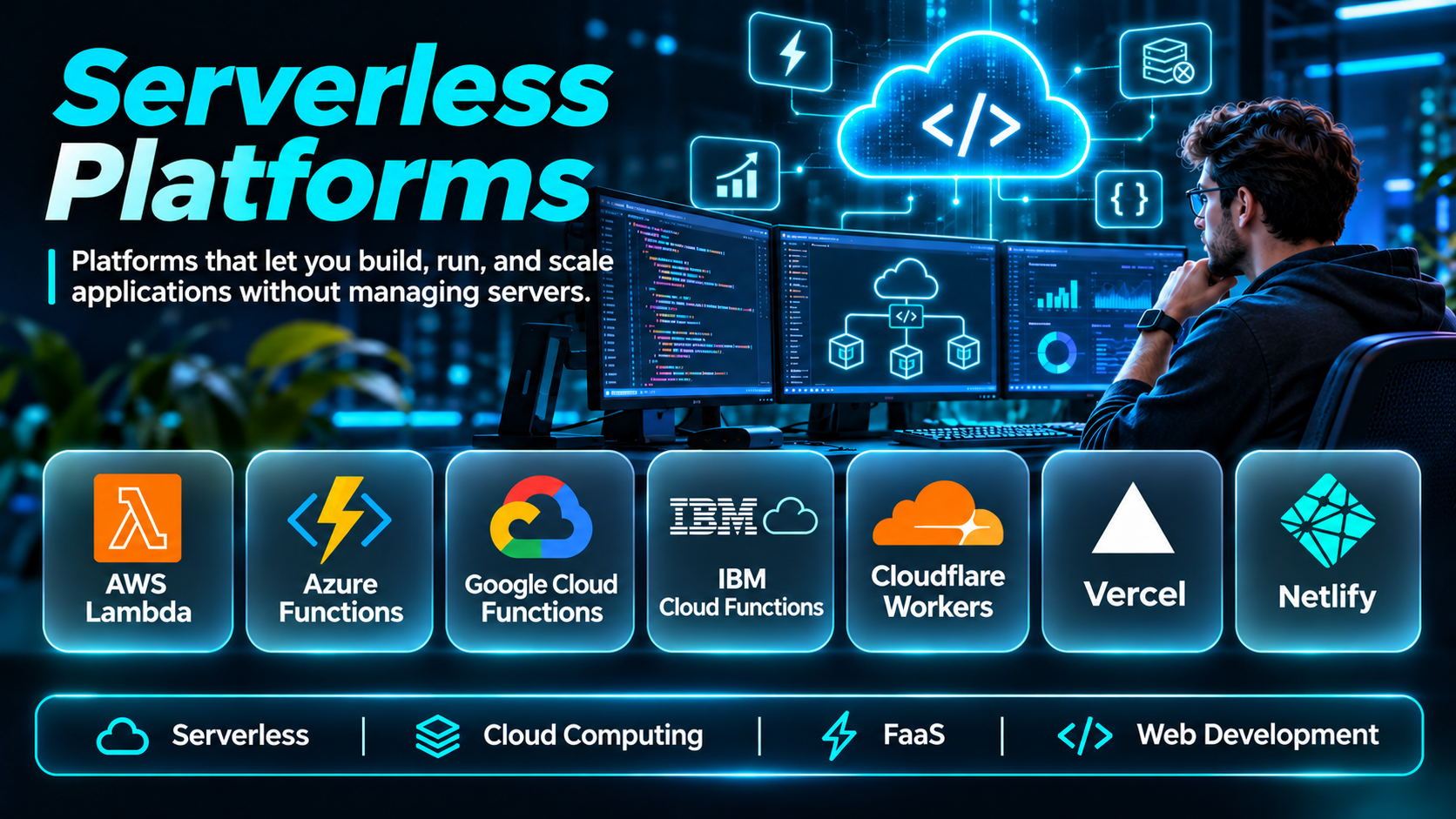
Serverless platforms have changed how developers build, deploy, and operate cloud applications. Instead of provisioning and maintaining servers for every workload, development teams can use managed execution environments that automatically allocate computing resources.
This approach can reduce infrastructure administration and make it easier to build applications that respond to events, process data, deliver APIs, and support unpredictable traffic.
However, serverless does not mean infrastructure disappears. Cloud providers still operate the underlying servers, while developers remain responsible for application design, security, performance, cost controls, and reliability.
Serverless platforms also differ considerably. Some execute individual functions, others run containers, and several provide integrated environments for websites, APIs, databases, and application deployment.
This guide compares ten serverless platforms, explains their strengths and limitations, and provides practical guidance for selecting an appropriate solution.
What Are Serverless Platforms?
Serverless platforms are cloud computing services that manage much of the infrastructure required to execute application code.
They typically handle resource provisioning, scaling, runtime management, and portions of infrastructure availability.
Applications may be deployed as individual functions, containerized services, web applications, or managed backend components.
How Serverless Computing Works
A typical serverless workflow follows these steps:
- Developers create application code.
- The code is deployed to a managed execution environment.
- Events, requests, or schedules trigger execution.
- The platform allocates computing resources.
- The application processes the request.
- The platform scales resources according to workload demand.
- Usage and operational information are recorded.
Common Serverless Use Cases
- REST and GraphQL APIs
- Event-driven automation
- Image and document processing
- Web applications
- Background jobs
- Data transformation
- Scheduled tasks
- IoT event processing
- Webhook handling
- AI application backends
Important Selection Factors
Execution limits, supported languages, cold-start behavior, regional availability, networking, observability, pricing, and integration capabilities all affect platform suitability.
Top 10 Serverless Platforms
1. AWS Lambda
Short Description
AWS Lambda is a managed function execution service within Amazon Web Services. Developers deploy code that runs in response to events without managing the underlying servers.
Lambda integrates with numerous AWS services, making it useful for building event-driven applications and automated cloud workflows. For example, a company can trigger a Lambda function when a file arrives in Amazon S3, transform the file, and store the result elsewhere.
The platform supports multiple programming runtimes and container-image packaging. It is suitable for APIs, scheduled processing, data pipelines, and integration tasks.
However, teams must account for execution duration limits, concurrency, permissions, dependency packaging, and cold-start behavior. Complex AWS architectures may also require considerable infrastructure knowledge.
Key Features
- Event-driven execution: Runs code in response to supported cloud events.
- Automatic scaling: Adjusts execution capacity as requests increase.
- Multiple runtimes: Supports several common programming languages.
- Container-image support: Allows functions to be packaged as container images.
- AWS integrations: Connects with storage, messaging, databases, and API services.
- Concurrency controls: Helps manage execution capacity and downstream pressure.
- Monitoring integration: Exposes metrics and logs through AWS monitoring services.
- Identity controls: Uses AWS IAM for permissions and access management.
- Versioning and aliases: Supports controlled function releases.
Benefits
Lambda reduces routine server administration and supports applications that scale with event volume. It can be especially effective when workloads are intermittent or tightly integrated with AWS services.
Pros
- Extensive AWS ecosystem
- Automatic scaling
- Multiple deployment options
- Mature event integrations
- Granular permission controls
- Strong automation potential
Cons
- AWS-specific architecture
- Execution time limits
- Cold-start considerations
- Complex permissions
- Cost unpredictability under some traffic patterns
Use Cases
Event processing, backend APIs, scheduled automation, file transformation, and cloud service integration.
Best For: Development teams building event-driven applications on AWS.
2. Azure Functions
Short Description
Azure Functions is Microsoft’s managed serverless compute service. It enables developers to execute functions through HTTP requests, scheduled triggers, messaging events, and other supported integrations.
Organizations already using Azure can combine Functions with Azure Storage, Service Bus, Event Grid, and identity services. This makes it useful for internal automation, enterprise integrations, and application backends.
Azure Functions supports multiple languages and hosting configurations, allowing teams to select execution models that match their workload requirements.
Its flexibility also introduces architectural decisions. Developers must evaluate hosting plans, networking, deployment configuration, monitoring, and performance characteristics before production adoption.
Key Features
- Trigger-based execution: Starts functions through supported events.
- Bindings: Simplifies interaction with selected external services.
- Language support: Accommodates multiple development ecosystems.
- Azure integration: Connects with native cloud services.
- Scaling options: Supports managed scaling through applicable hosting plans.
- Durable Functions: Enables stateful workflow orchestration.
- Identity integration: Works with Azure authentication and authorization mechanisms.
- Monitoring: Integrates with Azure observability services.
- Deployment automation: Supports CI/CD workflows.
Benefits
Azure Functions simplifies event-driven development for organizations invested in Microsoft’s cloud ecosystem.
Pros
- Strong Azure integrations
- Enterprise identity support
- Durable workflow capabilities
- Multiple programming languages
- Flexible hosting choices
- Useful development tooling
Cons
- Hosting-plan complexity
- Azure ecosystem dependence
- Cold starts on some configurations
- Networking configuration requirements
- Cost planning across plans
Use Cases
Enterprise automation, APIs, event processing, workflow coordination, and scheduled jobs.
Best For: Microsoft-oriented development teams and Azure enterprises.
3. Google Cloud Run
Short Description
Google Cloud Run is a managed platform for deploying containerized applications and supported function workloads without managing servers or Kubernetes clusters.
Unlike function-only services, Cloud Run accommodates applications packaged as containers. This makes it useful for web services, APIs, microservices, and background processing.
Developers can use familiar frameworks and container tooling while the platform manages scaling and execution infrastructure.
Cloud Run is particularly attractive to teams that want serverless operations without restructuring every application into individual functions.
However, container startup time, service configuration, request handling, networking, and resource limits still require attention.
Key Features
- Container deployment: Runs supported containerized applications.
- Automatic scaling: Adjusts instances based on workload demand.
- Scale-to-zero capability: Can reduce idle capacity where supported.
- HTTP service hosting: Supports APIs and web workloads.
- Job execution: Runs batch and scheduled processing.
- Revision management: Supports controlled deployment changes.
- Traffic splitting: Enables gradual release strategies.
- Google Cloud integration: Connects with cloud services and identity.
- Resource configuration: Allows CPU and memory allocation choices.
Benefits
Cloud Run combines container portability with managed serverless operations, reducing the need for cluster administration.
Pros
- Flexible container workloads
- Managed scaling
- Familiar development frameworks
- Revision-based deployment
- Suitable for microservices
- Reduced Kubernetes administration
Cons
- Google Cloud dependence
- Startup latency considerations
- Networking configuration
- Resource and execution constraints
- Operational costs require monitoring
Use Cases
Containerized APIs, microservices, web applications, scheduled jobs, and event processing.
Best For: Teams seeking serverless container hosting.
4. Cloudflare Workers
Short Description
Cloudflare Workers is a serverless application platform that executes code across Cloudflare’s distributed network.
It is designed for request handling, edge applications, APIs, and lightweight application logic close to users.
For example, developers can use Workers to validate requests, personalize responses, implement API endpoints, or perform security checks before traffic reaches an origin server.
The platform also integrates with Cloudflare storage and application services, allowing teams to build applications that rely less on centralized infrastructure.
However, developers must understand runtime compatibility, resource limits, and differences between edge execution and traditional server environments.
Key Features
- Distributed execution: Runs workloads across Cloudflare’s network.
- Request processing: Handles HTTP-based application logic.
- JavaScript ecosystem: Supports JavaScript and compatible runtimes.
- Edge deployment: Places execution near distributed users.
- Routing controls: Associates code with configured routes.
- Storage integrations: Connects with supported Cloudflare data services.
- Deployment tooling: Supports command-line development workflows.
- Observability: Provides logging and operational insights.
- Security integration: Works with Cloudflare network protections.
Benefits
Workers can reduce network distance for suitable workloads and simplify globally distributed request processing.
Pros
- Distributed execution
- Fast deployment workflows
- Strong HTTP use cases
- Cloudflare integration
- Suitable for edge logic
- Minimal server management
Cons
- Runtime compatibility considerations
- Platform-specific APIs
- Resource limits
- Architecture differs from conventional servers
- Not ideal for every compute-heavy workload
Use Cases
Edge APIs, authentication gateways, personalization, redirects, and distributed web applications.
Best For: Developers building globally distributed web services.
5. Vercel
Short Description
Vercel is a managed deployment platform focused on modern frontend applications and associated serverless capabilities.
It is especially relevant to teams building applications with frameworks such as Next.js. Developers can connect source repositories and deploy frontend code together with supported backend functionality.
Vercel provides preview deployments, managed hosting, and integrations that streamline the path from code changes to production.
Its workflow is attractive for product teams prioritizing rapid iteration and frontend performance.
However, execution limits, framework-specific capabilities, platform pricing, and backend workload suitability should be evaluated before adoption.
Key Features
- Git-based deployment: Builds and deploys connected repositories.
- Serverless functions: Supports backend request handling.
- Edge capabilities: Enables selected globally distributed logic.
- Preview environments: Creates reviewable deployments.
- Framework integration: Supports modern frontend frameworks.
- Deployment automation: Simplifies continuous delivery.
- Domain management: Connects custom domains.
- Observability tools: Provides supported application insights.
Benefits
Vercel reduces deployment friction for frontend-focused applications and enables fast collaboration between developers and reviewers.
Pros
- Excellent frontend workflows
- Preview deployments
- Managed infrastructure
- Git integration
- Fast iteration
- Framework-oriented tooling
Cons
- Less suitable for some backend workloads
- Platform-specific capabilities
- Usage-based cost considerations
- Execution constraints
- Advanced enterprise needs may add complexity
Use Cases
Frontend applications, server-rendered websites, lightweight APIs, and product prototypes.
Best For: Frontend teams deploying modern web applications.
6. Netlify
Short Description
Netlify is a web application deployment platform offering managed hosting, serverless functions, and workflow automation.
It helps teams deploy websites and web applications directly from connected repositories.
Netlify is especially useful for static-first architectures and projects that combine frontend delivery with lightweight backend functionality.
Its preview deployments and deployment automation support collaborative development.
However, organizations building complex backend systems should evaluate function execution limits, data architecture, and operational requirements.
Key Features
- Continuous deployment: Deploys applications from source control.
- Serverless functions: Executes supported backend logic.
- Edge functions: Supports distributed request processing.
- Deploy previews: Enables change review.
- Build automation: Manages frontend build workflows.
- Domain support: Connects custom domains.
- Routing controls: Supports redirects and rewrites.
- Environment configuration: Manages deployment settings.
Benefits
Netlify simplifies the deployment of web projects that need frontend hosting and modest backend capabilities.
Pros
- Developer-friendly workflows
- Easy deployment
- Preview environments
- Frontend hosting
- Serverless integrations
- Low infrastructure overhead
Cons
- Backend execution limitations
- Platform dependence
- Build and usage considerations
- Less suitable for long-running processing
- Complex applications may need external services
Use Cases
Marketing sites, documentation portals, frontend applications, and lightweight APIs.
Best For: Web teams seeking integrated hosting and serverless functions.
7. Firebase
Short Description
Firebase is Google’s application development platform offering managed backend services, hosting, authentication, databases, and serverless functions.
It is commonly used for mobile applications, web applications, and prototypes that need backend capabilities without extensive infrastructure management.
Developers can combine Firebase Authentication, Firestore, Cloud Functions, and hosting services to build connected applications.
This integrated model reduces the amount of backend infrastructure that small teams must design independently.
However, data modeling, security rules, service quotas, and billing behavior require careful planning.
Key Features
- Managed authentication: Supports user identity workflows.
- Cloud Functions: Executes backend application logic.
- Firestore integration: Provides managed document data storage.
- Hosting: Deploys supported web applications.
- Event triggers: Responds to supported backend events.
- Development SDKs: Supports web and mobile integration.
- Security rules: Controls supported data access.
- Analytics integrations: Connects application usage information.
Benefits
Firebase accelerates application development by providing integrated backend building blocks.
Pros
- Rapid prototyping
- Managed backend services
- Mobile development support
- Integrated authentication
- Event-driven capabilities
- Reduced initial infrastructure work
Cons
- Vendor dependence
- Data-model constraints
- Billing complexity
- Security rules require testing
- Migration can require substantial effort
Use Cases
Mobile apps, prototypes, real-time applications, user authentication, and event-driven backends.
Best For: Small teams building web and mobile applications.
8. Oracle Cloud Infrastructure Functions
Short Description
Oracle Cloud Infrastructure Functions is a managed function execution service within Oracle Cloud Infrastructure.
It supports event-driven application logic and integration with Oracle’s cloud ecosystem.
Organizations using Oracle infrastructure can employ Functions for automation, integration, and lightweight backend workloads.
Its container-based function packaging offers flexibility for deployment and runtime dependencies.
However, organizations should evaluate the OCI ecosystem, deployment configuration, monitoring, and integration requirements before selecting it.
Key Features
- Event-driven functions: Runs code in response to supported triggers.
- Container-based packaging: Uses container-oriented deployment.
- OCI integration: Connects with Oracle cloud services.
- Managed execution: Reduces server administration.
- API integration: Supports HTTP-based invocation workflows.
- Identity controls: Uses OCI access management.
- Logging support: Provides operational visibility.
- Automation compatibility: Supports infrastructure workflows.
Benefits
OCI Functions extends serverless execution to organizations already using Oracle Cloud.
Pros
- OCI-native integration
- Managed infrastructure
- Container packaging
- Event-driven automation
- Enterprise cloud alignment
- API support
Cons
- Smaller ecosystem than some alternatives
- OCI-specific knowledge
- Integration planning
- Runtime constraints
- Portability considerations
Use Cases
Oracle cloud automation, event processing, API integration, and backend tasks.
Best For: Enterprises invested in Oracle Cloud Infrastructure.
9. DigitalOcean Functions
Short Description
DigitalOcean Functions is a serverless function service designed to simplify event-driven and on-demand code execution.
It appeals to developers who want a relatively straightforward cloud development experience.
Teams can deploy functions for API endpoints, automation, and backend processing without provisioning dedicated servers.
DigitalOcean’s broader platform also provides databases, storage, and application hosting services.
However, organizations should compare runtime support, execution constraints, ecosystem breadth, and operational requirements against larger cloud providers.
Key Features
- On-demand execution: Runs functions when invoked.
- Managed infrastructure: Reduces server administration.
- API support: Enables function-backed endpoints.
- Deployment tooling: Supports developer workflows.
- Language runtimes: Supports selected programming environments.
- Cloud integration: Works with relevant DigitalOcean services.
- Scaling: Accommodates varying request demand.
- Operational visibility: Provides relevant execution information.
Benefits
DigitalOcean Functions offers a relatively accessible entry point into serverless application development.
Pros
- Developer-oriented experience
- Simple infrastructure model
- On-demand execution
- DigitalOcean integration
- Suitable for small applications
- Reduced server maintenance
Cons
- More limited ecosystem
- Runtime constraints
- Fewer specialized integrations
- Platform-specific deployment
- Not suited to every enterprise requirement
Use Cases
Lightweight APIs, scheduled automation, webhooks, and backend utilities.
Best For: Developers seeking straightforward serverless execution.
10. Alibaba Cloud Function Compute
Short Description
Alibaba Cloud Function Compute is a managed serverless computing service supporting event-driven applications and web workloads.
It integrates with Alibaba Cloud services and provides execution environments for supported application code.
The platform is relevant to organizations operating within Alibaba Cloud or serving markets where its regional infrastructure is appropriate.
Developers can use it for event processing, APIs, data transformation, and automation.
However, regional service availability, documentation, integration requirements, and operational familiarity should be assessed carefully.
Key Features
- Event-driven execution: Runs code from supported triggers.
- Managed scaling: Adjusts resources to demand.
- Runtime support: Executes supported application environments.
- HTTP integration: Supports web requests and APIs.
- Cloud integrations: Connects with Alibaba services.
- Resource configuration: Supports workload tuning.
- Monitoring: Provides operational metrics and logs.
- Deployment tools: Supports application release workflows.
Benefits
Function Compute provides serverless execution for organizations using Alibaba Cloud infrastructure.
Pros
- Alibaba ecosystem integration
- Managed scaling
- Event-driven architecture
- API support
- Regional infrastructure options
- Reduced server management
Cons
- Ecosystem dependence
- Regional feature differences
- Configuration complexity
- Migration considerations
- Documentation familiarity may vary
Use Cases
Event-driven applications, cloud automation, web APIs, and data processing.
Best For: Organizations building on Alibaba Cloud.
Serverless Platforms Comparison Table
| Platform | Primary Model | Main Strength | Best For |
|---|---|---|---|
| AWS Lambda | Functions | AWS integrations | Event-driven applications |
| Azure Functions | Functions | Azure enterprise ecosystem | Microsoft cloud teams |
| Google Cloud Run | Containers and functions | Container flexibility | Microservices |
| Cloudflare Workers | Edge execution | Distributed request processing | Global web applications |
| Vercel | Web deployment and functions | Frontend workflows | Next.js teams |
| Netlify | Web hosting and functions | Continuous deployment | Web projects |
| Firebase | Managed application backend | Integrated backend services | Mobile and web apps |
| OCI Functions | Functions | Oracle integration | OCI enterprises |
| DigitalOcean Functions | Functions | Simplicity | Small development teams |
| Alibaba Function Compute | Functions and web workloads | Alibaba integration | Alibaba Cloud users |
How to Choose the Best Serverless Platform
1. Identify the Application Architecture
Determine whether the workload consists of individual functions, containerized services, frontend applications, or integrated backend services.
2. Evaluate Execution Requirements
Review runtime support, memory allocation, execution duration, startup behavior, and concurrency limits.
3. Compare Scaling Behavior
Consider whether the platform supports rapid scaling, scale-to-zero, concurrency management, and predictable performance.
4. Assess Existing Cloud Investments
Choosing a platform already integrated with an organization’s cloud environment may reduce operational complexity.
5. Evaluate Security Controls
Review identity management, secrets handling, network isolation, encryption, and access logging.
6. Examine Observability
Production applications need meaningful metrics, logs, traces, alerts, and deployment visibility.
7. Understand Pricing
Calculate costs using realistic request volume, execution duration, memory, network traffic, storage, and supporting services.
8. Consider Portability
Container-based applications may be easier to move between environments than applications heavily dependent on proprietary event integrations.
9. Test Developer Experience
Evaluate local development, deployment tooling, debugging, preview environments, and CI/CD integration.
10. Run a Production-Like Pilot
Measure performance, reliability, security, and cost using realistic traffic patterns before committing.
Best Serverless Platforms by User Type
| User Type | Recommended Platform | Reason |
|---|---|---|
| AWS developer | AWS Lambda | Extensive AWS integration |
| Azure enterprise | Azure Functions | Microsoft ecosystem alignment |
| Container developer | Google Cloud Run | Managed container execution |
| Edge application developer | Cloudflare Workers | Distributed request handling |
| Frontend team | Vercel | Modern web deployment |
| Static-first web team | Netlify | Integrated frontend workflows |
| Mobile app developer | Firebase | Managed backend services |
| Oracle enterprise | OCI Functions | Oracle Cloud integration |
| Independent developer | DigitalOcean Functions | Straightforward deployment |
| Alibaba Cloud organization | Function Compute | Native cloud integration |
Practical Example: Building a Serverless Image Processing Application
An online marketplace allows sellers to upload product images. Every image must be resized, validated, and stored in several formats.
Step 1: Define Requirements
Identify supported image formats, maximum upload sizes, processing latency, and expected daily volume.
Step 2: Select Cloud Storage
Choose an object storage service for original and processed images.
Step 3: Choose an Execution Platform
Use a function service that integrates with the selected storage system.
Step 4: Configure Event Triggers
Arrange for new uploads to generate processing events.
Step 5: Implement Validation
Check file type, size, and basic integrity before processing.
Step 6: Generate Image Variants
Create thumbnail, preview, and full-size versions.
Step 7: Store Results
Save processed images and relevant metadata.
Step 8: Handle Failures
Configure retries, dead-letter handling, and error logging where supported.
Step 9: Secure the Workflow
Apply least-privilege permissions and protect storage access.
Step 10: Monitor Performance
Track execution duration, failures, concurrency, and processing costs.
Step 11: Load Test
Simulate simultaneous uploads to identify bottlenecks.
Step 12: Improve the Architecture
Adjust memory, concurrency, queueing, and processing design using observed results.
Common Challenges With Serverless Platforms
Cold Starts
Some execution environments require initialization after periods of inactivity.
Vendor Lock-In
Applications built around proprietary services may be difficult to migrate.
Debugging Complexity
Distributed event-driven workflows can make failures difficult to reproduce.
Execution Limits
Functions may have restrictions on runtime duration, memory, concurrency, or request size.
Cost Surprises
Unexpected traffic, inefficient code, or excessive retries can increase expenses.
Security Misconfiguration
Broad permissions and exposed endpoints create unnecessary risks.
State Management
Stateless execution often requires external databases, queues, or storage systems.
Monitoring Gaps
Without consistent tracing and logging, teams may struggle to identify failure causes.
Frequently Asked Questions
1. What is a serverless platform?
A serverless platform manages execution infrastructure so developers can focus on application code and configuration.
2. Does serverless mean there are no servers?
No. Servers still exist, but the provider manages much of their operation.
3. What is the difference between serverless and traditional hosting?
Traditional hosting usually requires more direct infrastructure capacity management. Serverless platforms automate more of that responsibility.
4. What is Function-as-a-Service?
FaaS executes individual functions in response to requests or events.
5. Is serverless suitable for production applications?
Yes, when the platform and application architecture meet production requirements.
6. What is a cold start?
A cold start occurs when an execution environment must initialize before processing a request.
7. Can serverless applications scale automatically?
Many serverless services support automatic scaling, subject to quotas and platform constraints.
8. Is serverless cheaper than virtual machines?
It can be for intermittent workloads. Constant high-volume workloads may require a different cost comparison.
9. Which serverless platform is best for AWS?
AWS Lambda is a natural starting point for function-based workloads on AWS.
10. Which platform is best for Azure?
Azure Functions provides native integration with Microsoft Azure.
11. Which platform supports serverless containers?
Google Cloud Run is a prominent option for managed container execution.
12. What is edge serverless computing?
It executes application logic across distributed infrastructure closer to users or network entry points.
13. Is Cloudflare Workers suitable for APIs?
Yes, particularly HTTP-oriented APIs that fit its execution model.
14. Can serverless platforms host websites?
Yes. Several platforms support frontend hosting, dynamic rendering, and backend functions.
15. Can serverless functions access databases?
Yes, provided appropriate networking, credentials, and connection management are configured.
16. Are serverless applications secure?
They can be, but security depends on correct permissions, code, configuration, and monitoring.
17. What programming languages are supported?
Support varies by platform and runtime.
18. Can serverless replace Kubernetes?
For some workloads, yes. Other applications still benefit from Kubernetes control and flexibility.
19. Can serverless handle background jobs?
Yes, where supported execution limits and job capabilities match the workload.
20. What is event-driven architecture?
It is an application design in which events trigger processing or communication between components.
21. What are serverless execution limits?
They are platform restrictions involving duration, memory, concurrency, payload size, or other resources.
22. How do developers monitor serverless applications?
They use metrics, logs, distributed tracing, alerts, and provider monitoring services.
23. What causes serverless cost increases?
High invocation volume, long execution time, excessive memory allocation, network traffic, and supporting services can contribute.
24. Is serverless good for startups?
It can reduce initial infrastructure administration and help teams launch quickly.
25. Can serverless applications use CI/CD?
Yes. Most major platforms support automated build and deployment workflows.
26. How do serverless applications manage state?
They generally use external databases, caches, queues, or managed storage.
27. Is serverless appropriate for AI workloads?
It can support inference APIs, orchestration, and event processing when compute and execution constraints are suitable.
28. Can serverless platforms support microservices?
Yes. Functions and managed containers can implement individual services.
29. How should serverless platforms be tested?
Use functional tests, security checks, load testing, failure simulation, and cost analysis.
30. What is the best serverless platform?
The best choice depends on application architecture, cloud integrations, execution requirements, developer workflows, and total cost.
Final Thoughts
Serverless platforms provide a practical way to reduce infrastructure management while supporting scalable cloud applications.
AWS Lambda and Azure Functions are strong options for event-driven functions within their respective ecosystems. Google Cloud Run offers container flexibility, while Cloudflare Workers emphasizes distributed execution.
Vercel and Netlify simplify modern web deployment. Firebase provides integrated backend services, while OCI Functions, DigitalOcean Functions, and Alibaba Cloud Function Compute address additional cloud requirements.
No platform is universally best.
Organizations should select a serverless platform based on workload behavior, execution constraints, security, operational visibility, portability, and realistic cost estimates.
The most successful serverless architectures combine managed infrastructure with disciplined software engineering, clear monitoring, and well-defined reliability objectives.
