Introduction
Businesses increasingly need access to fresh data from operational systems.
Customer transactions, inventory updates, payment records, and application events may need to reach analytical platforms or downstream services within seconds.
Traditional batch extraction methods often move data at fixed intervals. This can create delays and place unnecessary load on production databases.
Change Data Capture, commonly called CDC, provides another approach.
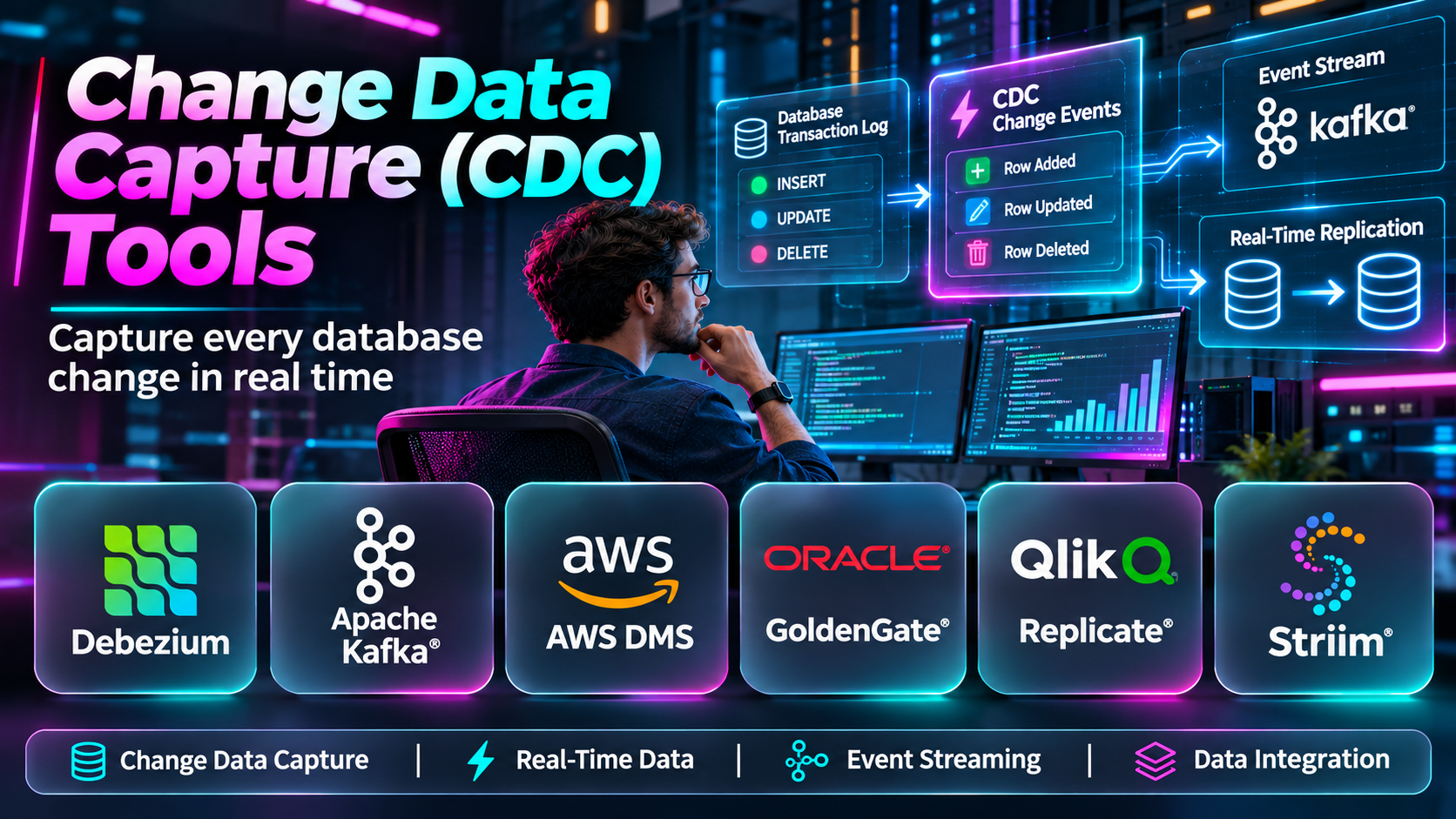
CDC identifies changes made to source data and delivers those changes to other systems.
Instead of repeatedly copying entire tables, a CDC pipeline can capture inserts, updates, and deletes and make them available to downstream consumers.
This supports real-time analytics, data synchronization, event-driven applications, and lower-downtime migrations.
However, CDC tools vary significantly in architecture and capabilities.
Some read database transaction logs. Others use database-specific replication mechanisms, managed connectors, or query-based change detection.
Choosing the right solution requires understanding source compatibility, delivery guarantees, schema changes, latency, and operational requirements.
This guide compares ten CDC tools and provides practical guidance for building reliable change data pipelines.
What Are Change Data Capture Tools?
CDC tools identify and transfer changes made to data in a source system.
For relational databases, these changes often include inserted, updated, and deleted rows.
How CDC Works
A CDC system typically performs an initial snapshot or data load.
It then reads supported change information from the source.
Changes are converted into records or events and delivered to a destination.
The destination may be another database, a message broker, a cloud warehouse, or an application service.
Common CDC Methods
Log-based CDC: Reads transaction logs or equivalent database change streams.
Trigger-based CDC: Uses database triggers to record changes.
Query-based CDC: Periodically queries fields such as update timestamps to identify modified records.
Native database CDC: Uses change tracking or replication features provided by the database engine.
These methods differ in performance, completeness, latency, and operational overhead.
Benefits of CDC
CDC can support near-real-time data delivery, reduce repeated full-table extraction, enable event-driven workflows, and simplify selected migration scenarios.
However, CDC requires careful handling of ordering, duplicate events, schema changes, and failure recovery.
Top 10 Change Data Capture (CDC) Tools
1. Debezium
Short Description
Debezium is an open-source CDC platform designed to capture database changes and publish structured events.
It is widely associated with Kafka Connect and event-driven data architectures.
For example, an online retailer may capture changes from PostgreSQL and publish them to Kafka topics.
Downstream consumers can update search indexes, analytical systems, or application caches.
Debezium supports several major database technologies through relevant connectors.
However, operating Debezium reliably requires understanding database logs, connector offsets, schema evolution, and event processing.
Key Features
- Log-based CDC: Reads supported database change mechanisms.
- Database connectors: Supports multiple database engines.
- Initial snapshots: Captures existing data before streaming changes.
- Kafka Connect integration: Publishes changes through compatible infrastructure.
- Structured events: Represents row-level changes as records.
- Schema change handling: Supports relevant metadata changes.
- Offset tracking: Maintains progress through change streams.
- Open-source extensibility: Supports custom deployment architectures.
Benefits
Debezium enables flexible event-driven integration without requiring repeated full-table extraction.
Pros
- Open-source.
- Strong CDC specialization.
- Multiple database connectors.
- Kafka ecosystem.
- Suitable for event-driven systems.
Cons
- Infrastructure complexity.
- Connector configuration.
- Schema evolution challenges.
- Destination processing required.
- Operational monitoring necessary.
Use Cases
Database event streaming, microservice integration, search indexing, and real-time analytics.
Best For: Engineering teams building event-driven CDC pipelines.
2. Qlik Replicate
Short Description
Qlik Replicate is an enterprise replication platform with log-based CDC capabilities for supported database systems.
It helps organizations move changes into databases, analytical platforms, and cloud environments.
For example, an enterprise may capture changes from an operational database and deliver them to a cloud warehouse.
Qlik Replicate can reduce the need to develop and maintain custom CDC code.
Its graphical administration and enterprise connectivity are attractive to organizations with diverse databases.
However, commercial licensing, source permissions, and connector limitations must be evaluated.
Key Features
- Log-based change capture: Reads supported transaction logs.
- Initial loading: Transfers baseline datasets.
- Continuous delivery: Replicates ongoing changes.
- Heterogeneous connectors: Supports multiple database systems.
- Cloud integration: Delivers data to relevant cloud platforms.
- Task management: Configures replication workflows.
- Monitoring: Tracks latency and task health.
- Schema handling: Supports selected source changes.
Benefits
Qlik Replicate provides enterprise CDC without requiring organizations to build every connector themselves.
Pros
- Enterprise connectivity.
- Continuous replication.
- Managed task configuration.
- Cloud integration.
- Strong heterogeneous data focus.
Cons
- Commercial cost.
- Connector-specific capabilities.
- Schema compatibility requirements.
- Specialist administration.
- Continuous monitoring needed.
Use Cases
Enterprise CDC, cloud warehouse ingestion, database modernization, and real-time integration.
Best For: Large organizations requiring cross-platform CDC.
3. Oracle GoldenGate
Short Description
Oracle GoldenGate is an enterprise data replication and integration platform with advanced CDC capabilities.
It is especially relevant to organizations using Oracle databases and other supported enterprise systems.
For example, a financial institution may capture transactional changes from an Oracle database and deliver them to a supported destination.
GoldenGate can support low-latency integration and selected heterogeneous replication requirements.
However, sophisticated deployments may require specialized expertise.
Organizations must carefully plan transaction consistency, schema mapping, monitoring, and recovery procedures.
Key Features
- Transaction log capture: Reads supported database changes.
- Low-latency replication: Delivers changes continuously.
- Heterogeneous integration: Supports selected different database engines.
- Transaction handling: Preserves relevant ordering requirements.
- Filtering: Selects data for replication.
- Transformation: Supports applicable data mappings.
- Monitoring: Tracks replication status.
- Enterprise deployment: Supports complex operational environments.
Benefits
GoldenGate provides powerful CDC capabilities for demanding enterprise data movement scenarios.
Pros
- Mature technology.
- Oracle ecosystem relevance.
- Heterogeneous replication.
- Low-latency operation.
- Enterprise capabilities.
Cons
- Commercial licensing.
- Specialized skills.
- Complex configuration.
- Compatibility restrictions.
- Operational overhead.
Use Cases
Oracle CDC, enterprise replication, real-time integration, and database migration.
Best For: Enterprises with demanding Oracle and heterogeneous CDC requirements.
4. AWS Database Migration Service
Short Description
AWS DMS supports CDC for compatible database sources and destinations.
It can capture ongoing changes after an initial data load.
For example, a company migrating an on-premises database to AWS may use CDC to keep the destination updated until final cutover.
AWS DMS is particularly useful when CDC is part of a database migration program.
It also supports selected ongoing data movement scenarios.
However, it is not a universal event streaming platform, and its capabilities depend on supported endpoints and database configurations.
Key Features
- CDC tasks: Captures supported source changes.
- Full-load integration: Combines initial loading with ongoing replication.
- Managed service: Reduces infrastructure administration.
- AWS connectivity: Supports relevant cloud destinations.
- Multiple database engines: Handles compatible sources.
- Task monitoring: Tracks replication health.
- Data validation: Supports selected consistency checks.
- Migration cutover support: Maintains data freshness during transition.
Benefits
AWS DMS simplifies CDC-based database migration for supported environments.
Pros
- Managed AWS service.
- CDC and full-load support.
- Multiple database engines.
- Migration-friendly.
- Operational monitoring.
Cons
- AWS-oriented.
- Source restrictions.
- Replication costs.
- Not a general event broker.
- Schema conversion may be separate.
Use Cases
Cloud database migration, incremental synchronization, and AWS-oriented data integration.
Best For: AWS teams implementing migration-related CDC.
5. Striim
Short Description
Striim is a real-time data integration and streaming platform with CDC capabilities for supported databases.
It is designed to capture, process, and deliver data changes across enterprise systems.
For example, a business may use Striim to stream operational database changes into a cloud analytical platform.
The platform can also support selected transformation and processing activities within data pipelines.
This makes it relevant to organizations that want more than raw change capture.
However, implementation complexity, connector coverage, and commercial costs require evaluation.
Key Features
- Database CDC: Captures supported source changes.
- Real-time streaming: Delivers ongoing data.
- Data transformation: Processes selected streaming records.
- Multiple connectors: Integrates compatible systems.
- Pipeline management: Coordinates data movement.
- Monitoring: Tracks streaming operations.
- Cloud destinations: Supports relevant analytical platforms.
- Enterprise integration: Addresses complex data environments.
Benefits
Striim combines CDC and streaming integration capabilities for organizations requiring fresh operational data.
Pros
- CDC and streaming integration.
- Transformation capabilities.
- Enterprise relevance.
- Cloud integration.
- Real-time processing focus.
Cons
- Commercial licensing.
- Platform expertise needed.
- Connector compatibility varies.
- Pipeline complexity.
- Operational monitoring required.
Use Cases
Real-time analytics, operational data streaming, cloud data integration, and database synchronization.
Best For: Enterprises combining CDC with streaming transformations.
6. Fivetran
Short Description
Fivetran provides managed data movement capabilities, including CDC for supported database connectors.
It is particularly relevant to analytical pipelines that require frequent updates from operational systems.
For example, an analytics team may use Fivetran to replicate changes from a production database into a cloud warehouse.
The managed service can reduce the need to operate custom ingestion infrastructure.
However, CDC support, latency, and behavior depend on the source connector and destination.
Organizations should evaluate data freshness requirements and pricing carefully.
Key Features
- Managed connectors: Simplifies supported source integration.
- Database CDC: Captures changes for eligible databases.
- Incremental synchronization: Moves new and modified records.
- Warehouse loading: Delivers data to analytical destinations.
- Schema handling: Supports selected schema evolution.
- Monitoring: Tracks connector health.
- Automated scheduling: Manages synchronization.
- Centralized administration: Organizes data pipelines.
Benefits
Fivetran reduces the operational burden of CDC-based analytical ingestion.
Pros
- Managed platform.
- Analytics integration.
- Automated connectors.
- Reduced maintenance.
- Broad ecosystem.
Cons
- Usage costs.
- Source-specific CDC support.
- Not a universal event streaming platform.
- Limited control over some connector behavior.
- Freshness depends on configuration.
Use Cases
Warehouse ingestion, analytical replication, operational reporting, and cloud data modernization.
Best For: Analytics teams seeking managed CDC pipelines.
7. Confluent Cloud
Short Description
Confluent Cloud is a managed data streaming platform based on Apache Kafka technologies.
It supports CDC architectures through compatible connectors and integrations.
For example, an organization may capture database changes and publish them to Kafka topics for consumption by multiple applications.
Confluent Cloud can simplify management of the streaming infrastructure used to distribute CDC events.
However, it is important to distinguish the streaming platform from the connector that captures database changes.
A complete solution still requires compatible source connectors, event schemas, and destination processing.
Key Features
- Managed Kafka: Provides cloud-delivered event streaming.
- CDC connectors: Supports applicable database change capture integrations.
- Event topics: Distributes change events.
- Stream processing: Supports relevant processing capabilities.
- Connector ecosystem: Integrates sources and destinations.
- Schema management: Supports structured event evolution.
- Monitoring: Tracks streaming operations.
- Scalable infrastructure: Handles suitable event workloads.
Benefits
Confluent Cloud provides a managed foundation for distributing CDC events across multiple consumers.
Pros
- Managed Kafka ecosystem.
- Scalable streaming.
- Connector integration.
- Multiple downstream consumers.
- Event-driven architecture support.
Cons
- CDC depends on compatible connectors.
- Streaming costs.
- Architecture complexity.
- Event processing design required.
- Not a database failover platform.
Use Cases
CDC event distribution, microservice integration, streaming analytics, and event-driven data platforms.
Best For: Organizations building managed Kafka-based CDC architectures.
8. Airbyte
Short Description
Airbyte is a data integration platform that supports incremental synchronization and CDC for selected database connectors.
It provides open-source and managed deployment options.
For example, a development team may use Airbyte to move database changes into an analytical destination.
Its connector architecture offers flexibility for different integration requirements.
However, not every Airbyte connector uses log-based CDC.
Some rely on incremental queries or other synchronization methods.
Organizations must verify the exact capture mechanism and expected latency.
Key Features
- Connector ecosystem: Supports varied data sources.
- CDC support: Available for eligible databases.
- Incremental sync: Transfers supported changes.
- Initial loading: Captures existing records.
- Managed options: Provides hosted deployment choices.
- Open-source deployment: Supports self-managed infrastructure.
- Monitoring: Tracks synchronization status.
- Custom connectors: Enables integration development.
Benefits
Airbyte provides flexible data movement options for teams that want CDC alongside broader connector-based integration.
Pros
- Open-source ecosystem.
- Flexible deployment.
- Multiple connectors.
- CDC options.
- Engineering extensibility.
Cons
- CDC support varies.
- Connector maturity differs.
- Self-managed operational overhead.
- Not always low-latency streaming.
- Transformation may require separate tools.
Use Cases
Analytical CDC, database synchronization, warehouse ingestion, and custom data integration.
Best For: Engineering teams seeking flexible CDC-enabled integration.
9. IBM InfoSphere Data Replication
Short Description
IBM InfoSphere Data Replication includes enterprise technologies for capturing and delivering supported database changes.
It is relevant to organizations operating complex data environments, including IBM-oriented infrastructure.
For example, an enterprise may need to capture changes from operational databases and deliver them to another supported system.
IBM replication technologies can support this type of integration.
However, product capabilities vary by specific component and deployment.
Organizations should confirm supported databases, latency requirements, and operational responsibilities.
Key Features
- Enterprise CDC: Captures supported changes.
- Continuous replication: Maintains selected data streams.
- Database connectivity: Supports compatible systems.
- Replication administration: Manages change delivery.
- Monitoring: Tracks operational health.
- Transaction processing: Handles relevant change sequences.
- Integration support: Connects with enterprise data workflows.
- IBM ecosystem alignment: Fits applicable enterprise platforms.
Benefits
IBM replication technologies provide established options for enterprise CDC and synchronization.
Pros
- Enterprise focus.
- IBM ecosystem integration.
- Continuous data movement.
- Complex workload relevance.
- Administrative capabilities.
Cons
- Commercial licensing.
- Specialist skills.
- Product-specific coverage.
- Operational complexity.
- Compatibility planning.
Use Cases
Enterprise CDC, IBM database integration, operational synchronization, and legacy data distribution.
Best For: Large organizations with IBM-oriented data environments.
10. Flink CDC
Short Description
Flink CDC is an open-source technology ecosystem for capturing and processing database changes using Apache Flink-based pipelines.
It is relevant to organizations that want CDC as part of broader streaming data processing.
For example, a data engineering team may capture changes from a supported relational database and transform them before delivering records to downstream systems.
Flink CDC can be useful when change events require streaming processing rather than simple replication.
However, the solution requires appropriate Flink infrastructure and operational expertise.
Connector support, schema evolution, and delivery behavior must be validated for each deployment.
Key Features
- CDC connectors: Captures changes from supported systems.
- Flink integration: Works with streaming processing infrastructure.
- Initial and incremental processing: Supports applicable snapshot and change workflows.
- Streaming transformations: Processes change events.
- Pipeline definitions: Coordinates data movement.
- Checkpointing: Supports relevant recovery mechanisms.
- Open-source architecture: Enables extensibility.
- Scalable processing: Supports suitable distributed workloads.
Benefits
Flink CDC connects database change capture with sophisticated stream processing.
Pros
- Open-source.
- Streaming integration.
- Transformation capabilities.
- Distributed processing.
- Flexible architecture.
Cons
- Requires Flink expertise.
- Infrastructure management.
- Connector coverage varies.
- Schema evolution complexity.
- Operational tuning necessary.
Use Cases
Real-time ETL, streaming analytics, database change processing, and event-driven data platforms.
Best For: Data engineers building Flink-based CDC pipelines.
Change Data Capture Tools Comparison Table
| Tool | Primary Approach | Main Strength | Best For | Limitation |
|---|---|---|---|---|
| Debezium | Log-based CDC | Open-source event capture | Kafka engineers | Infrastructure complexity |
| Qlik Replicate | Enterprise log-based CDC | Heterogeneous replication | Enterprises | Licensing |
| Oracle GoldenGate | Transaction log capture | Enterprise consistency | Oracle organizations | Cost and expertise |
| AWS DMS | Managed CDC | Migration synchronization | AWS teams | Endpoint limitations |
| Striim | CDC and streaming | Real-time integration | Enterprise data teams | Platform complexity |
| Fivetran | Managed connector CDC | Analytical ingestion | Analytics teams | Usage costs |
| Confluent Cloud | Kafka plus CDC connectors | Event distribution | Streaming teams | Connector dependence |
| Airbyte | Connector-based incremental and CDC | Flexible integration | Developers | Variable capture methods |
| IBM InfoSphere Data Replication | Enterprise CDC | Complex environments | IBM enterprises | Specialist administration |
| Flink CDC | CDC and stream processing | Streaming transformations | Flink engineers | Operational complexity |
How to Choose the Best CDC Tool
Confirm Source Database Support
Verify the exact database engine, version, log format, and permissions required.
Determine Data Freshness Requirements
Define how quickly changes must reach the destination.
Near-real-time delivery is not always necessary for every workload.
Evaluate Capture Methods
Log-based CDC may reduce repeated queries, but it introduces log retention and connector requirements.
Review Delivery Semantics
Understand whether the architecture may deliver duplicate events and how consumers should handle them.
Plan Schema Evolution
Define how new columns, deleted fields, and changed data types will be handled.
Assess Initial Loading
Determine how the tool captures historical data before streaming changes.
Evaluate Recovery
Test connector restarts, network failures, source outages, and destination interruptions.
Compare Operational Costs
Include connector licensing, streaming infrastructure, storage, compute, and maintenance.
Best CDC Software by User Type
| User Type | Recommended Tool | Reason |
|---|---|---|
| Open-source Kafka engineer | Debezium | Database change events |
| Enterprise integration team | Qlik Replicate | Heterogeneous CDC |
| Oracle administrator | Oracle GoldenGate | Enterprise database replication |
| AWS migration engineer | AWS DMS | Managed CDC |
| Real-time integration architect | Striim | CDC and processing |
| Analytics team | Fivetran | Managed ingestion |
| Kafka platform team | Confluent Cloud | Streaming infrastructure |
| Open-source integration developer | Airbyte | Flexible connectors |
| IBM enterprise | IBM InfoSphere Data Replication | Enterprise CDC |
| Flink data engineer | Flink CDC | Streaming transformations |
Practical Example: Building a CDC Pipeline for Real-Time Analytics
A retail company uses PostgreSQL for transactions and wants recent sales information in an analytical warehouse.
Step 1: Define the Objective
Specify which business metrics need near-real-time updates.
Step 2: Identify Source Tables
Select relevant orders, payments, products, and inventory tables.
Step 3: Evaluate CDC Compatibility
Confirm database version, logical replication settings, permissions, and log retention requirements.
Step 4: Select a CDC Platform
Evaluate Debezium, a managed CDC service, or another compatible solution.
Step 5: Prepare the Streaming Infrastructure
Create required topics, connectors, and destination integrations.
Step 6: Capture the Initial Snapshot
Load existing records and verify completeness.
Step 7: Enable Ongoing Capture
Begin streaming supported inserts, updates, and deletes.
Step 8: Design Event Processing
Handle duplicate events, transaction ordering, and deletion semantics.
Step 9: Configure Schema Management
Define how downstream consumers respond to source schema changes.
Step 10: Validate Data Accuracy
Compare source and destination values using representative transactions.
Step 11: Monitor Latency
Measure time from source commit to downstream availability.
Step 12: Test Recovery
Restart connectors and simulate interruptions to verify reliable resumption.
Step 13: Establish Operational Procedures
Configure alerts for lag, connector failures, and log retention pressure.
Common CDC Challenges
Transaction Log Growth
Slow consumers can cause source log retention requirements to increase.
Duplicate Events
Recovery and retry behavior may result in repeated event delivery.
Schema Evolution
Database changes can break downstream processing.
Event Ordering
Parallel pipelines may require explicit handling of ordering.
Initial Snapshot Consistency
The initial dataset must align correctly with subsequent changes.
Source Permissions
CDC connectors often require privileged database access.
Destination Failures
Consumers must recover without losing or incorrectly applying changes.
Operational Monitoring
Low-latency systems need continuous visibility into lag and errors.
Frequently Asked Questions
1. What is CDC?
Change Data Capture identifies changes to source data and makes them available to downstream systems.
2. What is log-based CDC?
It reads database transaction logs or equivalent change streams.
3. What is trigger-based CDC?
It uses database triggers to record data modifications.
4. What is query-based CDC?
It identifies changes by querying fields such as update timestamps.
5. Why is CDC useful?
It supports fresh data delivery without repeatedly copying entire datasets.
6. Is CDC real time?
Many CDC systems support near-real-time delivery, but actual latency varies.
7. What is Debezium?
Debezium is an open-source CDC platform for supported databases.
8. Does CDC require Kafka?
No. Kafka is common but not required by every CDC architecture.
9. Can AWS DMS capture changes?
Yes, for supported source and destination combinations.
10. What is CDC latency?
It is the delay between a source change and downstream availability.
11. What is an initial snapshot?
It is the capture of existing data before or alongside ongoing change streaming.
12. Can CDC capture deletes?
Many CDC tools capture supported delete operations.
13. Can CDC capture schema changes?
Some tools support schema-related events or metadata handling, with limitations.
14. Is CDC the same as replication?
CDC is a change capture mechanism that can be used within replication systems.
15. Does CDC replace backup?
No. CDC is not a substitute for independent recoverable backups.
16. Can CDC support cloud migration?
Yes. It can keep destinations synchronized during migration.
17. What is event ordering?
It describes the sequence in which changes are delivered and processed.
18. What is exactly-once processing?
It refers to processing guarantees under defined conditions; actual end-to-end behavior depends on the complete architecture.
19. Can CDC affect source performance?
Yes. Log processing, snapshots, and retention requirements can introduce overhead.
20. What should be monitored in CDC pipelines?
Monitor lag, throughput, failures, source log retention, event processing, and data consistency.
Final Thoughts
CDC tools help organizations move beyond repeated batch extraction toward more responsive data architectures.
Debezium and Flink CDC offer open-source approaches.
Qlik Replicate, Oracle GoldenGate, Striim, and IBM technologies address enterprise requirements.
AWS DMS provides managed CDC for supported migration scenarios.
Fivetran and Airbyte support connector-based data movement, while Confluent Cloud provides infrastructure for distributing CDC events.
The correct choice depends on source compatibility, latency requirements, event delivery, operational complexity, and downstream processing needs.
A reliable CDC pipeline requires more than capturing changes. It must also handle snapshots, schema evolution, retries, ordering, monitoring, and recovery.
Organizations that design these capabilities carefully can create dependable real-time data flows that support analytics, integration, and application modernization.
