Introduction
Application programming interfaces, commonly called APIs, connect modern software systems.
Mobile applications use APIs to communicate with backend services. E-commerce platforms rely on APIs for payments, inventory, and shipping. Enterprise applications exchange information through internal and external integrations.
Because APIs handle important business operations, their reliability directly affects application quality.
An API that returns incorrect data, exposes sensitive information, or fails under load can interrupt services and damage customer trust.
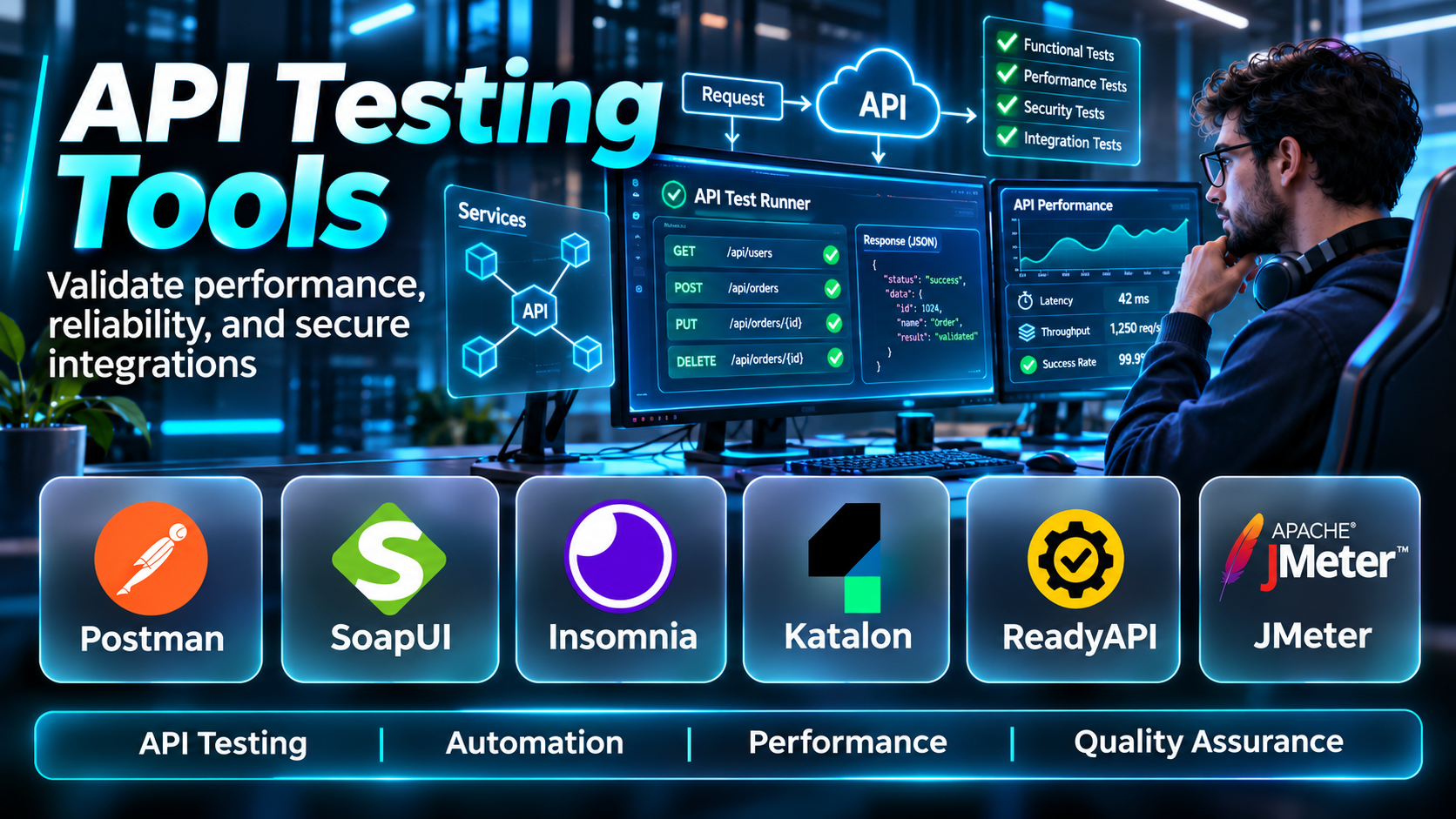
API testing tools help development and quality assurance teams verify that APIs behave as expected.
These tools can send requests, inspect responses, validate data structures, automate regression tests, and evaluate performance.
Some focus on manual API exploration. Others specialize in automated testing, contract validation, performance testing, or integration with continuous delivery pipelines.
Choosing the right solution requires understanding the API protocols, testing requirements, development workflows, and technical skills of the team.
This guide compares ten API testing tools, explains their capabilities and limitations, and provides practical guidance for building reliable API testing processes.
What Are API Testing Tools?
API testing tools are software applications and frameworks used to verify the functionality, reliability, security-related behavior, and performance of application programming interfaces.
They allow testers and developers to interact with APIs directly rather than relying exclusively on a graphical user interface.
What Can API Testing Verify?
API testing can examine:
- HTTP status codes.
- Response bodies.
- Response headers.
- Authentication behavior.
- Authorization rules.
- Input validation.
- Data formats.
- Error handling.
- Business logic.
- Performance.
- Rate limiting.
- API contracts.
- Integration behavior.
- Regression stability.
Common Types of API Testing
Functional testing: Verifies that API operations produce expected results.
Integration testing: Checks interactions between services and systems.
Regression testing: Detects unintended behavior changes after updates.
Contract testing: Validates agreed request and response expectations.
Performance testing: Measures latency, throughput, and stability under load.
Security testing: Evaluates relevant authentication, authorization, input handling, and other security controls.
Negative testing: Sends invalid or unexpected inputs to verify error handling.
Why API Testing Matters
API testing can identify defects earlier in development, reduce production failures, support reliable integrations, and improve release confidence.
However, no single testing tool guarantees complete API security or correctness.
Teams need suitable test cases, realistic environments, meaningful assertions, and continuous maintenance.
Top 10 API Testing Tools
1. Postman
Short Description
Postman is an API development and testing platform used to design, send, inspect, and automate API requests.
It is widely used by developers, testers, and API teams.
For example, a developer building an e-commerce API may use Postman to test product retrieval, customer authentication, order creation, and payment-related endpoints.
Requests can be organized into collections and configured with reusable variables.
Postman also supports automated assertions and collection execution.
Its collaborative features make it useful for teams sharing API documentation and test workflows.
However, large automated suites require careful organization and maintenance.
Key Features
- HTTP request builder: Sends API requests.
- Collections: Organizes related endpoints and tests.
- Environment variables: Manages configuration values.
- Automated assertions: Validates response behavior.
- Collection execution: Runs grouped tests.
- API documentation: Supports shared API information.
- Collaboration: Enables team workflows.
- CI/CD integration: Supports automated execution through compatible tooling.
- Multiple API styles: Supports relevant REST, GraphQL, and other workflows.
Benefits
Postman simplifies API exploration and provides a practical starting point for automated API testing.
Pros
- Accessible interface.
- Strong API development workflow.
- Collections and variables.
- Team collaboration.
- Automation support.
- Broad ecosystem.
Cons
- Advanced features may require paid plans.
- Large collections need maintenance.
- Collaboration introduces governance considerations.
- Complex test logic can become difficult to manage.
- Not a complete performance testing platform.
Use Cases
REST API testing, endpoint debugging, regression collections, API documentation, and team collaboration.
Best For: Developers and QA teams seeking a comprehensive API workspace.
2. SoapUI
Short Description
SoapUI is an API testing tool particularly associated with SOAP and REST web service testing.
It is relevant to organizations maintaining enterprise integrations and service-oriented architectures.
For example, a company may use SoapUI to test a SOAP-based billing service with structured XML requests and responses.
Testers can verify service behavior, response values, and error conditions.
SoapUI also supports REST API testing.
Its capabilities make it useful in environments where older SOAP services coexist with modern APIs.
However, teams should distinguish the open-source SoapUI product from commercial ReadyAPI offerings.
Key Features
- SOAP testing: Supports SOAP web services.
- REST testing: Sends REST requests.
- WSDL integration: Works with SOAP service definitions.
- Assertions: Validates response behavior.
- Test suites: Organizes service tests.
- Parameterized testing: Supports reusable inputs.
- Scripting: Enables custom test logic.
- Service inspection: Helps examine API messages.
Benefits
SoapUI provides useful testing capabilities for enterprise SOAP and REST integrations.
Pros
- SOAP specialization.
- REST support.
- WSDL workflows.
- Assertions.
- Established testing approach.
Cons
- Interface may feel less modern.
- Advanced commercial capabilities are separate.
- Test maintenance required.
- Scripting can become complex.
- Less focused on modern team collaboration.
Use Cases
SOAP service validation, enterprise integration testing, XML response testing, and legacy API quality assurance.
Best For: Organizations testing SOAP-heavy enterprise systems.
3. ReadyAPI
Short Description
ReadyAPI is a commercial API testing platform associated with SmartBear.
It builds on the API testing ecosystem familiar to SoapUI users while offering broader enterprise testing capabilities.
For example, a QA team may use ReadyAPI to create data-driven tests for a payment API and validate different transaction scenarios.
The platform can support functional API testing and related testing workflows through its product capabilities.
It is particularly relevant to organizations requiring structured testing, reporting, and enterprise support.
However, licensing costs and product configuration should be considered.
Key Features
- Functional API testing: Validates supported API behavior.
- SOAP and REST support: Tests common service protocols.
- Data-driven testing: Uses external or parameterized test data.
- Assertions: Checks response values and conditions.
- Test suite organization: Structures automated cases.
- CI/CD integration: Supports automated pipeline execution.
- Reporting: Provides test execution results.
- Enterprise workflows: Supports larger QA programs.
Benefits
ReadyAPI helps enterprises manage more sophisticated API testing programs.
Pros
- Enterprise testing capabilities.
- Data-driven workflows.
- SOAP and REST support.
- Automation.
- Reporting.
- Commercial support.
Cons
- Licensing costs.
- Learning curve.
- Setup complexity.
- Test suite maintenance.
- May be excessive for small teams.
Use Cases
Enterprise API regression, financial service testing, SOAP integration testing, and automated quality assurance.
Best For: QA organizations requiring commercial API testing capabilities.
4. REST Assured
Short Description
REST Assured is a Java library for testing RESTful APIs.
It is particularly relevant to development teams that want API tests written as code.
For example, a Java backend team may use REST Assured to verify that a customer API returns expected status codes, response fields, and error messages.
Tests can be integrated into common Java testing frameworks and executed through CI/CD pipelines.
This approach supports version control and developer-oriented test maintenance.
However, REST Assured is a library rather than a graphical API workspace.
Users need programming skills and must design their own test architecture.
Key Features
- Java API testing: Supports code-based REST validation.
- HTTP methods: Tests common request operations.
- Response assertions: Validates status codes and content.
- JSON and XML support: Examines structured responses.
- Authentication testing: Supports relevant authentication methods.
- Test framework integration: Works with Java testing ecosystems.
- CI/CD compatibility: Runs through automated builds.
- Reusable test code: Supports maintainable test utilities.
Benefits
REST Assured provides flexible automated API testing for Java development teams.
Pros
- Developer-friendly for Java teams.
- Code-based automation.
- Strong assertions.
- Version control integration.
- CI/CD compatibility.
Cons
- Requires Java knowledge.
- No primary graphical interface.
- Test infrastructure must be designed.
- Reporting requires integration.
- Not intended for load testing.
Use Cases
Java API regression, backend integration testing, automated REST validation, and CI testing.
Best For: Java developers and automation engineers.
5. Karate
Short Description
Karate is an open-source testing framework designed for API testing and related automation workflows.
It uses a readable domain-specific syntax for defining test scenarios.
For example, a QA engineer may create tests for user registration, login, and account management without writing every request through a traditional Java test library.
Karate supports HTTP API testing, assertions, and reusable test data.
Its syntax can make API tests easier for mixed technical teams to review.
However, complex automation still requires knowledge of APIs, test design, and scripting concepts.
Key Features
- Readable test syntax: Defines scenarios using structured steps.
- HTTP API testing: Sends supported requests.
- JSON assertions: Validates structured responses.
- Data-driven testing: Supports parameterized scenarios.
- Reusable features: Shares test logic.
- Authentication support: Tests relevant authorization workflows.
- CI/CD integration: Runs in automated pipelines.
- Reporting: Produces test execution information.
Benefits
Karate can simplify API automation for teams seeking readable, maintainable test definitions.
Pros
- Open-source.
- Readable syntax.
- Strong API assertions.
- Automation support.
- CI/CD integration.
- Reusable tests.
Cons
- Framework learning curve.
- Complex logic still requires expertise.
- Test design remains essential.
- Less suited to ad hoc graphical exploration.
- Performance testing needs separate consideration.
Use Cases
API regression, integration testing, data-driven validation, and automated service testing.
Best For: QA teams seeking readable API automation.
6. Insomnia
Short Description
Insomnia is an API development and testing application used to send requests, inspect responses, and organize API workflows.
It is particularly relevant to developers who want a focused interface for exploring APIs.
For example, a backend developer may use Insomnia to test authentication endpoints, GraphQL queries, and REST operations.
The platform supports relevant environment configuration and request organization.
It can also fit broader API development workflows.
However, feature availability and collaboration capabilities vary by product version and offering.
Key Features
- API request editor: Sends HTTP requests.
- REST support: Tests REST endpoints.
- GraphQL support: Works with GraphQL requests.
- Environment management: Reuses configuration values.
- Authentication workflows: Supports relevant credentials.
- Request organization: Groups API operations.
- Response inspection: Examines headers and bodies.
- Developer workflow integration: Supports API development activities.
Benefits
Insomnia provides a practical environment for API exploration and debugging.
Pros
- Developer-oriented interface.
- REST and GraphQL support.
- Environment configuration.
- Useful response inspection.
- Suitable for daily API work.
Cons
- Feature availability varies.
- Collaboration may require specific plans.
- Large-scale automation needs planning.
- Not a dedicated load testing platform.
- Test management capabilities differ from enterprise suites.
Use Cases
API debugging, REST development, GraphQL exploration, and authentication testing.
Best For: Developers seeking a focused API client.
7. Apache JMeter
Short Description
Apache JMeter is an open-source performance testing tool used to generate workloads and measure system behavior.
It is relevant to API testing when teams need to understand how services perform under concurrent traffic.
For example, an e-commerce team may use JMeter to simulate hundreds or thousands of requests against a product search API.
The resulting measurements can help identify latency problems, throughput limits, and failure patterns.
JMeter supports HTTP testing and numerous configuration options.
However, it is primarily a performance testing tool rather than a complete API contract testing platform.
Reliable load testing also requires realistic workload design and appropriate test infrastructure.
Key Features
- HTTP load testing: Generates API traffic.
- Concurrent users: Simulates parallel activity.
- Assertions: Checks selected response conditions.
- Parameterized data: Uses variable inputs.
- Performance metrics: Measures response time and throughput.
- Test plans: Organizes workload scenarios.
- Distributed execution: Supports applicable distributed testing.
- Reporting: Produces performance results.
Benefits
JMeter helps teams evaluate API scalability and stability under load.
Pros
- Open-source.
- Strong performance focus.
- Flexible configuration.
- HTTP testing support.
- Large ecosystem.
Cons
- Complex test plans.
- Resource-intensive execution.
- Requires performance testing expertise.
- Not primarily designed for API design.
- Poorly designed tests can produce misleading results.
Use Cases
API load testing, performance regression, stress testing, and capacity planning.
Best For: Performance engineers evaluating API behavior under load.
8. Katalon Platform
Short Description
Katalon is a test automation platform supporting multiple testing categories, including API testing.
It is relevant to organizations seeking a unified approach to application quality assurance.
For example, a QA team may test backend API operations alongside web application workflows.
Katalon can help coordinate automated tests and related reporting.
Its broader testing capabilities may reduce the need to manage separate tools for every testing layer.
However, the platform’s suitability depends on the required automation depth, licensing, and integration architecture.
Key Features
- API test automation: Validates supported API requests.
- REST and SOAP support: Tests common service types.
- Assertions: Checks response behavior.
- Test organization: Manages reusable cases.
- Data-driven testing: Supports parameterized inputs.
- CI/CD integration: Runs tests in pipelines.
- Reporting: Provides execution results.
- Cross-layer testing: Supports broader application QA workflows.
Benefits
Katalon can help QA teams standardize API testing alongside other automated testing activities.
Pros
- Unified automation platform.
- API testing support.
- Reporting.
- Data-driven workflows.
- CI/CD integration.
- Suitable for QA teams.
Cons
- Commercial features and licensing.
- Platform learning curve.
- Advanced customization may require scripting.
- Test maintenance.
- May be excessive for API-only projects.
Use Cases
Enterprise QA, API regression, integrated application testing, and automated release validation.
Best For: QA teams managing multiple testing categories.
9. Bruno
Short Description
Bruno is an open-source API client designed around local files and Git-friendly workflows.
It is particularly relevant to development teams that want API collections stored alongside application source code.
For example, a team may maintain API requests in a repository and review changes through ordinary pull requests.
This approach can improve visibility into API test definitions and reduce dependence on proprietary collection storage.
Bruno supports API request execution and relevant scripting or testing capabilities.
However, teams should evaluate whether its collaboration and enterprise administration capabilities match their requirements.
Key Features
- Local collections: Stores API requests in files.
- Git integration: Supports version-controlled workflows.
- HTTP requests: Tests REST endpoints.
- Environment variables: Manages configuration.
- Assertions: Validates supported response behavior.
- Scripting: Supports custom test logic.
- Command-line execution: Enables applicable automation.
- Open-source architecture: Supports transparent development workflows.
Benefits
Bruno offers a practical API testing workflow for teams that prefer local, version-controlled collections.
Pros
- Open-source.
- Git-friendly.
- Local collection storage.
- Developer-oriented.
- Suitable for repository-based workflows.
Cons
- Smaller enterprise ecosystem.
- Advanced collaboration requirements need evaluation.
- Automation setup required.
- Not a load testing platform.
- Feature coverage differs from larger suites.
Use Cases
Git-based API collections, developer testing, CI API checks, and local API exploration.
Best For: Development teams prioritizing version-controlled API testing.
10. Playwright API Testing
Short Description
Playwright is an open-source automation framework known for browser testing, but it also provides API testing capabilities.
It can send HTTP requests and validate responses within automated test suites.
For example, a team may use Playwright to create a customer record through an API and then verify the result through the application’s web interface.
This combination can make integration and end-to-end tests more efficient.
Playwright is particularly relevant to teams already using it for browser automation.
However, it is not a dedicated API management platform or performance testing solution.
Key Features
- HTTP request testing: Sends API requests.
- Response assertions: Validates status codes and data.
- Test runner: Executes automated scenarios.
- Browser integration: Combines API and UI tests.
- Fixtures: Supports reusable setup.
- Authentication workflows: Handles relevant test credentials.
- Parallel execution: Runs supported test suites concurrently.
- CI/CD integration: Supports automated pipelines.
Benefits
Playwright allows teams to combine API validation with browser-based application testing.
Pros
- Open-source.
- API and UI integration.
- Modern test runner.
- CI/CD support.
- Reusable fixtures.
- Strong developer ecosystem.
Cons
- Not a dedicated API design workspace.
- Requires programming skills.
- Not intended for high-scale load testing.
- Test architecture requires planning.
- Browser and API concerns must be organized carefully.
Use Cases
API integration testing, end-to-end workflows, test data setup, and combined UI/API automation.
Best For: Teams already using Playwright for web application testing.
API Testing Tools Comparison Table
| Tool | Main Focus | Strength | Best For | Limitation |
|---|---|---|---|---|
| Postman | API development and testing | Collections and collaboration | API teams | Advanced feature costs |
| SoapUI | SOAP and REST testing | Enterprise service testing | SOAP teams | Older workflow style |
| ReadyAPI | Enterprise API testing | Data-driven automation | Large QA teams | Commercial licensing |
| REST Assured | Code-based REST testing | Java automation | Java developers | Programming required |
| Karate | API automation | Readable scenarios | QA automation teams | Framework learning |
| Insomnia | API client | REST and GraphQL exploration | Developers | Enterprise features vary |
| Apache JMeter | Performance testing | Load simulation | Performance engineers | Not full API QA |
| Katalon | Multi-layer automation | Unified testing | QA departments | Platform complexity |
| Bruno | Local API client | Git-friendly collections | Developer teams | Smaller enterprise ecosystem |
| Playwright | API and browser testing | Integrated workflows | Web automation teams | Not load testing |
How to Choose the Best API Testing Tool
Identify API Protocols
Determine whether the application uses REST, SOAP, GraphQL, or another protocol.
Choose tools with suitable protocol support.
Define Testing Objectives
Functional regression, integration testing, contract validation, and load testing require different capabilities.
Evaluate Automation Requirements
Determine whether tests must run automatically on every code change.
Consider Team Skills
Code-based frameworks may suit developers, while graphical tools may help testers who prefer visual workflows.
Review Assertion Capabilities
The tool should support meaningful validation of response data, status codes, headers, and business rules.
Evaluate Authentication Support
Verify compatibility with relevant API keys, OAuth flows, tokens, and other authentication mechanisms.
Assess Test Data Management
Determine how test environments will create, isolate, reset, and clean up records.
Review CI/CD Integration
Tests should integrate with the organization’s build and release process.
Consider Reporting
Choose a tool that provides enough information to diagnose failures.
Evaluate Total Cost
Include licensing, infrastructure, execution time, training, and maintenance.
Best API Testing Software by User Type
| User Type | Recommended Tool | Reason |
|---|---|---|
| General API developer | Postman | Request development and testing |
| SOAP integration engineer | SoapUI | SOAP service support |
| Enterprise QA manager | ReadyAPI | Structured automation |
| Java automation developer | REST Assured | Code-based REST tests |
| QA automation engineer | Karate | Readable test scenarios |
| GraphQL developer | Insomnia | API exploration |
| Performance engineer | Apache JMeter | Load testing |
| Cross-platform QA team | Katalon | Unified automation |
| Git-first developer | Bruno | Local version-controlled collections |
| Web automation engineer | Playwright | Combined API and UI testing |
Practical Example: Testing an E-Commerce REST API
A software company is developing an e-commerce application with endpoints for authentication, products, shopping carts, orders, and payments.
The team wants to introduce reliable API testing before production deployment.
Step 1: Review the API Contract
Document endpoints, request parameters, authentication requirements, response schemas, and error codes.
Step 2: Identify Critical Workflows
Prioritize login, product retrieval, cart updates, order creation, and payment status handling.
Step 3: Select Testing Tools
Use Postman or Bruno for exploratory testing.
Use REST Assured, Karate, or Playwright for automated regression according to team skills.
Use JMeter for performance testing.
Step 4: Prepare a Test Environment
Create isolated services, databases, credentials, and representative test data.
Step 5: Test Authentication
Verify valid login, expired tokens, missing credentials, and unauthorized access attempts.
Step 6: Test Product Endpoints
Check successful retrieval, pagination, filtering, invalid identifiers, and empty results.
Step 7: Test Shopping Cart Operations
Validate adding products, changing quantities, removing items, and recalculating totals.
Step 8: Test Order Creation
Confirm that valid orders create correct records and return expected responses.
Step 9: Test Invalid Inputs
Send malformed JSON, missing fields, invalid quantities, and unsupported values.
Step 10: Test Authorization
Verify that users cannot access or modify another customer’s protected records.
Step 11: Automate Regression Tests
Create repeatable tests for critical API workflows.
Step 12: Integrate With CI/CD
Run automated tests after relevant code changes.
Step 13: Perform Load Testing
Simulate realistic traffic patterns and measure latency, throughput, and errors.
Step 14: Review Failures
Investigate unexpected status codes, incorrect data, and unstable performance.
Step 15: Maintain the Suite
Update tests as API contracts and business requirements change.
Common API Testing Challenges
Unstable Test Environments
Shared environments may contain inconsistent data or unexpected changes.
Authentication Complexity
Tokens, sessions, permissions, and identity providers can complicate automated testing.
Test Data Dependencies
Some API operations require records created by earlier requests.
Incomplete Assertions
Checking only the HTTP status code may miss incorrect business behavior.
API Version Changes
New versions may introduce incompatible request or response structures.
External Service Dependencies
Third-party services may be unavailable or produce unpredictable results.
Performance Variability
Load test results depend on infrastructure, traffic patterns, and environmental conditions.
Security Coverage Gaps
Functional tests alone do not provide comprehensive API security assessment.
Excessive Test Maintenance
Poorly structured test suites can become difficult to update.
Frequently Asked Questions
1. What is API testing?
API testing verifies the behavior, reliability, and other quality characteristics of application programming interfaces.
2. What are API testing tools?
They are applications and frameworks used to send requests, inspect responses, and automate validation.
3. What is REST API testing?
It tests APIs that follow REST-oriented design principles and commonly use HTTP.
4. What is SOAP API testing?
It validates SOAP-based web services and their structured message exchanges.
5. What is GraphQL testing?
It checks GraphQL queries, mutations, schemas, authorization, and response behavior.
6. What is functional API testing?
It verifies that API operations produce expected results.
7. What is API regression testing?
It checks whether existing API behavior remains correct after changes.
8. What is API contract testing?
It validates agreed expectations between API producers and consumers.
9. What is API performance testing?
It measures response times, throughput, stability, and behavior under workload.
10. What is API security testing?
It evaluates relevant security controls, including authentication, authorization, and input handling.
11. What is Postman used for?
Postman supports API requests, collections, testing, documentation, and collaboration.
12. What is SoapUI used for?
SoapUI supports SOAP and REST service testing.
13. What is ReadyAPI?
ReadyAPI is a commercial API testing platform associated with SmartBear.
14. What is REST Assured?
REST Assured is a Java library for testing REST APIs.
15. What is Karate?
Karate is an open-source framework for API testing and related automation.
16. Can Insomnia test GraphQL?
Yes. Insomnia supports GraphQL workflows.
17. Is JMeter suitable for API testing?
Yes, particularly for HTTP API performance and load testing.
18. Can Playwright test APIs?
Yes. Playwright supports HTTP requests and response assertions.
19. What is Bruno?
Bruno is an API client emphasizing local collections and Git-friendly workflows.
20. Can API tests run in CI/CD?
Yes. Many tools support command-line execution or integration with automated pipelines.
21. What is an API assertion?
An assertion checks whether an API response or behavior matches an expected condition.
22. What is negative API testing?
It verifies how an API handles invalid, missing, or unexpected inputs.
23. What is API mocking?
API mocking simulates service behavior for development or testing.
24. What is API test data management?
It involves creating, controlling, and cleaning up data used by automated tests.
25. How often should API tests run?
Critical automated tests should run frequently enough to detect regressions before release.
26. Can API testing replace UI testing?
No. API testing and UI testing validate different parts of an application.
27. Does passing API testing guarantee security?
No. Security requires additional analysis, testing, monitoring, and operational controls.
28. What is an API response time?
It is the elapsed time required to receive a response to an API request.
29. What is API rate limiting?
It restricts request frequency or volume according to configured rules.
30. What is the best API testing tool?
The best choice depends on protocol support, automation needs, programming skills, collaboration, and performance requirements.
Final Thoughts
API testing tools play an important role in building reliable software integrations.
Postman and Insomnia provide practical environments for API development and exploration.
SoapUI and ReadyAPI are relevant to SOAP and enterprise service testing.
REST Assured and Karate support automated API validation.
Apache JMeter focuses on performance testing, while Katalon provides broader QA automation.
Bruno supports Git-friendly API collections, and Playwright combines API testing with browser automation.
These tools address different testing requirements and should not be treated as identical alternatives.
Organizations should build API testing strategies around business-critical workflows, meaningful assertions, secure test environments, and continuous automation.
The strongest testing process combines functional, integration, negative, regression, performance, and security-related checks.
Reliable APIs are not created by testing tools alone. They result from clear contracts, careful implementation, realistic validation, and continuous quality improvement.
