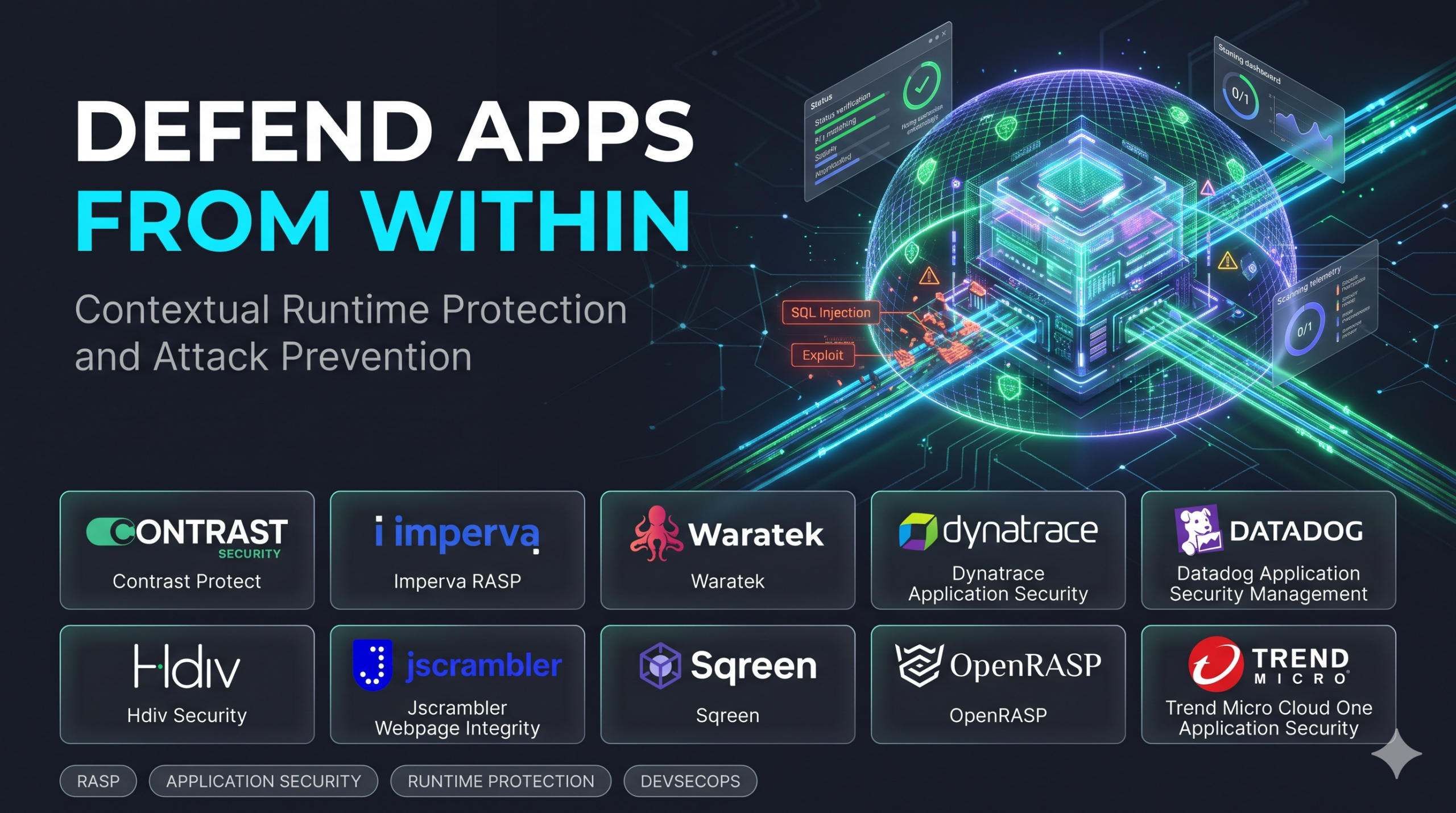
Introduction
Runtime Application Self-Protection (RASP) tools help organizations detect, investigate, and prevent security threats while applications are running. These solutions provide application-level security by evaluating runtime behavior, execution context, and potentially malicious activities.
Modern applications frequently operate across cloud infrastructure, containerized environments, distributed services, and enterprise application servers. Vulnerabilities within application code, third-party dependencies, and application configurations can expose organizations to unauthorized access, malicious requests, and data security incidents.
Traditional application security approaches rely on vulnerability assessments, penetration testing, network security controls, and periodic security reviews. Although these methods remain important, they may not provide sufficient visibility into malicious activities occurring within running applications.
Modern RASP tools combine application instrumentation, runtime monitoring, contextual threat detection, security policy enforcement, and automated attack prevention. Advanced platforms also provide vulnerability prioritization, centralized security reporting, cloud workload integration, and application security analytics.
Selecting an appropriate RASP solution requires evaluating programming language compatibility, application architecture, deployment requirements, threat detection capabilities, performance overhead, and integration functionality. Organizations should also consider operational complexity, security policy flexibility, scalability, and total operating costs.
This guide examines ten RASP and related runtime application security solutions, including their features, benefits, advantages, limitations, and practical applications. It also provides comparison tables, software selection recommendations, an implementation example, common mistakes, and frequently asked questions.
What Is Runtime Application Self-Protection (RASP)?
Runtime Application Self-Protection is an application security technology designed to identify and respond to security threats from within or close to an application’s execution environment. RASP solutions commonly use application instrumentation, runtime agents, or integrated security libraries to observe application behavior.
Unlike traditional perimeter security mechanisms, RASP can use information about application execution, request processing, function calls, and interactions with sensitive resources. This contextual information helps distinguish legitimate application activity from supported categories of malicious behavior.
For example, a RASP solution may identify an attempted Structured Query Language (SQL) injection by examining how untrusted input interacts with database execution operations. Depending on its capabilities and configuration, the solution may report or prevent the suspicious activity.
RASP forms an important component of Application Security (AppSec), Development, Security, and Operations (DevSecOps), and application defense-in-depth strategies. Effective implementation requires compatible instrumentation, carefully configured security policies, performance monitoring, and coordinated vulnerability remediation.
Common applications of RASP tools include:
- Runtime Attack Detection: RASP solutions monitor supported application execution activities for suspicious behavior. Security teams can investigate threats using application-specific context.
- Application Attack Prevention: Compatible tools can interrupt or block supported categories of malicious activity. Prevention behavior depends on configured policies and application compatibility.
- SQL Injection Protection: Runtime security mechanisms can identify suspicious interactions between application input and database operations. Contextual analysis helps evaluate whether supported execution patterns represent security threats.
- Zero-Day Risk Mitigation: Runtime protection may reduce exposure to selected previously unknown vulnerabilities by detecting associated malicious behavior. It does not guarantee protection against every zero-day attack.
- Application Vulnerability Context: Supported platforms connect runtime information with application vulnerability findings. Security teams can prioritize remediation according to available execution and exposure information.
- Software Dependency Protection: Runtime monitoring can identify selected risks associated with third-party libraries. Organizations can investigate affected components and coordinate corrective updates.
- Security Incident Investigation: Application-level security telemetry provides additional information about suspicious activities. Incident response teams can use this information alongside other security evidence.
- Legacy Application Protection: Compatible runtime controls can provide additional protection for applications that cannot be immediately modernized. Organizations should continue addressing underlying vulnerabilities through appropriate remediation.
Top 10 Runtime Application Self-Protection Tools in 2026
The following selection includes dedicated RASP products, application-instrumentation security platforms, runtime exploit prevention solutions, and complementary application protection technologies. These products are not identical in scope, and the numbering does not represent an independently tested performance ranking.
1. Contrast Protect
Short Description
Contrast Protect is an application runtime protection solution developed by Contrast Security. It uses application instrumentation to identify and respond to supported security threats within running applications.
The platform is suitable for enterprise application security departments, software development teams, security operations personnel, and organizations requiring application-level threat visibility. Its architecture supports compatible application environments and programming language runtimes.
Its technical strength is using application execution context to evaluate potentially malicious activity. This approach provides security information that may not be available through traditional network-level monitoring.
Contrast Protect integrates with the broader Contrast Security application security ecosystem. Organizations should evaluate supported languages, deployment requirements, performance characteristics, and available protection policies.
Key Features
- Runtime Attack Detection: Monitors supported application execution activities for suspicious behavior. Findings provide contextual security information.
- Attack Prevention: Configured protection policies can block supported categories of malicious activity. Organizations can introduce prevention progressively.
- Application Instrumentation: Compatible agents observe application behavior during execution. Instrumentation requirements vary by application runtime.
- Contextual Threat Analysis: Evaluates suspicious activity using available application execution information. This supports more informed security decisions.
- Injection Attack Protection: Identifies supported injection-related attack patterns. Coverage depends on application architecture and supported technologies.
- Centralized Security Reporting: Organizes application security findings through compatible management interfaces. Security teams can coordinate investigations.
- Security Policy Management: Administrators configure supported monitoring and prevention behavior. Policies should reflect application-specific requirements.
- Application Security Integration: Connects with complementary Contrast Security capabilities. Organizations can coordinate vulnerability assessment and runtime protection.
- Enterprise Integrations: Supported integrations communicate findings to development and security workflows. Availability depends on product configuration.
Benefits
- Improves application-level threat visibility.
- Supports contextual attack detection.
- Enables automated protection against supported threats.
- Facilitates application security investigations.
- Reduces dependence on perimeter-only protection.
- Supports coordinated vulnerability remediation.
- Enhances enterprise application security governance.
Pros
- Dedicated application runtime protection.
- Context-aware security analysis.
- Supported attack prevention capabilities.
- Centralized security reporting.
- Established application security ecosystem.
- Enterprise-oriented deployment options.
Cons
- Commercial licensing requires budget planning.
- Application instrumentation requires compatibility assessment.
- Performance overhead must be evaluated.
- Protection coverage varies by programming language.
- Incorrect prevention policies may disrupt legitimate activity.
Use Cases
- Enterprise Application Protection: Monitor supported production applications.
- Injection Attack Prevention: Identify and prevent supported injection attacks.
- Application Security Monitoring: Investigate suspicious runtime behavior.
- Legacy Application Defense: Introduce additional protection for compatible applications.
- Incident Investigation: Analyze contextual application security findings.
- DevSecOps Integration: Coordinate runtime security with vulnerability remediation.
Best For
- Enterprise application security teams.
- Software development departments.
- Security operations teams.
- DevSecOps engineers.
- Organizations requiring dedicated RASP.
- Businesses operating supported production applications.
2. Imperva RASP
Short Description
Imperva RASP provides application runtime protection capabilities associated with the Imperva application security portfolio, now part of Thales. It is designed to detect and prevent supported application attacks using runtime execution context.
The solution is suitable for enterprise security departments, application owners, financial institutions, and organizations operating business-critical applications. Its deployment architecture depends on supported application runtimes and available product arrangements.
Its technical strength is application-level security monitoring that complements external application protection mechanisms. Runtime context can help identify malicious activities associated with supported application execution operations.
Organizations should confirm current Thales and Imperva product packaging, licensing, supported languages, and availability. Legacy product names may not correspond directly to current commercial offerings.
Key Features
- Runtime Threat Detection: Identifies supported suspicious application activities. Security findings provide execution-related context.
- Application-Level Protection: Compatible instrumentation observes application operations. This complements external application security controls.
- Attack Blocking: Configured policies prevent supported malicious activities. Organizations should validate enforcement behavior.
- Injection Protection: Supported detection mechanisms identify selected injection-related threats. Coverage depends on application technology.
- Security Policy Configuration: Administrators establish appropriate monitoring and prevention requirements. Policies can be adapted to operational needs.
- Centralized Monitoring: Applicable management capabilities organize application security findings. Security teams can investigate detected threats.
- Application Security Integration: Complementary Imperva capabilities support broader application protection. Integration availability requires verification.
- Incident Investigation: Runtime security information supports analysis of suspicious activity. Findings should be correlated with other security evidence.
Benefits
- Strengthens application-level security.
- Improves contextual threat detection.
- Supports protection of business-critical applications.
- Facilitates security incident investigations.
- Complements perimeter security controls.
- Enables configurable runtime protection.
- Enhances enterprise application defense.
Pros
- Established enterprise security portfolio.
- Application-context threat detection.
- Supported prevention functionality.
- Complementary application security capabilities.
- Enterprise security integration potential.
- Relevant legacy application protection capabilities.
Cons
- Current product availability requires verification.
- Commercial licensing may be substantial.
- Runtime compatibility varies.
- Application performance testing is necessary.
- Deployment requires specialized security expertise.
Use Cases
- Business-Critical Application Security: Protect compatible enterprise applications.
- Runtime Attack Prevention: Block supported malicious execution activities.
- Legacy Application Protection: Introduce additional application-level security.
- Application Threat Monitoring: Investigate suspicious runtime behavior.
- Layered Application Defense: Complement external application protection.
- Enterprise Incident Response: Analyze application-specific security findings.
Best For
- Enterprise security departments.
- Existing Imperva customers.
- Financial services organizations.
- Application security engineers.
- Business-critical application operators.
- Organizations evaluating layered application protection.
3. Waratek
Short Description
Waratek provides application runtime security and exploit prevention technologies designed to protect supported application environments. Its solutions have historically focused on runtime protection and virtual patching for enterprise applications.
The platform is suitable for enterprise application security teams, Java application administrators, infrastructure engineers, and organizations maintaining complex or legacy application environments.
Its technical strength is runtime-level security enforcement that can provide additional protection without requiring immediate changes to vulnerable application source code. Supported virtual patching capabilities help mitigate selected application security risks.
Organizations should verify current Waratek product availability, supported runtime versions, commercial arrangements, and protection coverage. Virtual patching should complement rather than replace permanent vulnerability remediation.
Key Features
- Runtime Exploit Prevention: Detects and prevents supported malicious execution activities. Protection depends on compatible application environments.
- Virtual Patching: Supported controls mitigate selected vulnerabilities without immediate source-code modification. Permanent corrective updates remain necessary.
- Application Runtime Monitoring: Observes supported application execution behavior. Security teams receive relevant runtime information.
- Java Application Protection: Historically provides protection capabilities for supported Java environments. Current compatibility should be confirmed.
- Security Policy Enforcement: Configurable controls establish supported runtime security requirements. Organizations can adapt policies to application needs.
- Legacy Application Support: Compatible applications can receive additional security protection. This helps address selected modernization challenges.
- Threat Reporting: Supported reporting capabilities communicate detected security activities. Findings assist application security investigations.
- Enterprise Deployment: Applicable deployment options support enterprise application environments. Infrastructure requirements depend on product configuration.
Benefits
- Supports protection of vulnerable applications.
- Reduces selected exploitation risks.
- Facilitates temporary vulnerability mitigation.
- Improves application runtime visibility.
- Supports legacy application security.
- Enables configurable protection policies.
- Complements permanent vulnerability remediation.
Pros
- Runtime exploit prevention focus.
- Virtual patching capabilities.
- Relevant enterprise Java security experience.
- Supports selected legacy environments.
- Application-level security enforcement.
- Potentially reduces emergency code modification requirements.
Cons
- Current commercial availability requires confirmation.
- Runtime compatibility may be limited.
- Virtual patching does not eliminate underlying vulnerabilities.
- Specialized implementation expertise may be required.
- Performance and application behavior require testing.
Use Cases
- Java Application Security: Protect supported enterprise Java applications.
- Virtual Vulnerability Mitigation: Introduce temporary controls for selected vulnerabilities.
- Legacy Application Defense: Reduce risks during modernization projects.
- Runtime Threat Prevention: Prevent supported exploit behavior.
- Enterprise Application Monitoring: Investigate suspicious runtime activities.
- Patch Management Support: Complement controlled application update procedures.
Best For
- Enterprise Java administrators.
- Legacy application owners.
- Application security architects.
- Financial services organizations.
- Enterprise infrastructure teams.
- Organizations requiring virtual patching.
4. Dynatrace Application Security
Short Description
Dynatrace Application Security provides runtime vulnerability analysis and supported application attack protection capabilities within the Dynatrace observability platform. It connects application security information with application execution and infrastructure context.
The platform is suitable for enterprise application security teams, Site Reliability Engineering (SRE) departments, cloud operations teams, and organizations requiring integrated observability and security.
Its technical strength is using application instrumentation and runtime context to investigate vulnerabilities and supported attack activity. This helps organizations understand how security risks relate to running applications.
Dynatrace provides broader application performance monitoring and infrastructure observability capabilities. Runtime protection functionality depends on supported technologies, deployed agents, configuration settings, and commercial entitlements.
Key Features
- Runtime Vulnerability Analysis: Identifies supported vulnerabilities affecting running applications. Findings include available execution context.
- Runtime Application Protection: Compatible capabilities detect or block selected application attacks. Supported protection varies by technology.
- Application Instrumentation: Dynatrace OneAgent provides supported application and infrastructure telemetry. Instrumentation enables contextual security analysis.
- Dependency Visibility: Identifies supported software components used by monitored applications. Security teams can investigate affected dependencies.
- Risk Prioritization: Uses available runtime and exposure information to prioritize findings. Actual risk depends on application circumstances.
- Application Topology: Maps supported application and service relationships. This helps investigate vulnerability impact.
- Security Analytics: Centralized interfaces organize application security information. Teams can investigate detected vulnerabilities and attacks.
- Observability Integration: Connects application security with performance and operational information. This supports cross-functional investigations.
- Enterprise Automation: Compatible integrations support security notifications and remediation workflows. Availability depends on configuration.
Benefits
- Connects application security with runtime context.
- Improves vulnerability prioritization.
- Supports selected runtime attack prevention.
- Enhances application dependency visibility.
- Facilitates cross-functional security investigations.
- Reduces fragmented observability workflows.
- Supports enterprise application security governance.
Pros
- Integrated observability and security.
- Runtime vulnerability context.
- Supported application attack protection.
- Application dependency mapping.
- Centralized enterprise analytics.
- Relevant cloud-native integrations.
Cons
- Commercial licensing can be complex.
- Supported protection varies by runtime.
- Agent deployment requires planning.
- Extensive observability data may increase costs.
- Dedicated RASP requirements require capability assessment.
Use Cases
- Runtime Vulnerability Management: Investigate vulnerabilities affecting monitored applications.
- Application Attack Protection: Prevent supported malicious activities.
- Application Dependency Assessment: Identify affected software components.
- Cloud Application Security: Connect application security with infrastructure context.
- Incident Investigation: Correlate security findings with operational telemetry.
- Enterprise Risk Prioritization: Identify application vulnerabilities requiring attention.
Best For
- Existing Dynatrace customers.
- Enterprise application security teams.
- SRE departments.
- Cloud operations engineers.
- Observability specialists.
- Organizations requiring integrated runtime security.
5. Datadog Application Security Management
Short Description
Datadog Application Security Management, also associated with Datadog’s application and API protection capabilities, provides runtime application threat monitoring and supported attack blocking functionality. It integrates application security information with Datadog observability services.
The platform is suitable for cloud-native developers, application security departments, DevSecOps engineers, and organizations operating distributed applications. Supported instrumentation provides application request and execution-related security information.
Its technical strength is connecting application security findings with application performance traces, service information, and operational telemetry. This helps security teams investigate suspicious requests and affected services.
Datadog offers additional vulnerability management and software composition capabilities. Organizations should verify current product naming, supported programming languages, attack blocking functionality, and subscription requirements.
Key Features
- Application Threat Detection: Identifies supported suspicious application requests and activities. Findings provide relevant security context.
- Runtime Attack Blocking: Compatible configurations support blocking selected malicious requests. Enforcement availability varies by technology.
- Application Instrumentation: Supported tracing libraries collect application telemetry. Security capabilities use applicable instrumentation.
- Request Security Analysis: Evaluates supported request attributes and application security signals. Teams can investigate suspicious traffic.
- Application Programming Interface Security: Supported capabilities provide visibility into selected API-related risks. Coverage depends on instrumentation.
- Vulnerability Context: Applicable integrations connect software vulnerabilities with monitored services. This supports contextual remediation.
- Security Monitoring Rules: Configurable detection rules communicate supported security events. Organizations can adapt monitoring requirements.
- Observability Integration: Connects security findings with traces, logs, and service information. This facilitates coordinated investigations.
- Centralized Reporting: Management interfaces organize supported application security findings. Security teams can monitor threat activity.
Benefits
- Improves runtime application threat visibility.
- Supports selected automated attack blocking.
- Connects security and observability workflows.
- Facilitates distributed application investigations.
- Enhances service-level security context.
- Supports vulnerability remediation prioritization.
- Reduces fragmented monitoring activities.
Pros
- Strong observability integration.
- Application request security visibility.
- Supported runtime blocking capabilities.
- Distributed service context.
- Centralized security dashboards.
- Cloud-native application compatibility.
Cons
- Commercial usage costs require monitoring.
- Runtime protection coverage varies.
- Instrumentation requires application compatibility.
- Product packaging may change.
- Does not replace comprehensive application security testing.
Use Cases
- Cloud-Native Application Protection: Monitor supported distributed applications.
- Application Threat Investigation: Analyze suspicious requests and affected services.
- API Security Monitoring: Investigate supported API-related security risks.
- Runtime Attack Blocking: Apply compatible prevention controls.
- Vulnerability Prioritization: Connect software risks with application context.
- Security and Observability Integration: Coordinate application security investigations.
Best For
- Existing Datadog customers.
- Cloud-native development teams.
- Application security engineers.
- DevSecOps departments.
- Distributed application operators.
- Organizations requiring integrated security telemetry.
6. Hdiv Security Application Protection
Short Description
Hdiv Security developed application security technologies combining runtime protection and application instrumentation. Its capabilities became part of Datadog following Datadog’s acquisition of Hdiv Security in 2022.
The technology is relevant to organizations evaluating the evolution of application-instrumentation security, Interactive Application Security Testing (IAST), and runtime protection. Its historical product capabilities should not be treated as a separately confirmed current commercial offering.
Its technical strength involved observing application execution to identify vulnerabilities and potentially malicious behavior. Application-level instrumentation provided contextual information about supported security events.
Organizations interested in Hdiv technology should evaluate its applicable successor capabilities within Datadog. This entry represents a historical technology lineage rather than an independent procurement alternative to Datadog.
Key Features
- Application Instrumentation: Historical Hdiv technologies observed supported application execution activities. Instrumentation provided contextual security information.
- Runtime Threat Detection: Supported capabilities identified selected malicious application behavior. Current functionality should be assessed through successor offerings.
- Application Protection: Historical protection mechanisms addressed supported application attack categories. Available contemporary controls require verification.
- Interactive Security Testing: Application instrumentation supported vulnerability detection during execution. This complemented runtime protection.
- Application Context Analysis: Security findings incorporated available execution information. This supported vulnerability and threat investigation.
- Injection Risk Detection: Historical capabilities addressed selected injection-related vulnerabilities and attacks. Coverage depended on supported application technologies.
- Security Reporting: Applicable management capabilities communicated security findings. Current reporting should be evaluated through Datadog.
- Development Workflow Integration: Supported application security workflows connected findings with development activities. Current integrations depend on successor products.
Benefits
- Demonstrates contextual application security approaches.
- Supports understanding of runtime instrumentation.
- Connects vulnerability assessment with execution behavior.
- Provides historical application protection capabilities.
- Facilitates evaluation of successor technologies.
- Highlights integrated testing and protection workflows.
- Supports application security architecture planning.
Pros
- Established application security technology lineage.
- Application-instrumentation approach.
- Historical IAST and RASP integration.
- Contextual vulnerability analysis.
- Relevant injection protection capabilities.
- Integration into a broader observability ecosystem.
Cons
- Not a separately verified current commercial product.
- Historical features may differ from successor functionality.
- Standalone procurement availability is uncertain.
- Runtime compatibility requires current verification.
- Overlaps with Datadog’s application security offering.
Use Cases
- Technology Migration Assessment: Evaluate historical Hdiv deployments.
- Application Security Modernization: Investigate successor application protection capabilities.
- Runtime Security Architecture: Understand application-instrumentation approaches.
- IAST Integration: Evaluate contextual vulnerability testing methodologies.
- Legacy Security Tool Assessment: Review existing Hdiv-related implementations.
- Vendor Consolidation Planning: Assess migration into applicable Datadog services.
Best For
- Existing historical Hdiv users.
- Application security architects.
- Enterprise modernization teams.
- Datadog migration specialists.
- Security technology researchers.
- Organizations reviewing legacy application protection.
7. Jscrambler Webpage Integrity
Short Description
Jscrambler Webpage Integrity provides client-side application security capabilities designed to monitor and protect supported browser-executed web applications. Its focus differs from conventional server-side RASP solutions.
The platform is suitable for e-commerce organizations, financial services businesses, web application security teams, and organizations requiring visibility into third-party scripts and browser-side security risks.
Its technical strength is monitoring JavaScript-related activity and supported webpage behavior within the client-side environment. This helps organizations investigate unauthorized scripts, suspicious modifications, and selected data exposure risks.
Jscrambler should be evaluated as a complementary client-side runtime protection solution rather than a direct replacement for server-side RASP. Available monitoring and enforcement capabilities depend on deployment and commercial configuration.
Key Features
- Client-Side Runtime Monitoring: Observes supported browser-side application activities. Security teams can investigate suspicious webpage behavior.
- JavaScript Monitoring: Provides visibility into supported scripts executing within webpages. Organizations can identify unexpected script activity.
- Third-Party Script Governance: Applicable capabilities monitor externally supplied scripts. This supports software supply chain risk management.
- Webpage Integrity Assessment: Identifies supported changes affecting monitored webpages. Findings help investigate unauthorized modifications.
- Data Exposure Monitoring: Supported capabilities detect selected suspicious interactions with sensitive webpage information. Coverage depends on configuration.
- Client-Side Security Policies: Compatible controls establish approved script behavior requirements. Organizations can introduce supported enforcement mechanisms.
- Security Notifications: Communicates selected client-side security findings. Teams can investigate potential incidents.
- Compliance Support: Applicable reporting supports selected payment page security requirements. Automated monitoring does not independently establish compliance.
- Centralized Administration: Management interfaces organize supported client-side security information. Administrators can coordinate monitoring activities.
Benefits
- Improves client-side application security visibility.
- Supports third-party script governance.
- Helps identify suspicious webpage modifications.
- Facilitates browser-side threat investigation.
- Supports payment page security monitoring.
- Complements server-side runtime protection.
- Enhances web application security governance.
Pros
- Specialized client-side security focus.
- Third-party script visibility.
- Relevant e-commerce security capabilities.
- Supported webpage integrity monitoring.
- Complementary browser-side protection.
- Centralized security reporting.
Cons
- Not conventional server-side RASP.
- Does not independently protect backend application execution.
- Commercial licensing requires evaluation.
- Browser compatibility and performance require testing.
- Enforcement coverage depends on deployment.
Use Cases
- E-Commerce Security: Monitor supported online payment webpages.
- Third-Party Script Monitoring: Investigate externally supplied JavaScript.
- Client-Side Threat Detection: Identify suspicious browser-side behavior.
- Payment Page Governance: Support selected payment security controls.
- Webpage Integrity Monitoring: Investigate unauthorized modifications.
- Layered Application Protection: Complement backend runtime security.
Best For
- E-commerce businesses.
- Web application security teams.
- Payment platform operators.
- Financial services organizations.
- Client-side security engineers.
- Organizations requiring JavaScript security monitoring.
8. Sqreen
Short Description
Sqreen developed application security technologies focused on runtime protection, application monitoring, and contextual threat detection. Datadog acquired Sqreen in 2021 and incorporated its technology into the broader Datadog security ecosystem.
The platform’s historical architecture is relevant to organizations evaluating application-instrumentation security and runtime attack protection. Sqreen should not be considered a separately confirmed current procurement option.
Its technical strength involved monitoring application activity through supported runtime integrations and identifying potentially malicious behavior. Historical capabilities included application security monitoring and supported threat protection.
Organizations maintaining legacy Sqreen integrations should evaluate migration requirements and current Datadog successor functionality. Historical product features should not be assumed to remain available under their original names.
Key Features
- Runtime Application Monitoring: Historical Sqreen agents observed supported application activities. This provided application-level security visibility.
- Threat Detection: Supported mechanisms identified selected suspicious application behavior. Current capabilities require successor product assessment.
- Application Attack Protection: Historical protection controls addressed selected attack categories. Contemporary enforcement depends on applicable Datadog functionality.
- Application Instrumentation: Compatible integrations collected application security information. Supported runtime coverage varied.
- Security Event Context: Findings included relevant application information. This helped investigate suspicious activities.
- Application Security Reporting: Historical management interfaces organized detected threats. Current reporting is associated with successor services.
- Developer Integration: Supported workflows communicated application security findings to development teams. Integration availability has evolved.
- Security Policy Configuration: Historical capabilities supported selected monitoring and protection settings. Current configuration options require verification.
Benefits
- Illustrates application-instrumentation security approaches.
- Supports legacy security migration planning.
- Provides historical runtime threat detection context.
- Highlights developer-oriented security integration.
- Facilitates successor product evaluation.
- Supports application security architecture reviews.
- Demonstrates contextual runtime protection methodologies.
Pros
- Established runtime application security heritage.
- Developer-oriented historical architecture.
- Contextual application threat monitoring.
- Historical attack protection capabilities.
- Relevant cloud-native security experience.
- Technology incorporated into Datadog.
Cons
- Not a separately verified current commercial product.
- Historical capabilities may have changed.
- Overlaps with Datadog application security.
- Standalone support availability is uncertain.
- Legacy deployments may require migration.
Use Cases
- Legacy Sqreen Migration: Evaluate existing application integrations.
- Application Security Consolidation: Review successor Datadog functionality.
- Runtime Protection Architecture: Study application-level security approaches.
- Historical Technology Assessment: Compare legacy runtime security methodologies.
- Developer Security Modernization: Evaluate contemporary application instrumentation.
- Enterprise Vendor Rationalization: Identify redundant legacy security products.
Best For
- Historical Sqreen customers.
- Application security architects.
- Enterprise migration teams.
- Datadog security users.
- DevSecOps modernization specialists.
- Organizations reviewing legacy RASP deployments.
9. OpenRASP
Short Description
OpenRASP is an open-source runtime application self-protection project originally developed by Baidu. It provides application instrumentation and security policy mechanisms for supported application environments.
The project is suitable for security researchers, developers, application security engineers, and organizations investigating open-source runtime protection technologies. Its historical implementations include support for selected Java and PHP environments.
Its technical strength is observing supported application execution operations and evaluating security-related behavior through configurable detection mechanisms. This provides an alternative to exclusively network-based application security analysis.
OpenRASP’s current maintenance status, runtime compatibility, dependency security, and production suitability require careful verification. Organizations should not deploy unsupported security software into production without appropriate assessment.
Key Features
- Runtime Application Instrumentation: Observes supported application execution operations. Instrumentation enables application-specific security analysis.
- Injection Attack Detection: Historical capabilities identify selected injection-related threats. Coverage depends on supported runtimes.
- Configurable Security Logic: Supported detection mechanisms allow policy customization. Developers can evaluate organization-specific requirements.
- Application Attack Blocking: Applicable configurations can prevent supported malicious activities. Enforcement requires compatibility testing.
- Java Runtime Support: Historical agents support selected Java environments. Current version compatibility requires verification.
- PHP Runtime Support: Historical implementations support selected PHP environments. Maintenance and compatibility should be assessed.
- Security Event Reporting: Supported components communicate detected security activities. Organizations can investigate relevant findings.
- Open-Source Architecture: Source code availability supports technical inspection and customization. Organizations remain responsible for maintenance.
- Self-Managed Deployment: Compatible components can be operated within organizational infrastructure. Administration requires technical expertise.
Benefits
- Supports open-source runtime security research.
- Provides application-level security visibility.
- Enables investigation of customizable protection mechanisms.
- Facilitates application security experimentation.
- Supports selected legacy runtime environments.
- Reduces dependence on proprietary security software.
- Provides insight into RASP implementation architecture.
Pros
- Open-source software.
- Application-instrumentation architecture.
- Configurable security logic.
- Historical Java and PHP support.
- Self-managed deployment potential.
- Suitable for controlled research environments.
Cons
- Current maintenance status requires verification.
- Modern runtime compatibility may be limited.
- Production support is uncertain.
- Deployment requires specialized expertise.
- Unmaintained components may introduce security risks.
Use Cases
- Security Research: Investigate runtime protection methodologies.
- RASP Proof of Concept: Evaluate application instrumentation in isolated environments.
- Legacy Application Assessment: Review compatibility with historical application runtimes.
- Custom Security Development: Study configurable detection mechanisms.
- Application Security Education: Demonstrate runtime threat detection concepts.
- Open-Source Technology Evaluation: Assess feasibility of self-managed runtime protection.
Best For
- Security researchers.
- Application security students.
- Open-source developers.
- Java and PHP security specialists.
- Controlled laboratory environments.
- Organizations conducting RASP feasibility studies.
10. Trend Micro Cloud One Application Security
Short Description
Trend Micro Cloud One Application Security represents application-level runtime security capabilities historically offered within the Trend Micro cloud security portfolio. It was designed to provide visibility into supported application attacks and protection against selected malicious activities.
The solution is relevant to enterprise cloud security departments, application developers, and organizations evaluating application-level protection within broader cloud security programs.
Its technical strength is using compatible application security instrumentation to monitor supported runtime behavior. This provides contextual application security information alongside broader cloud security capabilities.
Trend Micro’s product portfolio has evolved toward its Vision One ecosystem and related cloud security offerings. Organizations should verify whether equivalent application runtime protection capabilities remain available, supported, and appropriate for their applications.
Key Features
- Application Runtime Monitoring: Historical capabilities monitored supported application execution activities. Current functionality requires product verification.
- Application Threat Detection: Supported mechanisms identified selected malicious application behavior. Coverage depended on application technology.
- Runtime Attack Protection: Applicable controls provided prevention against supported attack categories. Current availability should be confirmed.
- Application Instrumentation: Compatible integrations collected runtime security information. Supported languages and deployment methods require verification.
- Cloud Security Integration: Application security capabilities complemented broader Trend Micro cloud security services. Current integration arrangements may differ.
- Security Policy Configuration: Historical controls supported monitoring and protection settings. Organizations should verify successor functionality.
- Threat Reporting: Applicable management interfaces communicated security findings. Reporting availability depends on current offerings.
- Enterprise Security Workflows: Supported integrations connected application security information with broader security operations. Current entitlements require confirmation.
Benefits
- Supports evaluation of application runtime protection.
- Connects application security with cloud security.
- Improves contextual threat investigation.
- Facilitates enterprise security modernization.
- Supports layered application defense strategies.
- Enhances understanding of runtime security requirements.
- Provides a basis for successor product assessment.
Pros
- Established enterprise security vendor.
- Historical application-level protection capabilities.
- Relevant cloud security ecosystem.
- Supported runtime security technology lineage.
- Enterprise security integration potential.
- Complementary cloud workload security offerings.
Cons
- Current product availability requires verification.
- Historical product naming may be outdated.
- Supported runtime coverage is uncertain.
- Commercial entitlements require confirmation.
- Cloud workload security is not necessarily equivalent to RASP.
Use Cases
- Legacy Product Assessment: Review existing Cloud One Application Security deployments.
- Cloud Security Modernization: Evaluate applicable successor security services.
- Application Runtime Protection: Assess currently supported protection capabilities.
- Enterprise Security Integration: Investigate application and cloud security workflows.
- Application Threat Monitoring: Evaluate compatible runtime monitoring options.
- Security Vendor Consolidation: Review broader Trend Micro security requirements.
Best For
- Existing Trend Micro customers.
- Enterprise cloud security teams.
- Legacy Cloud One users.
- Application security architects.
- Security modernization departments.
- Organizations evaluating successor runtime security offerings.
Comparison Table: Top 10 Runtime Application Self-Protection Tools
| Tool Name | Best For | Platform(s) | Standout Feature | Pricing |
|---|---|---|---|---|
| Contrast Protect | Dedicated enterprise RASP | Supported application runtimes | Contextual application attack prevention | Commercial |
| Imperva RASP | Enterprise application protection | Supported application environments | Application-level security enforcement | Commercial; availability requires verification |
| Waratek | Runtime exploit prevention and virtual patching | Supported enterprise runtimes | Runtime vulnerability mitigation | Commercial; availability requires verification |
| Dynatrace Application Security | Integrated observability and runtime security | Supported cloud and application environments | Runtime vulnerability context and attack protection | Commercial |
| Datadog Application Security Management | Cloud-native application protection | Supported instrumented applications | Application threat detection and observability integration | Commercial |
| Hdiv Security | Historical application security technology assessment | Legacy supported runtimes | Application instrumentation and IAST heritage | Incorporated into Datadog |
| Jscrambler Webpage Integrity | Client-side application security | Browser-based web applications | JavaScript and webpage integrity monitoring | Commercial |
| Sqreen | Historical RASP migration assessment | Legacy supported application runtimes | Developer-oriented runtime security heritage | Incorporated into Datadog |
| OpenRASP | Open-source research and experimentation | Historically supported Java and PHP environments | Customizable runtime security mechanisms | Open-source |
| Trend Micro Cloud One Application Security | Legacy cloud application security assessment | Historically supported application environments | Application-level cloud security integration | Current availability requires verification |
Note: Pricing, licensing, supported platforms, and available features can change. Check the official vendor websites for current plans, educational access, and regional availability.
Which Runtime Application Self-Protection Tool Is Right for You?
Organizations require different combinations of application instrumentation, runtime threat detection, automated attack prevention, vulnerability context, and security reporting. A small development team may require application security monitoring, whereas a large enterprise may need dedicated runtime protection across business-critical applications.
Selection should consider programming languages, application frameworks, deployment environments, security objectives, instrumentation compatibility, and operational resources. Organizations should distinguish active standalone RASP products from historical technologies, complementary client-side protection, and broader runtime security platforms.
For Dedicated Runtime Protection: Contrast Protect and Imperva RASP
Contrast Protect provides application-instrumentation security and supported runtime attack prevention. Its architecture is suitable for organizations requiring dedicated application-level protection.
Imperva RASP represents enterprise runtime protection technology associated with a broader application security portfolio. Current availability and commercial packaging require confirmation.
Choose Contrast Protect if dedicated runtime application protection is your primary requirement. Choose Imperva RASP if a currently supported offering aligns with your existing Imperva security architecture.
For Legacy Enterprise Applications: Waratek and Contrast Protect
Waratek has historically provided runtime exploit prevention and virtual patching capabilities for supported enterprise applications. Its architecture is relevant to organizations facing delayed application modernization.
Contrast Protect provides supported application instrumentation and runtime protection capabilities. Organizations can evaluate its compatibility with existing business-critical applications.
Choose Waratek if supported virtual patching functionality addresses your requirements. Choose Contrast Protect if contextual application attack detection and prevention are more important.
For Observability-Driven Security: Dynatrace and Datadog
Dynatrace Application Security connects runtime vulnerability information with application topology and operational telemetry. It is particularly relevant to organizations using Dynatrace observability services.
Datadog Application Security Management integrates application threat monitoring with distributed application traces and service information. Supported blocking functionality provides additional runtime protection.
Choose Dynatrace if application topology and runtime vulnerability context are central requirements. Choose Datadog if integrated application threat monitoring and distributed service observability are preferred.
For Cloud-Native Development Teams: Datadog and Contrast Protect
Datadog provides application security capabilities integrated with cloud-native observability workflows. Developers can investigate supported threats using service-level context.
Contrast Protect focuses more directly on application runtime security and supported attack prevention. Its capabilities complement broader application security testing workflows.
Choose Datadog if integrated observability and security are essential. Choose Contrast Protect if dedicated application-level protection is your priority.
For Client-Side Application Security: Jscrambler and Datadog
Jscrambler Webpage Integrity provides specialized browser-side application security and third-party script monitoring. It addresses risks that conventional server-side RASP may not cover.
Datadog provides supported backend application threat monitoring and runtime security functionality. It addresses different aspects of distributed application protection.
Choose Jscrambler if browser-side script security is required. Choose Datadog if supported server-side application security and observability are your primary requirements.
For Open-Source Research: OpenRASP and Contrast Protect
OpenRASP provides an open-source architecture for studying application instrumentation and runtime protection mechanisms. Its maintenance status and compatibility must be evaluated before use.
Contrast Protect provides a commercial application runtime security solution with enterprise-oriented capabilities. It is more appropriate for organizations requiring supported production protection, subject to compatibility assessment.
Choose OpenRASP if controlled research and source-code inspection are essential. Choose Contrast Protect if commercially supported application protection is required.
For Legacy Security Technology Migration: Hdiv and Sqreen Successor Capabilities
Hdiv Security historically combined application instrumentation, interactive testing, and runtime protection technologies. Its acquisition by Datadog means current functionality should be evaluated within the successor ecosystem.
Sqreen historically provided developer-oriented application runtime security and threat monitoring. Its technology was also incorporated into Datadog.
Evaluate Hdiv-related successor capabilities if migrating an existing Hdiv implementation. Evaluate Sqreen-related successor capabilities if replacing historical Sqreen integrations.
For Enterprise Cloud Security Modernization: Trend Micro and Dynatrace
Trend Micro’s historical Cloud One Application Security offering provides a reference point for organizations reviewing existing application security deployments. Current successor capabilities require direct verification.
Dynatrace Application Security provides supported runtime vulnerability analysis and application attack protection within an integrated observability environment.
Choose a currently supported Trend Micro offering if it meets your verified runtime protection requirements. Choose Dynatrace if integrated application observability and runtime security are essential.
Best RASP Tools for Different Users
| User Type | Recommended Software | Why? |
|---|---|---|
| Enterprise application security engineer | Contrast Protect | Dedicated application runtime protection |
| Existing Imperva customer | Imperva RASP | Potential integration with existing application security architecture |
| Legacy Java application administrator | Waratek | Historical virtual patching and runtime protection capabilities |
| Observability specialist | Dynatrace Application Security | Runtime vulnerability and application context |
| Cloud-native developer | Datadog Application Security Management | Integrated application threat monitoring |
| Historical Hdiv administrator | Datadog successor capabilities | Migration from historical Hdiv technology |
| E-commerce security specialist | Jscrambler Webpage Integrity | Client-side script and webpage security |
| Historical Sqreen administrator | Datadog successor capabilities | Migration from legacy runtime security integrations |
| Security researcher | OpenRASP | Open-source runtime protection experimentation |
| Existing Trend Micro customer | Verified Trend Micro successor offering | Potential alignment with existing cloud security architecture |
Practical Example: Implementing Runtime Application Protection Across an Enterprise
Consider a financial technology enterprise operating customer-facing web applications, Java-based transaction services, distributed application programming interfaces, and browser-based payment workflows. Its applications process sensitive customer information and business-critical transactions.
The organization experiences recurring application vulnerability findings, suspicious requests, limited runtime security visibility, and delays in updating selected legacy applications. Contrast Protect, Dynatrace Application Security, and Jscrambler Webpage Integrity represent potential solutions addressing server-side runtime protection, contextual vulnerability analysis, and client-side security monitoring.
The organization establishes a phased implementation workflow covering application assessment, tool selection, instrumentation, monitoring, controlled prevention, remediation, and continuous improvement. Implementation prioritizes application availability, customer experience, security accuracy, and regulatory obligations.
Step 1: Assess Existing Application Environments
Document application programming languages, frameworks, runtime versions, deployment environments, application dependencies, and existing security controls. Identify business-critical applications and services processing sensitive information.
Review previous application security incidents, vulnerability findings, penetration testing results, and operational performance measurements. Establish baseline measurements for application response times, error rates, security incidents, and vulnerability remediation duration.
Assessment checklist:
- Application inventory.
- Programming language versions.
- Application frameworks.
- Runtime environments.
- Containerized workloads.
- Application dependencies.
- Customer-facing interfaces.
- Sensitive data processing activities.
- Existing security controls.
- Application ownership information.
- Performance and availability requirements.
Step 2: Select Appropriate Runtime Protection Solutions
Compare shortlisted solutions according to supported application runtimes, threat detection capabilities, prevention functionality, deployment architecture, and operational overhead. Determine which applications require dedicated RASP and which require complementary runtime security monitoring.
Evaluate Contrast Protect for supported server-side application protection, Dynatrace for runtime vulnerability context, and Jscrambler for client-side payment page security. Avoid unnecessary overlapping instrumentation where one solution can adequately address the requirement.
Define administrative responsibilities and security reporting procedures. Ensure runtime security telemetry is handled according to organizational privacy and data protection requirements.
Step 3: Establish Application Security Policies
Develop security policies covering supported injection threats, suspicious application behavior, unauthorized execution activities, and client-side script risks. Define which activities should generate alerts and which should trigger automated prevention.
Establish policy requirements according to application criticality, business functionality, and operational tolerance. Document each policy’s scope, expected behavior, responsible owner, and escalation procedures.
| Security Policy | Purpose |
|---|---|
| Injection attack monitoring | Identify supported malicious input-related execution |
| Runtime attack prevention | Block selected verified malicious activities |
| Sensitive operation monitoring | Investigate suspicious application behavior |
| Dependency risk monitoring | Identify relevant vulnerable software components |
| Third-party script governance | Monitor browser-side software supply chain risks |
| Security exception management | Control approved deviations from protection policies |
| Incident notification | Communicate relevant security findings |
| Performance monitoring | Identify instrumentation-related operational impact |
Security policies should be tested against representative application behavior. Organizations must avoid enabling restrictive prevention settings without understanding their potential business impact.
Step 4: Deploy Runtime Security Instrumentation
Install compatible application security agents or libraries within controlled development and testing environments. Confirm application startup behavior, framework compatibility, telemetry collection, and integration with existing monitoring systems.
Evaluate instrumentation overhead using representative application workloads. Compare response times, memory consumption, processor utilization, and error rates against established baselines.
| Deployment Stage | Activity | Expected Outcome |
|---|---|---|
| Development | Install compatible instrumentation | Initial compatibility findings |
| Testing | Execute representative application workloads | Functional validation |
| Security assessment | Evaluate controlled threat scenarios | Detection accuracy measurements |
| Performance testing | Compare instrumented and baseline workloads | Operational overhead assessment |
| Staging | Enable monitoring policies | Production-like security visibility |
| Production pilot | Introduce selected monitoring controls | Controlled operational validation |
| Progressive rollout | Expand approved protection | Broader application security coverage |
Organizations should coordinate instrumentation changes with application owners and infrastructure administrators. Rollback procedures must be documented before production deployment.
Step 5: Introduce Progressive Attack Prevention
Begin with monitoring-only behavior where supported to establish normal application activity and investigate detected security events. Review findings with application developers and security personnel.
After validating detection accuracy, introduce prevention for selected high-confidence threat categories. Expand protection gradually while monitoring application performance and customer-facing functionality.
| Threat Category | Initial Approach | Target Approach |
|---|---|---|
| Supported injection attacks | Monitor | Block verified malicious behavior |
| Suspicious request patterns | Monitor | Context-dependent prevention |
| Vulnerable dependency activity | Investigate | Remediate and apply supported controls |
| Unauthorized script activity | Monitor | Apply supported client-side restrictions |
| Unusual application execution | Investigate | Policy-dependent response |
| Unverified security findings | Review | No automatic blocking until validated |
Actual prevention behavior depends on the selected platform and application runtime. Organizations should maintain appropriate review and rollback mechanisms.
Step 6: Coordinate Vulnerability Remediation and Incident Response
Investigate runtime security findings to determine affected applications, relevant vulnerabilities, execution context, and potential business impact. Prioritize corrective actions according to verified risk rather than relying exclusively on automated severity classifications.
Coordinate remediation with application development teams through approved issue management workflows. Runtime protection should provide additional defense while permanent corrective updates are developed and tested.
Remediation checklist:
- Confirm the affected application.
- Review available runtime security evidence.
- Identify relevant vulnerable components.
- Determine whether malicious activity occurred.
- Assess application and business impact.
- Establish appropriate temporary controls.
- Assign corrective actions to application owners.
- Update vulnerable code or dependencies.
- Execute functional and security tests.
- Deploy approved corrective changes.
- Verify remediation effectiveness.
- Document incident outcomes.
Runtime security alerts should be correlated with relevant application logs, infrastructure telemetry, and other security information. A detected attack attempt does not automatically establish successful exploitation.
Step 7: Monitor and Improve Runtime Protection
Compare post-implementation measurements with the original application security and performance baselines. Evaluate detection accuracy, blocked malicious activity, false-positive rates, remediation duration, and instrumentation overhead.
Review application compatibility whenever programming languages, frameworks, dependencies, or deployment environments change. Maintain updated security agents and supported runtime protection configurations.
Conduct periodic policy reviews and assess whether temporary mitigations remain necessary. Coordinate runtime security improvements with application testing, vulnerability management, and broader enterprise security programs.
This workflow establishes a layered application protection strategy. Combining contextual runtime monitoring, controlled prevention, permanent vulnerability remediation, client-side security, and continuous performance assessment helps organizations reduce application security risks.
Eight Common Runtime Application Self-Protection Implementation Mistakes
- Treating RASP as a Replacement for Secure Development: Runtime protection does not eliminate vulnerable source code or insecure application architecture. Continue secure development, vulnerability testing, and corrective remediation.
- Enabling Blocking Without Validation: Incorrect protection policies can interrupt legitimate application operations. Introduce prevention progressively after representative testing.
- Ignoring Runtime Compatibility: Application instrumentation may not support every programming language, framework, or runtime version. Verify compatibility before deployment.
- Neglecting Performance Overhead: Runtime instrumentation consumes application resources and may affect response times. Conduct representative performance testing before production rollout.
- Relying Exclusively on Virtual Patching: Temporary protection does not remove underlying vulnerabilities. Maintain permanent remediation plans and review compensating controls.
- Overlapping Security Instrumentation: Multiple runtime agents can introduce compatibility problems or redundant monitoring. Evaluate interactions and consolidate overlapping capabilities where appropriate.
- Collecting Excessive Sensitive Telemetry: Application security information may contain sensitive request or execution data. Apply appropriate data minimization, access controls, and retention policies.
- Deploying Unsupported Security Products: Historical or unmaintained RASP technologies may introduce operational and security risks. Verify product availability, maintenance status, supported runtimes, and commercial support before production use.
Frequently Asked Questions (FAQs)
1. What is Runtime Application Self-Protection?
Runtime Application Self-Protection is a security technology that monitors application execution and responds to supported malicious activities. It commonly uses application instrumentation to obtain contextual security information.
RASP solutions may provide threat detection, security reporting, and automated attack prevention. Available functionality depends on application compatibility and product capabilities.
2. Which RASP tools are suitable for beginners?
Organizations already using Datadog or Dynatrace may find their supported application security capabilities accessible through existing observability workflows. Contrast Protect is relevant to teams requiring dedicated runtime application protection.
Beginners should evaluate compatible applications in controlled environments before enabling production protection. Open-source research projects should not be assumed suitable for production deployment.
3. Are free RASP tools available?
OpenRASP provides an open-source implementation of runtime application protection concepts. Its current maintenance status and compatibility require verification.
Commercial platforms may provide trial or evaluation arrangements. Organizations should consider administration, maintenance, performance, and support costs.
4. How does RASP differ from traditional application security testing?
Traditional application security testing identifies vulnerabilities through source-code analysis, application testing, and related assessment techniques. These activities commonly occur during development or scheduled security reviews.
RASP monitors supported applications during execution and may respond to detected malicious behavior. Testing and runtime protection address complementary security requirements.
5. Which RASP tools are suitable for enterprises?
Contrast Protect, Dynatrace Application Security, and Datadog application security capabilities provide relevant enterprise application protection functionality. Imperva and Waratek offerings may also be relevant where current availability and compatibility are confirmed.
Enterprise selection should consider supported application runtimes, operational overhead, protection accuracy, reporting, and commercial support. Historical product names should not be treated as confirmed current procurement options.
6. Do RASP tools support Java applications?
Several RASP technologies have historically supported Java applications, including Contrast Protect, Waratek, and OpenRASP. Current compatibility varies by product and Java runtime version.
Organizations should verify supported application servers, frameworks, and deployment configurations. Representative application testing is essential.
7. Can RASP tools integrate with DevSecOps workflows?
Many commercial application security platforms provide integrations with development, security, and operational workflows. Runtime findings can help developers prioritize relevant vulnerability remediation activities.
Organizations should establish ownership and escalation procedures for application security findings. Runtime protection should complement development-stage security testing.
8. What does RASP stand for?
RASP stands for Runtime Application Self-Protection. It describes security mechanisms that monitor and potentially protect applications during execution.
The technology commonly uses application-level instrumentation or integrated security mechanisms. Specific implementation approaches vary between products.
9. How does RASP work?
RASP solutions observe supported application operations, execution context, and interactions with sensitive resources. Security mechanisms evaluate this information against configured detection and prevention logic.
When suspicious behavior is detected, compatible solutions may generate alerts or interrupt supported malicious activities. Response behavior depends on policy configuration.
10. What is the difference between RASP and a Web Application Firewall?
A Web Application Firewall (WAF) commonly evaluates web traffic at an external application security boundary. It identifies suspicious requests according to supported rules and detection mechanisms.
RASP evaluates supported activities within or close to application execution. Combining WAF and RASP can provide complementary external and internal application security visibility.
11. Can RASP protect application programming interfaces?
Supported RASP solutions can monitor applications processing Application Programming Interface (API) requests. Application instrumentation may provide security context related to suspicious API activity.
API protection coverage depends on application frameworks, request handling, and supported detection mechanisms. Dedicated API security controls may still be necessary.
12. Can RASP be used across different industries?
RASP is relevant to financial services, healthcare, telecommunications, retail, government, manufacturing, and technology organizations. Any organization operating compatible business-critical applications may benefit from runtime protection.
Industry-specific requirements influence security monitoring, data handling, reporting, and operational controls. RASP does not independently establish regulatory compliance.
13. What are the system requirements for RASP tools?
System requirements commonly include compatible application runtimes, supported programming languages, appropriate deployment permissions, and sufficient computing resources. Commercial platforms may require additional management infrastructure or service connectivity.
Organizations should evaluate application startup behavior, resource consumption, and framework compatibility. Requirements differ substantially between products.
14. How should organizations select a RASP tool?
Begin by documenting application architecture, runtime technologies, security requirements, and operational constraints. Determine whether dedicated attack prevention, runtime vulnerability context, or complementary application monitoring is necessary.
Evaluate shortlisted products through controlled compatibility and performance testing. Confirm current commercial availability, support arrangements, and total operating costs.
15. What is the difference between RASP and Interactive Application Security Testing?
Interactive Application Security Testing evaluates application behavior during execution to identify vulnerabilities. It commonly supports development and testing workflows.
RASP focuses on detecting and potentially preventing malicious activity during application operation. Both approaches may use similar instrumentation technologies while addressing different objectives.
16. Which RASP tools are suitable for production environments?
Contrast Protect, supported Dynatrace application protection capabilities, and supported Datadog runtime protection capabilities are relevant candidates for production evaluation. Other products require confirmation of current availability and compatibility.
Production suitability depends on detection accuracy, performance overhead, operational support, and application architecture. Organizations should validate these factors before enabling prevention.
17. What is virtual patching?
Virtual patching introduces compensating security controls intended to mitigate exploitation of selected vulnerabilities without immediately modifying vulnerable application code. It may provide temporary protection while permanent corrective changes are prepared.
Virtual patching does not remove the underlying vulnerability. Organizations should maintain appropriate remediation plans and review temporary controls regularly.
18. Can RASP prevent zero-day attacks?
RASP may prevent selected previously unknown attacks when their execution behavior matches supported detection and prevention mechanisms. Application context can provide protection beyond conventional signature-based detection.
However, no RASP solution guarantees prevention of every zero-day attack. Organizations should maintain layered security controls and incident response capabilities.
19. Does RASP affect application performance?
Runtime instrumentation introduces some level of computational overhead. Actual impact depends on application architecture, traffic volume, monitoring configuration, and product implementation.
Organizations should measure response times, memory consumption, processor utilization, and error rates. Performance testing should precede production deployment.
20. Can RASP automatically block attacks?
Some RASP solutions support automated prevention of selected malicious activities. Blocking behavior depends on configured policies and supported application technologies.
Organizations should validate detection accuracy before enabling prevention. Incorrect blocking can disrupt legitimate business operations.
21. What is the difference between RASP and Extended Detection and Response?
Extended Detection and Response (XDR) combines security information from supported endpoints, networks, cloud services, and other environments. It provides broader threat detection and investigation capabilities.
RASP focuses specifically on application execution and supported application-level protection. Runtime application findings can complement broader security operations workflows.
22. Can RASP replace vulnerability scanning?
RASP cannot replace comprehensive vulnerability scanning or application security testing. Runtime protection may not observe vulnerable code paths that are not executed.
Organizations should combine runtime protection with source-code assessment, dependency scanning, application testing, and timely remediation. These controls provide complementary security coverage.
23. How frequently should RASP policies be reviewed?
Organizations should review runtime security policies periodically and whenever application architecture or security requirements change. Significant framework upgrades and new application releases may require additional validation.
Policy reviews should consider false-positive rates, detection coverage, performance impact, and approved exceptions. Temporary protection controls should receive regular reassessment.
24. What happened to Hdiv Security and Sqreen?
Datadog acquired Sqreen in 2021 and Hdiv Security in 2022. Their technologies became part of Datadog’s broader application security ecosystem.
Organizations should evaluate current Datadog capabilities rather than assuming historical standalone products remain independently available. Existing legacy integrations may require migration.
25. Are RASP tools necessary for small businesses?
Small businesses operating customer-facing or business-critical applications may benefit from compatible runtime security monitoring and protection. However, dedicated RASP may not be necessary for every application environment.
Organizations should first establish secure development practices, vulnerability management, appropriate access controls, and application monitoring. Runtime protection can be introduced according to verified security risks and available resources.
Final Thoughts
Runtime Application Self-Protection helps organizations improve application-level threat visibility, detect supported malicious activities, and introduce contextual attack prevention. Effective implementation requires compatible instrumentation, carefully configured security policies, controlled enforcement, and continuous performance assessment.
Contrast Protect provides dedicated application runtime protection, while Imperva RASP and Waratek represent established runtime protection technologies whose current commercial availability requires verification. Dynatrace Application Security and Datadog provide integrated application security and observability capabilities.
Hdiv Security and Sqreen represent historical application-instrumentation technologies incorporated into Datadog. They are relevant to migration planning and technology assessment rather than independent contemporary procurement alternatives.
Jscrambler Webpage Integrity provides complementary client-side application security, OpenRASP supports open-source runtime protection research, and Trend Micro Cloud One Application Security represents historical application protection technology requiring successor product verification. These solutions address different aspects of application runtime security.
Before selecting a RASP solution, evaluate programming language compatibility, supported attack prevention capabilities, deployment requirements, performance overhead, product maintenance, commercial support, and total operating costs. Combine runtime protection with secure software development, vulnerability management, application testing, external application protection, and incident response to establish comprehensive application security.
