Introduction
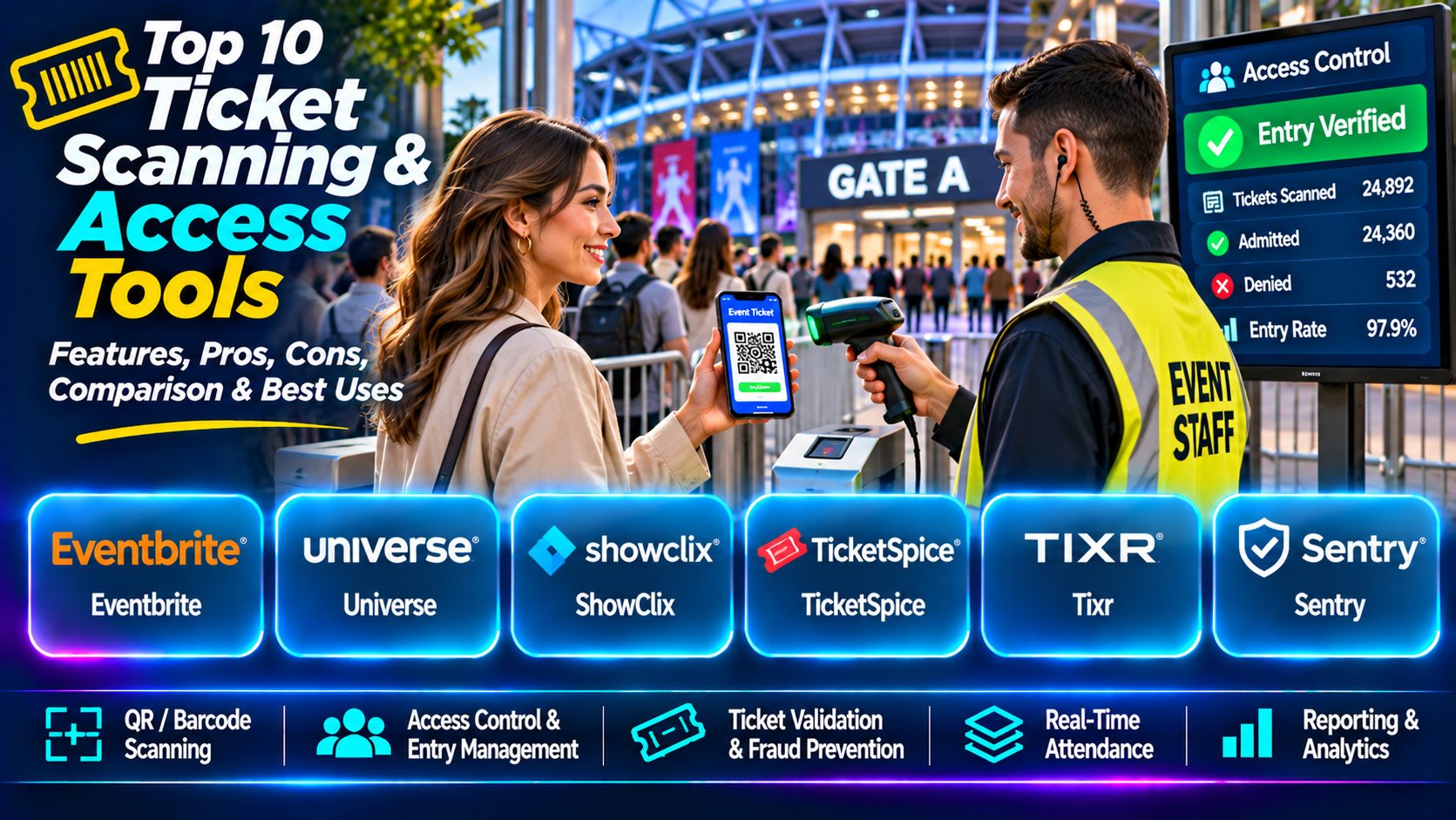
Ticket scanning and access tools help event organizers verify tickets, manage entry points, and control admission to venues. They are widely used at stadiums, concerts, festivals, theaters, conferences, museums, and other ticketed events.
When admission teams rely on printed lists or manual checks, queues can grow quickly. Duplicate tickets, incorrect access permissions, unreliable connectivity, and inconsistent staff procedures can create security concerns and frustrate attendees.
Modern ticket scanning systems use QR codes, barcodes, mobile applications, RFID credentials, NFC technology, and connected access control equipment. Many platforms also provide real-time attendance information, entry permissions, check-in records, and operational dashboards.
The right solution depends on the event’s size and complexity. A small conference may need only a smartphone scanning application, while a major stadium may require turnstile integrations, multiple access zones, high transaction capacity, and coordinated security procedures.
Organizers should also consider offline scanning, ticket fraud prevention, accessibility, device compatibility, privacy, and emergency procedures. A system that works well during a small pilot may face different challenges when thousands of people arrive within a short period.
This guide compares ten ticket scanning and access tools, explaining their capabilities, benefits, limitations, and ideal applications. It also includes comparison tables, recommendations by user type, a practical implementation example, and frequently asked questions.
What Are Ticket Scanning & Access Tools?
Ticket scanning and access tools are software and hardware systems used to verify whether a person has a valid credential to enter an event, venue, or restricted area. They help admission staff determine whether a ticket is authentic, active, unused, and appropriate for a particular entrance.
A basic solution may use a smartphone camera to scan a QR code and check the ticket against an event database. More advanced systems may connect scanners, RFID wristbands, turnstiles, gates, and access management dashboards.
For example, a football stadium may have separate entrances for general admission, premium seating, media personnel, employees, and contractors. Access software can help enforce these permissions while recording entry activity.
Ticket scanning tools are related to, but distinct from, ticket sales platforms. Some vendors provide both ticketing and admission management, while others specialize in access control hardware, credential verification, or event operations.
Common applications include:
- QR Code Validation: Scanners verify digital or printed QR tickets against event records.
- Barcode Scanning: Admission staff scan supported barcode formats to confirm ticket validity.
- RFID Access: Compatible wristbands or cards enable contactless credential checks.
- NFC Entry: Supported mobile credentials and devices provide contactless admission.
- Duplicate Detection: Systems identify tickets that have already been used or invalidated.
- Zone-Based Access: Organizers restrict entry to specific sections, rooms, or event areas.
- Attendance Monitoring: Teams track admissions and review attendance information.
- Offline Check-In: Supported systems continue limited validation during network interruptions, subject to synchronization safeguards.
Top 10 Ticket Scanning & Access Tools
1. Ticketmaster
Short Description
Ticketmaster is a major ticketing and event technology provider offering ticket sales, digital ticket delivery, and admission-related solutions for venues and event organizers. Its ecosystem is widely associated with concerts, professional sports, and large entertainment events.
For venue operators, Ticketmaster’s access capabilities are relevant to digital ticket verification and entry workflows. Ticketmaster’s broader technology environment can help connect ticket inventory with admission operations.
A key advantage is its established role in large-scale ticketed events. Organizations already using Ticketmaster for primary ticketing may benefit from evaluating its compatible entry and venue technology.
However, Ticketmaster is not simply a standalone scanner application. Its access capabilities depend on commercial agreements, venue configurations, supported hardware, and the products included in a particular deployment.
Key Features
- Digital Ticketing: Supports electronic tickets for eligible events and venues.
- Ticket Validation: Helps verify ticket credentials during admission.
- Mobile Entry: Supports compatible mobile ticket workflows.
- Venue Integrations: Connects with selected access infrastructure.
- Entry Monitoring: Provides relevant admission information.
- Ticket Status Controls: Helps identify invalid or previously used credentials.
- Event Configuration: Supports admission requirements for different event types.
- Access Operations: Helps coordinate entry workflows at supported venues.
- Enterprise Services: Provides commercial solutions for major event organizations.
Benefits
- Connects ticketing and admission workflows.
- Supports large event environments.
- Reduces reliance on paper tickets.
- Helps identify invalid credentials.
- Supports digital entry experiences.
- Improves admission record visibility.
- Fits established venue ticketing operations.
Pros
- Major event industry presence.
- Integrated ticketing ecosystem.
- Mobile ticket support.
- Large venue applicability.
- Admission technology options.
- Enterprise service capabilities.
Cons
- Commercial arrangements can be complex.
- Not ideal as a standalone scanner for every organizer.
- Hardware compatibility requires confirmation.
- Pricing depends on contracts.
- Organizations may have limited flexibility outside the ecosystem.
Use Cases
- Professional Sports: Manage digital ticket admission.
- Concert Arenas: Coordinate high-volume entry.
- Large Venues: Integrate ticketing with access operations.
- Entertainment Events: Verify digital credentials.
- Premium Experiences: Support appropriate admission permissions.
- Venue Operators: Coordinate ticketing technology.
Best For
- Professional stadiums.
- Major concert venues.
- Large entertainment organizations.
- Established Ticketmaster clients.
- Enterprise ticketing operations.
- High-volume admission environments.
2. Eventbrite
Short Description
Eventbrite is an event ticketing and registration platform that includes organizer tools for attendee check-in and ticket scanning. It is commonly used for conferences, workshops, festivals, community events, and smaller ticketed experiences.
Organizers can create events, distribute tickets, and use supported mobile tools to check attendees in at the entrance. This connects registration information with on-site admission.
Its distinguishing advantage is accessibility for organizers who want ticket sales and check-in within one platform. It can be practical for events that do not require specialized stadium turnstiles or complex access hardware.
Eventbrite is especially relevant to small and midsize events. Larger deployments should test scanner performance, offline behavior, staffing, and any specialized access requirements.
Key Features
- QR Ticket Scanning: Validates supported event tickets.
- Mobile Check-In: Enables staff to check attendees in using compatible devices.
- Attendee Lists: Organizes registration information.
- Ticket Status: Helps identify whether credentials have been used.
- Event Registration: Connects admission with ticket sales and registration.
- Multiple Staff Devices: Supports coordinated check-in workflows.
- Attendance Reporting: Provides information about checked-in attendees.
- Organizer Dashboard: Centralizes event administration.
- Ticket Categories: Supports different ticket types and registration options.
Benefits
- Simplifies event check-in.
- Connects registration and admission.
- Reduces manual attendee lists.
- Supports mobile scanning.
- Helps identify duplicate entry attempts.
- Improves attendance visibility.
- Reduces the need for separate basic check-in software.
Pros
- Accessible event organizer workflows.
- Integrated ticketing.
- Mobile check-in.
- QR code support.
- Useful for smaller events.
- Attendee management capabilities.
Cons
- Advanced stadium access needs may exceed its scope.
- Specialized hardware integration requires review.
- Ticketing fees may apply.
- Offline capabilities should be tested.
- Complex zone permissions may need other solutions.
Use Cases
- Conferences: Scan attendee tickets.
- Workshops: Verify registrations.
- Community Festivals: Coordinate entry.
- Networking Events: Track attendance.
- Small Concerts: Manage ticket check-in.
- Fundraising Events: Validate admission.
Best For
- Independent organizers.
- Small conferences.
- Workshops.
- Community events.
- Small festivals.
- Organizations seeking integrated registration.
3. Ticket Tailor
Short Description
Ticket Tailor is an event ticketing platform that provides tools for ticket creation, sales, and attendee check-in. It is used by event organizers, attractions, community groups, and businesses managing ticketed experiences.
Its check-in application helps teams scan supported tickets and manage admission records. This can reduce the need for printed attendance lists and manual verification.
Ticket Tailor is particularly relevant to organizers who want control over their ticketing workflows while keeping entry management straightforward.
It is not primarily a specialist stadium access control platform. Organizations requiring physical gate integration, extensive access zones, or enterprise credential systems should evaluate those needs separately.
Key Features
- Ticket QR Codes: Generates scannable ticket credentials.
- Check-In Application: Supports mobile admission workflows.
- Ticket Validation: Helps verify entry eligibility.
- Attendee Records: Maintains ticket holder information.
- Ticket Categories: Supports different admission products.
- Event Management: Organizes event ticketing information.
- Attendance Tracking: Records check-in activity.
- Multiple Devices: Supports team-based entry workflows.
- Ticket Status Management: Helps identify used or invalid tickets.
Benefits
- Simplifies ticket validation.
- Reduces manual attendance tracking.
- Supports smaller event teams.
- Connects ticketing and check-in.
- Improves entry record accuracy.
- Supports different ticket categories.
- Helps streamline admission operations.
Pros
- Straightforward ticketing workflows.
- Mobile check-in.
- QR code validation.
- Useful for independent organizers.
- Integrated attendance records.
- Suitable for recurring events.
Cons
- Not a full physical access control system.
- Advanced turnstile requirements need alternatives.
- Hardware compatibility should be verified.
- Very large events require performance testing.
- Complex credential rules may exceed basic check-in workflows.
Use Cases
- Community Events: Scan admission tickets.
- Museums: Manage timed or general admission.
- Workshops: Verify registrations.
- Small Festivals: Coordinate entry.
- Attractions: Track visitor admissions.
- Recurring Events: Manage repeated ticketed sessions.
Best For
- Independent event organizers.
- Attractions.
- Community venues.
- Small festivals.
- Museums.
- Recurring event operators.
4. Cvent OnArrival
Short Description
Cvent OnArrival is an event check-in and on-site registration solution within the Cvent event management ecosystem. It is designed for conferences, corporate meetings, trade shows, and professional events.
The platform supports attendee check-in and related on-site workflows. Depending on the selected products and equipment, organizations can coordinate registration desks, badge printing, and attendee services.
Its distinguishing strength is its connection with enterprise event registration processes. Organizations using Cvent can evaluate OnArrival as part of a broader event technology environment.
Cvent OnArrival is primarily relevant to professional event registration and check-in. It should not be confused with a stadium turnstile system or dedicated physical security access platform.
Key Features
- Attendee Check-In: Supports registration verification.
- On-Site Registration: Helps manage eligible walk-in or on-site attendee workflows.
- Badge Printing: Supports compatible badge production setups.
- Registration Data: Connects with relevant Cvent event records.
- Check-In Monitoring: Provides visibility into attendance activity.
- Event Staff Workflows: Helps coordinate registration personnel.
- Attendee Information: Organizes registration details.
- Hardware Support: Works with selected event check-in equipment.
- Enterprise Event Integration: Connects with related Cvent solutions.
Benefits
- Streamlines conference registration.
- Reduces manual check-in.
- Supports professional badge workflows.
- Connects registration and on-site operations.
- Improves attendee data consistency.
- Supports corporate event teams.
- Provides attendance information.
Pros
- Enterprise event relevance.
- Registration integration.
- On-site check-in workflows.
- Badge printing support.
- Suitable for conferences.
- Professional event ecosystem.
Cons
- Not a general stadium gate system.
- Enterprise pricing requires evaluation.
- Hardware setup may be necessary.
- Implementation depends on event requirements.
- Organizations outside Cvent may prefer simpler tools.
Use Cases
- Corporate Conferences: Coordinate attendee check-in.
- Trade Shows: Manage registration desks.
- Business Summits: Verify registered participants.
- Association Events: Support badge issuance.
- Professional Meetings: Track attendance.
- Enterprise Events: Connect registration and on-site services.
Best For
- Corporate event teams.
- Conferences.
- Trade shows.
- Associations.
- Enterprise meeting planners.
- Organizations using Cvent.
5. Tixr
Short Description
Tixr is a ticketing and event commerce platform used by entertainment venues, festivals, attractions, and event organizers. Its ecosystem includes capabilities for ticket distribution and admission-related operations.
The platform is relevant to organizations that want ticketing and access workflows connected to a broader event commerce experience. Different ticket categories and event products can be managed within the selected deployment.
Its distinguishing advantage is its focus on event commerce and audience experiences. Organizers can evaluate the platform for both ticket sales and related operational requirements.
Access functionality, hardware compatibility, and advanced credential capabilities should be confirmed directly with the vendor. Complex venues should test the proposed solution under realistic entry conditions.
Key Features
- Digital Ticketing: Supports electronic admission products.
- Ticket Validation: Helps verify eligible credentials.
- Event Commerce: Connects ticket sales with related event offerings.
- Ticket Categories: Supports different admission products.
- Customer Records: Organizes relevant purchase information.
- Admission Workflows: Supports event entry processes.
- Reporting: Provides event commerce and operational information.
- Event Configuration: Supports different ticketed experiences.
- Integration Options: Connects selected event systems.
Benefits
- Connects commerce and admission.
- Supports different event categories.
- Simplifies digital ticket distribution.
- Improves ticket status visibility.
- Supports event operator workflows.
- Provides commercial reporting.
- Helps organize audience experiences.
Pros
- Event commerce specialization.
- Digital ticketing.
- Entertainment industry relevance.
- Flexible ticket products.
- Admission workflow capabilities.
- Reporting tools.
Cons
- Exact access features depend on deployment.
- Commercial arrangements require review.
- Specialized hardware support needs confirmation.
- Integration work may be necessary.
- Not every event requires its broader commerce capabilities.
Use Cases
- Music Festivals: Manage ticketed entry.
- Entertainment Venues: Coordinate admissions.
- Attractions: Support visitor ticketing.
- Live Experiences: Verify purchased credentials.
- Premium Events: Manage different ticket categories.
- Event Promoters: Connect ticket sales and entry.
Best For
- Festivals.
- Entertainment venues.
- Attractions.
- Event promoters.
- Live experience operators.
- Organizations combining ticketing and commerce.
6. accesso
Short Description
accesso provides ticketing, guest experience, and access-related technology for attractions, entertainment venues, and leisure operators. Its portfolio includes solutions relevant to admission and visitor management.
The company’s technologies are used in environments such as theme parks, attractions, and entertainment facilities where ticketing and guest movement are important operational concerns.
Its distinguishing strength is its specialization in attraction and leisure technology. Organizations can evaluate integrated ticketing and admission workflows alongside other visitor experience requirements.
Because accesso offers multiple products, buyers must identify which specific solution supports their required ticket validation, hardware, and access control capabilities.
Key Features
- Ticketing Systems: Supports admission product sales.
- Guest Admission: Provides relevant entry workflows.
- Digital Credentials: Supports selected electronic ticket formats.
- Visitor Management: Helps organize guest-related processes.
- Access Integration: Connects with supported admission infrastructure.
- Transaction Records: Maintains relevant ticket activity.
- Operational Reporting: Provides visitor and commercial information.
- Attraction Workflows: Supports leisure venue requirements.
- System Integration: Connects selected guest experience technologies.
Benefits
- Supports attraction admission operations.
- Connects ticketing and guest experiences.
- Improves visitor information management.
- Supports digital credentials.
- Helps coordinate venue entry.
- Provides operational visibility.
- Fits specialized leisure environments.
Pros
- Attractions industry specialization.
- Ticketing and admission portfolio.
- Guest experience capabilities.
- Enterprise venue relevance.
- Integration options.
- Suitable for complex attractions.
Cons
- Product selection can be complex.
- Enterprise implementation may require specialists.
- Pricing depends on the solution.
- Hardware compatibility needs verification.
- Smaller events may prefer simpler platforms.
Use Cases
- Theme Parks: Manage visitor admission.
- Attractions: Verify entry credentials.
- Entertainment Facilities: Coordinate guest entry.
- Leisure Venues: Connect ticketing and access.
- Visitor Experiences: Manage admission products.
- Large Attractions: Support integrated operations.
Best For
- Theme parks.
- Attractions.
- Leisure operators.
- Entertainment facilities.
- Large visitor destinations.
- Organizations needing specialized admission technology.
7. Intellitix
Short Description
Intellitix provides event technology associated with RFID, cashless payments, and credential-based experiences. Its solutions have been used in festivals and live events where organizers need to manage attendees and access permissions.
RFID credentials can help organizers verify access without requiring attendees to present a printed ticket or display a phone screen at every checkpoint.
Its distinguishing strength is its connection with RFID-based event workflows. Such deployments can combine access permissions with other supported event services.
RFID systems require careful planning around credentials, readers, connectivity, and event procedures. Buyers should confirm the vendor’s current access offerings and supported hardware before selecting a deployment.
Key Features
- RFID Credentials: Supports compatible wristband or credential-based workflows.
- Access Validation: Helps verify relevant entry permissions.
- Credential Management: Organizes supported attendee credentials.
- Zone Permissions: Supports applicable restricted-access workflows.
- Event Integration: Connects with selected event technologies.
- Cashless Ecosystem: Supports related event payment use cases.
- Attendance Information: Provides relevant credential activity records.
- Operational Dashboards: Supports event administration.
- Hardware Coordination: Works with compatible RFID equipment.
Benefits
- Supports contactless entry.
- Reduces dependence on paper tickets.
- Helps manage credential permissions.
- Supports festival workflows.
- Connects access with event services.
- Improves credential activity visibility.
- Enables wristband-based experiences.
Pros
- RFID event specialization.
- Contactless credentials.
- Festival applicability.
- Access-related workflows.
- Event ecosystem integration.
- Suitable for multi-zone experiences.
Cons
- Requires compatible hardware.
- Credential distribution adds logistics.
- Implementation can be complex.
- Vendor offering details need verification.
- Small events may not justify RFID costs.
Use Cases
- Music Festivals: Validate RFID wristbands.
- VIP Areas: Manage restricted access.
- Multi-Day Events: Support reusable credentials.
- Festival Campsites: Control eligible entry.
- Cashless Events: Coordinate supported credential services.
- Large Experiences: Manage multiple access categories.
Best For
- Music festivals.
- Multi-day events.
- RFID-based experiences.
- VIP access operations.
- Large outdoor events.
- Organizers needing contactless credentials.
8. Weezevent
Short Description
Weezevent provides event ticketing, access control, and cashless payment technologies. Its solutions are relevant to festivals, concerts, sporting events, and other live experiences.
The platform connects event ticketing with admission workflows. Organizers can evaluate scanning, credential verification, and related event services within the same technology environment.
Its distinguishing strength is its focus on live event operations and access control. This is particularly relevant to organizers managing large audiences or multiple event areas.
Buyers should verify regional availability, supported devices, offline capabilities, and any hardware or service requirements for their specific events.
Key Features
- Ticketing: Supports event admission products.
- Access Control: Helps verify credentials at entry points.
- Ticket Scanning: Supports compatible barcode or QR validation workflows.
- Attendance Monitoring: Provides relevant entry information.
- Credential Management: Organizes admission permissions.
- Cashless Solutions: Offers related event payment technology.
- Event Reporting: Supports operational review.
- Multi-Entry Operations: Helps coordinate access points.
- Hardware Integration: Supports selected event access equipment.
Benefits
- Connects ticketing and access.
- Supports live event entry.
- Improves credential validation.
- Provides admission visibility.
- Supports larger event operations.
- Reduces manual ticket checks.
- Integrates related event services.
Pros
- Event access specialization.
- Ticketing integration.
- Live event applicability.
- Cashless technology options.
- Admission monitoring.
- Multi-entry relevance.
Cons
- Availability varies by region.
- Hardware requirements need confirmation.
- Large deployments require planning.
- Pricing depends on services.
- Integration details should be tested.
Use Cases
- Concerts: Validate admission tickets.
- Festivals: Coordinate multiple entrances.
- Sports Events: Support ticket scanning.
- Cultural Events: Manage visitor entry.
- Multi-Day Events: Coordinate admission permissions.
- Large Venues: Monitor access operations.
Best For
- Festivals.
- Concert organizers.
- Sports events.
- Cultural venues.
- Large live events.
- Organizers needing integrated access services.
9. TicketCo
Short Description
TicketCo is a ticketing and event technology platform offering digital ticketing and admission-related workflows. It serves event organizers, sports organizations, and entertainment venues.
Its digital approach helps organizers distribute tickets and coordinate entry through supported scanning processes.
Its distinguishing strength is its focus on simplifying ticketing and event administration. Organizations can evaluate ticket sales and admission within a connected system.
TicketCo is relevant to sports clubs and event operators seeking an integrated solution. Buyers should confirm the available scanning applications, regional support, and compatibility with existing hardware.
Key Features
- Digital Tickets: Supports electronic admission credentials.
- Ticket Scanning: Provides supported validation workflows.
- Event Management: Organizes ticketed events.
- Admission Records: Tracks relevant entry activity.
- Ticket Categories: Supports different admission products.
- Customer Information: Maintains relevant purchaser records.
- Sales Reporting: Provides ticketing information.
- Mobile Workflows: Supports applicable digital entry processes.
- Integration Options: Connects selected event systems.
Benefits
- Simplifies ticket distribution.
- Supports digital admission.
- Reduces paper handling.
- Connects ticketing and check-in.
- Improves entry record visibility.
- Supports sports event operations.
- Helps organize recurring events.
Pros
- Digital ticketing focus.
- Sports and entertainment relevance.
- Admission workflows.
- Ticket category support.
- Reporting.
- Integrated event administration.
Cons
- Regional availability should be checked.
- Specialized gate integrations need confirmation.
- Enterprise requirements may need additional systems.
- Pricing depends on arrangements.
- Advanced access rules require evaluation.
Use Cases
- Sports Clubs: Validate match tickets.
- Community Venues: Manage event admission.
- Concerts: Support digital entry.
- Theaters: Check ticket holders.
- Recurring Events: Organize repeated admissions.
- Entertainment Operators: Coordinate ticketing and access.
Best For
- Sports clubs.
- Small and midsize venues.
- Entertainment organizers.
- Theaters.
- Recurring event operators.
- Digital-first ticketing teams.
10. TicketSpice
Short Description
TicketSpice is an event ticketing platform offering online ticket sales, registration, and related event management tools. It is relevant to attractions, festivals, fundraising events, and independent organizers.
Its ticketing ecosystem includes capabilities for managing admission and checking attendees into events. This can help organizations connect purchase records with entry operations.
Its distinguishing advantage is its flexibility for organizers managing different ticket products and event types. It can support straightforward admission workflows without requiring a separate enterprise venue system.
Buyers should evaluate the exact scanning tools, offline capabilities, and hardware requirements for their event. Large venues with complex physical access controls may need additional technology.
Key Features
- Online Ticketing: Supports event ticket sales.
- Ticket Validation: Helps verify eligible admission credentials.
- Check-In Workflows: Supports attendee admission processes.
- Ticket Categories: Organizes different ticket products.
- Registration Records: Maintains relevant attendee information.
- Event Configuration: Supports different ticketed experiences.
- Sales Reporting: Provides commercial activity information.
- Mobile Admission: Supports compatible check-in processes.
- Customization: Offers configuration options for event ticketing workflows.
Benefits
- Connects ticketing and admission.
- Simplifies event registration.
- Supports different ticket products.
- Reduces manual check-in records.
- Improves attendance visibility.
- Supports independent organizers.
- Helps manage recurring events.
Pros
- Flexible ticketing workflows.
- Event registration.
- Admission support.
- Ticket category management.
- Relevant to attractions.
- Useful for independent events.
Cons
- Not a dedicated stadium access control platform.
- Hardware compatibility requires review.
- Offline behavior needs testing.
- Specialized permissions may need alternatives.
- Pricing depends on transaction arrangements.
Use Cases
- Attractions: Validate visitor tickets.
- Festivals: Manage admissions.
- Fundraisers: Check registered guests.
- Community Events: Coordinate entry.
- Seasonal Experiences: Manage timed admission.
- Independent Organizers: Connect ticket sales and check-in.
Best For
- Attractions.
- Independent organizers.
- Community events.
- Seasonal experiences.
- Fundraising events.
- Small and midsize festivals.
Comparison Table: Top 10 Ticket Scanning & Access Tools
| Tool Name | Best For | Primary Access Method | Standout Feature | Pricing |
|---|---|---|---|---|
| Ticketmaster | Major sports and entertainment venues | Digital ticket validation | Large venue ticketing ecosystem | Contract-based |
| Eventbrite | Small and midsize events | QR and mobile check-in | Integrated registration | Ticketing fees and plans |
| Ticket Tailor | Independent organizers | QR code scanning | Straightforward check-in | Usage-based ticketing |
| Cvent OnArrival | Corporate conferences | Registration and badge workflows | Enterprise on-site check-in | Commercial quote |
| Tixr | Entertainment experiences | Digital admission | Ticketing and event commerce | Commercial agreement |
| accesso | Attractions and leisure venues | Integrated admission technology | Attraction-focused solutions | Enterprise quote |
| Intellitix | RFID festivals | RFID credentials | Wristband-based event workflows | Project-based |
| Weezevent | Festivals and concerts | Ticket scanning and access control | Integrated event access | Commercial pricing |
| TicketCo | Sports clubs and venues | Digital ticket scanning | Sports-oriented ticketing | Commercial pricing |
| TicketSpice | Independent ticketed events | Digital check-in | Flexible ticketing workflows | Transaction-based |
Note: Product capabilities, hardware compatibility, offline behavior, licensing, and pricing may change. Confirm current offerings directly with each vendor before purchasing.
Which Ticket Scanning & Access Tool Is Right for You?
For Beginners: Eventbrite and Ticket Tailor
Eventbrite is suitable for organizers who want event registration and ticket check-in within a familiar workflow. It can reduce the need to maintain separate attendee lists.
Ticket Tailor also supports digital tickets and check-in. It may appeal to independent organizers seeking straightforward ticketing administration.
Choose based on fees, attendee experience, staff usability, and the specific scanning functions required.
For Small Events: Ticket Tailor and TicketSpice
Ticket Tailor is relevant to workshops, community events, and attractions. Its check-in tools can support smaller admission teams.
TicketSpice offers flexible ticketing workflows for different event types. It may suit organizers with specialized ticket categories or seasonal events.
Both should be tested using the devices staff will actually use at the entrance.
For Corporate Conferences: Cvent OnArrival and Eventbrite
Cvent OnArrival is particularly relevant to corporate registration desks, attendee badges, and enterprise event workflows.
Eventbrite can serve smaller conferences with simpler registration requirements.
Choose Cvent OnArrival when badge production and professional registration operations are essential. Choose Eventbrite for more straightforward ticket validation.
For Stadiums: Ticketmaster and TicketCo
Ticketmaster is relevant to major professional sports venues with established enterprise ticketing arrangements.
TicketCo can be considered by sports organizations seeking digital ticketing and admission workflows.
Stadium operators should prioritize validated throughput, access hardware compatibility, security requirements, and vendor support.
For Music Festivals: Weezevent and Intellitix
Weezevent provides event ticketing and access control capabilities relevant to festivals.
Intellitix is associated with RFID-based credentials and event experiences.
Choose according to whether the event needs conventional ticket scanning or an RFID wristband ecosystem.
For Attractions: accesso and TicketSpice
accesso offers specialized technology for attractions and leisure venues. It may suit operators with complex visitor experiences.
TicketSpice is relevant to smaller attractions and seasonal ticketed experiences.
Compare ticket products, admission equipment, visitor volume, and operational complexity.
For Entertainment Venues: Tixr and Ticketmaster
Tixr combines event commerce with ticketing workflows. It is relevant to entertainment organizers managing varied admission products.
Ticketmaster provides a large venue ticketing ecosystem. It may suit established arena and major event operations.
Selection depends on commercial requirements, audience experience, and access infrastructure.
For Multi-Day Events: Intellitix and Weezevent
Intellitix is relevant to RFID credentials that may be reused throughout a multi-day event.
Weezevent offers access control and ticketing technologies that can support live event operations.
Test credential permissions, re-entry rules, lost credentials, and synchronization before deployment.
Best Software by User Type
| User Type | Recommended Software | Why |
|---|---|---|
| Major stadium operator | Ticketmaster | Enterprise ticketing and admission ecosystem |
| Independent event organizer | Eventbrite | Integrated registration and check-in |
| Community event organizer | Ticket Tailor | Straightforward QR ticket validation |
| Corporate conference team | Cvent OnArrival | Professional registration and badge workflows |
| Entertainment promoter | Tixr | Event commerce and admission |
| Theme park operator | accesso | Attraction-focused ticketing technology |
| RFID festival organizer | Intellitix | Credential-based event experiences |
| Concert and festival operator | Weezevent | Integrated access control |
| Sports club | TicketCo | Digital ticketing for sports events |
| Seasonal attraction | TicketSpice | Flexible ticket products and check-in |
Practical Example: Deploying Ticket Scanning at a 30,000-Person Music Festival
Consider a two-day music festival expecting 30,000 attendees. The venue has six public entrances, separate staff access, a VIP area, and a restricted backstage zone.
The organizer wants to reduce queues, prevent duplicate entry, and maintain accurate admission records.
Step 1: Define Credential Types
Create separate credentials for general admission, VIP, staff, vendors, and performers.
Document which areas each credential can access and whether re-entry is permitted.
Step 2: Estimate Entry Demand
Review expected arrival patterns and peak periods.
Estimate how many attendees each entrance must process. Use conservative assumptions and account for bag checks and accessibility needs.
Step 3: Select Compatible Equipment
Choose supported scanning devices, batteries, chargers, and network equipment.
Test scanners under bright sunlight, low light, and realistic crowd conditions.
Step 4: Configure Access Rules
Assign credentials to permitted entrances and zones.
Define procedures for invalid, duplicate, lost, or transferred tickets.
Step 5: Test Offline Operations
Determine what happens if internet connectivity fails.
Test synchronization behavior, duplicate detection limitations, and recovery procedures using the vendor’s supported methods.
Step 6: Train Admission Staff
Train staff to recognize successful scans, invalid credentials, and access restrictions.
Provide clear escalation procedures for ticket disputes and technical problems.
Step 7: Run a Controlled Pilot
Test the complete entry process with staff and a representative number of credentials.
Measure scanning speed, error rates, and queue movement. Adjust staffing and equipment placement.
Step 8: Monitor Event-Day Performance
Track entry activity and operational issues through approved dashboards.
Coordinate with security and venue management teams when queues or incidents require attention.
Step 9: Review Post-Event Results
Analyze admission records, scanning failures, queue problems, and staff feedback.
Use the findings to improve future ticketing and access operations.
Frequently Asked Questions (FAQs)
1. What is ticket scanning software?
Ticket scanning software verifies admission credentials such as QR codes and barcodes. It helps organizers determine whether a ticket is valid and eligible for entry.
2. How does QR code ticket scanning work?
A compatible scanner reads a QR code and checks its associated ticket information. The system then indicates whether admission is permitted.
3. Can ticket scanning software prevent duplicate entry?
Connected validation systems can identify previously used tickets. Offline scanning may introduce synchronization limitations that require careful planning.
4. What is RFID event access control?
RFID access uses compatible wristbands, cards, or other credentials to communicate with readers. It can support contactless entry and zone permissions.
5. What is the difference between RFID and NFC?
Both use radio-frequency communication. NFC is a specific short-range technology, while RFID covers a broader range of credential and reader systems.
6. Which ticket scanning tool is best for small events?
Eventbrite and Ticket Tailor are relevant to smaller events requiring basic digital check-in.
7. Which solution is suitable for stadiums?
Ticketmaster is relevant to major venue ticketing environments. Stadiums must also evaluate hardware, throughput, and security integration.
8. Can smartphones scan event tickets?
Yes. Many platforms offer supported mobile scanning applications. Device and operating system compatibility vary.
9. Can scanning work without internet access?
Some systems provide offline capabilities. Organizers must verify how ticket records synchronize and how duplicate scans are handled.
10. What is zone-based access control?
Zone-based access assigns credentials permission to enter specific areas, such as VIP lounges or backstage spaces.
11. Can a ticket be scanned more than once?
This depends on the ticket’s configured rules. Some events permit re-entry, while others allow only one successful admission.
12. How can organizers reduce entry queues?
They can improve entrance layout, staff training, scanner reliability, and capacity planning. Scanning software is only one part of the process.
13. What is the best software for conferences?
Cvent OnArrival is relevant to professional conference registration. Eventbrite can serve simpler conference check-in requirements.
14. Can ticket scanning systems print badges?
Some event registration systems, including Cvent OnArrival, support compatible badge printing workflows.
15. Are RFID wristbands expensive?
Costs depend on credential type, readers, software, deployment scale, and service requirements. Obtain a complete project estimate.
16. Can ticket scanning software track attendance?
Many platforms record check-in activity and provide attendance information.
17. Is ticket scanning software secure?
Security depends on credential design, system architecture, permissions, device management, and operational practices.
18. Can scanning systems integrate with turnstiles?
Some enterprise solutions support compatible turnstile integrations. Hardware and software interoperability must be confirmed.
19. How should lost tickets be handled?
Organizers should define an identity verification and credential replacement process that follows their event policies.
20. What is the difference between ticketing and access control?
Ticketing manages the creation and sale of admission products. Access control verifies and enforces entry permissions.
21. Can scanning systems manage staff access?
Some systems support staff credentials and restricted zones. Dedicated workforce or physical access control systems may be necessary.
22. How many scanners does an event need?
The number depends on arrival volume, scan speed, entry procedures, and contingency requirements. Organizers should calculate capacity and test realistic conditions.
23. Can ticket scanning software support multiple entrances?
Many systems support several scanning devices and entry locations. Larger deployments may require advanced coordination.
24. What happens when a ticket is invalid?
The system may reject the credential or flag it for review. Staff should follow established escalation procedures.
25. How can event organizers evaluate scanning reliability?
Run tests with real devices, realistic ticket volumes, network interruptions, and representative entry conditions.
26. Does ticket scanning software replace security staff?
No. Ticket validation supports admission decisions but does not replace trained security personnel or safety procedures.
27. Can event access systems support accessibility requirements?
Yes, but accessibility depends on entrance design, equipment placement, staffing, and the overall admission process.
28. Which tools are suitable for festivals?
Weezevent and Intellitix are relevant to festival access workflows. The best choice depends on ticket formats and credential requirements.
29. Can ticket scanning data support event reporting?
Yes. Admission records can help organizers review attendance patterns and operational performance, subject to privacy requirements.
30. How should organizers choose ticket scanning software?
Define event size, ticket formats, access rules, hardware needs, and connectivity requirements. Test shortlisted solutions before making a purchasing decision.
Final Thoughts
Ticket scanning and access tools help event organizers verify credentials, manage admission, and maintain visibility into entry activity.
Ticketmaster serves major ticketing environments, while Eventbrite and Ticket Tailor provide accessible check-in workflows for many smaller events. Cvent OnArrival focuses on professional registration and conference operations.
Tixr and TicketCo connect ticketing with event admission, while accesso addresses specialized attraction environments. Intellitix and Weezevent are relevant to festivals and credential-based experiences.
TicketSpice provides flexible ticketing workflows for independent organizers and attractions. Each platform addresses a different combination of ticketing, scanning, and access requirements.
The best solution depends on event scale, credential complexity, hardware compatibility, network reliability, security requirements, and staff readiness. Organizers should test the complete entry process rather than selecting software based on feature lists alone.
