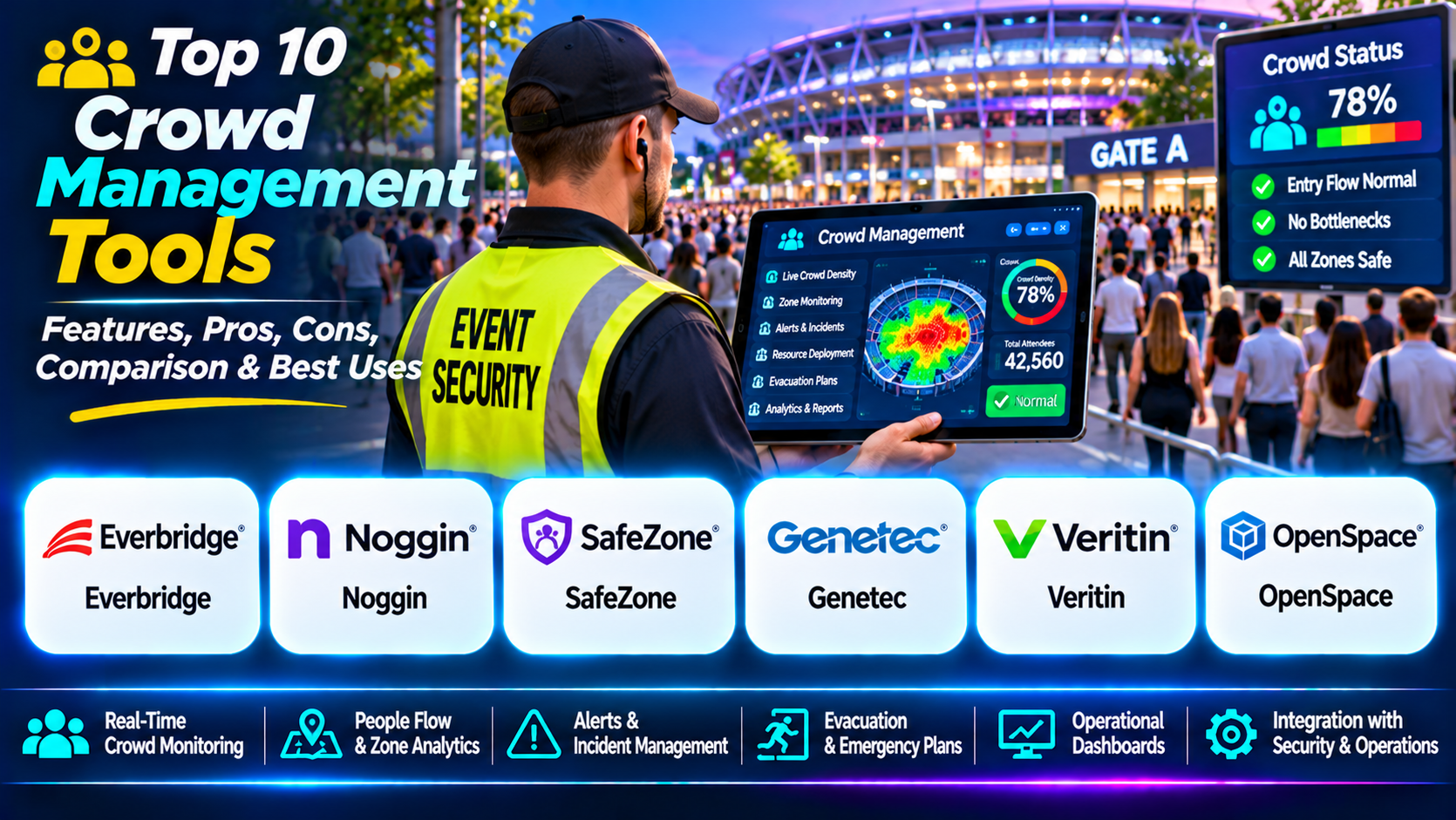
Introduction
Crowd management is essential for stadiums, concerts, festivals, transportation hubs, and other places where large numbers of people gather. Organizers must understand how people enter, move through, and leave a venue while maintaining safe and accessible conditions.
Manual headcounts, disconnected camera feeds, and delayed radio reports can make crowd conditions difficult to understand. A congested entrance or blocked route may develop faster than staff can communicate the problem.
Modern crowd management tools combine people counting, occupancy monitoring, video analytics, simulation, operational dashboards, and incident coordination. These capabilities help teams understand crowd movement and prepare for different operating conditions.
Not every tool performs the same function. Some measure visitor numbers, others analyze camera footage, and specialized simulation platforms model how people might move through a proposed venue layout.
The best solution depends on venue size, crowd characteristics, physical infrastructure, privacy requirements, and the availability of trained personnel. Technology must complement appropriate crowd safety planning rather than replace it.
This guide compares ten tools relevant to crowd management. It explains their capabilities, strengths, limitations, ideal applications, and practical selection considerations.
What Are Crowd Management Tools?
Crowd management tools are software and technology systems that help organizations measure, analyze, plan, and coordinate the movement and distribution of people in physical spaces.
They may collect anonymous counts from sensors, analyze supported video streams, display occupancy estimates, or simulate pedestrian movement. Operational platforms can also help staff coordinate incidents and share information.
For example, a concert venue might use people-counting sensors to estimate occupancy, video analytics to identify congestion, and an incident management system to coordinate staff responses. Each technology addresses a different part of the overall process.
Crowd management should also be distinguished from crowd control. Management emphasizes planning, monitoring, communication, and prevention. Physical crowd control measures involve operational decisions that must follow applicable safety requirements and qualified professional guidance.
Common applications include:
- Occupancy Monitoring: Estimate the number of people in defined spaces and compare those estimates with approved operating limits.
- Entrance Flow Analysis: Measure arrivals and identify bottlenecks at gates, ticket scanning points, and security screening areas.
- Pedestrian Simulation: Model how people may move through proposed layouts under defined assumptions.
- Video Analytics: Analyze compatible camera feeds for crowd-related patterns and changes.
- Queue Monitoring: Evaluate waiting areas and identify conditions that may require operational attention.
- Incident Coordination: Record concerns, assign responsibilities, and communicate with relevant teams.
- Visitor Analytics: Understand movement patterns for facility planning and operational improvement.
- Event Readiness: Use forecasts, historical observations, and scenario testing to improve preparation.
Top 10 Crowd Management Tools
1. Xovis
Short Description
Xovis develops people-flow measurement and analytics technology used in environments such as airports, transportation facilities, retail locations, and other busy public spaces. Its solutions help organizations understand how people move through monitored areas.
The technology uses compatible sensors and analytics software to generate information about passenger or visitor flow. This can support decisions involving space utilization, queue management, and operational planning.
Xovis is especially relevant when organizations need reliable measurements rather than relying exclusively on manual observations. Its data can help operators identify recurring congestion patterns and compare performance across time periods.
However, Xovis is primarily a people-flow analytics solution, not a complete event safety command system. Organizations must evaluate how its measurements integrate with operational procedures and other venue technologies.
Key Features
- People Counting: Measures pedestrian activity in monitored areas.
- Flow Analytics: Helps operators understand movement patterns.
- Queue Measurement: Supports analysis of waiting areas and throughput.
- Occupancy Information: Provides counts or estimates for defined spaces.
- Sensor Technology: Uses specialized hardware for pedestrian measurement.
- Historical Analytics: Supports comparisons across operating periods.
- Operational Dashboards: Presents relevant flow information.
- Integration Capabilities: Connects data with supported external systems.
- Space Utilization Analysis: Helps evaluate how monitored areas are used.
Benefits
- Improves visibility into pedestrian movement.
- Supports data-informed staffing decisions.
- Helps identify recurring congestion.
- Reduces reliance on manual counts.
- Supports queue performance analysis.
- Improves space planning.
- Provides historical operational information.
Pros
- Specialized people-flow technology.
- Queue analytics.
- Sensor-based measurement.
- Relevant to transportation facilities.
- Historical reporting.
- Integration potential.
Cons
- Requires compatible sensors.
- Installation planning is necessary.
- Does not replace incident management.
- Costs depend on deployment size.
- Measurements require appropriate interpretation.
Use Cases
- Airports: Analyze passenger queues and terminal flow.
- Stadiums: Measure activity at selected entrances.
- Transit Hubs: Understand pedestrian movement.
- Retail Centers: Review visitor flow.
- Exhibition Venues: Monitor busy circulation areas.
- Large Facilities: Evaluate space utilization.
Best For
- Airports.
- Transportation hubs.
- Large public venues.
- Retail centers.
- Facility analytics teams.
- Organizations needing pedestrian measurement.
2. CrowdVision
Short Description
CrowdVision provides passenger and crowd analytics technology designed to help operators understand movement, queues, and operational conditions in busy environments.
Its solutions have been associated particularly with airports and transportation operations, where passenger flow and waiting times can influence service performance.
CrowdVision is relevant to organizations seeking automated information about crowd movement. Such measurements can support staffing, space planning, and operational decision-making.
Buyers should verify current product availability, supported sensors, analytics functions, and integration requirements. Crowd analytics systems require careful calibration and operational interpretation.
Key Features
- Crowd Analytics: Analyzes pedestrian activity.
- Queue Monitoring: Provides information about waiting areas.
- Passenger Flow Measurement: Supports transportation-related operations.
- Occupancy Analysis: Helps estimate activity in monitored spaces.
- Historical Reporting: Supports trend analysis.
- Operational Dashboards: Displays relevant crowd information.
- Sensor Integration: Works with supported measurement equipment.
- Performance Analysis: Helps evaluate flow conditions.
- Data Integration: Supports selected external operational systems.
Benefits
- Improves passenger flow visibility.
- Supports queue management.
- Helps identify operational bottlenecks.
- Provides historical movement information.
- Supports staffing decisions.
- Reduces manual measurement requirements.
- Helps evaluate facility performance.
Pros
- Crowd analytics specialization.
- Transportation relevance.
- Queue measurement.
- Operational reporting.
- Historical analysis.
- Data-driven planning support.
Cons
- Current offering details require confirmation.
- Hardware requirements vary.
- Integration work may be necessary.
- Not a standalone emergency management platform.
- Analytics accuracy depends on deployment conditions.
Use Cases
- Airports: Monitor passenger movement.
- Transport Terminals: Evaluate queues.
- Large Venues: Analyze pedestrian circulation.
- Facility Planning: Review historical flow.
- Operations Centers: Display movement information.
- Service Teams: Evaluate waiting conditions.
Best For
- Airport operators.
- Transportation facilities.
- Passenger flow teams.
- Crowd analytics specialists.
- Large public facilities.
- Organizations monitoring queues.
3. WaitTime
Short Description
WaitTime provides crowd intelligence and occupancy analytics technology for large venues, including sports and entertainment environments. Its solutions are designed to help organizations understand crowd distribution and movement.
The platform uses supported sensing and analytics technologies to produce operational information. Venue teams can use these insights to understand conditions in entrances, concourses, and other monitored areas.
Its distinguishing advantage is its relevance to live venue environments where crowd patterns change during events. Understanding these patterns can support operational planning and service delivery.
WaitTime should be evaluated as a crowd analytics component rather than a complete safety management system. Buyers should review privacy safeguards, integration capabilities, and sensor requirements.
Key Features
- Crowd Measurement: Provides information about activity in monitored areas.
- Occupancy Analytics: Helps assess space utilization.
- Movement Analysis: Supports understanding of visitor flow.
- Venue Dashboards: Displays operational information.
- Historical Trends: Helps compare event activity.
- Sensor Integration: Uses compatible measurement technology.
- Operational Insights: Supports planning decisions.
- Data Reporting: Provides crowd-related metrics.
- Integration Options: Connects with selected venue systems.
Benefits
- Improves crowd distribution visibility.
- Supports venue operations.
- Helps identify busy areas.
- Provides historical event insights.
- Supports resource planning.
- Improves space utilization analysis.
- Reduces reliance on subjective estimates.
Pros
- Sports venue relevance.
- Crowd analytics focus.
- Occupancy insights.
- Historical reporting.
- Operational dashboards.
- Suitable for large facilities.
Cons
- Requires appropriate sensing infrastructure.
- Does not replace trained crowd safety personnel.
- Integration requirements vary.
- Costs depend on deployment.
- Data interpretation requires operational context.
Use Cases
- Sports Stadiums: Analyze concourse activity.
- Arenas: Monitor crowd distribution.
- Concert Venues: Review visitor movement.
- Hospitality Areas: Evaluate occupancy.
- Event Operations: Compare event patterns.
- Venue Planning: Identify recurring congestion.
Best For
- Professional stadiums.
- Entertainment arenas.
- Large event venues.
- Venue analytics teams.
- Facility operators.
- Organizations studying visitor movement.
4. FootfallCam
Short Description
FootfallCam provides people counting and visitor analytics technology used in retail environments, shopping centers, and other facilities. Its products can also support crowd-related measurement in suitable public spaces.
The platform combines supported counting devices with analytics tools. Organizations can use the resulting information to understand visitor numbers, traffic patterns, and occupancy trends.
Its distinguishing strength is its focus on measurement and reporting. This can be useful when operators need to understand how visitor activity changes throughout the day.
FootfallCam is not a dedicated crowd emergency response platform. Its role is primarily analytical, and buyers should verify whether the selected products meet their operational needs.
Key Features
- People Counting: Measures visitors at monitored locations.
- Occupancy Monitoring: Supports analysis of space usage.
- Traffic Analytics: Helps understand visitor patterns.
- Historical Reporting: Provides comparisons over time.
- Sensor Hardware: Uses compatible counting devices.
- Dashboard Reporting: Displays visitor information.
- Multi-Location Analytics: Supports comparisons across sites.
- Integration Options: Connects with selected business systems.
- Trend Analysis: Helps identify changes in visitor activity.
Benefits
- Improves visitor count accuracy.
- Supports occupancy analysis.
- Provides historical trends.
- Helps plan staffing.
- Supports facility utilization decisions.
- Reduces manual counting.
- Enables multi-location comparisons.
Pros
- People counting specialization.
- Visitor analytics.
- Occupancy information.
- Historical reporting.
- Multi-site applicability.
- Suitable for retail and public spaces.
Cons
- Not a complete event operations system.
- Sensor installation may be necessary.
- Complex crowd safety decisions require other resources.
- Accuracy depends on configuration.
- Integration costs may apply.
Use Cases
- Shopping Centers: Monitor visitor activity.
- Museums: Analyze attendance.
- Exhibition Halls: Measure entry traffic.
- Public Facilities: Review occupancy trends.
- Retail Venues: Compare traffic patterns.
- Event Spaces: Monitor selected access points.
Best For
- Retail centers.
- Museums.
- Exhibition venues.
- Public facilities.
- Visitor analytics teams.
- Multi-location operators.
5. V-Count
Short Description
V-Count provides people counting and visitor analytics technology for retail and physical spaces. Its capabilities can help organizations measure foot traffic and understand how visitors use facilities.
The platform is relevant to shopping centers, retail environments, and selected public venues where visitor measurement supports operational planning.
Its distinguishing advantage is its emphasis on physical visitor analytics. Organizations can use collected information to evaluate busy periods and compare activity across locations.
V-Count should be viewed primarily as a measurement platform. Organizations requiring incident response, crowd simulation, or event command capabilities will need complementary systems.
Key Features
- Foot Traffic Counting: Measures visitor activity.
- Occupancy Analytics: Helps assess activity in defined spaces.
- Visitor Trends: Supports comparisons over time.
- Analytics Dashboards: Presents relevant metrics.
- Sensor Integration: Uses supported counting hardware.
- Multi-Site Reporting: Compares visitor activity across locations.
- Operational Insights: Supports staffing and space decisions.
- Historical Records: Maintains activity information.
- Business Integration: Connects with selected external systems.
Benefits
- Improves visitor measurement.
- Supports occupancy planning.
- Provides traffic trends.
- Helps compare locations.
- Reduces manual counting.
- Supports operational decisions.
- Improves reporting consistency.
Pros
- Visitor analytics focus.
- Foot traffic measurement.
- Multi-location reporting.
- Occupancy insights.
- Historical trends.
- Relevant to shopping facilities.
Cons
- Not a dedicated stadium safety system.
- Hardware deployment requires planning.
- Advanced simulation requires other tools.
- Costs vary by configuration.
- Sensor accuracy must be validated.
Use Cases
- Shopping Malls: Measure visitor traffic.
- Retail Centers: Compare busy periods.
- Public Venues: Review occupancy.
- Exhibition Facilities: Analyze attendance patterns.
- Facility Operators: Plan staffing.
- Commercial Properties: Compare location activity.
Best For
- Shopping centers.
- Retail chains.
- Commercial properties.
- Visitor analytics departments.
- Facility planners.
- Organizations monitoring foot traffic.
6. Oasys MassMotion
Short Description
Oasys MassMotion is pedestrian simulation software used to model movement through buildings, transportation facilities, and complex public environments. It helps planners evaluate how people may move under defined scenarios.
The software is relevant to architects, engineers, transportation planners, and venue designers. Users can construct models that represent physical layouts and simulated pedestrian behavior.
Its distinguishing strength is scenario-based analysis. Rather than measuring current crowds, MassMotion helps users explore possible movement conditions before facilities are built or modified.
Simulation results depend on assumptions, model quality, and professional interpretation. MassMotion should support, not replace, qualified safety engineering and applicable regulatory review.
Key Features
- Pedestrian Simulation: Models movement through designed environments.
- Scenario Analysis: Compares different operating assumptions.
- Building Geometry: Supports representations of physical layouts.
- Flow Visualization: Helps users observe simulated movement.
- Capacity Studies: Supports analysis of pedestrian movement conditions.
- Design Evaluation: Helps compare layout alternatives.
- Reporting: Provides relevant simulation outputs.
- Model Configuration: Allows users to define scenario parameters.
- Planning Support: Informs design and operational discussions.
Benefits
- Supports early crowd planning.
- Helps compare layout alternatives.
- Identifies potential movement constraints.
- Provides visual scenario analysis.
- Supports engineering decisions.
- Helps evaluate design changes.
- Improves planning documentation.
Pros
- Specialized pedestrian simulation.
- Scenario modeling.
- Relevant to complex facilities.
- Design evaluation.
- Visual analysis.
- Professional planning applicability.
Cons
- Requires modeling expertise.
- Results depend on assumptions.
- Not a live crowd monitoring platform.
- Licensing requires evaluation.
- Models need validation against real conditions.
Use Cases
- Stadium Design: Evaluate concourse layouts.
- Transportation Hubs: Model passenger movement.
- Convention Centers: Assess circulation plans.
- Building Renovations: Compare design options.
- Public Infrastructure: Study pedestrian routes.
- Venue Planning: Explore different attendance scenarios.
Best For
- Architects.
- Transportation engineers.
- Stadium designers.
- Crowd modeling specialists.
- Infrastructure planners.
- Professional engineering consultants.
7. Pathfinder
Short Description
Pathfinder, developed by Thunderhead Engineering, is an evacuation and pedestrian movement simulation tool. It is used to model how occupants may move through buildings and other designed environments.
The software is relevant to fire protection engineers, safety consultants, architects, and facility designers. It supports scenario-based analysis of evacuation movement.
Its distinguishing advantage is its focus on evacuation modeling. Users can evaluate defined movement assumptions and compare potential effects of building layouts or operating conditions.
Pathfinder is not a live crowd monitoring system. Simulation findings must be interpreted by qualified professionals and should not be treated as guarantees of actual evacuation performance.
Key Features
- Evacuation Simulation: Models occupant movement under defined scenarios.
- Building Layout Modeling: Represents relevant facility geometry.
- Scenario Configuration: Allows users to specify simulation assumptions.
- Movement Visualization: Displays simulated pedestrian behavior.
- Evacuation Analysis: Supports professional evaluation of movement conditions.
- Reporting: Produces relevant model outputs.
- Design Comparison: Helps compare proposed layouts.
- Occupant Parameters: Supports defined movement characteristics.
- Engineering Workflows: Supports professional safety analysis.
Benefits
- Supports evacuation planning.
- Helps evaluate building layouts.
- Provides visual simulation results.
- Supports engineering documentation.
- Enables scenario comparison.
- Helps identify potential movement constraints.
- Informs professional design reviews.
Pros
- Evacuation modeling specialization.
- Visual simulation.
- Engineering applicability.
- Scenario testing.
- Design comparison.
- Useful for safety consultants.
Cons
- Requires technical expertise.
- Not a live event operations tool.
- Model results depend on assumptions.
- Licensing costs require evaluation.
- Cannot replace physical inspections or safety procedures.
Use Cases
- Stadium Renovations: Evaluate proposed exit arrangements.
- Arena Design: Model occupant movement.
- Public Buildings: Support evacuation studies.
- Transportation Facilities: Analyze selected movement scenarios.
- Safety Engineering: Compare evacuation assumptions.
- Facility Planning: Review layout alternatives.
Best For
- Fire protection engineers.
- Safety consultants.
- Architects.
- Stadium designers.
- Evacuation modeling teams.
- Building engineering firms.
8. 24/7 Software
Short Description
24/7 Software provides venue operations technology relevant to sports stadiums, arenas, entertainment facilities, and other complex venues. Its products help teams coordinate incidents, inspections, and operational activities.
The platform addresses a different part of crowd management than people-counting or simulation tools. It supports the human coordination required when staff identify operational concerns.
For example, venue personnel may report a congested concourse, blocked passage, or guest service incident. An operations platform can help record the issue and coordinate appropriate follow-up.
Its distinguishing strength is its focus on live venue operations. Buyers should evaluate how it integrates with their existing communication, security, and operational procedures.
Key Features
- Incident Reporting: Records operational concerns.
- Task Coordination: Assigns relevant follow-up activities.
- Operational Communication: Helps teams share information.
- Inspection Workflows: Supports structured venue checks.
- Event Records: Maintains relevant operational information.
- Mobile Reporting: Supports field staff submissions.
- Management Dashboards: Displays operational activity.
- Reporting: Supports post-event review.
- Integration Options: Connects with selected venue technologies.
Benefits
- Improves incident visibility.
- Supports coordinated responses.
- Reduces fragmented reporting.
- Helps assign responsibilities.
- Supports event-day communication.
- Improves operational records.
- Enables post-event analysis.
Pros
- Sports venue relevance.
- Incident coordination.
- Operational dashboards.
- Inspection workflows.
- Mobile reporting.
- Event-day applicability.
Cons
- Does not directly measure all crowd movement.
- Requires staff procedures.
- Implementation needs planning.
- Integration capabilities vary.
- Pricing requires vendor evaluation.
Use Cases
- Stadium Operations: Coordinate crowd-related reports.
- Arenas: Manage event incidents.
- Concert Venues: Track operational concerns.
- Guest Services: Record attendee issues.
- Event Control Rooms: Coordinate departmental information.
- Post-Event Reviews: Analyze incident records.
Best For
- Stadium operators.
- Arena management teams.
- Event control rooms.
- Guest service departments.
- Venue security coordinators.
- Live event operations teams.
9. Genetec Security Center
Short Description
Genetec Security Center is a unified physical security platform that brings together supported video surveillance, access control, and related security functions. It is used in complex facilities and enterprise environments.
For crowd management, the platform is relevant to security operations that need visibility across cameras, entrances, and controlled areas. It can support monitoring and incident investigation through appropriate integrations.
Its distinguishing strength is its unified security architecture. Organizations can coordinate several physical security functions within a central environment.
Genetec Security Center is not exclusively a crowd analytics product. Crowd-specific counting or analytics capabilities depend on supported components, integrations, and deployment configuration.
Key Features
- Video Management: Organizes supported surveillance cameras.
- Access Control: Manages compatible physical access systems.
- Unified Monitoring: Connects selected security functions.
- Event Information: Presents relevant security activity.
- Incident Review: Supports investigation workflows.
- Security Dashboards: Provides operational visibility.
- Integration Options: Connects supported external systems.
- User Permissions: Controls administrative access.
- Enterprise Architecture: Supports complex security environments.
Benefits
- Centralizes security information.
- Improves monitoring coordination.
- Connects cameras and access systems.
- Supports incident investigation.
- Reduces disconnected security interfaces.
- Supports enterprise security operations.
- Provides integration flexibility.
Pros
- Unified physical security platform.
- Video and access integration.
- Enterprise applicability.
- Operational monitoring.
- User access controls.
- Suitable for complex venues.
Cons
- Crowd analytics may require additional components.
- Implementation can be complex.
- Hardware compatibility must be verified.
- Enterprise licensing requires evaluation.
- Requires trained security personnel.
Use Cases
- Stadium Security: Coordinate camera monitoring.
- Arenas: Review access-related events.
- Transportation Facilities: Monitor security systems.
- Large Campuses: Centralize physical security.
- Event Control Rooms: View relevant operational information.
- Incident Investigations: Review recorded activity.
Best For
- Stadium security departments.
- Enterprise security teams.
- Large venues.
- Transportation facilities.
- Security operations centers.
- Organizations integrating cameras and access control.
10. Ipsotek VISuite
Short Description
Ipsotek VISuite is a video analytics platform designed to analyze supported camera footage for security and operational applications. It has been used in environments requiring automated video-based event detection.
The platform can support selected crowd-related analytics, depending on configuration and the capabilities deployed. This may include identifying patterns or conditions that warrant operator attention.
Its distinguishing strength is automated video analysis. Instead of relying entirely on continuous manual camera observation, organizations can configure supported analytics to highlight relevant events.
Video analytics performance depends on camera placement, lighting, scene complexity, and configuration. Human review and appropriate operational procedures remain essential.
Key Features
- Video Analytics: Processes supported camera feeds.
- Event Detection: Identifies configured visual conditions.
- Operational Alerts: Notifies relevant personnel of supported events.
- Camera Integration: Works with compatible video systems.
- Analytics Configuration: Supports selected detection scenarios.
- Monitoring Support: Helps operators prioritize camera information.
- Incident Information: Provides relevant analytics records.
- Integration Options: Connects with supported security platforms.
- Reporting: Supports analysis of detected events.
Benefits
- Supports automated visual monitoring.
- Helps identify selected operational conditions.
- Reduces exclusive dependence on manual observation.
- Supports security workflows.
- Provides analytics information.
- Improves operator awareness.
- Complements existing camera infrastructure.
Pros
- Video analytics specialization.
- Automated detection.
- Security operations relevance.
- Integration capabilities.
- Configurable scenarios.
- Suitable for complex facilities.
Cons
- Performance depends on camera conditions.
- False alerts require management.
- Not a complete crowd management system.
- Implementation requires technical expertise.
- Privacy and data governance require attention.
Use Cases
- Stadium Monitoring: Analyze selected camera views.
- Transportation Hubs: Support operational surveillance.
- Large Venues: Detect configured visual conditions.
- Security Operations: Prioritize camera events.
- Public Facilities: Support monitoring workflows.
- Incident Review: Analyze relevant video events.
Best For
- Stadium security teams.
- Video analytics specialists.
- Transportation operators.
- Enterprise security centers.
- Large public venues.
- Organizations using existing camera networks.
Comparison Table: Top 10 Crowd Management Tools
| Tool Name | Best For | Primary Function | Standout Capability | Pricing |
|---|---|---|---|---|
| Xovis | Airports and large venues | People-flow analytics | Sensor-based movement measurement | Commercial quote |
| CrowdVision | Transportation facilities | Crowd and queue analytics | Passenger flow information | Vendor quote |
| WaitTime | Sports and entertainment venues | Crowd intelligence | Venue occupancy insights | Commercial quote |
| FootfallCam | Retail and public facilities | People counting | Visitor traffic analytics | Hardware and software pricing |
| V-Count | Shopping centers | Visitor analytics | Multi-location foot traffic reporting | Commercial pricing |
| Oasys MassMotion | Architects and engineers | Pedestrian simulation | Scenario-based flow modeling | Professional licensing |
| Pathfinder | Safety engineers | Evacuation simulation | Occupant movement modeling | Professional licensing |
| 24/7 Software | Live venue operations | Incident coordination | Event-day operational reporting | Vendor quote |
| Genetec Security Center | Security operations | Unified physical security | Video and access control integration | Enterprise licensing |
| Ipsotek VISuite | Video analytics teams | Automated video analysis | Configurable event detection | Commercial quote |
Note: These products serve different functions. Some measure crowds, others model hypothetical movement, and others support security or incident coordination. Pricing, hardware requirements, supported analytics, and product availability should be confirmed with vendors.
Which Crowd Management Tool Is Right for You?
For Airports: Xovis and CrowdVision
Xovis is relevant to airport passenger flow measurement and queue analytics. It can help operators understand how monitored areas perform.
CrowdVision also focuses on passenger and crowd analytics. Airports should compare measurement methods, installation requirements, and integration with existing operational dashboards.
For Stadiums: WaitTime and 24/7 Software
WaitTime helps venues analyze crowd distribution and occupancy patterns.
24/7 Software supports operational reporting and incident coordination. Stadiums may benefit from both analytics and response coordination capabilities.
For Retail Centers: FootfallCam and V-Count
FootfallCam provides people counting and visitor analytics capabilities.
V-Count also supports foot traffic analysis. Retail operators should compare sensor performance, reporting, privacy controls, and multi-location administration.
For Architects: Oasys MassMotion and Pathfinder
MassMotion supports pedestrian flow simulation for complex building and infrastructure layouts.
Pathfinder focuses on evacuation movement modeling. Professional teams should choose based on the questions their models need to answer.
For Security Operations: Genetec and Ipsotek
Genetec Security Center provides a unified environment for physical security systems.
Ipsotek VISuite provides video analytics capabilities. Organizations should evaluate whether integration, monitoring, or automated detection is their primary requirement.
For Concert Venues: WaitTime and 24/7 Software
WaitTime can provide insights into visitor movement and crowd distribution.
24/7 Software supports operational issue reporting. Combining measurement with coordinated procedures can improve venue awareness.
For Facility Planners: Xovis and MassMotion
Xovis provides information about real pedestrian movement in monitored areas.
MassMotion allows teams to model potential movement under proposed layouts. Observed data can help inform simulation assumptions.
For Event Control Rooms: 24/7 Software and Genetec
24/7 Software helps organize incidents and operational activities.
Genetec provides access to supported security information. Event control rooms should ensure that staff understand the responsibilities of each system.
Best Software by User Type
| User Type | Recommended Software | Why |
|---|---|---|
| Airport operations team | Xovis | Passenger flow measurement |
| Transportation analytics team | CrowdVision | Crowd and queue analytics |
| Stadium analytics department | WaitTime | Venue crowd intelligence |
| Retail facility operator | FootfallCam | People counting |
| Shopping center manager | V-Count | Visitor traffic analytics |
| Architect or transport planner | Oasys MassMotion | Pedestrian simulation |
| Fire protection engineer | Pathfinder | Evacuation modeling |
| Live event operations team | 24/7 Software | Incident coordination |
| Security operations center | Genetec Security Center | Unified security monitoring |
| Video analytics specialist | Ipsotek VISuite | Automated video analysis |
Practical Example: Planning Crowd Management for a 60,000-Person Stadium Event
Consider a stadium preparing for a sold-out concert with approximately 60,000 attendees. The venue has multiple entrances, circulation routes, concessions, restrooms, and transportation connections.
The operations team wants to improve crowd visibility and coordinate responses to congestion.
Step 1: Define Crowd Management Objectives
Identify the areas where congestion is most likely to occur.
Document approved capacities, accessibility requirements, and existing operational procedures.
Step 2: Review Historical Information
Examine previous event attendance patterns, entrance queues, and incident records.
Use these findings to identify areas requiring additional monitoring.
Step 3: Select Measurement Technologies
Evaluate people-counting sensors or supported analytics for selected entrances and circulation areas.
Confirm accuracy, privacy controls, and maintenance requirements.
Step 4: Evaluate Layout Scenarios
Where appropriate, use professional pedestrian simulation to assess proposed circulation arrangements.
Have qualified specialists review assumptions and results.
Step 5: Establish Operational Responsibilities
Assign monitoring, communication, and response responsibilities to trained personnel.
Define escalation paths for crowd-related concerns.
Step 6: Test Systems Before the Event
Verify sensor operation, camera integrations, dashboards, and incident reporting tools.
Practice relevant communication and contingency procedures.
Step 7: Monitor Conditions During the Event
Review crowd measurements alongside direct staff observations.
Use approved venue procedures to address developing operational concerns.
Step 8: Conduct a Post-Event Review
Compare observed conditions with planning assumptions.
Document improvements for future events.
Frequently Asked Questions (FAQs)
1. What is crowd management software?
Crowd management software helps organizations measure, analyze, plan, or coordinate the movement of people in physical spaces.
2. How is crowd management different from crowd control?
Crowd management emphasizes planning, monitoring, and coordination. Crowd control involves operational measures used to manage physical crowd conditions.
3. Which software is best for stadiums?
WaitTime and 24/7 Software address different stadium needs. One focuses on crowd analytics, while the other supports operations.
4. Which tools are suitable for airports?
Xovis and CrowdVision are relevant to passenger flow and queue analytics.
5. What is people counting technology?
People counting systems use compatible sensors or analytics to estimate how many individuals pass through monitored areas.
6. Can crowd management software predict congestion?
Some analytics and simulation systems can support forecasting or scenario analysis. Results depend on data quality and assumptions.
7. What is pedestrian simulation?
Pedestrian simulation models how people may move through an environment under defined conditions.
8. What is evacuation simulation?
Evacuation simulation models occupant movement during specified evacuation scenarios. It supports professional safety analysis.
9. Can cameras measure crowd density?
Some video analytics systems can estimate selected crowd-related conditions. Accuracy depends on the technology and camera environment.
10. Does crowd management software replace security personnel?
No. Technology supports awareness and planning but does not replace trained staff or approved safety procedures.
11. Can crowd analytics help reduce queues?
Analytics can identify recurring bottlenecks and support operational adjustments. Results depend on how organizations use the information.
12. Is crowd management software suitable for festivals?
Yes. Festivals can use relevant counting, analytics, and incident coordination tools.
13. What is real-time occupancy monitoring?
It is the continuous or frequent estimation of how many people are present in a defined area.
14. Can crowd management tools integrate with ticket scanning?
Some systems support integrations or data exchange. Compatibility should be confirmed before deployment.
15. How important is sensor accuracy?
Accuracy is important because operational decisions may depend on the measurements. Systems should be tested under representative conditions.
16. What is the best software for pedestrian modeling?
Oasys MassMotion and Pathfinder serve different simulation requirements. Professional users should evaluate their modeling objectives.
17. Can crowd management software help shopping centers?
Yes. Visitor analytics can support staffing, occupancy analysis, and facility planning.
18. Does video analytics raise privacy concerns?
It can. Organizations should evaluate applicable privacy laws, data retention, access controls, and transparency requirements.
19. Can crowd management tools support emergency planning?
Simulation and operational platforms can support planning and coordination. They do not replace qualified safety professionals or emergency procedures.
20. What are the main costs of crowd analytics?
Costs may include software, sensors, installation, integration, maintenance, training, and support.
21. Can crowd management tools operate without internet access?
Some systems may support local processing or limited offline functions. Capabilities depend on architecture and configuration.
22. What is a crowd operations dashboard?
It is a display that presents relevant measurements, alerts, incidents, or operational information for authorized teams.
23. Can crowd management software help public transportation?
Yes. Passenger flow analytics can support queue analysis, facility planning, and operational coordination.
24. How should organizations validate crowd analytics?
They should compare system measurements with suitable reference observations under representative conditions.
25. What should organizations prioritize when choosing software?
Prioritize the operational problem, measurement accuracy, privacy, integration, reliability, and staff readiness.
26. Can simulation guarantee safe crowd movement?
No. Simulation provides estimates under assumptions and cannot guarantee actual behavior.
27. What is the difference between occupancy and flow?
Occupancy describes how many people are present in an area. Flow describes movement through a location over time.
28. Are people-counting systems useful for smaller venues?
They can be, especially where occupancy monitoring or visitor analytics is important. Cost and complexity should match the venue.
29. Can crowd data improve future event planning?
Yes. Historical observations can help teams evaluate staffing, layouts, and operational procedures.
30. What is the most effective crowd management strategy?
Combine appropriate planning, trained personnel, reliable communication, suitable technology, and regular operational review.
Final Thoughts
Crowd management tools help organizations understand pedestrian movement, evaluate venue layouts, and coordinate operational activities.
Xovis, CrowdVision, WaitTime, FootfallCam, and V-Count focus on different forms of people counting and visitor analytics. They are useful when organizations need better information about physical activity.
Oasys MassMotion and Pathfinder support professional simulation and scenario analysis. Their outputs should be interpreted within appropriate engineering and safety processes.
24/7 Software supports live operational coordination, while Genetec Security Center and Ipsotek VISuite provide security monitoring and video analytics capabilities.
The best approach depends on venue characteristics, operational objectives, data quality, privacy requirements, and qualified human oversight. Crowd management technology is most valuable when it supports a well-designed safety and operations program.
