Introduction
Outbound email remains a widely used channel for B2B sales development, partnership outreach, and business prospecting.
However, sending individual messages, tracking follow-ups, and updating CRM records manually can become difficult as a team grows.
Outbound email sequencing tools help organizations organize personalized email campaigns and schedule appropriate follow-up steps.
They may provide sequence builders, prospect segmentation, email personalization, reply detection, CRM synchronization, and campaign reporting.
These capabilities can improve operational consistency, but they also create risks when used carelessly. Excessive sending, inaccurate contact data, misleading personalization, and inadequate unsubscribe handling can damage reputation and violate applicable requirements.
This guide compares ten outbound email sequencing tools and explains how to build responsible, measurable outreach workflows.
What Are Outbound Email Sequencing Tools?
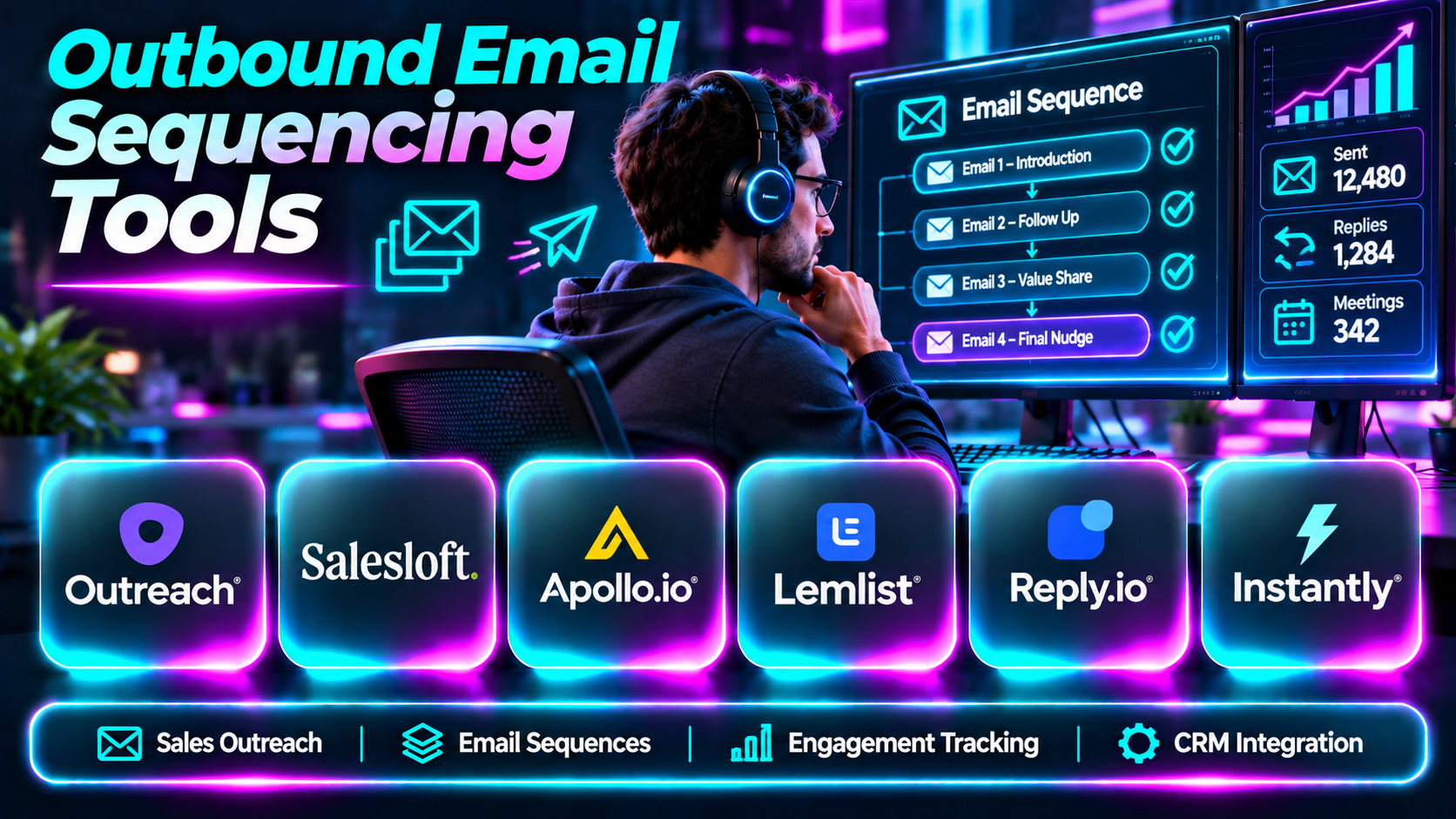
Outbound email sequencing tools are software platforms that manage planned series of emails sent to selected prospects.
A typical sequence begins with an introductory message, followed by additional communication when appropriate.
Advanced tools may automatically stop sequences after replies, create follow-up tasks, personalize messages, and synchronize engagement activity with CRM systems.
Email sequencing differs from newsletter publishing. Sequencing generally focuses on targeted prospect communication, while newsletters distribute recurring editorial or marketing content to subscribers.
The best sequencing platform depends on the organization’s audience, sales process, technical requirements, and compliance obligations.
Top 10 Outbound Email Sequencing Tools
1. Outreach
Short Description
Outreach is a sales execution platform that supports structured outbound engagement and broader revenue workflows.
It helps sales teams organize prospect communication, automate selected follow-ups, and monitor engagement activity.
Outreach is particularly relevant to established B2B organizations with dedicated SDR teams and formal sales operations.
Key Features
- Email sequences: Organizes multi-step prospect communication.
- Task automation: Creates sales activities within defined workflows.
- CRM synchronization: Connects engagement with sales records.
- Reply management: Helps teams respond to prospect interactions.
- Personalization: Supports relevant message customization.
- Sequence reporting: Tracks outreach activity.
- Team workflows: Standardizes processes across representatives.
- Sales execution analytics: Supports management visibility.
Benefits
Outreach helps large sales teams execute consistent prospect engagement processes.
Pros
- Enterprise sales focus.
- Structured workflows.
- CRM integration.
- Management reporting.
- Broad sales execution capabilities.
Cons
- Commercial investment.
- Implementation complexity.
- Requires administrator involvement.
- Not a prospect database replacement.
Use Cases
Enterprise SDR sequencing and coordinated sales engagement.
Best For: Large B2B sales organizations.
2. Salesloft
Short Description
Salesloft provides revenue workflow capabilities that include structured sales engagement.
Its cadence-based approach helps representatives manage prospect communication alongside other sales activities.
Salesloft is especially relevant to teams that want sequencing connected to broader revenue execution and CRM processes.
Key Features
- Sales cadences.
- Email sequencing.
- Task management.
- CRM integration.
- Engagement analytics.
- Sales workflow automation.
- Conversation-related capabilities.
- Team reporting.
Benefits
Salesloft helps sellers maintain consistent follow-up processes.
Pros
- Integrated revenue workflows.
- Sales engagement focus.
- CRM connectivity.
- Team management visibility.
- Suitable for established organizations.
Cons
- Commercial pricing.
- Setup and administration.
- Broader than simple email sequencing.
- Data quality remains important.
Use Cases
B2B sales cadences and prospect follow-up.
Best For: Midmarket and enterprise sales teams.
3. Apollo.io
Short Description
Apollo.io combines prospect discovery with outbound engagement tools.
Its sequencing capabilities allow users to move from prospect identification to organized outreach within the same environment.
Apollo is particularly relevant to teams that want contact data and email sequencing together.
Key Features
- Email sequences.
- B2B prospect database.
- Contact filtering.
- Personalization.
- CRM integration.
- Engagement reporting.
- Prospect list management.
- Workflow automation.
Benefits
Apollo reduces the need to switch between prospect discovery and sequencing systems.
Pros
- Integrated prospecting.
- Useful targeting.
- Sales engagement.
- CRM connectivity.
- Suitable for growing teams.
Cons
- Data quality varies.
- Usage limitations.
- Sending reputation needs management.
- Advanced processes require configuration.
Use Cases
Outbound B2B prospecting and follow-up sequences.
Best For: Growing SDR teams.
4. Lemlist
Short Description
Lemlist focuses on outbound sales engagement and personalized prospect communication.
It supports email campaigns and other engagement workflows designed to help teams manage follow-ups efficiently.
Lemlist is particularly relevant to teams that prioritize customized outreach.
Key Features
- Email sequencing.
- Personalization.
- Campaign management.
- Multichannel workflow options.
- Prospect segmentation.
- Campaign analytics.
- CRM integrations.
- Follow-up automation.
Benefits
Lemlist helps teams organize personalized outbound communication.
Pros
- Personalization focus.
- Outbound specialization.
- Flexible campaigns.
- Useful reporting.
- Suitable for growth teams.
Cons
- Requires reliable contact data.
- Deliverability management.
- Commercial cost.
- Automation can reduce message quality if poorly configured.
Use Cases
Personalized B2B outbound email campaigns.
Best For: Small and midmarket outbound teams.
5. Reply.io
Short Description
Reply.io provides sales engagement and automation capabilities for outbound teams.
It helps organizations organize prospect sequences and coordinate communication across supported channels.
Reply.io is particularly useful for teams seeking flexible sales engagement workflows.
Key Features
- Email sequences.
- Follow-up automation.
- Multichannel engagement.
- Prospect management.
- CRM integration.
- Campaign reporting.
- Workflow automation.
- Reply-related processes.
Benefits
Reply.io reduces manual follow-up administration.
Pros
- Sequence automation.
- Multichannel workflows.
- Sales integration.
- Useful analytics.
- Flexible campaign execution.
Cons
- Prospect data may require additional services.
- Deliverability risks.
- Requires configuration.
- Commercial pricing.
Use Cases
SDR outreach and structured follow-ups.
Best For: Sales development teams.
6. Instantly
Short Description
Instantly is an outbound email platform designed for campaign management and email-led prospecting.
It provides sequencing and sending-related workflows for organizations running outbound campaigns.
Instantly is relevant to teams prioritizing email operations, although responsible sending practices remain essential.
Key Features
- Email sequencing.
- Campaign management.
- Sending account workflows.
- Lead list management.
- Follow-up automation.
- Campaign analytics.
- Deliverability-related capabilities.
- Prospect management.
Benefits
Instantly helps teams coordinate outbound email campaigns from one environment.
Pros
- Email-focused platform.
- Sequence automation.
- Campaign visibility.
- Useful sending workflows.
- Outbound specialization.
Cons
- Not a full enterprise CRM.
- Sending reputation risks.
- Requires suppression management.
- Excessive outreach can harm deliverability.
Use Cases
Email-led outbound prospecting.
Best For: Dedicated outbound email teams.
7. Smartlead
Short Description
Smartlead provides cold email campaign and sequencing capabilities for outbound teams.
It supports managing outreach workflows across sending accounts and tracking campaign activity.
Smartlead is particularly relevant to teams handling substantial outbound email operations, where governance and reputation management are important.
Key Features
- Email campaign sequencing.
- Sending account management.
- Follow-up workflows.
- Campaign analytics.
- Lead management.
- Personalization.
- Integration options.
- Deliverability-related tools.
Benefits
Smartlead helps organize multi-account outbound email workflows.
Pros
- Outbound email specialization.
- Sequence management.
- Campaign reporting.
- Flexible operations.
- Useful for agencies and teams.
Cons
- Not a replacement for compliance processes.
- Sending risks remain.
- Data sourcing may require other products.
- Configuration complexity.
Use Cases
Agency outbound campaigns and B2B email sequences.
Best For: Outbound email operations teams.
8. Mailshake
Short Description
Mailshake is a sales engagement platform focused on outbound email and related sales activities.
It helps teams build campaigns, organize follow-ups, and monitor prospect responses.
Mailshake is particularly relevant to smaller sales organizations seeking a focused sequencing workflow.
Key Features
- Email sequences.
- Campaign personalization.
- Follow-up automation.
- Prospect management.
- Campaign analytics.
- Sales engagement workflows.
- Integration options.
- Reply management.
Benefits
Mailshake helps sales teams manage outreach without relying on manual reminders.
Pros
- Focused sequencing.
- Sales engagement features.
- Accessible workflows.
- Useful campaign tracking.
- Suitable for smaller teams.
Cons
- Limited compared with large enterprise suites.
- Data sourcing may require integrations.
- Deliverability requires attention.
- Commercial subscription.
Use Cases
Small-team outbound prospecting.
Best For: SMB sales organizations.
9. Woodpecker
Short Description
Woodpecker provides cold email and follow-up automation for B2B outreach.
Its workflow emphasizes organized sequences and prospect communication.
Woodpecker is useful for teams seeking focused email automation without adopting a comprehensive revenue platform.
Key Features
- Email sequencing.
- Automated follow-ups.
- Personalization.
- Campaign management.
- Reply handling.
- Prospect segmentation.
- Integration options.
- Campaign reporting.
Benefits
Woodpecker reduces manual follow-up work.
Pros
- Email sequencing focus.
- Straightforward campaign workflows.
- Follow-up automation.
- Useful for small teams.
- Integration capabilities.
Cons
- Narrower than enterprise sales platforms.
- Sending reputation remains critical.
- Limited broader revenue intelligence.
- Pricing depends on requirements.
Use Cases
B2B cold email and follow-up campaigns.
Best For: Small outbound sales teams.
10. Klenty
Short Description
Klenty is a sales engagement platform that supports prospect communication through structured cadences.
It helps SDR teams manage follow-up tasks and connect outreach with CRM processes.
Klenty is particularly relevant to organizations that want sales cadence management without implementing a large revenue intelligence suite.
Key Features
- Sales cadences.
- Email sequences.
- Follow-up automation.
- CRM integration.
- Prospect segmentation.
- Engagement analytics.
- Sales task management.
- Team workflows.
Benefits
Klenty helps SDR teams maintain consistent prospect follow-up.
Pros
- Sales cadence specialization.
- CRM connectivity.
- Useful automation.
- Team workflows.
- SDR relevance.
Cons
- Contact discovery may require other tools.
- Deliverability oversight.
- Commercial pricing.
- Integration requirements.
Use Cases
SDR cadence management and prospect engagement.
Best For: CRM-centered sales development teams.
Outbound Email Sequencing Tools Comparison Table
| Platform | Primary Strength | Best For |
|---|---|---|
| Outreach | Enterprise sales execution | Large SDR teams |
| Salesloft | Revenue cadences | Established sales |
| Apollo.io | Prospecting and sequencing | Growing SDR teams |
| Lemlist | Personalized outreach | Growth teams |
| Reply.io | Multichannel sequences | Sales development |
| Instantly | Email campaign operations | Outbound email teams |
| Smartlead | Multi-account campaigns | Agencies |
| Mailshake | Focused sales outreach | SMBs |
| Woodpecker | Email follow-ups | Small teams |
| Klenty | CRM-connected cadences | SDR organizations |
How to Choose the Right Outbound Email Sequencing Tool
1. Define the Outreach Objective
Determine whether the primary goal is prospecting, partnership development, account expansion, or follow-up management.
2. Evaluate Personalization
Choose software that supports meaningful message customization based on verified prospect context.
3. Review Email Infrastructure
Confirm compatibility with the organization’s email provider and sending policies.
4. Assess Reply Detection
Sequences should stop or change appropriately when recipients reply, unsubscribe, or become customers.
5. Examine CRM Integration
Ensure outreach activities synchronize with existing records.
6. Review Deliverability Controls
Implement authentication, bounce handling, suppression, and reputation monitoring.
7. Establish Compliance
Review applicable anti-spam, privacy, consent, and unsubscribe requirements.
8. Compare Reporting
Focus on qualified replies, meetings, and opportunities rather than open rates alone.
9. Consider Team Governance
Review permissions, templates, approvals, and activity oversight.
10. Calculate Total Cost
Include platform fees, data providers, email infrastructure, and administration.
Best Outbound Email Sequencing Software by User Type
| User Type | Recommended Platform |
|---|---|
| Enterprise SDR leader | Outreach |
| Revenue execution team | Salesloft |
| B2B prospecting team | Apollo.io |
| Personalized outbound specialist | Lemlist |
| Multichannel SDR team | Reply.io |
| Email operations team | Instantly |
| Outbound agency | Smartlead |
| SMB sales representative | Mailshake |
| Small B2B team | Woodpecker |
| CRM-focused SDR manager | Klenty |
Practical Example: Building a Responsible Outbound Email Sequence
A B2B consulting company wants to introduce its services to relevant technology businesses.
Step 1: Define the ideal customer profile.
Step 2: Research organizations that could genuinely benefit.
Step 3: Verify business contact information and permitted outreach practices.
Step 4: Remove existing customers, unsubscribed contacts, and suppressed addresses.
Step 5: Configure sender authentication and mailbox security.
Step 6: Write a short, relevant introductory email.
Step 7: Create a limited follow-up sequence.
Step 8: Configure automatic stopping after replies or opt-outs.
Step 9: Review message personalization before activation.
Step 10: Launch a small pilot campaign.
Step 11: Monitor bounces, complaints, meaningful replies, and qualified meetings.
Step 12: Refine targeting and content before expanding.
Frequently Asked Questions
1. What is email sequencing?
A planned series of emails managed through software.
2. What is outbound email?
Email initiated by a business to reach selected recipients.
3. What is a sales cadence?
A structured schedule of sales engagement activities.
4. How is sequencing different from newsletters?
Sequencing targets individual prospects; newsletters typically serve subscriber audiences.
5. What is follow-up automation?
Automatically scheduling or triggering appropriate follow-up messages.
6. Can sequences stop after replies?
Many platforms support reply-based stopping rules.
7. What is email personalization?
Adapting content to a recipient’s relevant circumstances.
8. Is personalized email always effective?
No. Relevance and message quality matter.
9. What is email deliverability?
The ability of email to reach intended mailboxes.
10. What is sender reputation?
How receiving systems assess the trustworthiness of a sender.
11. What is SPF?
An email authentication mechanism identifying authorized sending systems.
12. What is DKIM?
An authentication method using cryptographic signatures.
13. What is DMARC?
A policy and reporting framework built on email authentication.
14. Can poor outreach harm deliverability?
Yes, especially when complaints and bounces increase.
15. What is bounce handling?
Managing messages that cannot be delivered.
16. What is a suppression list?
A list of recipients excluded from future campaigns.
17. Why is unsubscribe handling important?
It respects recipient preferences and supports compliance.
18. Can sequencing tools integrate with CRM?
Many provide CRM integrations.
19. What is a qualified reply?
A response indicating relevant business interest or an appropriate next step.
20. Are email open rates reliable?
Not always. Privacy features can affect measurement.
21. What is reply rate?
The proportion of sent messages receiving replies.
22. Does a high reply rate guarantee success?
No. Replies may be negative or unrelated.
23. What is a sequence template?
A reusable structure for outreach messages.
24. Can AI write outreach emails?
Yes, but content should be checked for accuracy and relevance.
25. Is cold email legal everywhere?
Requirements differ by jurisdiction and circumstances.
26. Should sequences use misleading subject lines?
No. Accurate and transparent communication is preferable.
27. How many follow-ups should a sequence contain?
There is no universal number; relevance and recipient expectations matter.
28. What is sequence A/B testing?
Comparing different outreach approaches under controlled conditions.
29. How should sequencing ROI be measured?
Use qualified conversations, opportunities, costs, and customer outcomes.
30. Which outbound email sequencing tool is best?
Choose based on sales process, integration requirements, deliverability controls, and budget.
Final Thoughts
Outbound email sequencing tools help sales teams manage communication consistently.
Outreach and Salesloft support enterprise revenue workflows. Apollo.io combines prospect discovery with engagement, while Lemlist, Reply.io, Instantly, Smartlead, Mailshake, Woodpecker, and Klenty offer different approaches to sequencing.
Successful outbound email depends on accurate targeting, useful messages, responsible sending practices, and respectful follow-up. The best platform supports those principles rather than encouraging unnecessary message volume.
