Introduction
Sales calls, customer meetings, and support conversations contain valuable information that rarely appears in CRM fields or standard business reports.
Customers explain their challenges, buyers raise objections, competitors enter discussions, and employees make commitments. Without a structured way to analyze these conversations, organizations may lose important information.
Conversation intelligence platforms help businesses capture, transcribe, organize, and analyze conversations. They can identify recurring themes, support coaching, improve CRM documentation, and provide visibility into customer interactions.
However, these platforms differ significantly. Some specialize in revenue intelligence, others focus on meeting productivity, and others support contact center quality management.
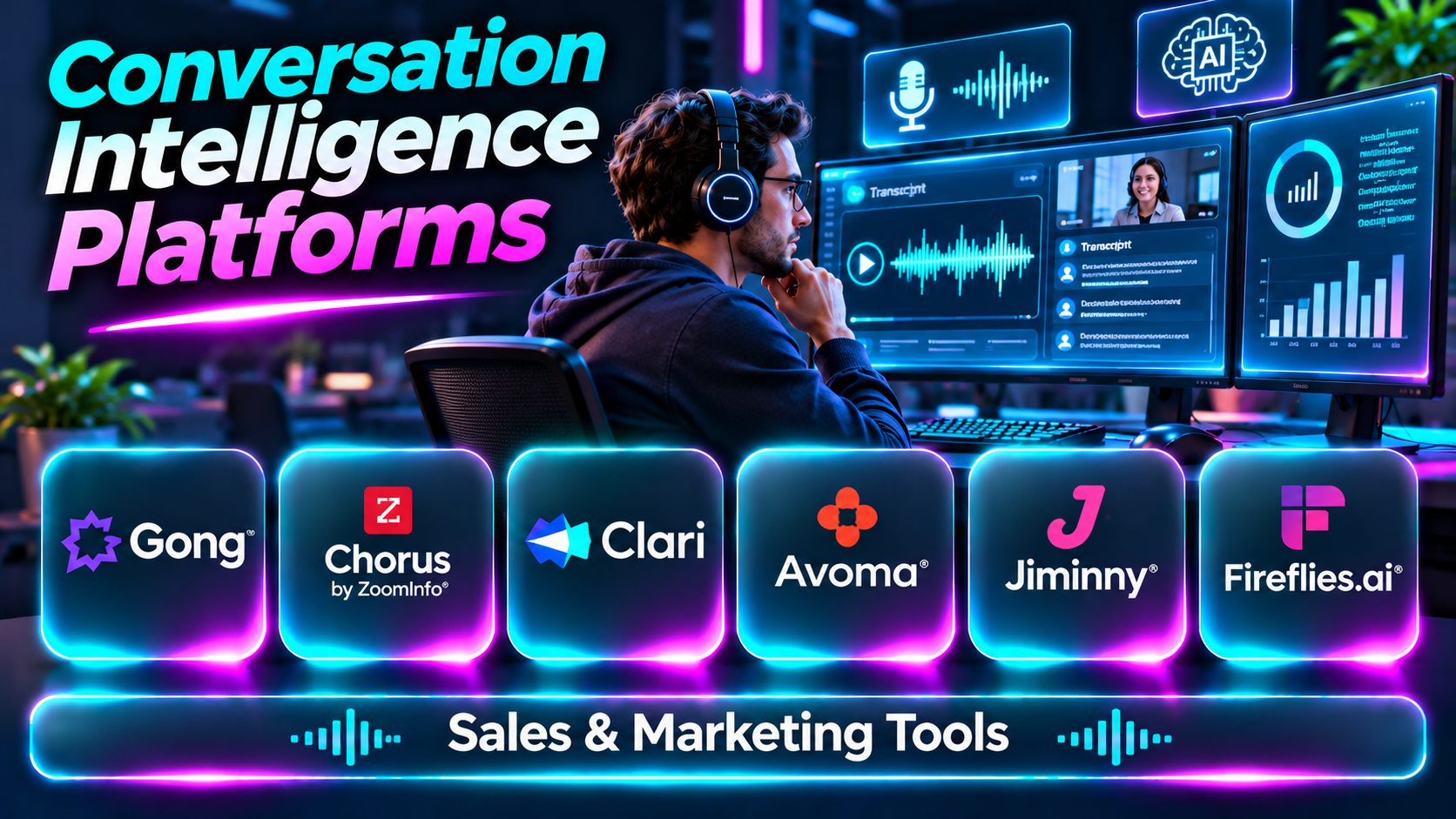
This guide compares ten conversation intelligence platforms and explains how to evaluate their capabilities, limitations, and practical applications.
What Are Conversation Intelligence Platforms?
Conversation intelligence platforms analyze spoken or recorded business interactions to produce useful information.
Typical capabilities include meeting recording, transcription, speaker identification, conversation search, summaries, topic detection, coaching insights, and integrations with CRM or support systems.
Advanced products may identify buying signals, objections, competitor mentions, customer sentiment, and patterns across multiple conversations.
Conversation intelligence is not the same as basic call recording. Recording preserves what happened, while conversation intelligence helps teams understand the content and use it to improve business decisions.
Because these systems process potentially sensitive communications, organizations must also evaluate consent, privacy, retention, access controls, and the reliability of AI-generated interpretations.
Top 10 Conversation Intelligence Platforms
1. Gong
Short Description
Gong is a revenue intelligence platform that analyzes sales conversations and related customer interactions to provide insights into sales execution and pipeline activity.
It helps revenue organizations understand what happens during meetings, identify important deal developments, and support coaching based on real conversations.
Gong is particularly relevant to established B2B sales organizations with structured sales processes and significant meeting volumes. Its broader revenue intelligence capabilities may be more extensive than a small team needs.
Key Features
- Conversation recording and transcription: Captures and organizes supported sales interactions.
- AI-generated summaries: Helps teams review important meeting information.
- Conversation search: Locates topics, questions, and specific discussions.
- Deal intelligence: Connects interaction insights with opportunity management.
- Coaching insights: Helps managers review sales behaviors.
- CRM integration: Connects conversation information with sales records.
- Customer engagement analysis: Provides visibility into buyer participation.
- Revenue reporting: Helps leaders understand sales execution patterns.
Benefits
Gong reduces manual meeting review and helps revenue teams identify patterns across customer conversations.
Pros
- Strong sales conversation analysis.
- Revenue intelligence capabilities.
- Useful coaching workflows.
- CRM connectivity.
- Appropriate for complex B2B sales organizations.
Cons
- Significant commercial investment may be required.
- Implementation and adoption require planning.
- Not designed primarily for general meeting notes.
- Automated insights require human interpretation.
Use Cases
Deal reviews, objection analysis, sales coaching, pipeline inspection, and customer communication analysis.
Best For: Midmarket and enterprise B2B revenue teams.
2. Chorus by ZoomInfo
Short Description
Chorus is a conversation intelligence product associated with ZoomInfo’s sales intelligence ecosystem.
It helps revenue teams record, review, and analyze customer conversations to identify deal information and coaching opportunities.
Chorus is particularly relevant to organizations already using ZoomInfo for prospecting and revenue workflows.
Key Features
- Sales call recording.
- Conversation transcription.
- AI-assisted meeting analysis.
- Conversation search.
- Coaching workflows.
- Deal-related insights.
- CRM connectivity.
- Sales activity visibility.
Benefits
Chorus helps sales teams turn meeting content into actionable information.
Pros
- Revenue-oriented analysis.
- ZoomInfo ecosystem relevance.
- Sales coaching capabilities.
- Searchable conversations.
- Useful deal context.
Cons
- Commercial licensing.
- Product packaging should be verified.
- Requires recording governance.
- Primarily oriented toward revenue workflows.
Use Cases
Sales coaching, meeting review, and deal analysis.
Best For: ZoomInfo-centered sales teams.
3. Clari Copilot
Short Description
Clari Copilot is a conversation intelligence solution designed to help revenue teams understand sales interactions and improve execution.
It connects meeting insights with the broader goal of managing sales opportunities and revenue processes.
Clari Copilot is particularly useful when organizations want conversation analysis to support pipeline management and forecasting discussions.
Key Features
- Meeting recording.
- Transcription.
- Conversation summaries.
- Deal intelligence.
- Coaching insights.
- CRM connectivity.
- Revenue workflow integration.
- Conversation search.
Benefits
Clari Copilot connects meeting-level information with revenue management.
Pros
- Revenue operations focus.
- Sales coaching support.
- Opportunity insights.
- Useful conversation summaries.
- Relevant to established sales processes.
Cons
- Enterprise-oriented investment.
- Integration requirements.
- May exceed basic meeting intelligence needs.
- Insight quality depends on available data.
Use Cases
Pipeline reviews, deal coaching, and revenue team collaboration.
Best For: Revenue organizations seeking integrated deal intelligence.
4. Avoma
Short Description
Avoma combines AI meeting assistance, conversation intelligence, and revenue-related capabilities.
It helps teams prepare for meetings, capture notes, organize conversations, and analyze interactions.
Avoma is particularly useful for organizations seeking a balance between meeting productivity and sales conversation analysis.
Key Features
- Meeting recording.
- Automated notes.
- Conversation transcription.
- Topic tracking.
- Meeting summaries.
- CRM integration.
- Coaching insights.
- Meeting analytics.
Benefits
Avoma reduces administrative meeting work while providing useful conversation context.
Pros
- Combines meeting assistance and intelligence.
- Structured meeting workflows.
- Useful summaries.
- Sales team relevance.
- Supports collaboration.
Cons
- Advanced features may require higher plans.
- Integration setup.
- AI summaries need review.
- Less suitable for specialized contact center QA.
Use Cases
Sales meetings, customer success reviews, and coaching.
Best For: Growing sales and customer-facing teams.
5. Jiminny
Short Description
Jiminny is a conversation intelligence and sales coaching platform focused on helping revenue teams improve their performance.
It provides conversation visibility and supports managers in identifying coaching opportunities from actual customer interactions.
Jiminny is particularly relevant to sales teams that want conversation analysis closely connected to employee development.
Key Features
- Call recording.
- Conversation analysis.
- Sales coaching.
- Meeting transcription.
- Performance insights.
- CRM integration.
- Conversation search.
- Team collaboration.
Benefits
Jiminny helps managers use real conversations to support more consistent coaching.
Pros
- Strong coaching orientation.
- Revenue team focus.
- Conversation visibility.
- Useful performance insights.
- Supports team development.
Cons
- Primarily sales-oriented.
- Commercial pricing.
- Requires manager engagement.
- Analytics need contextual interpretation.
Use Cases
Sales coaching, onboarding, and call reviews.
Best For: Sales managers building structured coaching programs.
6. Salesloft Conversations
Short Description
Salesloft provides conversation intelligence within its broader revenue workflow platform.
It helps sellers and managers capture meeting information and connect conversations with sales execution.
The solution is particularly relevant to organizations already using Salesloft for sales engagement and pipeline workflows.
Key Features
- Conversation recording.
- Transcription.
- Meeting insights.
- Sales workflow integration.
- CRM connectivity.
- Coaching support.
- Conversation summaries.
- Revenue activity visibility.
Benefits
Salesloft connects meeting insights with daily sales workflows.
Pros
- Integrated revenue platform.
- Useful seller workflows.
- Coaching opportunities.
- CRM connectivity.
- Sales execution focus.
Cons
- Platform dependency.
- Commercial cost.
- May be excessive for standalone meeting analysis.
- Requires adoption across sales processes.
Use Cases
Sales meetings, coaching, and opportunity execution.
Best For: Salesloft customers.
7. Fireflies.ai
Short Description
Fireflies.ai is an AI meeting assistant that records, transcribes, summarizes, and organizes meetings.
Its searchable conversation library helps teams retrieve information without reviewing entire recordings.
Although it is not as specialized in enterprise revenue intelligence as some competitors, it can be useful for organizations seeking accessible conversation capture and analysis.
Key Features
- Meeting transcription.
- AI-generated summaries.
- Conversation search.
- Topic identification.
- Meeting integrations.
- Collaboration tools.
- Workflow integrations.
- Conversation organization.
Benefits
Fireflies.ai helps teams preserve and retrieve information from meetings.
Pros
- Broad meeting use cases.
- Searchable transcripts.
- Accessible collaboration.
- Useful summaries.
- Integration options.
Cons
- Less specialized deal intelligence.
- Summary accuracy varies.
- Privacy settings require review.
- Advanced analytics may be limited.
Use Cases
Team meetings, customer interviews, sales discussions, and project reviews.
Best For: Small and medium businesses needing meeting intelligence.
8. Fathom
Short Description
Fathom is an AI meeting assistant focused on capturing conversations and producing useful summaries.
It helps users reduce manual note-taking and preserve key information from meetings.
Fathom is particularly relevant to individuals and teams seeking a straightforward way to document conversations without adopting a full revenue intelligence platform.
Key Features
- Meeting recording.
- Transcription.
- AI summaries.
- Meeting highlights.
- Searchable conversation records.
- Sharing capabilities.
- CRM-related workflows.
- Meeting integrations.
Benefits
Fathom improves meeting documentation and follow-up efficiency.
Pros
- Meeting productivity focus.
- Useful summaries.
- Straightforward workflow.
- Suitable for individuals and teams.
- Reduces note-taking effort.
Cons
- Limited enterprise revenue analysis compared with specialized platforms.
- Meeting platform compatibility must be checked.
- AI output requires verification.
- Recording permissions must be managed.
Use Cases
Sales meetings, interviews, customer calls, and internal discussions.
Best For: Individuals and smaller teams.
9. Observe.AI
Short Description
Observe.AI provides conversation intelligence and quality management capabilities for contact center operations.
Unlike platforms focused primarily on B2B sales meetings, Observe.AI helps organizations analyze customer service interactions and agent performance.
It is particularly relevant to businesses seeking automated quality assurance and coaching insights across large support operations.
Key Features
- Conversation transcription.
- Contact center analytics.
- Automated QA.
- Agent performance insights.
- Coaching support.
- Conversation search.
- Interaction reporting.
- Contact center integrations.
Benefits
Observe.AI helps service organizations analyze more customer conversations and identify improvement opportunities.
Pros
- Contact center focus.
- AI-assisted QA.
- Coaching insights.
- Large-scale conversation analysis.
- Service quality visibility.
Cons
- Not primarily a sales intelligence platform.
- Commercial investment.
- Requires integration planning.
- Automated evaluations need calibration.
Use Cases
Contact center QA, agent coaching, and customer service analytics.
Best For: Customer support organizations.
10. CallMiner
Short Description
CallMiner specializes in conversation analytics for customer interaction environments.
It helps organizations examine large volumes of recorded conversations to identify recurring issues, customer concerns, and operational patterns.
CallMiner is particularly relevant to enterprises that need deeper interaction analysis for service quality, compliance monitoring, and customer experience improvement.
Key Features
- Speech analytics.
- Conversation transcription.
- Interaction search.
- Topic identification.
- Quality insights.
- Compliance-related monitoring.
- Customer experience analytics.
- Reporting dashboards.
Benefits
CallMiner helps organizations identify trends that may be missed through manual call sampling.
Pros
- Deep conversation analytics.
- Enterprise contact center relevance.
- Large-scale interaction analysis.
- Useful reporting.
- Supports operational improvement.
Cons
- Implementation complexity.
- Recording integration requirements.
- Commercial investment.
- Analytics findings need validation.
Use Cases
Customer experience research, service quality analysis, and contact center intelligence.
Best For: Large customer service and analytics teams.
Conversation Intelligence Platforms Comparison Table
| Platform | Primary Strength | Best For | Main Consideration |
|---|---|---|---|
| Gong | Revenue intelligence | Enterprise sales | Investment and complexity |
| Chorus | Sales conversation analysis | ZoomInfo users | Ecosystem fit |
| Clari Copilot | Deal and revenue insights | Revenue operations | Integration requirements |
| Avoma | Meeting and conversation intelligence | Growing sales teams | Feature tiers |
| Jiminny | Sales coaching | Sales managers | Coaching adoption |
| Salesloft Conversations | Sales workflow integration | Salesloft users | Platform dependency |
| Fireflies.ai | Searchable meeting records | SMBs | Less specialized analytics |
| Fathom | Meeting summaries | Individuals and teams | Limited advanced intelligence |
| Observe.AI | Contact center QA | Support teams | QA configuration |
| CallMiner | Enterprise speech analytics | Contact centers | Implementation effort |
How to Choose the Right Conversation Intelligence Platform
1. Define the Business Objective
Determine whether the goal is sales coaching, revenue forecasting, meeting documentation, customer experience analysis, or quality assurance.
2. Review Recording and Meeting Compatibility
Confirm support for the organization’s conferencing, telephony, and contact center systems.
3. Evaluate Transcription Quality
Test different accents, audio conditions, languages, and overlapping speech.
4. Examine Analytics Depth
Basic summaries may be sufficient for meeting productivity. Enterprise sales and contact center teams may require specialized analysis.
5. Assess CRM Integration
Conversation information should connect to the appropriate customer and opportunity records.
6. Review Coaching Capabilities
Evaluate whether managers can identify specific moments and provide constructive feedback.
7. Establish Privacy and Consent Policies
Review recording consent, retention periods, access restrictions, and applicable regulations.
8. Validate AI Insights
Test summaries, sentiment classifications, and recommendations against actual conversations.
9. Compare Total Cost
Include licenses, recording storage, analytics features, integrations, and administration.
10. Plan Adoption
The platform should support an established workflow rather than create another dashboard employees rarely use.
Best Conversation Intelligence Software by User Type
| User Type | Recommended Platform | Reason |
|---|---|---|
| Enterprise sales leader | Gong | Revenue intelligence |
| ZoomInfo sales team | Chorus | Sales ecosystem |
| Revenue operations manager | Clari Copilot | Deal insights |
| Growing sales organization | Avoma | Meeting intelligence |
| Sales coach | Jiminny | Coaching workflows |
| Salesloft customer | Salesloft Conversations | Integrated execution |
| Small business | Fireflies.ai | Searchable meetings |
| Individual professional | Fathom | Meeting summaries |
| Contact center QA manager | Observe.AI | Automated evaluations |
| Customer experience analyst | CallMiner | Conversation analytics |
Practical Example: Improving Sales Discovery Calls
A B2B software company notices that many sales opportunities fail after initial discovery meetings.
Step 1: Define the problem. Review whether representatives understand customer needs before presenting solutions.
Step 2: Select a platform. Choose conversation intelligence software that integrates with the existing meeting and CRM systems.
Step 3: Establish recording policies. Configure consent, access, and retention requirements.
Step 4: Create evaluation criteria. Assess discovery questions, customer participation, problem identification, and next-step clarity.
Step 5: Review representative calls. Include successful and unsuccessful opportunities.
Step 6: Identify recurring patterns. Examine whether sellers interrupt buyers or overlook important concerns.
Step 7: Coach using examples. Share specific moments that demonstrate effective questioning.
Step 8: Track behavioral changes. Monitor whether representatives improve discovery practices.
Step 9: Compare business outcomes. Review qualification quality and opportunity progression over time.
Step 10: Refine the process. Update coaching guidance based on evidence rather than relying solely on automated scores.
Frequently Asked Questions
1. What is conversation intelligence?
Technology that analyzes business conversations to produce useful insights.
2. How does conversation intelligence work?
It combines recording, transcription, language analysis, and reporting.
3. Is conversation intelligence the same as call recording?
No. Recording captures audio, while intelligence tools analyze its content.
4. What is sales conversation intelligence?
Conversation analysis focused on sales performance and buyer interactions.
5. Can conversation intelligence improve coaching?
Yes, by providing specific examples from actual conversations.
6. What is automated transcription?
Software-generated text representing spoken conversations.
7. Are AI transcripts always accurate?
No. Audio quality, accents, and overlapping speech affect accuracy.
8. What is speaker identification?
Distinguishing participants within a recorded conversation.
9. Can platforms identify objections?
Some detect objection-related language and topics.
10. What is deal intelligence?
Information that helps teams understand sales opportunity progress and risks.
11. Can conversation intelligence update CRM records?
Some platforms support CRM synchronization and related workflows.
12. What is meeting intelligence?
Analysis and organization of meeting content.
13. Can conversation intelligence summarize meetings?
Yes, many platforms generate automated summaries.
14. What is conversation search?
Finding specific words, themes, or moments in recorded interactions.
15. Can these tools detect competitor mentions?
Some support competitor-related keyword or topic analysis.
16. What is talk-time analysis?
Measurement of speaking time across participants.
17. Does a high talk ratio always indicate poor selling?
No. Context and meeting purpose matter.
18. Can these platforms help customer support?
Yes, particularly products focused on contact center interactions.
19. What is automated QA?
Software-assisted evaluation of conversations against quality criteria.
20. Can AI detect customer sentiment?
Some tools estimate sentiment, but the results are imperfect.
21. Are conversation intelligence platforms secure?
Security depends on platform controls and implementation.
22. Is recording consent required?
Requirements vary by jurisdiction and circumstances.
23. Can small businesses use conversation intelligence?
Yes, particularly meeting-focused products.
24. What is revenue intelligence?
Technology that analyzes information related to revenue performance and sales execution.
25. How do these platforms integrate with CRM?
Through supported connectors, APIs, or workflow integrations.
26. What are common implementation challenges?
Recording policies, integrations, user adoption, and analytics accuracy.
27. Can conversation intelligence replace sales managers?
No. Managers still provide judgment, coaching, and context.
28. How should platform success be measured?
Use coaching adoption, process improvements, and meaningful business outcomes.
29. What is the biggest mistake when using conversation intelligence?
Treating AI-generated scores as definitive judgments without reviewing context.
30. Which conversation intelligence platform is best?
The best choice depends on whether the organization prioritizes sales, meeting productivity, or customer service analytics.
Final Thoughts
Conversation intelligence platforms help organizations turn everyday interactions into useful operational knowledge.
Gong, Chorus, Clari Copilot, and Jiminny focus on revenue and sales execution. Avoma, Fireflies.ai, and Fathom emphasize meeting productivity, while Observe.AI and CallMiner address contact center analysis.
The right platform should help employees understand customers more clearly, improve decisions, and take appropriate action. Accurate analysis, responsible recording practices, and practical adoption matter more than the number of AI-generated metrics.
