Introduction
Digital accessibility is essential for websites, applications, and online services that need to work for people with different abilities. Poorly labeled buttons, inaccessible forms, missing keyboard support, and insufficient color contrast can prevent users from completing important tasks.
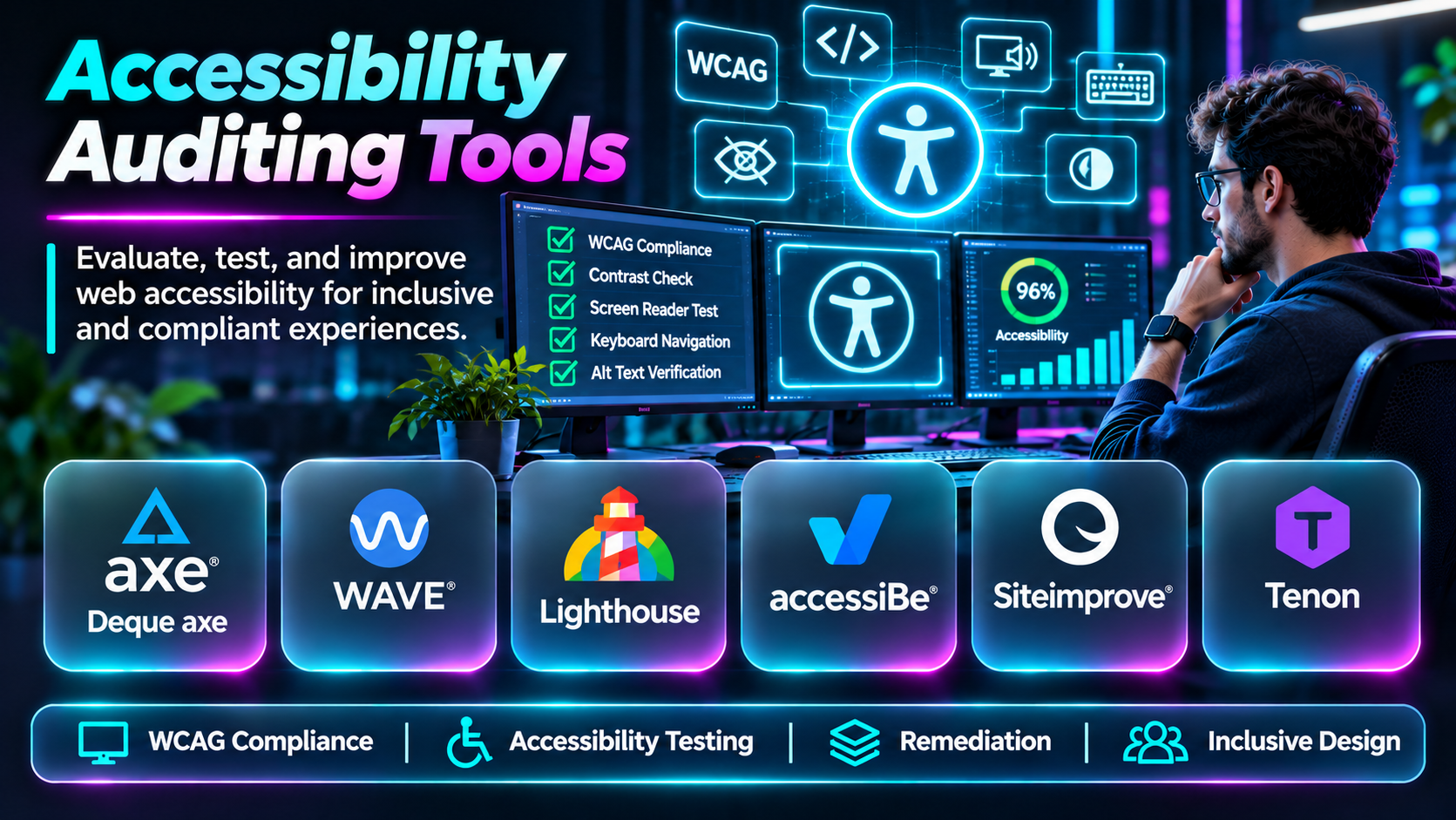
Accessibility auditing tools help development and quality assurance teams identify potential barriers. They examine web pages, inspect code, evaluate design choices, and report issues associated with accessibility standards.
However, automated scanning cannot confirm that an entire website is accessible. Teams must combine automated testing with manual inspection, assistive technology testing, and feedback from people with disabilities.
This guide compares ten accessibility auditing tools, explains their strengths and limitations, and outlines a practical approach to choosing the right solution.
What Are Accessibility Auditing Tools?
Accessibility auditing tools help evaluate whether digital interfaces follow accessibility principles and technical requirements.
Most web accessibility audits reference the Web Content Accessibility Guidelines (WCAG), which address perceivability, operability, understandability, and robustness.
Depending on the product, auditing tools may support automated scans, browser inspections, keyboard testing, color contrast analysis, issue reporting, and integration with development pipelines.
Organizations also use accessibility tools to support compliance programs, but automated results alone do not establish legal compliance.
Top 10 Accessibility Auditing Tools
1. axe DevTools — Deque Systems
Short Description
axe DevTools is an accessibility testing solution built around Deque Systems’ axe-core accessibility rules engine.
It helps developers and testers identify accessibility issues during development rather than waiting until a final compliance review.
Its integration with development workflows makes it particularly useful for organizations implementing accessibility checks throughout the software delivery lifecycle.
Key Features
- Automated accessibility rules: Detects many programmatically identifiable accessibility problems.
- Browser inspection: Supports investigating issues within web interfaces.
- Developer diagnostics: Provides information about affected elements and potential remediation.
- WCAG mapping: Associates applicable findings with accessibility criteria.
- Testing integrations: Supports accessibility testing within engineering workflows.
- Issue prioritization: Helps teams organize remediation work.
- Repeatable testing: Makes accessibility checks easier to reproduce.
- Team workflows: Supports structured accessibility improvement processes.
Benefits
axe DevTools helps developers identify accessibility problems early and reduce repeated remediation work.
Pros
- Established accessibility testing ecosystem.
- Developer-oriented diagnostics.
- Strong automated testing foundation.
- Useful integration possibilities.
Cons
- Cannot detect every accessibility barrier.
- Advanced features may require commercial licensing.
- Manual verification remains necessary.
Use Cases
Auditing forms, checking component accessibility, and integrating automated checks into development workflows.
Best For: Engineering teams embedding accessibility into software development.
2. WAVE — WebAIM
Short Description
WAVE is a web accessibility evaluation tool developed by WebAIM. It provides visual feedback about potential accessibility issues directly within a web page.
Its interface helps users understand where errors, warnings, and structural information appear.
WAVE is particularly useful for developers, designers, content editors, and educators who want an accessible introduction to auditing web pages.
Key Features
- Visual accessibility annotations.
- Accessibility error identification.
- Alerts requiring human judgment.
- Page structure inspection.
- Heading analysis.
- Alternative text evaluation.
- Contrast-related analysis.
- Browser-based evaluation options.
Benefits
WAVE makes accessibility findings easier to understand by displaying them alongside page content.
Pros
- Approachable interface.
- Helpful visual feedback.
- Useful for education and manual reviews.
- Suitable for individual page audits.
Cons
- Not a complete accessibility certification system.
- Large-scale monitoring requires additional workflows.
- Some findings require interpretation.
Use Cases
Reviewing landing pages, evaluating content structure, and identifying missing alternative text.
Best For: Designers, content teams, and developers conducting page-level reviews.
3. Accessibility Insights
Short Description
Accessibility Insights is a collection of accessibility testing tools associated with Microsoft.
It provides guided approaches for evaluating web accessibility, including automated checks and structured manual assessments.
Its combination of fast checks and deeper review guidance makes it useful for teams developing repeatable accessibility practices.
Key Features
- Automated accessibility checks.
- Guided assessment workflows.
- Browser-based testing.
- Issue inspection.
- Accessibility rule explanations.
- Manual verification guidance.
- Development-oriented reporting.
- Open-source tooling.
Benefits
Accessibility Insights encourages a structured testing process instead of relying only on automated scanning.
Pros
- Free and open-source options.
- Guided testing experience.
- Useful for developer education.
- Supports manual evaluation.
Cons
- Coverage depends on the selected product.
- Not a complete enterprise governance platform.
- Testing still requires accessibility expertise.
Use Cases
Developer accessibility reviews, guided audits, and accessibility training.
Best For: Teams establishing practical accessibility testing routines.
4. Lighthouse
Short Description
Lighthouse is an open-source auditing tool from Google that evaluates several aspects of web page quality, including accessibility.
Its accessibility audits can identify selected problems in page markup and interface implementation.
Lighthouse is particularly useful because it can be incorporated into existing web development and performance testing workflows.
Key Features
- Automated accessibility audits.
- Browser development tool integration.
- Accessibility scoring.
- Issue descriptions.
- Performance auditing.
- SEO-related checks.
- Programmatic execution.
- CI workflow integration options.
Benefits
Lighthouse provides a convenient starting point for accessibility checks alongside other website quality metrics.
Pros
- Free and widely accessible.
- Familiar to web developers.
- Useful automated reporting.
- Supports repeatable audits.
Cons
- Accessibility scores do not establish compliance.
- Automated coverage is limited.
- Manual testing is essential.
Use Cases
Checking web pages during development and identifying common accessibility issues before release.
Best For: Web developers and small teams.
5. Siteimprove Accessibility
Short Description
Siteimprove provides website quality and accessibility management capabilities for organizations operating substantial digital properties.
Its accessibility offering supports monitoring, issue identification, and remediation planning across websites.
This approach is particularly valuable for organizations with multiple content contributors and a large collection of pages.
Key Features
- Website accessibility scanning.
- Site-wide issue monitoring.
- Accessibility reporting.
- Issue prioritization.
- WCAG-related findings.
- Content quality workflows.
- Progress tracking.
- Team reporting.
Benefits
Siteimprove helps organizations manage accessibility as an ongoing operational responsibility.
Pros
- Suitable for large websites.
- Centralized monitoring.
- Useful management reporting.
- Supports ongoing remediation.
Cons
- Commercial investment required.
- Automated findings need verification.
- Implementation and governance take planning.
Use Cases
Monitoring university websites, government portals, and large enterprise content sites.
Best For: Organizations managing extensive websites.
6. Level Access
Short Description
Level Access provides digital accessibility solutions that combine software, expertise, and accessibility management workflows.
Its offerings support organizations seeking to improve accessibility across websites and digital products.
The platform is particularly relevant when accessibility work involves multiple departments, formal governance, and specialized assessment needs.
Key Features
- Digital accessibility testing.
- Accessibility monitoring.
- Issue management.
- Accessibility reporting.
- Remediation guidance.
- Governance workflows.
- Expert assessment services.
- Organizational accessibility programs.
Benefits
Level Access supports accessibility initiatives that extend beyond individual developer audits.
Pros
- Enterprise accessibility focus.
- Combines tooling with expertise.
- Supports governance processes.
- Suitable for complex organizations.
Cons
- Commercial pricing.
- Requires organizational commitment.
- Service scope and product capabilities need evaluation.
Use Cases
Enterprise accessibility programs, formal audits, and accessibility remediation planning.
Best For: Large organizations with structured accessibility responsibilities.
7. Silktide Accessibility
Short Description
Silktide provides website accessibility monitoring and reporting tools designed to help organizations understand and improve accessibility issues.
Its visual reporting and monitoring capabilities make it useful for teams responsible for large websites and ongoing content changes.
Silktide is particularly relevant when nontechnical stakeholders need understandable accessibility reports.
Key Features
- Automated website scanning.
- Accessibility issue reporting.
- WCAG-related checks.
- Visual issue identification.
- Website monitoring.
- Prioritization workflows.
- Progress reporting.
- Team collaboration.
Benefits
Silktide helps bridge accessibility testing and organizational reporting.
Pros
- Accessible reporting interface.
- Useful website monitoring.
- Suitable for content-heavy sites.
- Supports ongoing improvement.
Cons
- Commercial platform.
- Automated testing limitations remain.
- Complex issues require specialist review.
Use Cases
Monitoring corporate websites and coordinating accessibility improvements across content teams.
Best For: Website governance and digital experience teams.
8. Pa11y
Short Description
Pa11y is an open-source accessibility testing toolkit designed for developers and automation workflows.
It allows teams to run accessibility checks programmatically and incorporate results into development processes.
Pa11y is attractive to technically capable teams that want customizable accessibility testing without depending entirely on commercial services.
Key Features
- Command-line accessibility testing.
- Automated page evaluation.
- Configurable testing workflows.
- Continuous integration support.
- Reporting options.
- Website monitoring tools.
- Open-source extensibility.
- Scriptable execution.
Benefits
Pa11y helps developers automate accessibility checks within existing engineering infrastructure.
Pros
- Open source.
- Flexible automation.
- Useful for CI pipelines.
- Customizable workflows.
Cons
- Requires technical setup.
- Limited built-in enterprise governance.
- Automated findings need manual follow-up.
Use Cases
Continuous accessibility testing and scheduled audits of important website pages.
Best For: Developer-led accessibility automation.
9. AudioEye
Short Description
AudioEye offers digital accessibility monitoring and remediation-related services.
Its platform combines automated technology with additional accessibility support options, depending on the selected offering.
Organizations may consider AudioEye when seeking ongoing monitoring and assistance with accessibility improvement.
Key Features
- Accessibility scanning.
- Website monitoring.
- Accessibility issue reporting.
- Remediation workflows.
- Accessibility-related support.
- Progress tracking.
- Website integration options.
- Accessibility management services.
Benefits
AudioEye provides a managed approach to identifying and addressing accessibility issues.
Pros
- Ongoing monitoring options.
- Remediation support.
- Useful for website operators.
- Combines technology and services.
Cons
- Automated remediation cannot guarantee accessibility.
- Service details and pricing require review.
- Independent manual testing remains important.
Use Cases
Monitoring business websites and coordinating ongoing accessibility remediation.
Best For: Organizations seeking combined tooling and support.
10. IBM Equal Access Accessibility Checker
Short Description
IBM Equal Access Accessibility Checker is a developer-oriented accessibility testing tool associated with IBM’s Equal Access initiative.
It helps identify selected accessibility issues and provides information to support remediation.
Its approach is relevant to developers and QA teams seeking structured accessibility checks.
Key Features
- Automated accessibility rules.
- Browser-based inspection.
- Accessibility issue identification.
- Developer diagnostics.
- Accessibility guidance.
- Testing workflow support.
- Standards-related checks.
- Repeatable evaluations.
Benefits
The tool helps teams incorporate accessibility inspection into development and testing.
Pros
- Developer-oriented.
- Standards-focused.
- Useful accessibility guidance.
- Supports repeatable checks.
Cons
- Not a complete accessibility audit.
- Coverage depends on the tool version.
- Manual testing remains necessary.
Use Cases
Checking web components and reviewing accessibility issues during development.
Best For: Developers and QA engineers.
Accessibility Auditing Tools Comparison Table
| Tool | Main Strength | Best For | Main Limitation |
|---|---|---|---|
| axe DevTools | Developer accessibility testing | Engineering teams | Manual checks still needed |
| WAVE | Visual page evaluation | Content and design teams | Limited site-wide management |
| Accessibility Insights | Guided testing | Development teams | Requires manual assessment |
| Lighthouse | Quick automated audits | Web developers | Limited automated coverage |
| Siteimprove | Site-wide monitoring | Large websites | Commercial cost |
| Level Access | Accessibility governance | Enterprises | Implementation investment |
| Silktide | Monitoring and reporting | Website teams | Manual verification |
| Pa11y | Open-source automation | Technical teams | Setup requirements |
| AudioEye | Monitoring and support | Website operators | Automation limitations |
| IBM Equal Access | Developer diagnostics | QA teams | Not a complete audit |
How to Choose Accessibility Auditing Software
Evaluate Automated and Manual Testing Support
Choose a tool that supports your testing process, but never treat automated checks as a substitute for human evaluation.
Consider Website Size
A small website may benefit from browser-based tools. Large websites often need centralized monitoring, issue ownership, and reporting.
Review Developer Integrations
Development teams should evaluate command-line tools, testing frameworks, APIs, and CI/CD integrations.
Assess Reporting Quality
Reports should explain the issue, affected location, potential user impact, and recommended remediation.
Include Assistive Technology Testing
Screen readers, keyboard navigation, zoom, and other assistive technologies must be part of a complete accessibility strategy.
Verify Standards Coverage
Confirm which WCAG versions and criteria the tool evaluates. A claimed accessibility score is not equivalent to a complete conformance assessment.
Best Accessibility Auditing Tools by User Type
| User Type | Recommended Starting Point |
|---|---|
| Individual developer | Lighthouse |
| Frontend engineering team | axe DevTools |
| Content editor | WAVE |
| Team learning accessibility | Accessibility Insights |
| Open-source automation team | Pa11y |
| Large website organization | Siteimprove |
| Enterprise accessibility program | Level Access |
| Website governance team | Silktide |
Practical Example: Auditing an Ecommerce Checkout
An ecommerce business wants to improve checkout accessibility.
Step 1: Define applicable accessibility requirements and important user journeys.
Step 2: Run automated scans on product, cart, and checkout pages.
Step 3: Review findings such as missing labels, insufficient contrast, and invalid semantics.
Step 4: Test checkout using only a keyboard.
Step 5: Evaluate critical workflows with representative screen readers.
Step 6: Check form error messages, focus order, and dynamic updates.
Step 7: Prioritize issues that block purchases or prevent users from completing tasks.
Step 8: Implement corrections and rerun automated tests.
Step 9: Conduct manual verification before deployment.
Step 10: Monitor future changes to prevent recurring barriers.
Frequently Asked Questions
1. What is an accessibility auditing tool?
Software that helps identify potential accessibility problems in digital interfaces.
2. What is WCAG?
The Web Content Accessibility Guidelines provide technical recommendations for accessible digital content.
3. Can automated tools prove WCAG compliance?
No. Human evaluation is necessary.
4. What is the best free accessibility auditing tool?
WAVE, Lighthouse, Accessibility Insights, and Pa11y are useful starting points for different needs.
5. What is axe-core?
An accessibility testing engine used in automated accessibility testing.
6. Can accessibility tools detect missing alt text?
Many tools detect missing attributes, but they cannot reliably determine whether every description is meaningful.
7. Can automated tools test keyboard accessibility?
They can detect selected issues, but complete keyboard testing requires manual interaction.
8. What is color contrast testing?
It evaluates whether text and visual elements meet relevant contrast requirements.
9. Are accessibility scores reliable?
They can indicate selected automated findings but do not establish overall accessibility.
10. Should accessibility be tested before launch?
Yes, ideally throughout design and development.
11. Can accessibility testing be automated in CI/CD?
Yes, with tools and frameworks supporting automated execution.
12. What is a screen-reader test?
A test of how content and controls work with screen-reading assistive technology.
13. Is accessibility testing the same as usability testing?
No. They overlap, but accessibility focuses on removing barriers for people with disabilities.
14. How often should accessibility audits occur?
Regularly, particularly after significant content or interface changes.
15. What matters most when selecting a tool?
Testing coverage, actionable guidance, workflow integration, and support for manual verification.
Final Thoughts
Accessibility auditing tools help organizations find and correct barriers before they affect more users. axe DevTools and Pa11y support developer workflows, WAVE and Accessibility Insights provide useful evaluation experiences, and Siteimprove and Level Access address larger organizational programs.
The most effective accessibility strategy combines automation, expert review, assistive technology testing, and ongoing accountability.
