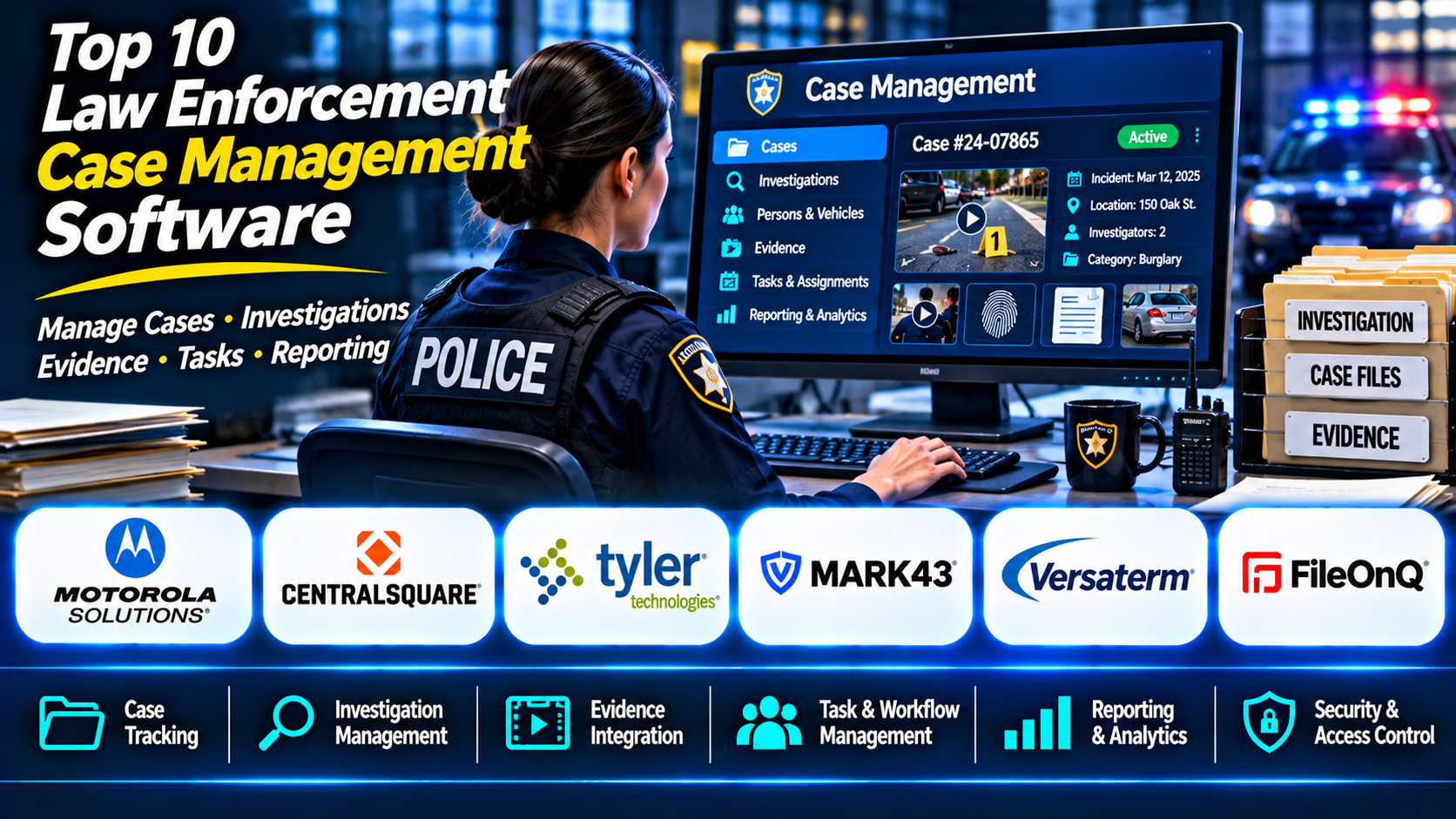
Introduction
Law enforcement investigations often involve many people, reports, leads, interviews, documents, and pieces of evidence. Keeping this information organized is essential for accurate casework and effective coordination.
Investigators may handle several active cases at once. Without a structured system, important tasks can be overlooked, records may become difficult to locate, and supervisors may struggle to understand investigation progress.
Law enforcement case management software helps agencies organize investigative work. These systems can connect case information, assign responsibilities, document activities, manage leads, and support authorized collaboration.
The software is especially useful when investigations involve multiple officers, specialist units, prosecutors, or participating agencies. Centralized case records can reduce unnecessary duplication and improve administrative oversight.
However, not every public safety application provides complete investigative case management. Records management systems, digital evidence platforms, intelligence tools, and forensic investigation software each serve different purposes.
This guide examines ten established platforms and related solutions used in law enforcement case management. It explains their capabilities, advantages, limitations, practical applications, and suitability for different investigative environments.
What Is Law Enforcement Case Management Software?
Law enforcement case management software is a category of digital systems used to organize, track, and administer criminal investigations and related police casework.
These platforms may maintain case identifiers, incident details, assigned investigators, leads, interview records, evidence references, investigative notes, tasks, and supervisory review information.
A case management system may operate independently or as part of a larger law enforcement records management platform. Integration with computer-aided dispatch, digital evidence management, forensic tools, and authorized information-sharing systems can improve continuity between operational processes.
The correct solution depends on the agency’s responsibilities. A patrol-focused department may prioritize case records within its RMS, while a major investigations unit may need sophisticated lead tracking, collaboration, intelligence analysis, and investigative workflows.
Common Applications
- Case Creation: Open structured case files and associate them with relevant incident information.
- Investigator Assignment: Assign responsibility for cases, leads, and investigative tasks.
- Lead Tracking: Document new information and track follow-up activity.
- Evidence References: Associate cases with evidence identifiers and compatible evidence systems.
- Interview Documentation: Maintain authorized interview notes, statements, and related records.
- Supervisory Review: Support case oversight, approvals, and administrative accountability.
- Multi-Agency Collaboration: Coordinate authorized investigative information sharing.
- Case Reporting: Monitor workload, investigation progress, and relevant case outcomes.
Top 10 Law Enforcement Case Management Software
1. Mark43 Records Management System
Short Description
Mark43 provides a modern records management platform designed for law enforcement organizations. Its RMS supports incident reporting, organized case information, and related agency workflows.
Investigative personnel can use structured records to maintain information associated with incidents and cases. The system is relevant to agencies seeking to replace fragmented reporting and case administration processes.
Mark43 also offers computer-aided dispatch technology, making it relevant to organizations evaluating connected public safety workflows.
Buyers should confirm the specific investigative case management capabilities included in the proposed configuration. Records management functionality does not automatically mean that every specialist investigation workflow is supported.
Key Features
- Case Records: Organizes relevant investigative and incident information.
- Incident Reporting: Supports structured police documentation.
- Records Search: Helps authorized users locate information.
- Case Associations: Connects related records and identifiers.
- Report Review: Supports supervisory workflows.
- Access Permissions: Restricts sensitive case information.
- CAD Integration: Connects compatible dispatch workflows.
- Operational Reporting: Supports administrative oversight.
- Digital Workflows: Reduces reliance on paper documentation.
Benefits
- Centralizes case-related records.
- Improves reporting consistency.
- Supports investigative information retrieval.
- Reduces fragmented documentation.
- Helps supervisors review reports.
- Connects compatible public safety systems.
- Supports records modernization.
Pros
- Modern law enforcement software.
- Cloud-oriented architecture.
- Structured reporting.
- Records search capabilities.
- CAD/RMS ecosystem.
- Suitable for modernization programs.
Cons
- Specialist investigation features need verification.
- Migration can be demanding.
- Licensing requires evaluation.
- Integrations vary by deployment.
- Staff training is necessary.
Use Cases
- Police Investigations: Maintain incident-linked case information.
- Report Administration: Organize officer reports.
- Supervisor Review: Review submitted documentation.
- Records Search: Retrieve authorized case records.
- Agency Modernization: Replace legacy databases.
- CAD/RMS Integration: Connect operational information.
Best For
- Municipal police departments.
- Modernizing law enforcement agencies.
- Records divisions.
- Investigation supervisors.
- Public safety IT teams.
- Agencies seeking integrated reporting.
2. Motorola Solutions Records Management
Short Description
Motorola Solutions provides law enforcement records management technology within its broader public safety portfolio.
Its records systems are relevant to agencies that need to manage incident information, reports, case-related documentation, and authorized access.
Motorola’s wider ecosystem includes dispatch, video, and other public safety applications. This can be valuable when organizations want compatible technologies to exchange operational information.
The exact investigative features depend on the product family selected. Agencies should confirm case workflows, evidence integration, reporting, and deployment requirements.
Key Features
- Incident Records: Maintains structured police information.
- Case Documentation: Supports relevant case-related records.
- Report Workflows: Helps manage documentation.
- Records Search: Supports authorized retrieval.
- CAD Connectivity: Connects compatible dispatch systems.
- Access Controls: Restricts sensitive information.
- Audit Support: Maintains relevant activity information.
- Operational Reporting: Supports agency administration.
- Integration Options: Connects selected public safety products.
Benefits
- Organizes investigative records.
- Supports consistent reporting.
- Improves information retrieval.
- Connects compatible technologies.
- Helps administrative oversight.
- Supports secure access.
- Reduces fragmented workflows.
Pros
- Established public safety provider.
- Broad technology ecosystem.
- Enterprise relevance.
- CAD/RMS integration opportunities.
- Structured records.
- Administrative reporting.
Cons
- Product lines require careful comparison.
- Implementation can be complex.
- Data migration needs planning.
- Integration availability varies.
- Procurement costs depend on scope.
Use Cases
- Police incident records.
- Investigation documentation.
- Case information searches.
- Supervisor review.
- CAD/RMS modernization.
- Regional agency administration.
Best For
- Large police departments.
- Sheriff’s offices.
- Regional law enforcement.
- Records administrators.
- Public safety technology teams.
- Agencies using compatible Motorola products.
3. Tyler Technologies Enterprise Records
Short Description
Tyler Technologies Enterprise Records is a public safety records management solution relevant to law enforcement agencies and government organizations.
It supports structured records administration, including incident information and related law enforcement documentation.
The platform is relevant to agencies seeking coordinated reporting and records workflows. Compatible Tyler public safety applications may provide additional operational integration.
Organizations should evaluate whether the system’s case-related features satisfy their investigative requirements. Specialist investigations may need additional tools for complex lead management and evidence analysis.
Key Features
- Case-Related Records: Organizes relevant law enforcement information.
- Incident Documentation: Supports structured reporting.
- Records Search: Retrieves authorized information.
- Report Review: Supports supervisory processes.
- CAD Integration: Connects compatible dispatch systems.
- Access Management: Controls sensitive data.
- Audit Support: Helps maintain accountability.
- Administrative Reporting: Supports workload review.
- System Integration: Exchanges information with supported applications.
Benefits
- Improves records consistency.
- Supports case documentation.
- Reduces duplicate entry.
- Helps supervisory review.
- Improves information access.
- Supports public safety integration.
- Strengthens administrative oversight.
Pros
- Government technology specialization.
- Established public safety portfolio.
- Structured reporting.
- Records management.
- CAD integration potential.
- Enterprise suitability.
Cons
- Specialist investigation workflows need verification.
- Migration can be extensive.
- Pricing is proposal-based.
- Integration requires testing.
- Configuration needs planning.
Use Cases
- Police incident reporting.
- Investigation records administration.
- Case information retrieval.
- Supervisory review.
- Agency reporting.
- Legacy RMS replacement.
Best For
- Municipal police departments.
- County agencies.
- Government IT departments.
- Records supervisors.
- Public safety administrators.
- Agencies using compatible Tyler systems.
4. CentralSquare Public Safety RMS
Short Description
CentralSquare provides records management software for public safety organizations, including law enforcement agencies.
Its RMS products help departments organize incident records, related case information, and administrative reporting workflows.
The company’s broader public safety portfolio makes it relevant to agencies that want compatible dispatch and records applications.
Because CentralSquare maintains different product lines, agencies should identify the exact solution being proposed. Capabilities, deployment architecture, and integration options may vary.
Key Features
- Incident Management Records: Maintains police incident information.
- Case Information: Organizes relevant records.
- Report Administration: Supports documentation workflows.
- Records Search: Helps retrieve authorized information.
- CAD Connectivity: Supports compatible integrations.
- Access Permissions: Restricts sensitive records.
- Audit Functions: Supports accountability.
- Reporting: Provides administrative information.
- Configuration: Supports selected agency workflows.
Benefits
- Centralizes law enforcement records.
- Improves documentation consistency.
- Supports case-related searches.
- Reduces fragmented reporting.
- Helps administrative oversight.
- Connects compatible public safety systems.
- Supports local government operations.
Pros
- Public safety specialization.
- Municipal and county relevance.
- CAD/RMS ecosystem.
- Structured records.
- Reporting capabilities.
- Established agency workflows.
Cons
- Product capabilities vary.
- Implementation requires planning.
- Specialist case workflows need evaluation.
- Integrations must be verified.
- Migration can be complex.
Use Cases
- Municipal investigations.
- Police records administration.
- Incident documentation.
- Case information retrieval.
- Supervisor reporting.
- CAD/RMS modernization.
Best For
- Municipal police departments.
- Sheriff’s offices.
- County law enforcement.
- Records divisions.
- Local government IT teams.
- Agencies evaluating integrated public safety software.
5. Versaterm Records Management
Short Description
Versaterm provides records management software used by law enforcement organizations.
Its platform supports structured incident information, report administration, and relevant law enforcement records.
The company’s public safety portfolio includes dispatch and related agency applications. This makes it relevant to departments seeking connected operational workflows.
Buyers should evaluate case tracking, records search, report approvals, permissions, and integration requirements using realistic investigative scenarios.
Key Features
- Incident Records: Organizes police reports.
- Case Information: Maintains relevant case-related documentation.
- Records Search: Supports authorized retrieval.
- Report Workflows: Helps administer reports.
- CAD Integration: Connects compatible dispatch data.
- Access Controls: Restricts sensitive information.
- Audit Support: Maintains relevant activity information.
- Operational Reporting: Supports administrative review.
- Integration Options: Connects selected public safety systems.
Benefits
- Improves records organization.
- Supports case documentation.
- Reduces duplicate reporting.
- Improves authorized searches.
- Supports administrative oversight.
- Connects dispatch and records.
- Helps maintain consistent workflows.
Pros
- Public safety specialization.
- Established agency relevance.
- CAD/RMS portfolio.
- Structured reporting.
- Integration opportunities.
- Enterprise applicability.
Cons
- Product scope requires confirmation.
- Implementation may be extensive.
- Pricing requires a proposal.
- Data migration needs planning.
- Specialist case features may require additional modules.
Use Cases
- Police case documentation.
- Incident reporting.
- Investigation records searches.
- Supervisor review.
- CAD/RMS integration.
- Agency modernization.
Best For
- Police departments.
- Sheriff’s offices.
- Regional agencies.
- Records administrators.
- Public safety IT teams.
- Agencies seeking connected systems.
6. IBM i2 Analyst’s Notebook
Short Description
IBM i2 Analyst’s Notebook is an analytical tool used to visualize relationships, events, and patterns within complex information.
It is relevant to law enforcement intelligence analysis and investigative work involving multiple people, organizations, locations, and activities.
The platform supports analytical examination rather than complete case lifecycle administration. Investigators may use it to explore relationships within information obtained through approved sources.
IBM i2 Analyst’s Notebook should be evaluated as a complementary investigation tool. Agencies generally need separate systems for official case records, evidence retention, and broader case administration.
Key Features
- Link Analysis: Visualizes relationships between entities.
- Timeline Analysis: Helps examine event sequences.
- Visual Investigation: Presents complex information graphically.
- Data Import: Supports compatible information sources.
- Entity Relationships: Connects relevant people, locations, and activities.
- Analytical Workspaces: Organizes investigation analysis.
- Pattern Identification: Helps analysts examine recurring relationships.
- Reporting: Supports analytical outputs.
- Collaboration Support: Enables relevant investigative communication workflows.
Benefits
- Improves relationship analysis.
- Helps visualize complex cases.
- Supports intelligence work.
- Organizes analytical information.
- Helps identify relevant patterns.
- Supports investigative presentations.
- Complements case management systems.
Pros
- Established analytical product.
- Link analysis capabilities.
- Timeline visualization.
- Complex investigation relevance.
- Multiple data source support.
- Specialist analytical workflows.
Cons
- Not a full case management system.
- Requires analyst training.
- Data quality affects results.
- Licensing requires evaluation.
- Official case records need separate management.
Use Cases
- Organized crime investigations.
- Financial crime analysis.
- Intelligence investigations.
- Relationship mapping.
- Event timeline analysis.
- Multi-entity case analysis.
Best For
- Intelligence analysts.
- Major crime units.
- Financial investigators.
- Specialist law enforcement teams.
- Analytical investigation units.
- Complex case support teams.
7. Palantir Gotham
Short Description
Palantir Gotham is a data integration and analytical platform used in government and other complex operational environments.
It is relevant to organizations that need to combine authorized information from multiple sources and analyze relationships within large datasets.
Law enforcement and investigative teams may evaluate Gotham for complex information analysis and collaborative operational workflows.
The platform should not automatically be treated as a conventional police RMS or complete case management system. Its suitability depends on the specific application design, integrations, governance, and deployment.
Key Features
- Data Integration: Connects compatible information sources.
- Entity Analysis: Helps examine relationships.
- Search and Exploration: Supports authorized information retrieval.
- Analytical Workflows: Organizes complex investigation analysis.
- Access Controls: Restricts sensitive information.
- Collaboration: Supports authorized teamwork.
- Visualization: Presents relevant data relationships.
- Operational Workflows: Supports configured investigation processes.
- Audit and Governance: Provides relevant administrative controls.
Benefits
- Supports complex investigations.
- Connects authorized data sources.
- Improves analytical visibility.
- Helps identify relationships.
- Supports collaboration.
- Enables tailored workflows.
- Provides governance capabilities.
Pros
- Advanced data integration.
- Complex analysis capabilities.
- Entity relationship workflows.
- Configurable applications.
- Enterprise scalability.
- Governance relevance.
Cons
- Not a conventional police RMS.
- Implementation can be substantial.
- Requires specialist expertise.
- Cost depends on enterprise scope.
- Governance and privacy requirements are significant.
Use Cases
- Complex criminal investigations.
- Multi-source intelligence analysis.
- Financial crime investigations.
- Organized crime analysis.
- Cross-agency information coordination.
- Investigative data modernization.
Best For
- Large investigative organizations.
- Intelligence units.
- Government analytical teams.
- Complex investigations.
- Enterprise data programs.
- Agencies with specialist technical resources.
8. Case Closed Software
Short Description
Case Closed Software provides investigation management technology for law enforcement and related investigative organizations.
Its products focus on managing investigative case information, leads, activities, and associated workflows.
Unlike a general police records management platform, specialist investigation management software can place greater emphasis on investigator tasks and case progress.
Agencies should confirm current product offerings, deployment options, integrations, and the specific investigation workflows supported. Demonstrations should reflect the agency’s actual case procedures.
Key Features
- Case Files: Organizes investigative information.
- Lead Tracking: Records and manages investigative leads.
- Task Management: Assigns case-related responsibilities.
- Investigation Notes: Maintains relevant documentation.
- Case Search: Supports authorized retrieval.
- Workflow Tracking: Monitors case activity.
- Access Permissions: Restricts sensitive information.
- Reporting: Supports supervisory review.
- Collaboration: Helps coordinate investigative work.
Benefits
- Improves case organization.
- Supports lead follow-up.
- Reduces disconnected notes.
- Improves investigator coordination.
- Helps supervisors monitor progress.
- Supports structured workflows.
- Provides investigation visibility.
Pros
- Investigation-focused software.
- Lead tracking relevance.
- Case organization.
- Task workflows.
- Supervisory reporting.
- Specialist use cases.
Cons
- Current capabilities require verification.
- Integrations may vary.
- Implementation needs planning.
- Pricing is vendor-dependent.
- Agency training is necessary.
Use Cases
- Criminal investigations.
- Detective case tracking.
- Lead management.
- Multi-investigator coordination.
- Supervisory case review.
- Investigation workflow modernization.
Best For
- Detective bureaus.
- Criminal investigation units.
- Police investigators.
- Specialist investigative teams.
- Case supervisors.
- Agencies seeking dedicated investigation workflows.
9. FileOnQ Evidence Management
Short Description
FileOnQ provides evidence and property management software relevant to law enforcement organizations.
The platform helps agencies maintain evidence records, track property, and document relevant custody activities.
Evidence management is closely connected to casework because investigators must associate evidence with incidents and investigations.
However, FileOnQ should be viewed primarily as an evidence administration solution rather than a complete investigative case management system. Agencies may use it alongside their RMS or case management software.
Key Features
- Evidence Records: Maintains structured evidence information.
- Case Associations: Connects evidence with relevant identifiers.
- Property Tracking: Organizes physical evidence.
- Chain-of-Custody Records: Documents handling activities.
- Inventory Management: Supports evidence administration.
- Search: Helps retrieve evidence records.
- Access Controls: Restricts relevant information.
- Audit Support: Provides accountability.
- Reporting: Supports evidence oversight.
Benefits
- Improves evidence accountability.
- Connects evidence with cases.
- Reduces manual tracking.
- Supports custody documentation.
- Improves inventory visibility.
- Helps evidence audits.
- Complements investigation workflows.
Pros
- Evidence management specialization.
- Property tracking.
- Chain-of-custody support.
- Case associations.
- Administrative reporting.
- Law enforcement relevance.
Cons
- Not a complete investigation management system.
- Digital evidence storage needs evaluation.
- Integration may be necessary.
- Migration requires planning.
- Specialist case tracking is limited.
Use Cases
- Investigation evidence tracking.
- Police property rooms.
- Evidence custody documentation.
- Case evidence associations.
- Evidence audits.
- Property disposition workflows.
Best For
- Evidence custodians.
- Police property units.
- Investigation support teams.
- Sheriff’s offices.
- Records administrators.
- Agencies needing evidence tracking.
10. Cellebrite Guardian
Short Description
Cellebrite Guardian is a digital evidence management and collaboration platform associated with Cellebrite’s investigation technology ecosystem.
It is relevant to agencies handling evidence obtained through digital forensic investigations, including supported mobile device examination workflows.
The platform helps authorized users manage investigative evidence and collaborate around relevant case material.
Cellebrite Guardian is best evaluated as a specialist digital investigation and evidence collaboration tool. It does not automatically replace a complete police case management or records system.
Key Features
- Digital Evidence Organization: Maintains supported evidence.
- Case Collaboration: Supports authorized investigative teamwork.
- Evidence Review: Helps examine relevant material.
- Case Associations: Connects evidence with investigations.
- Access Management: Restricts sensitive information.
- Information Sharing: Supports approved collaboration.
- Activity Tracking: Provides accountability.
- Forensic Integration: Connects compatible Cellebrite workflows.
- Evidence Administration: Supports relevant management processes.
Benefits
- Improves digital investigation coordination.
- Organizes forensic evidence.
- Supports authorized sharing.
- Reduces fragmented collaboration.
- Connects forensic workflows.
- Supports case preparation.
- Improves evidence visibility.
Pros
- Digital investigation specialization.
- Forensic ecosystem integration.
- Evidence collaboration.
- Case-related workflows.
- Access controls.
- Relevant to specialist investigations.
Cons
- Not a full police case management system.
- Integration requirements vary.
- Product scope needs verification.
- Licensing requires evaluation.
- Training is necessary.
Use Cases
- Mobile forensic investigations.
- Digital evidence collaboration.
- Criminal case preparation.
- Investigator evidence review.
- Forensic team coordination.
- Digital investigation modernization.
Best For
- Digital forensic units.
- Criminal investigators.
- Mobile device examination teams.
- Evidence review teams.
- Regional investigation units.
- Agencies using compatible Cellebrite technology.
Comparison Table: Top 10 Law Enforcement Case Management Software
| Tool Name | Primary Role | Best For | Standout Capability | Pricing |
|---|---|---|---|---|
| Mark43 RMS | Law enforcement records | Modernizing police departments | Digital records workflows | Vendor quote |
| Motorola Solutions RMS | Public safety records | Enterprise agencies | Public safety ecosystem | Vendor quote |
| Tyler Enterprise Records | Police records | Government agencies | Structured records administration | Vendor quote |
| CentralSquare RMS | Public safety records | Municipal departments | CAD/RMS integration | Vendor quote |
| Versaterm RMS | Police records | Regional agencies | Connected public safety workflows | Vendor quote |
| IBM i2 Analyst’s Notebook | Investigation analysis | Intelligence analysts | Link and timeline analysis | Commercial license |
| Palantir Gotham | Data integration and analysis | Complex investigations | Multi-source analytical workflows | Enterprise quote |
| Case Closed Software | Investigation management | Detective bureaus | Case and lead tracking | Vendor quote |
| FileOnQ | Evidence management | Evidence custodians | Chain-of-custody records | Vendor quote |
| Cellebrite Guardian | Digital investigation collaboration | Forensic teams | Evidence collaboration | Vendor quote |
Important: These products serve different roles. Police RMS products support official case-related records, while IBM i2 and Palantir emphasize analysis, FileOnQ focuses on evidence administration, and Cellebrite Guardian supports digital investigation collaboration. They are not interchangeable.
Pricing, modules, deployment options, and integrations can change. Verify current information with vendors.
Which Law Enforcement Case Management Software Is Right for You?
For Municipal Police Departments: Mark43 and CentralSquare
Mark43 is relevant to agencies modernizing records and reporting workflows.
CentralSquare provides public safety records products suited to local government environments.
For Large Agencies: Motorola Solutions and Tyler
Motorola Solutions offers a broad public safety technology portfolio.
Tyler Enterprise Records supports structured law enforcement records administration.
For Regional Organizations: Versaterm and Motorola Solutions
Versaterm is relevant to connected public safety records workflows.
Motorola Solutions provides enterprise technology integration opportunities.
For Intelligence Analysis: IBM i2 and Palantir Gotham
IBM i2 Analyst’s Notebook supports link and timeline analysis.
Palantir Gotham supports complex data integration and analytical workflows.
For Detective Bureaus: Case Closed Software and Mark43
Case Closed Software emphasizes investigation management and lead tracking.
Mark43 provides structured records workflows that may support case administration.
For Evidence Administration: FileOnQ and Cellebrite Guardian
FileOnQ helps manage evidence and property records.
Cellebrite Guardian supports digital evidence collaboration in forensic investigations.
For Complex Investigations: Palantir Gotham and IBM i2
Palantir Gotham is relevant to organizations integrating large, authorized information sources.
IBM i2 helps analysts visualize relationships and event sequences.
For Digital Investigations: Cellebrite Guardian and Case Closed Software
Cellebrite Guardian supports collaboration around digital forensic evidence.
Case Closed Software provides broader investigation management workflows.
Best Software by User Type
| User Type | Recommended Software | Why |
|---|---|---|
| Modernizing police department | Mark43 RMS | Digital case-related records |
| Large public safety agency | Motorola Solutions RMS | Enterprise ecosystem |
| Government IT team | Tyler Enterprise Records | Structured records administration |
| Municipal law enforcement | CentralSquare RMS | Local government workflows |
| Regional police agency | Versaterm RMS | Connected records environment |
| Intelligence analyst | IBM i2 Analyst’s Notebook | Relationship analysis |
| Complex investigation team | Palantir Gotham | Multi-source data analysis |
| Detective bureau | Case Closed Software | Lead and task management |
| Evidence custodian | FileOnQ | Evidence and property tracking |
| Digital forensic unit | Cellebrite Guardian | Evidence collaboration |
Practical Example: Managing a Multi-Investigator Criminal Case
Consider a police department investigating a series of related property crimes.
Several investigators are assigned to the case, and the agency needs to coordinate interviews, evidence, leads, and supervisory review.
Step 1: Create the Case Record
Open an official case file using the agency’s approved case management or RMS system.
Assign a unique identifier and record relevant incident information.
Step 2: Assign Investigators
Identify the lead investigator and supporting personnel.
Define responsibilities and appropriate access permissions.
Step 3: Document Initial Information
Record authorized witness statements, incident reports, and relevant investigative notes.
Use consistent documentation standards.
Step 4: Track Leads
Create structured lead records with responsible personnel and follow-up status.
Document actions and outcomes.
Step 5: Associate Evidence
Link relevant physical and digital evidence identifiers to the case.
Maintain custody records through approved evidence systems.
Step 6: Analyze Relationships
Use appropriate analytical tools to examine relevant people, locations, and event sequences.
Ensure analytical conclusions are supported by verified information.
Step 7: Coordinate Investigative Tasks
Assign follow-up interviews, evidence reviews, and other authorized activities.
Monitor progress without compromising investigative independence.
Step 8: Conduct Supervisory Review
Review case completeness, outstanding leads, documentation quality, and relevant approvals.
Correct identified deficiencies.
Step 9: Prepare Authorized Disclosures
Organize relevant material for prosecutors or other approved recipients.
Follow applicable disclosure obligations and privacy requirements.
Step 10: Close or Reclassify the Case
Document the authorized case disposition.
Apply appropriate retention, preservation, and access policies.
Frequently Asked Questions (FAQs)
1. What is law enforcement case management software?
It is software used to organize, track, and administer criminal investigations and related police casework.
2. How is case management different from police RMS?
An RMS manages official records and reports. Specialist case management may provide more detailed investigative task, lead, and workflow tracking.
3. Can police RMS support investigations?
Yes. Many police RMS products maintain case-related information and reports.
4. What is lead tracking?
It is the process of documenting investigative leads, assigned follow-up work, and relevant outcomes.
5. Can case management software assign investigators?
Many platforms support case or task assignments, depending on their configuration.
6. What is supervisory case review?
It is the process of reviewing case documentation, progress, and compliance with applicable procedures.
7. Can case software integrate with CAD?
Some law enforcement records platforms support compatible CAD integrations.
8. Can case management software link digital evidence?
Some platforms support evidence references or integrations with digital evidence systems.
9. What is the difference between IBM i2 and police RMS?
IBM i2 emphasizes analytical visualization. Police RMS maintains official law enforcement records.
10. What is Palantir Gotham used for?
It supports complex data integration, analysis, and configured operational workflows.
11. Is FileOnQ a complete case management system?
No. Its primary role is evidence and property management.
12. What does Cellebrite Guardian do?
It supports digital evidence management and collaboration in relevant forensic investigation workflows.
13. Can agencies collaborate on investigations?
Some platforms support authorized multi-user or multi-agency workflows.
14. What are role-based permissions?
They restrict access according to authorized responsibilities.
15. Why are audit logs important?
They help agencies review relevant system activity and support accountability.
16. Can case management software improve productivity?
Structured workflows can reduce duplicated administration and make relevant information easier to locate.
17. Is cloud-based case management suitable for police?
It can be, provided the agency evaluates security, resilience, governance, and applicable requirements.
18. How much does law enforcement case management cost?
Costs depend on users, modules, hosting, integrations, implementation, and support.
19. Can smaller police departments use case management software?
Yes. Smaller agencies should prioritize usability, essential workflows, and manageable costs.
20. What is an investigative case file?
It is a structured collection of relevant information, activities, and records associated with an investigation.
21. Can case software support financial investigations?
Specialist analytical and case management tools can support authorized financial investigation workflows.
22. Can agencies manage cold cases?
Some systems support long-term case records and authorized review of historical investigations.
23. How important is data migration?
It is critical when replacing legacy systems because case histories and associated records must remain accurate and accessible.
24. Can case management software replace evidence management?
Not necessarily. Evidence custody and storage may require dedicated systems.
25. What should agencies test before purchasing?
Case creation, lead tracking, permissions, search, reporting, integrations, exports, and recovery.
26. Can case management software support prosecutors?
Some systems support authorized information sharing and case preparation workflows.
27. What is the difference between case management and intelligence analysis?
Case management tracks investigative work. Intelligence analysis examines relevant information and relationships.
28. Can investigators access case files remotely?
Some platforms support secure remote access, depending on deployment and policy.
29. What causes case management implementations to fail?
Common problems include unclear requirements, inadequate training, poor migration, and untested workflows.
30. How should agencies choose case management software?
Start with investigative requirements, distinguish official records from specialist tools, and test real workflows before procurement.
Final Thoughts
Law enforcement case management software helps agencies organize investigations, track relevant activities, and maintain structured case information.
Mark43, Motorola Solutions, Tyler, CentralSquare, and Versaterm provide law enforcement records systems that support case-related documentation and administration.
IBM i2 Analyst’s Notebook and Palantir Gotham support analytical investigation workflows. Case Closed Software focuses on investigation management, while FileOnQ and Cellebrite Guardian provide complementary evidence-related capabilities.
These products are not identical substitutes. Agencies should determine whether they need an official RMS, a dedicated investigative case management system, an analytical platform, or a combination.
The most effective solution supports accurate records, appropriate access, investigator coordination, evidence accountability, and reliable long-term case administration.
