Introduction
Body-worn cameras have become an important part of evidence collection for many law enforcement and public safety agencies. They record interactions, support incident reviews, and create digital files that must be managed carefully.
Recording footage is only the beginning. Agencies also need to upload, classify, store, protect, review, share, and eventually dispose of recordings according to approved policies.
Without a dedicated evidence management system, video files may become scattered across devices, local drives, and disconnected storage environments. This makes authorized retrieval, access auditing, legal disclosure, and retention management more difficult.
Body camera evidence management software helps agencies maintain organized digital records. These platforms can support secure uploads, evidence metadata, chain-of-custody documentation, controlled sharing, redaction, and integration with other public safety systems.
Different agencies have different requirements. A small police department may need straightforward camera uploads and cloud storage, while a large regional organization may require advanced redaction, prosecutor collaboration, and integrations with records management systems.
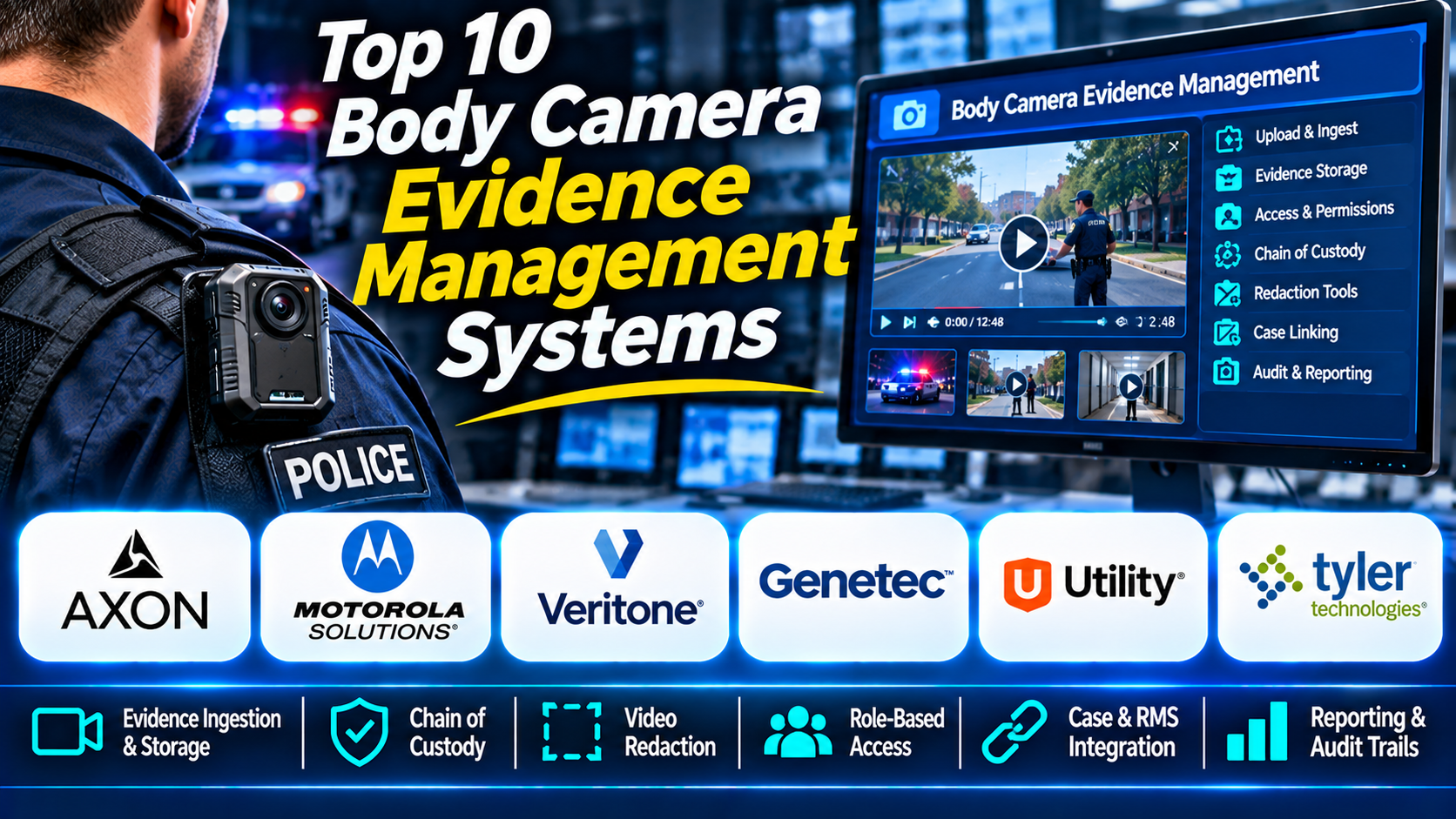
This guide examines ten platforms and product ecosystems relevant to body camera evidence management. It explains their capabilities, limitations, ideal applications, and selection criteria, including the important distinction between complete camera-to-evidence ecosystems and complementary evidence software.
What Is Body Camera Evidence Management Software?
Body camera evidence management software is a specialized digital evidence system used to organize recordings captured by body-worn cameras. It helps authorized personnel preserve footage, maintain relevant metadata, and manage access throughout the evidence lifecycle.
The lifecycle generally begins when footage is transferred from a camera through an approved upload method. Agencies may then associate the recording with an incident, officer, case number, date, or other relevant identifier.
Once footage is stored, personnel may need to review it, prepare redacted copies, disclose material to authorized parties, or retain it for a specified period. These actions must follow applicable laws, agency policies, court requirements, and evidence handling procedures.
Body camera evidence management is closely related to digital evidence management, but the categories are not identical. General digital evidence platforms may also manage CCTV footage, photographs, interview recordings, mobile device extractions, and other electronic evidence.
Common Applications
- Camera Footage Ingestion: Transfer recordings from supported body-worn cameras into managed storage.
- Evidence Classification: Associate videos with incident identifiers, case information, and approved categories.
- Chain-of-Custody Documentation: Record relevant evidence handling activities and maintain accountability.
- Access Management: Limit viewing, editing, exporting, and sharing to authorized users.
- Video Redaction: Prepare disclosure copies with selected visual or audio information obscured when legally appropriate.
- Evidence Sharing: Provide controlled access to prosecutors, investigators, and other authorized recipients.
- Retention Management: Apply approved retention schedules and legal holds.
- Audit and Reporting: Review access histories, evidence activity, storage usage, and administrative processes.
Top 10 Body Camera Evidence Management Tools
1. Axon Evidence
Short Description
Axon Evidence is a cloud-based digital evidence management platform associated with Axon’s body-worn camera and public safety technology ecosystem. It is widely relevant to agencies seeking an integrated workflow from video capture through evidence administration.
The platform helps organizations ingest recordings, associate them with cases or incidents, manage permissions, and provide controlled evidence access. Its relationship with Axon camera products can simplify parts of the footage transfer process for compatible deployments.
Axon Evidence is also relevant beyond body camera footage. Agencies can evaluate broader digital evidence workflows involving additional supported media and information sources.
The main purchasing consideration is ecosystem fit. Organizations should examine camera compatibility, subscription scope, redaction functionality, data portability, retention controls, and the long-term costs of storing growing video volumes.
Key Features
- Camera Integration: Supports evidence transfer from compatible Axon devices.
- Centralized Storage: Organizes recordings and other supported digital evidence.
- Evidence Metadata: Associates files with incident and case information.
- Chain-of-Custody Records: Maintains relevant evidence activity histories.
- Role-Based Permissions: Restricts access according to authorized responsibilities.
- Evidence Sharing: Supports controlled collaboration with approved recipients.
- Redaction Workflows: Offers supported tools and integrations for preparing disclosure copies.
- Retention Controls: Helps administer evidence retention requirements.
- Audit Reporting: Supports review of access and administrative activities.
Benefits
- Connects camera capture with evidence administration.
- Reduces fragmented video storage.
- Improves evidence retrieval.
- Supports authorized sharing.
- Helps maintain accountability.
- Supports disclosure preparation.
- Provides centralized evidence governance.
Pros
- Integrated camera and evidence ecosystem.
- Established public safety focus.
- Centralized evidence management.
- Controlled sharing capabilities.
- Retention and audit workflows.
- Relevant to agencies managing large video volumes.
Cons
- Ecosystem compatibility requires evaluation.
- Storage costs can grow over time.
- Subscription scope must be reviewed.
- Migration and export planning are important.
- Staff training remains necessary.
Use Cases
- Police Patrol Operations: Manage routine body camera recordings.
- Investigations: Associate video with cases.
- Internal Reviews: Retrieve authorized footage.
- Prosecutor Disclosure: Share approved evidence.
- Public Records Requests: Prepare reviewed and redacted copies.
- Evidence Administration: Apply retention and access policies.
Best For
- Agencies using Axon cameras.
- Municipal police departments.
- Sheriff’s offices.
- Large law enforcement organizations.
- Digital evidence units.
- Integrated camera modernization projects.
2. Motorola Solutions CommandCentral Evidence
Short Description
Motorola Solutions CommandCentral Evidence is a digital evidence management solution within Motorola’s public safety technology portfolio. It is relevant to agencies seeking connected evidence workflows and compatibility with supported Motorola camera systems.
The platform helps organizations collect, organize, review, and manage digital evidence. It can form part of a broader environment involving body-worn cameras, video systems, dispatch, and records applications.
Its distinguishing strength is its relationship with Motorola’s public safety ecosystem. Agencies already using compatible Motorola technologies may find opportunities to coordinate evidence and operational information.
Buyers should verify the current product configuration, supported camera models, storage arrangements, redaction capabilities, and integrations. Not every Motorola public safety product provides the same evidence functionality.
Key Features
- Evidence Ingestion: Accepts supported digital evidence files.
- Camera Connectivity: Works with compatible body-worn camera workflows.
- Evidence Organization: Maintains files and relevant metadata.
- Access Permissions: Controls authorized evidence use.
- Activity Records: Supports accountability for evidence handling.
- Review Workflows: Helps personnel examine recordings.
- Evidence Sharing: Supports approved collaboration.
- Integration Options: Connects with selected public safety applications.
- Evidence Administration: Supports retention and management processes.
Benefits
- Centralizes evidence workflows.
- Supports compatible camera deployments.
- Improves file organization.
- Connects selected public safety technologies.
- Helps authorized evidence review.
- Supports accountability.
- Reduces reliance on disconnected storage.
Pros
- Public safety specialization.
- Integrated technology portfolio.
- Camera ecosystem compatibility.
- Centralized evidence administration.
- Enterprise applicability.
- Integration opportunities.
Cons
- Compatibility varies by product.
- Implementation requires planning.
- Pricing depends on licensing and storage.
- Migration may be complex.
- Specific redaction and sharing functions need verification.
Use Cases
- Patrol video evidence.
- Police investigations.
- Agency evidence administration.
- Public safety system integration.
- Controlled evidence sharing.
- Camera system modernization.
Best For
- Motorola camera customers.
- Police departments.
- Regional public safety agencies.
- Evidence management teams.
- Enterprise law enforcement organizations.
- Agencies consolidating public safety technology.
3. Digital Ally EVO Web
Short Description
Digital Ally provides body-worn camera and video evidence technology for law enforcement and related organizations. EVO Web is associated with the company’s video evidence management ecosystem.
The platform is relevant to agencies seeking a workflow that connects compatible Digital Ally recording devices with evidence storage and administration.
Its practical value depends on the selected camera products and software configuration. Agencies should evaluate upload methods, file organization, access management, and evidence export procedures.
Buyers should confirm current product availability, vendor support, hosting arrangements, and integration capabilities. These details are particularly important for organizations replacing an older camera management system.
Key Features
- Video Ingestion: Supports recordings from compatible devices.
- Evidence Storage: Organizes supported digital video files.
- Recording Metadata: Maintains relevant file information.
- Evidence Search: Supports retrieval using available identifiers.
- Access Management: Helps restrict evidence access.
- Review Functions: Supports authorized video examination.
- Export Workflows: Enables approved evidence transfer.
- Camera Integration: Connects with supported Digital Ally equipment.
- Administrative Controls: Supports evidence management operations.
Benefits
- Connects compatible cameras and evidence software.
- Reduces manual file organization.
- Supports evidence retrieval.
- Helps manage access.
- Improves video administration.
- Supports authorized exports.
- Provides a focused camera workflow.
Pros
- Body camera technology experience.
- Camera-to-software workflow.
- Video evidence focus.
- Centralized organization.
- Relevant to smaller agencies.
- Device ecosystem integration.
Cons
- Current offerings require confirmation.
- Third-party compatibility may be limited.
- Feature availability depends on configuration.
- Storage arrangements need evaluation.
- Long-term migration planning is necessary.
Use Cases
- Patrol video administration.
- Body camera footage uploads.
- Evidence review.
- Internal incident documentation.
- Approved video exports.
- Agency camera modernization.
Best For
- Digital Ally camera users.
- Smaller police departments.
- Municipal agencies.
- Patrol operations.
- Video evidence administrators.
- Organizations evaluating camera-specific software.
4. Utility BodyWorn Digital Evidence Management
Short Description
Utility provides body-worn camera technology and related digital evidence management capabilities for public safety organizations. Its ecosystem emphasizes connected camera operations and evidence workflows.
The company’s solutions are relevant to agencies seeking to manage footage from compatible Utility body-worn cameras. Operational features depend on the specific hardware and software products deployed.
A key consideration is the relationship between recording equipment, connectivity, and evidence administration. Agencies should examine how footage is transferred, protected, categorized, and made available for authorized review.
Utility should be evaluated as a camera-focused ecosystem rather than assumed to provide every capability of a general-purpose digital evidence platform. Procurement teams should confirm current product names and modules.
Key Features
- Camera Integration: Supports compatible Utility recording devices.
- Video Transfer: Provides supported footage ingestion workflows.
- Evidence Organization: Associates recordings with relevant information.
- Secure Access: Restricts evidence to authorized personnel.
- Recording Review: Supports examination of stored footage.
- Operational Metadata: Maintains selected recording information.
- Evidence Administration: Supports video management processes.
- System Connectivity: Integrates compatible components.
- Export Functions: Supports approved evidence transfer.
Benefits
- Connects cameras and evidence workflows.
- Improves video availability.
- Reduces fragmented storage.
- Supports authorized review.
- Helps organize recordings.
- Improves evidence administration.
- Supports connected public safety operations.
Pros
- Body camera specialization.
- Integrated device approach.
- Video evidence workflows.
- Public safety relevance.
- Centralized management potential.
- Connected camera technology.
Cons
- Camera compatibility must be verified.
- Product modules vary.
- Enterprise integrations need evaluation.
- Pricing is proposal-based.
- Data export requirements should be tested.
Use Cases
- Police body camera programs.
- Patrol footage administration.
- Video evidence review.
- Camera deployment modernization.
- Agency evidence workflows.
- Authorized footage sharing.
Best For
- Utility camera customers.
- Police departments.
- Public safety technology teams.
- Patrol supervisors.
- Digital evidence administrators.
- Connected camera programs.
5. Getac Video Solutions
Short Description
Getac provides video solutions for public safety organizations, including body-worn cameras and associated video management technology. Its offerings are relevant to agencies seeking coordinated recording and evidence workflows.
The company’s video ecosystem can support the management of footage collected from compatible devices. Agencies should assess the specific software supplied with their selected hardware.
Getac is particularly relevant to organizations evaluating ruggedized public safety technology and integrated video systems. Compatibility with existing evidence management infrastructure should be tested.
Buyers should confirm the current product portfolio, storage options, supported integrations, redaction workflows, and vendor support commitments.
Key Features
- Camera Connectivity: Supports compatible recording equipment.
- Video Uploads: Transfers supported footage into management workflows.
- Evidence Organization: Maintains recordings and associated information.
- Access Controls: Restricts authorized viewing.
- Video Review: Supports examination of recordings.
- File Search: Helps locate relevant evidence.
- Export Options: Supports approved file transfers.
- Device Management: Supports relevant camera administration.
- Integration Options: Connects selected public safety technologies.
Benefits
- Supports integrated video workflows.
- Reduces manual evidence handling.
- Improves recording organization.
- Supports authorized review.
- Connects compatible devices.
- Helps manage camera programs.
- Provides public safety-focused technology.
Pros
- Public safety video specialization.
- Camera and software ecosystem.
- Rugged technology experience.
- Evidence administration capabilities.
- Device integration.
- Relevant to field operations.
Cons
- Product capabilities vary by configuration.
- Compatibility requires testing.
- Storage costs must be evaluated.
- Enterprise integration may require additional work.
- Current product support should be confirmed.
Use Cases
- Police patrol video.
- Body camera program administration.
- Field incident documentation.
- Evidence review.
- Camera system integration.
- Video evidence modernization.
Best For
- Getac video customers.
- Police departments.
- Field operations teams.
- Public safety IT departments.
- Camera program administrators.
- Agencies evaluating integrated video technology.
6. Genetec Clearance
Short Description
Genetec Clearance is a digital evidence management system designed to help organizations collect, organize, manage, and share digital evidence. It is relevant to public safety agencies and other organizations handling video and related digital files.
Unlike camera-specific platforms, Genetec Clearance emphasizes broader evidence workflows. Agencies can evaluate it for recordings from multiple supported sources, including body cameras and other video systems.
Its distinguishing strength is controlled evidence collaboration. Authorized users can organize files and share relevant material through managed workflows.
Buyers should evaluate the supported camera integrations, storage architecture, redaction capabilities, permissions, and disclosure procedures. A general digital evidence platform may require additional integration work for automatic camera uploads.
Key Features
- Digital Evidence Repository: Organizes supported media and files.
- Video Evidence Management: Supports relevant recordings.
- Case Organization: Associates evidence with incidents and investigations.
- Controlled Sharing: Provides authorized access to recipients.
- Access Permissions: Restricts evidence visibility.
- Activity Tracking: Supports evidence handling accountability.
- Evidence Search: Helps locate files.
- Integration Options: Connects compatible video and security systems.
- Collaboration Workflows: Supports approved evidence exchange.
Benefits
- Centralizes evidence from multiple sources.
- Improves controlled sharing.
- Supports investigation workflows.
- Reduces fragmented file exchange.
- Helps maintain evidence accountability.
- Supports authorized collaboration.
- Improves evidence retrieval.
Pros
- Broad digital evidence focus.
- Controlled collaboration.
- Video evidence support.
- Case organization.
- Security technology integration.
- Relevant beyond body cameras.
Cons
- Camera integrations require verification.
- Not every camera workflow is native.
- Deployment architecture must be evaluated.
- Advanced functions may depend on licensing.
- Migration requires planning.
Use Cases
- Body camera evidence administration.
- CCTV evidence collection.
- Police investigations.
- Prosecutor collaboration.
- Multi-source video management.
- Controlled digital evidence sharing.
Best For
- Multi-source evidence programs.
- Police investigators.
- Digital evidence units.
- Regional public safety organizations.
- Security operations teams.
- Agencies sharing evidence with external parties.
7. NICE Investigate
Short Description
NICE Investigate is a digital evidence management and investigative workflow platform designed for law enforcement organizations. It supports the organization and processing of digital evidence from different sources.
The platform is relevant to agencies handling large quantities of video, audio, and other electronic material. Body camera recordings can form part of a broader evidence collection and investigation process.
Its distinguishing strength is its focus on investigative evidence workflows. Agencies can evaluate capabilities related to evidence collection, organization, review, and disclosure.
NICE Investigate should be assessed according to the current modules and integrations available. Camera ingestion, automated processing, redaction, and external collaboration may depend on the deployment.
Key Features
- Evidence Collection: Supports digital evidence ingestion.
- Multi-Source Management: Organizes files from different systems.
- Investigation Workflows: Associates evidence with relevant cases.
- Evidence Review: Supports authorized examination.
- Search and Organization: Helps locate relevant files.
- Activity Tracking: Maintains relevant handling records.
- Disclosure Workflows: Supports approved evidence preparation and sharing.
- Integration Options: Connects supported public safety technologies.
- Administrative Reporting: Provides evidence workflow information.
Benefits
- Consolidates multiple evidence sources.
- Supports investigative efficiency.
- Reduces manual file handling.
- Improves evidence organization.
- Supports disclosure preparation.
- Provides accountability.
- Helps manage complex digital investigations.
Pros
- Investigative workflow focus.
- Multi-source evidence handling.
- Law enforcement specialization.
- Evidence review capabilities.
- Disclosure relevance.
- Suitable for complex investigations.
Cons
- Implementation may be complex.
- Camera integration varies.
- Licensing requires evaluation.
- Staff training is important.
- Workflow configuration needs planning.
Use Cases
- Police investigations.
- Body camera evidence review.
- Multi-source evidence collection.
- Prosecutor disclosure.
- Digital evidence consolidation.
- Complex case preparation.
Best For
- Investigative units.
- Large police departments.
- Digital evidence specialists.
- Regional law enforcement agencies.
- Prosecutor collaboration programs.
- Agencies managing varied digital evidence.
8. VIDIZMO Digital Evidence Management System
Short Description
VIDIZMO provides a digital evidence management system designed to support the storage, organization, review, and sharing of digital evidence. Its platform is relevant to agencies managing video, audio, images, and other files.
Body-worn camera footage can be managed as part of a wider evidence repository, subject to supported ingestion methods and system configuration.
VIDIZMO is relevant to organizations seeking flexible digital evidence workflows and deployment choices. Buyers should examine the specific architecture and security controls available for their requirements.
The platform should be evaluated through realistic demonstrations involving camera footage, metadata, redaction, retention, and disclosure. Features and integrations may vary by product configuration.
Key Features
- Evidence Ingestion: Accepts supported digital files.
- Centralized Repository: Organizes evidence in one environment.
- Metadata Management: Associates files with relevant identifiers.
- Search: Helps retrieve authorized evidence.
- Access Controls: Restricts file availability.
- Audit Trails: Records relevant evidence activity.
- Redaction Capabilities: Supports selected privacy and disclosure workflows.
- Controlled Sharing: Enables authorized evidence access.
- Retention Management: Supports evidence lifecycle policies.
Benefits
- Consolidates digital evidence.
- Improves evidence search.
- Supports controlled access.
- Helps prepare disclosure copies.
- Provides audit information.
- Supports retention policies.
- Reduces scattered file storage.
Pros
- Dedicated digital evidence product.
- Multi-format evidence support.
- Search and metadata capabilities.
- Redaction relevance.
- Access controls.
- Deployment flexibility to evaluate.
Cons
- Camera-specific integrations require verification.
- Implementation depends on architecture.
- Advanced functions may require licensing.
- Migration needs planning.
- Performance depends on storage design.
Use Cases
- Body camera evidence management.
- CCTV evidence storage.
- Investigative media organization.
- Evidence redaction.
- Prosecutor disclosure.
- Multi-agency digital evidence workflows.
Best For
- Digital evidence departments.
- Police agencies.
- Government investigation teams.
- Organizations handling varied media.
- Evidence administrators.
- Agencies evaluating flexible deployments.
9. Veritone Redact
Short Description
Veritone Redact is a specialized software product for redacting sensitive information in video, audio, and image evidence. It is relevant to agencies preparing body camera recordings for disclosure.
Redaction is an important part of evidence management, but it is not the same as full evidence lifecycle administration. Agencies may need to obscure faces, identifying details, or selected audio content in accordance with applicable rules.
Veritone Redact focuses on this specialized workflow. It can complement a broader evidence management system that handles ingestion, retention, and chain-of-custody administration.
Buyers should evaluate supported media formats, redaction accuracy, review controls, export options, and integration requirements. Automated assistance does not remove the need for careful human review.
Key Features
- Video Redaction: Supports obscuring selected visual information.
- Audio Redaction: Supports removal or masking of relevant audio content.
- Image Redaction: Supports selected still-image workflows.
- Automated Assistance: Helps identify or track supported visual elements.
- Manual Review: Allows users to inspect redaction results.
- Evidence Export: Produces approved redacted copies.
- Media Processing: Supports relevant evidence formats.
- Workflow Integration: Complements evidence management processes.
- Disclosure Preparation: Supports authorized release workflows.
Benefits
- Reduces manual redaction workload.
- Supports privacy protection.
- Helps prepare disclosure copies.
- Improves consistency.
- Supports high-volume media review.
- Complements existing evidence platforms.
- Helps staff manage complex recordings.
Pros
- Specialized redaction capabilities.
- Video and audio relevance.
- Automated assistance.
- Human review workflows.
- Useful for body camera footage.
- Complements broader evidence systems.
Cons
- Not a complete evidence management platform.
- Automated results require verification.
- Integration varies.
- Processing time depends on media.
- Licensing must be evaluated.
Use Cases
- Public records video disclosure.
- Body camera footage redaction.
- Privacy-sensitive investigations.
- Prosecutor evidence preparation.
- Audio redaction.
- Large media disclosure projects.
Best For
- Records disclosure teams.
- Digital evidence specialists.
- Police legal departments.
- Public records administrators.
- Investigative support units.
- Agencies with significant redaction workloads.
10. Magnet REVIEW
Short Description
Magnet REVIEW is a digital evidence review and collaboration platform associated with Magnet Forensics. It helps investigators and other authorized users examine and collaborate on supported digital evidence.
The platform is relevant to agencies that need to review material gathered during investigations. Body camera footage may be part of a wider collection of digital evidence.
Its distinguishing value is investigative review and collaboration rather than camera hardware management. Organizations should evaluate whether it supports their specific video evidence workflows.
Magnet REVIEW should be considered a complementary investigative tool. Agencies requiring automated body camera uploads, long-term video storage, and retention policies may need a separate evidence management system.
Key Features
- Evidence Review: Supports examination of supported digital evidence.
- Investigation Collaboration: Helps authorized teams work with case material.
- Evidence Organization: Groups relevant investigative information.
- Search and Filtering: Helps users locate information.
- Access Management: Controls authorized review.
- Case Workflows: Supports investigation-related activities.
- Information Sharing: Enables approved collaboration.
- Review Documentation: Helps maintain investigative context.
- Integration Potential: Connects with compatible forensic workflows.
Benefits
- Supports collaborative investigations.
- Improves evidence review.
- Helps organize case material.
- Reduces fragmented review workflows.
- Supports authorized information sharing.
- Complements forensic tools.
- Improves investigative coordination.
Pros
- Digital investigation focus.
- Collaboration capabilities.
- Evidence review workflows.
- Forensic ecosystem relevance.
- Case organization.
- Useful for complex investigations.
Cons
- Not a camera-to-cloud evidence system.
- Video capabilities require verification.
- Long-term storage may need another platform.
- Integration requirements vary.
- Licensing and training need evaluation.
Use Cases
- Digital investigations.
- Collaborative evidence review.
- Case preparation.
- Forensic evidence analysis.
- Investigative team coordination.
- Multi-source evidence examination.
Best For
- Digital forensic units.
- Criminal investigators.
- Evidence review teams.
- Law enforcement analysts.
- Collaborative investigations.
- Agencies using compatible forensic technologies.
Comparison Table: Top 10 Body Camera Evidence Management Tools
| Tool Name | Best For | Primary Function | Standout Capability | Pricing |
|---|---|---|---|---|
| Axon Evidence | Axon camera agencies | Evidence lifecycle management | Integrated camera ecosystem | Vendor quote |
| Motorola CommandCentral Evidence | Motorola public safety users | Digital evidence management | Public safety integrations | Vendor quote |
| Digital Ally EVO Web | Digital Ally camera users | Video evidence administration | Device ecosystem workflows | Vendor quote |
| Utility BodyWorn ecosystem | Utility camera agencies | Camera and evidence workflows | Connected camera operations | Vendor quote |
| Getac Video Solutions | Getac camera deployments | Video evidence management | Camera and video integration | Vendor quote |
| Genetec Clearance | Multi-source evidence teams | Digital evidence management | Controlled evidence sharing | Vendor quote |
| NICE Investigate | Investigative units | Evidence and investigation workflows | Multi-source evidence handling | Enterprise quote |
| VIDIZMO DEMS | Digital evidence departments | Evidence lifecycle management | Multi-format evidence repository | Vendor quote |
| Veritone Redact | Disclosure teams | Evidence redaction | Video and audio redaction | Vendor quote |
| Magnet REVIEW | Investigators | Evidence review | Collaborative case analysis | Vendor quote |
Important: These ten products are not identical alternatives. Axon Evidence and other camera ecosystems address camera-to-evidence workflows; Genetec, NICE, and VIDIZMO provide broader evidence management; Veritone Redact specializes in redaction; and Magnet REVIEW focuses on investigation review.
Pricing, product names, available modules, camera compatibility, supported integrations, and deployment arrangements can change. Confirm current information with vendors before procurement.
Which Body Camera Evidence Management Tool Is Right for You?
For Integrated Camera Programs: Axon Evidence and Motorola CommandCentral Evidence
Axon Evidence is relevant to agencies using compatible Axon cameras and seeking a connected evidence lifecycle.
Motorola CommandCentral Evidence is worth evaluating for agencies using Motorola public safety technology. Compare actual camera compatibility and disclosure workflows.
For Smaller Camera Deployments: Digital Ally and Utility
Digital Ally EVO Web can be relevant to agencies operating compatible Digital Ally recording equipment.
Utility’s body-worn camera ecosystem is another option. Buyers should compare device reliability, upload processes, vendor support, and data portability.
For Rugged Field Operations: Getac and Motorola
Getac provides body-worn camera and video solutions for public safety environments.
Motorola offers a broader public safety technology portfolio. Evaluate hardware compatibility and long-term evidence administration.
For Multi-Source Evidence: Genetec Clearance and VIDIZMO
Genetec Clearance supports digital evidence organization and controlled collaboration.
VIDIZMO provides a dedicated digital evidence management environment. Compare metadata, search, redaction, and retention functions.
For Complex Investigations: NICE Investigate and Magnet REVIEW
NICE Investigate focuses on investigative evidence workflows across multiple sources.
Magnet REVIEW emphasizes collaborative evidence examination. The correct choice depends on whether the agency needs lifecycle management or investigation review.
For Disclosure and Redaction: Veritone Redact and Axon Evidence
Veritone Redact is a specialist redaction solution.
Axon Evidence provides broader evidence management and related redaction workflows. Agencies should compare review accuracy, supported formats, and approval processes.
For Evidence Administrators: VIDIZMO and Genetec Clearance
VIDIZMO is relevant to organizations prioritizing evidence storage, metadata, access controls, and lifecycle administration.
Genetec Clearance emphasizes evidence organization and controlled sharing. Test the actual workflows used by records and evidence personnel.
For Regional Agencies: Axon Evidence and NICE Investigate
Axon Evidence can support broad evidence administration within compatible public safety deployments.
NICE Investigate is relevant to complex evidence collection and investigative workflows. Regional organizations should prioritize governance, interoperability, and authorized sharing.
Best Software by User Type
| User Type | Recommended Software | Why |
|---|---|---|
| Axon camera program | Axon Evidence | Integrated camera-to-evidence workflows |
| Motorola public safety agency | CommandCentral Evidence | Compatible public safety ecosystem |
| Digital Ally camera deployment | EVO Web | Camera-specific video administration |
| Utility camera program | Utility BodyWorn ecosystem | Connected recording workflows |
| Getac video deployment | Getac Video Solutions | Video and device integration |
| Multi-source evidence department | Genetec Clearance | Controlled evidence organization |
| Major investigations team | NICE Investigate | Multi-source investigative workflows |
| Digital evidence administrator | VIDIZMO DEMS | Evidence lifecycle management |
| Public records disclosure unit | Veritone Redact | Specialized redaction |
| Digital investigation team | Magnet REVIEW | Collaborative evidence review |
Practical Example: Managing Body Camera Evidence for a Police Department
Consider a municipal police department with 250 officers using body-worn cameras during patrol operations.
The agency needs to maintain secure recordings, support investigations, handle disclosure requests, and apply retention rules.
Step 1: Establish Evidence Policies
Define recording categories, access permissions, retention schedules, and disclosure procedures.
Review applicable legal requirements with qualified agency and legal personnel.
Step 2: Inventory Existing Equipment
Document camera models, docking stations, upload methods, network capacity, and existing storage.
Identify compatibility requirements before selecting software.
Step 3: Define Evidence Metadata
Establish consistent incident identifiers, officer information, recording categories, and case associations.
Minimize unnecessary personal information and restrict sensitive fields appropriately.
Step 4: Evaluate Evidence Platforms
Test representative workflows using recordings from the agency’s actual cameras.
Compare ingestion reliability, search, permissions, sharing, redaction, and audit functions.
Step 5: Configure Secure Uploads
Set up approved transfer methods and verify that uploaded files remain complete.
Establish procedures for interrupted transfers and failed uploads.
Step 6: Configure Access and Retention
Apply role-based permissions and approved retention rules.
Define how legal holds and preservation requirements affect scheduled deletion.
Step 7: Test Redaction and Disclosure
Use representative footage to test visual and audio redaction.
Require authorized review before releasing evidence.
Step 8: Train Officers and Evidence Staff
Train personnel on uploads, categorization, evidence searches, and access responsibilities.
Provide specialized training for investigators, records personnel, and administrators.
Step 9: Conduct Operational Acceptance Testing
Verify evidence integrity, activity histories, file retrieval, integrations, exports, and recovery procedures.
Document defects and correct critical problems before full deployment.
Step 10: Monitor Ongoing Performance
Review storage growth, upload failures, access activity, and disclosure turnaround.
Use findings to improve procedures, training, and system configuration.
Frequently Asked Questions (FAQs)
1. What is body camera evidence management software?
It is software used to organize, store, review, protect, and share recordings captured by body-worn cameras.
2. Why do police departments need evidence management software?
It helps departments maintain organized recordings, restrict access, document handling, and support authorized investigations and disclosure.
3. Is body camera software the same as digital evidence management?
Not exactly. Body camera systems focus on recordings from wearable devices, while broader digital evidence systems manage many evidence formats and sources.
4. Which platform is suitable for Axon cameras?
Axon Evidence is a relevant option for compatible Axon camera deployments.
5. Can body camera footage be stored in the cloud?
Yes. Many platforms support cloud-based storage, subject to deployment configuration and applicable security requirements.
6. What is chain of custody?
It is documentation of relevant evidence handling and transfers used to support accountability and evidentiary integrity.
7. Can evidence management software prevent unauthorized access?
It can enforce permissions and other safeguards, but security also depends on configuration, administration, and user practices.
8. What is body camera video redaction?
It is the process of obscuring selected visual or audio information when preparing recordings for authorized disclosure.
9. Can redaction be automated?
Some tools provide automated assistance. Human verification remains essential because automated processing may miss information.
10. Can body camera software integrate with police RMS?
Some products support compatible records management integrations. Agencies should verify the specific systems involved.
11. Can agencies share footage with prosecutors?
Many evidence platforms support controlled sharing. Access must follow applicable legal requirements and agency policies.
12. How long should body camera recordings be retained?
Retention depends on jurisdiction, incident classification, legal holds, and approved agency policies.
13. What is a legal hold?
A legal hold is a preservation requirement that may prevent records from being deleted while relevant legal obligations remain.
14. Can multiple agencies use one evidence platform?
Some platforms support multi-agency workflows. Permissions and information-sharing agreements require careful governance.
15. How much storage does body camera footage require?
Storage needs depend on recording hours, video resolution, compression, retention periods, and duplication requirements.
16. Is cloud evidence storage secure?
Security depends on access controls, encryption, monitoring, vendor practices, configuration, and operational governance.
17. Can evidence software manage CCTV recordings?
Some general digital evidence platforms can manage CCTV footage alongside body camera recordings.
18. Does every body camera vendor provide evidence management?
Many offer related software, but functionality varies significantly. Buyers should verify the complete workflow.
19. What is the difference between Axon Evidence and Veritone Redact?
Axon Evidence is a broader evidence management platform. Veritone Redact focuses on redaction workflows.
20. What is the difference between evidence management and forensic review?
Evidence management organizes and governs files throughout their lifecycle. Forensic review focuses on examining and interpreting relevant material.
21. Can agencies export recordings?
Many platforms provide export functions, but permissions, formats, metadata, and audit requirements vary.
22. What happens when a camera upload fails?
Agencies should have approved procedures for retrying transfers, preserving original files, and documenting unresolved issues.
23. Can officers delete their own recordings?
Permissions depend on agency policy and platform configuration. Agencies should use controls that protect evidence integrity.
24. What should agencies evaluate before buying?
Camera compatibility, security, retention, redaction, sharing, integration, storage cost, support, and data portability.
25. Can evidence management systems support public records requests?
Yes. Relevant platforms can help locate recordings and prepare reviewed disclosure copies.
26. Are audit logs important?
Yes. They help document relevant evidence access and administrative activity.
27. Can body camera evidence be linked to incident numbers?
Many systems support metadata or integrations that associate recordings with incidents and cases.
28. Is a dedicated redaction tool necessary?
Not always. The decision depends on the existing platform’s capabilities and the agency’s disclosure workload.
29. How should agencies migrate evidence between vendors?
They should plan exports, metadata preservation, integrity verification, access controls, and retention continuity.
30. What makes a successful body camera evidence program?
Reliable capture, secure transfer, consistent metadata, trained personnel, controlled access, tested retention procedures, and effective oversight.
Final Thoughts
Body camera evidence management software helps public safety organizations maintain recordings as organized, protected, and accessible digital evidence.
Axon Evidence, Motorola CommandCentral Evidence, Digital Ally, Utility, and Getac provide camera-related evidence workflows. Their suitability depends heavily on hardware compatibility and the specific software products deployed.
Genetec Clearance, NICE Investigate, and VIDIZMO offer broader digital evidence capabilities that can support recordings from multiple sources.
Veritone Redact and Magnet REVIEW address specialized functions: redaction and investigative review. They should not be assumed to replace a complete body camera evidence management system.
The best choice is a platform or combination of tools that supports evidence integrity, legal compliance, authorized access, operational efficiency, and sustainable long-term storage.
