Introduction
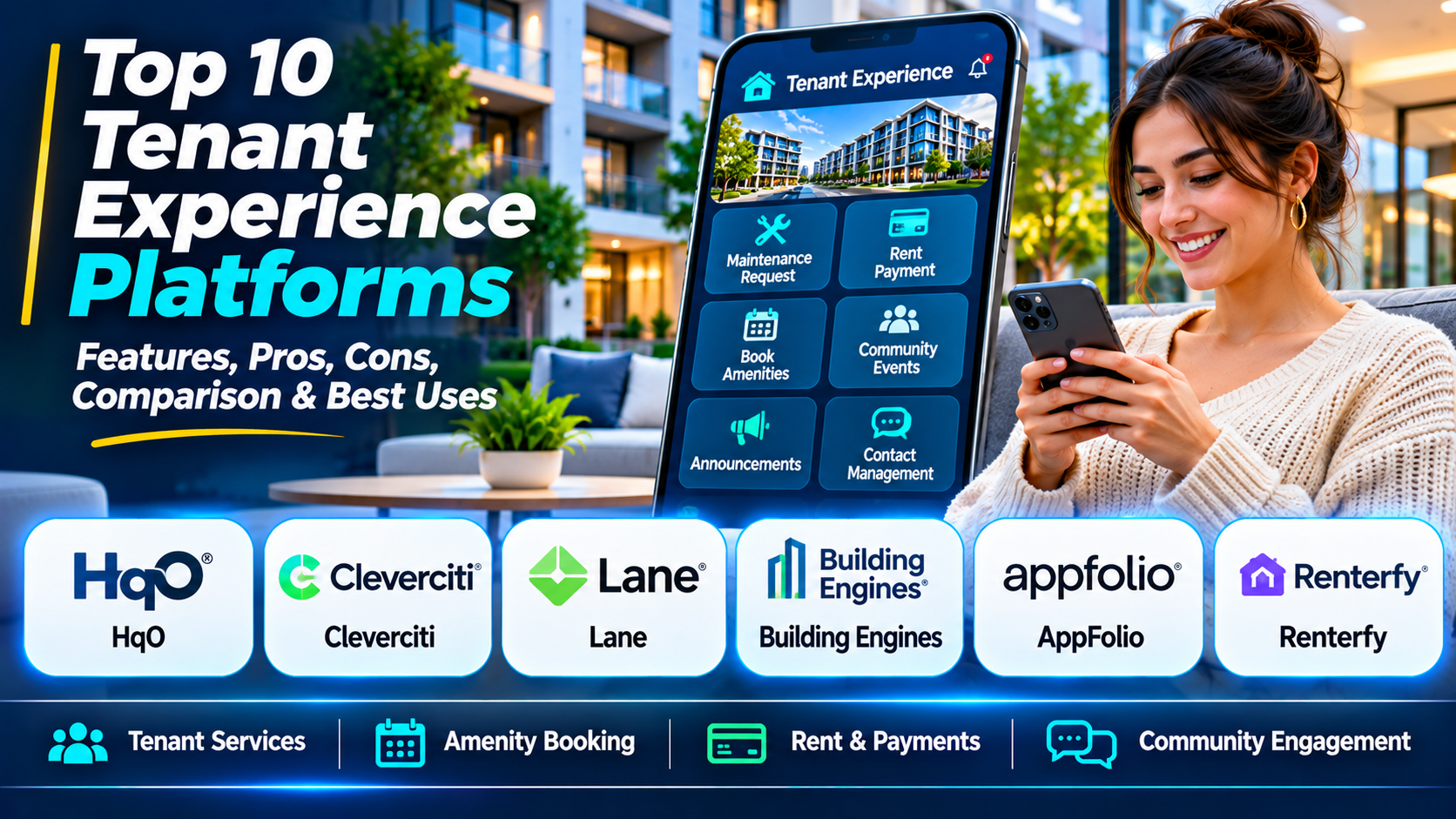
Tenant experience platforms help commercial property owners and managers create better experiences for people who work, shop, or spend time in their buildings. These systems bring communication, amenities, services, and building information into accessible digital applications.
Traditional tenant communication often depends on email notices, reception desks, printed directories, and disconnected service requests. This approach can make it difficult for occupants to discover building services, report problems, book shared spaces, or receive timely updates.
Modern tenant experience platforms provide mobile applications, community announcements, amenity reservations, service requests, events, access integrations, and building engagement analytics. Some also connect with smart building technology, visitor systems, and property management software.
Choosing the right platform matters because tenant needs vary significantly between office towers, mixed-use developments, retail destinations, and residential communities. A commercial landlord may prioritize workplace amenities and tenant engagement, while a mixed-use operator may require broader community communication and service coordination.
For example, an office building with 2,000 occupants may use a tenant experience app to manage conference room bookings, communicate maintenance notices, promote events, and provide digital access credentials. A smaller property may only need straightforward announcements, service requests, and building information.
This guide examines ten tenant experience platforms, comparing their capabilities, advantages, limitations, and ideal applications. It also provides selection guidance, comparison tables, an implementation example, and answers to frequently asked questions.
What Are Tenant Experience Platforms?
Tenant experience platforms are digital applications that connect building occupants with property services, amenities, management teams, and community activities. They commonly provide a branded mobile app, web portal, or both.
These platforms support everyday interactions between tenants and building operators. Depending on the product, occupants can receive announcements, reserve amenities, request assistance, register visitors, access building information, and participate in community events.
Consider a commercial office campus with several buildings, shared meeting rooms, restaurants, parking facilities, and fitness amenities. Occupants may need a single place to discover services and communicate with property management.
A tenant experience platform can organize these interactions in one interface. Its effectiveness depends on accurate building information, reliable service delivery, useful integrations, and continued engagement from property staff.
Common applications of Tenant Experience Platforms include:
- Commercial Office Buildings: Property teams communicate with office tenants and building occupants. Mobile applications help people discover available services and amenities.
- Mixed-Use Developments: Operators coordinate offices, retail areas, and shared facilities. Centralized information makes it easier to navigate complex properties.
- Workplace Amenities: Occupants reserve meeting rooms, fitness facilities, and shared spaces. Digital bookings reduce scheduling conflicts.
- Building Communication: Managers distribute maintenance notices and operational updates. Targeted messages help occupants receive relevant information.
- Community Engagement: Property teams organize events, promotions, and tenant activities. Participation data helps evaluate engagement.
- Visitor Experiences: Buildings connect visitor registration and arrival instructions with occupant services. Supported integrations can simplify the arrival process.
- Service Requests: Tenants submit questions or report building problems. Structured requests improve routing and follow-up.
- Smart Building Experiences: Operators connect selected building systems with occupant-facing applications. This may support access, environmental controls, or workplace services.
Top 10 Tenant Experience Platforms
1. HqO
Short Description
HqO is a tenant and workplace experience technology platform focused on commercial real estate. It helps property owners and operators connect occupants with building services, amenities, events, and workplace information.
The platform is relevant to office landlords, asset managers, property operators, and workplace experience teams. Users can access building-related services through supported digital experiences.
HqO’s distinguishing emphasis is connecting tenant engagement with broader workplace experience management. Its capabilities can help owners understand how occupants interact with properties and services.
Organizations considering HqO should evaluate the experience features, analytics, integrations, and services included in their proposed deployment. Successful adoption also requires building staff to maintain accurate content and responsive service workflows.
Key Features
- Tenant Communication: Managers publish announcements and operational information. Targeted communication helps occupants stay informed.
- Amenity Discovery: Occupants can find relevant building facilities and services. This improves awareness of available amenities.
- Amenity Reservations: Supported booking workflows help coordinate shared facilities. Availability depends on property configuration.
- Events and Engagement: Teams promote building events and community activities. Participation information can support engagement planning.
- Service Access: Users connect with relevant property services. Centralized access reduces confusion about where to request assistance.
- Occupant Analytics: Supported reporting provides insight into platform engagement. Managers can use these findings to improve services.
- Branded Experiences: Properties can provide a digital experience aligned with their identity. This supports consistent tenant communication.
- Building Integrations: Supported connections may link the platform with property technologies. Compatibility requires verification.
- Portfolio Administration: Organizations can coordinate experiences across properties. Standardization helps maintain consistent service quality.
Benefits
- Centralizes tenant-facing services.
- Improves communication with occupants.
- Promotes amenity utilization.
- Supports community engagement.
- Provides engagement visibility.
- Strengthens digital building experiences.
- Supports portfolio-wide service consistency.
Pros
- Commercial real estate specialization.
- Workplace experience focus.
- Tenant engagement capabilities.
- Building service integrations.
- Analytics-oriented approach.
- Suitable for enterprise portfolios.
Cons
- Enterprise pricing requires evaluation.
- Integration complexity varies by building.
- Tenant adoption requires promotion.
- Staff must maintain current information.
- Smaller properties may need fewer features.
Use Cases
- Office Towers: Occupants access announcements and amenity information.
- Corporate Campuses: Employees discover shared services across buildings.
- Building Events: Managers promote networking and wellness activities.
- Tenant Engagement: Owners review participation in building services.
- Portfolio Branding: Operators provide consistent digital experiences.
- Service Coordination: Occupants access property assistance.
Best For
- Commercial property owners.
- Office asset managers.
- Workplace experience teams.
- Enterprise landlords.
- Mixed-use property operators.
- Multi-building portfolios.
2. Equiem
Short Description
Equiem provides tenant experience and building engagement technology for commercial real estate. Its platform connects occupants with building communication, amenities, services, events, and relevant property information.
The software serves commercial landlords, property managers, asset managers, and workplace experience teams. It is particularly relevant to buildings seeking stronger connections with their tenant communities.
Equiem emphasizes the relationship between occupant engagement and building operations. Property teams can organize digital services while gaining visibility into how tenants use the platform.
The effectiveness of an Equiem implementation depends on building-specific configuration and ongoing content management. Organizations should evaluate required integrations and the support available for rollout.
Key Features
- Occupant Applications: Tenants access building services through supported digital channels. This creates a central point for property interactions.
- Community Announcements: Managers share relevant updates. Timely communication helps occupants respond to building changes.
- Amenity Information: Users discover available facilities. Clear information encourages appropriate use.
- Booking Workflows: Supported reservations help organize shared spaces. Building operators define access and booking rules.
- Event Management: Teams promote community activities. Digital registration can simplify participation.
- Tenant Services: Occupants access relevant property assistance. Centralized workflows improve service discovery.
- Engagement Reporting: Property managers review platform activity. Reporting helps identify underused services.
- Property Branding: Buildings can present a consistent digital identity. This supports occupant recognition.
- Integration Capabilities: Supported connections coordinate building technology services. Exact compatibility depends on deployment.
Benefits
- Improves tenant communication.
- Encourages community participation.
- Centralizes building services.
- Supports amenity engagement.
- Provides useful operational insights.
- Reduces fragmented information.
- Strengthens the occupant experience.
Pros
- Commercial property orientation.
- Community engagement tools.
- Amenity and service discovery.
- Digital communications.
- Engagement reporting.
- Multi-property applicability.
Cons
- Requires ongoing content management.
- Pricing is generally tailored.
- Integrations may need technical planning.
- Adoption depends on tenant participation.
- Feature availability varies by deployment.
Use Cases
- Office Communities: Managers promote building programs.
- Mixed-Use Properties: Occupants discover shared services.
- Amenity Promotion: Teams highlight available facilities.
- Event Registration: Users participate in building activities.
- Operational Notices: Managers distribute relevant updates.
- Engagement Reviews: Owners assess digital service usage.
Best For
- Commercial landlords.
- Building experience managers.
- Office property teams.
- Mixed-use developments.
- Tenant engagement departments.
- Institutional owners.
3. VTS Activate
Short Description
VTS Activate is a tenant experience solution within the VTS commercial real estate technology portfolio. It focuses on digital engagement, building communication, services, and occupant experiences.
The platform serves commercial property owners, landlords, and management teams seeking a digital connection with building occupants. It supports interactions that extend beyond traditional lease administration.
Its distinguishing strength is its commercial real estate orientation and relationship to the broader VTS ecosystem. This may appeal to owners seeking to connect leasing, asset management, and tenant experience activities.
Organizations should evaluate the specific Activate features available and how they fit existing building technology. They should also define which engagement measures will indicate a successful rollout.
Key Features
- Tenant Experience App: Occupants access relevant building information digitally. A central interface simplifies service discovery.
- Building Announcements: Property teams distribute updates. This supports timely communication.
- Amenity Access: Users discover supported building facilities. Relevant details improve service awareness.
- Amenity Booking: Selected configurations support reservations. Managers can coordinate access to shared spaces.
- Community Activities: Teams promote events and programs. Engagement features help connect building occupants.
- Tenant Services: Users locate relevant assistance and property resources. This can reduce administrative friction.
- Branded Interface: Buildings present an occupant-facing digital experience. Branding supports property identity.
- Engagement Information: Supported reporting helps assess usage. Managers can review which services attract attention.
- Technology Connections: Integrations may connect related property systems. Specific compatibility should be confirmed.
Benefits
- Improves occupant communication.
- Centralizes digital services.
- Promotes shared amenities.
- Supports building engagement.
- Strengthens tenant relationships.
- Provides service visibility.
- Supports consistent property experiences.
Pros
- Commercial real estate focus.
- Tenant engagement functionality.
- Amenity-oriented workflows.
- Branded digital experiences.
- Connection to broader property technology.
- Suitable for office portfolios.
Cons
- Not a full property accounting platform.
- Requires tenant onboarding.
- Integration capabilities need verification.
- Enterprise pricing may be substantial.
- Ongoing engagement depends on building staff.
Use Cases
- Premium Office Buildings: Owners provide branded tenant experiences.
- Amenity Programs: Teams promote shared facilities.
- Tenant Communication: Managers send building notices.
- Community Events: Properties coordinate occupant activities.
- Building Services: Occupants locate assistance.
- Portfolio Experience: Owners standardize digital engagement.
Best For
- Office landlords.
- Commercial asset managers.
- Property experience teams.
- Institutional property owners.
- Multi-building portfolios.
- Workplace service operators.
4. Lane
Short Description
Lane is a workplace and tenant experience technology platform associated with VTS. Its tenant-facing capabilities have been used to connect occupants with building services, amenities, communication, and community activities.
The platform’s approach is relevant to commercial office properties and workplace communities. Building teams can use occupant-facing workflows to improve access to services and shared facilities.
Lane’s distinguishing focus has been on creating connected workplace experiences rather than simply storing lease or accounting records. It represents an important product lineage in the commercial tenant experience category.
Because Lane became part of VTS, organizations should confirm the current product offering, branding, and availability before considering a purchase. Buyers should not assume that historical standalone features or subscriptions remain available unchanged.
Key Features
- Workplace Services: Occupants discover relevant property services. Centralized access simplifies everyday interactions.
- Building Communication: Managers distribute important information. This helps maintain consistent updates.
- Amenity Information: Users review available facilities. Clear descriptions improve awareness.
- Booking Support: Supported workflows coordinate shared space reservations. Exact capabilities depend on the current offering.
- Community Engagement: Buildings promote activities and events. These features can encourage participation.
- Digital Property Identity: Occupants interact with branded experiences. This supports building recognition.
- Tenant Resources: Users locate property information and assistance. Centralization reduces scattered communication.
- Engagement Measurement: Supported analytics help evaluate usage. Availability should be verified with the current provider.
- Technology Integration: Building systems may connect with supported services. Current compatibility requires confirmation.
Benefits
- Connects workplace services.
- Improves building communication.
- Encourages amenity participation.
- Supports community experiences.
- Reduces information fragmentation.
- Provides a digital tenant interface.
- Supports occupant engagement initiatives.
Pros
- Workplace experience specialization.
- Commercial office relevance.
- Amenity and community focus.
- Digital communication workflows.
- Building branding capabilities.
- Established tenant experience product lineage.
Cons
- Historical standalone availability has changed.
- Current product details require verification.
- May overlap with VTS Activate.
- Implementation depends on available integrations.
- Not a general property accounting system.
Use Cases
- Office Communities: Teams organize tenant-facing information.
- Amenity Discovery: Occupants locate building facilities.
- Community Programs: Managers promote shared activities.
- Service Access: Users find property assistance.
- Building Announcements: Teams communicate operational updates.
- Digital Experience Planning: Owners evaluate workplace engagement workflows.
Best For
- Teams evaluating VTS-related experience offerings.
- Commercial office operators.
- Workplace experience managers.
- Building community teams.
- Property technology researchers.
- Owners reviewing existing Lane deployments.
5. Sharry
Short Description
Sharry is a workplace experience platform that connects mobile applications with selected smart building technologies. It focuses on services such as digital access, visitor experiences, workplace reservations, and occupant interaction.
The platform serves commercial landlords, office operators, corporate workplace teams, and organizations managing modern connected buildings. It is particularly relevant where mobile credentials and workplace services are important.
Sharry’s distinguishing strength is its emphasis on connecting physical building interactions with digital experiences. This can reduce friction when entering buildings, booking spaces, or navigating workplace services.
Deployment requires careful consideration of access control systems, security requirements, and existing building infrastructure. Organizations should verify integration compatibility before selecting the platform.
Key Features
- Mobile Access: Supported integrations allow digital building credentials. This can simplify entry for authorized occupants.
- Visitor Experience: Relevant workflows help coordinate visitor access and arrival. Building security policies remain essential.
- Workplace Reservations: Users book supported spaces and facilities. Reservation rules help prevent conflicts.
- Tenant Application: Occupants access selected workplace services. Centralization improves convenience.
- Building Integrations: The platform connects with compatible building technologies. Integration feasibility depends on installed systems.
- Occupant Communication: Teams share relevant building information. Digital messages support coordination.
- Smart Building Services: Supported capabilities connect workplace experiences with physical infrastructure. This can improve operational convenience.
- Access Administration: Authorized users manage relevant digital access processes. Security teams should review permissions.
- Workplace Experience Configuration: Organizations adapt supported services to their buildings. Configuration should reflect operational policies.
Benefits
- Simplifies supported building access.
- Connects digital and physical services.
- Improves visitor experiences.
- Supports space reservations.
- Reduces fragmented workplace interactions.
- Strengthens connected building operations.
- Improves occupant convenience.
Pros
- Smart building integration focus.
- Mobile access capabilities.
- Visitor experience workflows.
- Workplace reservation features.
- Commercial office relevance.
- Connected building orientation.
Cons
- Access integrations require compatibility checks.
- Implementation may involve hardware systems.
- Security reviews are essential.
- Pricing depends on deployment.
- Not a complete property management system.
Use Cases
- Smart Office Towers: Occupants use supported mobile credentials.
- Visitor Arrival: Buildings coordinate guest access.
- Meeting Rooms: Employees reserve shared spaces.
- Workplace Services: Tenants access building resources.
- Modern Campuses: Operators connect multiple workplace systems.
- Building Modernization: Owners introduce digital occupant services.
Best For
- Smart building owners.
- Corporate workplace teams.
- Commercial office landlords.
- Building technology managers.
- Workplace experience operators.
- Modern office developments.
6. Spaceflow
Short Description
Spaceflow is a tenant experience platform focused on building communication, community engagement, amenities, and occupant services. It is designed for commercial real estate and other managed property environments.
The platform serves landlords, property managers, community managers, and real estate operators. It helps occupants connect with building information and services through digital channels.
Its distinguishing advantage is combining tenant engagement with practical property experience workflows. This is useful for operators seeking a recognizable digital community within their buildings.
Spaceflow can support individual buildings and broader property portfolios. Buyers should evaluate available modules, integration capabilities, and ongoing administration requirements.
Key Features
- Community Communication: Managers share building updates. This keeps occupants informed.
- Amenity Booking: Supported workflows organize shared facility reservations. Rules help coordinate usage.
- Event Promotion: Teams publish activities and community programs. Digital registration supports participation.
- Tenant Services: Occupants access relevant building assistance. This improves service discovery.
- Building Information: Users find practical property resources. Centralized content reduces repetitive questions.
- Community Engagement: Digital features encourage occupant interaction. Managers can evaluate participation.
- Branded Experience: Properties present their identity within the platform. This supports a consistent tenant experience.
- Reporting: Supported analytics provide usage information. These insights can guide service improvements.
- Integration Options: Compatible building systems may connect with the platform. Requirements should be verified.
Benefits
- Strengthens tenant communities.
- Improves building communication.
- Promotes amenity usage.
- Supports event participation.
- Centralizes service information.
- Improves digital property identity.
- Provides engagement insights.
Pros
- Community-oriented design.
- Amenity booking support.
- Tenant communication features.
- Property branding.
- Commercial real estate applicability.
- Engagement reporting.
Cons
- Requires ongoing community management.
- Integration depth varies.
- Tenant participation affects value.
- Commercial pricing requires evaluation.
- Complex enterprise workflows may need additional systems.
Use Cases
- Mixed-Use Developments: Operators promote services and activities.
- Office Buildings: Tenants receive relevant updates.
- Amenity Reservations: Occupants book shared facilities.
- Community Events: Managers organize participation.
- Tenant Services: Users locate building assistance.
- Portfolio Engagement: Owners evaluate occupant activity.
Best For
- Community managers.
- Commercial landlords.
- Mixed-use operators.
- Office property teams.
- Tenant engagement departments.
- Multi-property owners.
7. Building Engines
Short Description
Building Engines provides commercial property operations technology and is part of JLL Technologies. Its building management capabilities support service requests, work orders, inspections, and related property operations.
The platform serves commercial property managers, engineering teams, building operators, and asset owners. It is particularly relevant when tenant service quality depends on organized maintenance and operational workflows.
Its distinguishing strength is operational service management rather than social or community engagement alone. Property teams can use structured requests and work processes to respond to occupant needs.
Building Engines is useful as an operational component of a broader tenant experience strategy. Organizations should evaluate which tenant-facing services and integrations are available in their chosen configuration.
Key Features
- Service Requests: Tenants or staff submit building-related issues. Structured records help route requests.
- Work Order Management: Property teams assign and track maintenance work. Status visibility supports follow-up.
- Preventive Maintenance: Operators organize recurring equipment tasks. This helps reduce avoidable disruptions.
- Building Inspections: Teams document property conditions. Inspection records support maintenance planning.
- Tenant Communication: Supported workflows communicate service information. This improves transparency.
- Operational Reporting: Managers review work activity and service performance. Reports support operational improvement.
- Vendor Coordination: Teams organize relevant external service work. Clear assignments improve accountability.
- Portfolio Operations: Organizations monitor building activities across properties. This supports standardized procedures.
- Integration Options: Supported connections exchange information with other property systems. Compatibility should be assessed.
Benefits
- Improves service request tracking.
- Organizes maintenance work.
- Supports timely issue resolution.
- Strengthens operational accountability.
- Centralizes building service records.
- Provides maintenance visibility.
- Supports consistent property operations.
Pros
- Commercial building operations focus.
- Work order management.
- Preventive maintenance capabilities.
- Service request workflows.
- Operational reporting.
- Suitable for multi-building teams.
Cons
- Less focused on social community engagement.
- Some occupant experience needs require complementary tools.
- Implementation requires operational setup.
- Licensing depends on products.
- Staff training is necessary.
Use Cases
- Office Maintenance: Tenants report building problems.
- Engineering Operations: Teams schedule recurring work.
- Service Follow-Up: Managers track unresolved requests.
- Vendor Management: Staff coordinate repairs.
- Property Inspections: Operators document conditions.
- Portfolio Reporting: Executives review service performance.
Best For
- Commercial property managers.
- Building operations teams.
- Facility engineers.
- Maintenance supervisors.
- Institutional landlords.
- Multi-property operators.
8. OfficeRnD Workplace
Short Description
OfficeRnD Workplace is a workplace management platform designed to help organizations coordinate flexible office environments. Its capabilities include workspace reservations, workplace scheduling, and employee-facing office services.
The platform serves corporate workplace teams, facilities managers, and organizations operating hybrid offices. Employees use supported applications to reserve desks, rooms, and other workplace resources.
Its primary strength is workplace utilization and reservation management. Although it is not a traditional landlord-focused tenant experience system, it addresses important occupant experience needs within offices.
OfficeRnD Workplace is relevant when desk booking, room availability, and hybrid workplace coordination are central requirements. Organizations should distinguish employee workplace management from broader commercial tenant community engagement.
Key Features
- Desk Booking: Employees reserve available workstations. This supports hybrid attendance planning.
- Meeting Room Reservations: Users book shared rooms. Availability information reduces scheduling conflicts.
- Workplace Scheduling: Teams coordinate office attendance. This helps employees plan in-person collaboration.
- Interactive Workplace Views: Supported interfaces display workspace availability. Visual information simplifies selection.
- Employee Experience: Users access relevant workplace services. This reduces administrative friction.
- Space Utilization Information: Managers review reservation and usage data. This supports planning decisions.
- Workplace Policies: Administrators configure supported booking rules. Clear policies help manage shared resources.
- Integration Options: Connections with workplace applications may be available. Compatibility should be verified.
- Multi-Location Support: Organizations coordinate offices across locations. Centralized administration supports consistent workflows.
Benefits
- Simplifies workspace reservations.
- Supports hybrid workplace operations.
- Improves room availability visibility.
- Reduces booking conflicts.
- Provides utilization insights.
- Improves employee convenience.
- Supports multi-office coordination.
Pros
- Strong workplace booking focus.
- Hybrid office support.
- Desk and room reservations.
- Utilization reporting.
- Employee-facing workflows.
- Multi-location applicability.
Cons
- Not a comprehensive landlord tenant engagement platform.
- Commercial lease administration is outside its core focus.
- Requires accurate space configuration.
- Integration capabilities vary.
- Booking data may not equal actual occupancy.
Use Cases
- Hybrid Offices: Employees reserve desks before arrival.
- Meeting Rooms: Teams coordinate shared spaces.
- Office Attendance: Workplace managers review booking demand.
- Space Planning: Facilities teams identify utilization patterns.
- Multi-Site Operations: Companies manage several offices.
- Employee Convenience: Staff locate available workplace resources.
Best For
- Corporate workplace managers.
- Hybrid office teams.
- Facilities departments.
- Enterprise office administrators.
- Employee experience teams.
- Multi-location employers.
9. Cobu
Short Description
Cobu is a resident experience and community engagement platform focused on multifamily residential properties. It helps apartment communities encourage resident connections, events, and communication.
The platform serves multifamily owners, property management companies, and residential community teams. Its emphasis differs from commercial office tenant platforms because it focuses on residential community experiences.
Cobu’s distinguishing strength is its community-building orientation. Property teams can use supported features to help residents connect with neighbors and participate in community activities.
Cobu is relevant to apartment operators seeking stronger resident engagement. It should be evaluated alongside existing property management, maintenance, and resident communication systems.
Key Features
- Resident Community Engagement: Occupants connect through supported community features. This encourages interaction beyond routine property administration.
- Community Events: Teams promote activities for residents. Participation helps strengthen neighborhood connections.
- Resident Communication: Property teams share relevant information. This improves awareness of community activities.
- Community Groups: Supported features help residents connect around shared interests. This can encourage participation.
- Digital Resident Experience: Occupants access community functions through digital channels. Convenience supports engagement.
- Property Team Tools: Managers coordinate community initiatives. This reduces fragmented event administration.
- Engagement Insights: Supported reporting helps evaluate activity. Managers can identify which programs attract participation.
- Community Content: Teams maintain relevant resident-facing information. Useful content supports ongoing adoption.
- Property Management Coordination: The platform complements existing residential operations. Integration requirements should be confirmed.
Benefits
- Encourages resident connections.
- Supports community activities.
- Improves residential engagement.
- Centralizes community information.
- Helps property teams organize events.
- Supports resident communication.
- Provides engagement visibility.
Pros
- Multifamily community specialization.
- Resident engagement focus.
- Community activity support.
- Digital communication.
- Relevant to residential operators.
- Complements property management software.
Cons
- Not a full property accounting platform.
- Limited relevance to commercial office tenants.
- Participation depends on resident interest.
- Requires community management effort.
- Integrations and pricing need evaluation.
Use Cases
- Apartment Communities: Residents discover neighborhood activities.
- Resident Events: Property teams promote gatherings.
- Community Groups: Neighbors connect through shared interests.
- Resident Communication: Managers distribute community information.
- Engagement Programs: Teams evaluate participation.
- Residential Experience: Operators strengthen community services.
Best For
- Multifamily property owners.
- Apartment community managers.
- Residential engagement teams.
- Resident services departments.
- Property management companies.
- Large apartment portfolios.
10. Rise Buildings
Short Description
Rise Buildings is a property experience technology platform focused on connecting occupants with building services and smart property capabilities. Its offerings have addressed functions such as access, visitor experiences, amenities, and tenant communication.
The platform has served commercial and residential property environments, depending on product configuration. Building teams use relevant services to simplify everyday occupant interactions.
Its distinguishing emphasis is the connection between digital building experiences and property technology. This can support buildings seeking mobile access and coordinated occupant services.
Because product ownership, branding, and availability can evolve, buyers should verify the current commercial offering and supported capabilities. Particular attention should be given to access control compatibility and ongoing product support.
Key Features
- Building Experience App: Occupants access selected property services. This provides a convenient digital entry point.
- Mobile Access Integrations: Supported systems can provide digital credentials. Security and compatibility checks are necessary.
- Visitor Services: Relevant workflows help coordinate visitor arrival. Building policies determine authorized access.
- Amenity Reservations: Users book supported facilities. This helps manage shared spaces.
- Building Communication: Property teams distribute announcements. Occupants receive relevant updates.
- Service Information: Users locate property resources and assistance. Centralized information improves convenience.
- Smart Building Connections: Supported integrations connect selected building systems. Availability depends on installed infrastructure.
- Property Branding: Buildings present a consistent occupant-facing identity. This supports the overall experience.
- Administration and Reporting: Supported management functions help teams oversee usage. Exact capabilities should be verified.
Benefits
- Connects occupant services.
- Supports digital building access.
- Improves visitor coordination.
- Simplifies amenity reservations.
- Centralizes building information.
- Supports smart property experiences.
- Improves occupant convenience.
Pros
- Smart building experience focus.
- Mobile access capabilities.
- Visitor-related workflows.
- Amenity booking support.
- Property branding.
- Commercial and residential relevance.
Cons
- Current product availability needs confirmation.
- Hardware compatibility can constrain deployment.
- Security reviews are essential.
- Pricing and support arrangements vary.
- Not a complete property accounting system.
Use Cases
- Modern Office Towers: Occupants use digital building services.
- Residential Communities: Residents access supported amenities.
- Visitor Management: Teams coordinate arrivals.
- Shared Facilities: Users reserve amenities.
- Building Communication: Managers share operational information.
- Smart Property Projects: Owners integrate occupant-facing technology.
Best For
- Smart property owners.
- Commercial landlords.
- Residential developers.
- Building technology teams.
- Property experience managers.
- Mixed-use developments.
Comparison Table: Top 10 Tenant Experience Platforms
| Tool Name | Best For | Platform(s) | Standout Feature | Pricing |
|---|---|---|---|---|
| HqO | Enterprise office tenant engagement | Web and mobile | Workplace experience and engagement | Enterprise subscription |
| Equiem | Commercial building communities | Web and mobile | Tenant communication and engagement | Custom commercial pricing |
| VTS Activate | Commercial landlord experience | Web and mobile | Digital tenant services | Enterprise subscription |
| Lane | Existing or historical VTS-related deployments | Historical mobile and web offering | Workplace experience workflows | Current availability requires confirmation |
| Sharry | Smart offices | Web and mobile | Digital access and workplace services | Custom commercial pricing |
| Spaceflow | Mixed-use community engagement | Web and mobile | Community services and amenity booking | Commercial subscription |
| Building Engines | Tenant service operations | Web and supported mobile workflows | Work orders and service requests | Commercial subscription |
| OfficeRnD Workplace | Hybrid workplace occupants | Web and mobile | Desk and room booking | Paid subscription |
| Cobu | Multifamily resident communities | Mobile and supported management interfaces | Resident community engagement | Commercial pricing |
| Rise Buildings | Smart building occupant services | Mobile and supported web interfaces | Building access and experience integrations | Current offering requires confirmation |
Note: Pricing, licensing, supported platforms, and available features can change. Check the official vendor websites for current plans, educational access, and regional availability.
The ten entries cover different parts of the occupant experience category. Lane and VTS Activate have related product histories, and Building Engines and OfficeRnD Workplace serve narrower operational or workplace needs. Buyers should not treat every entry as an interchangeable standalone tenant engagement platform.
Which Tenant Experience Platform Is Right for You?
Choosing a tenant experience platform requires a clear understanding of who will use it and which interactions the property wants to improve. Commercial office tenants, residential occupants, and corporate employees have different expectations.
Start by listing the most important activities: announcements, access, amenity bookings, community events, visitor coordination, or service requests. Then evaluate whether each platform provides these functions directly or through integrations.
For Commercial Office Owners: HqO and Equiem
HqO is relevant to owners seeking connected workplace experiences and engagement insights. Its approach can support digital services across enterprise office portfolios.
Equiem emphasizes tenant communication, community activities, and building engagement. It may suit properties prioritizing occupant participation and amenity awareness.
Choose HqO if enterprise workplace experience management is central. Choose Equiem if building community engagement is the primary objective.
For Smart Buildings: Sharry and Rise Buildings
Sharry focuses on connecting mobile workplace experiences with supported building systems. It is particularly relevant to digital access and visitor workflows.
Rise Buildings has also addressed smart property and occupant service integrations. Buyers should verify its current availability and supported technology.
Choose Sharry if compatible mobile access and workplace services are essential. Consider Rise Buildings only after confirming the current offering and integration support.
For Community Engagement: Spaceflow and Equiem
Spaceflow helps property teams promote amenities, events, and tenant services. It is useful for buildings seeking a recognizable digital community.
Equiem also supports occupant engagement and building communication. Its suitability depends on property type and required services.
Choose Spaceflow if amenity and community workflows align with your building. Choose Equiem if broader commercial tenant engagement is the priority.
For Maintenance Service Experiences: Building Engines and HqO
Building Engines specializes in operational workflows such as service requests and work orders. It is useful when responsiveness and maintenance coordination are the primary concerns.
HqO provides a broader tenant experience approach that can include service access. It may be more suitable when engagement and amenities matter alongside operations.
Choose Building Engines if service execution is the main requirement. Choose HqO if the goal is a broader digital occupant experience.
For Hybrid Workplaces: OfficeRnD Workplace and Sharry
OfficeRnD Workplace supports desk booking, meeting room reservations, and hybrid workplace coordination. It is relevant to companies managing flexible offices.
Sharry emphasizes connected building experiences and supported digital access. It may suit workplaces where entry and visitor interactions are important.
Choose OfficeRnD Workplace if workspace reservations are central. Choose Sharry if building access and connected workplace services are more important.
For Residential Communities: Cobu and Rise Buildings
Cobu focuses on resident engagement and community connections in multifamily properties. It is relevant to apartment operators promoting activities and social interaction.
Rise Buildings has addressed broader digital property experiences. Its current product availability should be checked before evaluation.
Choose Cobu if resident community engagement is the primary goal. Consider Rise Buildings when supported building access and amenity services are needed.
For Enterprise Portfolios: HqO and VTS Activate
HqO serves commercial owners seeking consistent tenant experiences across buildings. Its engagement capabilities may support portfolio-level service planning.
VTS Activate provides commercial tenant experience workflows within the VTS technology environment. It is relevant to landlords reviewing connected property technologies.
Choose HqO if workplace engagement and experience measurement are priorities. Choose VTS Activate if its commercial property ecosystem aligns with your existing systems.
For Existing Technology Environments: VTS Activate and Lane
VTS Activate is the more relevant product to investigate for current VTS tenant experience requirements. Organizations should request confirmation of supported capabilities and integrations.
Lane is important primarily when reviewing legacy deployments or the historical development of VTS experience technology. It should not be assumed to represent an independent current purchasing option.
Choose VTS Activate when evaluating a supported current offering. Review Lane only when maintaining or migrating an existing environment.
Best Tenant Experience Platforms for Different Users
| User Type | Recommended Software | Why? |
|---|---|---|
| Enterprise commercial landlords | HqO | Workplace experience and engagement |
| Office community managers | Equiem | Tenant communication and activities |
| VTS ecosystem customers | VTS Activate | Commercial tenant experience services |
| Existing Lane users | VTS Activate evaluation | Confirm migration and current product support |
| Smart office developers | Sharry | Mobile access and building integrations |
| Mixed-use property managers | Spaceflow | Amenity and community engagement |
| Building operations managers | Building Engines | Service requests and maintenance |
| Corporate workplace teams | OfficeRnD Workplace | Desk and room reservations |
| Multifamily community teams | Cobu | Residential community engagement |
| Smart property technology teams | Sharry | Connected occupant and access experiences |
Practical Example: Launching a Tenant Experience Platform in a Commercial Office Tower
Consider a 25-story office building with approximately 1,800 regular occupants. The building provides meeting rooms, a fitness center, a shared lounge, bicycle parking, food services, and periodic community events.
The property team currently distributes announcements by email and manages amenity bookings through spreadsheets. Occupants often contact reception for routine information, while property managers have limited visibility into service engagement.
The building owner is evaluating HqO, Equiem, and Sharry. The following implementation process demonstrates how the team can introduce a digital tenant experience.
Step 1: Define Occupant Needs
Interview tenant representatives and property staff to identify recurring service problems. Ask about communication, reservations, building access, and visitor experiences.
Prioritize issues that affect the largest number of occupants. Avoid introducing features that do not solve a clear operational need.
Document:
- Frequent occupant questions.
- Existing service request channels.
- Amenity reservation problems.
- Visitor arrival challenges.
- Communication preferences.
- Accessibility requirements.
- Relevant privacy expectations.
Step 2: Map Existing Building Systems
List the software and hardware currently used for access control, room bookings, maintenance, and visitor registration. Identify who owns each system.
Check whether shortlisted tenant experience platforms support the required connections. Confirm whether integrations require additional subscriptions or technical services.
Document the information each integration will exchange. Minimize unnecessary personal data transfers.
Step 3: Configure Building Information
Create accurate records for building facilities, amenities, operating hours, and property contacts. Include practical instructions for occupants.
Organize content so common information is easy to find. Avoid lengthy descriptions when a short explanation and clear action are sufficient.
Assign staff members to maintain each information category. Outdated building content can quickly reduce tenant confidence.
Step 4: Establish Communication Workflows
Define which employees may publish building announcements. Create procedures for routine updates and urgent notifications.
Separate promotional community content from operational notices. Occupants should be able to recognize important information immediately.
Test messages with a small group of tenant representatives. Confirm readability and appropriate delivery.
Step 5: Launch Amenity Reservations
Configure booking rules for meeting rooms, the fitness center, and other shared facilities. Establish time limits and eligibility requirements.
Test the reservation process for conflicts and cancellations. Ensure that physical access policies match booking permissions.
Provide an alternative booking channel when necessary. This helps occupants who cannot use the mobile application.
Step 6: Run a Tenant Pilot
Invite representatives from several office tenants to test the platform. Include users with different roles and technology preferences.
Collect feedback about account setup, navigation, notifications, and reservations. Record problems that require vendor or property team attention.
Resolve significant issues before the full launch. Clear onboarding instructions can reduce support requests.
Step 7: Measure and Improve Engagement
Launch the platform across the building with practical demonstrations and tenant communication. Explain the benefits using real building services.
Review relevant measures such as registration, active usage, amenity bookings, and completed service interactions. Do not interpret app downloads alone as evidence of successful adoption.
Use tenant feedback to improve content and workflows. Continue monitoring privacy, security, and accessibility requirements.
A successful tenant experience rollout depends on useful services rather than the number of app features. The property team should prioritize reliability, clear communication, and measurable improvements in occupant convenience.
Frequently Asked Questions (FAQs)
1. What is a tenant experience platform?
A tenant experience platform is a digital system that connects building occupants with property information, services, amenities, and community activities.
It may include a mobile app, web portal, or integrations with building technologies.
2. Which tenant experience platform is best for beginners?
Spaceflow and Equiem are relevant options for teams emphasizing communication and community engagement. Their suitability depends on the specific building and subscription.
Beginners should prioritize a small number of valuable services and straightforward administration.
3. Are free tenant experience platforms available?
Enterprise tenant experience platforms generally use commercial subscriptions or custom contracts. Some vendors may offer demonstrations or pilot arrangements.
Basic communication tools can provide limited alternatives, but they may not support integrated building services.
4. How do tenant experience platforms differ from email?
Email distributes messages but usually does not provide a unified interface for amenities, bookings, events, and service access.
Tenant experience platforms can combine these activities in one application.
5. Which platform is best for commercial offices?
HqO, Equiem, VTS Activate, Spaceflow, and Sharry serve different commercial office requirements.
The best choice depends on engagement, workplace services, building access, and integration priorities.
6. Which platform is best for apartment communities?
Cobu focuses on multifamily resident engagement. Other property experience systems may support residential amenities and building services.
Apartment operators should also evaluate integration with existing property management software.
7. Can tenant experience platforms integrate with access control systems?
Some platforms, including Sharry, support integrations with compatible access technologies.
Building owners must verify hardware compatibility, security policies, and credential management procedures.
8. What is tenant engagement?
Tenant engagement describes how occupants interact with property services, communication, amenities, and community activities.
Engagement should be evaluated through meaningful participation and service outcomes rather than downloads alone.
9. What are the main features of a tenant experience app?
Common features include announcements, amenity information, reservations, events, service requests, and building directories.
More advanced platforms may offer digital access, visitor integrations, and engagement reporting.
10. How is tenant experience different from tenant satisfaction?
Tenant experience describes interactions with a property and its services. Tenant satisfaction describes how occupants evaluate those experiences.
A platform can improve service access, but satisfaction also depends on the actual quality of property operations.
11. Which platform is best for workplace reservations?
OfficeRnD Workplace specializes in desk and meeting room reservations. Sharry may also support connected workplace booking services.
Organizations should evaluate whether they need employee workplace scheduling or broader landlord tenant engagement.
12. Can tenant experience platforms improve building operations?
They can help occupants report issues, find information, and access services more efficiently.
However, reliable operations still require trained staff, responsive maintenance teams, and effective procedures.
13. Do tenant experience platforms require mobile apps?
Many provide mobile applications, but some also support web-based experiences.
Organizations should verify accessible alternatives for occupants who do not use smartphones.
14. How should a landlord choose a tenant experience platform?
Start with occupant needs and the building’s existing technology. Identify the services that would create measurable improvements.
Compare integrations, usability, accessibility, privacy controls, support, and total cost before purchasing.
15. How are tenant experience platforms different from property management software?
Property management software primarily handles leases, accounting, maintenance, and administrative operations.
Tenant experience platforms focus more directly on how occupants discover and use building services. Some capabilities overlap.
16. Which tenant experience platform is best for enterprise organizations?
HqO, Equiem, and VTS Activate are relevant to enterprise commercial property experience programs. Sharry is also worth evaluating when smart building integrations are central.
Enterprise buyers should prioritize portfolio administration, data governance, service reliability, and integration support.
Final Thoughts
Tenant experience platforms help property owners connect occupants with building services, communication, amenities, and community activities. Their value depends on whether they make everyday interactions easier and improve service delivery.
HqO supports enterprise workplace experiences, while Equiem focuses on commercial building engagement. VTS Activate provides tenant experience capabilities, and Lane represents a related historical product offering whose current status requires verification.
Sharry connects digital experiences with smart building services, while Spaceflow emphasizes community engagement and amenities. Building Engines supports tenant-facing operational service workflows.
OfficeRnD Workplace specializes in hybrid workplace reservations, while Cobu focuses on multifamily resident communities. Rise Buildings has supported smart property experiences, although buyers should verify its current offering.
Organizations should choose platforms according to building type, occupant needs, available integrations, and operational responsibilities. A focused pilot with real tenants is the most practical way to assess usability, adoption, and service improvements.
