Introduction
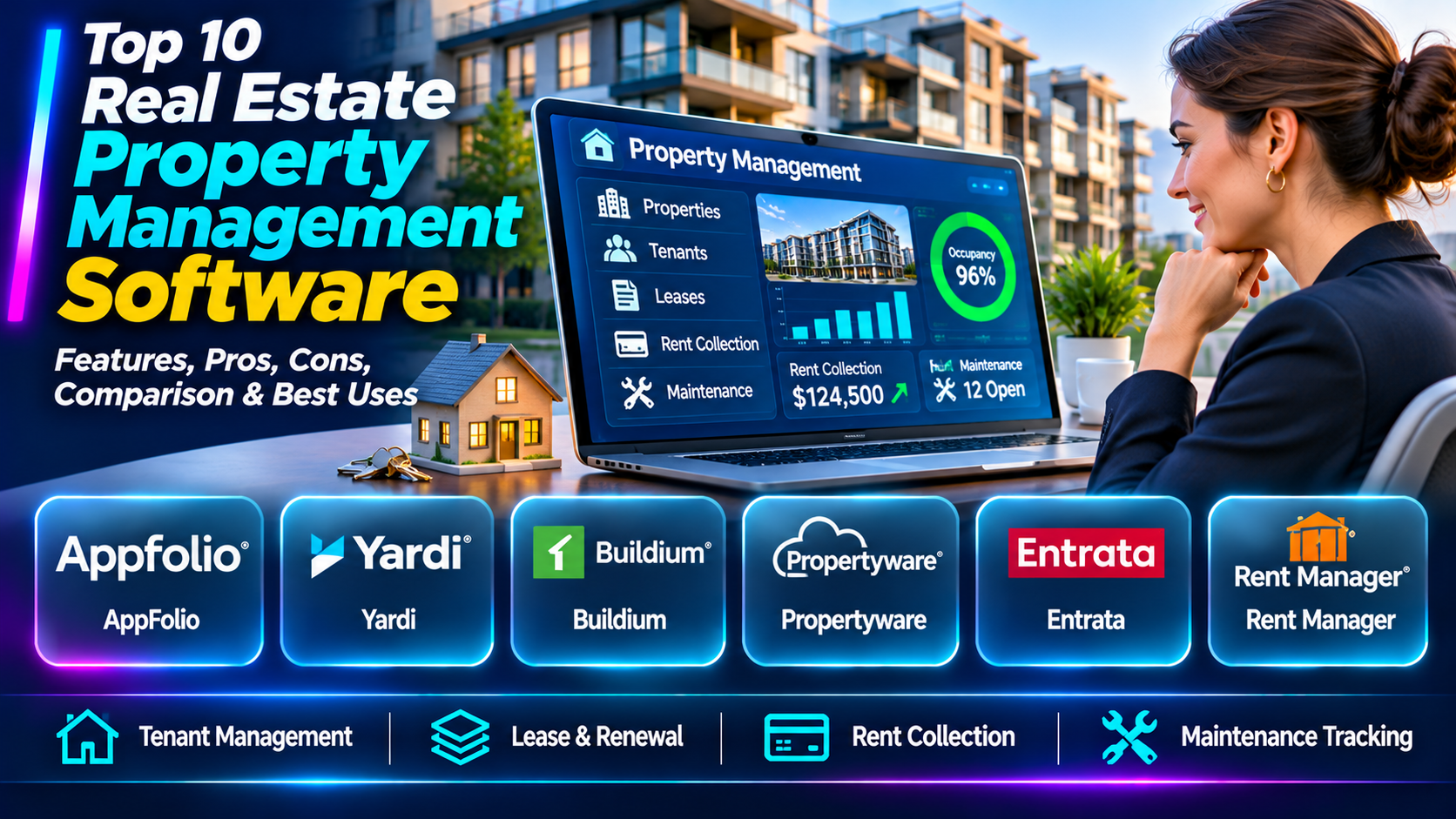
Real estate leasing management tools help property owners, landlords, leasing agents, and real estate organizations manage rental agreements from initial marketing through renewal or termination. These platforms organize tenant information, lease documents, critical dates, rental obligations, and leasing activities.
Managing leases manually becomes difficult as property portfolios grow. Missing renewal deadlines, inconsistent rental records, untracked lease amendments, and scattered tenant communications can create financial losses and administrative problems.
Modern leasing management software supports digital lease records, automated reminders, applicant workflows, document management, payment coordination, and portfolio reporting. Commercial leasing platforms may also handle complex rent schedules, expense recoveries, lease accounting, and financial reporting requirements.
Selecting the right system depends on property type, portfolio size, and leasing complexity. A landlord managing ten apartments needs different functionality from a commercial real estate company administering hundreds of office, retail, and industrial agreements.
For example, a residential leasing team may prioritize applications, electronic signatures, tenant screening, and renewals. A commercial leasing department may require detailed clause tracking, rent escalation schedules, critical date management, and integration with enterprise accounting systems.
This guide compares ten real estate leasing management tools, examining their features, benefits, strengths, limitations, and practical applications. It also explains how to select the right platform, provides comparison tables, demonstrates a realistic leasing workflow, and answers common questions.
What Are Real Estate Leasing Management Tools?
Real estate leasing management tools are software applications that help organizations administer rental and lease agreements. They provide centralized records for tenants, properties, contractual terms, payments, important dates, and related documentation.
These tools support different stages of the leasing lifecycle. Depending on the platform, teams can advertise available space, manage prospective tenants, prepare agreements, monitor lease obligations, coordinate renewals, and produce financial reports.
Consider a commercial property manager responsible for a shopping center with 45 retail tenants. Each lease may contain different rental rates, renewal options, operating expense obligations, and notice requirements.
A leasing management platform helps the manager maintain consistent records and monitor these contractual obligations. The software improves visibility but does not replace legal interpretation, financial judgment, or professional lease administration.
Common applications of Real Estate Leasing Management Tools include:
- Residential Leasing: Property managers coordinate applications, rental agreements, and renewals. Digital workflows reduce repetitive administration.
- Commercial Lease Administration: Organizations maintain detailed office, retail, and industrial lease terms. Centralized records support contractual oversight.
- Lease Renewal Management: Teams monitor expiration dates and renewal options. Reminders help prevent missed decision windows.
- Tenant Screening: Residential leasing teams organize applicant information and supported screening procedures. Screening must comply with applicable laws.
- Rent Schedule Tracking: Managers monitor base rent, escalation dates, and other contractual charges. Structured schedules support accurate billing.
- Document Management: Teams store executed leases, amendments, notices, and supporting records. Controlled access improves information consistency.
- Lease Accounting: Finance departments organize lease data required for relevant accounting processes. Specialized platforms support reporting under applicable standards.
- Portfolio Reporting: Owners review occupancy, lease expirations, rental commitments, and tenant information. Consolidated views support planning and investment decisions.
Top 10 Real Estate Leasing Management Tools
1. Yardi Voyager
Short Description
Yardi Voyager is an enterprise real estate management and accounting platform developed by Yardi. Its commercial and residential capabilities support lease administration, tenant records, rental charges, financial management, and portfolio reporting.
The platform serves institutional property owners, commercial real estate companies, residential operators, and professional property management organizations. Leasing teams can coordinate lease information with broader property and accounting processes.
Its primary advantage is connecting lease administration with property financial management. This helps reduce differences between contractual records, recurring charges, and accounting information.
Yardi Voyager is particularly relevant to organizations managing large or mixed real estate portfolios. Implementation requires careful configuration of property structures, accounting policies, and lease data.
Key Features
- Lease Administration: Teams maintain contractual terms, tenant details, and important dates. Centralized records improve consistency across properties.
- Rent Schedule Management: Users organize recurring charges and applicable rent changes. This supports accurate billing administration.
- Commercial Property Support: The platform accommodates commercial leasing and property accounting workflows. Relevant capabilities depend on the configured products.
- Residential Leasing: Supported workflows help manage apartment and residential lease records. Teams can coordinate renewals with property operations.
- Property Accounting: Lease information connects with relevant financial records. This supports reporting and reconciliation.
- Critical Date Tracking: Managers monitor lease expirations and other contractual milestones. Timely reviews help prevent missed actions.
- Portfolio Reporting: Organizations analyze leasing information across properties. Consolidated reporting supports occupancy and revenue planning.
- Document Management: Teams organize supporting lease documents. Controlled access helps users locate current agreements.
- Integration Ecosystem: Yardi offers related products and supported integrations. Organizations should confirm the modules needed for specific workflows.
Benefits
- Centralizes lease records.
- Connects leasing with property accounting.
- Supports residential and commercial portfolios.
- Improves rental charge visibility.
- Helps monitor critical dates.
- Strengthens portfolio reporting.
- Reduces duplicate administration.
Pros
- Enterprise lease administration.
- Integrated property accounting.
- Multi-property capabilities.
- Commercial and residential support.
- Broad real estate technology ecosystem.
- Detailed financial reporting.
Cons
- Implementation can be complex.
- Advanced workflows require training.
- Costs may be substantial.
- Some features depend on additional products.
- Smaller portfolios may need simpler software.
Use Cases
- Office Leasing: Managers administer agreements for corporate tenants.
- Retail Properties: Teams track contractual rent schedules.
- Apartment Portfolios: Operators manage residential lease renewals.
- Financial Reporting: Accounting teams reconcile lease charges.
- Portfolio Oversight: Owners monitor lease expirations.
- Mixed-Asset Management: Companies coordinate multiple property types.
Best For
- Institutional property owners.
- Commercial real estate managers.
- Enterprise leasing departments.
- Large residential operators.
- Property accounting teams.
- Mixed-asset portfolios.
2. MRI Software
Short Description
MRI Software provides real estate management solutions that support commercial and residential lease administration. Its broader product portfolio includes property accounting, lease management, reporting, and related real estate workflows.
The platform serves commercial property managers, institutional owners, corporate real estate departments, and investment organizations. Teams use relevant MRI products to organize lease terms, financial information, and property operations.
Its distinguishing advantage is the breadth of its real estate software ecosystem. Organizations can select specialized capabilities for complex commercial leasing and related accounting requirements.
MRI Software is particularly relevant to companies managing diverse property portfolios or detailed commercial lease obligations. Buyers should verify which products and integrations are required for their particular workflows.
Key Features
- Commercial Lease Administration: Teams organize tenant agreements and contractual information. Structured records support complex lease management.
- Rent Tracking: Managers maintain relevant rent schedules and changes. This helps coordinate billing.
- Critical Date Monitoring: Users track lease expirations and other important milestones. Alerts support timely reviews.
- Property Accounting: Supported products connect property financial information with lease administration. This helps maintain consistent records.
- Document Management: Teams maintain relevant agreements and amendments. Centralized files improve traceability.
- Portfolio Reporting: Managers review leasing information across properties. Consolidated views support decision-making.
- Commercial Property Workflows: Organizations administer office, retail, and industrial assets. Specific capabilities depend on product selection.
- Analytics: Selected offerings provide operational and financial insights. Buyers should confirm available reporting functions.
- Integration Options: Supported connections exchange information with related systems. Integration requirements vary by deployment.
Benefits
- Supports complex commercial leases.
- Centralizes contractual records.
- Improves critical date visibility.
- Connects leasing and financial information.
- Supports multi-property reporting.
- Reduces fragmented documentation.
- Accommodates specialized real estate workflows.
Pros
- Strong commercial real estate focus.
- Broad product portfolio.
- Property accounting capabilities.
- Lease administration support.
- Enterprise reporting.
- Integration flexibility.
Cons
- Product selection requires evaluation.
- Implementation may be extensive.
- Licensing depends on selected modules.
- Advanced workflows require training.
- Smaller organizations may find the ecosystem complex.
Use Cases
- Office Portfolios: Managers administer corporate tenant leases.
- Retail Leasing: Teams track rent obligations and amendments.
- Industrial Properties: Organizations maintain warehouse lease records.
- Lease Reporting: Finance teams prepare contractual summaries.
- Critical Date Reviews: Managers monitor renewals.
- Institutional Portfolios: Owners consolidate leasing information.
Best For
- Commercial property managers.
- Institutional real estate owners.
- Corporate real estate teams.
- Commercial lease administrators.
- Property accounting departments.
- Enterprise real estate portfolios.
3. VTS
Short Description
VTS provides commercial real estate leasing and asset management technology. Its leasing-focused products help landlords and leasing teams manage prospective tenants, deal pipelines, available space, and leasing activity.
The platform serves commercial landlords, asset managers, leasing representatives, and real estate investment organizations. Teams use it to monitor leasing opportunities and coordinate deals across office, retail, and other commercial assets.
Its primary strength is leasing pipeline visibility. Instead of focusing mainly on recurring property accounting, VTS helps organizations understand leasing activity and prospective tenant demand.
VTS is relevant to commercial portfolios where leasing performance directly influences occupancy and asset value. Organizations should evaluate how its products connect with existing property management and accounting systems.
Key Features
- Leasing Pipeline Management: Teams track prospective tenant deals through relevant stages. This helps identify opportunities requiring attention.
- Space Availability Tracking: Managers organize information about available commercial space. Current availability supports leasing discussions.
- Deal Information: Users maintain relevant proposed lease terms. Centralized records help compare opportunities.
- Leasing Activity Reporting: Managers review deal progress and pipeline information. Reports support occupancy planning.
- Team Collaboration: Leasing teams coordinate relevant deal information. Shared records reduce fragmented communication.
- Portfolio Visibility: Owners review leasing activity across assets. Consolidated information supports asset management.
- Prospect Tracking: Teams organize prospective tenant information. This helps maintain continuity during negotiations.
- Commercial Leasing Analytics: Supported products provide relevant leasing insights. Capabilities depend on the offering.
- Integration Options: Organizations can connect supported data with related systems. Compatibility should be verified.
Benefits
- Improves leasing pipeline visibility.
- Centralizes commercial deal information.
- Supports occupancy planning.
- Helps track available space.
- Improves leasing team coordination.
- Provides portfolio leasing insights.
- Reduces disconnected deal records.
Pros
- Commercial leasing specialization.
- Deal pipeline tracking.
- Space availability management.
- Portfolio-level visibility.
- Leasing team collaboration.
- Relevant to institutional landlords.
Cons
- Not a complete property accounting system.
- Residential leasing is not its primary focus.
- Contract administration may require complementary software.
- Enterprise pricing requires evaluation.
- Integration planning may be necessary.
Use Cases
- Office Leasing: Teams track prospective corporate tenants.
- Vacancy Marketing: Landlords monitor available space.
- Deal Reviews: Asset managers assess leasing opportunities.
- Portfolio Planning: Owners analyze leasing activity.
- Negotiation Coordination: Teams maintain proposed terms.
- Occupancy Forecasting: Managers evaluate expected leasing outcomes.
Best For
- Commercial landlords.
- Leasing executives.
- Commercial asset managers.
- Office property owners.
- Real estate investment organizations.
- Commercial brokerage teams.
4. Leasecake
Short Description
Leasecake is a lease management platform focused on helping businesses and real estate teams track lease obligations, important dates, and related documents. It is particularly relevant to organizations managing multiple leased locations.
The platform serves commercial tenants, franchise operators, retail businesses, and real estate administrators. Users organize lease agreements, renewal options, rent obligations, and critical deadlines.
Its distinguishing advantage is its focus on simplifying lease administration and important date management. This helps organizations maintain visibility into contractual obligations without relying solely on spreadsheets.
Leasecake is useful for growing multi-location businesses and teams seeking practical lease oversight. Buyers should verify the accounting and integration capabilities required for their operations.
Key Features
- Lease Document Storage: Teams maintain executed agreements and amendments. Centralized files make documents easier to locate.
- Critical Date Tracking: Users monitor renewals, expirations, and notice deadlines. Reminders support timely decisions.
- Lease Obligation Management: Managers organize relevant contractual responsibilities. This helps reduce missed administrative tasks.
- Rent Information: Teams maintain rental amounts and applicable changes. Structured records support financial planning.
- Multi-Location Visibility: Organizations review lease information across business locations. This is useful for retail and franchise networks.
- Task Coordination: Users assign relevant lease administration activities. Clear ownership supports follow-up.
- Reporting: Managers review important dates and lease information. Reports support planning.
- Collaboration: Authorized personnel access shared records. This reduces fragmented communication.
- Lease Portfolio Organization: Teams group and manage agreements across locations. Centralized administration supports portfolio growth.
Benefits
- Centralizes lease documents.
- Helps prevent missed deadlines.
- Improves obligation tracking.
- Supports multi-location administration.
- Reduces spreadsheet dependence.
- Clarifies renewal responsibilities.
- Improves lease portfolio visibility.
Pros
- Practical lease tracking focus.
- Critical date reminders.
- Multi-location management.
- Document organization.
- Useful for commercial tenants.
- Accessible administration workflows.
Cons
- Not a complete property management system.
- Advanced accounting needs require evaluation.
- Complex commercial billing may need other software.
- Features vary by subscription.
- Accurate lease data entry remains essential.
Use Cases
- Retail Chains: Teams monitor store lease expirations.
- Franchise Operations: Administrators track location agreements.
- Office Tenants: Companies manage leased office space.
- Renewal Planning: Managers review upcoming options.
- Lease Audits: Teams retrieve contractual records.
- Multi-Location Reporting: Executives review lease commitments.
Best For
- Commercial tenants.
- Retail chains.
- Franchise businesses.
- Corporate real estate teams.
- Multi-location operators.
- Lease administrators.
5. Visual Lease
Short Description
Visual Lease is a lease management and lease accounting platform designed for organizations managing significant lease portfolios. It helps finance and real estate teams maintain lease data and support accounting and reporting processes.
The platform serves enterprises, corporate real estate departments, finance teams, and organizations with complex lease obligations. Users organize lease agreements, payment information, critical dates, and accounting-related data.
Its primary advantage is connecting lease administration with lease accounting requirements. This is particularly relevant to companies that must maintain consistent financial records for leased assets.
Visual Lease is best suited to organizations where lease accounting and compliance are important priorities. It is not intended to replace comprehensive residential property management or tenant marketing systems.
Key Features
- Lease Data Management: Teams maintain structured contractual information. Centralized records support consistent administration.
- Lease Accounting: Supported workflows help manage accounting information for relevant lease standards. Finance teams remain responsible for appropriate accounting judgments.
- Critical Date Tracking: Users monitor renewals, expirations, and other milestones. Alerts support timely review.
- Payment Schedule Management: Teams organize relevant lease payment obligations. This supports financial planning.
- Document Management: Users store agreements and amendments. Centralized access improves traceability.
- Portfolio Reporting: Managers review lease commitments across locations. Consolidated information supports oversight.
- Accounting Reports: Finance teams prepare relevant lease accounting information. Reporting requirements depend on applicable standards.
- Workflow Coordination: Authorized users manage lease-related tasks. Defined responsibilities improve consistency.
- Enterprise Integration: Supported connections coordinate information with financial systems. Organizations should verify compatibility.
Benefits
- Connects lease records with accounting.
- Improves lease obligation visibility.
- Supports financial reporting.
- Centralizes contractual documents.
- Helps monitor critical dates.
- Reduces manual accounting administration.
- Supports enterprise lease governance.
Pros
- Lease accounting specialization.
- Enterprise lease portfolio support.
- Critical date management.
- Financial reporting capabilities.
- Document organization.
- Relevant to corporate real estate teams.
Cons
- Not focused on residential tenant acquisition.
- Implementation requires accounting expertise.
- Subscription costs may be significant.
- Complex data migration needs planning.
- Accounting compliance still requires professional review.
Use Cases
- Corporate Office Leases: Companies administer leased locations.
- Lease Accounting: Finance teams maintain accounting records.
- Portfolio Reporting: Executives review lease commitments.
- Renewal Tracking: Managers monitor decision deadlines.
- Financial Audits: Teams retrieve supporting agreements.
- Multi-Entity Operations: Enterprises organize leases across business units.
Best For
- Corporate finance teams.
- Lease accounting departments.
- Enterprise real estate managers.
- Multi-location businesses.
- Financial controllers.
- Large lease portfolios.
6. Nakisa Lease Administration
Short Description
Nakisa provides enterprise lease accounting and administration software for organizations managing complex lease portfolios. Its capabilities support lease data, accounting calculations, reporting, and related workflows.
The platform serves multinational enterprises, finance departments, corporate real estate teams, and organizations with substantial lease obligations. Users manage relevant lease records and accounting information across entities and locations.
Its distinguishing strength is its focus on enterprise lease accounting and financial integration. This makes it relevant to organizations with formal accounting requirements and complex corporate structures.
Nakisa is primarily a corporate lease management solution rather than a residential landlord platform. Implementation should involve finance, accounting, and relevant technology teams.
Key Features
- Enterprise Lease Records: Organizations maintain lease information across entities. Centralized data supports consistency.
- Lease Accounting Workflows: Supported functions help calculate and report relevant lease accounting information. Professional accounting review remains necessary.
- Payment Schedule Tracking: Teams organize contractual payment obligations. This supports financial oversight.
- Lease Modification Management: Users record relevant changes to agreements. Structured processes help maintain accurate information.
- Financial Reporting: Finance departments prepare lease-related reports. This supports period-end activities.
- Multi-Entity Administration: Organizations manage leases across business units. This is relevant to multinational operations.
- Document Management: Teams maintain supporting contractual files. Centralized records improve audit readiness.
- ERP Integration: Supported connections coordinate lease information with enterprise financial systems. Compatibility should be verified.
- Governance Controls: Authorized users manage relevant workflows and permissions. This supports consistent financial administration.
Benefits
- Centralizes enterprise lease information.
- Supports lease accounting processes.
- Improves financial reporting consistency.
- Organizes payment obligations.
- Supports multi-entity administration.
- Helps manage lease modifications.
- Strengthens financial governance.
Pros
- Enterprise lease accounting focus.
- Multi-entity capabilities.
- Financial integration orientation.
- Structured lease records.
- Accounting reporting.
- Suitable for large organizations.
Cons
- Not designed primarily for residential leasing.
- Implementation requires specialist planning.
- Accounting expertise is necessary.
- Costs may be substantial.
- Complex integrations require evaluation.
Use Cases
- Multinational Leasing: Companies administer leases across countries.
- Financial Close: Accounting teams prepare lease-related reports.
- Contract Modifications: Users record amended obligations.
- Portfolio Reviews: Managers analyze lease commitments.
- ERP Coordination: Teams connect lease and financial information.
- Audit Support: Organizations retrieve supporting documentation.
Best For
- Enterprise finance departments.
- Multinational corporations.
- Lease accounting specialists.
- Corporate real estate teams.
- Financial reporting managers.
- Large commercial lease portfolios.
7. AppFolio Property Manager
Short Description
AppFolio Property Manager is a cloud-based property management platform that includes leasing capabilities for rental property businesses. It supports applicant workflows, rental agreements, tenant information, payments, and property operations.
The platform serves residential property managers, rental portfolio operators, and professional management companies. Teams use it to coordinate leasing alongside accounting, maintenance, and resident services.
Its primary advantage is integrating leasing with ongoing rental management. This reduces the need to transfer information manually between separate leasing and property accounting systems.
AppFolio is relevant to growing property management businesses seeking connected operational workflows. Buyers should evaluate the supported property types and subscription requirements.
Key Features
- Leasing Workflows: Teams organize rental prospects and applications. This supports vacancy administration.
- Lease Records: Managers maintain tenant agreements and relevant dates. Centralized information supports renewals.
- Applicant Management: Users coordinate prospective tenant information. Screening procedures must follow applicable laws.
- Online Payments: Supported functions help tenants pay rent digitally. Payment records support administration.
- Property Accounting: Leasing information connects with relevant financial workflows. This reduces duplicate entry.
- Tenant Communication: Managers exchange property-related information. Centralized messages improve continuity.
- Maintenance Coordination: Teams manage service requests after occupancy. This connects leasing with ongoing operations.
- Owner Reporting: Property managers share relevant financial information. This supports transparency.
- Mobile Access: Authorized users access supported functions on mobile devices. This helps manage properties remotely.
Benefits
- Connects leasing and property operations.
- Reduces duplicate tenant records.
- Supports digital rent collection.
- Organizes rental applications.
- Improves tenant communication.
- Supports renewals.
- Provides financial reporting.
Pros
- Integrated property management.
- Cloud accessibility.
- Leasing and accounting workflows.
- Resident-facing features.
- Maintenance coordination.
- Suitable for professional rental businesses.
Cons
- Enterprise commercial lease complexity may exceed its scope.
- Subscription requirements should be reviewed.
- Some features vary by offering.
- Data migration requires planning.
- Independent landlords may prefer simpler software.
Use Cases
- Apartment Leasing: Teams coordinate prospective residents.
- Residential Renewals: Managers track expiring agreements.
- Tenant Onboarding: Staff organize rental information.
- Rent Collection: Managers monitor tenant payments.
- Owner Reporting: Teams provide property financial summaries.
- Portfolio Growth: Businesses standardize leasing operations.
Best For
- Residential property managers.
- Multifamily operators.
- Growing rental businesses.
- Leasing coordinators.
- Property management companies.
- Residential portfolio owners.
8. Buildium
Short Description
Buildium is a cloud-based residential property management platform that includes leasing and rental administration tools. It supports lease tracking, rental applications, tenant communication, payments, and accounting.
The software serves independent property managers, small and midsize rental businesses, and residential landlords. Users manage leasing activities alongside recurring property operations.
Its distinguishing advantage is providing connected rental management workflows for smaller property businesses. Teams can organize leasing, payments, and tenant records without maintaining numerous disconnected systems.
Buildium is particularly relevant to residential portfolios that need straightforward administration. Buyers should review plan differences and the specific leasing capabilities available.
Key Features
- Lease Tracking: Managers organize agreements and renewal dates. This supports occupancy planning.
- Rental Applications: Supported workflows help manage prospective tenant information. This reduces fragmented application records.
- Tenant Screening: Available screening services support applicant evaluation. Users must follow applicable screening laws.
- Online Rent Collection: Tenants can use supported digital payment options. Managers gain visibility into payment activity.
- Tenant Portals: Residents access relevant account services. This improves self-service.
- Property Accounting: Teams record rental income and expenses. Financial reports support owner oversight.
- Maintenance Requests: Tenants submit service issues. Managers coordinate repairs after move-in.
- Owner Communication: Property managers share relevant information with owners. This improves transparency.
- Reporting: Users review rental and financial information. Reports support portfolio decisions.
Benefits
- Simplifies residential leasing.
- Centralizes rental records.
- Supports tenant applications.
- Improves rent collection.
- Connects leasing and accounting.
- Helps monitor renewals.
- Reduces manual administration.
Pros
- Residential rental focus.
- Integrated accounting.
- Tenant and owner portals.
- Leasing workflow support.
- Online payments.
- Suitable for small management companies.
Cons
- Complex commercial lease requirements may need other software.
- Features vary by plan.
- Subscription costs increase with selected services.
- Enterprise reporting may be limited.
- Accurate data migration is necessary.
Use Cases
- Rental Homes: Landlords manage new tenant agreements.
- Small Apartments: Managers coordinate applications.
- Lease Renewals: Teams track expiration dates.
- Rent Collection: Staff monitor payments.
- Tenant Onboarding: Managers organize records.
- Owner Reporting: Property managers provide rental summaries.
Best For
- Small property management companies.
- Residential landlords.
- Independent property managers.
- Rental home operators.
- Small apartment portfolios.
- Growing leasing businesses.
9. LeaseQuery by FinQuery
Short Description
LeaseQuery is a lease accounting software solution associated with FinQuery. It helps organizations organize lease information and support financial reporting under relevant lease accounting requirements.
The platform serves corporate accounting departments, finance teams, auditors, and organizations managing leased assets. Users maintain lease data, accounting calculations, and supporting records.
Its primary advantage is its focus on lease accounting rather than property marketing or tenant acquisition. This makes it useful for organizations that need accurate financial reporting for leases.
LeaseQuery is not a complete real estate property management system. It is best considered a specialized lease accounting application within a broader financial management environment.
Key Features
- Lease Accounting Calculations: Supported functions help prepare relevant lease accounting amounts. Finance teams must validate accounting assumptions.
- Lease Data Organization: Users maintain structured agreement information. This supports consistent reporting.
- Payment Schedule Tracking: Teams organize relevant payment obligations. This helps manage financial records.
- Lease Modification Support: Users record relevant contractual changes. Updated information supports accounting reviews.
- Financial Reporting: Teams prepare lease-related accounting reports. This supports financial close procedures.
- Document Management: Supporting lease agreements can be maintained with relevant records. This improves traceability.
- Portfolio Visibility: Organizations review lease information across agreements. Consolidated data supports financial oversight.
- Audit Support: Teams retrieve accounting records and supporting information. This helps explain reported balances.
- Financial System Coordination: Supported workflows connect lease information with accounting processes. Integration requirements should be verified.
Benefits
- Supports lease accounting compliance workflows.
- Centralizes accounting-related lease data.
- Reduces manual calculations.
- Improves financial reporting consistency.
- Organizes payment schedules.
- Supports audit preparation.
- Helps manage lease modifications.
Pros
- Specialized lease accounting.
- Structured financial calculations.
- Reporting capabilities.
- Lease modification support.
- Audit documentation.
- Relevant to corporate finance teams.
Cons
- Not designed for property marketing.
- Limited residential tenant management.
- Accounting expertise remains necessary.
- Subscription costs require evaluation.
- Broader property operations need separate systems.
Use Cases
- Financial Reporting: Accountants prepare lease-related statements.
- Corporate Leases: Organizations maintain office lease records.
- Equipment Leases: Finance teams administer leased assets.
- Accounting Reviews: Users assess modifications.
- Audit Preparation: Teams retrieve supporting calculations.
- Portfolio Reconciliation: Organizations review lease obligations.
Best For
- Corporate accountants.
- Financial controllers.
- Lease accounting teams.
- Audit departments.
- Multi-entity businesses.
- Finance-focused lease administrators.
10. Re-Leased
Short Description
Re-Leased is a cloud-based commercial property management platform with capabilities for lease administration, tenant management, financial workflows, and portfolio reporting. It is designed primarily for commercial real estate operations.
The software serves commercial landlords, property managers, asset owners, and real estate management companies. Users organize leases, tenants, important dates, rental information, and property activities.
Its distinguishing advantage is its commercial property management focus combined with cloud-based administration. Teams can coordinate lease information and property operations within a shared environment.
Re-Leased is particularly relevant to commercial portfolios seeking accessible lease management workflows. Organizations should evaluate its accounting integrations and regional feature availability.
Key Features
- Commercial Lease Administration: Teams maintain relevant contractual information. This supports office, retail, and industrial lease management.
- Critical Date Tracking: Managers monitor expirations and other milestones. Reminders help coordinate timely actions.
- Tenant Management: Users organize commercial tenant information. Centralized records improve administration.
- Rent Schedule Tracking: Teams maintain relevant rental charges and changes. This supports billing oversight.
- Document Storage: Users organize agreements and amendments. Shared access improves traceability.
- Property Operations: Managers coordinate relevant commercial property activities. This connects leasing with ongoing administration.
- Portfolio Reporting: Organizations review lease and property information. Reports support management decisions.
- Cloud Collaboration: Authorized users access shared records. This helps coordinate distributed teams.
- Accounting Integrations: Supported connections coordinate property and financial information. Compatibility should be confirmed.
Benefits
- Centralizes commercial lease records.
- Improves critical date visibility.
- Supports rental administration.
- Organizes tenant information.
- Connects leasing with property operations.
- Provides portfolio reporting.
- Supports cloud collaboration.
Pros
- Commercial property specialization.
- Cloud-based administration.
- Critical date tracking.
- Tenant and lease management.
- Accounting integration options.
- Suitable for professional property managers.
Cons
- Residential leasing is not its primary focus.
- Advanced enterprise requirements need evaluation.
- Pricing varies by portfolio and offering.
- Integrations depend on supported systems.
- Complex lease terms require accurate configuration.
Use Cases
- Office Properties: Managers administer commercial tenant leases.
- Retail Centers: Teams monitor lease dates and charges.
- Industrial Assets: Organizations maintain warehouse agreements.
- Lease Renewals: Managers coordinate upcoming decisions.
- Commercial Reporting: Owners review leasing information.
- Property Administration: Teams manage ongoing tenant records.
Best For
- Commercial landlords.
- Office property managers.
- Retail property operators.
- Industrial property owners.
- Commercial leasing administrators.
- Midmarket real estate companies.
Comparison Table: Top 10 Real Estate Leasing Management Tools
| Tool Name | Best For | Platform(s) | Standout Feature | Pricing |
|---|---|---|---|---|
| Yardi Voyager | Enterprise property leasing | Web, supported mobile workflows | Integrated leasing and property accounting | Enterprise subscription |
| MRI Software | Complex commercial leases | Web, supported applications | Commercial lease administration | Enterprise subscription |
| VTS | Commercial leasing pipelines | Web, supported mobile access | Deal and space availability tracking | Commercial subscription |
| Leasecake | Multi-location lease tracking | Web | Critical dates and obligations | Paid subscription |
| Visual Lease | Enterprise lease accounting | Web | Connected lease administration and accounting | Enterprise subscription |
| Nakisa Lease Administration | Corporate lease accounting | Web | Multi-entity lease financial management | Enterprise subscription |
| AppFolio Property Manager | Residential leasing | Web, mobile apps | Leasing and property operations integration | Paid subscription |
| Buildium | Small residential leasing teams | Web, mobile apps | Rental applications and lease tracking | Paid subscription |
| LeaseQuery by FinQuery | Lease accounting teams | Web | Lease accounting calculations and reports | Commercial subscription |
| Re-Leased | Commercial property managers | Web, supported mobile access | Commercial lease and property administration | Paid subscription |
Note: Pricing, licensing, supported platforms, and available features can change. Check the official vendor websites for current plans, educational access, and regional availability.
Which Real Estate Leasing Management Tool Is Right for You?
The best leasing management tool depends on whether the organization primarily manages residential tenants, commercial leasing opportunities, contractual obligations, or lease accounting. These activities overlap, but they require different software capabilities.
Organizations should evaluate lease complexity, number of properties, critical date requirements, accounting integrations, and user responsibilities. A realistic pilot can reveal whether the selected software supports daily leasing work.
For Beginners: Buildium and Leasecake
Buildium supports residential rental administration and leasing workflows. It is relevant to smaller property management companies.
Leasecake focuses on commercial lease obligations and critical dates. It may suit organizations managing leased business locations.
Choose Buildium if residential tenant leasing is the priority. Choose Leasecake if tracking commercial lease obligations is more important.
For Residential Leasing: AppFolio and Buildium
AppFolio combines leasing with broader property management workflows. It is relevant to professional rental operators.
Buildium provides residential leasing and accounting tools suited to smaller management businesses. It helps organize applications and renewals.
Choose AppFolio if connected professional property operations are essential. Choose Buildium if small-to-midsize rental administration is the main requirement.
For Commercial Landlords: MRI Software and Re-Leased
MRI Software supports complex commercial lease and property administration. It is relevant to institutional and enterprise portfolios.
Re-Leased focuses on cloud-based commercial property management. It may suit teams seeking practical lease and tenant workflows.
Choose MRI Software if complex enterprise requirements are central. Choose Re-Leased if accessible commercial property administration is the priority.
For Leasing Teams: VTS and Re-Leased
VTS focuses on commercial leasing pipelines and deal information. It helps teams monitor prospective tenants and available space.
Re-Leased focuses more broadly on administering existing commercial leases and properties. It supports ongoing tenant and rental management.
Choose VTS if managing leasing opportunities is the primary need. Choose Re-Leased if administering signed leases is more important.
For Corporate Real Estate: Leasecake and Visual Lease
Leasecake helps businesses monitor commercial lease obligations and critical dates. It is useful for multi-location operators.
Visual Lease connects lease administration with accounting requirements. It is relevant to organizations needing formal financial reporting.
Choose Leasecake if operational lease tracking is the main concern. Choose Visual Lease if lease accounting is essential.
For Finance Teams: LeaseQuery and Nakisa
LeaseQuery by FinQuery specializes in lease accounting and related reporting. It supports organizations managing accounting obligations for leased assets.
Nakisa also focuses on enterprise lease accounting and administration. It is relevant to complex corporate structures.
Choose LeaseQuery if specialized accounting workflows meet your requirements. Choose Nakisa if multi-entity enterprise administration is the priority.
For Enterprise Portfolios: Yardi Voyager and MRI Software
Yardi Voyager connects lease administration with enterprise property accounting. It supports residential and commercial real estate portfolios.
MRI Software provides specialized real estate management products. It may suit organizations with complex commercial requirements.
Choose Yardi Voyager if integrated property accounting is central. Choose MRI Software if specialized commercial administration is more important.
For Multi-Location Businesses: Leasecake and Nakisa
Leasecake helps retail and franchise organizations track leases across business locations. Its critical date workflows support operational decisions.
Nakisa supports enterprise lease administration and financial reporting. It is relevant to large organizations managing complex lease obligations.
Choose Leasecake if straightforward multi-location tracking is the priority. Choose Nakisa if enterprise accounting and multi-entity reporting are essential.
Best Real Estate Leasing Management Tools for Different Users
| User Type | Recommended Software | Why? |
|---|---|---|
| Institutional property owners | Yardi Voyager | Integrated lease and property accounting |
| Commercial real estate enterprises | MRI Software | Complex commercial lease administration |
| Commercial leasing executives | VTS | Deal pipeline and availability tracking |
| Retail and franchise operators | Leasecake | Lease obligations and critical date reminders |
| Corporate lease accounting teams | Visual Lease | Lease administration and financial reporting |
| Multinational finance departments | Nakisa Lease Administration | Multi-entity lease accounting |
| Residential property managers | AppFolio Property Manager | Connected leasing and property operations |
| Small rental businesses | Buildium | Applications, lease tracking, and accounting |
| Financial controllers | LeaseQuery by FinQuery | Lease accounting calculations |
| Commercial property managers | Re-Leased | Cloud commercial lease administration |
Practical Example: Managing Leases Across a Retail Property Portfolio
Consider a commercial real estate company managing a portfolio of five shopping centers containing 180 tenant spaces. The organization must monitor lease expirations, rental escalations, renewal options, vacancy levels, and contractual obligations.
Previously, the leasing department used spreadsheets to track dates and separate folders to store agreements. This made it difficult to identify upcoming renewals and reconcile changes with financial records.
MRI Software, Re-Leased, and VTS can support different aspects of this process. The following seven steps demonstrate a structured lease management workflow.
Step 1: Organize the Property Portfolio
Create records for all five shopping centers. Include property identifiers, addresses, ownership information, and management responsibilities.
Establish a consistent naming structure for buildings and individual tenant spaces. Record relevant space sizes and occupancy information.
Verify that each leased area has a unique identifier. This helps prevent duplicate or inconsistent lease records.
Step 2: Collect and Review Lease Documents
Gather executed leases, amendments, renewal agreements, and relevant notices. Confirm that documents are complete and correspond to the correct tenants.
Review important contractual information, including commencement dates, expiration dates, rental amounts, and renewal options. Legal professionals should interpret ambiguous clauses.
Store the documents in a controlled location. Apply permissions appropriate to confidential tenant and financial information.
Step 3: Enter Lease Terms and Financial Obligations
Record relevant rent schedules, escalation dates, and contractual charges. Confirm that the information matches executed agreements.
Configure supported financial workflows according to the organization’s accounting procedures. Review imported data before using it for billing.
Document any unusual lease provisions requiring manual attention. Complex clauses should not be simplified without appropriate review.
Step 4: Configure Critical Date Reminders
Identify upcoming expirations, renewal option deadlines, notice periods, and rent review dates. Assign responsible staff members.
Create reminders with sufficient time for commercial negotiations and internal approvals. The appropriate notice period depends on the agreement.
Review the critical date dashboard regularly. Confirm that reminders lead to documented actions.
Step 5: Manage Vacancies and Leasing Opportunities
Maintain accurate records of vacant and soon-to-be-available spaces. Coordinate availability information with leasing representatives.
Track prospective tenants and relevant deal stages. Record proposed terms and important negotiation milestones.
Keep prospective deals separate from executed contractual obligations. This prevents unapproved assumptions from affecting financial reporting.
Step 6: Coordinate Renewals and Amendments
Review leases approaching renewal or expiration. Evaluate tenant performance, market conditions, and property objectives.
Prepare relevant proposals and obtain required approvals. Record negotiated changes only after appropriate authorization.
Update lease records when amendments are executed. Preserve previous agreements for historical reference.
Step 7: Review Portfolio Performance
Prepare reports showing occupied space, upcoming expirations, contractual rent, and leasing activity. Review trends across all five shopping centers.
Identify concentrated expiration periods and potential vacancy risks. Assign follow-up actions to the leasing and asset management teams.
Reconcile lease information with property accounting records. Consistent data helps improve financial and operational decisions.
This workflow provides a structured approach to commercial lease administration. Accurate contractual data, clear responsibilities, and regular reviews are essential to realizing the benefits of leasing software.
Frequently Asked Questions (FAQs)
1. What is real estate leasing management software?
Real estate leasing management software helps organizations administer rental agreements and leasing activities. It organizes lease terms, documents, tenants, important dates, and related financial information.
Different platforms focus on residential leasing, commercial deal pipelines, lease administration, or lease accounting.
2. Which leasing management software is best for beginners?
Buildium is relevant to smaller residential property managers. Leasecake is useful for organizations seeking straightforward commercial lease tracking.
The best beginner option depends on the type of lease and the main administrative challenge.
3. Are free real estate leasing management tools available?
Basic lease records can be maintained with spreadsheets and document storage tools. Some software providers offer trials or limited entry-level access.
Free tools may lack reliable reminders, accounting integrations, and portfolio reporting. Organizations should assess the risks of manual administration.
4. How is leasing software different from spreadsheets?
Spreadsheets can track dates, rent amounts, and tenant information. However, they require manual maintenance and often separate document storage.
Dedicated leasing systems connect contractual records, reminders, workflows, and reporting. This improves information consistency when configured correctly.
5. Which software is best for commercial leasing?
MRI Software, Yardi Voyager, VTS, and Re-Leased support different commercial leasing requirements. Their strengths range from lease administration to deal pipeline management.
The best choice depends on whether the organization manages prospective deals or existing agreements.
6. Which software is best for residential leasing?
AppFolio and Buildium are relevant to residential leasing operations. They connect leasing with tenant management, payments, and property administration.
Residential managers should evaluate application workflows, tenant communication, and accounting.
7. Can leasing management software integrate with accounting systems?
Many commercial and enterprise leasing platforms provide accounting capabilities or supported integrations. These connections can reduce duplicate financial entry.
Compatibility depends on the selected products and implementation. Organizations should verify required data flows.
8. What is a lease escalation?
A lease escalation is a contractual increase in rent or another charge according to agreed terms. Escalations may occur on specified dates or follow defined calculations.
Leasing software can help track these changes. The executed agreement determines the actual obligation.
9. What are the main stages of lease management?
Typical stages include marketing, prospect evaluation, negotiation, agreement execution, administration, renewal, and termination. Commercial leasing may involve additional financial and legal reviews.
Clear records and responsibilities are important throughout the lifecycle.
10. What is the difference between lease administration and lease accounting?
Lease administration focuses on contractual terms, obligations, documents, and important dates. Lease accounting focuses on recognizing and reporting leases under applicable accounting requirements.
Some platforms support both activities. Others specialize in one area.
11. Which software is best for lease accounting?
Visual Lease, Nakisa, and LeaseQuery by FinQuery focus on lease accounting and related financial reporting. They are relevant to organizations managing significant lease obligations.
Finance teams should evaluate applicable accounting standards, integration requirements, and reporting needs.
12. Can leasing software manage renewals automatically?
Many platforms provide reminders and workflows for upcoming renewals. Some also support related document preparation and approvals.
Renewal decisions and contractual notices still require appropriate human review. Software should not be assumed to execute legal decisions automatically.
13. What devices are required for leasing management software?
Many platforms support web browsers and selected mobile applications. Access options depend on the vendor.
Organizations should verify security, permissions, and device compatibility before deployment.
14. How should a company choose leasing management software?
Identify the lease types, portfolio size, accounting requirements, and most important administrative risks. Compare tools designed for those workflows.
Test critical date tracking, document management, reporting, and relevant integrations using real examples.
15. How is leasing management different from property management?
Leasing management focuses on acquiring tenants and administering lease agreements. Property management covers broader daily operations, including maintenance, payments, resident services, and financial administration.
Many property management platforms include leasing functionality. Specialized leasing tools may provide deeper deal or contractual workflows.
16. Which leasing management software is best for enterprise organizations?
Yardi Voyager and MRI Software are relevant to large property portfolios. Visual Lease and Nakisa support enterprise lease administration and accounting, while VTS focuses on commercial leasing activity.
The best choice depends on whether the organization prioritizes property operations, deal management, contractual obligations, or financial reporting.
Final Thoughts
Real estate leasing management tools help organizations manage contractual obligations, leasing activities, renewal deadlines, and related financial information. The right platform improves visibility and reduces dependence on fragmented manual records.
Yardi Voyager supports integrated leasing and property accounting, while MRI Software provides commercial real estate administration capabilities. VTS focuses on commercial leasing pipelines, and Leasecake emphasizes critical dates and lease obligations.
Visual Lease supports enterprise lease accounting, while Nakisa provides multi-entity lease administration and financial workflows. AppFolio connects residential leasing with property operations.
Buildium supports smaller residential leasing businesses, while LeaseQuery by FinQuery specializes in lease accounting. Re-Leased provides cloud-based commercial property and lease administration.
Organizations should choose software according to their lease complexity, property types, accounting requirements, and operational responsibilities. A carefully evaluated pilot can help determine whether the selected platform improves lease visibility, financial consistency, and portfolio management.
