Introduction
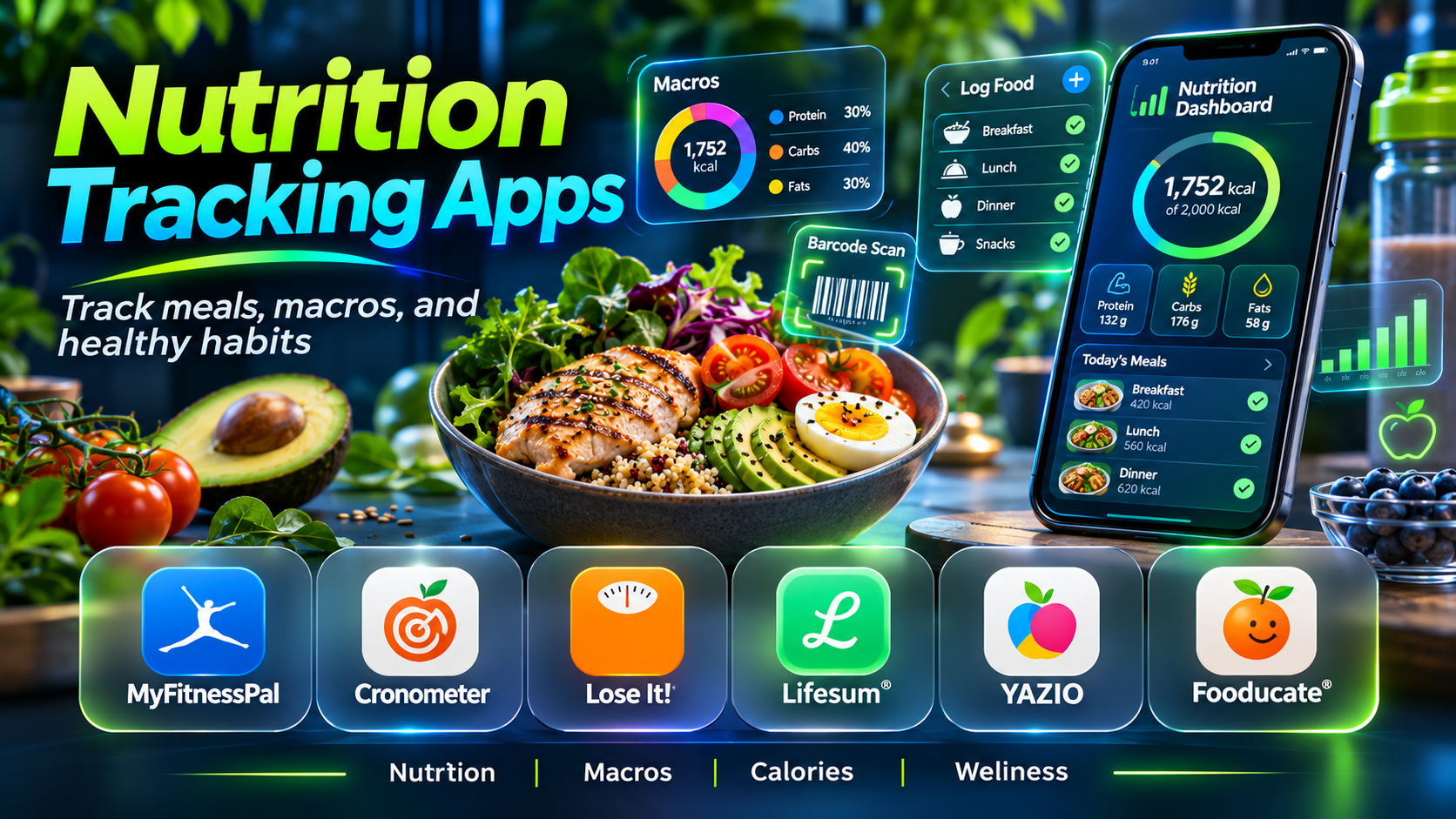
Nutrition tracking apps help people record what they eat, understand dietary patterns, and organize information about nutrients.
Some users want to learn whether they regularly consume enough protein or fiber. Others need a convenient food diary, meal-planning support, or a way to review dietary information with a qualified nutrition professional.
Modern nutrition applications offer food databases, barcode scanning, recipe builders, nutrient dashboards, meal histories, and integrations with other wellness platforms.
However, these applications differ substantially in their design.
Some emphasize quick calorie logging, while others provide detailed vitamin and mineral information. Certain platforms focus on macronutrients, dietary preferences, or structured meal plans.
Nutrition tracking also has limitations. Food databases may contain incorrect entries, portion estimates can be inaccurate, and photographs cannot reliably determine every ingredient or cooking method.
Moreover, tracking is not beneficial for everyone. People who find detailed food logging distressing or who have a history of disordered eating may need a different approach developed with qualified professional support.
This guide compares ten nutrition tracking applications, explains their capabilities, and helps readers identify tools that suit their goals without turning everyday eating into an unnecessarily rigid process.
What Are Nutrition Tracking Apps?
Nutrition tracking apps are digital tools that record food and beverage intake and estimate the nutrients associated with those entries.
They typically use food databases containing information about calories, carbohydrates, proteins, fats, vitamins, minerals, and other dietary components.
Users can enter foods manually, select database records, save recipes, or use supported scanning features.
Some applications also provide personalized targets, meal-planning resources, or integration with activity tracking systems.
Common Features
- Food diaries and meal histories.
- Calorie estimates.
- Macronutrient tracking.
- Vitamin and mineral information.
- Food database searches.
- Barcode scanning.
- Custom food creation.
- Recipe builders.
- Serving-size adjustments.
- Meal planning.
- Dietary preference support.
- Nutrient summaries.
- Historical trends.
- Activity integrations.
- Data sharing and export.
The most useful app provides sufficiently reliable information while remaining easy to use.
Top 10 Nutrition Tracking Apps
1. MyFitnessPal
Short Description
MyFitnessPal is a widely recognized food and nutrition tracking platform built around a searchable food database, daily food diary, and activity-related integrations.
It is relevant to people who want to record everyday meals without manually calculating the nutritional content of every ingredient.
Users can search for foods, select serving sizes, save frequently eaten items, and review estimated calorie and macronutrient totals.
For example, someone trying to understand their typical protein intake may use MyFitnessPal to record meals over several days and examine patterns rather than focusing on a single meal.
The platform’s broad food database is useful for packaged foods and restaurant meals, although the quality of individual records can vary.
Its ecosystem also includes additional tools for goals, progress, and supported device integrations.
However, users should not assume that every database entry is accurate. Community-submitted information may contain mistakes, and serving sizes can be misleading.
Premium functionality, including certain convenient logging tools, may require payment.
Key Features
- Food Database: Provides searchable nutritional information for many foods.
- Meal Diary: Organizes daily food and beverage entries.
- Calorie Estimates: Summarizes estimated energy intake.
- Macronutrient Tracking: Displays protein, carbohydrate, and fat information.
- Serving Adjustments: Allows users to modify recorded quantities.
- Saved Meals: Supports repeated food logging.
- Activity Integrations: Connects with supported fitness services.
- Goal Tracking: Provides customizable dietary targets within available features.
- Premium Logging Tools: Offers additional convenience features in paid plans.
Benefits
MyFitnessPal simplifies routine food logging and helps users review broad dietary patterns.
Pros
- Extensive food database.
- Familiar interface.
- Convenient repeated entries.
- Fitness ecosystem integrations.
- Broad general-purpose functionality.
Cons
- Database entries can be inaccurate.
- Some features require Premium.
- Logging can become time-consuming.
- Calorie estimates are not exact.
Use Cases
Everyday food diaries, macronutrient awareness, and general nutrition monitoring.
Best For: Users seeking a broad, general-purpose nutrition tracker.
2. Cronometer
Short Description
Cronometer is a nutrition tracking platform particularly known for detailed nutrient analysis.
While many food trackers emphasize calories and macronutrients, Cronometer provides extensive information about vitamins, minerals, and other nutrients when suitable data is available.
This makes it relevant to users who want a more complete view of dietary composition.
For example, a person reviewing the nutritional balance of a plant-based diet may use Cronometer to examine recorded sources of protein, iron, calcium, and other nutrients.
The platform includes curated food data sources and allows users to track meals, recipes, and dietary targets.
Its detailed dashboards can also support discussions with qualified nutrition professionals.
However, micronutrient totals are only as reliable as the selected food records and entered portions.
Not every packaged food includes complete micronutrient information, and a missing value does not necessarily mean the nutrient is absent.
Cronometer is particularly valuable when users understand these data limitations.
Key Features
- Detailed nutrient tracking.
- Vitamin and mineral analysis.
- Food diary.
- Curated food database entries.
- Recipe creation.
- Custom nutrition targets.
- Barcode-supported logging.
- Historical nutrient reports.
- Supported health integrations.
Benefits
Cronometer helps users examine dietary nutrient patterns beyond basic calorie totals.
Pros
- Detailed micronutrient information.
- Strong nutritional analysis.
- Custom targets.
- Useful food data sources.
- Suitable for professional discussions.
Cons
- Detailed dashboards can overwhelm beginners.
- Food records may have missing nutrients.
- Advanced reporting can require payment.
- Portion accuracy remains important.
Use Cases
Micronutrient monitoring, detailed food diaries, and nutrition education.
Best For: Users prioritizing detailed nutrient information.
3. MacroFactor
Short Description
MacroFactor is a nutrition tracking and coaching-oriented application focused on food logging, macronutrient targets, and adjustments based on recorded trends.
It is particularly relevant to people who prefer structured nutritional planning alongside fitness activities.
The platform combines food intake records with body-weight trend information to support adaptive recommendations.
For example, a recreational strength athlete may use MacroFactor to record meals, review protein intake, and observe longer-term changes in recorded dietary patterns.
Its emphasis on adapting targets distinguishes it from applications that simply display a fixed daily calorie budget.
However, calculated recommendations depend on the quality and consistency of the information supplied.
Users should not treat automated targets as individualized medical nutrition advice.
The app also involves a subscription, making it less suitable for someone who only needs a free basic food diary.
Key Features
- Food logging.
- Macronutrient tracking.
- Adaptive nutrition targets.
- Weight trend analysis.
- Nutrition dashboards.
- Custom food entries.
- Recipe tracking.
- Progress visualization.
- Coaching-oriented workflows.
Benefits
MacroFactor supports structured nutrition tracking with adaptable planning features.
Pros
- Detailed macronutrient focus.
- Adaptive recommendations.
- Useful progress trends.
- Fitness-oriented workflow.
- Structured interface.
Cons
- Subscription required.
- Regular logging improves usefulness.
- Automated targets require judgment.
- May be excessive for casual users.
Use Cases
Sports nutrition logging, structured macronutrient planning, and fitness-related food tracking.
Best For: Fitness enthusiasts seeking adaptive nutrition tools.
4. Lose It!
Short Description
Lose It! is a food tracking application designed around an approachable diary and goal-oriented nutrition experience.
It is relevant to people who prefer straightforward meal logging and clear daily summaries.
The application provides food database searches, calorie estimates, and progress-related tools.
A user may record meals and snacks to understand how their typical eating patterns vary between weekdays and weekends.
Its emphasis on convenient logging can make it more approachable than platforms with extensive micronutrient dashboards.
However, users should avoid treating the app’s calculated targets as universally appropriate.
Nutritional needs vary with age, activity, medical circumstances, and other individual factors.
Certain advanced logging functions and customization options may also require a paid subscription.
Key Features
- Food diary.
- Calorie tracking.
- Food database search.
- Meal logging.
- Progress summaries.
- Custom food entries.
- Goal-oriented dashboards.
- Premium convenience tools.
- Historical food records.
Benefits
Lose It! provides a relatively straightforward way to record meals and review dietary patterns.
Pros
- Accessible interface.
- Simple daily summaries.
- Convenient logging.
- Familiar food diary design.
- Useful historical records.
Cons
- Premium feature restrictions.
- Calorie targets require appropriate context.
- Database accuracy varies.
- Detailed logging may not suit everyone.
Use Cases
Basic food diaries and general dietary pattern tracking.
Best For: Users who prefer a simple food logging experience.
5. YAZIO
Short Description
YAZIO is a nutrition tracking application combining food logging with recipes, meal-planning resources, and additional dietary tools.
It is relevant to people who want an attractive interface and structured support for organizing meals.
A user may use YAZIO to record meals, review macronutrients, and explore recipes aligned with personal preferences.
The platform also offers fasting-related functionality, although fasting is not necessary or appropriate for everyone.
Its combination of logging and lifestyle content makes it distinct from applications focused only on nutritional data analysis.
However, some features require a paid plan.
Users should also avoid assuming that generic dietary plans are suitable for every medical condition or personal circumstance.
Key Features
- Food diary.
- Calorie estimates.
- Macronutrient tracking.
- Recipe resources.
- Meal-planning support.
- Food database.
- Barcode logging options.
- Optional fasting-related tools.
- Progress dashboards.
Benefits
YAZIO combines food tracking with accessible meal-planning resources.
Pros
- Polished interface.
- Recipe content.
- Convenient food diary.
- Meal-planning orientation.
- Multiple dietary features.
Cons
- Many features require PRO.
- Fasting tools are not suitable for everyone.
- Database entries need verification.
- Personalization has limits.
Use Cases
Meal organization, general nutrition tracking, and recipe exploration.
Best For: Users seeking food logging alongside recipes and meal planning.
6. Lifesum
Short Description
Lifesum is a nutrition and lifestyle application that combines food tracking with meal-planning resources and habit-oriented guidance.
It is designed for users who want a broader wellness experience rather than a purely numerical nutrition database.
A person trying to develop a more organized meal routine may use Lifesum to record meals, explore recipes, and review general dietary patterns.
Its interface emphasizes accessible information and lifestyle-oriented content.
This can make the app appealing to people who find highly technical nutrient dashboards unnecessarily complicated.
However, the suitability of its plans depends on individual circumstances.
Users should evaluate nutritional recommendations critically and avoid restrictive approaches that cause distress or interfere with appropriate medical guidance.
Key Features
- Food tracking.
- Calorie estimates.
- Macronutrient summaries.
- Recipe resources.
- Meal-planning features.
- Habit-oriented content.
- Food database.
- Dietary preference support.
- Progress tracking.
Benefits
Lifesum connects food logging with broader meal organization and wellness routines.
Pros
- Accessible design.
- Recipe support.
- Lifestyle orientation.
- Meal-planning tools.
- Convenient food diary.
Cons
- Premium subscription features.
- Some plans may not fit individual needs.
- Limited specialist nutrient analysis.
- General recommendations require context.
Use Cases
Everyday meal planning, food journaling, and nutrition-related habit development.
Best For: Users seeking a lifestyle-oriented nutrition app.
7. MyNetDiary
Short Description
MyNetDiary is a food and nutrition tracking platform that provides meal logging, nutrient information, and progress-oriented dashboards.
It is relevant to people who want a detailed food diary without adopting an overly complicated workflow.
The platform offers searchable food records, barcode-supported logging, and tools for examining nutritional intake.
For example, a user may track several weeks of meals to understand whether their recorded fiber intake is consistent.
MyNetDiary can also support more detailed nutrient monitoring through available reporting features.
Its balance between convenience and nutritional detail makes it useful for users who want more than basic calorie counting.
However, advanced capabilities vary by plan, and users must still verify portions and food records.
Key Features
- Food diary.
- Nutrient analysis.
- Food database.
- Barcode scanning.
- Macronutrient summaries.
- Custom foods.
- Recipe tracking.
- Progress reports.
- Supported health integrations.
Benefits
MyNetDiary provides a practical combination of food logging and nutritional information.
Pros
- Detailed tracking options.
- Convenient food database.
- Barcode functionality.
- Accessible interface.
- Useful nutrient summaries.
Cons
- Some features are premium.
- Nutrient completeness varies.
- Food logging requires effort.
- Automated targets are not individualized medical advice.
Use Cases
General nutrition monitoring, meal diaries, and nutrient pattern review.
Best For: Users wanting a balanced food tracker with detailed options.
8. FatSecret
Short Description
FatSecret is a food diary and nutrition tracking platform that provides food logging, nutritional summaries, and community-related functionality.
It is particularly relevant to users seeking accessible basic tracking without a large subscription commitment.
A user may record meals, search for foods, and review estimated daily nutrient totals.
The platform also includes resources for tracking recipes and recurring foods.
Its straightforward diary approach can be useful for people who prefer familiar logging tools rather than AI-heavy features.
However, food database quality varies, and community discussions should not be treated as professional nutrition advice.
Users should focus on information that supports their goals without becoming overly concerned with daily numerical fluctuations.
Key Features
- Food diary.
- Food database.
- Calorie estimates.
- Macronutrient tracking.
- Barcode-supported logging.
- Recipe entries.
- Meal history.
- Community functionality.
- Progress summaries.
Benefits
FatSecret offers accessible food logging and basic nutritional information.
Pros
- Useful free functionality.
- Straightforward food diary.
- Recipe tracking.
- Community resources.
- Broad everyday application.
Cons
- Food records require verification.
- Community advice varies in quality.
- Advanced features may be paid.
- Interface preferences differ.
Use Cases
Budget-friendly food logging and general dietary awareness.
Best For: Users seeking accessible basic nutrition tracking.
9. Carb Manager
Short Description
Carb Manager is a nutrition tracking application with a particular emphasis on carbohydrate-related information and low-carbohydrate dietary workflows.
It is relevant to users who have a specific reason to monitor carbohydrate intake.
The application provides food logging, nutrient summaries, and tools for examining carbohydrate-related values.
For example, a user following a professionally recommended dietary plan may use Carb Manager to review recorded carbohydrate amounts and meal composition.
Its specialized orientation distinguishes it from general-purpose food diaries.
However, low-carbohydrate eating is not necessary or suitable for everyone.
People managing medical conditions, especially those involving medications or blood glucose, should obtain individualized advice rather than relying on app-generated targets.
Key Features
- Food diary.
- Carbohydrate tracking.
- Net carbohydrate information.
- Macronutrient summaries.
- Food database.
- Recipe resources.
- Meal-planning tools.
- Progress tracking.
- Dietary preference support.
Benefits
Carb Manager provides focused carbohydrate-related nutritional information.
Pros
- Specialized carbohydrate tracking.
- Recipe resources.
- Detailed macro information.
- Goal-oriented interface.
- Useful for specific dietary workflows.
Cons
- Specialized focus may not suit general users.
- Restrictive plans are not appropriate for everyone.
- Premium features.
- Medical decisions require professional guidance.
Use Cases
Carbohydrate awareness, dietary recordkeeping, and structured meal planning.
Best For: Users with an appropriate reason to monitor carbohydrate intake.
10. Foodnoms
Short Description
Foodnoms is a nutrition tracking application designed around convenient food logging and integration with Apple’s device ecosystem.
It is relevant to users who prefer an iPhone-centered food diary with straightforward access to nutrition information.
The application supports food entries, nutrient summaries, and custom food-related workflows.
A user may record meals and save frequently consumed foods to reduce repetitive entry.
Its focus on convenience and Apple integration makes it attractive to users who do not need an extensive commercial wellness ecosystem.
However, users should verify current device support, subscription features, and data synchronization requirements.
As with other nutrition trackers, the accuracy of its reports depends on the quality of the food records and entered portions.
Key Features
- Food diary.
- Nutrition tracking.
- Macronutrient summaries.
- Custom food entries.
- Barcode-related logging.
- Apple ecosystem integration.
- Saved foods.
- Nutrition history.
- Convenient meal entry.
Benefits
Foodnoms provides an approachable food logging experience for Apple users.
Pros
- Apple-oriented design.
- Convenient logging.
- Custom food support.
- Clear nutritional summaries.
- Useful for everyday records.
Cons
- Limited appeal outside Apple devices.
- Some features may require payment.
- Food data requires verification.
- Less suitable for complex clinical nutrition workflows.
Use Cases
iPhone food diaries, nutrient awareness, and repeated meal logging.
Best For: Apple users seeking a focused nutrition tracker.
Nutrition Tracking Apps Comparison Table
| App | Primary Strength | Best For | Main Limitation |
|---|---|---|---|
| MyFitnessPal | Broad food database | General users | Variable database accuracy |
| Cronometer | Detailed micronutrients | Nutrient-focused users | Complex reports |
| MacroFactor | Adaptive macro planning | Fitness enthusiasts | Subscription |
| Lose It! | Simple food diary | Beginners | Premium restrictions |
| YAZIO | Recipes and meal planning | Lifestyle users | Paid features |
| Lifesum | Habit-oriented nutrition | Meal planners | Generalized guidance |
| MyNetDiary | Balanced nutrition detail | Regular food loggers | Feature tiers |
| FatSecret | Accessible basic tracking | Budget-conscious users | Variable food records |
| Carb Manager | Carbohydrate tracking | Specialized dietary users | Narrower focus |
| Foodnoms | Apple-oriented logging | iPhone users | Platform limitations |
How to Choose the Right Nutrition Tracking App
1. Define Your Information Needs
Determine whether you need a general food diary, macronutrient summaries, detailed vitamins and minerals, or meal-planning resources.
2. Evaluate Food Database Quality
Look for complete, accurate entries and reliable serving-size information.
3. Check Regional Food Coverage
An app should support foods commonly eaten in your region, including local dishes and ingredients.
4. Test Logging Convenience
Try recording typical meals, homemade recipes, and frequently consumed foods.
5. Understand Portion Estimation
Even a reliable database produces misleading totals when serving quantities are incorrect.
6. Examine Nutrient Detail
Micronutrient tracking requires records with sufficiently complete nutritional data.
7. Review Integrations
Consider whether the app connects with your preferred wellness platform or supported devices.
8. Assess Privacy
Dietary records and health-related information deserve appropriate protection.
9. Compare Free and Paid Features
Check whether essential logging functions require subscriptions.
10. Consider Psychological Suitability
Detailed food tracking is not necessary for everyone. If it creates anxiety, guilt, or rigid eating behavior, a less numerical approach may be preferable.
Best Nutrition Tracking App by User Type
| User Type | Recommended App | Reason |
|---|---|---|
| General food logger | MyFitnessPal | Broad database |
| Micronutrient-focused user | Cronometer | Detailed nutrient information |
| Fitness enthusiast | MacroFactor | Adaptive macro planning |
| Beginner | Lose It! | Straightforward diary |
| Recipe-focused user | YAZIO | Meal-planning resources |
| Lifestyle planner | Lifesum | Habit-oriented content |
| Detailed everyday tracker | MyNetDiary | Balanced nutrition features |
| Budget-conscious user | FatSecret | Accessible core logging |
| Carbohydrate-focused user | Carb Manager | Specialized carbohydrate tools |
| iPhone user | Foodnoms | Apple ecosystem integration |
Practical Example: Reviewing the Nutritional Balance of Everyday Meals
A person wants to understand whether their usual meals provide a reasonable variety of nutrients.
Step 1: Define the Objective
Focus on learning about dietary patterns rather than pursuing an arbitrary calorie target.
Step 2: Select a Suitable App
Choose a platform with relevant nutrient information and foods commonly eaten in the user’s region.
Step 3: Record Representative Meals
Enter typical breakfasts, lunches, dinners, snacks, and beverages.
Step 4: Check Serving Sizes
Use reasonable portion estimates and verify food entries when possible.
Step 5: Save Common Recipes
Create reusable entries for frequently prepared homemade meals.
Step 6: Review Nutrient Completeness
Recognize that some food records do not contain complete vitamin and mineral information.
Step 7: Examine Patterns
Look at several days rather than drawing conclusions from a single meal.
Step 8: Identify Questions
Note areas where the recorded diet appears repetitive or where nutrient information is uncertain.
Step 9: Seek Qualified Guidance When Needed
Discuss meaningful nutritional concerns with a registered dietitian or other appropriately qualified professional.
Step 10: Make Sustainable Adjustments
Focus on practical meal variety and habits rather than strict numerical perfection.
Step 11: Reevaluate the Tool
Determine whether tracking remains useful, convenient, and comfortable.
Step 12: Maintain Flexibility
Use the app as an information resource, not as a judgment of eating behavior.
Frequently Asked Questions
1. What is a nutrition tracking app?
Software that records food intake and estimates nutritional information.
2. What is a food diary?
A record of foods and beverages consumed.
3. What are macronutrients?
Protein, carbohydrates, and fats.
4. What are micronutrients?
Vitamins and minerals needed in smaller quantities.
5. What is calorie tracking?
Recording estimates of dietary energy intake.
6. Are calorie estimates exact?
No. Food records, preparation methods, and portion sizes introduce uncertainty.
7. What is barcode scanning?
A method of identifying packaged foods using product barcodes.
8. Does a barcode guarantee accurate nutrition data?
No. Product formulations and database records can differ.
9. What is a recipe builder?
A feature that calculates estimated nutrition for a combination of ingredients.
10. Can nutrition apps track homemade meals?
Many support custom recipes and ingredients.
11. What is a serving size?
A specified quantity of food used for nutrition reporting.
12. Why do portion sizes matter?
Incorrect quantities can distort nutrient totals.
13. What is protein tracking?
Recording estimated protein intake from foods.
14. What is fiber tracking?
Monitoring estimated dietary fiber intake.
15. Can apps track vitamins?
Some provide detailed vitamin information when food data is available.
16. Can apps track minerals?
Yes, depending on the database and selected food records.
17. Why are micronutrient values sometimes missing?
Some food entries do not include complete nutrient information.
18. Can nutrition apps provide medical advice?
They should not replace individualized medical or dietetic advice.
19. What is adaptive macro planning?
Adjusting estimated dietary targets using recorded trends and algorithmic recommendations.
20. Are automated targets appropriate for everyone?
No. Individual circumstances vary.
21. What is net carbohydrate tracking?
A dietary calculation that commonly subtracts certain carbohydrate components, depending on the method used.
22. Are low-carbohydrate diets necessary?
No. Dietary approaches should suit individual needs and circumstances.
23. Can nutrition apps help with meal planning?
Many include recipes and meal organization tools.
24. Are free nutrition apps available?
Yes, although features differ.
25. Can apps recognize food from photographs?
Some can estimate food contents from images, but accuracy varies.
26. Can photo logging identify every ingredient?
No. Hidden ingredients and preparation methods are difficult to determine reliably.
27. Do nutrition apps integrate with fitness trackers?
Many support selected integrations.
28. Is daily tracking necessary?
Not for everyone. The appropriate approach depends on the purpose and individual preferences.
29. When should someone avoid detailed food logging?
When it causes distress or encourages harmful eating patterns, professional guidance may be appropriate.
30. Which nutrition tracking app is best?
The best choice depends on nutrient needs, food database quality, ease of use, cost, and personal suitability.
Final Thoughts
Nutrition tracking apps offer different approaches to understanding food intake.
MyFitnessPal provides broad food logging, while Cronometer emphasizes detailed nutrient analysis. MacroFactor focuses on adaptive macronutrient planning, and Lose It! offers a straightforward diary.
YAZIO and Lifesum combine food tracking with meal-planning resources. MyNetDiary and FatSecret support everyday records, Carb Manager specializes in carbohydrate information, and Foodnoms provides an Apple-oriented experience.
The best nutrition tracker is not necessarily the application with the largest number of targets, graphs, or reminders.
It is the one that provides useful information, fits naturally into daily life, respects personal wellbeing, and supports informed decisions without encouraging unnecessary restriction.
