Introduction
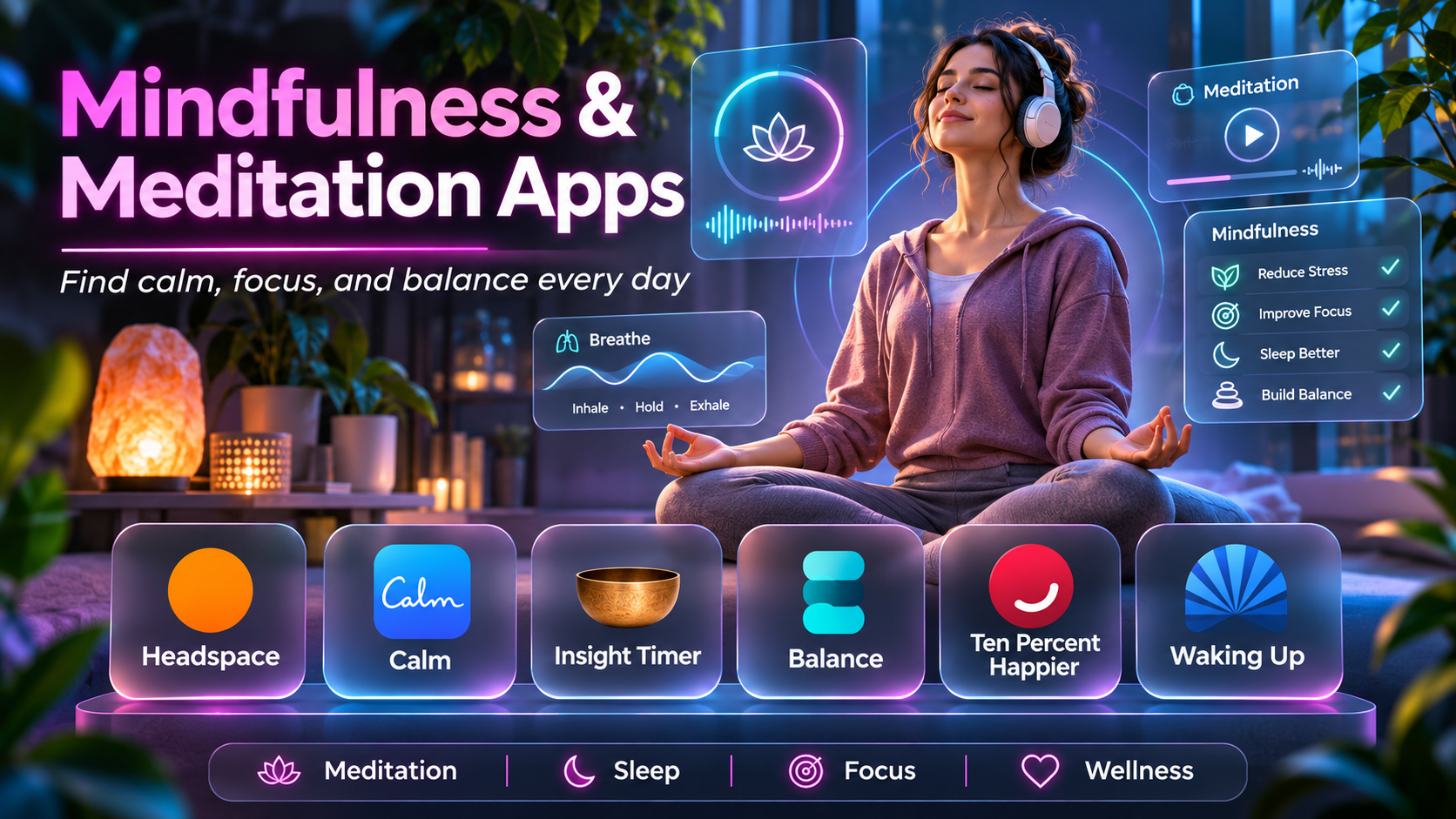
Mindfulness and meditation apps have made guided practices more accessible to people who want to build regular habits of attention, relaxation, and reflection.
Traditional meditation often involves learning techniques through classes, books, or personal instruction. Digital applications offer another option by providing guided sessions, audio exercises, educational content, and reminders.
People use these apps for different reasons. Some want to learn basic meditation, while others seek help establishing a bedtime routine, managing everyday stress, or developing a consistent mindfulness practice.
The available platforms vary considerably.
Some emphasize beginner-friendly guided meditation. Others offer extensive content libraries, structured courses, breathing exercises, sleep stories, or independent meditation timers.
However, mindfulness applications should not be presented as substitutes for medical or mental health care. Their usefulness varies between individuals, and claims about improving specific health conditions require appropriate evidence.
This guide compares ten mindfulness and meditation apps, explains their capabilities, and provides practical guidance for selecting a platform that fits personal preferences and daily routines.
What Are Mindfulness & Meditation Apps?
Mindfulness and meditation apps are digital applications that support meditation practice, attention training, relaxation, and related wellness routines.
They commonly provide guided audio sessions, timers, instructional courses, breathing exercises, and progress tracking.
Some platforms also offer sleep-focused audio, movement practices, and educational material.
Common Capabilities
- Guided meditation sessions.
- Beginner meditation courses.
- Mindfulness exercises.
- Breathing guidance.
- Meditation timers.
- Sleep stories.
- Relaxation audio.
- Daily practice reminders.
- Progress tracking.
- Themed meditation collections.
- Offline listening.
- Personalized recommendations.
- Group meditation sessions.
- Educational resources.
The best application is one that encourages a sustainable practice without making the experience unnecessarily complicated.
Top 10 Mindfulness & Meditation Apps
1. Headspace
Short Description
Headspace is a meditation and mindfulness platform known for its structured guidance, accessible presentation, and educational approach.
It is designed to help users develop meditation skills through guided sessions and themed programs.
Headspace is particularly relevant to beginners who want a clear introduction to meditation rather than an unstructured collection of audio recordings.
A person starting a daily practice might use Headspace to learn basic attention exercises, gradually increasing session length as the routine becomes more familiar.
The platform also provides content related to relaxation, sleep, and everyday wellbeing.
Its organized experience can reduce the uncertainty beginners sometimes encounter when learning meditation.
However, not everyone prefers a highly guided approach. Experienced practitioners may want greater flexibility or fewer instructions.
Users should also review subscription requirements and avoid interpreting general wellness content as personalized medical advice.
Key Features
- Guided Meditation: Instructor-led sessions covering common mindfulness practices.
- Beginner Courses: Structured introductions to meditation fundamentals.
- Themed Collections: Sessions organized around different everyday needs.
- Sleep Content: Audio intended to support bedtime routines.
- Mindfulness Education: Explanations of meditation concepts.
- Session Length Options: Different durations for varied schedules.
- Practice Reminders: Encourages routine building.
- Progress Tracking: Records meditation activity.
- Mobile Access: Supports meditation through a convenient app experience.
Benefits
Headspace provides a structured starting point for developing a meditation habit.
Pros
- Beginner-friendly.
- Clear instruction.
- Organized courses.
- Attractive presentation.
- Broad wellness content.
Cons
- Many features require subscription access.
- Less appealing to users preferring unguided practice.
- Content preferences vary.
- Not a substitute for professional care.
Use Cases
Beginner meditation, daily mindfulness, bedtime routines, and relaxation.
Best For: Beginners seeking structured meditation guidance.
2. Calm
Short Description
Calm is a wellness application focused on meditation, relaxation, sleep content, and soothing audio experiences.
It is particularly relevant to people who enjoy guided meditation combined with calming soundscapes and bedtime content.
A user may choose a short meditation during a break, listen to ambient audio while relaxing, or use a sleep story as part of an evening routine.
Calm’s content-oriented approach makes it appealing to people who want several types of relaxation resources within one application.
Its polished audio presentation is a major part of the experience.
However, users should distinguish between finding content relaxing and expecting guaranteed improvements in sleep or mental health.
The value of Calm depends on personal preference, consistency, and whether the available content fits the user’s goals.
Key Features
- Guided meditation.
- Sleep stories.
- Relaxation audio.
- Nature soundscapes.
- Breathing exercises.
- Mindfulness content.
- Themed sessions.
- Daily practice support.
- Mobile listening.
Benefits
Calm provides multiple ways to incorporate relaxation and mindfulness into daily routines.
Pros
- Extensive audio content.
- Sleep-focused features.
- Attractive interface.
- Guided meditation.
- Flexible listening options.
Cons
- Subscription requirements.
- Content may feel entertainment-oriented to some practitioners.
- Results vary.
- Not all users enjoy narrated sleep content.
Use Cases
Evening relaxation, guided meditation, and bedtime audio.
Best For: Users who enjoy meditation and sleep-related audio.
3. Insight Timer
Short Description
Insight Timer is a meditation application offering guided sessions, meditation timers, and content from a wide range of teachers.
It is especially relevant to users who want to explore different meditation styles and instructors.
A beginner may use its guided sessions to discover approaches that feel comfortable.
An experienced practitioner might prefer the timer functionality for independent meditation.
The platform’s breadth of content is a significant advantage because users are not limited to one teaching style.
However, a large library can also make selection difficult.
Content quality, teaching approaches, and suitability may vary between contributors, so users should choose sessions thoughtfully.
Key Features
- Meditation timer.
- Guided meditation library.
- Teacher-led sessions.
- Meditation courses.
- Relaxation audio.
- Community features.
- Practice tracking.
- Session discovery.
- Independent meditation support.
Benefits
Insight Timer supports both guided and self-directed meditation.
Pros
- Broad content variety.
- Meditation timer.
- Multiple teaching styles.
- Useful free content.
- Suitable for different experience levels.
Cons
- Large library can be overwhelming.
- Content quality varies.
- Premium features may require payment.
- Less structured than beginner-specific programs.
Use Cases
Independent meditation, guided sessions, and exploring meditation traditions.
Best For: Users seeking variety and flexible meditation practice.
4. Ten Percent Happier
Short Description
Ten Percent Happier is a meditation platform emphasizing practical instruction and accessible explanations.
It is relevant to users who prefer a straightforward, conversational approach to meditation.
The platform offers guided sessions and educational content intended to help users understand meditation techniques.
A professional who is skeptical about meditation may find this instructional style more approachable than highly spiritual or abstract presentations.
Its emphasis on practical learning can help users connect meditation concepts with everyday experiences.
However, its particular teaching style will not appeal to everyone.
Users should assess whether the available courses, instructors, and subscription model fit their preferences.
Key Features
- Guided meditation.
- Beginner instruction.
- Teacher-led content.
- Practical mindfulness education.
- Themed courses.
- Meditation explanations.
- Daily practice resources.
- Audio learning.
- Structured meditation guidance.
Benefits
Ten Percent Happier makes meditation approachable through practical instruction.
Pros
- Accessible teaching style.
- Strong educational focus.
- Guided sessions.
- Useful for skeptical beginners.
- Practical presentation.
Cons
- Subscription considerations.
- Narrower style preference.
- Less focused on ambient audio.
- Content selection may not suit everyone.
Use Cases
Learning meditation fundamentals and developing a practical daily routine.
Best For: Beginners seeking straightforward meditation education.
5. Waking Up
Short Description
Waking Up is a meditation and mindfulness application focused on meditation practice, consciousness, and philosophical exploration.
It is relevant to users who want to understand meditation beyond basic relaxation exercises.
The platform combines guided meditation with lessons and conversations about the nature of attention and experience.
A user interested in contemplative practice may explore introductory sessions before moving into deeper material.
Its educational and philosophical orientation differentiates it from applications focused primarily on relaxation audio.
However, the concepts may feel abstract or demanding for some beginners.
Users seeking simple sleep sounds or brief relaxation exercises may prefer another platform.
Key Features
- Guided meditation.
- Introductory courses.
- Meditation theory.
- Philosophical lessons.
- Contemplative practice.
- Audio discussions.
- Practice guidance.
- Educational collections.
- Independent reflection support.
Benefits
Waking Up supports deeper exploration of meditation and awareness.
Pros
- Thoughtful educational content.
- Structured practice.
- Philosophical depth.
- Distinctive teaching approach.
- Suitable for reflective learners.
Cons
- Abstract concepts may challenge beginners.
- Less focused on sleep entertainment.
- Subscription considerations.
- Teaching approach may not fit all preferences.
Use Cases
Contemplative meditation, mindfulness education, and philosophical exploration.
Best For: Users interested in deeper meditation study.
6. Medito
Short Description
Medito is a free meditation application focused on making mindfulness resources accessible without a conventional paid subscription barrier.
It offers guided meditation content and resources for developing a regular practice.
A student with a limited budget may use Medito to learn meditation fundamentals and establish a short daily routine.
Its accessible model is particularly valuable to users who want guided sessions without committing to a recurring subscription.
The platform focuses on practical meditation rather than a large commercial wellness ecosystem.
However, users seeking extensive premium entertainment content or advanced personalization may prefer another application.
As with other mindfulness tools, the usefulness of the content depends on individual preferences and consistency.
Key Features
- Free guided meditation.
- Beginner courses.
- Mindfulness sessions.
- Sleep-related content.
- Breathing guidance.
- Meditation timers.
- Practice resources.
- Accessible learning.
- Mobile meditation support.
Benefits
Medito provides accessible meditation instruction without a conventional subscription requirement.
Pros
- Free access.
- Beginner-friendly.
- Practical sessions.
- Accessible approach.
- Suitable for budget-conscious users.
Cons
- Smaller commercial content ecosystem.
- Fewer premium-style features.
- Personalization may be limited.
- Content preferences vary.
Use Cases
Beginner meditation, daily mindfulness, and budget-friendly wellness routines.
Best For: Users seeking free meditation guidance.
7. Balance
Short Description
Balance is a meditation application emphasizing personalized guidance and structured practice.
It is designed to help users develop meditation routines based on their experience and preferences.
A new user may answer introductory questions that help the application recommend suitable sessions.
The platform can then guide the user through exercises covering different meditation techniques.
Its personalized orientation may appeal to people who prefer a more directed experience.
However, personalization does not guarantee that every recommendation will be appropriate or effective.
Users should evaluate the content, subscription terms, and available controls before making it part of a long-term routine.
Key Features
- Personalized meditation guidance.
- Guided sessions.
- Meditation plans.
- Beginner instruction.
- Relaxation exercises.
- Practice progression.
- Session recommendations.
- Mindfulness education.
- Mobile practice support.
Benefits
Balance helps users establish a guided meditation routine suited to their preferences.
Pros
- Personalization.
- Structured sessions.
- Accessible design.
- Beginner support.
- Guided progression.
Cons
- Subscription considerations.
- Personalization is imperfect.
- Less suited to fully independent practice.
- Content availability can change.
Use Cases
Personalized meditation plans and beginner habit development.
Best For: Users wanting guided progression.
8. Buddhify
Short Description
Buddhify is a mindfulness application designed around meditation in everyday situations.
Its approach emphasizes making meditation practical during commuting, walking, breaks, and other daily activities.
A busy professional may use Buddhify for a short session between meetings rather than reserving a long period for formal meditation.
Its situation-oriented design can make mindfulness easier to incorporate into existing routines.
The platform is relevant to people who prefer practical exercises rather than extensive course libraries.
However, users who want a highly structured curriculum or large collection of sleep content may find it less comprehensive.
Key Features
- Situation-based meditation.
- Short guided sessions.
- Everyday mindfulness.
- Meditation collections.
- Audio guidance.
- Flexible practice.
- Portable sessions.
- Routine integration.
- Accessible meditation instruction.
Benefits
Buddhify helps users practice mindfulness during ordinary daily activities.
Pros
- Practical design.
- Short sessions.
- Everyday use cases.
- Flexible practice.
- Suitable for busy schedules.
Cons
- Less extensive curriculum.
- Limited emphasis on advanced analytics.
- Content preferences vary.
- Not designed as a comprehensive health platform.
Use Cases
Commuting, work breaks, walking, and daily mindfulness.
Best For: Busy users seeking practical meditation sessions.
9. Healthy Minds Program
Short Description
Healthy Minds Program is a meditation and wellbeing application developed around educational and contemplative practices.
It provides guided exercises and learning resources designed to support mindfulness and related wellbeing skills.
The application is relevant to users who want a structured educational approach without relying exclusively on commercial wellness subscriptions.
A person beginning a practice may explore guided exercises and educational lessons to understand different aspects of attention and awareness.
Its combination of instruction and practice can help users connect concepts with everyday activities.
However, educational content should not be interpreted as individualized treatment.
Users should approach the application as a general wellbeing resource and seek professional support when needed.
Key Features
- Guided meditation.
- Wellbeing education.
- Structured learning.
- Mindfulness exercises.
- Audio lessons.
- Practice activities.
- Personal reflection.
- Educational progression.
- Accessible program content.
Benefits
Healthy Minds Program combines mindfulness practice with educational resources.
Pros
- Educational orientation.
- Structured content.
- Accessible resources.
- Guided practice.
- Suitable for reflective learners.
Cons
- Less entertainment-oriented content.
- Personalization may be limited.
- Not a medical treatment.
- Teaching approach may not suit everyone.
Use Cases
Mindfulness education, daily practice, and personal reflection.
Best For: Users seeking structured wellbeing education.
10. Smiling Mind
Short Description
Smiling Mind is a mindfulness application with a strong emphasis on accessible learning and everyday wellbeing.
It provides guided exercises and programs relevant to individuals, families, and educational settings.
A parent may use Smiling Mind to introduce age-appropriate mindfulness activities at home.
An educator may explore its resources for supporting attention and reflection in an educational environment.
Its accessible approach makes it relevant to users who want mindfulness content beyond adult-only meditation sessions.
However, program suitability should be assessed according to age, individual needs, and context.
Mindfulness activities should remain optional and supportive rather than being presented as guaranteed solutions to emotional or behavioral difficulties.
Key Features
- Guided mindfulness.
- Educational programs.
- Family-oriented content.
- Age-appropriate exercises.
- Meditation sessions.
- Daily practice support.
- Wellbeing education.
- Structured learning resources.
- Accessible mindfulness activities.
Benefits
Smiling Mind makes mindfulness resources available for individuals and educational communities.
Pros
- Accessible approach.
- Family and education relevance.
- Structured resources.
- Guided exercises.
- Broad age-group orientation.
Cons
- Less focused on premium audio entertainment.
- Program suitability varies.
- Not individualized therapy.
- Advanced features may be limited.
Use Cases
Family mindfulness, educational programs, and everyday practice.
Best For: Families and educators.
Mindfulness & Meditation Apps Comparison Table
| App | Primary Strength | Best For | Main Limitation |
|---|---|---|---|
| Headspace | Structured guided meditation | Beginners | Subscription |
| Calm | Relaxation and sleep audio | Bedtime routines | Premium content |
| Insight Timer | Diverse meditation library | Flexible practitioners | Content overload |
| Ten Percent Happier | Practical instruction | Skeptical beginners | Teaching style |
| Waking Up | Contemplative education | Advanced learners | Abstract concepts |
| Medito | Free meditation | Budget-conscious users | Smaller ecosystem |
| Balance | Personalized guidance | Guided progression | Subscription |
| Buddhify | Everyday mindfulness | Busy professionals | Limited course depth |
| Healthy Minds Program | Educational practice | Reflective learners | Less entertainment content |
| Smiling Mind | Family and educational mindfulness | Families and educators | Limited advanced features |
How to Choose the Right Mindfulness & Meditation App
1. Identify Your Purpose
Determine whether you want guided meditation, independent practice, relaxation audio, or mindfulness education.
2. Assess Experience Level
Beginners may benefit from structured lessons, while experienced practitioners may prefer timers.
3. Evaluate Teaching Style
Different voices and instructional approaches can influence whether a session feels comfortable.
4. Consider Session Length
Choose an app that offers sessions suitable for your daily schedule.
5. Review Content Variety
Some users prefer extensive libraries; others benefit from fewer, clearly organized choices.
6. Check Accessibility
Consider language options, audio quality, captions where available, and ease of navigation.
7. Evaluate Costs
Compare free content, subscriptions, and trial conditions.
8. Avoid Overreliance on Metrics
Meditation is not a competition. Practice streaks should not create unnecessary pressure.
9. Review Privacy
Wellness activity data can be personal. Examine account and data policies.
10. Maintain Realistic Expectations
Apps may support a mindfulness routine, but outcomes differ between individuals.
Best Mindfulness & Meditation App by User Type
| User Type | Recommended App | Reason |
|---|---|---|
| First-time meditator | Headspace | Structured guidance |
| Sleep audio listener | Calm | Bedtime content |
| Independent practitioner | Insight Timer | Meditation timer |
| Practical learner | Ten Percent Happier | Accessible instruction |
| Contemplative learner | Waking Up | Philosophical depth |
| Budget-conscious user | Medito | Free content |
| Personalized-plan user | Balance | Guided progression |
| Busy professional | Buddhify | Short practical sessions |
| Education-focused learner | Healthy Minds Program | Structured wellbeing lessons |
| Family or educator | Smiling Mind | Accessible educational content |
Practical Example: Building a Sustainable Meditation Routine
Step 1: Choose a Simple Goal
Decide to practice for a few minutes on most days rather than targeting an ambitious duration.
Step 2: Select an Appropriate App
Choose a beginner-friendly platform with sessions that match your preferences.
Step 3: Find a Comfortable Setting
Use a quiet location when possible, without requiring perfect silence.
Step 4: Start With a Short Session
Try a brief guided meditation.
Step 5: Observe the Experience
Notice whether the instruction is understandable and comfortable.
Step 6: Avoid Judging Performance
Mind wandering is common. Follow the session guidance without treating distraction as failure.
Step 7: Establish a Routine
Connect practice with an existing daily activity.
Step 8: Explore Different Techniques
Try breathing exercises, body awareness, or other appropriate practices.
Step 9: Adjust the Duration
Increase or reduce session length based on comfort.
Step 10: Review Progress Gently
Evaluate whether the practice fits your routine rather than focusing only on streaks.
Step 11: Respect Personal Limits
Stop or change an exercise if it feels distressing or unsuitable.
Step 12: Continue With Flexibility
A sustainable routine should adapt to changing schedules and preferences.
Frequently Asked Questions
1. What is a mindfulness app?
An application that provides resources for mindfulness practice.
2. What is meditation?
A broad group of practices involving attention, awareness, or contemplation.
3. What is guided meditation?
Meditation supported by spoken instructions.
4. What is unguided meditation?
Practice without continuous spoken guidance.
5. Can beginners use meditation apps?
Yes, many offer introductory courses.
6. How long should a beginner meditate?
A short, comfortable session is a reasonable starting point.
7. Do meditation apps require subscriptions?
Some do; others provide free resources.
8. What is a meditation timer?
A tool that marks the duration of a practice session.
9. What is a body scan?
An exercise that directs attention to bodily sensations.
10. What is mindful breathing?
Paying attention to the experience of breathing.
11. Can mindfulness be practiced while walking?
Yes, some exercises focus on awareness during movement.
12. What is a sleep story?
Narrated audio intended for bedtime relaxation.
13. Do meditation apps guarantee better sleep?
No.
14. Can meditation apps replace therapy?
No.
15. What is a meditation streak?
A record of consecutive practice days.
16. Are streaks necessary?
No. Consistency can be developed without them.
17. Can children use mindfulness apps?
Some offer age-appropriate content, with suitable adult guidance.
18. What is a breathing exercise?
A guided practice involving attention to breathing patterns.
19. Is mindfulness the same as relaxation?
No. Relaxation may occur, but mindfulness is broader.
20. Can meditation feel uncomfortable?
Yes. Some practices may be unsuitable for certain individuals.
21. Should users stop if a practice causes distress?
They should stop or modify the practice and seek appropriate support when needed.
22. What is a mindfulness course?
A structured sequence of educational exercises.
23. Can meditation apps work offline?
Some offer offline content.
24. Do all apps use the same meditation techniques?
No.
25. Are meditation teachers important?
Instructional style and experience can affect the learning process.
26. Can mindfulness fit into a busy schedule?
Short sessions may be easier to incorporate.
27. Is paid content always better?
No. Suitability matters more than price alone.
28. What should users look for in a meditation app?
Clear guidance, comfortable content, accessibility, and appropriate cost.
29. How can users evaluate progress?
Consider consistency and personal experience without expecting guaranteed outcomes.
30. Which meditation app is best?
The best choice depends on experience, goals, teaching preferences, and budget.
Final Thoughts
Mindfulness and meditation apps provide different ways to learn and maintain contemplative practices.
Headspace and Ten Percent Happier offer structured guidance, while Calm emphasizes relaxation content. Insight Timer supports diverse teaching styles, and Waking Up explores deeper contemplative concepts.
Medito and Healthy Minds Program offer accessible educational resources. Balance emphasizes personalization, Buddhify supports everyday practice, and Smiling Mind serves family and educational settings.
The most suitable application is one that encourages a comfortable, sustainable routine while respecting individual preferences and limitations.
