Introduction
Consistent terminology is essential for clear communication, especially when organizations publish technical, legal, medical, financial, or multilingual content.
A software company may use several terms to describe the same product feature. A manufacturer may need to distinguish between closely related technical components. A healthcare organization may require precise terminology to avoid ambiguity in professional documentation.
When terminology is inconsistent, readers can become confused, translators may introduce errors, and content teams may spend additional time correcting language.
These problems become more difficult as organizations grow.
A global company may have hundreds of writers, translators, reviewers, and subject matter experts working across multiple regions. Without a shared terminology system, different teams may develop conflicting definitions and preferred expressions.
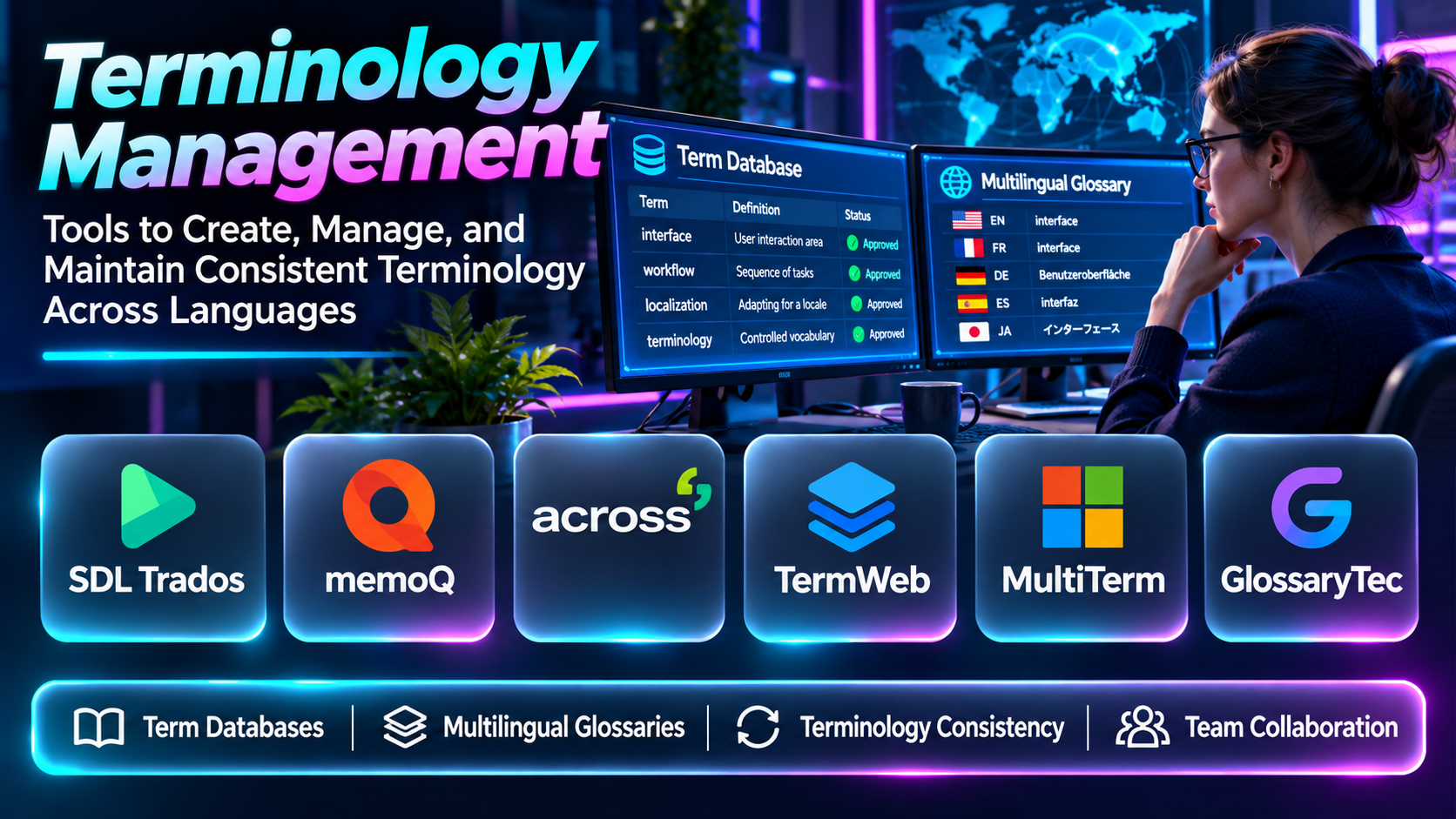
Terminology management tools help organizations establish, maintain, distribute, and enforce approved terminology.
Some platforms are dedicated terminology databases. Others provide terminology capabilities within translation management systems, computer-assisted translation environments, or enterprise language technology platforms.
This guide compares ten terminology management tools and explains how organizations can select a solution for consistent multilingual communication.
What Are Terminology Management Tools?
Terminology management tools are applications that help organizations collect, define, approve, organize, and distribute specialized terms.
A terminology record may contain a preferred term, definition, language, subject area, grammatical information, usage guidance, prohibited alternatives, and approval status.
Common capabilities include:
- Centralized termbases.
- Multilingual terminology.
- Definitions and usage notes.
- Preferred and forbidden terms.
- Terminology approval.
- Search and filtering.
- Translation tool integration.
- Terminology extraction.
- Import and export.
- Collaboration.
- Version management.
- Quality checks.
- Domain classification.
- Governance workflows.
Terminology management differs from translation memory.
Translation memory stores previously translated segments, while terminology databases manage individual concepts and approved expressions.
Both technologies support consistent translation.
Top 10 Terminology Management Tools
1. RWS MultiTerm
Short Description
RWS MultiTerm is a terminology management solution associated with the Trados translation technology ecosystem.
It helps professional translators and organizations create, maintain, and use multilingual terminology databases.
MultiTerm is particularly relevant to businesses producing technical documentation and specialized content where terminology accuracy matters.
For example, a manufacturing company may maintain approved terms for machinery components across several languages. Translators can reference these terms while working on technical manuals.
The system supports structured terminology records containing information such as definitions, language equivalents, and usage notes.
Its integration with professional translation workflows can help reduce inconsistent word choices.
However, organizations must establish clear processes for terminology approval and maintenance. A terminology database is only useful when its entries are accurate, current, and accessible to the people who need them.
Key Features
- Multilingual termbases: Stores terminology across languages.
- Structured term records: Organizes definitions and related information.
- Translation integration: Connects with compatible Trados workflows.
- Terminology search: Helps users locate approved expressions.
- Termbase maintenance: Supports ongoing terminology updates.
- Import and export: Exchanges terminology resources.
- Domain organization: Supports specialized subject areas.
- Consistency support: Helps translators apply preferred terms.
- Professional terminology workflows: Supports enterprise and language service applications.
Benefits
MultiTerm helps professional translation teams maintain consistent terminology across multilingual projects.
Pros
- Professional terminology focus.
- Structured termbases.
- Trados integration.
- Technical translation relevance.
- Multilingual support.
Cons
- Requires specialized training.
- Best suited to compatible translation workflows.
- Commercial investment.
- Terminology governance remains a manual responsibility.
Use Cases
Technical documentation, manufacturing translation, and enterprise terminology management.
Best For: Trados-based translation teams.
2. memoQ Term Base
Short Description
memoQ provides terminology management capabilities within its professional translation environment.
Its termbase functionality helps translators store approved expressions and access them during translation.
memoQ is particularly relevant to language service providers and enterprise translation teams that need terminology integrated directly into their working environment.
For example, a translation agency may maintain a shared glossary for a recurring customer. Translators can consult the approved terminology while completing new assignments.
This approach reduces the need to search separate spreadsheets or documents.
memoQ terminology capabilities can also support multilingual terminology records and quality-related workflows.
However, teams must carefully manage who can add, edit, and approve terms. Uncontrolled terminology changes can create new inconsistencies.
Organizations should evaluate how terminology resources are shared across projects and users.
Key Features
- Multilingual termbases.
- Translation environment integration.
- Terminology search.
- Term recognition.
- Terminology editing.
- Shared language resources.
- Project terminology.
- Quality assurance integration.
- Collaborative workflows.
Benefits
memoQ helps translators apply approved terminology during everyday translation work.
Pros
- Integrated CAT workflow.
- Shared terminology.
- Professional translation relevance.
- Consistency support.
- Collaborative use.
Cons
- Requires memoQ environment.
- Specialized administration.
- Licensing costs.
- Governance policies are necessary.
Use Cases
Translation agencies, technical translation, and enterprise language teams.
Best For: memoQ users.
3. Kaleidoscope quickTerm
Short Description
Kaleidoscope quickTerm is an enterprise terminology management solution designed to help organizations manage specialized language across departments and languages.
It is particularly relevant to companies where terminology must be approved by subject matter experts rather than managed exclusively by translators.
For example, a medical technology manufacturer may need product specialists, regulatory reviewers, and translators to agree on approved terms.
quickTerm supports terminology workflows involving collection, review, approval, and distribution.
This makes it useful for organizations treating terminology as a governed business resource.
Its enterprise orientation can improve collaboration between technical experts and language teams.
However, implementation requires careful planning around user roles, terminology ownership, and integration with existing systems.
Key Features
- Enterprise terminology management.
- Term collection.
- Approval workflows.
- Multilingual term records.
- Subject matter expert collaboration.
- Terminology search.
- Terminology governance.
- Integration capabilities.
- Terminology distribution.
Benefits
quickTerm helps organizations establish controlled terminology processes across departments.
Pros
- Enterprise governance.
- Approval workflows.
- Expert collaboration.
- Multilingual support.
- Specialized terminology focus.
Cons
- Implementation effort.
- Commercial cost.
- Administrative complexity.
- Requires terminology ownership.
Use Cases
Manufacturing, healthcare technology, regulated documentation, and enterprise terminology programs.
Best For: Enterprises requiring formal terminology governance.
4. Acrolinx
Short Description
Acrolinx is an enterprise content governance platform that helps organizations maintain consistent language, terminology, style, and writing standards.
Although it is broader than a traditional termbase application, terminology consistency is an important part of its content quality approach.
Acrolinx is particularly relevant to organizations with large writing teams producing documentation, support content, and customer communication.
For example, a software company may want every writer to use the same product feature names and avoid outdated terminology.
Acrolinx can help apply language guidance within supported authoring workflows.
Its value lies in extending terminology governance beyond translation departments to the original content creation process.
However, Acrolinx is not simply a bilingual glossary manager. Organizations should evaluate whether they need content governance, terminology management, or both.
Key Features
- Terminology guidance.
- Content quality checks.
- Style governance.
- Writing consistency.
- Enterprise language standards.
- Authoring integrations.
- Content analysis.
- Governance reporting.
- Editorial workflows.
Benefits
Acrolinx helps organizations enforce terminology and writing standards across content teams.
Pros
- Enterprise content governance.
- Terminology consistency.
- Authoring workflow integration.
- Editorial quality.
- Scalable language standards.
Cons
- Broader than terminology management alone.
- Enterprise investment.
- Requires configuration.
- May not replace specialized multilingual termbases.
Use Cases
Technical documentation, enterprise content, and brand language governance.
Best For: Large content organizations.
5. Phrase Terminology Management
Short Description
Phrase provides terminology management capabilities within its localization technology ecosystem.
These capabilities help organizations maintain approved terms across translation and multilingual content workflows.
Phrase is particularly relevant to companies that need terminology connected to translation management, software localization, and recurring content updates.
For example, a SaaS company may maintain preferred translations for interface elements and product features.
By making approved terminology available during translation, teams can reduce inconsistent wording across languages.
Phrase’s integrated approach can be useful when terminology is one component of a broader localization program.
However, organizations should evaluate the specific Phrase products they use and confirm how terminology resources are created, shared, and enforced.
Key Features
- Terminology databases.
- Multilingual terms.
- Translation workflow integration.
- Terminology search.
- Translation consistency.
- Collaboration.
- Localization project integration.
- Terminology updates.
- Quality support.
Benefits
Phrase helps teams apply consistent terminology within ongoing localization workflows.
Pros
- Integrated localization ecosystem.
- Multilingual terminology.
- Collaboration.
- Software localization relevance.
- Translation consistency.
Cons
- Product-specific capabilities.
- Commercial costs.
- Governance configuration.
- Less independent than a dedicated terminology platform.
Use Cases
Software localization, product terminology, and multilingual content management.
Best For: Organizations using Phrase.
6. XTM Terminology
Short Description
XTM provides terminology management capabilities within its enterprise translation management environment.
It is relevant to organizations that coordinate translation projects across multiple teams, vendors, and content categories.
A global manufacturer may use XTM terminology resources to maintain consistent component names across technical documentation.
The terminology can support translators working within managed projects.
This integrated approach helps organizations connect approved language with translation workflows and quality checks.
However, enterprise terminology management requires more than storing translations. Organizations need definitions, subject classifications, approval rules, and procedures for resolving conflicting terms.
XTM is most useful when terminology management is part of a broader enterprise localization strategy.
Key Features
- Multilingual terminology.
- Translation management integration.
- Term search.
- Terminology consistency.
- Project terminology resources.
- Collaboration.
- Quality workflows.
- Enterprise localization support.
- Terminology administration.
Benefits
XTM helps enterprises connect terminology resources with translation operations.
Pros
- Enterprise integration.
- Translation workflow support.
- Multilingual terminology.
- Consistency.
- Large-scale localization relevance.
Cons
- Requires XTM environment.
- Implementation complexity.
- Commercial investment.
- Dedicated governance is necessary.
Use Cases
Enterprise localization and technical translation.
Best For: XTM-based localization departments.
7. Smartling Glossaries
Short Description
Smartling includes glossary and terminology management capabilities within its translation management platform.
These resources help organizations define preferred terms and maintain consistent language across multilingual content.
Smartling is particularly relevant to businesses that translate customer-facing content across websites, applications, and marketing channels.
For example, an international retailer may need consistent product category names and branded expressions in several languages.
Glossary resources can help translators and reviewers apply approved wording during translation.
This reduces the likelihood of inconsistent product terminology appearing across different channels.
However, glossaries must be maintained as products, branding, and markets evolve.
Smartling’s terminology capabilities are most valuable when connected to clear translation review processes.
Key Features
- Multilingual glossaries.
- Approved terminology.
- Translation workflow integration.
- Brand language consistency.
- Collaboration.
- Terminology search.
- Localization quality support.
- Enterprise content integration.
- Glossary maintenance.
Benefits
Smartling helps organizations maintain consistent terminology across translated customer content.
Pros
- Enterprise localization integration.
- Brand terminology.
- Translation consistency.
- Collaborative workflows.
- Digital content relevance.
Cons
- Requires platform adoption.
- Commercial cost.
- Terminology maintenance.
- May not replace specialized terminology governance tools.
Use Cases
E-commerce, marketing localization, and product content.
Best For: Global brands using Smartling.
8. TermWeb
Short Description
TermWeb is a terminology management solution designed for organizations that need structured multilingual terminology resources.
It is particularly relevant to enterprises and professional language teams that require centralized terminology administration.
TermWeb supports the management of terminology records and related information used by translators, writers, and subject matter experts.
For example, an engineering organization may maintain approved technical concepts and their equivalents across languages.
A centralized terminology environment can reduce ambiguity and help teams distinguish between related concepts.
Its suitability depends on the organization’s need for structured terminology, collaboration, integration, and governance.
Buyers should verify current product offerings, supported workflows, and commercial arrangements.
Key Features
- Centralized terminology management.
- Multilingual term records.
- Structured terminology data.
- Terminology search.
- Collaboration.
- Terminology administration.
- Import and export.
- Integration options.
- Enterprise terminology workflows.
Benefits
TermWeb helps organizations maintain structured terminology resources.
Pros
- Dedicated terminology focus.
- Multilingual records.
- Centralized management.
- Enterprise relevance.
- Structured terminology.
Cons
- Commercial implementation.
- Specialist configuration.
- Integration requirements.
- Product capabilities should be verified.
Use Cases
Engineering terminology, enterprise language resources, and specialized translation.
Best For: Organizations requiring centralized termbase management.
9. Interverbum TermWeb
Short Description
Interverbum’s terminology technology is associated with structured enterprise terminology management, including TermWeb offerings.
This entry refers to the vendor and its broader terminology management approach rather than a separate unrelated product.
Interverbum is relevant to organizations seeking terminology solutions that can support multilingual concept management and enterprise language workflows.
Its focus is particularly useful when terminology requires detailed definitions, classifications, and governance.
For example, a multinational engineering company may need terminology records that distinguish technical concepts and document approved equivalents.
However, buyers should not count Interverbum TermWeb and TermWeb as independent competing products in a procurement shortlist.
They represent the same product family and should be evaluated together.
Key Features
- Enterprise terminology.
- Multilingual termbases.
- Concept-oriented terminology.
- Structured records.
- Terminology search.
- Governance workflows.
- Collaboration.
- Data exchange.
- Professional language applications.
Benefits
Interverbum terminology solutions support organized multilingual terminology governance.
Pros
- Enterprise terminology focus.
- Structured concept records.
- Multilingual applications.
- Specialized language workflows.
- Centralized administration.
Cons
- Overlaps with TermWeb.
- Requires vendor evaluation.
- Commercial costs.
- Specialist implementation.
Use Cases
Enterprise terminology governance and technical language management.
Best For: Organizations evaluating the TermWeb product family.
10. TBX Tools
Short Description
TBX, or TermBase eXchange, is a standard for exchanging terminology data between compatible systems.
Although TBX is not itself a commercial terminology management platform, tools and workflows supporting TBX can play an important role in terminology interoperability.
Organizations use terminology exchange formats to transfer structured term records between translation systems and terminology databases.
For example, a company changing translation technology may need to migrate its multilingual terminology resources without rebuilding every record manually.
TBX-compatible tools can support that process.
However, compatibility depends on the specific tools, supported TBX dialects, data structures, and import or export capabilities.
TBX should be considered an interoperability requirement rather than a direct substitute for a governed terminology management application.
Key Features
- Terminology data exchange.
- Structured terminology representation.
- Multilingual data support.
- Import and export workflows.
- Interoperability.
- Terminology migration.
- Data validation possibilities.
- Standards-based terminology exchange.
- Integration support.
Benefits
TBX-compatible workflows help organizations preserve and exchange terminology resources.
Pros
- Standards-based approach.
- Interoperability.
- Migration relevance.
- Structured data.
- Vendor independence potential.
Cons
- Not a standalone terminology platform.
- Technical knowledge required.
- Compatibility varies.
- Governance must be provided separately.
Use Cases
Terminology migration and integration between language systems.
Best For: Localization technology administrators.
Terminology Management Tools Comparison Table
| Tool | Primary Strength | Best For | Main Limitation |
|---|---|---|---|
| RWS MultiTerm | Professional termbases | Trados users | Specialist environment |
| memoQ Term Base | Integrated terminology | memoQ teams | Platform dependency |
| quickTerm | Enterprise terminology governance | Large organizations | Implementation |
| Acrolinx | Content terminology enforcement | Content teams | Broader content focus |
| Phrase Terminology | Localization integration | Phrase users | Product dependency |
| XTM Terminology | Enterprise translation terminology | XTM teams | Platform dependency |
| Smartling Glossaries | Brand terminology | Global brands | Platform dependency |
| TermWeb | Structured terminology management | Enterprises | Specialist setup |
| Interverbum TermWeb | Same TermWeb product family | TermWeb evaluators | Not an independent product |
| TBX-compatible tools | Terminology exchange | Administrators | Not a standalone TMS |
How to Choose the Right Terminology Management Tool
Define Terminology Objectives
Determine whether the organization needs translation consistency, technical definitions, brand language, or formal terminology governance.
Evaluate Concept Structure
Complex terminology may require definitions, subject fields, synonyms, and usage notes.
Consider Multilingual Requirements
Check language support and how equivalents are associated with concepts.
Review Approval Workflows
Terminology should have clear ownership and review responsibilities.
Examine Authoring Integrations
Writers and translators should be able to access approved terms during their work.
Evaluate Import and Export
Interoperability matters when organizations use several language systems.
Assess Search Capabilities
Users should be able to locate terms efficiently.
Review Quality Enforcement
Terminology checks can help identify inconsistent wording.
Plan Maintenance
Terms change as products, regulations, and business language evolve.
Compare Costs
Include licenses, implementation, administration, and terminology development.
Best Terminology Management Software by User Type
| User Type | Recommended Tool |
|---|---|
| Trados translator | RWS MultiTerm |
| memoQ translator | memoQ Term Base |
| Enterprise terminology manager | quickTerm |
| Technical content governance team | Acrolinx |
| Phrase localization manager | Phrase Terminology |
| XTM enterprise team | XTM Terminology |
| Global brand localization team | Smartling Glossaries |
| Structured terminology specialist | TermWeb |
| TermWeb procurement evaluator | Interverbum TermWeb |
| Localization systems administrator | TBX-compatible tools |
Practical Example: Creating a Multilingual Product Terminology Database
A manufacturer wants consistent terminology across twelve languages.
Step 1: Identify high-priority technical concepts.
Step 2: Collect existing terms from manuals and translation memories.
Step 3: Remove duplicates and conflicting definitions.
Step 4: Assign terminology owners.
Step 5: Define each concept clearly.
Step 6: Record preferred and prohibited expressions.
Step 7: Add approved language equivalents.
Step 8: Select a terminology management platform.
Step 9: Import and validate terminology records.
Step 10: Connect the termbase to translation workflows.
Step 11: Train writers and translators.
Step 12: Monitor terminology violations.
Step 13: Review terminology periodically.
Step 14: Maintain exportable backups.
Frequently Asked Questions
1. What is terminology management?
The process of collecting, approving, maintaining, and distributing specialized terms.
2. What is a termbase?
A structured database of terminology records.
3. What is a glossary?
A collection of terms and their meanings or equivalents.
4. What is a preferred term?
The approved expression for a concept.
5. What is a forbidden term?
An expression that should not be used in a specified context.
6. What is a terminology concept?
The underlying idea represented by one or more terms.
7. What is concept-oriented terminology?
Organizing terminology around concepts rather than isolated words.
8. What is multilingual terminology?
Terminology containing equivalents in multiple languages.
9. What is terminology extraction?
Identifying candidate terms from existing content.
10. What is terminology validation?
Checking and approving terminology records.
11. What is a terminology owner?
A person responsible for maintaining specified terminology.
12. What is terminology governance?
Rules and responsibilities for managing approved language.
13. What is translation memory?
A database of previously translated segments.
14. Is translation memory the same as terminology?
No.
15. What is TBX?
A standard for exchanging terminology data.
16. What is a terminology record?
A structured entry describing a concept and its terms.
17. What is a synonym?
An alternative expression with similar meaning.
18. What is an abbreviation?
A shortened form of a word or expression.
19. Why are definitions important?
They clarify the meaning of terminology.
20. What is a subject field?
A classification identifying the domain of a term.
21. Can terminology tools integrate with CAT software?
Many can.
22. Can terminology be managed in spreadsheets?
Yes, but structured tools provide additional controls.
23. What is terminology consistency?
Using approved terms in a consistent manner.
24. What is terminology QA?
Checking content against terminology requirements.
25. Can AI help extract terminology?
Some systems can suggest candidate terms.
26. Should AI-generated terms be reviewed?
Yes.
27. How often should terminology be updated?
Whenever relevant concepts, products, or language requirements change.
28. How should terminology quality be measured?
Assess accuracy, completeness, usage, and consistency.
29. What is a common terminology management mistake?
Creating a glossary without assigning ownership or maintenance responsibilities.
30. Which terminology management tool is best?
Choose based on governance, integration, language coverage, and organizational requirements.
Final Thoughts
Terminology management tools help organizations communicate consistently across languages and departments.
RWS MultiTerm and memoQ provide terminology capabilities closely connected to professional translation workflows. quickTerm and TermWeb emphasize structured terminology governance, while Acrolinx extends language consistency into content authoring.
Phrase, XTM, and Smartling provide terminology within localization management environments.
TBX-compatible workflows support interoperability between systems.
The most effective terminology program combines reliable software with clear definitions, accountable reviewers, and regular maintenance.
