Introduction
Clear writing is essential for effective communication. Whether someone is preparing a business proposal, academic assignment, customer email, technical document, or website article, spelling and grammar errors can reduce readability and undermine the message.
Even experienced writers make mistakes. Common problems include incorrect verb agreement, missing punctuation, confusing sentence structures, inconsistent capitalization, and words that are spelled correctly but used in the wrong context.
Traditional spell checkers identify many straightforward mistakes. Modern grammar checking tools go further by analyzing sentence structure, word choice, punctuation, readability, tone, and writing consistency.
Some platforms also use artificial intelligence to suggest revisions, explain grammatical problems, and improve clarity.
However, grammar checking software should not be treated as an unquestionable authority. Automated suggestions may change the intended meaning, overlook specialized terminology, or apply rules that are inappropriate for a particular audience.
The most effective tools support the writer’s judgment rather than replacing it.
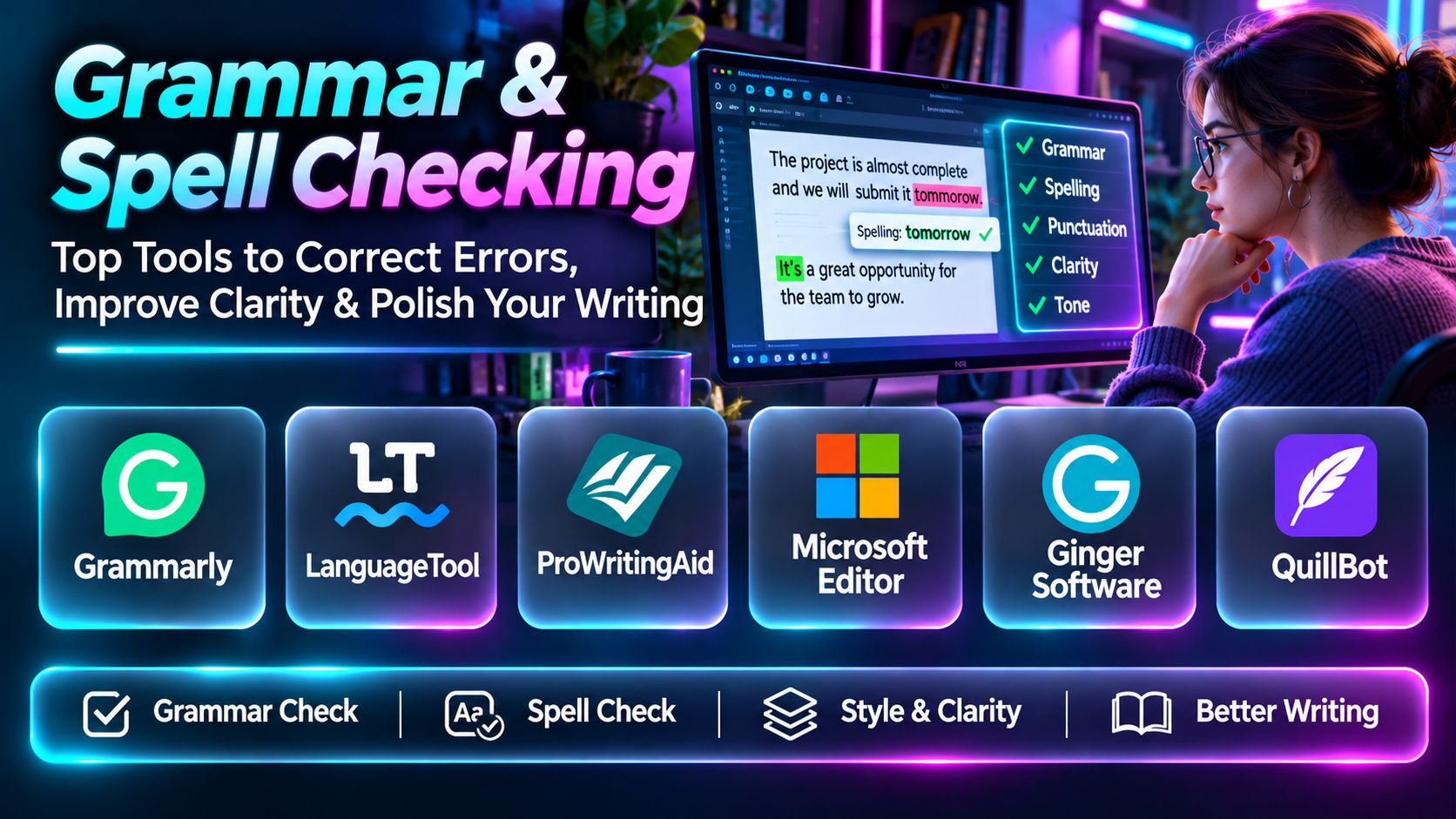
This guide compares ten grammar and spell checking tools, examining their capabilities, benefits, limitations, and suitability for different writing requirements.
What Are Grammar & Spell Checking Tools?
Grammar and spell checking tools are software applications that identify potential errors in written text and suggest corrections.
They can operate inside word processors, browsers, email applications, content management systems, or dedicated editing environments.
Common capabilities include:
- Spelling correction.
- Grammar checking.
- Punctuation analysis.
- Contextual word suggestions.
- Sentence structure analysis.
- Writing style recommendations.
- Readability evaluation.
- Tone detection.
- Capitalization checks.
- Repetition detection.
- Vocabulary suggestions.
- Multilingual checking.
- Custom dictionaries.
- Writing statistics.
- Browser and document integrations.
Some tools specialize in grammatical correctness, while others provide broader editorial assistance.
Understanding this distinction is important when choosing software for professional writing.
Top 10 Grammar & Spell Checking Tools
1. Grammarly
Short Description
Grammarly is a writing assistance platform that provides grammar, spelling, punctuation, clarity, and style suggestions across supported applications.
It is designed for students, professionals, content creators, and business teams that want to improve written communication.
Grammarly analyzes text and highlights potential issues, allowing users to review suggestions and decide whether to apply them.
For example, a marketing professional preparing a customer email can use Grammarly to identify grammatical mistakes, improve sentence clarity, and evaluate whether the wording matches the intended tone.
A student may use the platform to check an assignment for punctuation problems and awkward phrasing before submission.
Grammarly also provides AI-assisted writing capabilities, extending its functionality beyond traditional proofreading.
Its integration with common writing environments is a major advantage because users can receive suggestions while working rather than moving every document into a separate editor.
However, Grammarly’s suggestions should be reviewed carefully. Technical terminology, creative writing, and deliberately unconventional sentence structures may trigger recommendations that do not improve the content.
Organizations should also evaluate privacy settings, administrative controls, and data handling before using it with confidential information.
Key Features
- Grammar checking: Identifies potential grammatical errors and suggests corrections.
- Spelling correction: Detects misspelled words and contextual spelling problems.
- Punctuation analysis: Highlights missing or incorrect punctuation.
- Clarity suggestions: Recommends changes to confusing or wordy sentences.
- Tone detection: Helps writers assess how their language may be perceived.
- Style recommendations: Supports more consistent and readable writing.
- Application integrations: Provides assistance across supported writing environments.
- AI writing assistance: Offers additional drafting and revision capabilities.
- Team writing controls: Supports organizational writing workflows in applicable plans.
Benefits
Grammarly helps users identify common writing mistakes and improve clarity without interrupting their normal workflow.
Pros
- Comprehensive grammar checking.
- Accessible interface.
- Browser and application integrations.
- Clarity and tone suggestions.
- Useful for everyday professional writing.
Cons
- Advanced features may require payment.
- Suggestions are not always contextually correct.
- Some rewriting recommendations can alter meaning.
- Privacy requirements need evaluation.
Use Cases
Business emails, academic assignments, blog posts, marketing content, and professional communication.
Best For: Professionals and students seeking comprehensive writing assistance.
2. LanguageTool
Short Description
LanguageTool is a grammar, spelling, and style checking platform with support for multiple languages.
It is particularly relevant to multilingual writers, international teams, and users who want proofreading assistance beyond English.
LanguageTool analyzes written content and identifies potential issues involving grammar, spelling, punctuation, and stylistic consistency.
For example, a European marketing team preparing content in English, German, and Spanish may use LanguageTool to support proofreading across several languages.
Its multilingual orientation makes it useful for organizations that communicate with audiences in different regions.
LanguageTool also provides integrations and deployment-related options that may appeal to technically oriented organizations.
However, grammar checking quality and available features differ by language.
A user should test the platform with representative content rather than assuming identical performance across every supported language.
LanguageTool is most effective when combined with human review, especially for specialized terminology and complex writing.
Key Features
- Multilingual grammar checking.
- Spelling correction.
- Punctuation analysis.
- Style suggestions.
- Browser integrations.
- Writing application support.
- Custom dictionary capabilities.
- Language-specific rules.
- Organizational integration options.
Benefits
LanguageTool helps multilingual users maintain writing quality across different languages.
Pros
- Strong multilingual orientation.
- Grammar and style checking.
- Browser integration.
- Flexible usage options.
- Useful for international teams.
Cons
- Feature depth varies by language.
- Some advanced capabilities require payment.
- Suggestions need review.
- Specialized writing may require custom rules.
Use Cases
Multilingual business writing, international content, academic work, and everyday proofreading.
Best For: Multilingual writers and international organizations.
3. ProWritingAid
Short Description
ProWritingAid is an editing and writing analysis platform designed to help users improve grammar, style, readability, and overall writing quality.
It is particularly relevant to authors, long-form content creators, editors, and professionals working on substantial documents.
Unlike tools focused mainly on correcting individual sentences, ProWritingAid provides detailed reports that help writers identify recurring patterns.
For example, a novelist may use the platform to identify repetitive words, excessive adverbs, awkward sentence structures, or inconsistent pacing.
A business writer preparing a lengthy report might use it to examine readability and identify sections that need clearer language.
ProWritingAid’s analytical approach can be valuable for writers who want to understand their habits and improve over time.
However, the number of suggestions and reports can feel overwhelming.
Writers should prioritize changes that improve meaning and readability rather than attempting to satisfy every automated recommendation.
Key Features
- Grammar checking.
- Spelling correction.
- Style analysis.
- Readability reports.
- Repetition detection.
- Sentence structure analysis.
- Writing statistics.
- Editing integrations.
- Long-form writing analysis.
Benefits
ProWritingAid helps writers identify recurring weaknesses and improve long-form content.
Pros
- Detailed editing reports.
- Strong long-form writing focus.
- Repetition analysis.
- Readability insights.
- Useful for authors and editors.
Cons
- Extensive reports can overwhelm beginners.
- Some features require payment.
- Automated advice may not suit creative choices.
- Editing large projects requires time.
Use Cases
Novel editing, manuscript review, long-form articles, and professional reports.
Best For: Authors and long-form writers.
4. Microsoft Editor
Short Description
Microsoft Editor is a writing assistance tool integrated with supported Microsoft products and available through additional writing environments.
It provides spelling, grammar, and selected refinement suggestions.
Microsoft Editor is particularly relevant to individuals and organizations already using Microsoft 365.
For example, an employee preparing a report in Microsoft Word may receive grammar and clarity suggestions while writing.
A professional composing emails in Outlook can use supported editing features to identify common mistakes before sending messages.
Its integration with familiar productivity applications reduces the need to introduce a separate editing workflow.
However, feature availability depends on the Microsoft application, subscription, language, and environment.
Microsoft Editor is a practical option for everyday workplace proofreading, but users seeking extensive manuscript analysis or specialized editorial reports may prefer a dedicated writing platform.
Key Features
- Spelling correction.
- Grammar checking.
- Writing refinements.
- Microsoft Word integration.
- Outlook writing support.
- Supported browser assistance.
- Language-specific capabilities.
- Contextual suggestions.
- Productivity workflow integration.
Benefits
Microsoft Editor provides convenient proofreading inside familiar Microsoft applications.
Pros
- Microsoft 365 integration.
- Familiar interface.
- Everyday grammar checking.
- Workplace convenience.
- Minimal workflow disruption.
Cons
- Features vary by subscription.
- Less specialized than dedicated editing platforms.
- Language support differs.
- Advanced editorial analysis is limited.
Use Cases
Business documents, emails, reports, and everyday office writing.
Best For: Microsoft 365 users.
5. Ginger Software
Short Description
Ginger Software provides grammar checking, spelling correction, sentence rephrasing, and related language assistance features.
It is designed to help users improve written communication through automated correction and revision tools.
Ginger is particularly relevant to students, professionals, and people who want support with everyday English writing.
For example, a learner writing a formal email may use Ginger to identify grammar problems and explore alternative sentence structures.
Its rephrasing capabilities can help users consider clearer ways to express an idea.
However, rewriting suggestions should not be accepted automatically.
A proposed sentence may be grammatically correct but less precise than the original.
Users should also verify current application compatibility, subscription features, and supported languages before choosing Ginger for a long-term workflow.
Key Features
- Grammar checking.
- Spelling correction.
- Sentence rephrasing.
- Punctuation assistance.
- Writing suggestions.
- Language support features.
- Text correction.
- Application integration options.
- Everyday writing assistance.
Benefits
Ginger helps users correct common writing problems and explore alternative sentence structures.
Pros
- Grammar and spelling support.
- Rephrasing capabilities.
- Accessible proofreading.
- Useful for English learners.
- Everyday writing applications.
Cons
- Suggestions can change meaning.
- Feature availability varies.
- Advanced editing depth may be limited.
- Compatibility requires verification.
Use Cases
Emails, student writing, everyday documents, and language learning.
Best For: Users seeking grammar correction and sentence rephrasing.
6. WhiteSmoke
Short Description
WhiteSmoke is a writing assistance product associated with grammar checking, spelling correction, punctuation analysis, and writing improvement.
It has historically served users seeking automated English proofreading.
WhiteSmoke is relevant as an established name in grammar checking software, particularly for users comparing traditional proofreading applications.
Its approach focuses on identifying potential language errors and helping users improve written content.
However, organizations considering WhiteSmoke should carefully verify current product availability, supported platforms, updates, customer support, and commercial terms.
These considerations are especially important because writing tools must remain compatible with changing browsers, operating systems, and productivity applications.
For new deployments, buyers should compare its maintained capabilities with actively developed alternatives.
Key Features
- Grammar checking.
- Spelling correction.
- Punctuation analysis.
- Writing suggestions.
- Sentence correction.
- English proofreading.
- Document editing applications.
- Language assistance.
- Writing improvement workflows.
Benefits
WhiteSmoke represents a traditional approach to automated proofreading and writing correction.
Pros
- Grammar-oriented functionality.
- Spelling and punctuation checks.
- Writing correction focus.
- Familiar proofreading use cases.
- Suitable for comparison with established tools.
Cons
- Current availability requires verification.
- Compatibility should be confirmed.
- Maintenance and support need evaluation.
- Modern feature coverage may differ from competitors.
Use Cases
General proofreading and traditional English grammar checking.
Best For: Users evaluating established grammar correction products, subject to current availability.
7. Scribens
Short Description
Scribens is a grammar and spelling checking tool designed to help users identify mistakes and improve written language.
It provides an accessible proofreading experience for people who want to review text without adopting a complex editorial platform.
Scribens is particularly relevant to students, general writers, and multilingual users working with supported languages.
For example, a student preparing an essay may use Scribens to identify punctuation errors, spelling problems, and grammatical inconsistencies.
The tool can also help users learn by drawing attention to language rules and suggested corrections.
Its straightforward approach makes it useful for routine proofreading.
However, users preparing highly specialized documents should not rely on it as their only quality control process.
Grammar checking tools may misunderstand domain-specific vocabulary or fail to recognize subtle problems involving argument structure and factual accuracy.
Key Features
- Grammar checking.
- Spelling correction.
- Punctuation analysis.
- Language explanations.
- Writing suggestions.
- Supported language checking.
- Online proofreading.
- Text correction.
- Accessible editing workflow.
Benefits
Scribens provides practical proofreading assistance for everyday writing.
Pros
- Accessible interface.
- Grammar explanations.
- Spelling and punctuation support.
- Useful for students.
- Straightforward workflow.
Cons
- Less comprehensive than enterprise platforms.
- Advanced writing analysis may be limited.
- Language support varies.
- Human review remains necessary.
Use Cases
Essays, personal documents, everyday correspondence, and language study.
Best For: Students and general writers seeking accessible proofreading.
8. QuillBot Grammar Checker
Short Description
QuillBot provides a grammar checking tool within a broader suite of writing and language assistance products.
Its grammar checker helps users identify spelling, punctuation, and grammatical problems.
QuillBot is particularly relevant to students and content creators who already use its paraphrasing, summarization, or other writing tools.
For example, a student preparing a research summary may use the grammar checker to correct mechanical errors before reviewing the document’s clarity and citation requirements.
A content writer may use it as part of a broader editing workflow involving rewriting and proofreading.
The advantage of QuillBot is the convenience of accessing multiple writing functions within one ecosystem.
However, grammar correction and paraphrasing should be treated as separate activities.
Rewriting a sentence can unintentionally change its meaning, especially in academic, legal, or technical contexts.
Key Features
- Grammar checking.
- Spelling correction.
- Punctuation assistance.
- Writing tool integration.
- Paraphrasing-related workflows.
- Online text editing.
- Sentence correction.
- Content revision support.
- Student writing applications.
Benefits
QuillBot helps users correct writing errors while accessing related editing tools.
Pros
- Accessible grammar checker.
- Integrated writing tools.
- Student relevance.
- Straightforward corrections.
- Useful for content revision.
Cons
- Rewriting requires careful review.
- Advanced features may be paid.
- Not a substitute for subject expertise.
- Academic integrity requirements must be respected.
Use Cases
Student assignments, content writing, and everyday proofreading.
Best For: Students and writers using multiple editing tools.
9. Antidote
Short Description
Antidote is a language assistance and writing correction platform developed by Druide informatique.
It provides detailed language tools, including correction, dictionaries, and linguistic guides.
Antidote is particularly relevant to writers working in English and French who want more than simple spelling correction.
A professional preparing a French-language report may use Antidote to review grammar, punctuation, vocabulary, and language usage.
An editor may benefit from its reference materials when evaluating word choice and grammatical conventions.
The platform’s combination of correction and language reference tools makes it useful for people who want to understand why a change is recommended.
However, its language focus is narrower than platforms designed for broad multilingual coverage.
Organizations should also evaluate compatibility with their preferred writing applications and deployment requirements.
Key Features
- Grammar correction.
- Spelling checking.
- Punctuation analysis.
- Linguistic dictionaries.
- Language guides.
- Style analysis.
- English and French support.
- Writing application integration.
- Detailed language references.
Benefits
Antidote combines proofreading with linguistic reference resources.
Pros
- Detailed language guidance.
- English and French specialization.
- Dictionaries and guides.
- Professional editing relevance.
- Useful explanations.
Cons
- Limited language range.
- Commercial licensing.
- Interface learning curve.
- Application compatibility varies.
Use Cases
French writing, English proofreading, professional editing, and language education.
Best For: English and French writers seeking detailed language guidance.
10. Sapling
Short Description
Sapling is an AI writing assistance platform with grammar checking and communication support capabilities.
It is particularly relevant to business teams that handle substantial volumes of written customer communication.
For example, a customer support department may use Sapling to help agents identify grammatical mistakes and maintain consistent wording in responses.
Its business-oriented capabilities can support writing quality within communication workflows.
This makes Sapling different from applications focused primarily on essays or creative manuscripts.
Organizations may evaluate it for customer service, sales, and other operational environments where consistent written communication matters.
However, implementation requires attention to integration, security, data handling, and organizational writing standards.
Automated suggestions should also be evaluated for accuracy and suitability before being applied to customer-facing messages.
Key Features
- Grammar checking.
- Spelling correction.
- AI writing suggestions.
- Business communication support.
- Workflow integrations.
- Writing consistency.
- Team-oriented capabilities.
- Text assistance.
- Customer communication applications.
Benefits
Sapling helps business teams improve writing quality in operational communication.
Pros
- Business communication focus.
- Grammar assistance.
- Team workflows.
- Integration relevance.
- Customer support applications.
Cons
- Enterprise setup may be necessary.
- Commercial costs.
- Integration compatibility varies.
- Suggestions require review.
Use Cases
Customer support, sales communication, and business writing.
Best For: Customer-facing business teams.
Grammar & Spell Checking Tools Comparison Table
| Tool | Primary Strength | Best For | Main Limitation |
|---|---|---|---|
| Grammarly | Comprehensive writing suggestions | Professionals and students | Premium features |
| LanguageTool | Multilingual proofreading | International teams | Language-dependent coverage |
| ProWritingAid | Detailed editing reports | Authors | Learning curve |
| Microsoft Editor | Productivity integration | Microsoft 365 users | Limited specialized analysis |
| Ginger Software | Grammar and rephrasing | English learners | Rewrite accuracy |
| WhiteSmoke | Traditional proofreading | Existing users | Current availability verification |
| Scribens | Accessible grammar correction | Students | Limited advanced features |
| QuillBot Grammar Checker | Integrated writing assistance | Students and creators | Rewriting limitations |
| Antidote | Detailed language references | English and French writers | Language coverage |
| Sapling | Business communication quality | Support teams | Enterprise configuration |
How to Choose the Right Grammar & Spell Checking Tool
1. Identify Your Writing Requirements
A student preparing assignments has different needs from a novelist editing a manuscript or a business team handling customer communication.
Choose software that addresses your most common writing tasks.
2. Evaluate Grammar Accuracy
Test the platform with realistic examples containing punctuation errors, subject-verb agreement problems, and complex sentence structures.
3. Review Contextual Suggestions
A useful grammar checker should recognize that the correct expression depends on meaning and context.
4. Consider Writing Style
Formal reports, academic papers, marketing messages, and creative writing require different editorial approaches.
5. Examine Language Support
Multilingual users should verify the quality of checking for each required language.
6. Assess Integrations
The tool should work with your preferred document editor, browser, email client, or content management system.
7. Evaluate Explanations
Detailed explanations help users improve their writing skills instead of repeatedly accepting corrections without understanding them.
8. Review Privacy and Security
Confidential business documents may require specific controls over how text is processed and retained.
9. Compare Costs
Consider subscription prices, team licenses, advanced features, and integration requirements.
10. Preserve Human Judgment
The final decision should remain with the writer or editor.
Best Grammar & Spell Checking Software by User Type
| User Type | Recommended Tool | Reason |
|---|---|---|
| General professional | Grammarly | Broad writing assistance |
| Multilingual writer | LanguageTool | Multiple language support |
| Novelist | ProWritingAid | Detailed long-form analysis |
| Microsoft 365 employee | Microsoft Editor | Native productivity integration |
| English learner | Ginger Software | Grammar and rephrasing |
| Existing traditional proofreading user | WhiteSmoke | Established correction approach |
| Student | Scribens | Accessible language checking |
| Student content editor | QuillBot Grammar Checker | Connected editing tools |
| French-language professional | Antidote | Detailed linguistic references |
| Customer support manager | Sapling | Business communication workflows |
Practical Example: Improving the Quality of Business Reports
A consulting company wants to reduce grammar mistakes and improve consistency across client reports.
Step 1: Review Existing Documents
Collect representative reports and identify common writing problems.
Step 2: Establish Writing Standards
Define preferred spelling conventions, terminology, tone, and formatting.
Step 3: Select Candidate Tools
Compare Grammarly, Microsoft Editor, LanguageTool, and other relevant products.
Step 4: Test Grammar Detection
Use sample paragraphs containing known errors.
Step 5: Evaluate False Positives
Check whether the software incorrectly flags technical terminology or acceptable writing.
Step 6: Review Integrations
Confirm compatibility with the company’s document preparation environment.
Step 7: Assess Security
Determine whether the tool can process confidential client content under applicable policies.
Step 8: Configure Dictionaries
Add approved company names and specialized terminology where supported.
Step 9: Train Employees
Explain how to evaluate suggestions instead of automatically accepting them.
Step 10: Introduce Editorial Review
Require human review for important client-facing documents.
Step 11: Measure Results
Track recurring grammar errors, editing time, and reviewer feedback.
Step 12: Improve the Process
Update writing guidelines and tool settings as requirements change.
Frequently Asked Questions
1. What is grammar checking software?
Grammar checking software analyzes written text and identifies potential grammatical errors.
2. What is spell checking?
Spell checking detects words that may be spelled incorrectly.
3. What is contextual spelling?
Contextual spelling checks whether a word is appropriate for its surrounding sentence.
4. Can grammar checkers detect punctuation errors?
Many tools identify missing, misplaced, or unnecessary punctuation.
5. What is a grammar suggestion?
A recommended correction generated by the software.
6. What is style checking?
Analyzing writing for clarity, consistency, wordiness, and related stylistic issues.
7. What is tone detection?
Technology that estimates how written language may be perceived.
8. What is readability analysis?
Evaluating how easy or difficult text may be to understand.
9. Can grammar tools improve academic writing?
Yes, but students must follow academic integrity and institutional requirements.
10. Can grammar tools check business emails?
Yes. Email proofreading is a common application.
11. Can grammar checkers work in browsers?
Many provide browser extensions or integrations.
12. Can grammar tools support multiple languages?
Some do, although coverage varies.
13. Are grammar checkers always accurate?
No. They can produce incorrect suggestions.
14. Can grammar checkers change meaning?
Yes, especially when rewriting sentences.
15. What is a false positive?
A warning about text that is actually acceptable.
16. What is a custom dictionary?
A list of words recognized as valid by the proofreading tool.
17. Why are custom dictionaries useful?
They reduce incorrect warnings about names and specialized terminology.
18. Can grammar checkers help language learners?
Yes, particularly when they explain corrections.
19. What is a sentence fragment?
A group of words that does not form a complete sentence in the intended context.
20. What is a run-on sentence?
A sentence that joins independent clauses incorrectly.
21. What is subject-verb agreement?
The grammatical relationship between a subject and its verb.
22. What is passive voice?
A grammatical construction in which the subject receives the action.
23. Is passive voice always incorrect?
No. It can be appropriate in many contexts.
24. Can grammar software check technical documents?
Yes, but specialized terminology requires careful review.
25. Can grammar tools replace editors?
No. Human editors evaluate meaning, structure, context, and audience needs.
26. What is AI grammar checking?
Grammar analysis that uses AI models to identify or suggest corrections.
27. Are free grammar checkers useful?
Yes, particularly for common spelling and grammar errors.
28. How should grammar checker quality be evaluated?
Compare accuracy, false positives, usability, integrations, and privacy.
29. What is a common grammar checking mistake?
Accepting every suggestion without checking the intended meaning.
30. Which grammar checker is best?
The best choice depends on language, writing type, integrations, and budget.
Final Thoughts
Grammar and spell checking tools help writers identify mistakes and communicate more clearly.
Grammarly and LanguageTool provide broad writing assistance. ProWritingAid offers detailed editing analysis, while Microsoft Editor integrates with familiar productivity applications.
Ginger, Scribens, QuillBot, and Antidote support different proofreading needs. Sapling focuses on business communication, while WhiteSmoke is an established product whose current suitability should be verified.
The best grammar checker should improve accuracy without removing the writer’s voice.
Automated proofreading is most effective when combined with thoughtful revision and human judgment.
