Introduction
Writing is an essential part of professional communication, education, marketing, publishing, and everyday digital work.
Organizations produce emails, proposals, reports, documentation, advertisements, social media posts, and customer support content. Individuals write essays, applications, creative stories, and personal documents.
Producing effective writing requires several skills. Writers must understand their audience, organize information logically, select appropriate language, maintain accuracy, and revise their work carefully.
Writing assistance tools help with different stages of this process.
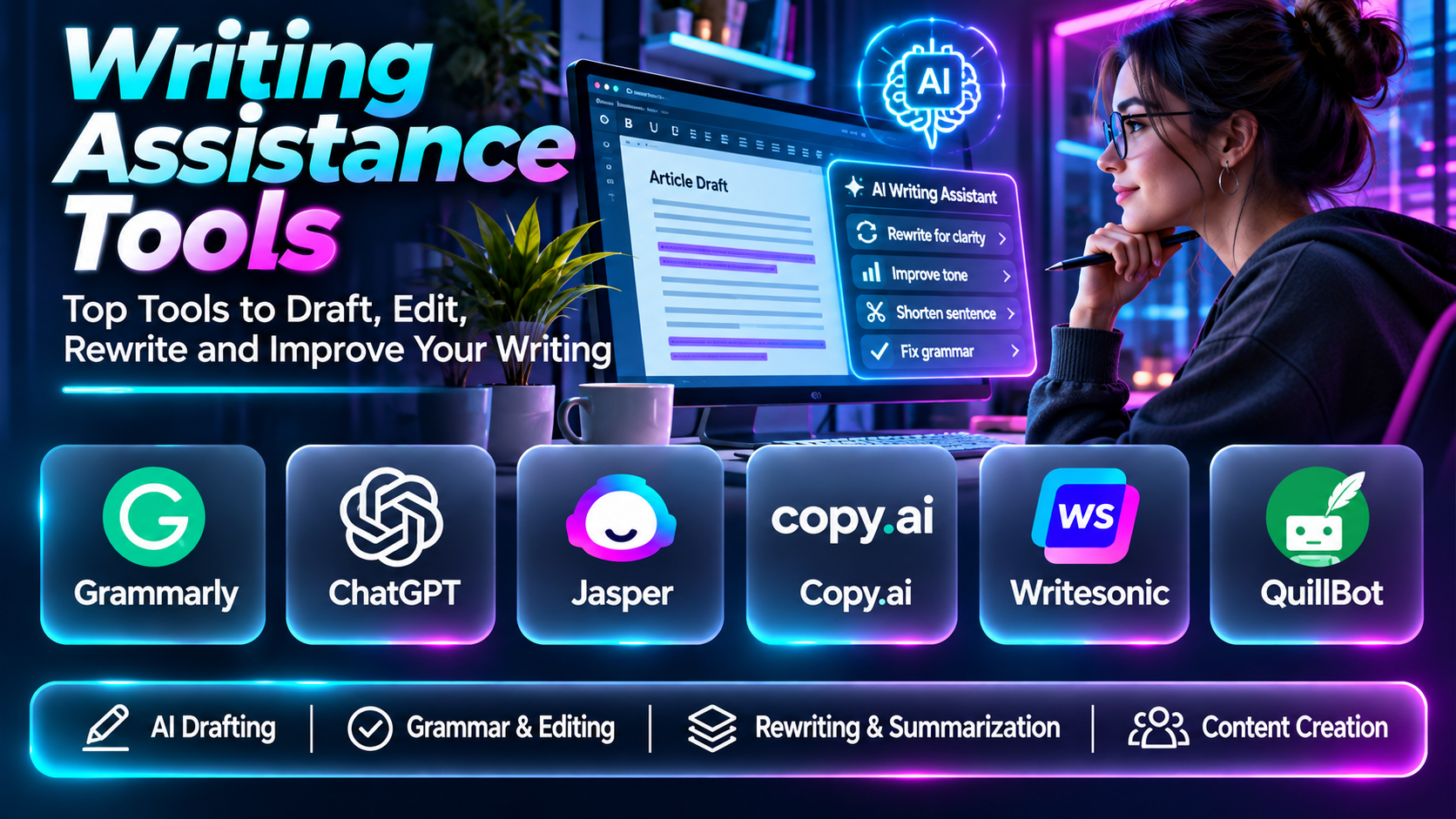
Some applications focus on grammar and proofreading. Others provide AI-assisted drafting, rewriting, summarization, readability analysis, tone adjustment, content organization, or editorial collaboration.
Modern writing assistants can help users move from an initial idea to a structured draft more efficiently.
However, these tools have important limitations.
AI-generated text may contain factual errors, unsupported claims, repetitive wording, or inappropriate recommendations. Rewriting tools can also change meaning or remove important context.
Writers remain responsible for verifying information, respecting intellectual property, protecting confidential data, and ensuring that final content meets its intended purpose.
This guide compares ten writing assistance tools, explains their capabilities and limitations, and provides practical guidance for selecting software that improves writing quality and productivity.
What Are Writing Assistance Tools?
Writing assistance tools are software applications that support the planning, drafting, editing, rewriting, and improvement of written content.
They may use grammar rules, natural language processing, machine learning, or generative AI.
Common capabilities include:
- AI-assisted drafting.
- Grammar checking.
- Spelling correction.
- Sentence rewriting.
- Tone adjustment.
- Readability analysis.
- Summarization.
- Content outlining.
- Vocabulary suggestions.
- Style guidance.
- Writing templates.
- Document organization.
- Collaboration.
- Research assistance.
- Content optimization.
- Editing recommendations.
Writing assistance tools differ in their primary purpose.
A grammar checker may focus on correcting existing text. A generative AI assistant can help develop new drafts, while a specialized editorial application may analyze long-form writing.
The most suitable tool depends on the user’s writing objectives.
Top 10 Writing Assistance Tools
1. Grammarly
Short Description
Grammarly is a writing assistance platform that combines proofreading, clarity suggestions, tone-related guidance, and AI-assisted writing capabilities.
It is particularly relevant to professionals and students who write frequently across different applications.
Grammarly can support the writing process from initial drafting through final revision.
For example, a business professional preparing a client proposal may use Grammarly to identify grammar mistakes, reduce wordiness, and improve the tone of the document.
A marketing writer may use it to review promotional copy and identify sentences that are unclear or inconsistent.
The platform’s integrations are important because writing assistance can be available within supported browsers, document editors, and communication tools.
Grammarly is especially useful when users want assistance without changing their entire writing environment.
However, its recommendations should be evaluated critically. Automated rewrites may weaken technical precision, alter meaning, or make writing unnecessarily generic.
Organizations should also consider privacy and administrative requirements when processing confidential material.
Key Features
- Grammar checking: Identifies potential grammatical errors.
- Spelling correction: Detects misspelled and contextually incorrect words.
- Clarity suggestions: Helps reduce confusing or wordy language.
- Tone guidance: Supports appropriate communication style.
- AI writing assistance: Provides drafting and rewriting capabilities.
- Application integrations: Works within supported writing environments.
- Style recommendations: Encourages consistent writing.
- Document revision: Supports iterative improvement.
- Team writing capabilities: Helps organizations maintain communication standards.
Benefits
Grammarly helps writers improve clarity and correctness throughout everyday communication.
Pros
- Broad writing assistance.
- Accessible interface.
- Useful integrations.
- Grammar and tone support.
- Suitable for professional communication.
Cons
- Advanced features may require payment.
- Suggestions can change intended meaning.
- Not a substitute for factual verification.
- Privacy requirements need review.
Use Cases
Business communication, academic writing, marketing content, and document editing.
Best For: Professionals seeking everyday writing support.
2. ChatGPT
Short Description
ChatGPT is a conversational AI assistant that can support brainstorming, outlining, drafting, rewriting, editing, and explaining written content.
Its flexible conversational interface makes it relevant to many different writing workflows.
A writer can describe the intended audience, purpose, tone, and structure of a document, then request an initial draft or suggestions for improvement.
For example, a project manager might use ChatGPT to develop an outline for a project proposal. A content writer may use it to organize article sections, explore alternative headlines, or simplify complex explanations.
ChatGPT can also help evaluate whether writing is clear, consistent, and appropriate for a particular audience.
Its main strength is flexibility. Unlike tools designed around fixed editing reports, it can respond to detailed instructions and support iterative revision.
However, AI-generated content may contain incorrect information, fabricated references, or unsupported claims.
Users should verify factual statements, review originality and attribution requirements, and avoid submitting sensitive information without appropriate authorization.
ChatGPT is most effective as a collaborative drafting and revision tool rather than an unquestionable source of finished content.
Key Features
- Brainstorming: Helps generate and organize ideas.
- Content outlining: Develops structured writing plans.
- Draft generation: Produces initial text from instructions.
- Rewriting: Revises text for clarity, tone, or length.
- Summarization: Condenses supplied information.
- Audience adaptation: Adjusts explanations for different readers.
- Editing feedback: Identifies potential improvements.
- Conversational revision: Supports iterative refinement.
- Multiple writing formats: Assists with emails, articles, reports, and creative content.
Benefits
ChatGPT helps writers develop ideas, organize information, and revise drafts through conversation.
Pros
- Flexible writing assistance.
- Supports many content types.
- Useful for brainstorming.
- Iterative editing.
- Audience-specific rewriting.
Cons
- Can generate factual errors.
- Requires careful instructions.
- Sources and claims need verification.
- Output may be generic without detailed context.
Use Cases
Content planning, business writing, educational explanations, editing, and creative brainstorming.
Best For: Writers seeking flexible AI drafting and revision assistance.
3. Jasper
Short Description
Jasper is an AI writing and marketing content platform designed to help businesses produce content across different marketing channels.
It is particularly relevant to marketing departments, agencies, and brand teams that create substantial amounts of promotional material.
Jasper supports workflows involving campaign copy, blog content, product descriptions, and other marketing communications.
For example, a marketing team launching a new product may use Jasper to develop initial messaging variations for advertisements, landing pages, and email campaigns.
Its marketing orientation distinguishes it from general-purpose writing assistants.
Organizations may use Jasper to support consistent brand communication and structured content production.
However, marketing automation does not remove the need for strategic judgment.
AI-generated claims must be verified, brand messaging must be reviewed, and content should be adapted to the intended audience.
Jasper is most useful when integrated into an established marketing process with clear editorial standards.
Key Features
- AI marketing content generation.
- Brand voice capabilities.
- Marketing workflows.
- Content templates.
- Campaign writing.
- Team collaboration.
- Content revision.
- Business writing assistance.
- Marketing production support.
Benefits
Jasper helps marketing teams develop and revise campaign content more efficiently.
Pros
- Marketing specialization.
- Brand consistency features.
- Team workflows.
- Campaign content support.
- Suitable for agencies.
Cons
- Commercial subscription.
- Content requires factual review.
- Marketing strategy remains necessary.
- May be excessive for occasional writing.
Use Cases
Marketing campaigns, product copy, blog drafting, and agency content production.
Best For: Marketing teams and content agencies.
4. Copy.ai
Short Description
Copy.ai is an AI-powered platform associated with business content generation and workflow automation.
It is relevant to marketing, sales, and go-to-market teams that need assistance creating and adapting written content.
For example, a sales team may use Copy.ai to develop initial outreach message variations, while a marketing department might use it to prepare campaign descriptions.
Its broader workflow orientation can help organizations connect writing tasks with repeatable business processes.
Rather than treating each writing assignment as an isolated document, teams may design structured processes for generating, reviewing, and distributing content.
However, automated business communication introduces risks.
Poorly reviewed messages can contain inaccurate claims, inappropriate personalization, or language that does not match the organization’s brand.
Teams should establish approval procedures and verify how the platform handles connected business data.
Key Features
- AI content generation.
- Business writing workflows.
- Sales content support.
- Marketing copy generation.
- Workflow automation.
- Content rewriting.
- Team collaboration.
- Structured content processes.
- Go-to-market applications.
Benefits
Copy.ai helps business teams automate repetitive writing-related tasks.
Pros
- Business workflow focus.
- Marketing and sales applications.
- Content generation.
- Automation capabilities.
- Team relevance.
Cons
- Requires workflow planning.
- Generated claims need verification.
- Commercial costs.
- Not primarily a traditional grammar editor.
Use Cases
Sales outreach, marketing content, and business communication workflows.
Best For: Sales and marketing operations teams.
5. Writesonic
Short Description
Writesonic is an AI writing platform associated with content generation and digital marketing workflows.
It is relevant to content creators, marketers, and businesses preparing articles, website content, and promotional copy.
A content marketing team may use Writesonic to generate initial article structures, explore headline alternatives, or prepare drafts for editorial review.
Its AI-assisted approach can reduce the time spent starting a document from an empty page.
However, producing high-quality content requires more than generating text.
Writers must validate factual claims, organize information according to audience needs, and ensure that the final article provides original value.
Writesonic is best used as part of a content production workflow involving research, human editing, and quality assurance.
Organizations should evaluate the platform’s current features, integrations, pricing, and suitability for their publishing process.
Key Features
- AI writing assistance.
- Article drafting.
- Marketing copy generation.
- Content rewriting.
- Headline generation.
- Digital content workflows.
- Writing templates.
- Content production assistance.
- AI-supported editing.
Benefits
Writesonic helps content teams prepare drafts and explore writing alternatives.
Pros
- Content creation focus.
- Marketing applications.
- Draft generation.
- Rewriting support.
- Useful for ideation.
Cons
- Requires editorial review.
- Factual errors are possible.
- Commercial feature differences.
- Generated content may need substantial refinement.
Use Cases
Blog writing, marketing content, website copy, and article planning.
Best For: Content marketers and digital publishers.
6. QuillBot
Short Description
QuillBot is a writing assistance platform known for paraphrasing, grammar checking, summarization, and related language tools.
It is particularly relevant to students, researchers, and writers who want to revise existing text.
QuillBot can help users explore alternative sentence structures and improve readability.
For example, a student reviewing a draft essay may use QuillBot to identify awkward wording and consider clearer expressions.
A professional preparing a report might use its grammar checker and summarization capabilities during revision.
Its strength lies in providing several focused writing tools within one environment.
However, paraphrasing requires careful judgment.
Changing sentence structure does not automatically improve accuracy or originality. Writers must preserve meaning and properly attribute ideas and sources.
Academic users should also follow institutional policies regarding AI-assisted writing.
Key Features
- Paraphrasing.
- Grammar checking.
- Summarization.
- Sentence rewriting.
- Writing clarity assistance.
- Language revision.
- Text editing.
- Academic writing support.
- Multiple writing utilities.
Benefits
QuillBot helps writers revise and improve existing text.
Pros
- Paraphrasing specialization.
- Grammar support.
- Summarization.
- Accessible interface.
- Student relevance.
Cons
- Rewriting can alter meaning.
- Not a substitute for original research.
- Academic integrity concerns.
- Advanced features may require payment.
Use Cases
Essay revision, report editing, paraphrasing, and summarization.
Best For: Students and writers revising existing content.
7. ProWritingAid
Short Description
ProWritingAid is a writing analysis and editing platform designed to help users improve grammar, style, readability, and long-form writing quality.
It is particularly relevant to novelists, nonfiction authors, editors, and professionals preparing substantial documents.
The platform provides detailed reports that examine writing patterns beyond individual spelling mistakes.
For example, an author may use ProWritingAid to identify repeated phrases, sentence length patterns, pacing concerns, and stylistic inconsistencies.
A business writer preparing a long report might use its analysis to identify sections that are difficult to read.
ProWritingAid can be especially valuable during revision because it encourages writers to examine recurring weaknesses.
However, its reports require interpretation.
Creative writing often uses deliberate repetition, sentence fragments, and unconventional structures. Automatically eliminating these elements can weaken the author’s intended voice.
The platform is most effective when its recommendations are applied selectively.
Key Features
- Grammar checking.
- Style analysis.
- Readability reports.
- Repetition detection.
- Sentence structure analysis.
- Writing statistics.
- Long-form editing.
- Editing integrations.
- Revision guidance.
Benefits
ProWritingAid helps writers evaluate and improve long-form drafts systematically.
Pros
- Detailed editorial reports.
- Author-oriented features.
- Readability analysis.
- Repetition detection.
- Useful for manuscript revision.
Cons
- Extensive reports can be overwhelming.
- Requires time for careful editing.
- Commercial features.
- Automated rules may conflict with creative style.
Use Cases
Novel editing, nonfiction manuscripts, long-form articles, and professional reports.
Best For: Authors and editors working on long documents.
8. Hemingway Editor
Short Description
Hemingway Editor is a writing analysis tool focused on readability and clear sentence construction.
It highlights selected patterns that may make writing difficult to understand, such as long sentences, complex structures, and certain stylistic choices.
Hemingway is particularly relevant to writers who want concise, direct language.
For example, a technical writer preparing onboarding documentation may use Hemingway to identify sentences that contain too many ideas.
A marketer may use it to simplify product explanations for a general audience.
Its visual approach makes readability problems easy to locate.
However, readability indicators are not universal writing rules.
Complex ideas sometimes require detailed explanations, and passive voice can be appropriate in technical or scientific contexts.
Writers should use Hemingway as a diagnostic tool rather than attempting to eliminate every highlighted sentence.
Key Features
- Readability analysis.
- Sentence highlighting.
- Complex sentence identification.
- Passive voice indicators.
- Adverb-related feedback.
- Writing clarity guidance.
- Editing interface.
- Readability scoring.
- Concise writing support.
Benefits
Hemingway helps writers identify sentences that may be unnecessarily difficult to read.
Pros
- Clear visual feedback.
- Readability focus.
- Simple interface.
- Useful for concise writing.
- Accessible editing approach.
Cons
- Limited grammar depth compared with specialized checkers.
- Simplification can remove nuance.
- Not suitable for every writing style.
- Readability scores require context.
Use Cases
Blog editing, technical documentation, business writing, and website content.
Best For: Writers prioritizing clarity and concise language.
9. Sudowrite
Short Description
Sudowrite is an AI writing platform designed primarily for creative writers and fiction authors.
It provides assistance with brainstorming, storytelling, description, drafting, and revising narrative content.
Sudowrite is particularly relevant to writers developing novels, short stories, and other creative projects.
For example, an author struggling with a scene may use Sudowrite to explore possible directions, develop sensory descriptions, or consider alternative narrative approaches.
Its creative writing orientation distinguishes it from business-focused platforms such as Jasper and Copy.ai.
The tool can help writers overcome drafting obstacles and experiment with ideas.
However, AI-generated storytelling may introduce inconsistencies in character motivation, plot continuity, or narrative voice.
Authors should maintain control over the creative direction and review generated material carefully.
Sudowrite is best understood as a creative development assistant rather than a replacement for an author’s imagination and editorial judgment.
Key Features
- AI creative writing.
- Story brainstorming.
- Narrative drafting.
- Description assistance.
- Scene development.
- Rewriting.
- Creative idea generation.
- Fiction-oriented workflows.
- Story revision support.
Benefits
Sudowrite helps fiction writers explore ideas and develop narrative drafts.
Pros
- Creative writing specialization.
- Story development support.
- Brainstorming.
- Narrative experimentation.
- Useful for overcoming drafting obstacles.
Cons
- Less suitable for business writing.
- Generated stories may lack consistency.
- Commercial subscription.
- Requires substantial author review.
Use Cases
Novel drafting, short stories, scene development, and creative brainstorming.
Best For: Fiction authors.
10. Notion AI
Short Description
Notion AI provides AI-assisted writing and information processing capabilities within the Notion workspace.
It is particularly relevant to individuals and teams already using Notion for notes, documents, project planning, and knowledge management.
Notion AI can help users draft content, summarize information, rewrite text, and organize material within supported workspace workflows.
For example, a project manager may use Notion AI to turn meeting notes into a structured project update.
A content team may use it to organize article ideas, prepare outlines, and revise internal documentation.
Its primary advantage is contextual convenience.
Writing assistance is available within a workspace where related documents and project information may already be organized.
However, the usefulness of AI-generated output depends on the quality and accessibility of the underlying information.
Teams should also review workspace permissions, privacy requirements, and the accuracy of generated summaries.
Notion AI is most effective when writing assistance is part of a broader knowledge management process.
Key Features
- AI-assisted writing.
- Document drafting.
- Text rewriting.
- Summarization.
- Workspace integration.
- Note organization.
- Content planning.
- Team collaboration.
- Knowledge workflow assistance.
Benefits
Notion AI helps teams create and revise content within an existing workspace.
Pros
- Integrated knowledge workspace.
- Drafting and summarization.
- Team collaboration.
- Content organization.
- Convenient document workflows.
Cons
- Best suited to Notion users.
- AI features may involve additional costs.
- Generated summaries require verification.
- Workspace permissions need attention.
Use Cases
Internal documentation, meeting summaries, content planning, and team knowledge management.
Best For: Teams already working in Notion.
Writing Assistance Tools Comparison Table
| Tool | Primary Strength | Best For | Main Limitation |
|---|---|---|---|
| Grammarly | Everyday writing quality | Professionals | Premium features |
| ChatGPT | Flexible AI drafting and revision | General writers | Factual verification |
| Jasper | Marketing content production | Marketing teams | Commercial investment |
| Copy.ai | Business writing workflows | Sales and marketing operations | Workflow configuration |
| Writesonic | Content generation | Digital publishers | Editorial review |
| QuillBot | Paraphrasing and revision | Students | Meaning preservation |
| ProWritingAid | Long-form editing analysis | Authors | Learning curve |
| Hemingway Editor | Readability improvement | Clear writing | Limited contextual depth |
| Sudowrite | Creative writing | Fiction authors | Narrative consistency |
| Notion AI | Workspace-based writing | Collaborative teams | Platform dependency |
How to Choose the Right Writing Assistance Tool
1. Define the Writing Objective
Determine whether the main requirement is brainstorming, drafting, editing, proofreading, rewriting, or content management.
A specialized editing tool may be more suitable than a generative AI platform when the goal is improving an existing manuscript.
2. Evaluate Content Type
Marketing campaigns, academic papers, technical documentation, and fiction require different writing capabilities.
3. Review Drafting Quality
Test whether generated text follows instructions, maintains logical structure, and addresses the intended audience.
4. Assess Editing Capabilities
Look for grammar checking, clarity suggestions, readability analysis, and revision support.
5. Examine Tone Control
Professional communication may require formal, conversational, instructional, or persuasive language.
6. Evaluate Factual Reliability
AI-generated statements must be checked against reliable information.
7. Consider Integrations
Writing assistance should fit the tools already used for documents, publishing, and collaboration.
8. Review Privacy and Security
Confidential business information requires appropriate data handling and access controls.
9. Compare Total Cost
Include subscriptions, team licenses, integration requirements, and editorial review time.
10. Preserve Originality and Human Oversight
Use writing assistants to improve the process while maintaining responsibility for the final content.
Best Writing Assistance Software by User Type
| User Type | Recommended Tool | Reason |
|---|---|---|
| Business professional | Grammarly | Everyday writing quality |
| General-purpose writer | ChatGPT | Flexible drafting and revision |
| Marketing manager | Jasper | Marketing-focused content |
| Sales operations team | Copy.ai | Business writing workflows |
| Content marketer | Writesonic | Article and marketing drafting |
| Student | QuillBot | Revision and paraphrasing |
| Novelist editing a manuscript | ProWritingAid | Detailed writing analysis |
| Technical writer | Hemingway Editor | Readability improvement |
| Fiction author | Sudowrite | Creative storytelling |
| Knowledge management team | Notion AI | Integrated workspace writing |
Practical Example: Building a Professional Blog Writing Workflow
A technology company wants to publish informative articles while maintaining editorial quality.
Step 1: Define the Audience
Identify the readers’ knowledge level, goals, and information needs.
Step 2: Select Topics
Choose subjects that address genuine audience questions.
Step 3: Conduct Research
Collect reliable information and identify the claims that require verification.
Step 4: Create an Outline
Use a writing assistant to organize the article into logical sections.
Step 5: Prepare an Initial Draft
Develop the content using research, subject expertise, and appropriate AI assistance.
Step 6: Review Factual Accuracy
Verify product details, statistics, technical explanations, and references.
Step 7: Improve Structure
Check whether the introduction, main sections, and conclusion form a coherent argument.
Step 8: Edit for Readability
Use tools such as Hemingway Editor or ProWritingAid to identify difficult passages.
Step 9: Check Grammar
Use a grammar checker to identify spelling, punctuation, and sentence errors.
Step 10: Review Tone and Style
Ensure the article follows the organization’s editorial standards.
Step 11: Evaluate Originality
Remove generic filler and add meaningful analysis, examples, and practical insights.
Step 12: Conduct Human Editorial Review
Have a qualified editor evaluate accuracy, usefulness, clarity, and audience suitability.
Step 13: Prepare for Publication
Finalize headings, metadata, formatting, and accessibility.
Step 14: Measure Content Performance
Review engagement, reader feedback, and content usefulness.
Step 15: Improve Future Writing
Use editorial findings to refine the content production process.
Frequently Asked Questions
1. What is writing assistance software?
Software that helps users plan, draft, edit, or improve written content.
2. What is AI writing assistance?
Using artificial intelligence to support writing tasks.
3. Can AI writing tools generate articles?
Yes, but the results require review and factual verification.
4. Can writing assistants improve grammar?
Many provide grammar and spelling correction.
5. What is AI-assisted drafting?
Using AI to help produce an initial written draft.
6. What is paraphrasing?
Expressing an idea using different wording while preserving its meaning.
7. What is summarization?
Condensing information while retaining important points.
8. What is tone adjustment?
Revising language to match a desired communication style.
9. What is readability analysis?
Evaluating how easily readers may understand text.
10. What is content outlining?
Organizing ideas into a logical writing structure.
11. Can writing assistants help with emails?
Yes. Email drafting and revision are common applications.
12. Can writing assistants help with business reports?
Yes, particularly for structure, clarity, and editing.
13. Can AI writing tools support marketing?
Yes, including campaign copy and content planning.
14. Can AI tools write fiction?
They can assist with brainstorming and drafting.
15. Can writing assistants help students?
Yes, subject to academic integrity requirements.
16. Can AI-generated writing contain errors?
Yes. Generated content can include inaccurate or unsupported statements.
17. What is AI hallucination?
An AI-generated statement that presents incorrect or invented information.
18. Can AI writing tools replace human editors?
Not reliably for every editorial responsibility.
19. What is editorial review?
Human evaluation of content quality, accuracy, clarity, and suitability.
20. What is a brand voice?
The consistent communication style associated with an organization.
21. Can writing assistants maintain brand voice?
Some provide features intended to support brand consistency.
22. What is content originality?
The extent to which content offers independently developed expression and value.
23. Does paraphrasing remove the need for citations?
No. Source attribution remains necessary when required.
24. What is a writing template?
A predefined structure for creating a document or content type.
25. Can writing tools integrate with document editors?
Many provide integrations or work within broader document platforms.
26. What is collaborative writing?
A process in which multiple people contribute to and review content.
27. How should AI-generated claims be checked?
Compare them with reliable primary sources and relevant documentation.
28. Are free writing assistants useful?
Yes, although capabilities and usage limits vary.
29. What is a common writing assistant mistake?
Publishing generated content without verifying accuracy, meaning, and originality.
30. Which writing assistance tool is best?
The best choice depends on writing goals, content type, workflow, budget, and editorial requirements.
Final Thoughts
Writing assistance tools support different stages of content development.
Grammarly helps improve everyday writing quality, while ChatGPT supports flexible brainstorming, drafting, and revision.
Jasper, Copy.ai, and Writesonic address business and marketing content workflows. QuillBot focuses on rewriting, ProWritingAid provides detailed editing analysis, and Hemingway Editor emphasizes readability.
Sudowrite supports creative storytelling, while Notion AI integrates writing assistance with knowledge management.
No single platform is ideal for every writing task.
The most effective approach combines suitable software with research, subject expertise, editorial judgment, and careful verification.
Writing assistance technology is most valuable when it helps people communicate more clearly, accurately, and meaningfully.
