Introduction
Finding potential customers is one of the most time-consuming activities in B2B sales.
Sales representatives research companies, identify decision-makers, verify contact information, update CRM records, and prepare outreach. When these tasks are handled manually, they can consume time that would otherwise be spent understanding customer needs and developing relationships.
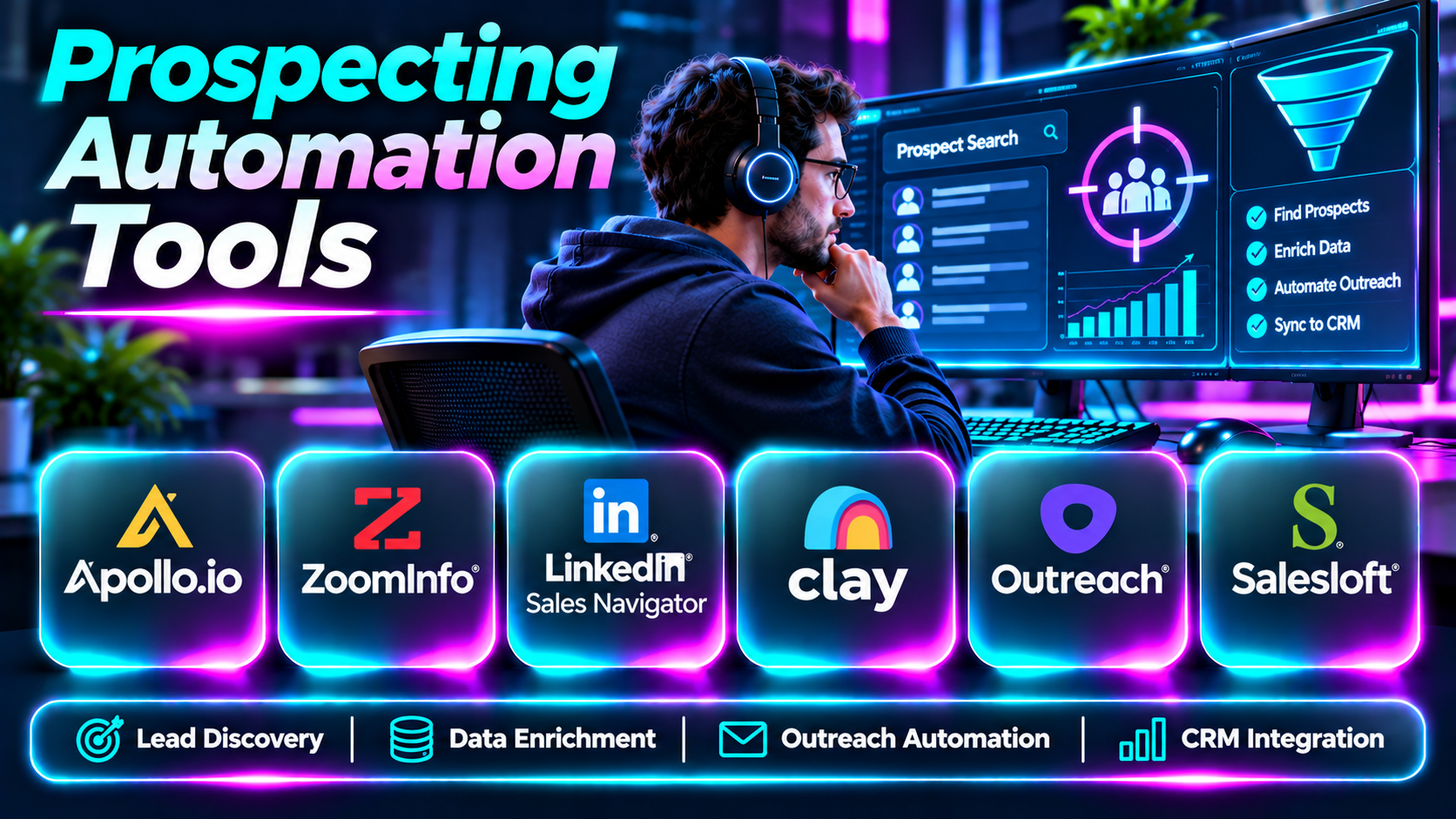
Prospecting automation tools help streamline these workflows.
They may combine lead discovery, contact enrichment, account research, outreach sequencing, CRM synchronization, and workflow automation.
However, automation does not automatically improve prospect quality. Poor targeting and excessive outreach can damage customer trust, create compliance risks, and reduce sales effectiveness.
This guide compares ten prospecting automation tools and explains how to select a platform that supports relevant, responsible, and efficient sales development.
What Are Prospecting Automation Tools?
Prospecting automation tools are software platforms that automate repetitive activities involved in identifying, researching, organizing, and engaging potential customers.
Common capabilities include lead discovery, company filtering, contact enrichment, prospect list creation, outreach sequencing, CRM updates, and activity reporting.
Some products offer integrated prospect databases. Others specialize in outbound engagement, workflow orchestration, or professional networking.
A good prospecting system should improve the quality of sales preparation rather than simply increase the volume of automated messages.
Top 10 Prospecting Automation Tools
1. Apollo.io
Short Description
Apollo.io combines B2B sales intelligence with sales engagement capabilities.
It helps representatives identify relevant prospects, build targeted lists, enrich available information, and coordinate outreach activities.
Apollo is particularly useful for teams seeking an integrated prospecting environment rather than managing separate tools for discovery and engagement.
Key Features
- Prospect database: Helps identify potential business contacts.
- Company filtering: Supports targeting by industry, size, and other attributes.
- Contact discovery: Provides available professional contact details.
- Outreach sequences: Organizes multi-step engagement.
- CRM integration: Connects prospecting records with sales systems.
- Lead prioritization: Helps focus research and outreach.
- Data enrichment: Adds available information to prospect records.
- Activity analytics: Measures prospecting workflows.
Benefits
Apollo reduces manual prospect research and connects discovery with engagement.
Pros
- Integrated prospecting and outreach.
- Broad B2B targeting.
- CRM connectivity.
- Useful automation.
- Suitable for growing outbound teams.
Cons
- Data accuracy varies.
- Credit and usage limitations.
- Automated outreach requires oversight.
- Complex workflows need maintenance.
Use Cases
Outbound prospecting, SDR workflows, and account research.
Best For: B2B sales development teams.
2. ZoomInfo Sales
Short Description
ZoomInfo Sales provides business intelligence and prospecting capabilities for revenue organizations.
Its company and contact information can support targeted account research, prospect identification, and sales workflow automation.
ZoomInfo is especially relevant to enterprises with established sales operations and extensive data requirements.
Key Features
- Company intelligence.
- Professional contact information.
- Prospect filtering.
- Account research.
- Intent-related insights.
- CRM integration.
- Sales workflow capabilities.
- Data enrichment.
Benefits
ZoomInfo helps organizations prioritize and research potential business customers.
Pros
- Enterprise data orientation.
- Account intelligence.
- Strong B2B relevance.
- CRM workflows.
- Useful prospecting context.
Cons
- Commercial investment.
- Data coverage differences.
- Implementation requirements.
- Licensing complexity.
Use Cases
Enterprise account prospecting and sales intelligence.
Best For: Large B2B sales teams.
3. LinkedIn Sales Navigator
Short Description
LinkedIn Sales Navigator supports professional prospect discovery and account research.
Its advanced search and relationship intelligence capabilities help representatives identify stakeholders and understand their professional context.
Sales Navigator is particularly useful for personalized, relationship-oriented selling rather than unrestricted automated outreach.
Key Features
- Advanced lead search.
- Company search.
- Lead lists.
- Account lists.
- Professional profile insights.
- Relationship signals.
- Sales alerts.
- CRM-related integrations.
Benefits
Sales Navigator helps representatives research buyers and identify relevant relationships.
Pros
- Professional network context.
- Useful account research.
- Strong B2B relevance.
- Relationship-oriented workflows.
- Targeted search.
Cons
- Not a complete outbound automation platform.
- Subscription costs.
- Platform restrictions apply.
- Contact data may require other sources.
Use Cases
Account mapping, stakeholder discovery, and relationship-based prospecting.
Best For: B2B account executives.
4. Clay
Short Description
Clay is a go-to-market data and workflow platform that helps teams combine information from multiple sources.
It supports customizable research, enrichment, and prospecting processes.
Clay is especially relevant to technical growth teams that need flexible automation beyond predefined prospecting workflows.
Key Features
- Multi-source enrichment.
- Prospect research.
- Workflow automation.
- AI-assisted data processing.
- Conditional logic.
- Company information gathering.
- CRM integrations.
- Data transformation.
Benefits
Clay helps teams create specialized prospecting workflows that combine multiple information sources.
Pros
- Flexible automation.
- Multi-provider enrichment.
- Customizable workflows.
- Technical RevOps relevance.
- Useful data processing.
Cons
- Learning curve.
- Usage costs can accumulate.
- Requires workflow maintenance.
- Data quality depends on sources.
Use Cases
Custom prospect research and automated account enrichment.
Best For: Technical revenue operations teams.
5. Outreach
Short Description
Outreach is a sales execution platform that supports structured prospect engagement and revenue workflows.
It helps teams organize outreach activities, manage sequences, and monitor sales execution.
Outreach is particularly relevant to established sales organizations that need standardized processes and management visibility.
Key Features
- Sales sequences.
- Email engagement workflows.
- Task management.
- CRM synchronization.
- Sales activity reporting.
- Workflow automation.
- Prospect engagement.
- Team performance visibility.
Benefits
Outreach helps sales teams execute repeatable engagement processes.
Pros
- Structured sales workflows.
- Enterprise relevance.
- CRM integration.
- Activity visibility.
- Team coordination.
Cons
- Does not replace a comprehensive prospect database.
- Commercial cost.
- Implementation effort.
- Requires responsible outreach practices.
Use Cases
Sales development sequences and outbound process management.
Best For: Enterprise SDR organizations.
6. Salesloft
Short Description
Salesloft provides revenue workflow technology that helps teams manage prospect engagement and sales activities.
Its sales engagement capabilities support repeatable communication processes and CRM-connected workflows.
Salesloft is especially useful when prospecting automation must integrate with broader revenue execution.
Key Features
- Sales engagement cadences.
- Email workflows.
- Sales task management.
- CRM integration.
- Activity analytics.
- Conversation-related capabilities.
- Revenue workflow visibility.
- Team collaboration.
Benefits
Salesloft connects prospect engagement with broader sales execution.
Pros
- Integrated revenue workflows.
- Structured engagement.
- CRM connectivity.
- Management visibility.
- Enterprise suitability.
Cons
- Commercial investment.
- Requires configuration.
- Prospect data may require integrations.
- Automation needs monitoring.
Use Cases
SDR outreach and revenue team execution.
Best For: Established B2B sales organizations.
7. Lemlist
Short Description
Lemlist is an outbound sales engagement platform focused on personalized prospecting and outreach automation.
It helps sales teams create campaigns and organize prospect communication.
Lemlist is particularly relevant to smaller and growing outbound teams seeking campaign flexibility.
Key Features
- Email sequences.
- Outreach personalization.
- Prospect campaign management.
- Multichannel workflow options.
- Campaign analytics.
- CRM integrations.
- Lead management.
- Follow-up automation.
Benefits
Lemlist helps teams manage personalized outbound campaigns more efficiently.
Pros
- Outbound specialization.
- Personalization options.
- Useful sequence management.
- Campaign reporting.
- Suitable for growth teams.
Cons
- Requires high-quality prospect data.
- Email deliverability must be managed.
- Automation can be misused.
- Advanced workflows need configuration.
Use Cases
Personalized outbound campaigns and follow-up management.
Best For: Growing B2B sales teams.
8. Reply.io
Short Description
Reply.io is a sales engagement platform that helps teams coordinate prospect outreach through automated workflows.
It supports sequencing and communication management for outbound sales processes.
Reply.io is relevant to organizations seeking repeatable prospecting workflows with less manual administration.
Key Features
- Outreach sequences.
- Email automation.
- Multichannel engagement options.
- Prospect management.
- Campaign reporting.
- CRM integration.
- Follow-up workflows.
- Sales activity automation.
Benefits
Reply.io helps sales representatives organize outbound communication and follow-ups.
Pros
- Sequence automation.
- Multichannel capabilities.
- Campaign visibility.
- Sales workflow integration.
- Suitable for outbound teams.
Cons
- Data sourcing may require other tools.
- Deliverability management.
- Commercial pricing.
- Requires message quality controls.
Use Cases
Outbound prospect engagement and follow-up sequences.
Best For: SDR and sales engagement teams.
9. Instantly
Short Description
Instantly is an outbound email platform focused on campaign execution and prospecting workflows.
It provides tools for organizing email outreach and monitoring campaign activity.
Instantly is particularly relevant to teams emphasizing email-led prospecting, although sending practices and domain reputation require careful management.
Key Features
- Email campaign management.
- Outreach sequences.
- Sending account management.
- Prospect list workflows.
- Campaign analytics.
- Follow-up automation.
- Lead management features.
- Deliverability-related capabilities.
Benefits
Instantly helps teams manage structured outbound email operations.
Pros
- Email outreach specialization.
- Campaign automation.
- Useful reporting.
- Scalable workflows.
- Focused outbound interface.
Cons
- Not a complete enterprise CRM.
- Sending reputation risks.
- Data quality varies.
- Requires compliance oversight.
Use Cases
Email-led B2B prospecting.
Best For: Outbound email teams.
10. LeadIQ
Short Description
LeadIQ focuses on prospect capture and sales workflow efficiency.
It helps representatives collect available prospect information and move it into connected sales systems.
LeadIQ is especially relevant to teams seeking to reduce manual entry during prospect research.
Key Features
- Prospect capture.
- Contact information.
- CRM synchronization.
- Sales engagement integration.
- Prospect research.
- Data enrichment.
- Workflow automation.
- Sales productivity support.
Benefits
LeadIQ helps representatives move from prospect discovery to organized sales activity.
Pros
- Prospect capture focus.
- CRM connectivity.
- Reduced manual entry.
- Useful sales workflows.
- Suitable for SDR teams.
Cons
- Narrower than full revenue platforms.
- Data availability varies.
- Commercial pricing.
- Integration dependencies.
Use Cases
Prospect research and CRM contact capture.
Best For: SDR teams emphasizing research efficiency.
Prospecting Automation Tools Comparison Table
| Platform | Primary Strength | Best For |
|---|---|---|
| Apollo.io | Prospect data and engagement | B2B SDR teams |
| ZoomInfo Sales | Business intelligence | Enterprise sales |
| LinkedIn Sales Navigator | Professional research | Account executives |
| Clay | Custom data automation | Technical RevOps |
| Outreach | Sales execution | Enterprise SDR teams |
| Salesloft | Revenue engagement | Established sales teams |
| Lemlist | Personalized outbound | Growth teams |
| Reply.io | Multichannel sequences | SDR teams |
| Instantly | Email-led prospecting | Outbound email teams |
| LeadIQ | Prospect capture | Sales researchers |
How to Choose the Right Prospecting Automation Tool
1. Define the Prospecting Workflow
Identify whether the biggest challenge is finding prospects, enriching records, managing outreach, or updating CRM systems.
2. Evaluate Data Accuracy
Test company and contact coverage against a representative sample of target accounts.
3. Review Automation Capabilities
Look for configurable rules, approval steps, error handling, and human review options.
4. Assess CRM Integration
Prospecting activity should connect to existing customer records without generating duplicates.
5. Consider Personalization
Automated workflows should support relevant communication rather than generic mass messaging.
6. Review Channel Restrictions
Different communication platforms have usage policies and automation restrictions.
7. Evaluate Deliverability
For email-based prospecting, review authentication, sending reputation, bounce handling, and unsubscribe processing.
8. Establish Compliance Controls
Assess applicable privacy laws, marketing rules, and communication requirements.
9. Compare Costs
Include platform subscriptions, contact credits, enrichment usage, and administration.
10. Measure Qualified Outcomes
Evaluate meaningful conversations and qualified opportunities instead of relying solely on activity volume.
Best Prospecting Automation Software by User Type
| User Type | Recommended Platform |
|---|---|
| B2B sales development representative | Apollo.io |
| Enterprise account research team | ZoomInfo |
| Relationship-based seller | LinkedIn Sales Navigator |
| Technical growth operator | Clay |
| Enterprise SDR manager | Outreach |
| Revenue operations team | Salesloft |
| Personalized outbound specialist | Lemlist |
| Multichannel prospecting team | Reply.io |
| Email outreach operator | Instantly |
| Prospect research specialist | LeadIQ |
Practical Example: Automating B2B Account Prospecting
A SaaS company wants to improve prospecting efficiency without increasing irrelevant outreach.
Step 1: Define the ideal customer profile.
Step 2: Identify relevant buyer roles.
Step 3: Select prospect discovery and enrichment tools.
Step 4: Build a targeted company list.
Step 5: Validate contact information.
Step 6: Remove existing customers and suppressed contacts.
Step 7: Connect qualified records to the CRM.
Step 8: Create personalized outreach templates.
Step 9: Require human review for sensitive or high-value accounts.
Step 10: Configure reasonable follow-up rules.
Step 11: Monitor replies, qualified meetings, and complaints.
Step 12: Improve targeting based on customer feedback.
Frequently Asked Questions
1. What is prospecting automation?
Software-assisted automation of repetitive sales prospecting activities.
2. What tasks can be automated?
Research, enrichment, list management, CRM updates, and some outreach workflows.
3. Does automation replace sales representatives?
No. Human judgment and relationship development remain important.
4. What is B2B prospecting?
Identifying potential business customers.
5. What is an ideal customer profile?
A description of organizations suited to the product.
6. What is contact enrichment?
Adding relevant information to prospect records.
7. What is a sales sequence?
A planned series of prospect engagement steps.
8. What is a sales cadence?
A structured schedule of sales activities.
9. Can prospecting tools integrate with CRM?
Many provide CRM integrations.
10. What is prospect scoring?
Prioritizing prospects using selected attributes and signals.
11. Is automated outreach always effective?
No. Relevance and execution quality matter.
12. What is multichannel prospecting?
Using multiple permitted communication channels.
13. What is account research?
Gathering relevant information about a target company.
14. What is a prospect database?
A collection of potential customer records.
15. Can automation create duplicate records?
Yes, without proper matching and deduplication.
16. What is lead routing?
Assigning leads to appropriate sales representatives.
17. What is waterfall enrichment?
Checking multiple data sources sequentially.
18. What is email deliverability?
The ability of email to reach intended mailboxes.
19. Can automated prospecting harm domain reputation?
Yes, particularly when sending practices are poor.
20. What is personalization?
Adapting communication to a prospect’s relevant context.
21. Should every prospect receive the same sequence?
No. Different needs and buying situations require different approaches.
22. What is a suppression list?
A list of contacts excluded from outreach.
23. Why is unsubscribe handling important?
It respects recipient preferences and supports compliance.
24. Can AI help with prospect research?
Yes, but generated findings require verification.
25. Is prospecting automation suitable for small teams?
Yes, if complexity and cost match their needs.
26. What is a qualified meeting?
A meeting that meets defined relevance and opportunity criteria.
27. How should automation ROI be measured?
Through time savings and meaningful sales outcomes.
28. What are common implementation mistakes?
Poor targeting, excessive automation, inaccurate data, and weak CRM governance.
29. What is the most important success factor?
Relevant prospect selection and responsible engagement.
30. Which prospecting automation tool is best?
Choose based on data requirements, workflow complexity, integrations, and budget.
Final Thoughts
Prospecting automation tools can improve sales productivity when used thoughtfully.
Apollo.io and ZoomInfo emphasize prospect intelligence. Clay supports flexible research workflows. Outreach, Salesloft, Lemlist, Reply.io, and Instantly focus on engagement execution, while LeadIQ supports prospect capture.
The strongest prospecting process combines accurate targeting, useful research, personalized communication, and measurable sales outcomes. Automation should help representatives build better relationships—not simply send more messages.
