Introduction
Building an application around one large language model provider is relatively straightforward. Managing multiple providers, models, credentials, budgets, and reliability requirements is considerably more complicated.
Organizations increasingly use different models for different tasks. A lightweight model may handle classification, while a more capable model processes complex reasoning requests. Some workloads require low latency, while others prioritize data residency or predictable costs.
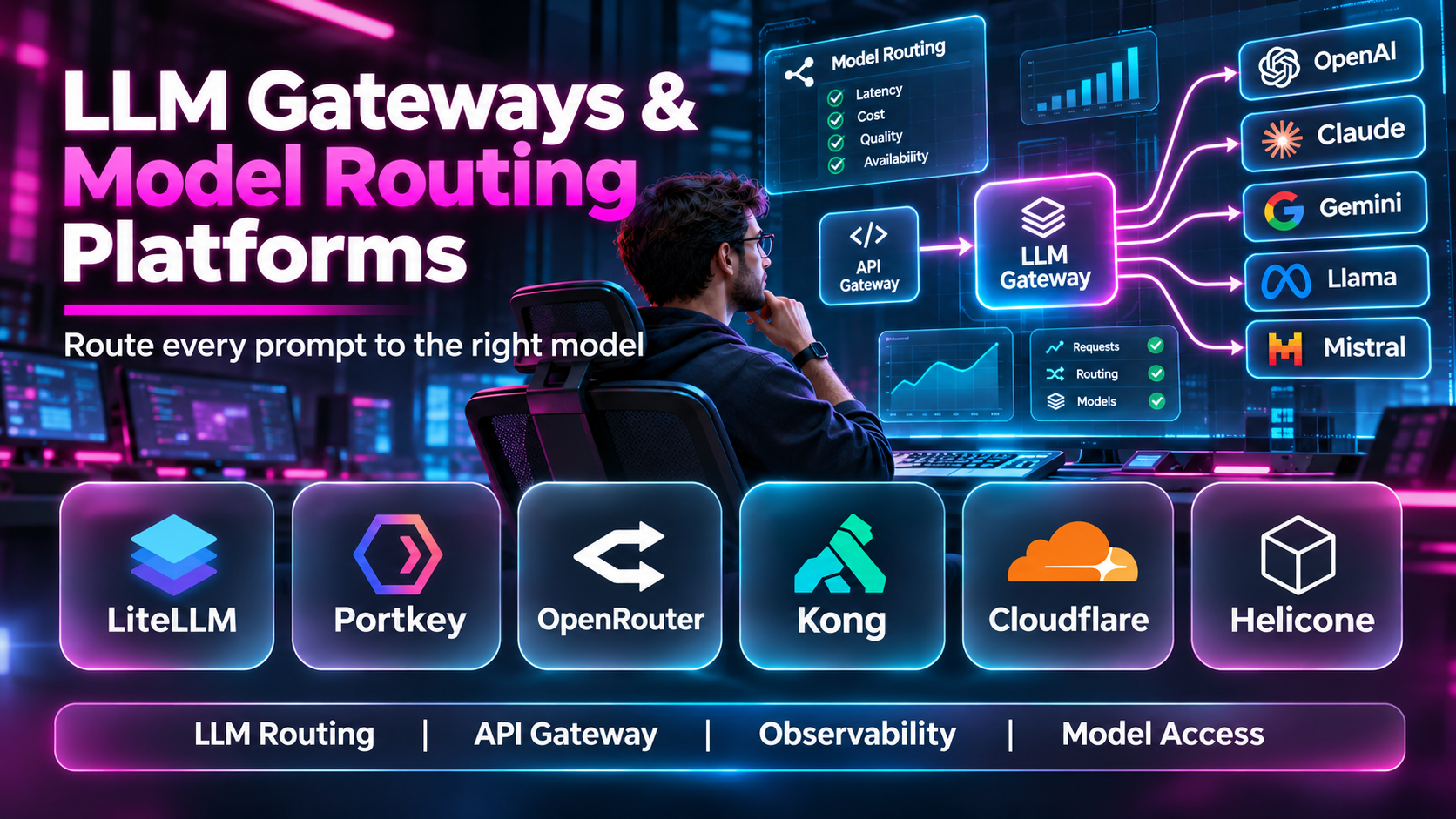
LLM gateways and model routing platforms provide a centralized layer between applications and model providers.
Instead of implementing every provider integration separately, developers can send requests through a gateway that manages authentication, routing, retries, usage visibility, and other operational controls.
However, gateways differ significantly. Some are lightweight open-source proxies. Others provide managed infrastructure, enterprise security policies, or advanced routing capabilities.
This guide compares ten LLM gateway and model routing solutions, including their architecture, key features, benefits, limitations, and ideal use cases.
What Are LLM Gateways & Model Routing Platforms?
An LLM gateway is a software layer that receives requests from applications and forwards them to supported language models or inference providers.
A model router selects which model or provider should handle a request according to configured rules or optimization strategies.
These capabilities may include routing by model name, cost, latency, availability, region, or application requirements.
Common features include:
- Unified API endpoints.
- Multi-provider connectivity.
- Authentication and API key management.
- Rate limiting.
- Request logging.
- Usage and cost monitoring.
- Retries and fallbacks.
- Load balancing.
- Model routing.
- Caching.
- Access policies.
- Security controls.
Not every gateway performs intelligent model selection. Some simply provide a consistent interface and leave routing decisions to application developers.
Top 10 LLM Gateways & Model Routing Platforms
1. LiteLLM
Short Description
LiteLLM is an open-source model integration library and proxy gateway designed to standardize access to multiple LLM providers.
Its main advantage is providing a consistent API interface while allowing developers to change underlying models without rewriting every application integration.
A software company might use LiteLLM to route customer support requests to one model and document analysis requests to another.
The proxy can also centralize virtual API keys, usage tracking, and budget controls.
LiteLLM is especially suitable for teams that want direct control over gateway configuration and deployment.
However, maintaining a production gateway introduces responsibilities for authentication, uptime, monitoring, and secure credential storage.
Key Features
- Unified API Interface: Standardizes requests across supported model providers.
- Proxy Server: Centralizes model access for multiple applications.
- Model Routing: Directs requests to configured deployments.
- Fallbacks: Supports alternative model or deployment configurations.
- Load Balancing: Distributes traffic across suitable endpoints.
- Virtual Keys: Provides application-specific access credentials.
- Budget Controls: Helps limit spending for supported users or projects.
- Usage Tracking: Records model consumption information.
- Rate Limiting: Restricts excessive requests according to configured policies.
Benefits
LiteLLM reduces integration duplication and gives engineering teams greater control over multi-model infrastructure.
Pros
- Open-source.
- Broad provider support.
- Configurable routing.
- Centralized spending controls.
- Flexible deployment.
Cons
- Operational maintenance.
- Provider differences still matter.
- Requires secure configuration.
- Advanced deployments need engineering expertise.
Use Cases
Internal LLM gateways, multi-provider applications, model fallbacks, and budget-controlled AI services.
Best For: Engineering teams seeking a flexible open-source LLM gateway.
2. Portkey
Short Description
Portkey is an AI gateway and observability platform designed to help organizations manage model access through centralized infrastructure.
It combines model connectivity with operational controls such as routing, logging, and reliability management.
A company deploying several AI applications may use Portkey to establish shared policies for model access rather than allowing every development team to maintain independent integrations.
This can improve visibility into provider usage and reduce inconsistent operational practices.
Portkey is particularly relevant to organizations that need gateway functionality together with governance and observability.
However, buyers should verify which security, deployment, and routing capabilities are available in their selected offering.
Key Features
- Multi-provider AI gateway.
- Model routing.
- Request fallbacks.
- Load balancing.
- Usage analytics.
- Logging and observability.
- Access controls.
- Budget-related management.
- Reliability configurations.
Benefits
Portkey centralizes AI traffic management and operational governance.
Pros
- Gateway and observability integration.
- Multi-provider workflows.
- Enterprise-oriented controls.
- Useful reliability features.
- Centralized management.
Cons
- Platform adoption effort.
- Plan-dependent features.
- Gateway dependency.
- Requires policy configuration.
Use Cases
Enterprise AI infrastructure, centralized model access, and multi-provider governance.
Best For: Organizations managing AI applications across several teams.
3. OpenRouter
Short Description
OpenRouter provides a unified API for accessing a broad selection of language models through supported providers.
Its primary appeal is convenient model discovery and access without requiring separate integrations for every model.
An application developer can use OpenRouter to experiment with multiple models and compare their behavior through a consistent interface.
The platform can also provide provider routing and fallback-related functionality, subject to its current configuration options.
OpenRouter is particularly useful for developers who want to test model alternatives quickly.
However, organizations must consider pricing, provider availability, data handling, and the implications of routing requests through an intermediary service.
Key Features
- Unified model API.
- Broad model catalog.
- Provider routing.
- Model selection.
- Usage tracking.
- API authentication.
- Supported fallback behavior.
- Model metadata.
- Developer integration.
Benefits
OpenRouter simplifies access to multiple language models through one integration.
Pros
- Broad model availability.
- Convenient experimentation.
- Unified API.
- Flexible provider selection.
- Developer-friendly.
Cons
- Third-party service dependency.
- Provider behavior varies.
- Data governance requires review.
- Pricing and availability can change.
Use Cases
Model experimentation, multi-model applications, and rapid prototyping.
Best For: Developers exploring many hosted LLM options.
4. Kong AI Gateway
Short Description
Kong AI Gateway extends API gateway capabilities to AI and LLM traffic.
It is relevant to enterprises already using API management practices and seeking similar controls for model requests.
A financial services organization may want AI traffic to follow established authentication, rate limiting, logging, and governance requirements.
Kong’s approach can help integrate AI access into broader API infrastructure.
This is particularly useful when AI applications are only one part of a larger enterprise service environment.
However, enterprise gateway deployments require careful configuration, and AI-specific capabilities may depend on the selected product edition.
Key Features
- AI traffic gateway.
- API authentication.
- Rate limiting.
- Model provider integration.
- Request routing.
- Logging.
- Policy enforcement.
- Gateway plugins.
- Enterprise API infrastructure integration.
Benefits
Kong AI Gateway helps organizations apply established API governance practices to AI traffic.
Pros
- Enterprise API management heritage.
- Centralized policies.
- Security controls.
- Extensible gateway architecture.
- Suitable for complex organizations.
Cons
- Configuration complexity.
- Enterprise licensing considerations.
- Requires gateway expertise.
- Not every model-specific capability is identical.
Use Cases
Enterprise AI API management, regulated applications, and centralized access control.
Best For: Organizations already operating API gateway infrastructure.
5. Cloudflare AI Gateway
Short Description
Cloudflare AI Gateway provides observability and control capabilities for supported AI API traffic.
It helps developers monitor requests and use gateway features such as caching, rate limiting, and operational analytics where available.
A globally distributed application may use Cloudflare AI Gateway to centralize information about AI requests and apply consistent controls.
Its integration with Cloudflare infrastructure may be particularly appealing to teams already using the company’s developer platform.
However, organizations should confirm supported providers, data handling, and specific gateway functionality before adoption.
Key Features
- AI request monitoring.
- Gateway endpoint.
- Usage analytics.
- Rate limiting.
- Caching capabilities.
- Provider integration.
- Logging.
- Request control.
- Cloudflare ecosystem integration.
Benefits
Cloudflare AI Gateway provides a centralized operational layer for supported AI requests.
Pros
- Cloudflare integration.
- Developer-friendly deployment.
- Useful analytics.
- Caching and traffic controls.
- Centralized monitoring.
Cons
- Provider support varies.
- Cloud platform dependency.
- Routing features may differ from specialized routers.
- Data governance requires review.
Use Cases
AI API monitoring, distributed applications, and request control.
Best For: Developers using Cloudflare infrastructure.
6. TrueFoundry AI Gateway
Short Description
TrueFoundry AI Gateway is designed to centralize access to AI models while supporting operational and governance requirements.
It is relevant to organizations deploying multiple AI applications that require controlled model access.
A platform team may use a shared gateway to manage provider credentials, enforce policies, and track usage across departments.
The platform can also support routing and reliability workflows.
Its enterprise orientation makes it relevant to teams seeking a managed AI infrastructure layer.
However, organizations should evaluate deployment architecture, provider coverage, and contractual requirements.
Key Features
- Unified model access.
- Multi-provider routing.
- Authentication.
- Usage monitoring.
- Budget controls.
- Rate limiting.
- Fallbacks.
- Governance policies.
- Enterprise integrations.
Benefits
TrueFoundry AI Gateway supports standardized model access across organizational applications.
Pros
- Centralized governance.
- Multi-model workflows.
- Enterprise controls.
- Usage visibility.
- Reliability features.
Cons
- Enterprise adoption effort.
- Licensing considerations.
- Configuration requirements.
- Integration details vary.
Use Cases
Enterprise AI platforms, internal developer infrastructure, and model access governance.
Best For: Platform teams standardizing AI access.
7. Bifrost
Short Description
Bifrost, developed within the Maxim AI ecosystem, is an open-source AI gateway designed to provide a unified interface for supported model providers.
Its architecture is relevant to teams that want a configurable proxy layer with attention to performance and operational control.
A development team may use Bifrost to consolidate provider integrations and apply common routing or reliability behavior.
As with other open-source gateways, its suitability depends on deployment requirements, supported providers, and maintenance expectations.
Because gateway ecosystems evolve rapidly, organizations should validate current feature support before production adoption.
Key Features
- Unified LLM API.
- Multi-provider integration.
- Request routing.
- Gateway proxy.
- Reliability controls.
- Usage visibility.
- Configuration options.
- Open-source deployment.
- Developer integration.
Benefits
Bifrost offers another configurable approach to centralized model traffic management.
Pros
- Open-source.
- Gateway-oriented architecture.
- Multi-provider support.
- Developer flexibility.
- Suitable for experimentation.
Cons
- Evolving ecosystem.
- Production validation required.
- Operational maintenance.
- Feature coverage varies.
Use Cases
Developer gateways, provider integration, and AI infrastructure experimentation.
Best For: Technical teams evaluating open-source gateway alternatives.
8. Envoy AI Gateway
Short Description
Envoy AI Gateway is an open-source project that extends gateway infrastructure concepts to generative AI traffic.
It is particularly relevant to organizations using cloud-native networking and Kubernetes-oriented architectures.
A platform engineering team may evaluate Envoy AI Gateway when it wants model traffic management integrated with existing gateway infrastructure.
Its approach can support centralized request handling and policy enforcement for compatible AI providers.
However, implementation requires networking and platform engineering expertise.
The project should be evaluated according to its current release maturity, compatibility, and operational requirements.
Key Features
- AI gateway architecture.
- Envoy ecosystem integration.
- Model provider routing.
- Authentication-related controls.
- Rate limiting.
- Traffic management.
- Cloud-native deployment.
- Observability integration.
- Open-source development.
Benefits
Envoy AI Gateway brings AI request management into cloud-native gateway infrastructure.
Pros
- Open-source.
- Cloud-native orientation.
- Networking ecosystem integration.
- Centralized traffic controls.
- Platform engineering flexibility.
Cons
- Technical complexity.
- Requires infrastructure expertise.
- Feature maturity varies.
- Not designed primarily for casual developers.
Use Cases
Kubernetes AI platforms, cloud-native gateways, and enterprise model traffic management.
Best For: Platform engineers operating Envoy-based infrastructure.
9. Vercel AI Gateway
Short Description
Vercel AI Gateway provides a unified access layer for supported AI models and providers.
It is relevant to developers building web applications and AI features within the Vercel ecosystem.
A product team may use the gateway to simplify model integration while maintaining a consistent application interface.
This can reduce friction when comparing providers or changing models during development.
Its strongest appeal is convenience for application developers rather than replacing a complete enterprise API management platform.
Users should evaluate current model coverage, pricing, routing features, and operational controls.
Key Features
- Unified AI API.
- Model provider access.
- Application integration.
- Model selection.
- Usage visibility.
- Supported routing capabilities.
- Developer tooling.
- AI SDK compatibility.
- Vercel ecosystem integration.
Benefits
Vercel AI Gateway simplifies model access for supported application development workflows.
Pros
- Developer-oriented.
- Convenient model access.
- Web application integration.
- Unified interface.
- Suitable for rapid development.
Cons
- Platform dependency.
- Provider coverage varies.
- Enterprise governance requirements may differ.
- Usage costs require review.
Use Cases
Web-based AI applications, prototypes, and multi-model product development.
Best For: Developers building AI applications with Vercel tooling.
10. Martian
Short Description
Martian is associated with intelligent LLM routing approaches that aim to select models according to task requirements.
Unlike a gateway that merely forwards requests to a fixed deployment, intelligent routing attempts to make model selection part of the optimization process.
A company may want simple requests handled by inexpensive models while more demanding requests are routed to more capable alternatives.
This approach can potentially improve cost efficiency while maintaining acceptable output quality.
However, routing accuracy must be validated against real application tasks. A cheaper model that produces unreliable answers can increase total costs through retries and human intervention.
Organizations should also verify current product availability and supported integration options.
Key Features
- Model routing.
- Task-aware selection.
- Multi-model integration.
- Cost optimization orientation.
- Quality-related routing.
- API access.
- Request analysis.
- Model performance comparison.
- Routing configuration.
Benefits
Martian illustrates the potential of selecting models dynamically according to task difficulty and performance requirements.
Pros
- Intelligent routing focus.
- Cost optimization potential.
- Multi-model strategy.
- Task-aware selection.
- Useful for varied workloads.
Cons
- Routing quality requires validation.
- Product availability should be checked.
- Provider support varies.
- Adds another operational dependency.
Use Cases
Dynamic model selection, cost-aware routing, and heterogeneous LLM workloads.
Best For: Teams investigating intelligent model selection.
LLM Gateways & Model Routing Platforms Comparison Table
| Platform | Primary Strength | Best For | Main Consideration |
|---|---|---|---|
| LiteLLM | Open-source proxy | Engineering teams | Self-management |
| Portkey | Gateway and observability | Enterprises | Plan-dependent features |
| OpenRouter | Broad model access | Developers | Intermediary dependency |
| Kong AI Gateway | API governance | Large organizations | Gateway complexity |
| Cloudflare AI Gateway | Traffic visibility | Cloudflare users | Provider coverage |
| TrueFoundry AI Gateway | Enterprise model governance | Platform teams | Integration planning |
| Bifrost | Configurable open-source gateway | Technical teams | Maturity validation |
| Envoy AI Gateway | Cloud-native traffic management | Kubernetes teams | Infrastructure expertise |
| Vercel AI Gateway | Application integration | Web developers | Ecosystem dependence |
| Martian | Intelligent model selection | Optimization teams | Routing validation |
How to Choose the Right LLM Gateway
1. Identify the Required Providers
Check support for every model provider and deployment environment you intend to use.
2. Define Routing Requirements
Decide whether you need fixed routing, fallbacks, load balancing, or task-aware selection.
3. Evaluate API Compatibility
A common interface is useful, but provider-specific features may not translate perfectly.
4. Review Authentication
Centralized credentials, virtual keys, and access permissions are important for shared infrastructure.
5. Examine Reliability
Test timeouts, retries, provider outages, and fallback behavior.
6. Consider Cost Controls
Look for usage tracking, budgets, and model selection policies.
7. Assess Security and Privacy
Review request logging, data retention, encryption, and provider handling.
8. Measure Gateway Latency
The gateway should not introduce unacceptable response delays.
9. Review Deployment Options
Compare managed services, self-hosted proxies, and cloud-native infrastructure.
10. Test With Real Workloads
Evaluate routing behavior using representative prompts, traffic, and failure conditions.
Best LLM Gateway by User Type
| User Type | Recommended Platform | Reason |
|---|---|---|
| Open-source developer | LiteLLM | Flexible proxy |
| Enterprise AI team | Portkey | Centralized governance |
| Model experimenter | OpenRouter | Broad model access |
| API platform administrator | Kong AI Gateway | Enterprise policies |
| Cloudflare developer | Cloudflare AI Gateway | Ecosystem integration |
| AI platform team | TrueFoundry AI Gateway | Model access management |
| Open-source gateway evaluator | Bifrost | Configurable architecture |
| Kubernetes engineer | Envoy AI Gateway | Cloud-native integration |
| Vercel application developer | Vercel AI Gateway | Developer convenience |
| Intelligent routing researcher | Martian | Task-aware selection |
Practical Example: Building a Multi-Model AI Gateway
Step 1: List the AI applications that will use the gateway.
Step 2: Identify required providers and models.
Step 3: Define latency, quality, and spending requirements.
Step 4: Select a gateway compatible with the existing infrastructure.
Step 5: Configure provider credentials securely.
Step 6: Establish application-specific virtual keys or identities.
Step 7: Define default model routes.
Step 8: Configure fallbacks for provider failures.
Step 9: Apply rate limits and budget controls.
Step 10: Test requests under realistic concurrency.
Step 11: Monitor costs, errors, and response quality.
Step 12: Review routing policies as models and prices change.
Frequently Asked Questions
1. What is an LLM gateway?
A centralized service that manages requests between applications and language models.
2. What is model routing?
Selecting a model or provider for a request.
3. Why use multiple LLM providers?
To improve flexibility, availability, cost control, or model suitability.
4. What is a unified API?
A consistent interface for interacting with multiple supported services.
5. What is an API proxy?
A service that receives requests and forwards them to another endpoint.
6. What is model fallback?
Sending a request to an alternative model when the preferred route fails.
7. What is load balancing?
Distributing requests across suitable deployments.
8. Can gateways reduce inference costs?
Yes, through appropriate routing, caching, and usage controls.
9. Do gateways improve reliability automatically?
No. Reliability depends on configuration and provider availability.
10. What is a virtual API key?
A gateway-managed credential representing an application or user.
11. What is rate limiting?
Restricting request volume according to configured rules.
12. What is intelligent routing?
Selecting models using task characteristics or optimization criteria.
13. Is intelligent routing always accurate?
No. It requires evaluation.
14. Can gateways support self-hosted models?
Some support compatible self-hosted endpoints.
15. What is gateway observability?
Monitoring requests, latency, errors, and usage.
16. Do gateways log prompts?
Some do, depending on configuration.
17. Why is data retention important?
Stored prompts may contain sensitive information.
18. Can a gateway enforce budgets?
Some platforms support budget controls.
19. What is semantic caching?
Reusing responses for sufficiently similar requests under defined conditions.
20. Is semantic caching suitable for every application?
No. It can introduce incorrect or stale responses.
21. What is provider abstraction?
Reducing application dependence on provider-specific interfaces.
22. Can all provider features be standardized?
No. Some capabilities remain provider-specific.
23. What is gateway latency?
Additional delay introduced by the gateway.
24. Are open-source gateways available?
Yes, including LiteLLM and other projects.
25. What is a managed gateway?
A gateway operated substantially by a service provider.
26. Should an enterprise use one gateway?
Centralization can help, but architecture depends on reliability and governance needs.
27. How should fallback models be selected?
By compatibility, quality, latency, and cost.
28. Can routing improve output quality?
It can when suitable models are selected for different tasks.
29. How do I benchmark gateways?
Test latency, throughput, failure handling, cost, and output behavior.
30. Which LLM gateway is best?
The right choice depends on deployment control, provider coverage, routing requirements, and governance.
Final Thoughts
LLM gateways simplify multi-model application architecture by centralizing access, policies, and operational controls.
LiteLLM and Bifrost provide open-source gateway approaches. Portkey and TrueFoundry emphasize broader organizational management. OpenRouter and Vercel AI Gateway simplify model access for developers.
Kong, Cloudflare, and Envoy AI Gateway connect AI traffic with established infrastructure concepts, while Martian represents task-aware routing strategies.
The best gateway should make model access more reliable and manageable without introducing unnecessary complexity or security risk.
