Introduction
Professional translation involves much more than replacing words in one language with words in another.
Translators must preserve meaning, maintain terminology, follow style guidelines, protect formatting, and deliver content that meets the expectations of its intended audience.
These responsibilities become more challenging when projects involve thousands of pages, repeated technical phrases, multiple file formats, or frequent revisions.
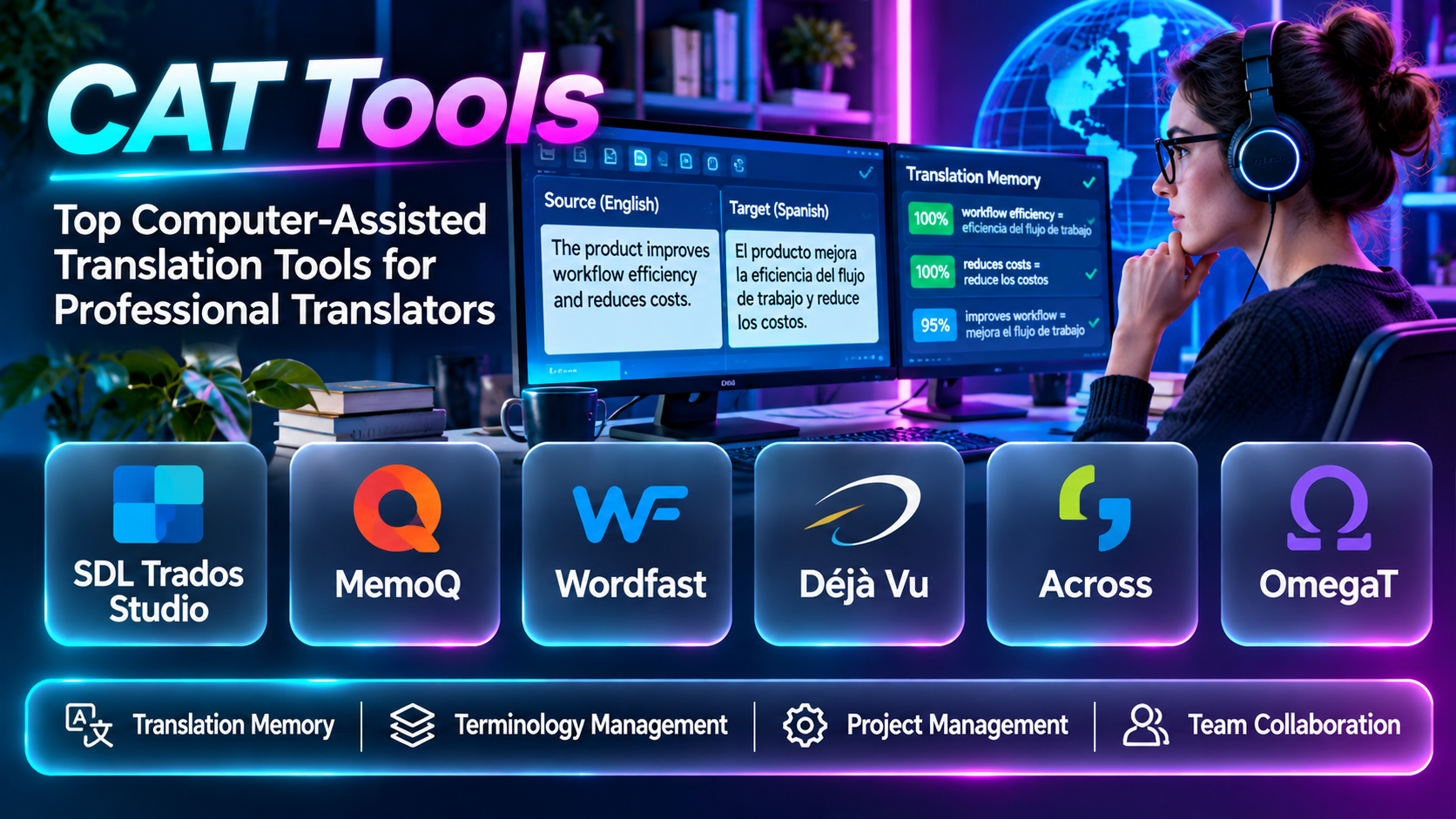
Computer-assisted translation tools help translators manage these requirements.
CAT software divides content into manageable segments and provides resources such as translation memory, terminology databases, quality checks, and machine translation suggestions.
Unlike fully automated machine translation systems, CAT tools are designed to support human translation work.
They help translators reuse approved content, maintain consistency, and manage complex files more efficiently.
Different CAT tools serve different audiences. Some emphasize professional desktop translation, while others provide browser-based collaboration, open-source flexibility, enterprise integrations, or translation agency workflows.
This guide compares ten CAT tools and explains how to select software based on translation quality, productivity, compatibility, collaboration, and cost.
What Are CAT Tools?
Computer-assisted translation tools are applications that support human translators during the translation process.
They typically display source text and target text in aligned segments, allowing translators to work systematically while accessing linguistic resources.
Common capabilities include:
- Translation memory.
- Terminology databases.
- Segment-based editing.
- Machine translation integration.
- Translation suggestions.
- Concordance search.
- Quality assurance.
- Tag validation.
- File format support.
- Project management.
- Collaborative translation.
- Translation memory exchange.
- Progress tracking.
- Bilingual review.
CAT tools are not the same as machine translation.
Machine translation automatically generates translated text. CAT tools provide an environment where human translators can use translation memory, machine suggestions, and other resources to produce and review translations.
Top 10 CAT Tools
1. Trados Studio
Short Description
Trados Studio is a professional computer-assisted translation application used by freelance translators, language service providers, and enterprise localization teams.
It provides a structured environment for translating documents while maintaining access to translation memories, terminology databases, and quality assurance features.
Trados Studio is particularly relevant to translators handling technical documentation, software-related content, legal materials, and recurring customer projects.
For example, a translator working on a new version of a product manual may use an existing translation memory to identify sentences that were translated in previous editions.
This can reduce repetitive work and help maintain consistency across document versions.
Trados Studio also supports terminology integration and verification processes, making it useful for projects where approved wording and formatting accuracy are important.
However, its extensive capabilities require training. New users may need time to understand project packages, translation memories, file preparation, and quality settings.
The platform is most valuable when translators regularly handle substantial professional workloads.
Key Features
- Translation memory: Reuses previously translated segments.
- Segment editor: Organizes source and target text.
- Terminology integration: Connects with terminology resources.
- Machine translation integration: Supports compatible automated translation services.
- Quality assurance: Checks selected linguistic and technical issues.
- File format support: Handles a variety of professional content formats.
- Project management: Organizes translation assignments and resources.
- Concordance search: Finds previous translation examples.
- Translation verification: Helps detect formatting and consistency problems.
Benefits
Trados Studio helps professional translators manage complex projects and reuse approved translations.
Pros
- Established professional ecosystem.
- Strong translation memory.
- Terminology integration.
- Broad workflow capabilities.
- Useful for technical translation.
Cons
- Learning curve.
- Commercial licensing.
- Configuration complexity.
- Some collaboration needs require additional products.
Use Cases
Technical manuals, enterprise documentation, professional translation, and recurring client projects.
Best For: Professional translators and language service providers.
2. memoQ Translator Pro
Short Description
memoQ Translator Pro is a professional CAT application designed to help translators work efficiently with translation memories, terminology resources, and project files.
It provides a translation editing environment with tools for segment navigation, translation suggestions, quality checks, and linguistic consistency.
memoQ is particularly relevant to freelancers and language service providers who need a full-featured translation workspace.
A translator working on software documentation may use memoQ to reuse previously approved translations, check terminology, and review warnings before delivery.
Its translation memory and terminology features can improve productivity on recurring projects.
memoQ also has an ecosystem of server-based collaboration and translation management capabilities.
However, users should distinguish between the desktop translator product and additional enterprise services.
The application requires familiarity with CAT concepts, and translators should verify compatibility with customer workflows before purchasing.
Key Features
- Translation memory.
- Terminology databases.
- Segment-based editing.
- Translation suggestions.
- Quality assurance.
- Machine translation integration.
- File format support.
- Concordance search.
- Project management.
Benefits
memoQ helps translators combine linguistic resources and quality controls in one working environment.
Pros
- Professional translation focus.
- Translation memory.
- Terminology support.
- Flexible editing.
- Quality checks.
Cons
- Commercial licensing.
- Training required.
- Some collaboration capabilities require additional infrastructure.
- Workflow configuration can be complex.
Use Cases
Freelance translation, agency projects, and technical documentation.
Best For: Professional translators seeking a comprehensive CAT environment.
3. Phrase TMS Editor
Short Description
Phrase provides translation editing capabilities within its localization management ecosystem.
Its translation environment supports professional translation workflows connected to translation memory, terminology, and project coordination.
Phrase is particularly relevant to organizations that want translation work integrated with centralized localization management.
For example, a global marketing team may assign multilingual content to translators working within a shared project environment.
Translators can use available linguistic resources while project managers monitor progress and coordinate review.
This integrated approach can reduce manual file exchange and improve visibility across distributed teams.
However, the experience depends on the Phrase products and configurations used.
Organizations should evaluate whether they need a standalone translator environment, a broader translation management system, or both.
Key Features
- Translation editor.
- Translation memory.
- Terminology support.
- Machine translation integration.
- Collaborative workflows.
- Quality assurance.
- Project management integration.
- Multilingual content support.
- Translation review.
Benefits
Phrase connects translation editing with managed localization workflows.
Pros
- Integrated localization platform.
- Collaborative translation.
- Translation memory.
- Terminology.
- Enterprise workflow relevance.
Cons
- Product selection complexity.
- Commercial pricing.
- Requires project configuration.
- May exceed independent translator needs.
Use Cases
Enterprise translation, localization agencies, and multilingual content operations.
Best For: Teams managing translation through Phrase.
4. Wordfast Pro
Short Description
Wordfast Pro is a professional CAT application designed for translators who need translation memory, terminology, and document translation capabilities.
It provides a segment-based editing environment that supports reuse of previous translations.
Wordfast Pro is particularly relevant to freelance translators and smaller translation organizations seeking a dedicated CAT workflow.
For example, a translator working with recurring business documents may use translation memory to maintain consistency across similar contracts or reports.
The application supports terminology resources and quality-related processes that can help reduce repetitive errors.
Its value depends on compatibility with client file formats and translation memory exchange requirements.
Although it provides professional translation functionality, users should evaluate its collaboration capabilities and ecosystem against alternatives such as Trados Studio and memoQ.
Key Features
- Translation memory.
- Segment-based translation.
- Terminology management.
- Translation suggestions.
- File format handling.
- Quality assurance.
- Machine translation integration.
- Project organization.
- Translation memory exchange.
Benefits
Wordfast Pro helps translators reuse content and maintain consistency across projects.
Pros
- Professional CAT functionality.
- Translation memory.
- Terminology support.
- Suitable for freelancers.
- Structured editing.
Cons
- Interface preferences vary.
- Compatibility should be tested.
- Collaboration features differ from enterprise systems.
- Commercial licensing.
Use Cases
Freelance translation, recurring documentation, and business content.
Best For: Independent professional translators.
5. OmegaT
Short Description
OmegaT is a free, open-source computer-assisted translation application.
It provides translation memory, terminology support, and segment-based translation workflows without requiring a proprietary CAT software subscription.
OmegaT is particularly relevant to translators who prefer open-source tools or want to explore CAT technology without a large initial investment.
A freelance translator may use OmegaT to organize a document translation project, build a translation memory, and reuse previous segments.
Its open-source approach offers flexibility and transparency, but users may need additional technical knowledge to configure certain workflows.
OmegaT does not provide every enterprise collaboration or project administration feature found in commercial platforms.
However, it remains a practical option for individual translators and organizations that value open-source software.
Key Features
- Open-source CAT software.
- Translation memory.
- Terminology support.
- Segment-based editing.
- Translation suggestions.
- Supported file formats.
- Machine translation integration options.
- Translation memory exchange.
- Project organization.
Benefits
OmegaT provides accessible CAT functionality without proprietary licensing costs.
Pros
- Free and open source.
- Translation memory.
- Cross-platform relevance.
- Customization.
- Suitable for independent translators.
Cons
- Interface may require familiarization.
- Limited enterprise collaboration.
- Technical setup for some integrations.
- Workflow compatibility varies.
Use Cases
Freelance translation, educational translation projects, and open-source workflows.
Best For: Translators seeking free CAT software.
6. Smartcat Editor
Short Description
Smartcat provides a browser-based translation environment within its broader language technology platform.
Its editor supports translation workflows involving linguistic resources, collaboration, and automated translation assistance.
Smartcat is particularly relevant to teams that want translators, reviewers, and project managers to work within a connected online environment.
For example, a marketing company translating campaign materials into several languages may assign work to different linguists while maintaining shared terminology and translation memories.
The browser-based approach can simplify access for distributed teams and reduce reliance on locally installed desktop applications.
However, cloud-based workflows require careful evaluation of confidentiality, connectivity, permissions, and commercial arrangements.
Organizations should also verify which automation and collaboration capabilities are included in their selected offering.
Key Features
- Browser-based translation editor.
- Translation memory.
- Terminology management.
- AI-assisted translation.
- Collaboration.
- Project management integration.
- Translation review.
- File processing.
- Multilingual workflows.
Benefits
Smartcat helps distributed teams coordinate translation within a connected platform.
Pros
- Browser-based access.
- Collaboration.
- Translation memory.
- AI-assisted workflows.
- Business translation relevance.
Cons
- Cloud dependency.
- Commercial feature differences.
- Data governance considerations.
- Less suitable for some offline workflows.
Use Cases
Marketing localization, distributed translation teams, and enterprise content.
Best For: Teams seeking collaborative online translation.
7. MateCat
Short Description
MateCat is a web-based computer-assisted translation tool designed to support translation memory, machine translation, and collaborative translation workflows.
It is relevant to freelance translators and language service providers seeking an accessible online translation environment.
MateCat can help translators process supported documents, reuse previous translations, and review machine-generated suggestions.
For example, a translator handling a business report may use translation memory matches to accelerate repetitive sections while manually reviewing the final language.
Its browser-based approach reduces installation requirements and can simplify access across different workstations.
However, online translation raises questions about data confidentiality, supported formats, and service availability.
Users should verify whether the platform meets their requirements for sensitive content and professional delivery.
Key Features
- Web-based CAT editor.
- Translation memory.
- Machine translation integration.
- Segment-based editing.
- Translation suggestions.
- File format support.
- Collaboration.
- Project organization.
- Translation productivity tools.
Benefits
MateCat provides an accessible environment for online computer-assisted translation.
Pros
- Browser-based workflow.
- Translation memory.
- Machine translation support.
- Accessible interface.
- Useful for distributed work.
Cons
- Internet dependency.
- Data handling requires review.
- Enterprise features vary.
- Compatibility should be tested.
Use Cases
Freelance translation, collaborative projects, and online translation workflows.
Best For: Translators preferring browser-based CAT software.
8. CafeTran Espresso
Short Description
CafeTran Espresso is a CAT application designed for professional translators who want a customizable translation environment.
It provides translation memory, terminology, and translation assistance capabilities.
CafeTran is particularly relevant to experienced translators who value control over their workspace and linguistic resources.
A translator working with technical documentation may use CafeTran to manage translation memories, terminology databases, and external translation suggestions.
Its flexibility can support specialized personal workflows.
However, customization also introduces a learning curve. Users may need time to configure the environment according to their preferred translation process.
CafeTran is best evaluated through hands-on testing with representative client files.
Key Features
- Translation memory.
- Terminology support.
- Segment-based editing.
- Translation suggestions.
- Machine translation integration.
- Customizable workspace.
- File format handling.
- Concordance search.
- Project management.
Benefits
CafeTran Espresso provides a configurable CAT environment for experienced translators.
Pros
- Customization.
- Translation memory.
- Terminology.
- Professional workflow flexibility.
- Suitable for independent translators.
Cons
- Learning curve.
- Interface preferences vary.
- Collaboration limitations.
- Commercial licensing.
Use Cases
Freelance translation, technical documentation, and customized CAT workflows.
Best For: Experienced independent translators.
9. Across Language Server
Short Description
Across Language Server is a translation technology platform designed for enterprise and professional translation environments.
It provides translation memory, terminology management, and workflow capabilities that support structured multilingual production.
Across is particularly relevant to organizations handling large volumes of technical documentation and requiring centralized linguistic resources.
For example, an industrial manufacturer may need consistent translations across product manuals, safety instructions, and engineering documentation.
A centralized environment can help translators access approved terminology and previously translated content.
However, enterprise deployment requires planning around administration, integrations, user access, and project processes.
Organizations should evaluate Across against their existing translation infrastructure and vendor requirements.
Key Features
- Translation memory.
- Terminology management.
- Translation editing.
- Enterprise workflows.
- Collaboration.
- Quality assurance.
- Project management.
- Translation resource sharing.
- Integration capabilities.
Benefits
Across supports centralized translation operations and consistent technical content.
Pros
- Enterprise translation focus.
- Shared linguistic resources.
- Technical documentation relevance.
- Workflow management.
- Terminology integration.
Cons
- Implementation complexity.
- Commercial investment.
- Specialized training.
- May exceed freelancer requirements.
Use Cases
Manufacturing documentation, enterprise translation, and technical content localization.
Best For: Enterprises managing centralized translation resources.
10. Déjà Vu X3
Short Description
Déjà Vu X3 is a professional computer-assisted translation application associated with translation memory and terminology-driven workflows.
It is designed to help translators manage projects, reuse previously translated content, and maintain consistency.
Déjà Vu is particularly relevant to professional translators who prefer a traditional desktop CAT environment.
For example, a translator working on repeated technical reports may use translation memory to identify familiar content and reduce unnecessary retranslation.
The application provides tools for managing linguistic resources and organizing translation work.
However, users should verify current licensing, compatibility, maintenance, and supported file formats before adopting it for new projects.
Long-term compatibility is especially important when clients require particular bilingual formats or project packages.
Key Features
- Translation memory.
- Segment-based translation.
- Terminology support.
- Translation suggestions.
- Project management.
- File format processing.
- Quality checks.
- Translation resource reuse.
- Professional translation workflows.
Benefits
Déjà Vu X3 supports structured translation and reuse of linguistic resources.
Pros
- Professional CAT focus.
- Translation memory.
- Terminology.
- Desktop workflow.
- Suitable for recurring content.
Cons
- Current compatibility should be verified.
- Commercial licensing.
- Interface learning curve.
- Collaboration capabilities require evaluation.
Use Cases
Professional translation, technical documents, and recurring client projects.
Best For: Translators evaluating established desktop CAT tools.
CAT Tools Comparison Table
| Tool | Main Strength | Best For | Main Limitation |
|---|---|---|---|
| Trados Studio | Comprehensive professional CAT | Translators and agencies | Learning curve |
| memoQ Translator Pro | Flexible translation workflows | Professionals | Commercial licensing |
| Phrase TMS Editor | Managed collaborative translation | Enterprises | Platform complexity |
| Wordfast Pro | Professional translation memory | Freelancers | Ecosystem differences |
| OmegaT | Open-source CAT | Budget-conscious users | Limited enterprise features |
| Smartcat Editor | Online collaboration | Distributed teams | Cloud dependency |
| MateCat | Browser-based CAT | Freelancers | Connectivity |
| CafeTran Espresso | Customizable translation | Experienced translators | Configuration |
| Across Language Server | Enterprise translation | Manufacturers | Implementation |
| Déjà Vu X3 | Desktop translation memory | Professional translators | Compatibility verification |
How to Choose the Right CAT Tool
Evaluate File Format Compatibility
Professional translators may receive documents, spreadsheets, presentation files, XML, HTML, and bilingual translation packages.
Review Translation Memory
A strong translation memory system helps reuse previous translations and maintain consistency.
Assess Terminology Integration
Technical projects benefit from approved termbases.
Examine Machine Translation Support
Machine translation suggestions can improve productivity when appropriately reviewed.
Evaluate Quality Assurance
Check support for tags, numbers, formatting, and terminology.
Consider Collaboration
Agencies may require shared translation resources and reviewer workflows.
Review Client Requirements
Some customers specify preferred CAT tools or file formats.
Assess Usability
A configurable interface is useful only if it supports efficient translation.
Compare Costs
Consider licenses, subscriptions, maintenance, training, and integrations.
Test Real Projects
Use representative files to evaluate performance and compatibility.
Best CAT Software by User Type
| User Type | Recommended Tool |
|---|---|
| Professional technical translator | Trados Studio |
| Freelance translation specialist | memoQ Translator Pro |
| Enterprise localization team | Phrase TMS Editor |
| Independent translator | Wordfast Pro |
| Open-source enthusiast | OmegaT |
| Distributed translation team | Smartcat Editor |
| Online CAT user | MateCat |
| Experienced workflow customizer | CafeTran Espresso |
| Manufacturing translation department | Across Language Server |
| Traditional desktop CAT user | Déjà Vu X3 |
Practical Example: Translating a Technical Manual
A manufacturer needs to translate a 200-page technical manual into four languages.
Step 1: Analyze the Source Files
Identify file formats, repeated content, terminology, and formatting requirements.
Step 2: Select a CAT Tool
Compare compatibility, translation memory, terminology, and QA capabilities.
Step 3: Prepare Translation Memories
Import approved translations from previous manuals.
Step 4: Create a Terminology Database
Record technical component names and approved equivalents.
Step 5: Import the Source Documents
Confirm segmentation and formatting tags.
Step 6: Assign Translators
Select qualified linguists with relevant technical knowledge.
Step 7: Translate Using CAT Resources
Apply translation memory and terminology suggestions.
Step 8: Review Machine Translation Suggestions
Accept only translations that meet the project’s quality requirements.
Step 9: Conduct Linguistic Review
Check meaning, terminology, grammar, and clarity.
Step 10: Run Automated QA
Validate numbers, tags, formatting, and consistency.
Step 11: Export the Translated Documents
Generate the required delivery formats.
Step 12: Perform Final Layout Review
Check page breaks, tables, illustrations, and text expansion.
Step 13: Approve and Deliver
Store approved files and update translation memories.
Step 14: Maintain Resources
Preserve terminology and translation memory for future revisions.
Frequently Asked Questions
1. What is a CAT tool?
Software that assists human translators with translation tasks.
2. What does CAT stand for?
Computer-Assisted Translation.
3. Is CAT the same as machine translation?
No.
4. What is translation memory?
A database of previously translated text segments.
5. What is a translation segment?
A unit of text presented for translation.
6. What is a fuzzy match?
A translation memory result that partially matches the current source text.
7. What is an exact match?
A translation memory result matching the source segment according to the system’s rules.
8. What is concordance search?
Searching translation memories for previous uses of words or phrases.
9. What is a termbase?
A structured terminology database.
10. What is machine translation integration?
Connecting automated translation services to a CAT tool.
11. What is post-editing?
Human correction of machine-generated translations.
12. What is a bilingual file?
A file containing source and target language content.
13. What is XLIFF?
An XML-based localization interchange format.
14. What is TMX?
Translation Memory eXchange, a format for exchanging translation memories.
15. What is TBX?
TermBase eXchange, a terminology data exchange standard.
16. What is tag verification?
Checking required formatting or markup tags.
17. What is translation QA?
Checking translations for linguistic and technical errors.
18. Can CAT tools translate PDFs?
Some support PDF-related workflows, but source quality and conversion requirements vary.
19. Can CAT tools translate websites?
Many support web-related formats and localization resources.
20. Can CAT tools handle software strings?
Yes, depending on file format support.
21. Can translators collaborate through CAT tools?
Many platforms provide collaboration features.
22. Are open-source CAT tools available?
Yes, OmegaT is one example.
23. Can CAT tools improve productivity?
They can reduce repetitive translation work.
24. Do CAT tools guarantee accuracy?
No. Human expertise and review remain essential.
25. What is a translation package?
A collection of project files and resources prepared for translation.
26. What is a translation memory update?
Adding approved translations to a memory database.
27. What is a terminology warning?
A notification that translation may violate approved terminology.
28. How should CAT productivity be measured?
Consider translation quality, time, reuse, and revision effort.
29. What is a common CAT implementation mistake?
Using outdated translation memories without reviewing their quality.
30. Which CAT tool is best?
Choose based on file compatibility, translation resources, workflow, collaboration, and budget.
Final Thoughts
CAT tools help professional translators work more consistently and efficiently.
Trados Studio, memoQ Translator Pro, Wordfast Pro, CafeTran Espresso, and Déjà Vu X3 provide desktop-oriented translation environments.
Phrase, Smartcat, and MateCat support connected translation workflows, while OmegaT offers open-source flexibility.
Across Language Server addresses enterprise translation operations.
The right CAT tool should support human expertise rather than replace it.
Translation memory, terminology, quality checks, and automation are valuable when they help translators preserve meaning, maintain consistency, and deliver reliable multilingual content.
