Introduction
Nonprofit organizations depend on relationships with donors, volunteers, members, partners, beneficiaries, and community supporters.
Managing these relationships becomes difficult when information is scattered across spreadsheets, email accounts, event registration systems, and fundraising tools.
A donor may contribute to several campaigns, attend an event, and volunteer for a program. Without connected records, staff may not recognize the full relationship.
Nonprofit customer relationship management systems, commonly called nonprofit CRMs, help organizations centralize this information.
Unlike general sales CRMs, nonprofit-oriented systems emphasize donations, constituent engagement, fundraising, membership, and mission-related reporting.
Some products are designed for small charities, while others support complex enterprise operations.
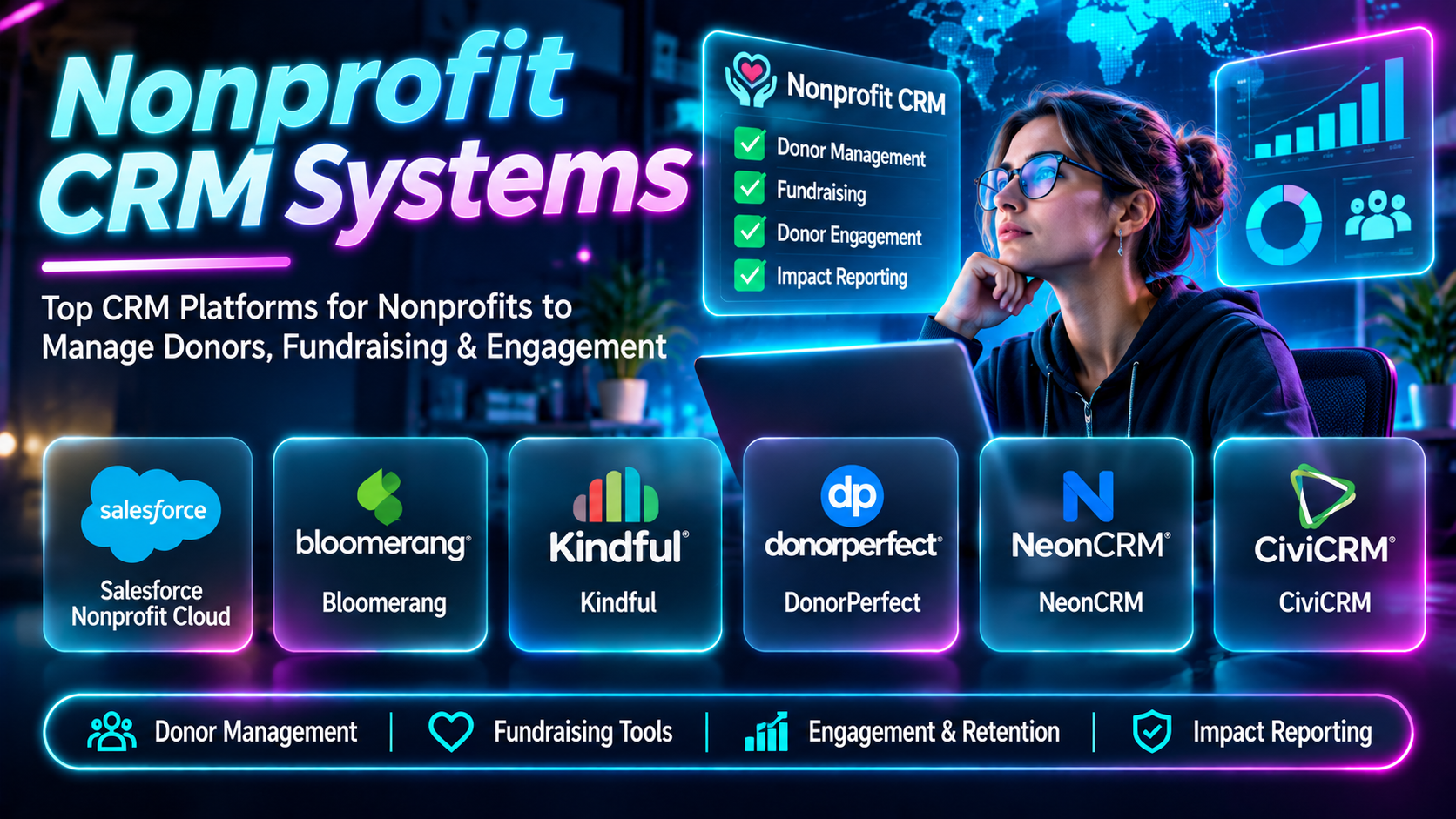
This guide compares ten nonprofit CRM systems and explains how to choose one for different organizational requirements.
What Are Nonprofit CRM Systems?
Nonprofit CRM systems are platforms for managing relationships with people and organizations connected to a nonprofit’s mission.
They may maintain donor records, giving histories, communications, event participation, membership information, and fundraising activity.
Typical features include constituent profiles, donation tracking, segmentation, email communication, campaign management, reporting, and workflow automation.
Some nonprofit CRMs also support volunteer management, grants, program delivery, and integrations with accounting software.
The most valuable systems provide a reliable view of constituent relationships rather than merely storing contact information.
Top 10 Nonprofit CRM Systems
1. Salesforce Nonprofit Cloud
Short Description
Salesforce Nonprofit Cloud provides nonprofit-oriented capabilities within the Salesforce platform.
It supports constituent relationship management and can connect fundraising with other organizational workflows.
A large nonprofit may use Salesforce to manage donors, fundraising activities, and complex relationships across multiple programs.
Its flexibility is particularly valuable for organizations with specialized processes.
However, customization and implementation can require significant technical expertise and administrative resources.
Key Features
- Constituent Records: Centralizes supporter information.
- Fundraising Management: Supports donation-related workflows.
- Relationship Tracking: Connects constituents and organizational relationships.
- Automation: Reduces repetitive administrative processes.
- Reporting: Provides operational and fundraising insights.
- Custom Workflows: Supports organization-specific processes.
- Integrations: Connects external systems.
- Access Controls: Supports role-based administration.
- Enterprise Scalability: Accommodates complex organizational structures.
Benefits
Salesforce offers extensible infrastructure for organizations with sophisticated nonprofit operations.
Pros
- Highly customizable.
- Enterprise capabilities.
- Broad integration ecosystem.
- Automation.
- Detailed reporting.
Cons
- Implementation complexity.
- Training requirements.
- Administration costs.
- Potentially excessive for small teams.
Use Cases
Enterprise fundraising, multi-program nonprofits, and complex constituent relationships.
Best For: Large nonprofits requiring customization.
2. Bloomerang
Short Description
Bloomerang is a nonprofit donor management and fundraising platform.
It emphasizes understanding donor relationships and supporting ongoing engagement.
A small or midsize charity may use Bloomerang to organize gifts, maintain supporter profiles, and plan donor communications.
Its nonprofit-focused design can reduce the need to adapt a general-purpose sales CRM.
However, buyers should compare product packages and integration requirements.
Key Features
- Donor records.
- Giving history.
- Fundraising tools.
- Donor segmentation.
- Communication workflows.
- Engagement reporting.
- Campaign tracking.
- Recurring giving.
- Integrations.
Benefits
Bloomerang helps nonprofits coordinate fundraising with donor relationship management.
Pros
- Nonprofit specialization.
- Donor engagement focus.
- Fundraising reporting.
- Centralized records.
- Recurring giving.
Cons
- Subscription expenses.
- Product packaging considerations.
- Configuration requirements.
- Advanced workflows may need integrations.
Use Cases
Donor retention, annual appeals, and fundraising administration.
Best For: Nonprofits emphasizing donor engagement.
3. DonorPerfect
Short Description
DonorPerfect provides donor management and fundraising software for nonprofit organizations.
It helps development teams organize supporter information, gifts, and campaigns.
A community foundation may use DonorPerfect to track donations and prepare fundraising reports.
Its structured donor records support consistent fundraising administration.
However, organizations should evaluate user training, customization, and data migration requirements.
Key Features
- Donor database.
- Gift tracking.
- Campaign management.
- Reporting.
- Donor segmentation.
- Communication tools.
- Recurring gifts.
- Data management.
- Integrations.
Benefits
DonorPerfect provides organized fundraising records and supporter information.
Pros
- Fundraising focus.
- Donor records.
- Gift tracking.
- Reporting.
- Nonprofit applications.
Cons
- Learning curve.
- Subscription costs.
- Configuration.
- Integration planning.
Use Cases
Development offices, donor stewardship, and annual fundraising.
Best For: Organizations prioritizing gift administration.
4. Neon CRM
Short Description
Neon CRM is a nonprofit CRM platform within the Neon One ecosystem.
It supports constituent records, donations, events, and engagement workflows.
A membership-based nonprofit may use Neon CRM to coordinate supporter relationships across fundraising and participation activities.
Its combination of CRM and nonprofit administration makes it relevant to organizations with multiple engagement types.
Key Features
- Constituent profiles.
- Donation management.
- Membership-related workflows.
- Events.
- Communication.
- Fundraising campaigns.
- Reporting.
- Segmentation.
- Nonprofit administration.
Benefits
Neon CRM helps nonprofits coordinate relationships beyond individual donations.
Pros
- Nonprofit-specific.
- Multiple engagement workflows.
- Centralized data.
- Fundraising support.
- Reporting.
Cons
- Setup requirements.
- Subscription costs.
- Training.
- Configuration complexity.
Use Cases
Membership organizations, charities, and community nonprofits.
Best For: Nonprofits managing donors and members.
5. CiviCRM
Short Description
CiviCRM is an open-source constituent relationship management platform designed for nonprofit and civic organizations.
It supports contact management, contributions, memberships, events, and communications.
A community association may use CiviCRM to manage members and donations through an organization-controlled deployment.
Its open-source model provides customization opportunities and greater infrastructure control.
However, hosting, maintenance, security, and implementation require appropriate technical resources.
Key Features
- Contact management.
- Contribution tracking.
- Membership administration.
- Event management.
- Email campaigns.
- Reporting.
- Custom fields.
- Extensions.
- Open-source deployment.
Benefits
CiviCRM offers nonprofit-oriented functionality with open-source flexibility.
Pros
- Open source.
- Nonprofit specialization.
- Customization.
- Membership support.
- Deployment flexibility.
Cons
- Technical maintenance.
- Hosting responsibilities.
- Implementation expertise.
- Upgrade management.
Use Cases
Associations, civic organizations, and technically capable nonprofits.
Best For: Organizations seeking open-source nonprofit CRM.
6. Little Green Light
Short Description
Little Green Light is donor management software designed for nonprofits seeking practical fundraising administration.
It supports constituent records, gifts, and fundraising-related reporting.
A small charity may use Little Green Light to replace spreadsheets with a structured donor database.
Its focused approach can appeal to teams that do not need extensive enterprise customization.
Key Features
- Constituent records.
- Gift entry.
- Donor tracking.
- Reporting.
- Segmentation.
- Communication records.
- Fundraising administration.
- Data imports.
- Integrations.
Benefits
Little Green Light provides organized donor management for smaller fundraising teams.
Pros
- Focused donor workflows.
- Suitable for smaller nonprofits.
- Gift administration.
- Reporting.
- Structured records.
Cons
- Less enterprise customization.
- Some advanced functions need integrations.
- Subscription costs.
- Limited broader program management.
Use Cases
Small nonprofit development offices and donor record management.
Best For: Small nonprofits seeking a practical donor database.
7. Blackbaud Raiser’s Edge NXT
Short Description
Blackbaud Raiser’s Edge NXT is a fundraising CRM platform designed for nonprofit development operations.
It supports donor information, fundraising activity, and related reporting.
A university advancement office or established nonprofit may use Raiser’s Edge NXT to coordinate complex fundraising relationships.
Its specialized fundraising orientation makes it relevant to organizations with dedicated development teams.
However, implementation, licensing, and administrative complexity can be substantial.
Key Features
- Constituent management.
- Gift administration.
- Fundraising workflows.
- Prospect information.
- Campaign tracking.
- Reporting.
- Donor engagement.
- Integrations.
- Development operations.
Benefits
Raiser’s Edge NXT supports sophisticated fundraising administration.
Pros
- Fundraising specialization.
- Established nonprofit applications.
- Development team workflows.
- Donor records.
- Reporting.
Cons
- Potentially high costs.
- Training requirements.
- Implementation complexity.
- Less suitable for very small nonprofits.
Use Cases
Higher education advancement, major gifts, and large nonprofit fundraising.
Best For: Established fundraising organizations.
8. Virtuous
Short Description
Virtuous is a nonprofit CRM and fundraising platform emphasizing personalized donor engagement and automation.
It helps organizations organize constituent information and coordinate fundraising communication.
A nonprofit may use Virtuous to segment donors and create more relevant outreach.
Its approach is useful for teams seeking automated engagement workflows.
However, organizations should ensure that automation supports genuine relationship-building rather than excessive messaging.
Key Features
- Donor CRM.
- Fundraising workflows.
- Segmentation.
- Communication automation.
- Donor engagement.
- Campaign management.
- Reporting.
- Giving information.
- Integrations.
Benefits
Virtuous helps nonprofits organize personalized fundraising communication.
Pros
- Engagement automation.
- Donor segmentation.
- Fundraising focus.
- Workflow efficiency.
- Reporting.
Cons
- Subscription costs.
- Configuration effort.
- Automation requires governance.
- Data quality remains essential.
Use Cases
Donor journeys, recurring engagement, and fundraising automation.
Best For: Nonprofits prioritizing personalized donor communication.
9. Keela
Short Description
Keela provides nonprofit CRM and fundraising tools for organizations managing donors and supporter engagement.
It helps teams organize contact information, fundraising activities, and communication.
A growing nonprofit may use Keela to replace fragmented spreadsheets and develop more consistent fundraising processes.
Its nonprofit orientation makes it relevant to teams seeking an integrated system.
Key Features
- Donor records.
- Fundraising management.
- Contact segmentation.
- Communication.
- Campaign tracking.
- Reporting.
- Giving history.
- Workflow support.
- Nonprofit administration.
Benefits
Keela helps nonprofits centralize fundraising and constituent information.
Pros
- Nonprofit focus.
- Integrated donor records.
- Fundraising workflows.
- Reporting.
- Communication support.
Cons
- Feature availability varies.
- Subscription costs.
- Data migration requirements.
- Integration considerations.
Use Cases
Growing charities and nonprofit fundraising teams.
Best For: Organizations seeking integrated donor CRM.
10. Bonterra EveryAction
Short Description
EveryAction, part of Bonterra’s nonprofit technology portfolio, has provided CRM, fundraising, and digital engagement capabilities.
It is relevant to organizations coordinating fundraising with supporter outreach and advocacy.
A nonprofit with a substantial digital engagement program may evaluate Bonterra’s current offerings for these workflows.
Because product branding and packaging have evolved, organizations should confirm the currently supported solution and capabilities.
Key Features
- Constituent records.
- Fundraising workflows.
- Digital communication.
- Supporter engagement.
- Segmentation.
- Campaign coordination.
- Reporting.
- Automation.
- Nonprofit integrations.
Benefits
Bonterra’s nonprofit engagement technology can connect fundraising with broader supporter activities.
Pros
- Fundraising and engagement.
- Digital outreach.
- Constituent information.
- Campaign workflows.
- Reporting.
Cons
- Current product packaging requires verification.
- Implementation considerations.
- Commercial costs.
- Specialized workflows may require configuration.
Use Cases
Advocacy nonprofits, fundraising organizations, and digital supporter engagement.
Best For: Organizations combining fundraising with outreach campaigns.
Nonprofit CRM Comparison Table
| CRM | Primary Strength | Best For | Main Limitation |
|---|---|---|---|
| Salesforce Nonprofit Cloud | Customization | Large nonprofits | Complexity |
| Bloomerang | Donor engagement | Small and midsize charities | Subscription |
| DonorPerfect | Gift administration | Development teams | Learning curve |
| Neon CRM | Constituent management | Membership nonprofits | Setup |
| CiviCRM | Open-source flexibility | Technical nonprofits | Maintenance |
| Little Green Light | Practical donor records | Small charities | Limited enterprise scope |
| Raiser’s Edge NXT | Advanced fundraising | Established institutions | Cost |
| Virtuous | Donor automation | Engagement-focused teams | Configuration |
| Keela | Integrated nonprofit CRM | Growing charities | Integration planning |
| Bonterra EveryAction | Digital engagement | Advocacy nonprofits | Product scope verification |
How to Choose the Right Nonprofit CRM
Start by identifying which relationships the organization must manage. A donor-focused charity may need detailed giving histories, while a membership association may require membership renewals and event participation.
Evaluate data migration carefully. Duplicate contacts, incomplete records, and inconsistent donation information can undermine a new CRM.
Review integrations with payment systems, accounting software, email platforms, event tools, and volunteer management software.
Assess reporting requirements, particularly for fundraising performance, donor retention, and program outcomes.
Compare implementation costs, subscriptions, administration, training, and ongoing support.
A CRM should improve staff workflows and constituent experiences rather than merely add another database.
Best Nonprofit CRM by User Type
| User Type | Recommended CRM | Reason |
|---|---|---|
| Large nonprofit | Salesforce Nonprofit Cloud | Customization |
| Donor-focused charity | Bloomerang | Engagement |
| Development office | DonorPerfect | Gift tracking |
| Membership nonprofit | Neon CRM | Multiple constituent types |
| Technical nonprofit | CiviCRM | Open-source control |
| Small charity | Little Green Light | Focused donor records |
| University advancement team | Raiser’s Edge NXT | Advanced fundraising |
| Automated engagement team | Virtuous | Donor journeys |
| Growing nonprofit | Keela | Integrated workflows |
| Advocacy nonprofit | Bonterra EveryAction | Digital engagement |
Practical Example: Migrating a Nonprofit Donor Database
Step 1: Identify the current sources of constituent information.
Step 2: Define required CRM fields and workflows.
Step 3: Select a nonprofit CRM aligned with organizational needs.
Step 4: Export existing records securely.
Step 5: Remove duplicates and correct obvious data errors.
Step 6: Map existing fields to the new CRM structure.
Step 7: Import a small test dataset.
Step 8: Validate donation histories and relationships.
Step 9: Configure user permissions and workflows.
Step 10: Train staff on data entry and reporting.
Step 11: Complete the migration and verify totals.
Step 12: Establish ongoing data quality procedures.
Frequently Asked Questions
1. What is nonprofit CRM software?
Software for managing nonprofit constituent relationships and related activities.
2. How does it differ from a sales CRM?
It emphasizes donations, memberships, supporters, and mission-related engagement.
3. Can nonprofit CRM track donations?
Most fundraising-oriented systems can.
4. What is a constituent?
A person or organization connected to the nonprofit.
5. Can nonprofits manage volunteers in a CRM?
Some provide volunteer features or integrations.
6. What is donor segmentation?
Grouping supporters using relevant criteria.
7. Can a CRM manage recurring donations?
Many systems support recurring gift records or workflows.
8. What is donor retention?
Continued donor participation over time.
9. Can CRM software send emails?
Many platforms provide communication tools or integrations.
10. What is CRM automation?
Rules that help execute repetitive workflows.
11. Is CiviCRM open source?
Yes.
12. Does open source mean no implementation cost?
No. Hosting, support, and maintenance may still cost money.
13. Can nonprofits use Salesforce?
Yes, through appropriate nonprofit offerings.
14. What is a donor database?
A structured collection of donor information and giving records.
15. Can a CRM track event attendance?
Some platforms support events or integrations.
16. What is data migration?
Moving information from existing systems into a new platform.
17. Why is duplicate management important?
Duplicates can distort reporting and communication.
18. Can nonprofit CRMs integrate with accounting?
Many offer integration options.
19. What is fundraising reporting?
Analysis of donations, campaigns, and related outcomes.
20. Can CRMs manage memberships?
Some include membership workflows.
21. What is a donor journey?
The sequence of interactions between a donor and an organization.
22. Is CRM security important?
Yes, because constituent records may contain sensitive personal information.
23. What is role-based access?
Restricting system functions according to user responsibilities.
24. Can nonprofit CRMs support multiple programs?
Many can, depending on configuration.
25. What is major gift fundraising?
Fundraising focused on significant contributions and donor relationships.
26. Can a CRM replace donation software?
Some CRMs include donation collection; others require integrations.
27. What is the biggest CRM implementation risk?
Poor data migration and inconsistent staff adoption.
28. How should nonprofits measure CRM success?
Track data quality, staff efficiency, donor engagement, and reporting reliability.
29. Do small nonprofits need a CRM?
A simple CRM can become useful when spreadsheets are difficult to maintain.
30. Which nonprofit CRM is best?
The right choice depends on organization size, constituent needs, workflows, and budget.
Final Thoughts
Nonprofit CRM systems help organizations build a more complete understanding of their supporters and manage relationships consistently.
Salesforce Nonprofit Cloud offers extensive customization, while Bloomerang, DonorPerfect, Neon CRM, and Little Green Light provide nonprofit-focused donor management.
CiviCRM offers open-source flexibility. Raiser’s Edge NXT supports sophisticated fundraising, while Virtuous, Keela, and Bonterra’s nonprofit technology address different engagement needs.
Organizations should prioritize reliable constituent data, usable workflows, appropriate security, and reporting that supports meaningful decisions.
