Introduction
Job boards connect employers seeking talent with people searching for employment. For businesses, recruitment agencies, universities, and professional communities, a dedicated job board can also become an important digital service.
However, operating a successful job board requires more than publishing vacancy listings.
Employers need straightforward posting workflows, candidates need relevant search results, and administrators need tools for moderation, payments, reporting, and content management.
Job board software provides the infrastructure needed to create and operate these services.
Some platforms offer ready-made hosted job boards. Others provide WordPress plugins, recruitment website builders, or enterprise-grade marketplace infrastructure.
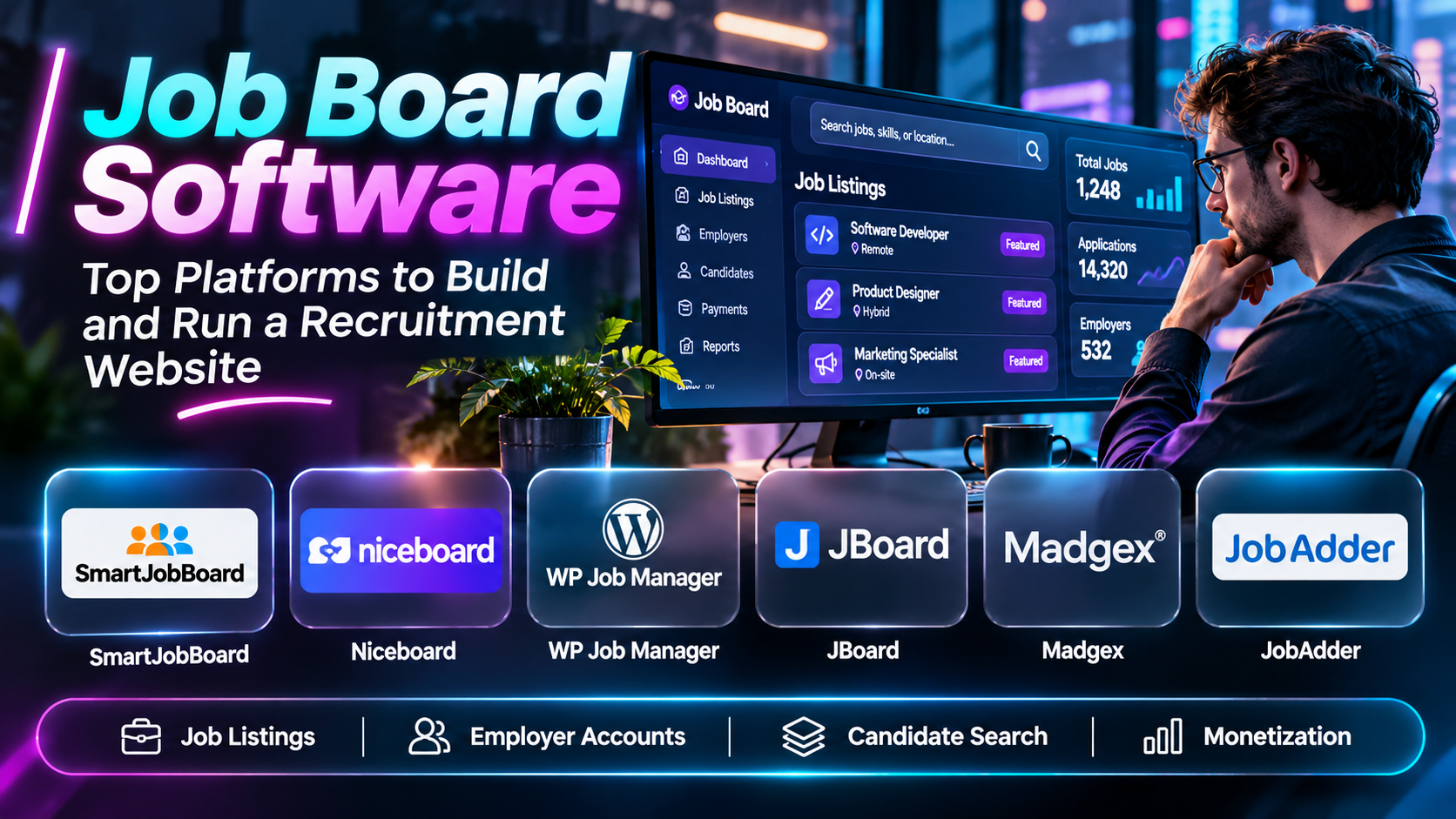
This article compares ten job board software solutions, examines their features and limitations, and explains how to select a platform for different recruitment business models.
What Is Job Board Software?
Job board software enables organizations to create websites or applications where employers publish job opportunities and candidates discover positions.
Unlike a general applicant tracking system, which primarily manages applications for an employer, job board software emphasizes publishing and distributing opportunities across a recruitment marketplace.
A typical platform may include employer accounts, candidate profiles, searchable listings, application forms, payment processing, subscriptions, resume databases, and reporting dashboards.
Some products combine job board and applicant tracking functionality, but the two categories serve different primary purposes.
Top 10 Job Board Software
1. SmartJobBoard
Short Description
SmartJobBoard is a hosted job board software platform designed for organizations creating dedicated recruitment websites.
It supports job listings, employer accounts, candidate profiles, and commercial recruitment workflows.
An industry association could use SmartJobBoard to operate a niche career website where member companies advertise vacancies.
Its value comes from offering purpose-built job board functionality without requiring a business to develop the entire platform independently.
The platform can be suitable for organizations that want to launch a commercial recruitment marketplace or monetize an existing professional community.
However, customization needs, subscription costs, and integration requirements should be evaluated before adoption.
Key Features
- Job Posting Management: Allows employers to create and maintain vacancies.
- Employer Accounts: Supports recruitment organizations and hiring companies.
- Candidate Profiles: Provides account-based job-seeker experiences.
- Job Search: Helps candidates filter and discover opportunities.
- Monetization: Supports paid job advertising models.
- Resume Database: Enables candidate information management.
- Website Customization: Supports job board branding and presentation.
- Administration: Provides controls for managing listings and accounts.
- Reporting: Helps operators monitor recruitment marketplace activity.
Benefits
SmartJobBoard reduces the technical work required to launch a dedicated recruitment website.
Pros
- Purpose-built functionality.
- Hosted deployment.
- Employer and candidate workflows.
- Monetization options.
- Niche job board suitability.
Cons
- Recurring subscription costs.
- Customization limitations.
- Integration work may be necessary.
- Platform dependency.
Use Cases
Industry job boards, association career portals, and commercial recruitment websites.
Best For: Organizations launching specialized job boards.
2. Niceboard
Short Description
Niceboard is a hosted job board platform emphasizing streamlined setup and monetization.
It is particularly relevant to communities, newsletters, and independent publishers seeking to launch niche employment websites.
For example, a technology newsletter could add a dedicated job board where employers pay to advertise relevant positions.
Niceboard offers an alternative to building custom recruitment infrastructure.
However, businesses requiring highly specialized workflows should verify the extent of available customization.
Key Features
- Hosted job board creation.
- Employer job submissions.
- Searchable listings.
- Payment collection.
- Job board branding.
- Candidate-facing pages.
- Administrative controls.
- Job distribution options.
- Marketplace analytics.
Benefits
Niceboard enables relatively straightforward creation of monetized niche job boards.
Pros
- Convenient setup.
- Monetization focus.
- Suitable for communities.
- Hosted infrastructure.
- Simple administration.
Cons
- Subscription expenses.
- Customization boundaries.
- Dependence on hosted services.
- Advanced enterprise requirements may exceed its scope.
Use Cases
Newsletter job boards, community recruitment websites, and industry-specific hiring portals.
Best For: Publishers and communities launching job boards.
3. JobBoard.io
Short Description
JobBoard.io is a hosted job board solution intended for organizations that want to operate branded recruitment websites.
It supports publishing vacancies and managing employer-facing job posting workflows.
An association could use the software to create a career destination for members and participating employers.
Its hosted approach reduces the need to manage servers and develop a job search interface from scratch.
However, prospective users should verify current product availability, pricing, and feature support.
Key Features
- Branded job board websites.
- Employer job submissions.
- Job listing management.
- Search functionality.
- Administrative dashboard.
- Job board monetization.
- Candidate discovery.
- Website configuration.
- Hosted operation.
Benefits
JobBoard.io offers a dedicated framework for operating recruitment listings.
Pros
- Job board specialization.
- Hosted model.
- Employer workflows.
- Branding options.
- Recruitment marketplace focus.
Cons
- Current commercial terms require verification.
- Limited control compared with custom software.
- Integration requirements.
- Hosting dependency.
Use Cases
Professional associations, niche employment sites, and recruitment publishers.
Best For: Organizations evaluating hosted job board solutions.
4. WP Job Manager
Short Description
WP Job Manager is a WordPress plugin that adds job listing functionality to WordPress websites.
It is relevant to businesses already using WordPress for publishing and content management.
A regional employment website could use WP Job Manager to add job listings alongside existing articles and resources.
Its WordPress foundation offers flexibility through themes, plugins, and developer customization.
However, site owners remain responsible for hosting, security, updates, and compatibility.
Key Features
- WordPress job listings.
- Front-end job submissions.
- Search and filtering.
- Employer workflows.
- Listing administration.
- Theme compatibility.
- Extensible functionality.
- Application management options.
- WordPress content integration.
Benefits
WP Job Manager allows existing WordPress sites to incorporate recruitment functionality.
Pros
- WordPress integration.
- Flexible customization.
- Developer ecosystem.
- Content website compatibility.
- Modular extensions.
Cons
- Hosting responsibility.
- Plugin compatibility.
- Security maintenance.
- Advanced features may require extensions.
Use Cases
WordPress recruitment websites, community job boards, and regional employment portals.
Best For: WordPress site owners.
5. JobRoller
Short Description
JobRoller is a WordPress job board theme historically offered through AppThemes.
It provides a recruitment-oriented website structure for publishing vacancies and managing job board content.
Its approach is useful for understanding theme-based job board deployment, where the recruitment interface is built into a website theme.
However, current maintenance, compatibility, and commercial availability must be verified.
Organizations starting new projects should prioritize actively maintained software.
Key Features — Historically Associated
- Job board website design.
- WordPress integration.
- Employer listings.
- Job search.
- Candidate workflows.
- Listing administration.
- Payment options.
- Website customization.
- Recruitment content management.
Benefits
JobRoller illustrates a WordPress theme-based approach to building recruitment websites.
Pros
- Dedicated job board design.
- WordPress familiarity.
- Integrated website structure.
- Recruitment-oriented layout.
- Historical market relevance.
Cons
- Maintenance status requires verification.
- Potential compatibility risks.
- Theme-based limitations.
- Not a preferred new deployment without validation.
Use Cases
Legacy job board maintenance and historical software comparisons.
Best For: Organizations evaluating existing JobRoller installations.
6. JBoard
Short Description
JBoard is a job board software platform designed to help organizations create and operate recruitment websites.
It emphasizes branded job listings, employer submissions, and revenue-generating recruitment services.
A professional community could use JBoard to build a focused job marketplace for its members.
Its dedicated job board functionality can simplify deployment compared with custom development.
However, buyers should compare branding flexibility, pricing, and integration capabilities.
Key Features
- Hosted job board.
- Employer accounts.
- Job submissions.
- Search and filters.
- Monetization.
- Website branding.
- Candidate workflows.
- Administration.
- Recruitment analytics.
Benefits
JBoard supports niche recruitment marketplaces with dedicated publishing tools.
Pros
- Purpose-built platform.
- Branded job boards.
- Employer functionality.
- Monetization support.
- Hosted operation.
Cons
- Recurring costs.
- Hosted customization limits.
- Integration needs.
- Platform dependence.
Use Cases
Niche recruitment sites, professional communities, and job board businesses.
Best For: Businesses seeking hosted recruitment marketplace infrastructure.
7. Madgex
Short Description
Madgex provides job board technology associated with recruitment advertising and professional publishing markets.
Its solutions are relevant to publishers and organizations operating established recruitment marketplaces.
A professional media company may use specialized job board technology to monetize employment advertising.
Compared with lightweight job board builders, enterprise-oriented solutions may provide more sophisticated commercial and integration capabilities.
However, implementation complexity and pricing can be greater.
Key Features
- Recruitment advertising.
- Job board infrastructure.
- Employer services.
- Candidate experiences.
- Commercial workflows.
- Reporting.
- Branding.
- Recruitment marketplace management.
- Enterprise integration options.
Benefits
Madgex supports professional recruitment advertising businesses.
Pros
- Publisher-oriented.
- Commercial recruitment focus.
- Established category experience.
- Enterprise applications.
- Recruitment advertising workflows.
Cons
- Potentially higher costs.
- Implementation complexity.
- Less suitable for very small boards.
- Requires detailed vendor evaluation.
Use Cases
Publisher job boards, professional recruitment marketplaces, and established career portals.
Best For: Recruitment publishers and larger job board operators.
8. JobAdder
Short Description
JobAdder is a recruitment software platform that combines applicant tracking and recruitment CRM functionality.
It is included as an adjacent solution because some recruitment businesses need to manage job advertising alongside candidate and client relationships.
A recruitment agency may use JobAdder to coordinate vacancies, candidate pipelines, and hiring activities.
However, it is not primarily a turnkey public job board builder.
Organizations should distinguish between operating a recruitment agency and launching a public employment marketplace.
Key Features
- Applicant tracking.
- Recruitment CRM.
- Job management.
- Candidate records.
- Recruitment workflows.
- Communication tools.
- Reporting.
- Integrations.
- Team collaboration.
Benefits
JobAdder helps recruitment teams manage hiring workflows around advertised vacancies.
Pros
- Recruitment operations.
- Candidate management.
- Agency workflows.
- CRM functionality.
- Integration potential.
Cons
- Not a standalone job board builder.
- Subscription costs.
- Implementation requirements.
- Public marketplace features may need other tools.
Use Cases
Recruitment agencies and staffing businesses.
Best For: Recruitment teams needing operational software alongside job advertising.
9. Broadbean
Short Description
Broadbean is a recruitment technology platform associated with job advertising distribution and candidate sourcing.
Rather than providing a complete job board website builder, it helps recruitment organizations manage job advertisement distribution across channels.
A recruitment agency may use Broadbean to publish vacancies to multiple employment websites.
Its inclusion highlights an important adjacent category: job distribution software.
However, organizations seeking to operate their own job board still need suitable website infrastructure.
Key Features
- Job advertisement distribution.
- Multi-channel posting.
- Recruitment integrations.
- Candidate sourcing support.
- Advertising workflows.
- Job campaign management.
- Recruitment reporting.
- Workflow efficiency.
- Recruitment technology connectivity.
Benefits
Broadbean reduces repetitive job advertisement publishing across recruitment channels.
Pros
- Multi-channel distribution.
- Recruitment workflow efficiency.
- Established advertising focus.
- Agency relevance.
- Integration potential.
Cons
- Not a public job board builder.
- Commercial pricing.
- Integration requirements.
- Dependent on external advertising channels.
Use Cases
Recruitment agencies, staffing companies, and high-volume job advertising.
Best For: Teams distributing job advertisements across multiple boards.
10. eJobSiteSoftware
Short Description
eJobSiteSoftware provides job board software designed for creating employment and recruitment websites.
It is relevant to businesses seeking customizable recruitment portal infrastructure.
A company could use a solution of this type to launch a regional employment marketplace with employer accounts and candidate search.
Its approach may appeal to organizations that want more control over job board deployment and customization.
However, implementation requirements, hosting arrangements, and current support should be evaluated carefully.
Key Features
- Job portal development.
- Employer registration.
- Candidate accounts.
- Resume management.
- Job search.
- Application workflows.
- Administrative tools.
- Monetization options.
- Website customization.
Benefits
eJobSiteSoftware supports development of dedicated recruitment portals.
Pros
- Recruitment portal focus.
- Customization possibilities.
- Employer and candidate functionality.
- Commercial job board use.
- Dedicated software category.
Cons
- Technical setup may be required.
- Hosting and maintenance considerations.
- Vendor support verification.
- Customization costs.
Use Cases
Regional job portals, recruitment businesses, and custom employment marketplaces.
Best For: Organizations seeking configurable job board infrastructure.
Job Board Software Comparison Table
| Software | Main Category | Best For | Key Consideration |
|---|---|---|---|
| SmartJobBoard | Hosted job board | Niche recruitment sites | Subscription |
| Niceboard | Hosted job board | Communities | Customization |
| JobBoard.io | Hosted job board | Associations | Current terms |
| WP Job Manager | WordPress plugin | WordPress sites | Maintenance |
| JobRoller | Legacy WordPress theme | Existing sites | Support status |
| JBoard | Hosted job board | Recruitment startups | Platform dependency |
| Madgex | Publisher job board technology | Enterprise publishers | Complexity |
| JobAdder | Recruitment ATS/CRM | Agencies | Adjacent category |
| Broadbean | Job distribution | Recruiters | Not a job board builder |
| eJobSiteSoftware | Recruitment portal software | Custom job boards | Implementation |
How to Choose the Right Job Board Software
1. Define your business model. Determine whether the board serves a community, publisher, staffing agency, or commercial marketplace.
2. Identify essential workflows. Review employer registration, vacancy publishing, candidate search, and applications.
3. Evaluate monetization. Consider paid listings, subscriptions, featured jobs, and employer packages.
4. Assess search quality. Candidates should be able to find relevant opportunities quickly.
5. Review integrations. Check connections with applicant tracking systems, payments, analytics, and email services.
6. Consider SEO. Job pages should have useful metadata, appropriate structured data, and discoverable content.
7. Check security and privacy. Candidate information requires appropriate protection.
8. Compare deployment models. Hosted software reduces infrastructure work, while self-hosted tools offer greater control.
9. Evaluate scalability. Consider employer growth, listing volume, and traffic.
10. Calculate total cost. Include software, hosting, development, maintenance, and support.
Best Job Board Software by User Type
| User Type | Recommended Software | Reason |
|---|---|---|
| Niche job board startup | SmartJobBoard | Dedicated functionality |
| Newsletter publisher | Niceboard | Simple monetization |
| Professional association | JobBoard.io | Branded recruitment |
| WordPress publisher | WP Job Manager | Website integration |
| Legacy theme operator | JobRoller | Existing compatibility |
| Recruitment community | JBoard | Hosted infrastructure |
| Recruitment publisher | Madgex | Commercial focus |
| Recruitment agency | JobAdder | ATS and CRM |
| High-volume advertiser | Broadbean | Job distribution |
| Custom portal operator | eJobSiteSoftware | Configurable deployment |
Practical Example: Launching a Niche Technology Job Board
Step 1: Define the target audience and employment category.
Step 2: Interview employers and job seekers about their needs.
Step 3: Choose a hosted or self-hosted job board platform.
Step 4: Configure employer registration and job posting.
Step 5: Create candidate search and filtering options.
Step 6: Set up payment plans for employers.
Step 7: Establish moderation and privacy policies.
Step 8: Publish useful job category and location pages.
Step 9: Test the complete application journey.
Step 10: Launch with a small group of employers.
Step 11: Measure listings, applications, and employer retention.
Step 12: Improve the marketplace based on actual usage.
Frequently Asked Questions
1. What is job board software?
Software for creating and operating employment listing websites.
2. How does a job board make money?
Through job advertisements, subscriptions, and other recruitment services.
3. Is a job board the same as an ATS?
No. An ATS primarily manages hiring applications.
4. Can I create a job board without coding?
Yes, using hosted platforms.
5. Can WordPress support job boards?
Yes, through plugins such as WP Job Manager.
6. What is a niche job board?
A job board focused on a specific industry, profession, or community.
7. What is a resume database?
A collection of candidate profiles or resumes.
8. What is a featured job?
A listing receiving additional promotional visibility.
9. Can employers pay to post jobs?
Many platforms support paid listings.
10. What is job board SEO?
Optimizing job pages and site structure for search discovery.
11. What is job posting structured data?
Machine-readable information describing a job opportunity.
12. Do job boards need candidate accounts?
Not always, but accounts can support saved searches and applications.
13. Can job boards integrate with an ATS?
Some support integrations or application links.
14. What is job distribution software?
Software that publishes advertisements across multiple channels.
15. Is Broadbean a job board builder?
No, its primary focus is job advertisement distribution.
16. Can job boards serve local markets?
Yes.
17. What is employer self-service?
Allowing employers to manage their own listings and accounts.
18. Are hosted job boards easier to maintain?
They generally reduce infrastructure responsibilities.
19. What is a self-hosted job board?
Software operated on infrastructure controlled by the website owner.
20. Do job boards require payment processing?
Only when monetizing paid services directly.
21. Can a job board support remote jobs?
Yes.
22. What is candidate matching?
Identifying opportunities or candidates based on relevant criteria.
23. How can fake listings be prevented?
Through moderation, employer verification, and reporting mechanisms.
24. Is candidate privacy important?
Yes, particularly when collecting resumes and contact information.
25. What metrics should operators track?
Job postings, applications, conversions, and employer retention.
26. Can job boards support multiple languages?
Some platforms offer multilingual options.
27. How do I attract employers?
Develop a relevant audience and demonstrate recruitment value.
28. How do I attract candidates?
Publish useful listings and provide a reliable search experience.
29. What is the main challenge in launching a job board?
Building sufficient employer and candidate participation.
30. Which job board software is best?
The best option depends on business model, budget, and technical requirements.
Final Thoughts
Job board software helps organizations create and manage specialized recruitment marketplaces.
SmartJobBoard, Niceboard, JBoard, and JobBoard.io provide hosted approaches. WP Job Manager offers WordPress integration, while Madgex serves more established recruitment publishing requirements.
JobAdder and Broadbean address adjacent recruitment workflows rather than complete public job board creation.
Organizations should select software based on employer experience, candidate search quality, monetization requirements, security, and long-term operational costs.
