Introduction
Large AI models can deliver impressive results, but their computational requirements often make deployment expensive.
A model may require substantial GPU memory, produce responses slowly, or consume more power than an application can justify.
These limitations are especially important for edge devices, mobile applications, and high-volume inference services.
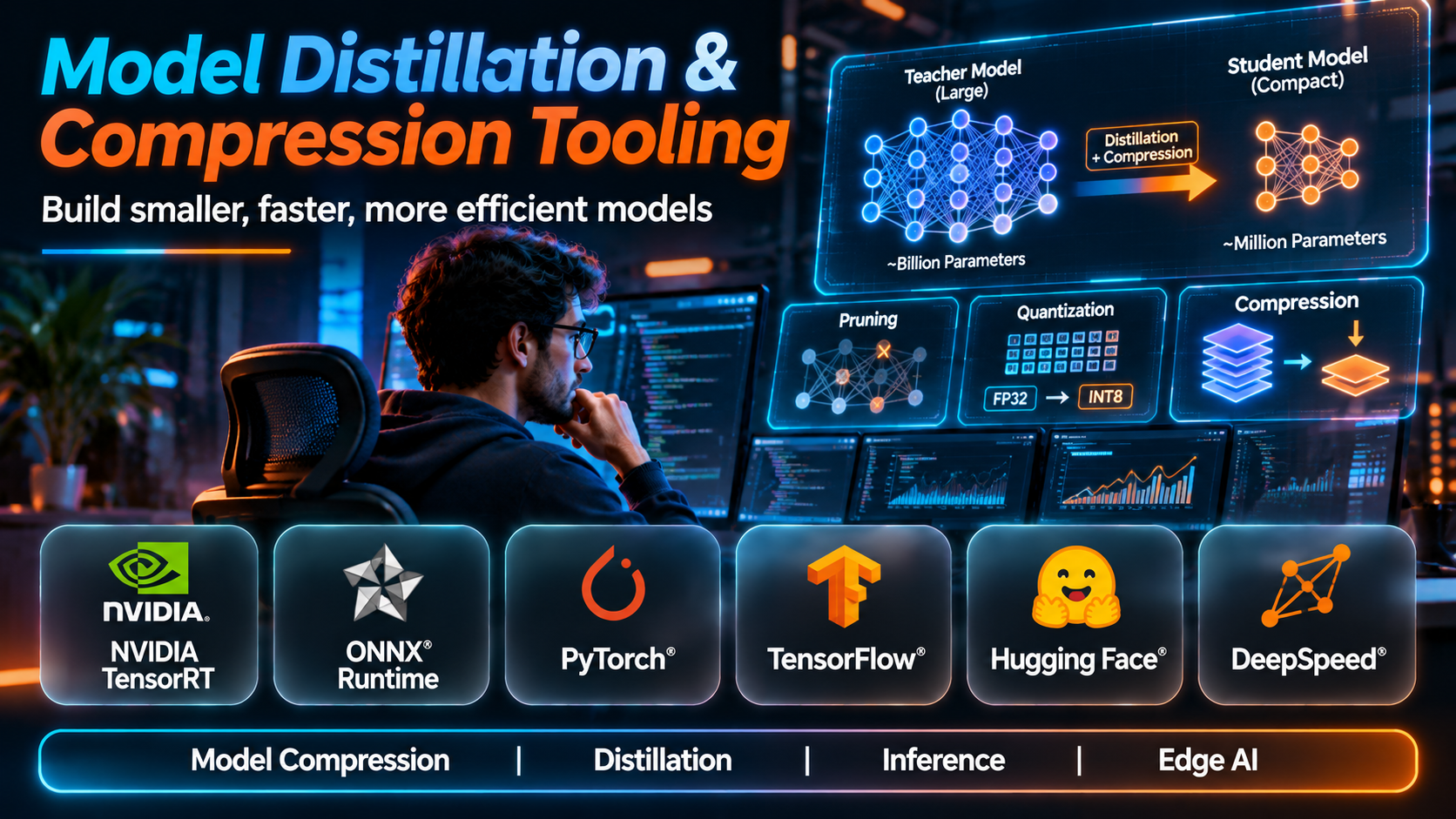
Model distillation and compression techniques help developers reduce resource requirements while preserving acceptable model quality.
Different techniques address different bottlenecks. Knowledge distillation transfers useful behavior from a larger model to a smaller one. Quantization reduces numerical precision. Pruning removes selected parameters or structures, while optimized runtimes improve execution efficiency.
The right approach depends on model architecture, hardware, accuracy requirements, and deployment constraints.
This guide compares ten tools and frameworks used in model distillation, quantization, pruning, and deployment optimization.
What Are Model Distillation & Compression Tools?
Model distillation and compression tools help developers create smaller, faster, or more efficient machine learning models.
Knowledge distillation typically involves training a student model to reproduce useful behavior from a teacher model.
Compression may also involve quantization, pruning, low-rank techniques, or other parameter reduction methods.
These techniques can reduce memory consumption, inference latency, storage requirements, or infrastructure costs.
However, compression may also reduce model accuracy, change output behavior, or introduce compatibility problems.
An effective workflow therefore includes benchmarking before and after optimization.
Top 10 Model Distillation & Compression Tools
1. Hugging Face Transformers
Short Description
Hugging Face Transformers is an open-source library providing model architectures, pretrained checkpoints, and training utilities for a wide range of machine learning tasks.
Although it is not exclusively a compression framework, it is frequently used as the foundation for knowledge distillation workflows.
A developer may load a large teacher model and a smaller student model, generate training targets, and implement a distillation loss using the surrounding training ecosystem.
Transformers also integrates with tools for quantization and efficient fine-tuning.
Its flexibility is valuable, but distillation usually requires custom training logic rather than a single universal command.
Key Features
- Pretrained Models: Provides access to supported model architectures and checkpoints.
- Training Utilities: Supports model fine-tuning and custom training workflows.
- Teacher-Student Workflows: Enables custom knowledge distillation implementations.
- Tokenizer Integration: Supports consistent text preprocessing.
- Model Configuration: Allows architecture and training adjustments.
- Quantization Integrations: Works with supported optimization libraries.
- Model Export: Supports conversion workflows for deployment.
- Dataset Integration: Connects with compatible training data tools.
- Open-Source Ecosystem: Provides broad community resources.
Benefits
Transformers gives researchers a flexible foundation for building custom compression pipelines.
Pros
- Broad model support.
- Large ecosystem.
- Flexible training.
- Useful integrations.
- Open-source.
Cons
- Distillation often requires custom code.
- Hardware requirements vary.
- Compatibility differs by architecture.
- Experiment management is the developer’s responsibility.
Use Cases
LLM distillation research, student model training, and compression experiments.
Best For: Researchers implementing custom knowledge distillation workflows.
2. NVIDIA TensorRT
Short Description
NVIDIA TensorRT is an inference optimization SDK designed to improve model execution on supported NVIDIA hardware.
Its focus is deployment performance rather than knowledge distillation itself.
A computer vision team may convert a trained model into an optimized inference engine for a compatible GPU environment.
TensorRT can use supported precision formats and execution optimizations to improve latency or throughput.
However, results depend on model architecture, hardware, precision settings, and workload characteristics.
Developers must validate both numerical behavior and application-level accuracy after optimization.
Key Features
- Inference optimization.
- Reduced-precision execution.
- Layer optimization.
- Engine building.
- NVIDIA GPU acceleration.
- Model conversion workflows.
- Performance profiling.
- Runtime integration.
- Deployment optimization.
Benefits
TensorRT can improve inference efficiency on compatible NVIDIA GPUs.
Pros
- Hardware-specific optimization.
- Strong performance potential.
- Reduced-precision support.
- Production deployment relevance.
- Suitable for vision workloads.
Cons
- NVIDIA hardware dependency.
- Model compatibility considerations.
- Engine configuration complexity.
- Accuracy validation required.
Use Cases
GPU inference acceleration, computer vision deployment, and optimized model execution.
Best For: Teams deploying models on NVIDIA GPUs.
3. Intel Neural Compressor
Short Description
Intel Neural Compressor is an open-source model optimization toolkit focused on compression and inference efficiency.
It supports optimization approaches such as quantization for compatible model architectures and hardware environments.
An enterprise using Intel-based infrastructure may evaluate the toolkit to reduce inference resource requirements.
The framework can help developers explore performance and accuracy tradeoffs across supported configurations.
However, the available techniques depend on model frameworks, software versions, and target hardware.
Key Features
- Model quantization.
- Compression workflows.
- Accuracy evaluation.
- Performance optimization.
- Framework integration.
- Hardware-aware optimization.
- Configuration tools.
- Model benchmarking.
- Open-source development.
Benefits
Intel Neural Compressor helps developers optimize compatible models for efficient execution.
Pros
- Open-source.
- Quantization focus.
- Hardware-aware optimization.
- Accuracy-performance analysis.
- Useful for supported Intel environments.
Cons
- Compatibility restrictions.
- Configuration complexity.
- Hardware-specific benefits.
- Requires careful benchmarking.
Use Cases
CPU inference optimization, model quantization, and enterprise deployment.
Best For: Teams optimizing models for supported Intel hardware.
4. ONNX Runtime
Short Description
ONNX Runtime is a cross-platform inference and training acceleration system supporting models in the ONNX format.
It includes optimization and quantization capabilities that can reduce model execution costs.
A developer may export a model from a training framework and use ONNX Runtime to deploy it across compatible environments.
Its execution provider architecture supports different hardware backends.
This flexibility makes it relevant to organizations deploying models across CPUs, GPUs, and edge devices.
However, conversion accuracy and operator compatibility must be tested carefully.
Key Features
- ONNX model execution.
- Graph optimization.
- Quantization.
- Execution providers.
- Cross-platform deployment.
- Model profiling.
- Runtime APIs.
- Hardware acceleration.
- Inference optimization.
Benefits
ONNX Runtime supports efficient deployment across varied hardware environments.
Pros
- Cross-platform.
- Broad hardware options.
- Quantization tools.
- Production-oriented runtime.
- Framework interoperability.
Cons
- Model conversion effort.
- Operator compatibility.
- Optimization varies by backend.
- Requires performance testing.
Use Cases
Edge inference, cross-platform model deployment, and quantized model serving.
Best For: Teams deploying optimized models across different devices.
5. PyTorch TorchAO
Short Description
TorchAO is a PyTorch ecosystem project focused on model optimization techniques such as quantization and related efficiency improvements.
It is relevant to developers working with PyTorch models who want to reduce memory usage or improve execution efficiency.
A language model engineer may evaluate TorchAO when experimenting with lower-precision weights and compatible inference workflows.
Its close relationship with PyTorch makes it attractive to teams already using that framework.
However, support varies by model, operation, hardware, and software version.
Key Features
- PyTorch model optimization.
- Quantization workflows.
- Low-precision techniques.
- Memory efficiency.
- Model transformation.
- Framework integration.
- Performance experimentation.
- Hardware-aware execution.
- Open-source development.
Benefits
TorchAO provides PyTorch-oriented tools for exploring efficient model representations.
Pros
- PyTorch integration.
- Open-source.
- Modern optimization techniques.
- Memory reduction potential.
- Research flexibility.
Cons
- Evolving APIs.
- Hardware compatibility differences.
- Requires experimentation.
- Not a complete distillation platform.
Use Cases
PyTorch quantization, LLM efficiency research, and inference optimization.
Best For: PyTorch developers exploring model compression.
6. Neural Magic / DeepSparse
Short Description
DeepSparse is historically associated with Neural Magic’s CPU inference optimization technology, particularly sparse model execution.
The approach emphasizes efficient inference for models that have been compressed or structured for sparse computation.
A team deploying models on CPU infrastructure may evaluate sparse inference concepts to reduce reliance on expensive accelerators.
However, Neural Magic’s product portfolio and commercial availability have changed following its acquisition by Red Hat.
Organizations should verify the current status of DeepSparse and related offerings before considering new deployment.
Key Features — Historically Associated
- Sparse model inference.
- CPU optimization.
- Model execution acceleration.
- Quantized model support.
- Deployment APIs.
- Performance benchmarking.
- Model integration.
- Sparse computation.
- Inference serving workflows.
Benefits
DeepSparse demonstrates how sparsity can improve inference efficiency under suitable conditions.
Pros
- Sparse inference focus.
- CPU deployment relevance.
- Compression-oriented architecture.
- Performance optimization concepts.
- Useful historical reference.
Cons
- Current availability requires verification.
- Model compatibility restrictions.
- Not a dependable default for new procurement.
- Performance depends on sparsity and hardware.
Use Cases
Sparse inference research, legacy deployments, and CPU optimization analysis.
Best For: Teams studying sparse inference or maintaining compatible deployments.
7. SparseML
Short Description
SparseML is an open-source optimization toolkit historically developed by Neural Magic.
It supports techniques associated with model sparsification, pruning, and quantization.
A model engineer may use sparse optimization workflows to reduce model size or computational requirements.
The toolkit’s relevance comes from its focus on modifying model structure rather than only optimizing runtime execution.
However, maintenance status, compatibility, and its relationship with current Neural Magic and Red Hat offerings should be reviewed before adoption.
Key Features
- Model pruning.
- Sparsification.
- Quantization workflows.
- Compression recipes.
- Training integration.
- Model optimization.
- Performance evaluation.
- Framework compatibility.
- Open-source tooling.
Benefits
SparseML provides methods for exploring structured model compression and sparsity.
Pros
- Compression-focused.
- Open-source.
- Pruning capabilities.
- Useful optimization concepts.
- Research applications.
Cons
- Maintenance status requires review.
- Compatibility varies.
- Compression may reduce accuracy.
- Workflow complexity.
Use Cases
Model pruning, sparsity research, and compression experiments.
Best For: Researchers studying sparse model optimization.
8. Qualcomm AI Hub
Short Description
Qualcomm AI Hub is a platform designed to help developers optimize and deploy supported AI models on compatible Qualcomm-powered devices.
Its relevance is strongest in mobile and edge AI environments.
A developer building an on-device image recognition application may use Qualcomm AI Hub to evaluate model performance and deployment compatibility.
The platform can support model optimization and hardware-specific workflows.
However, its focus is on deployment to supported hardware rather than general-purpose teacher-student distillation.
Key Features
- Model optimization.
- Device-targeted workflows.
- Performance profiling.
- Supported model conversion.
- Hardware compatibility testing.
- Edge AI deployment.
- Model execution analysis.
- Optimization pipelines.
- Developer tooling.
Benefits
Qualcomm AI Hub helps developers prepare models for supported mobile and edge devices.
Pros
- Edge deployment focus.
- Hardware-specific optimization.
- Useful performance profiling.
- Mobile AI relevance.
- Developer workflows.
Cons
- Hardware ecosystem focus.
- Model compatibility limits.
- Not a universal distillation framework.
- Device availability considerations.
Use Cases
Mobile inference, edge computer vision, and on-device AI optimization.
Best For: Developers deploying models on supported Qualcomm devices.
9. Apple Core ML Tools
Short Description
Core ML Tools is an open-source toolkit for converting and optimizing machine learning models for Apple’s Core ML ecosystem.
It is particularly relevant to developers building AI features for Apple devices.
A mobile developer may convert a trained model and apply supported optimization techniques before deploying it in an iOS application.
The toolkit includes model compression capabilities that can reduce storage or memory requirements.
However, optimization benefits depend on model architecture and the target Apple hardware.
Key Features
- Model conversion.
- Core ML integration.
- Quantization.
- Weight compression.
- Model optimization.
- Apple hardware deployment.
- Model validation.
- Framework interoperability.
- On-device inference workflows.
Benefits
Core ML Tools helps developers optimize models for supported Apple devices.
Pros
- Apple ecosystem integration.
- On-device deployment.
- Compression capabilities.
- Open-source.
- Useful mobile workflows.
Cons
- Apple-focused.
- Conversion limitations.
- Model compatibility varies.
- Requires device-specific testing.
Use Cases
iOS AI applications, on-device inference, and Apple model optimization.
Best For: Developers targeting Apple hardware.
10. AutoGPTQ
Short Description
AutoGPTQ is an open-source project associated with post-training quantization of large language models using GPTQ techniques.
It helped popularize workflows for reducing the memory requirements of supported language models.
A developer may use GPTQ-style quantization to fit a compatible model into a smaller GPU memory budget.
However, AutoGPTQ’s maintenance status has changed, and newer quantization tools or integrations may be more suitable for new deployments.
Organizations should evaluate current compatibility and support rather than assuming historical workflows remain recommended.
Key Features — Historically Associated
- Post-training quantization.
- GPTQ techniques.
- Lower-bit model weights.
- Memory reduction.
- LLM optimization.
- Model conversion.
- Quantized inference compatibility.
- GPU-oriented workflows.
- Open-source implementation.
Benefits
AutoGPTQ illustrates how post-training quantization can reduce model memory requirements.
Pros
- Influential quantization approach.
- Memory savings potential.
- Open-source.
- LLM-focused.
- Useful research reference.
Cons
- Maintenance status concerns.
- Model compatibility limitations.
- Quality degradation risk.
- Newer alternatives may be preferable.
Use Cases
Legacy quantized model workflows and GPTQ research.
Best For: Researchers examining GPTQ techniques and existing compatible deployments.
Model Distillation & Compression Tools Comparison Table
| Tool | Main Technique | Best For | Main Limitation |
|---|---|---|---|
| Hugging Face Transformers | Custom distillation | Researchers | Custom training required |
| NVIDIA TensorRT | Runtime optimization | NVIDIA GPU users | Hardware dependency |
| Intel Neural Compressor | Quantization | Intel environments | Compatibility |
| ONNX Runtime | Quantization and execution | Cross-platform teams | Conversion effort |
| TorchAO | PyTorch optimization | PyTorch developers | Evolving APIs |
| DeepSparse | Sparse inference | Legacy CPU workflows | Product status |
| SparseML | Pruning and sparsity | Compression researchers | Maintenance review |
| Qualcomm AI Hub | Edge optimization | Mobile developers | Hardware focus |
| Core ML Tools | Apple model compression | Apple developers | Ecosystem dependency |
| AutoGPTQ | GPTQ quantization | Legacy LLM workflows | Maintenance concerns |
How to Choose the Right Model Compression Tool
1. Define the Optimization Objective
Decide whether the goal is smaller storage, lower memory consumption, faster inference, or reduced energy use.
2. Identify the Model Architecture
Compression support varies significantly across model families.
3. Choose the Appropriate Technique
Distillation, quantization, pruning, and runtime optimization solve different problems.
4. Establish a Quality Baseline
Evaluate the original model before applying changes.
5. Consider Target Hardware
Optimization benefits depend on CPUs, GPUs, accelerators, and supported precision formats.
6. Evaluate Training Requirements
Knowledge distillation may require additional training data and substantial compute.
7. Measure Real Inference Performance
Reduced model size does not always translate into lower latency.
8. Review Compatibility
Check support for operators, frameworks, and deployment runtimes.
9. Test Failure Cases
Compression can affect uncommon inputs more severely than average benchmark scores suggest.
10. Compare Total Cost
Include optimization effort, training expense, infrastructure savings, and maintenance.
Best Model Distillation & Compression Tool by User Type
| User Type | Recommended Tool | Reason |
|---|---|---|
| Distillation researcher | Hugging Face Transformers | Flexible training |
| NVIDIA GPU engineer | TensorRT | GPU optimization |
| Intel infrastructure team | Intel Neural Compressor | Quantization |
| Cross-platform developer | ONNX Runtime | Broad deployment |
| PyTorch engineer | TorchAO | Framework integration |
| Sparse inference researcher | DeepSparse | Historical sparse execution |
| Pruning researcher | SparseML | Sparsity techniques |
| Qualcomm device developer | Qualcomm AI Hub | Edge optimization |
| iOS developer | Core ML Tools | Apple deployment |
| GPTQ researcher | AutoGPTQ | Quantization reference |
Practical Example: Compressing a Language Model for Lower-Cost Inference
Step 1: Select a model that meets the application’s quality requirements.
Step 2: Measure its baseline memory usage, latency, and output quality.
Step 3: Identify the target deployment hardware.
Step 4: Choose a supported quantization method.
Step 5: Prepare a representative calibration or evaluation dataset.
Step 6: Generate an optimized model artifact.
Step 7: Validate model loading and runtime compatibility.
Step 8: Evaluate accuracy on representative tasks.
Step 9: Benchmark latency, throughput, and memory usage.
Step 10: Compare operating costs against the original model.
Step 11: Investigate cases where output quality declined.
Step 12: Deploy only after confirming acceptable quality and reliability.
Frequently Asked Questions
1. What is model compression?
Reducing the resource requirements of a machine learning model.
2. What is knowledge distillation?
Training a student model using information from a teacher model.
3. What is a teacher model?
A model that provides learning signals to a student.
4. What is a student model?
A model trained to reproduce useful behavior from a teacher.
5. What is quantization?
Representing model values with lower numerical precision.
6. What is post-training quantization?
Quantization applied after the main model training process.
7. What is quantization-aware training?
Training that accounts for the effects of quantization.
8. What is pruning?
Removing selected model parameters or structures.
9. What is structured pruning?
Removing organized structures such as channels or blocks.
10. What is unstructured pruning?
Removing individual weights according to a pruning strategy.
11. What is sparsity?
A model representation containing many zero or inactive values.
12. Does sparsity always improve speed?
No. Runtime and hardware support matter.
13. Can compression reduce memory usage?
Yes.
14. Can compression reduce latency?
Sometimes, depending on implementation and hardware.
15. Does compression always preserve accuracy?
No.
16. What is model calibration?
Using representative data to configure or evaluate certain optimization methods.
17. What is an inference engine?
Software that executes model computations.
18. What is a low-bit model?
A model using reduced numerical precision for selected values.
19. What is INT8?
An eight-bit integer numerical representation.
20. What is INT4?
A four-bit integer representation.
21. Can models run on CPUs?
Yes, when architecture and performance requirements permit.
22. What is edge AI?
AI processing performed on or near local devices.
23. Why compress models for mobile devices?
To reduce storage, memory, and compute requirements.
24. What is a model checkpoint?
A saved representation of model parameters and related state.
25. Can distillation require expensive training?
Yes.
26. Is quantization the same as distillation?
No. They use different methods.
27. Can multiple compression methods be combined?
Yes, when technically compatible.
28. What is a compression-quality tradeoff?
The relationship between resource savings and model performance changes.
29. How should compression be evaluated?
Compare quality, latency, throughput, memory, and cost against a baseline.
30. Which model compression tool is best?
The right tool depends on model architecture, optimization goals, and target hardware.
Final Thoughts
Model compression helps make AI systems more practical to deploy, but different tools address different optimization challenges.
Hugging Face Transformers supports custom distillation workflows. TensorRT, ONNX Runtime, Intel Neural Compressor, TorchAO, Qualcomm AI Hub, and Core ML Tools provide optimization capabilities for different frameworks and hardware environments.
SparseML, DeepSparse, and AutoGPTQ illustrate important compression techniques, although their current maintenance and deployment suitability require careful review.
The best optimization process begins with measurable deployment requirements and ends with verified improvements in efficiency without unacceptable quality loss.
