Introduction
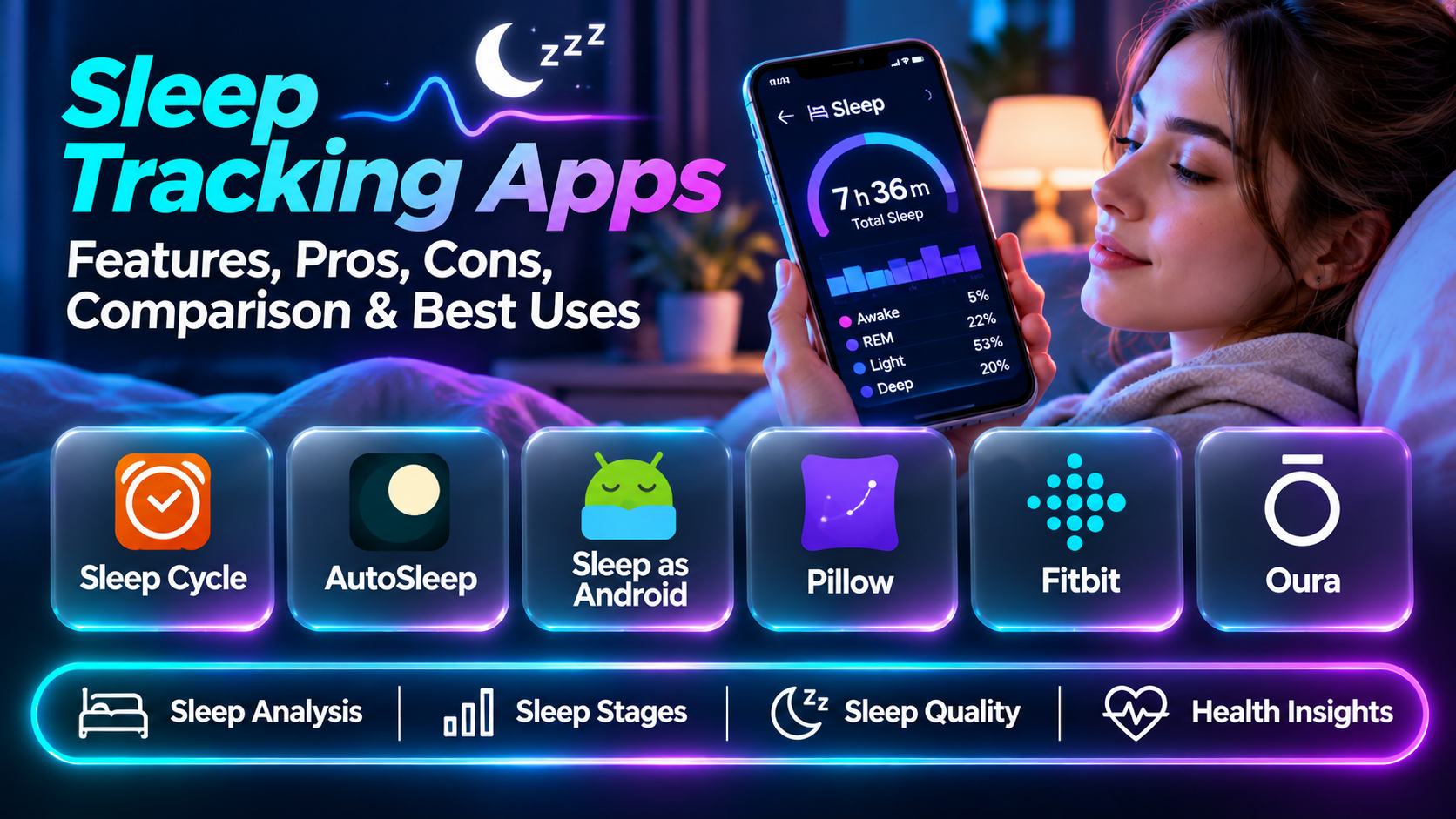
Sleep tracking apps help people understand their nightly routines by recording estimated sleep duration, bedtime patterns, nighttime movement, and other available signals. Some operate through smartphones, while others work with smartwatches, rings, or dedicated sleep sensors.
These tools can make patterns easier to notice. For example, someone may discover that their bedtime changes substantially on weekends or that their sleep duration is shorter than expected during busy workweeks.
Modern sleep applications often include dashboards, trends, reminders, smart alarms, and estimated sleep stages. Wearable-connected platforms may also display heart rate, movement, or temperature-related information.
However, sleep tracking data must be interpreted carefully. Consumer applications generally estimate sleep rather than directly measuring the brain activity used in clinical sleep studies. Sleep-stage percentages and proprietary scores should not be treated as medical diagnoses.
The best sleep tracking app provides understandable information without making users anxious about achieving perfect nightly scores.
This guide compares ten established sleep tracking applications, their features, strengths, limitations, and practical use cases.
What Are Sleep Tracking Apps?
Sleep tracking apps are software applications that record, estimate, and display information about sleep patterns.
They may collect data from phone sensors, microphones, smartwatches, fitness bands, smart rings, or specialized sleep-monitoring devices.
Their capabilities depend on the hardware and algorithms involved.
Common functions include sleep duration estimates, bedtime and wake-time tracking, movement analysis, snoring-related sound detection, sleep-stage estimates, alarms, historical trends, and wellness integrations.
A phone-only application may be convenient for users who do not want to wear a device overnight. A wearable-connected app may provide additional physiological measurements, although these measurements still have limitations.
The primary goal should be understanding general patterns and supporting healthy routines rather than treating every nightly estimate as exact.
Top 10 Sleep Tracking Apps
1. Sleep Cycle
Short Description
Sleep Cycle is a sleep tracking application known for combining nighttime monitoring with a smart alarm experience. It is designed for people who want to understand sleep patterns while maintaining a convenient morning wake-up routine.
The application uses supported phone or wearable signals to estimate sleep-related activity. Its interface presents nightly summaries and trends that help users compare sleep routines over time.
For example, an office worker may use Sleep Cycle to examine how irregular bedtimes correspond with their perceived morning energy. The app can also provide a wake-up window intended to make the alarm experience more comfortable.
Sleep Cycle is particularly appealing to users who want sleep monitoring without adopting a complex health dashboard. Its emphasis on the nightly experience and morning routine makes it approachable.
However, microphone-based or movement-based analysis is affected by sleeping arrangements, environmental noise, and device placement. The smart alarm does not guarantee better sleep, and sleep-stage estimates should not be interpreted as clinical measurements.
Key Features
- Sleep monitoring: Estimates nighttime sleep patterns using supported sensors.
- Smart alarm: Offers a configurable wake-up window.
- Sleep graphs: Visualizes estimated nightly sleep activity.
- Historical trends: Helps compare nights and longer-term patterns.
- Sound detection: Supports selected nighttime sound features.
- Sleep notes: Allows users to record relevant bedtime factors.
- Sleep goals: Supports routine-oriented targets.
- Wearable integration: Offers supported smartwatch functionality.
- Reports: Summarizes patterns through available reporting features.
Benefits
Sleep Cycle provides a straightforward way to review sleep patterns and establish more consistent wake-up routines.
Pros
- Accessible interface.
- Smart alarm functionality.
- Nightly trend visualization.
- Phone-based monitoring options.
- Useful routine-related features.
Cons
- Sensor estimates are imperfect.
- Noise and placement can affect recordings.
- Advanced features may require a subscription.
- Sleep scores are not diagnostic.
Use Cases
Daily sleep monitoring, bedtime consistency, smart alarms, and general wellness awareness.
Best For: People seeking a convenient sleep tracker with a smart alarm.
2. AutoSleep
Short Description
AutoSleep is a sleep tracking application built around Apple Watch sleep data and Apple-device workflows. It is particularly relevant to people who regularly wear an Apple Watch overnight.
Its approach emphasizes automatic collection and detailed visualization of sleep-related information without requiring users to manually begin every tracking session.
An Apple Watch owner might use AutoSleep to examine bedtime consistency, estimated sleep duration, and patterns in available physiological measurements.
The app offers a more detailed analysis environment than a simple bedtime diary. Users who enjoy exploring trends may appreciate the variety of metrics and historical views.
However, this depth introduces complexity. New users may need time to understand its indicators and configuration options.
AutoSleep is also tied to the Apple ecosystem, making it unsuitable for people who primarily use Android phones or non-Apple wearables.
Key Features
- Automatic sleep detection through supported Apple Watch data.
- Sleep duration estimates.
- Detailed sleep dashboards.
- Historical sleep trends.
- Heart-rate-related information.
- Sleep quality indicators.
- Apple Health integration.
- Sleep routine analysis.
- Configurable tracking preferences.
Benefits
AutoSleep offers detailed sleep analysis for Apple Watch users.
Pros
- Strong Apple Watch orientation.
- Automatic tracking.
- Detailed reports.
- Historical comparisons.
- Apple Health integration.
Cons
- Requires compatible Apple hardware for its core experience.
- Extensive metrics may overwhelm beginners.
- Estimates are not clinical measurements.
- Device wear and battery management matter.
Use Cases
Apple Watch sleep tracking, nightly pattern analysis, and personal wellness dashboards.
Best For: Apple Watch owners who want detailed sleep information.
3. Sleep as Android
Short Description
Sleep as Android is a sleep tracking and alarm application designed primarily for Android users. It combines sleep monitoring with configurable alarms, sleep-related sound features, and supported wearable integrations.
Its flexibility makes it attractive to users who want more control over how sleep monitoring operates.
For example, an Android user may configure a smart alarm, explore snoring-related recordings, and review estimated sleep patterns across several weeks.
The platform also supports integrations with selected devices and services, making it relevant to people who already use Android-based wellness tools.
Its customization capabilities are a strength, but they can create a more complicated setup process than simpler applications.
Users should test the app with their particular phone and wearable combination because available features and measurement quality depend on hardware compatibility.
Key Features
- Sleep duration tracking.
- Smart alarm configuration.
- Supported wearable integrations.
- Sleep graphs.
- Snoring-related monitoring.
- Sleep routine reminders.
- Alarm customization.
- Historical sleep statistics.
- Android ecosystem integrations.
Benefits
Sleep as Android provides flexible monitoring and alarm tools for Android users.
Pros
- Extensive customization.
- Smart alarms.
- Wearable compatibility options.
- Detailed sleep information.
- Android-focused design.
Cons
- Configuration can be complex.
- Some features are paid.
- Hardware compatibility varies.
- Nighttime sound detection can be inaccurate.
Use Cases
Android sleep monitoring, alarm customization, and wearable-assisted tracking.
Best For: Android users seeking a customizable sleep application.
4. Pillow
Short Description
Pillow is a sleep tracking application designed for Apple’s device ecosystem. It combines sleep analysis, audio-related features, and sleep history in a visually organized interface.
It is particularly relevant to people who use an iPhone and Apple Watch and prefer a dedicated sleep application.
A user may review nightly duration, estimated sleep stages, and patterns across different days. Supported recordings and integrations can provide additional context.
Pillow’s presentation makes sleep information relatively approachable, especially for users who prefer visual summaries rather than technical data tables.
However, its measurements depend on the available sensors and the conditions under which they operate.
The app is best treated as a personal trend-monitoring tool rather than a source of definitive information about sleep disorders or precise sleep architecture.
Key Features
- Sleep analysis.
- Apple Watch integration.
- Sleep-stage estimates.
- Sleep history.
- Audio-related sleep features.
- Sleep summaries.
- Apple Health integration.
- Bedtime pattern review.
- Sleep visualization.
Benefits
Pillow offers an accessible sleep monitoring experience for Apple-device users.
Pros
- Clear visual presentation.
- Apple ecosystem compatibility.
- Sleep history.
- Useful nightly summaries.
- Multiple sleep-related features.
Cons
- Apple-device focus.
- Premium feature restrictions.
- Estimates require interpretation.
- Some recordings depend on environmental conditions.
Use Cases
Apple Watch sleep review, bedtime pattern tracking, and wellness monitoring.
Best For: iPhone users seeking a dedicated sleep dashboard.
5. Fitbit
Short Description
Fitbit is a wearable fitness and wellness ecosystem that includes sleep tracking within its companion application.
Its sleep-related functionality is relevant to people who want to understand sleep alongside daily activity, exercise, and other available wellness measurements.
For example, a user wearing a compatible Fitbit device may review estimated sleep duration and sleep stages while also examining activity patterns.
This combined view can help users notice how their routines change across workdays, weekends, or periods of increased activity.
Fitbit is particularly convenient for people who already use a compatible tracker. It avoids the need to adopt an entirely separate sleep tracking system.
However, the sleep experience depends on the specific Fitbit device, subscription, and available sensors. Not every device provides identical metrics.
Sleep scores are proprietary estimates and should not be treated as clinical conclusions.
Key Features
- Wearable-based sleep tracking.
- Sleep duration estimates.
- Sleep-stage visualization on supported devices.
- Sleep-related scores.
- Historical trends.
- Activity integration.
- Wellness dashboards.
- Sleep routine insights.
- Supported health data integrations.
Benefits
Fitbit combines sleep information with broader activity and wellness tracking.
Pros
- Integrated wearable ecosystem.
- Convenient daily tracking.
- Activity and sleep context.
- Historical summaries.
- Familiar mobile experience.
Cons
- Requires compatible hardware for full functionality.
- Features differ by device.
- Some insights may require payment.
- Estimates are not medical diagnoses.
Use Cases
Fitness and sleep tracking, wellness monitoring, and activity-related routine analysis.
Best For: Fitbit owners wanting sleep and activity information together.
6. Oura
Short Description
Oura is a smart ring ecosystem with a companion application focused on sleep, recovery-related indicators, and everyday wellness trends.
It is particularly relevant to people who prefer wearing a ring instead of a smartwatch overnight.
The application presents information collected from the ring’s sensors, including sleep duration estimates and other available physiological indicators.
A user might examine how travel, inconsistent bedtimes, or late-night routines correspond with changes in their sleep-related trends.
Oura’s emphasis on longer-term patterns can make it useful for people who want a broader view of recovery and daily habits.
However, the ecosystem requires dedicated hardware and generally involves ongoing membership considerations.
Its scores should not be interpreted as diagnoses, and individual sensor readings may vary with fit, movement, and other factors.
Key Features
- Smart ring sleep tracking.
- Sleep duration estimates.
- Sleep-stage estimates.
- Recovery-related indicators.
- Heart-rate-related measurements.
- Temperature trend information.
- Historical sleep patterns.
- Readiness-oriented summaries.
- Mobile wellness dashboards.
Benefits
Oura provides wearable-based sleep information through a ring-oriented experience.
Pros
- Compact wearable format.
- Detailed nightly trends.
- Sleep and recovery context.
- Convenient app presentation.
- Long-term pattern analysis.
Cons
- Hardware purchase required.
- Membership costs.
- Ring fit matters.
- Scores are estimates rather than diagnoses.
Use Cases
Sleep pattern monitoring, wellness routines, and recovery-related trend analysis.
Best For: Users preferring a smart ring over a smartwatch.
7. WHOOP
Short Description
WHOOP is a wearable and companion app ecosystem emphasizing sleep, recovery, and training-related information.
It is especially relevant to athletes and physically active users who want to consider sleep alongside exercise and recovery patterns.
The application uses data from compatible WHOOP hardware to present sleep-related summaries and other activity metrics.
For example, an endurance athlete may compare sleep duration and recovery-related trends during periods of demanding training.
WHOOP’s focus on training context distinguishes it from sleep applications centered primarily on bedtime routines or alarm functions.
However, recovery scores and sleep recommendations depend on proprietary algorithms. They should be considered supportive information rather than definitive measures of readiness or health.
The membership model and wearable requirements also make WHOOP a more substantial commitment than a basic phone app.
Key Features
- Wearable sleep tracking.
- Sleep duration estimates.
- Sleep need estimates.
- Recovery-related dashboards.
- Training context.
- Historical sleep trends.
- Physiological data summaries.
- Habit-related insights.
- Mobile performance reporting.
Benefits
WHOOP connects sleep monitoring with physical training and recovery routines.
Pros
- Athlete-oriented experience.
- Integrated recovery information.
- Long-term trends.
- Training context.
- Detailed dashboards.
Cons
- Membership commitment.
- Dedicated wearable required.
- Proprietary scores require caution.
- May be excessive for casual users.
Use Cases
Athletic recovery monitoring, training routines, and sleep consistency.
Best For: Athletes who want sleep data alongside training information.
8. Samsung Health
Short Description
Samsung Health is a broad wellness application that includes sleep-related functionality, particularly when paired with compatible Samsung wearables.
It is relevant to Samsung phone and Galaxy Watch users who prefer an integrated health and activity dashboard.
A Galaxy Watch owner may review estimated sleep duration, sleep stages, and related trends within the same app used for activity monitoring.
The application can help users examine routine consistency without introducing another separate tracking service.
Its broader wellness scope is convenient for people already invested in Samsung’s device ecosystem.
However, feature availability depends on device models, software versions, region, and supported sensors.
Users should confirm compatibility before expecting particular sleep metrics or coaching features.
Key Features
- Sleep duration monitoring.
- Compatible Galaxy wearable integration.
- Sleep-stage estimates.
- Sleep history.
- Sleep-related guidance on supported devices.
- Activity tracking integration.
- Wellness dashboards.
- Routine monitoring.
- Device-based health data collection.
Benefits
Samsung Health provides sleep information within a broader Samsung wellness environment.
Pros
- Convenient Galaxy integration.
- Combined health dashboard.
- Sleep trend review.
- Familiar interface.
- Useful for existing Samsung users.
Cons
- Advanced features depend on compatible hardware.
- Device and region differences.
- Limited appeal outside the ecosystem.
- Sleep estimates have limitations.
Use Cases
Galaxy Watch sleep tracking, activity monitoring, and everyday wellness routines.
Best For: Samsung Galaxy users.
9. Apple Health and Apple Sleep
Short Description
Apple Health and Apple’s built-in Sleep features provide an integrated environment for sleep schedules, sleep history, and supported Apple Watch measurements.
This option is especially relevant to users who prefer built-in functionality rather than installing a specialized third-party sleep app.
An iPhone user can establish a sleep schedule and review recorded information. With compatible Apple Watch hardware, additional sleep measurements may be available.
The integration with the broader Health application makes it convenient to view sleep information alongside other supported wellness data.
Its greatest advantage is simplicity and ecosystem integration.
However, people seeking extensive sound recording, specialized alarms, or highly customized sleep analytics may prefer a dedicated application.
Available measurements depend on the device and operating system.
Key Features
- Sleep schedule management.
- Sleep duration history.
- Apple Watch sleep tracking.
- Sleep-stage estimates on supported devices.
- Health data integration.
- Bedtime reminders.
- Sleep focus functionality.
- Historical sleep visualization.
- Native Apple device support.
Benefits
Apple’s built-in features offer convenient sleep monitoring for existing Apple users.
Pros
- Native integration.
- Simple setup.
- No separate specialist app required for core features.
- Centralized Health information.
- Familiar device experience.
Cons
- Advanced metrics depend on hardware.
- Less customizable than some dedicated apps.
- Apple ecosystem only.
- Measurements are estimates.
Use Cases
Basic sleep tracking, sleep schedules, and Apple Watch monitoring.
Best For: Apple users seeking straightforward built-in tracking.
10. SleepScore
Short Description
SleepScore is a sleep monitoring application focused on sleep-related analysis, trends, and guidance.
It is relevant to users who want a dedicated sleep tracking experience with understandable summaries.
The application has offered phone-based sleep monitoring approaches that do not necessarily require wearing a device overnight, although support and features depend on the current platform and configuration.
A user may review estimated nightly patterns and explore suggestions related to bedtime consistency or sleep environment.
Its sleep-specific orientation can be appealing to people who do not need a broader fitness ecosystem.
However, users should verify current device compatibility and feature availability before adopting it.
Like other consumer trackers, SleepScore cannot replace a clinical sleep assessment.
Key Features
- Sleep pattern monitoring.
- Nightly sleep summaries.
- Sleep-related scoring.
- Historical trends.
- Sleep guidance.
- Sleep duration estimates.
- Routine-related insights.
- Sleep-focused dashboards.
- Supported device-based monitoring.
Benefits
SleepScore provides a dedicated environment for reviewing sleep-related trends.
Pros
- Sleep-focused interface.
- Nightly summaries.
- Pattern analysis.
- Guidance-oriented experience.
- Potentially convenient phone-based workflows.
Cons
- Compatibility should be verified.
- Feature availability varies.
- Proprietary scores require caution.
- Not a medical diagnostic tool.
Use Cases
General sleep awareness, bedtime routines, and nighttime pattern review.
Best For: Users seeking a dedicated sleep-focused application.
Sleep Tracking Apps Comparison Table
| App | Main Strength | Best For | Primary Limitation |
|---|---|---|---|
| Sleep Cycle | Smart alarm and sleep monitoring | Everyday users | Sensor variability |
| AutoSleep | Detailed Apple Watch analytics | Apple Watch owners | Apple ecosystem |
| Sleep as Android | Customization | Android users | Complex setup |
| Pillow | Visual sleep dashboards | iPhone users | Premium restrictions |
| Fitbit | Sleep and activity integration | Fitness tracker owners | Hardware dependency |
| Oura | Smart ring monitoring | Ring users | Hardware and membership |
| WHOOP | Sleep and training context | Athletes | Membership commitment |
| Samsung Health | Galaxy integration | Samsung users | Device-dependent features |
| Apple Health / Sleep | Built-in tracking | Apple users | Limited specialized features |
| SleepScore | Dedicated sleep analysis | Sleep-focused users | Compatibility verification |
How to Choose the Right Sleep Tracking App
1. Decide Whether You Want to Wear a Device
Phone-based tracking can be convenient, but wearable sensors may provide additional information. Consider comfort and charging requirements.
2. Check Device Compatibility
Confirm that the app works with your phone, watch, ring, or other hardware.
3. Prioritize Useful Measurements
Sleep duration and bedtime consistency may be more actionable than complex proprietary scores.
4. Evaluate Tracking Convenience
A system that requires extensive setup every night may be difficult to maintain.
5. Understand Accuracy Limitations
Consumer devices estimate sleep and sleep stages. They do not provide the same information as a clinical polysomnography study.
6. Consider Privacy
Review how recordings, physiological data, and sleep history are stored and shared.
7. Compare Costs
Account for subscriptions, wearable purchases, and optional premium features.
8. Examine Long-Term Trends
Look for useful weekly or monthly summaries rather than focusing only on individual nights.
9. Avoid Excessive Score Monitoring
If tracking increases worry about sleep, simplifying or stopping the practice may be more helpful.
10. Know When to Seek Professional Assessment
Persistent excessive sleepiness, breathing interruptions during sleep, or other concerning symptoms deserve appropriate medical evaluation.
Best Sleep Tracking App by User Type
| User Type | Suggested App | Reason |
|---|---|---|
| Everyday phone user | Sleep Cycle | Accessible sleep monitoring |
| Apple Watch data enthusiast | AutoSleep | Detailed dashboards |
| Android power user | Sleep as Android | Customizable tracking |
| iPhone user | Pillow | Apple-oriented sleep interface |
| Fitbit owner | Fitbit | Integrated wearable data |
| Smart ring enthusiast | Oura | Ring-based monitoring |
| Athlete | WHOOP | Training and recovery context |
| Galaxy Watch owner | Samsung Health | Native integration |
| Apple minimalist | Apple Health / Sleep | Built-in functionality |
| Dedicated sleep app user | SleepScore | Sleep-focused summaries |
Practical Example: Understanding an Irregular Sleep Schedule
A professional wants to learn whether changing work schedules are affecting bedtime consistency.
Step 1: Choose a suitable app. Select a tracker compatible with the devices already owned.
Step 2: Define a simple objective. Focus on recording bedtime and wake time rather than optimizing every available metric.
Step 3: Establish a baseline. Observe patterns over a reasonable period without making immediate changes.
Step 4: Record context. Note travel, shift changes, evening activities, or other relevant factors.
Step 5: Check data quality. Look for nights with missing or obviously incorrect measurements.
Step 6: Review trends. Compare average sleep duration and schedule consistency across workdays and days off.
Step 7: Make one practical adjustment. For example, try a more consistent wake-up routine where feasible.
Step 8: Continue observing. Review whether the routine is sustainable and whether the person feels adequately rested.
Step 9: Avoid overinterpreting scores. A single low sleep score does not establish a health problem.
Step 10: Seek help when appropriate. Concerning or persistent symptoms should be discussed with a qualified clinician.
Frequently Asked Questions
1. What is a sleep tracking app?
An application that estimates and records sleep-related patterns.
2. How do sleep trackers work?
They analyze available signals such as movement, sound, and wearable sensor measurements.
3. Are sleep trackers medically accurate?
They have limitations and should not replace clinical testing.
4. Can a phone track sleep?
Some apps estimate sleep through phone-based sensors.
5. Is a smartwatch required?
No, although certain features require compatible wearables.
6. What is a smart alarm?
An alarm that uses a configurable wake-up window and available sleep-related information.
7. Can sleep apps detect snoring?
Some offer sound detection, but results can be affected by background noise.
8. Can sleep apps diagnose sleep apnea?
Consumer apps should not be relied upon to diagnose sleep apnea.
9. What are sleep stages?
Categories used to describe different physiological states during sleep.
10. Can apps measure REM sleep?
Some estimate it, but accuracy varies.
11. What is deep sleep?
A term commonly used for slow-wave non-REM sleep.
12. What is a sleep score?
A proprietary summary generated from selected measurements.
13. Are sleep scores comparable across brands?
Not necessarily; algorithms and inputs differ.
14. What is sleep efficiency?
The proportion of time in bed estimated to be spent asleep.
15. What is sleep duration?
The estimated total amount of sleep.
16. Why do trackers disagree?
They use different sensors, algorithms, and assumptions.
17. Can a tracker improve sleep automatically?
No. It supplies information; improvements depend on appropriate actions and individual circumstances.
18. Do sleep apps need internet access?
Requirements vary by application and feature.
19. Can tracking affect phone battery life?
Yes, particularly when sensors operate overnight.
20. Can sleep trackers store long-term history?
Many provide historical summaries.
21. What is a sleep diary?
A record of sleep schedules and relevant experiences.
22. Can a sleep diary complement an app?
Yes, subjective information can provide context for sensor estimates.
23. Are sleep tracking subscriptions necessary?
Not always; useful basic features may be available without them.
24. Do smart rings track sleep?
Compatible smart rings can estimate sleep-related patterns.
25. Can athletes use sleep trackers?
Yes, while interpreting recovery-related scores cautiously.
26. Is more sleep data always better?
No. Information should be useful and not create unnecessary anxiety.
27. What privacy concerns exist?
Sleep history, recordings, and physiological measurements may be sensitive.
28. Should I wear a device every night?
Only if it is comfortable and appropriate for your circumstances.
29. What matters more than a single sleep score?
Long-term patterns, daytime functioning, and relevant symptoms.
30. Which sleep tracking app is best?
The best choice depends on device compatibility, comfort, cost, and the information you actually need.
Final Thoughts
Sleep tracking apps can make bedtime routines and long-term patterns easier to understand.
Sleep Cycle and Sleep as Android emphasize accessible monitoring and alarms. AutoSleep, Pillow, and Apple’s built-in tools support Apple-device workflows, while Samsung Health and Fitbit integrate sleep with broader wellness data.
Oura and WHOOP provide wearable-based information, and SleepScore offers a dedicated sleep-focused approach.
The most useful sleep tracker is not necessarily the one with the most metrics. It is the one that provides reliable-enough trends, fits comfortably into daily life, and supports informed decisions without turning sleep into a nightly performance test.
