Introduction
Interactive Voice Response (IVR) systems are often the first point of contact between a customer and an organization’s phone support operation.
A well-designed IVR system helps callers reach the correct department, complete routine requests, and avoid unnecessary waiting.
Poor IVR design creates the opposite experience. Complicated menus, repetitive prompts, and unclear routing rules can increase abandonment and customer frustration.
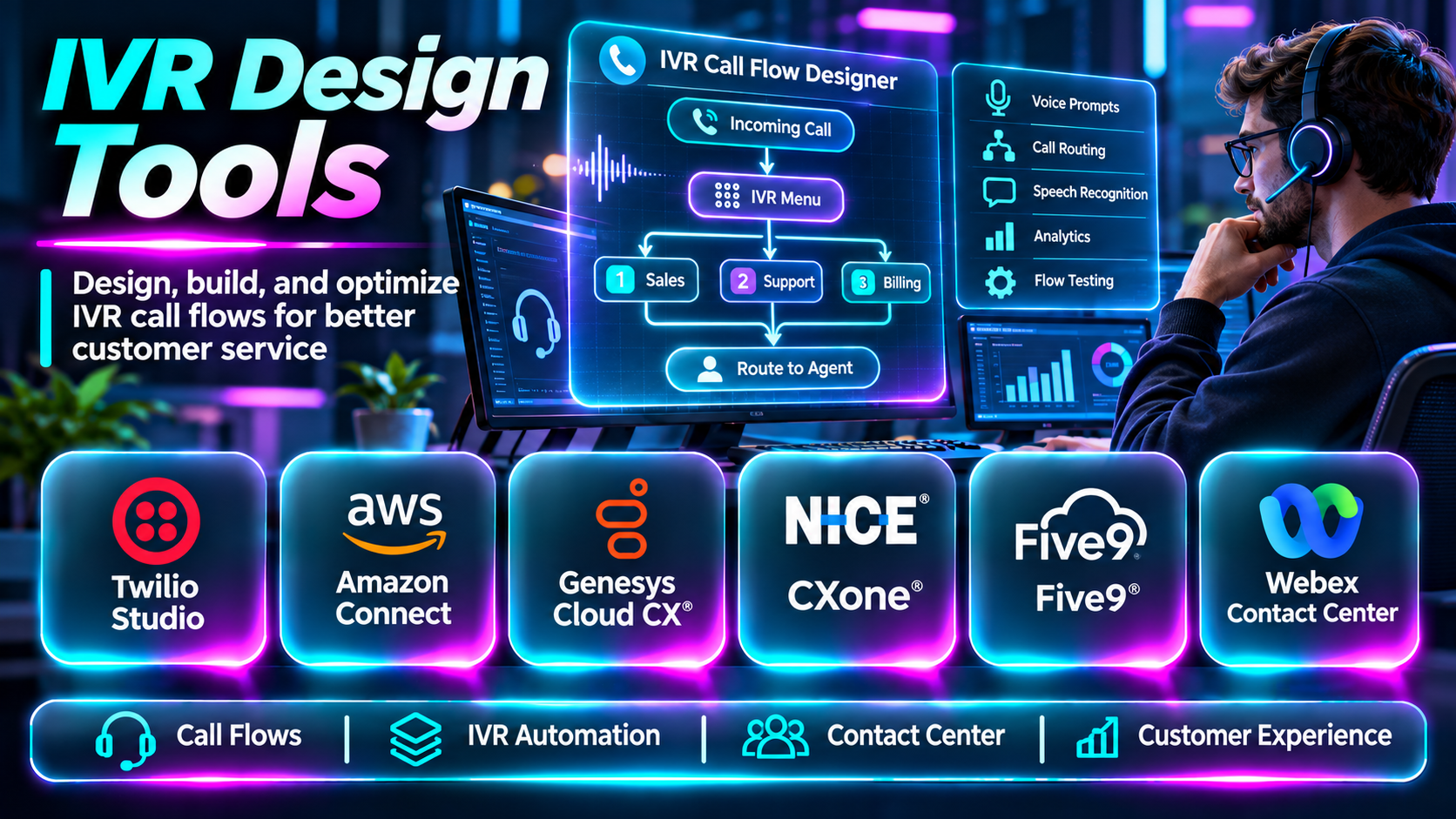
IVR design tools help teams create, test, deploy, and maintain automated telephone interactions. Modern platforms support visual call flows, speech recognition, CRM integrations, analytics, and increasingly conversational AI.
This guide compares ten platforms that can be used to design IVR experiences and explains how to select the right approach.
What Are IVR Design Tools?
IVR design tools are software applications and platforms used to build automated phone menus and call-handling workflows.
Traditional IVR systems use keypad inputs and recorded prompts. More advanced systems accept spoken requests and connect callers with automated services.
Typical capabilities include call flow design, menu configuration, input collection, routing logic, business-hours rules, speech recognition, text-to-speech, CRM integration, and call analytics.
Some products are standalone IVR development platforms, while others provide IVR capabilities as part of broader contact center or communications services.
The primary goal is to help callers reach the right outcome with minimal effort.
Top 10 IVR Design Tools
1. Twilio Studio
Short Description
Twilio Studio is a visual workflow builder for creating communication experiences using Twilio services.
It can be used to design IVR workflows with phone menus, routing conditions, data collection, and integration with external applications.
Twilio Studio is particularly useful for development teams seeking programmable control over call behavior without coding every transition manually.
Key Features
- Visual workflow canvas: Creates communication flows through connected widgets.
- Call routing: Directs callers according to configured conditions.
- Input collection: Captures keypad or supported interaction input.
- Conditional logic: Changes the call path based on responses.
- API integration: Connects external business systems.
- Programmable voice: Uses Twilio calling infrastructure.
- Workflow testing: Supports iterative call flow validation.
- Developer extensibility: Enables custom logic beyond basic menus.
Benefits
Twilio Studio helps teams combine visual call design with programmable telephony.
Pros
- Flexible workflow design.
- Strong telephony APIs.
- Developer extensibility.
- Suitable for custom IVR.
- Integrates with external systems.
Cons
- Telephony usage costs.
- Advanced logic requires development.
- Operational monitoring is necessary.
- Complex workflows can become difficult to maintain.
Use Cases
Appointment routing, customer service menus, and custom telephone workflows.
Best For: Developers building custom IVR systems.
2. Amazon Connect
Short Description
Amazon Connect is a cloud contact center platform with tools for designing customer contact flows.
Its flow designer helps organizations create automated call handling, routing, prompts, and integrations with AWS services.
Amazon Connect is especially relevant to organizations seeking a cloud-based contact center with configurable IVR functionality.
Key Features
- Visual contact flow design.
- Call routing.
- Automated prompts.
- Amazon Lex integration.
- AWS Lambda actions.
- Queue management.
- Contact analytics.
- Cloud contact center operations.
Benefits
Amazon Connect connects IVR design with contact center infrastructure.
Pros
- AWS integration.
- Flexible contact flows.
- Cloud scalability.
- Conversational AI options.
- Contact center functionality.
Cons
- AWS expertise helps.
- Usage-based pricing.
- Flow configuration can become complex.
- Requires operational governance.
Use Cases
Cloud contact centers and enterprise call routing.
Best For: AWS-oriented contact center teams.
3. Genesys Cloud CX
Short Description
Genesys Cloud CX is a contact center platform with visual interaction design and routing capabilities.
It helps organizations build IVR experiences integrated with queues, agents, customer data, and contact center operations.
Genesys is particularly relevant to businesses requiring sophisticated routing and multichannel service management.
Key Features
- Architect flow design.
- IVR configuration.
- Call routing.
- Speech-enabled interactions.
- Queue management.
- Customer data integration.
- Analytics.
- Enterprise contact center controls.
Benefits
Genesys helps organizations coordinate automated and human call handling.
Pros
- Strong contact center functionality.
- Advanced routing.
- Visual flow tools.
- Enterprise scalability.
- Integrated analytics.
Cons
- Enterprise complexity.
- Commercial pricing.
- Requires specialist administration.
- Extensive flows need maintenance.
Use Cases
Enterprise customer service and complex call routing.
Best For: Large contact centers.
4. NICE CXone
Short Description
NICE CXone is a cloud customer experience platform supporting IVR, routing, and contact center automation.
Its workflow tools help organizations manage automated customer interactions and transitions to live agents.
NICE CXone is relevant to enterprises prioritizing sophisticated service operations and operational visibility.
Key Features
- IVR design.
- Call routing.
- Contact center automation.
- Speech-enabled interaction options.
- Customer journey integration.
- Agent handoff.
- Analytics.
- Enterprise operational controls.
Benefits
NICE CXone supports coordinated automated and agent-assisted phone service.
Pros
- Enterprise contact center focus.
- Routing flexibility.
- Analytics capabilities.
- Automation options.
- Supports complex service operations.
Cons
- Commercial investment.
- Implementation planning.
- Administration complexity.
- Requires ongoing workflow governance.
Use Cases
Large-scale customer service IVR and contact center operations.
Best For: Enterprise contact centers.
5. Five9
Short Description
Five9 is a cloud contact center platform that supports automated call handling and IVR workflows.
It helps organizations configure customer routing and integrate automated interactions with live agent operations.
Five9 is particularly relevant to businesses seeking a managed contact center platform with IVR capabilities.
Key Features
- IVR workflows.
- Automated call routing.
- Contact center integration.
- Customer input collection.
- Agent queue management.
- CRM integration.
- Reporting.
- Workflow automation.
Benefits
Five9 helps organizations connect IVR interactions with customer service operations.
Pros
- Contact center orientation.
- Managed cloud platform.
- Routing capabilities.
- Agent integration.
- Reporting tools.
Cons
- Commercial pricing.
- Configuration expertise required.
- Complex integrations need planning.
- Workflow maintenance.
Use Cases
Customer support routing and enterprise phone service.
Best For: Contact centers seeking managed infrastructure.
6. Cisco Webex Contact Center
Short Description
Webex Contact Center provides contact center capabilities, including automated interaction flows and routing.
It is relevant to organizations using Cisco communications infrastructure or seeking enterprise contact center functionality.
Its flow tools help coordinate IVR menus, data collection, and agent transfer.
Key Features
- Flow design.
- IVR prompts.
- Call routing.
- Queue integration.
- Contact center workflows.
- Enterprise integrations.
- Reporting.
- Administrative controls.
Benefits
Webex Contact Center connects automated call handling with enterprise communications.
Pros
- Enterprise communications integration.
- Contact center capabilities.
- Configurable routing.
- Operational reporting.
- Suitable for large organizations.
Cons
- Implementation complexity.
- Commercial licensing.
- Specialized administration.
- Integration planning required.
Use Cases
Enterprise service centers and communications operations.
Best For: Cisco-oriented organizations.
7. Avaya Experience Platform
Short Description
Avaya Experience Platform provides contact center and customer experience capabilities that support automated voice interactions.
It is relevant to organizations with established Avaya communications environments and complex call routing requirements.
IVR design capabilities depend on the specific deployment architecture and associated Avaya products.
Key Features
- Voice interaction workflows.
- Call routing.
- Automated prompts.
- Contact center integration.
- Customer context.
- Queue management.
- Reporting.
- Enterprise communications support.
Benefits
Avaya supports structured call handling in enterprise communications environments.
Pros
- Enterprise telephony heritage.
- Contact center integration.
- Routing capabilities.
- Suitable for complex environments.
- Relevant to existing Avaya users.
Cons
- Product architecture requires careful review.
- Licensing complexity.
- Specialist implementation.
- Legacy integration considerations.
Use Cases
Enterprise IVR modernization and contact center workflows.
Best For: Organizations with Avaya infrastructure.
8. Vonage Communications APIs
Short Description
Vonage provides programmable communications APIs that developers can use to create custom voice applications.
Its voice capabilities can support IVR menus, call control, and interactions with external systems.
Vonage is useful when organizations need a programmable approach rather than a fully packaged contact center solution.
Key Features
- Programmable voice.
- Call control.
- Automated prompts.
- Input collection.
- API integrations.
- Call routing.
- Event handling.
- Custom application workflows.
Benefits
Vonage allows developers to build tailored voice interactions.
Pros
- API flexibility.
- Custom IVR capabilities.
- Telephony integration.
- Developer control.
- Suitable for application embedding.
Cons
- Requires software development.
- Infrastructure costs.
- Monitoring responsibility.
- Not a turnkey contact center.
Use Cases
Custom phone menus and application-integrated calling workflows.
Best For: Communications developers.
9. Plivo
Short Description
Plivo provides cloud communications APIs for voice and messaging applications.
Developers can use its voice capabilities to build automated call flows and IVR experiences.
Plivo is particularly relevant to teams seeking programmable telephony with custom application logic.
Key Features
- Voice APIs.
- Call routing.
- Automated prompts.
- Keypad input collection.
- Call control.
- Webhook integration.
- Event reporting.
- Programmable workflows.
Benefits
Plivo provides infrastructure for custom IVR applications.
Pros
- Developer-oriented.
- Programmable call control.
- API integrations.
- Flexible workflow logic.
- Suitable for custom systems.
Cons
- Requires development.
- Usage charges.
- Limited turnkey business functionality.
- Operational maintenance.
Use Cases
Automated telephone menus and business call workflows.
Best For: Developers building lightweight custom IVR.
10. Voximplant
Short Description
Voximplant provides cloud communications technology for building voice and conversational applications.
Its programmable voice infrastructure can support IVR logic, call routing, and integration with other systems.
It is relevant to technical teams building customized communications workflows.
Key Features
- Programmable voice.
- Call scenario scripting.
- Routing logic.
- Telephony integration.
- Speech-related capabilities.
- API connectivity.
- Event processing.
- Call analytics.
Benefits
Voximplant supports customized voice applications and automated calling experiences.
Pros
- Programmable call workflows.
- Developer flexibility.
- Voice infrastructure.
- Integration options.
- Suitable for custom IVR.
Cons
- Technical expertise required.
- Usage-based costs.
- Production monitoring.
- Not a complete service platform alone.
Use Cases
Custom IVR systems and voice-enabled business applications.
Best For: Voice application developers.
IVR Design Tools Comparison Table
| Tool | Main Strength | Best For |
|---|---|---|
| Twilio Studio | Visual programmable flows | Custom IVR |
| Amazon Connect | Cloud contact flows | AWS contact centers |
| Genesys Cloud CX | Enterprise routing | Large service teams |
| NICE CXone | Contact center automation | Enterprises |
| Five9 | Managed contact center IVR | Service organizations |
| Webex Contact Center | Enterprise communications | Cisco users |
| Avaya Experience Platform | Enterprise voice workflows | Avaya users |
| Vonage APIs | Programmable voice | Developers |
| Plivo | Voice APIs | Custom IVR |
| Voximplant | Voice application scripting | Technical teams |
How to Choose the Right IVR Design Tool
1. Map Caller Intent
Identify the most common reasons customers call and prioritize direct paths to those outcomes.
2. Minimize Menu Depth
Avoid forcing callers through unnecessary levels of options.
3. Support Human Assistance
Make agent transfer easy to discover, particularly for complex issues.
4. Evaluate Speech and Keypad Input
Choose interaction methods appropriate for your callers and accessibility needs.
5. Review Routing Integration
Confirm compatibility with contact center queues, CRM systems, and business applications.
6. Test Failure Conditions
Plan for invalid inputs, silence, timeouts, outages, and unavailable agents.
7. Evaluate Analytics
Track abandonment, misrouting, repeat calls, and successful self-service completion.
8. Review Operational Costs
Include telephony minutes, speech services, licenses, integration work, and maintenance.
Best IVR Design Software by User Type
| User Type | Recommended Tool |
|---|---|
| Custom workflow developer | Twilio Studio |
| AWS contact center | Amazon Connect |
| Large contact center | Genesys Cloud CX |
| Enterprise service team | NICE CXone |
| Managed contact center team | Five9 |
| Cisco enterprise | Webex Contact Center |
| Avaya organization | Avaya Experience Platform |
| Voice API developer | Vonage |
| Lightweight custom IVR team | Plivo |
| Advanced voice application team | Voximplant |
Practical Example: Redesigning a Customer Service IVR
A utility company receives complaints about long menus and incorrect transfers.
Step 1: Review call recordings, routing data, and customer complaints.
Step 2: Identify the five most common caller intentions.
Step 3: Create a simplified top-level menu.
Step 4: Place outage reporting and urgent requests early in the flow.
Step 5: Provide direct routing for billing and account assistance.
Step 6: Allow callers to repeat options or request an agent.
Step 7: Integrate customer verification only where necessary.
Step 8: Configure timeouts, invalid input handling, and system outage behavior.
Step 9: Test the flow with representative callers.
Step 10: Measure transfer accuracy, abandonment, and completion time.
Step 11: Revise prompts and routing based on actual results.
Frequently Asked Questions
1. What does IVR stand for?
Interactive Voice Response.
2. What is an IVR system?
An automated phone system that interacts with callers.
3. What is IVR design?
Planning menus, prompts, inputs, and routing behavior.
4. What is a call flow?
The sequence of actions taken during a call.
5. What is DTMF?
Keypad tones used to communicate selections.
6. What is speech-enabled IVR?
An IVR system that accepts spoken responses.
7. What is conversational IVR?
A system that accepts more naturally phrased requests.
8. What is call routing?
Directing calls to the appropriate destination.
9. What is an IVR prompt?
A recorded or generated instruction played to callers.
10. What is text-to-speech in IVR?
Technology that produces spoken prompts from text.
11. What is a contact flow?
A defined sequence of contact handling operations.
12. Can IVR systems connect to CRM software?
Yes, through supported integrations.
13. What is IVR self-service?
Completing a task without a live agent.
14. What is call abandonment?
A caller ending the interaction before reaching the desired outcome.
15. What causes poor IVR experiences?
Long menus, unclear prompts, and ineffective routing.
16. Can IVR systems handle emergencies?
They can route urgent calls, but critical workflows need carefully designed safeguards.
17. What is a queue?
A waiting area for calls awaiting an agent.
18. Can IVR systems use AI?
Yes, through speech and conversational AI technologies.
19. What is IVR testing?
Validating prompts, branches, inputs, and failure conditions.
20. Can IVR tools support multiple languages?
Many provide multilingual options.
21. What is an IVR timeout?
A configured response to missing caller input.
22. What is invalid input handling?
A workflow for unexpected keypad or speech responses.
23. What is IVR containment?
Calls handled within automation without transfer.
24. Is containment always a good metric?
No. Successful caller outcomes matter more.
25. What is an IVR webhook?
An integration call to an external application.
26. Can IVR tools work with cloud contact centers?
Yes, many are built into those platforms.
27. Are programmable IVR systems expensive?
Costs depend on usage, infrastructure, and development.
28. How should IVR performance be measured?
Track successful routing, completion, abandonment, and satisfaction.
29. Should callers have a human option?
For most service environments, accessible escalation is important.
30. Which IVR design tool is best?
Choose based on telephony infrastructure, complexity, integrations, and support needs.
Final Thoughts
IVR design tools help organizations create more efficient and understandable phone experiences.
Twilio Studio, Vonage, Plivo, and Voximplant offer programmable approaches. Amazon Connect, Genesys Cloud CX, NICE CXone, and Five9 integrate IVR with broader contact center operations.
The most effective IVR system minimizes caller effort, provides clear choices, and routes requests accurately. Better call flow design often produces more value than adding more menu options or automation features.
