Introduction
Businesses increasingly use conversational interfaces to answer questions, collect information, guide employees, and automate routine workflows. However, building a reliable chatbot requires more than connecting a language model to a chat window.
Teams must design conversations, connect knowledge sources, manage integrations, define permissions, test unusual requests, and monitor performance after deployment.
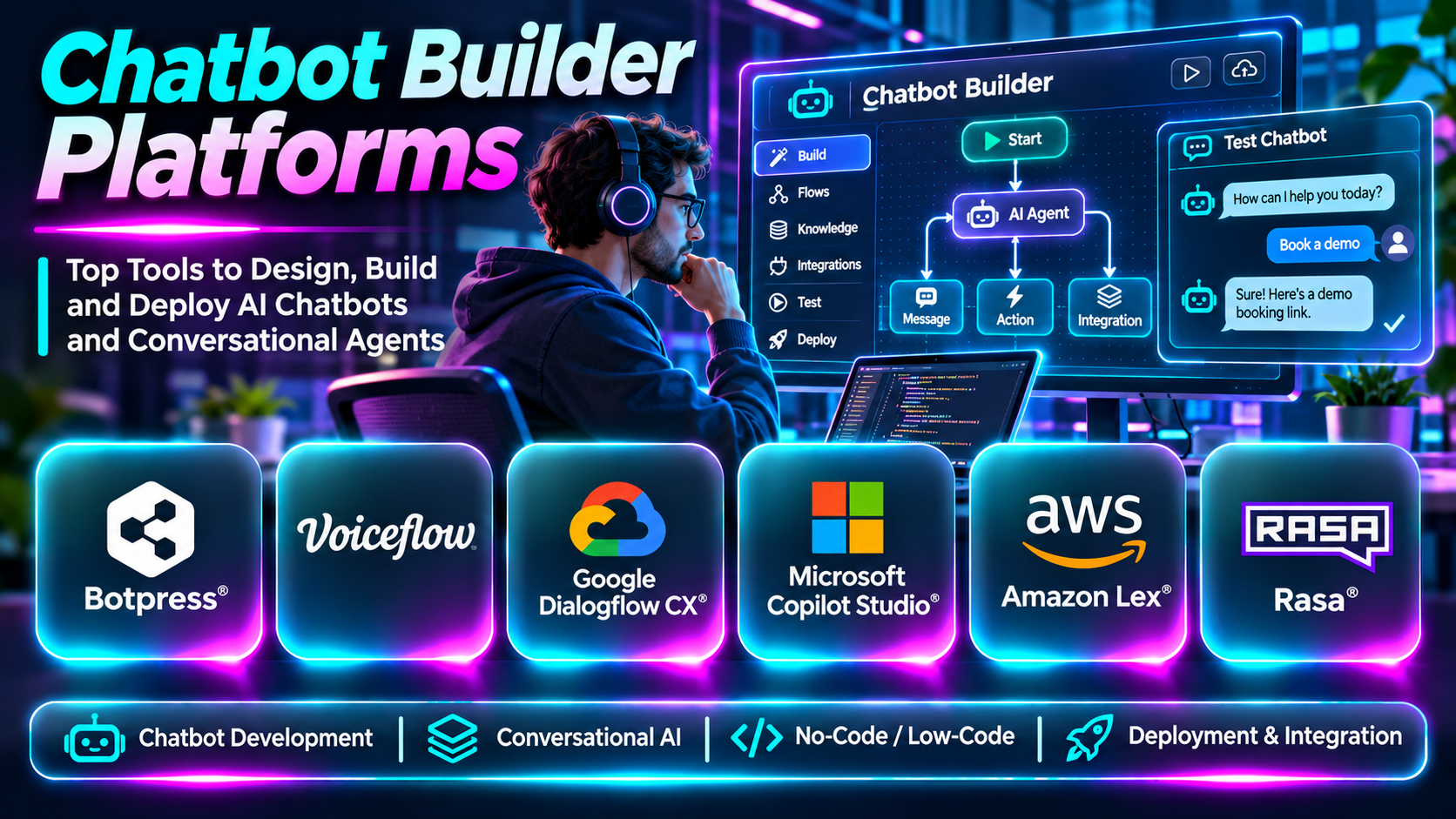
Chatbot builder platforms simplify this work. They provide visual conversation designers, development frameworks, integrations, deployment channels, and analytics for creating conversational applications.
Some platforms prioritize no-code workflows, while others provide advanced development capabilities for enterprise and AI engineering teams.
This guide compares ten chatbot builder platforms, their capabilities, limitations, and practical applications.
What Are Chatbot Builder Platforms?
Chatbot builder platforms are tools used to design, develop, deploy, and manage conversational software.
They may support rule-based bots, AI-powered assistants, retrieval-based question answering, or agents that perform approved actions.
Typical features include visual flow builders, natural-language processing, knowledge integration, API connections, conversation testing, channel deployment, and performance analytics.
The appropriate platform depends on whether the goal is a simple FAQ assistant, a customer service workflow, an internal employee assistant, or a deeply customized conversational application.
Top 10 Chatbot Builder Platforms
1. Botpress
Short Description
Botpress is a conversational AI development platform that helps teams create and deploy AI-powered chatbots and agents.
It combines visual workflow design with integrations and extensibility, making it suitable for developers and technically capable business teams.
Botpress is especially useful when a chatbot must handle multiple conversation paths, retrieve information, and connect to external systems.
Key Features
- Visual workflow builder: Designs conversation paths through a graphical interface.
- AI integration: Supports intelligent conversational behavior.
- Knowledge sources: Enables answers based on connected information.
- Custom actions: Extends bot behavior through programmable operations.
- API integrations: Connects business systems.
- Conversation testing: Helps validate chatbot interactions.
- Channel deployment: Publishes bots through supported interfaces.
- Analytics: Tracks usage and conversation outcomes.
Benefits
Botpress reduces the work required to combine conversation design with application integrations.
Pros
- Flexible workflow design.
- AI-oriented capabilities.
- Developer extensibility.
- Multiple integration options.
- Suitable for complex conversations.
Cons
- Advanced workflows require technical knowledge.
- Usage costs need monitoring.
- Integrations require maintenance.
- AI responses need testing.
Use Cases
Customer assistants, employee help bots, and business process automation.
Best For: Teams building customizable AI chatbots.
2. Voiceflow
Short Description
Voiceflow is a collaborative platform for designing, prototyping, and building conversational AI experiences.
It helps product designers, conversation designers, and developers work together on assistant behavior.
Voiceflow is particularly relevant when teams need to experiment with conversation flows before integrating them into production applications.
Key Features
- Visual conversation design.
- AI assistant development.
- Collaborative editing.
- Conversation prototyping.
- Knowledge integration.
- API interactions.
- Testing workflows.
- Deployment capabilities.
Benefits
Voiceflow connects conversational experience design with implementation.
Pros
- Strong visual design.
- Collaboration features.
- Useful prototyping.
- Flexible conversational workflows.
- Suitable for multidisciplinary teams.
Cons
- Advanced integrations require development.
- Complex projects need governance.
- Commercial pricing.
- Production performance needs monitoring.
Use Cases
AI assistant prototypes, customer support bots, and conversational product experiences.
Best For: Conversation design and product teams.
3. Google Dialogflow CX
Short Description
Dialogflow CX is Google’s conversational AI platform for building structured virtual agents.
It uses a flow-oriented approach that helps teams organize complicated interactions into manageable states and transitions.
Dialogflow CX is relevant to enterprises that need predictable conversation management and integration with Google Cloud services.
Key Features
- Flow-based conversation design.
- Intent recognition.
- Entity extraction.
- State management.
- Webhook integration.
- Multilingual capabilities.
- Testing tools.
- Google Cloud integration.
Benefits
Dialogflow CX provides structured control over sophisticated conversational workflows.
Pros
- Strong state-based design.
- Cloud integration.
- Useful intent handling.
- Suitable for enterprise workflows.
- Supports complex conversation paths.
Cons
- Requires technical expertise.
- Usage-based costs.
- Cloud architecture considerations.
- Complex flows can become difficult to maintain.
Use Cases
Enterprise virtual agents, contact center assistants, and structured service workflows.
Best For: Google Cloud-oriented organizations.
4. Microsoft Copilot Studio
Short Description
Microsoft Copilot Studio helps organizations build and customize conversational agents connected to business knowledge and workflows.
It is especially relevant to organizations using Microsoft 365, Power Platform, and related enterprise services.
Its value comes from connecting conversational experiences to approved organizational data and automation.
Key Features
- Agent creation.
- Visual authoring.
- Knowledge integration.
- Business workflow actions.
- Power Platform connectivity.
- Microsoft ecosystem integration.
- Authentication and governance.
- Testing and analytics.
Benefits
Copilot Studio helps organizations create assistants within their existing Microsoft environment.
Pros
- Microsoft integration.
- Low-code capabilities.
- Enterprise governance.
- Business workflow automation.
- Useful internal assistant scenarios.
Cons
- Licensing complexity.
- Platform dependency.
- Integration planning required.
- Advanced scenarios need technical expertise.
Use Cases
Employee assistants, business process bots, and Microsoft-connected support experiences.
Best For: Microsoft-centered enterprises.
5. Amazon Lex
Short Description
Amazon Lex is an AWS service for building conversational interfaces using speech and text.
It provides intent recognition and dialogue capabilities that developers can integrate into applications.
Amazon Lex is particularly relevant to teams already using AWS for backend services, serverless functions, and application infrastructure.
Key Features
- Text conversation interfaces.
- Speech interaction support.
- Intent recognition.
- Slot collection.
- Dialogue management.
- AWS Lambda integration.
- API-based deployment.
- AWS security integration.
Benefits
Amazon Lex supports conversational applications connected to AWS infrastructure.
Pros
- AWS integration.
- Text and speech support.
- Developer flexibility.
- Suitable for structured interactions.
- Cloud scalability.
Cons
- AWS knowledge required.
- Usage costs.
- Conversation design effort.
- Custom user interfaces require development.
Use Cases
Service bots, booking assistants, and AWS-connected conversational applications.
Best For: AWS development teams.
6. Rasa
Short Description
Rasa provides conversational AI technology for teams seeking extensive control over assistant development and deployment.
It is particularly relevant to organizations with technical resources and requirements for custom workflows or infrastructure control.
Rasa’s approach emphasizes engineering flexibility, but that flexibility brings responsibility for implementation and maintenance.
Key Features
- Conversational AI framework.
- Dialogue orchestration.
- Custom business logic.
- API integrations.
- Developer extensibility.
- Deployment flexibility.
- Conversation testing.
- Workflow customization.
Benefits
Rasa supports highly customized assistants without requiring every workflow to fit a fixed SaaS interface.
Pros
- Strong customization.
- Developer control.
- Deployment flexibility.
- Suitable for complex workflows.
- Extensible architecture.
Cons
- Significant engineering effort.
- Infrastructure responsibility.
- Requires specialized expertise.
- Ongoing maintenance.
Use Cases
Custom enterprise assistants and regulated workflow automation.
Best For: Experienced conversational AI engineering teams.
7. IBM watsonx Assistant
Short Description
IBM watsonx Assistant supports the development of conversational assistants for customer and employee interactions.
It combines conversation management with enterprise integration capabilities.
The platform is relevant to organizations that need structured virtual assistance across multiple business systems.
Key Features
- Conversation design.
- AI-powered responses.
- Knowledge integration.
- Workflow actions.
- API connectivity.
- Human escalation.
- Enterprise deployment options.
- Analytics.
Benefits
IBM watsonx Assistant helps enterprises create configurable conversational service experiences.
Pros
- Enterprise focus.
- Flexible integrations.
- Structured workflows.
- Supports multiple use cases.
- Operational controls.
Cons
- Technical implementation.
- Commercial pricing.
- Requires conversation governance.
- Maintenance effort.
Use Cases
Customer service automation and enterprise virtual assistants.
Best For: Large organizations with complex integrations.
8. Landbot
Short Description
Landbot is a conversational experience platform focused on visual chatbot creation for websites and messaging channels.
Its no-code-oriented interface makes it useful for marketing, sales, and customer engagement teams.
Landbot is especially suitable for structured lead collection and interactive forms.
Key Features
- Visual chatbot builder.
- Website chat experiences.
- Conversational forms.
- Lead qualification.
- Conditional logic.
- Messaging integrations.
- Data collection.
- Performance analytics.
Benefits
Landbot helps nontechnical teams create interactive conversational workflows.
Pros
- Accessible visual builder.
- Strong lead generation use cases.
- Conversational forms.
- Quick prototyping.
- Useful marketing integrations.
Cons
- Complex custom logic can be limiting.
- Subscription costs.
- Not designed for every enterprise AI scenario.
- Integration requirements vary.
Use Cases
Lead capture, appointment requests, and interactive qualification.
Best For: Marketing and sales teams.
9. Manychat
Short Description
Manychat is a messaging automation platform used for conversational marketing and customer engagement.
It is especially relevant to businesses that communicate with audiences through supported social and messaging channels.
Manychat focuses more on channel-based engagement automation than on general-purpose enterprise chatbot engineering.
Key Features
- Messaging automation.
- Visual flow builder.
- Audience segmentation.
- Automated responses.
- Campaign workflows.
- Contact management.
- Messaging channel integrations.
- Engagement analytics.
Benefits
Manychat simplifies automated conversations for marketing and audience engagement.
Pros
- Marketing-oriented workflows.
- Accessible visual automation.
- Messaging channel support.
- Useful audience engagement.
- Suitable for smaller businesses.
Cons
- Channel restrictions apply.
- Less suitable for complex enterprise agents.
- Platform policy dependencies.
- Commercial plan limits.
Use Cases
Social messaging automation and customer engagement campaigns.
Best For: Social commerce and marketing teams.
10. Flowise
Short Description
Flowise is an open-source visual development platform for building applications using large language models.
It helps developers connect models, retrieval components, tools, and workflows through graphical interfaces.
Flowise is particularly relevant to teams experimenting with custom AI assistants and retrieval-based chatbot architectures.
Key Features
- Visual AI workflow building.
- Model integrations.
- Retrieval workflows.
- Vector database connections.
- Tool integration.
- API access.
- Custom AI pipelines.
- Self-hosting options.
Benefits
Flowise accelerates experimentation with custom conversational AI architectures.
Pros
- Open-source foundation.
- Visual AI workflows.
- Flexible model integration.
- Developer extensibility.
- Useful retrieval applications.
Cons
- Production security needs attention.
- Hosting and maintenance responsibility.
- Complex flows require engineering knowledge.
- Not a turnkey customer support suite.
Use Cases
Knowledge assistants, internal chatbots, and custom LLM applications.
Best For: Developers building flexible AI workflows.
Chatbot Builder Platforms Comparison Table
| Platform | Primary Strength | Best For |
|---|---|---|
| Botpress | AI workflows | Custom AI chatbots |
| Voiceflow | Conversation design | Product teams |
| Dialogflow CX | Structured dialogues | Google Cloud enterprises |
| Copilot Studio | Microsoft integrations | Enterprise assistants |
| Amazon Lex | AWS conversational interfaces | AWS developers |
| Rasa | Custom engineering | Advanced AI teams |
| IBM watsonx Assistant | Enterprise virtual agents | Large organizations |
| Landbot | Conversational forms | Marketing teams |
| Manychat | Messaging automation | Social commerce |
| Flowise | Visual LLM workflows | AI developers |
How to Choose the Right Chatbot Builder Platform
Start by defining the chatbot’s purpose and the types of conversations it must support. A simple lead qualification bot has different requirements from a regulated enterprise assistant.
Evaluate whether your team needs a visual builder, custom code, structured dialogue management, or flexible AI orchestration.
Review integrations with CRM, ticketing, knowledge bases, databases, and internal APIs. Assess identity verification, permission controls, conversation logging, and data retention.
Test how the platform handles ambiguous requests, missing information, unexpected inputs, and escalation.
Finally, compare the total cost of development, model usage, hosting, monitoring, and ongoing maintenance rather than looking only at subscription pricing.
Best Chatbot Builder Software by User Type
| User Type | Recommended Platform |
|---|---|
| Custom chatbot developer | Botpress |
| Conversation designer | Voiceflow |
| Google Cloud engineer | Dialogflow CX |
| Microsoft enterprise team | Copilot Studio |
| AWS developer | Amazon Lex |
| Advanced AI engineering team | Rasa |
| Enterprise virtual assistant team | IBM watsonx Assistant |
| Marketing team | Landbot |
| Social messaging business | Manychat |
| Open-source AI developer | Flowise |
Practical Example: Building an Internal IT Helpdesk Bot
A company wants employees to receive faster answers to routine IT questions.
Step 1: Identify common support requests, such as VPN setup and password recovery.
Step 2: Select a chatbot builder compatible with the company’s identity and ticketing systems.
Step 3: Prepare approved IT documentation.
Step 4: Design conversation flows for common issues.
Step 5: Add retrieval-based answers for documented questions.
Step 6: Integrate ticket creation for unresolved cases.
Step 7: Restrict sensitive account actions to authorized users.
Step 8: Test unusual requests and incorrect assumptions.
Step 9: Pilot with a small employee group.
Step 10: Monitor answer accuracy, ticket reduction, and employee satisfaction.
Step 11: Improve workflows before wider deployment.
Frequently Asked Questions
1. What is a chatbot builder?
A platform for creating and managing conversational applications.
2. Can chatbots be built without coding?
Yes, many platforms provide visual tools.
3. What is a conversation flow?
A sequence of interaction states and possible responses.
4. What is intent recognition?
Identifying what a user is trying to accomplish.
5. What is entity extraction?
Identifying relevant information such as dates or order numbers.
6. What is dialogue management?
Controlling how a conversation progresses.
7. Can chatbot builders use large language models?
Many support LLM-based conversations.
8. What is a rule-based chatbot?
A chatbot that follows predefined conditions.
9. What is an AI agent?
A system that can reason about tasks and use permitted tools.
10. What is a knowledge chatbot?
An assistant that answers questions using connected information.
11. Can chatbots call APIs?
Yes, through supported integrations or custom actions.
12. What is a webhook?
A mechanism for sending event-related information between systems.
13. Can chatbot builders support voice?
Some support speech-based interactions.
14. What is a chatbot prototype?
An early version used to test conversation design.
15. What is chatbot deployment?
Making the assistant available to intended users.
16. Can a chatbot be embedded in a website?
Yes, many platforms provide web integrations.
17. Can chatbots connect to messaging apps?
Some support messaging channels, subject to platform rules.
18. What is self-hosting?
Running software on infrastructure managed by your organization.
19. Is Rasa suitable for beginners?
It generally requires more technical expertise than simple no-code builders.
20. What is Flowise used for?
Building visual workflows for LLM-powered applications.
21. Is Dialogflow CX suitable for complex flows?
Yes, structured conversation management is a major use case.
22. What is chatbot testing?
Evaluating responses and actions against expected behavior.
23. What is a fallback response?
A safe response when the chatbot cannot handle a request.
24. Can chatbots be multilingual?
Many platforms support multiple languages.
25. How do chatbot builders handle security?
Through platform controls and the permissions configured by developers.
26. What causes chatbot failures?
Poor knowledge, inadequate testing, unreliable integrations, and unclear workflows.
27. Can chatbots automate business processes?
Yes, when connected to approved actions and systems.
28. How are chatbot builders priced?
By subscriptions, users, messages, model usage, or infrastructure consumption.
29. Should teams monitor chatbots after launch?
Yes, continuous evaluation is essential.
30. Which chatbot builder is best?
Choose based on technical skills, integrations, complexity, and deployment requirements.
Final Thoughts
Chatbot builder platforms serve different needs. Botpress and Voiceflow combine visual design with AI development. Dialogflow CX, Amazon Lex, and Copilot Studio are relevant to organizations using major cloud ecosystems. Rasa and Flowise provide greater engineering flexibility.
The best choice is the platform that allows a team to build reliable conversations, maintain integrations, protect user information, and improve the assistant over time.
