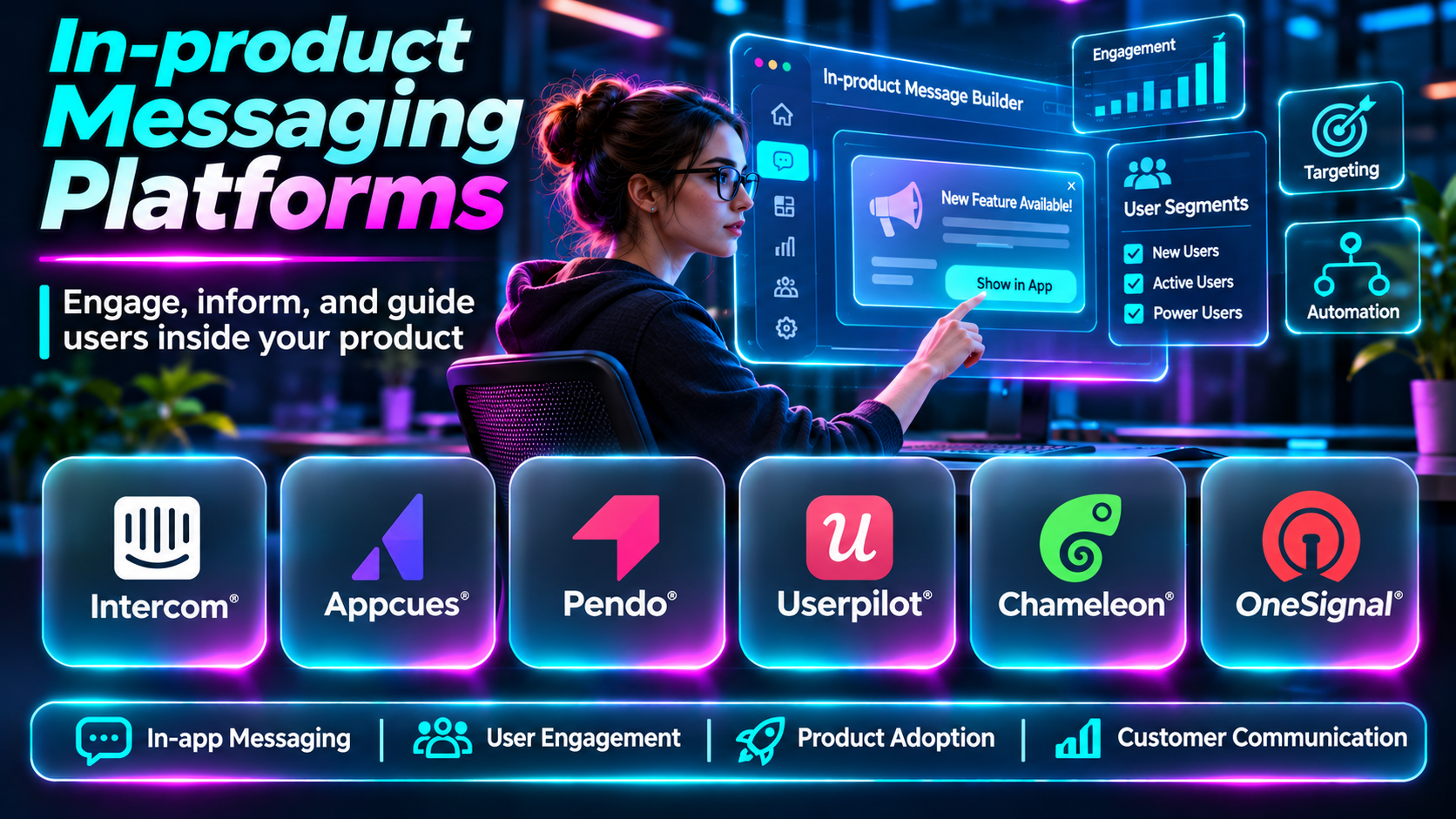
Introduction
Communication is most effective when it reaches users at the right moment and in the right context.
Traditional email campaigns and external notifications can help organizations communicate with customers, but they may not be the best way to explain a feature while someone is actively using an application.
In-product messaging platforms solve this problem by delivering messages directly within websites, SaaS products, and mobile applications.
These messages may include announcements, contextual guidance, tooltips, banners, surveys, onboarding prompts, and personalized recommendations.
The goal is to help users complete meaningful actions without interrupting their experience unnecessarily.
This guide compares ten in-product messaging platforms, examines their capabilities, and explains how to choose a solution for different product engagement needs.
What Are In-product Messaging Platforms?
In-product messaging platforms are software solutions that allow organizations to communicate with users inside an application.
Messages can appear as banners, modals, tooltips, chat widgets, slideouts, embedded content, or other interface elements.
Many platforms support behavioral targeting, audience segmentation, automation, analytics, and experimentation.
In-product messaging overlaps with user onboarding and product adoption, but its scope can be broader. It may support feature announcements, customer support, account notifications, feedback requests, and lifecycle engagement.
Effective messaging requires relevance, timing, accessibility, and respect for user preferences.
Top 10 In-product Messaging Platforms
1. Intercom
Short Description
Intercom is a customer service and engagement platform that supports communication with users through messaging and support experiences.
Its in-app capabilities help businesses provide contextual assistance, communicate important information, and connect customers with automated or human support.
Intercom is especially relevant to SaaS organizations where in-product communication is closely connected to customer service.
It can help users resolve problems without leaving the application, although companies seeking highly specialized product tours may need complementary adoption tooling.
Key Features
- In-app messaging: Communicates with users inside supported applications.
- Customer conversations: Supports ongoing support interactions.
- Automated workflows: Helps route or respond to common requests.
- Audience targeting: Delivers relevant communication to user segments.
- Help center integration: Connects messages with self-service resources.
- Customer context: Supports more informed conversations.
- Support analytics: Measures selected communication and service outcomes.
- Team collaboration: Coordinates customer-facing workflows.
Benefits
Intercom helps businesses connect contextual messaging with customer support and engagement.
Pros
- Strong support integration.
- Useful automation.
- Customer communication capabilities.
- Contextual assistance.
- Suitable for SaaS applications.
Cons
- Commercial pricing can be significant.
- Not exclusively focused on product announcements.
- Complex automation requires governance.
- Overuse of messaging can frustrate users.
Use Cases
In-app support, customer announcements, onboarding assistance, and account-related communication.
Best For: SaaS companies combining messaging and support.
2. Appcues
Short Description
Appcues is a product adoption platform that supports in-app experiences such as announcements, tooltips, banners, and guided flows.
It helps product teams communicate with users in the context of their current activity.
Appcues is particularly useful for introducing features, improving onboarding, and encouraging users to complete important product actions.
Key Features
- In-app announcements.
- Product tours.
- Tooltips and hotspots.
- User segmentation.
- Behavioral targeting.
- Onboarding checklists.
- Engagement analytics.
- Experimentation workflows.
Benefits
Appcues helps product teams create targeted messaging experiences without building every interface component manually.
Pros
- Strong product adoption focus.
- Flexible messaging formats.
- Useful targeting.
- Supports experimentation.
- Good onboarding integration.
Cons
- Commercial licensing.
- Requires accurate user tracking.
- Message design needs careful coordination.
- Not a replacement for full customer support software.
Use Cases
Feature launches, contextual education, and onboarding announcements.
Best For: Product-led SaaS teams.
3. Pendo
Short Description
Pendo combines product analytics, in-app guidance, and feedback-related capabilities.
Its messaging features help organizations communicate with users based on product usage and audience segments.
Pendo is particularly relevant to larger software organizations that want to connect engagement campaigns with product behavior analysis.
Key Features
- In-app guides.
- Product usage analytics.
- User segmentation.
- Feature adoption reporting.
- Engagement campaigns.
- Product feedback.
- User journey insights.
- Enterprise reporting.
Benefits
Pendo connects messaging decisions with broader product usage information.
Pros
- Strong analytics.
- Enterprise capabilities.
- Behavioral targeting.
- Product adoption insights.
- Useful governance workflows.
Cons
- Commercial cost.
- Implementation planning.
- Advanced configuration can be complex.
- May be excessive for simple messaging.
Use Cases
Feature adoption campaigns, enterprise software announcements, and product engagement analysis.
Best For: Enterprise product organizations.
4. Userpilot
Short Description
Userpilot is a product growth platform supporting contextual engagement, onboarding, and analytics.
It allows teams to create in-app experiences for different user segments and lifecycle stages.
Its combination of engagement and measurement makes it useful when product teams want to understand whether messages lead to meaningful user actions.
Key Features
- In-app messages.
- Interactive flows.
- Tooltips.
- User segmentation.
- Event-based targeting.
- Product analytics.
- In-app surveys.
- Engagement reporting.
Benefits
Userpilot helps teams connect messaging with product activation and adoption goals.
Pros
- Product-focused targeting.
- Integrated analytics.
- Flexible engagement experiences.
- Useful surveys.
- Supports lifecycle communication.
Cons
- Requires tracking implementation.
- Commercial pricing.
- Advanced workflows need configuration.
- Message effectiveness depends on segmentation quality.
Use Cases
Onboarding prompts, feature education, and activation campaigns.
Best For: Product growth teams.
5. Chameleon
Short Description
Chameleon provides tools for creating contextual in-app experiences that fit within a product’s interface.
Its capabilities include tooltips, tours, launchers, and surveys.
Chameleon is especially relevant when product teams want messages to feel like a natural part of the application rather than separate marketing interruptions.
Key Features
- In-app tooltips.
- Product tours.
- Launchers.
- Surveys.
- Audience segmentation.
- Contextual targeting.
- Experience customization.
- Engagement analytics.
Benefits
Chameleon supports product communication that is closely connected to interface context.
Pros
- Flexible presentation.
- Contextual guidance.
- Useful feedback workflows.
- Product adoption orientation.
- Supports targeted engagement.
Cons
- Requires configuration.
- Subscription costs.
- Complex targeting needs maintenance.
- Excessive messaging can create clutter.
Use Cases
Contextual feature announcements and embedded product education.
Best For: Teams emphasizing interface-integrated messaging.
6. OneSignal
Short Description
OneSignal is a customer engagement platform that supports multiple communication channels, including push notifications and in-app messaging.
Its in-app messaging capabilities are particularly relevant to mobile applications.
Teams can use it to display announcements, promotions, onboarding guidance, and contextual engagement experiences.
Key Features
- Mobile in-app messaging.
- Push notifications.
- Audience segmentation.
- Message scheduling.
- Campaign automation.
- Engagement analytics.
- Personalization.
- Cross-channel communication.
Benefits
OneSignal helps mobile product teams coordinate in-app engagement with external notifications.
Pros
- Mobile engagement focus.
- Multiple messaging channels.
- Useful segmentation.
- Campaign automation.
- Suitable for mobile growth teams.
Cons
- SDK integration required.
- Platform capabilities vary by channel.
- Messaging frequency needs management.
- Some features require commercial plans.
Use Cases
Mobile onboarding, feature announcements, and app engagement campaigns.
Best For: Mobile application teams.
7. Braze
Short Description
Braze is a customer engagement platform designed to coordinate personalized messaging across channels.
Its in-app messaging capabilities support campaigns that respond to customer behavior and lifecycle events.
Braze is especially relevant to organizations managing sophisticated customer engagement programs across mobile and web experiences.
Key Features
- In-app messaging.
- Cross-channel campaigns.
- Audience segmentation.
- Behavioral triggers.
- Journey orchestration.
- Personalization.
- Experimentation.
- Engagement analytics.
Benefits
Braze supports coordinated customer communication across multiple touchpoints.
Pros
- Strong journey orchestration.
- Advanced segmentation.
- Cross-channel engagement.
- Useful experimentation.
- Enterprise capabilities.
Cons
- Implementation complexity.
- Commercial investment.
- Requires reliable customer data.
- May be excessive for simple product messages.
Use Cases
Lifecycle campaigns, mobile engagement, and personalized customer journeys.
Best For: Enterprise customer engagement teams.
8. Customer.io
Short Description
Customer.io is a customer messaging and journey automation platform that helps organizations communicate based on customer data and behavior.
Its capabilities support coordinated messaging across channels, including in-app experiences where supported.
Customer.io is relevant to teams that want event-driven communication connected to user lifecycle stages.
Key Features
- Behavioral segmentation.
- Journey automation.
- Event-triggered messaging.
- In-app communication capabilities.
- Customer data workflows.
- Personalization.
- Campaign analytics.
- Cross-channel coordination.
Benefits
Customer.io helps teams build relevant communication workflows based on customer behavior.
Pros
- Flexible event-based messaging.
- Strong lifecycle automation.
- Useful segmentation.
- Cross-channel capabilities.
- Appropriate for technical growth teams.
Cons
- Requires data integration.
- Journey logic can become complex.
- Commercial pricing.
- Not primarily a visual product tour builder.
Use Cases
Lifecycle messaging, activation campaigns, and behavioral engagement.
Best For: Growth and lifecycle marketing teams.
9. Userflow
Short Description
Userflow is a product onboarding and engagement platform that supports interactive flows, checklists, and contextual guidance.
Its in-product messaging capabilities help teams introduce features and guide users through important actions.
Userflow is useful when messaging is closely connected to product education and onboarding.
Key Features
- Interactive flows.
- In-app announcements.
- Tooltips.
- Checklists.
- Resource centers.
- User segmentation.
- Behavioral targeting.
- Engagement analytics.
Benefits
Userflow helps product teams deliver contextual guidance without extensive custom development.
Pros
- Strong onboarding workflows.
- Useful contextual messaging.
- Flexible flow creation.
- Product team autonomy.
- Supports feature education.
Cons
- Commercial pricing.
- Not a complete support platform.
- Requires event integration.
- Complex product changes can affect flows.
Use Cases
Feature announcements, guided onboarding, and self-service education.
Best For: SaaS onboarding and product adoption teams.
10. Beamer
Short Description
Beamer is a product communication platform focused on announcements, changelogs, notifications, and user feedback.
It helps teams communicate product updates without requiring customers to search external release notes.
Beamer is particularly relevant to SaaS companies that release features frequently and want a structured way to keep customers informed.
Key Features
- Product changelogs.
- In-app announcements.
- Notification widgets.
- User segmentation.
- Product update communication.
- Feedback collection.
- Engagement analytics.
- Announcement customization.
Benefits
Beamer makes product updates easier to discover and understand.
Pros
- Strong announcement focus.
- Useful changelog functionality.
- Straightforward product communication.
- Supports user feedback.
- Appropriate for frequent releases.
Cons
- Less comprehensive than enterprise journey platforms.
- Not intended for advanced product tours.
- Subscription considerations.
- Message relevance still requires planning.
Use Cases
Release announcements, feature updates, and product changelogs.
Best For: SaaS companies communicating frequent product changes.
In-product Messaging Platforms Comparison Table
| Platform | Primary Strength | Best For |
|---|---|---|
| Intercom | Customer support messaging | SaaS support |
| Appcues | Product adoption experiences | Product-led growth |
| Pendo | Analytics and guidance | Enterprises |
| Userpilot | Behavioral engagement | Product growth |
| Chameleon | Contextual interface messaging | UX teams |
| OneSignal | Mobile in-app messaging | Mobile applications |
| Braze | Cross-channel orchestration | Enterprise engagement |
| Customer.io | Lifecycle automation | Growth teams |
| Userflow | Onboarding communication | SaaS products |
| Beamer | Changelogs and announcements | Product updates |
How to Choose the Right In-product Messaging Platform
1. Define the Communication Objective
Determine whether messages should provide support, explain features, encourage activation, collect feedback, or announce updates.
2. Select Appropriate Message Formats
Banners work for lightweight announcements, tooltips provide contextual guidance, and modals are better reserved for important interactions.
3. Evaluate Targeting Capabilities
Messages should be relevant to user roles, lifecycle stages, and behavior.
4. Review Channel Requirements
Mobile applications may require SDK-based in-app messaging, while web products may prioritize browser-based integrations.
5. Consider Automation
Event-triggered messaging can provide timely assistance, but complicated journeys require careful testing.
6. Measure Meaningful Outcomes
Track whether users complete the intended action rather than relying only on message impressions or clicks.
7. Protect Accessibility
Messages should support keyboard navigation, focus management, readable content, and appropriate dismissal behavior.
8. Avoid Message Fatigue
Coordinate campaigns so users are not overwhelmed by overlapping announcements and prompts.
9. Review Privacy and Security
Ensure targeting data is collected and processed appropriately, and avoid exposing sensitive information in messages.
10. Evaluate Operational Ownership
Define who can publish messages, approve campaigns, and manage targeting rules.
Best In-product Messaging Software by User Type
| User Type | Recommended Starting Point | Why |
|---|---|---|
| Customer support team | Intercom | Support conversations |
| SaaS product manager | Appcues | Product adoption |
| Enterprise product team | Pendo | Analytics and guidance |
| Product growth team | Userpilot | Behavioral engagement |
| UX team | Chameleon | Contextual experiences |
| Mobile app team | OneSignal | Mobile in-app messaging |
| Enterprise marketing team | Braze | Cross-channel orchestration |
| Lifecycle marketing team | Customer.io | Event-driven messaging |
| Onboarding team | Userflow | Guided product experiences |
| Product communications team | Beamer | Release announcements |
Practical Example: Launching a New Reporting Feature
A SaaS analytics company releases a reporting dashboard but discovers that few existing customers use it.
Step 1: Define the objective. Increase meaningful adoption of the reporting feature.
Step 2: Identify the audience. Target users whose roles involve reporting and analysis.
Step 3: Choose the message format. Use a lightweight banner for awareness and contextual guidance when users visit the reporting area.
Step 4: Create clear copy. Explain the practical benefit rather than listing technical features.
Step 5: Configure targeting. Avoid showing introductory messages to customers already using the feature.
Step 6: Add a relevant action. Link users directly to the reporting workflow.
Step 7: Test accessibility. Confirm keyboard access, focus behavior, and readable text.
Step 8: Run a controlled experiment. Compare alternative messaging approaches where appropriate.
Step 9: Measure adoption. Track completed reports rather than only clicks.
Step 10: Review feedback. Identify whether users need additional guidance or product improvements.
Step 11: Retire outdated messages. Remove campaigns once they are no longer useful.
Frequently Asked Questions
1. What is in-product messaging?
Communication delivered directly within a website or application.
2. What is an in-app message?
A message displayed inside an application while a user is interacting with it.
3. How is in-app messaging different from push notifications?
In-app messages appear during application use, while push notifications can reach users outside the active application.
4. What is contextual messaging?
Communication triggered by relevant user activity or interface context.
5. What is behavioral targeting?
Selecting message recipients based on recorded actions or usage patterns.
6. Can in-product messaging improve onboarding?
Yes, when messages guide users toward meaningful tasks.
7. What is a product announcement?
A message informing users about a feature, update, or product change.
8. What is a changelog?
A record of product updates and changes.
9. Can in-product messages include surveys?
Yes, many platforms support feedback collection.
10. What is a modal message?
A dialog that appears over the application interface and usually requires user attention.
11. Are modals always effective?
No. Unnecessary modals can interrupt users and reduce satisfaction.
12. What is a tooltip?
A small contextual message associated with an interface element.
13. Can messages be personalized?
Yes, using appropriate user attributes and behavioral data.
14. What is message segmentation?
Dividing users into groups for more relevant communication.
15. Can messaging platforms support mobile applications?
Yes, several platforms offer mobile SDKs and in-app messaging.
16. What is journey orchestration?
Coordinating messages and actions across stages of the customer lifecycle.
17. How should messaging performance be measured?
Measure intended user actions, engagement, and longer-term outcomes.
18. What is message fatigue?
Reduced engagement caused by excessive or repetitive communication.
19. How can teams reduce message fatigue?
Use relevant targeting, frequency controls, and coordinated campaigns.
20. Can in-product messaging replace customer support?
No. Messaging can provide assistance but cannot resolve every support issue.
21. What is event-triggered messaging?
Communication initiated by a defined user or system event.
22. Can messages be tested experimentally?
Yes, many platforms support controlled campaign experiments.
23. Are in-product messages accessible?
They can be, but accessibility depends on implementation and testing.
24. Should users be able to dismiss messages?
Nonessential messages should generally be easy to dismiss.
25. What is a resource center?
An in-app location providing help, guidance, and support resources.
26. Can in-product messaging support feature adoption?
Yes, by introducing relevant functionality at useful moments.
27. Is in-product messaging useful for B2B SaaS?
Yes, particularly for onboarding, feature education, and support.
28. What data is needed for targeting?
Usually user identity, account attributes, and relevant product events.
29. What is the biggest messaging mistake?
Interrupting users with irrelevant communication that does not help them.
30. Which in-product messaging platform is best?
The best option depends on application type, messaging objectives, targeting needs, analytics, and budget.
Final Thoughts
In-product messaging platforms help organizations communicate with users while they are actively engaging with a product.
Intercom is particularly useful for support-oriented communication, while Appcues, Userpilot, and Chameleon focus on contextual product engagement.
OneSignal supports mobile messaging, Braze and Customer.io provide broader journey automation, and Beamer specializes in product updates.
The most effective in-product messaging strategy prioritizes relevance and user value. A well-timed message should help someone accomplish a task, understand a change, or discover a genuinely useful capability.
