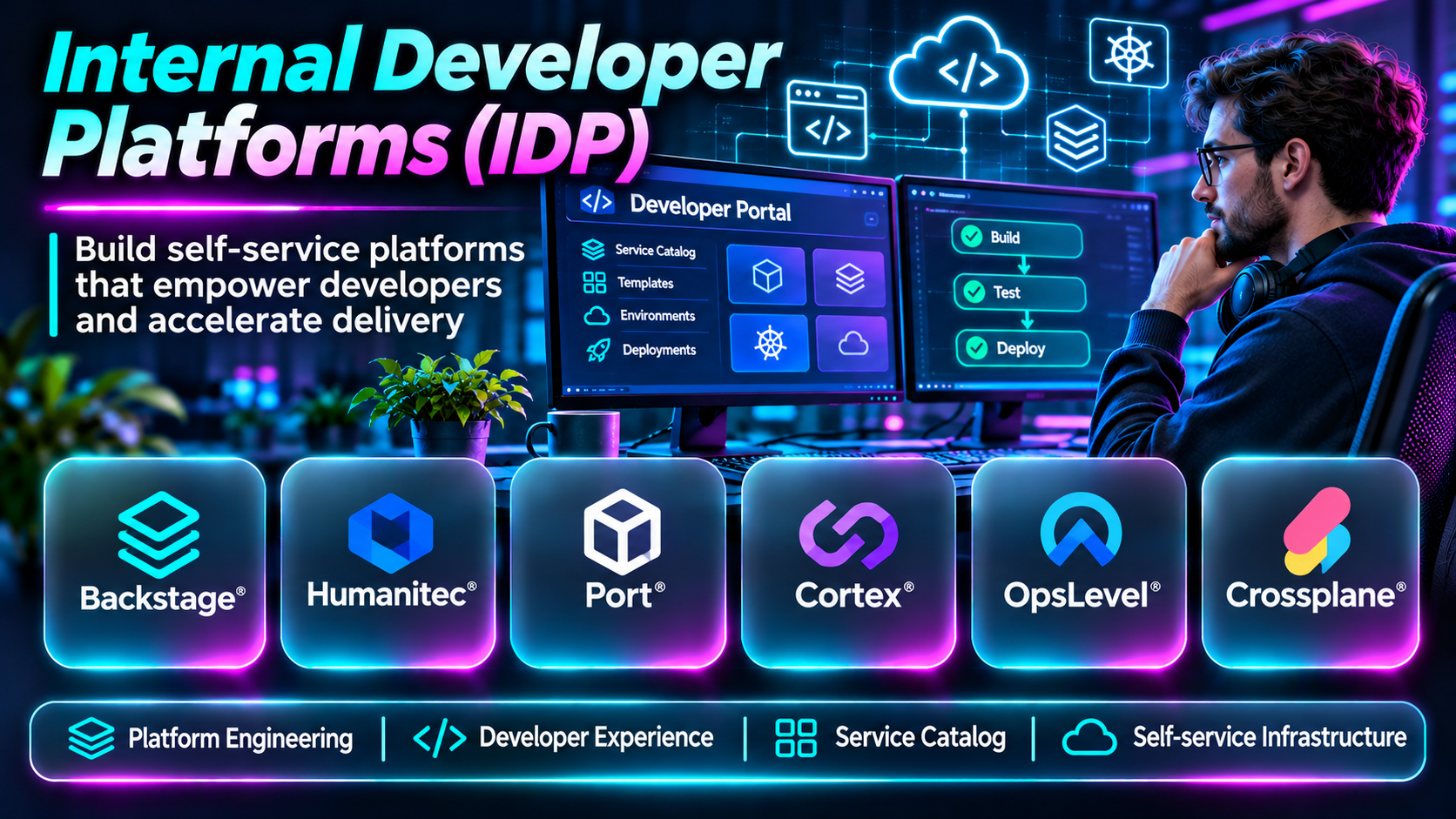
Introduction
Modern software teams depend on cloud infrastructure, deployment pipelines, security policies, observability systems, and numerous development tools.
While these technologies provide flexibility, they can also create significant operational complexity. Developers may spend too much time configuring environments, requesting infrastructure, locating documentation, and understanding deployment requirements.
Internal Developer Platforms (IDPs) address these problems by providing standardized, self-service workflows for software delivery.
An effective IDP gives developers access to approved infrastructure and operational capabilities without requiring them to understand every underlying implementation detail.
This guide compares ten platforms and toolkits used to build internal developer platforms, explains their strengths and limitations, and outlines practical selection criteria.
What Are Internal Developer Platforms?
An internal developer platform is a collection of tools, workflows, interfaces, and automated services that helps developers build, deploy, operate, and maintain applications.
An IDP typically provides a self-service layer over infrastructure and operational systems.
Common capabilities include service catalogs, application templates, environment provisioning, deployment workflows, infrastructure automation, policy enforcement, secrets integration, and operational visibility.
An IDP is not necessarily a single purchased product. Many organizations assemble one using an internal developer portal, infrastructure automation, CI/CD systems, and platform engineering tools.
The primary objective is to reduce developer cognitive load while preserving security, reliability, and operational control.
Top 10 Internal Developer Platforms and Toolkits
1. Backstage
Short Description
Backstage is an open-source framework originally created at Spotify for building developer portals.
It provides a foundation for organizing software services, documentation, ownership information, and development workflows.
Backstage is often a central interface within an IDP rather than the complete platform itself. Organizations typically integrate it with deployment systems, infrastructure provisioning, and other operational tools.
Its extensibility makes it attractive to engineering organizations with the resources to build and maintain a customized developer experience.
Key Features
- Software catalog: Organizes services, systems, APIs, and ownership metadata.
- Software templates: Supports standardized project creation.
- Plugin architecture: Extends portal capabilities through integrations.
- TechDocs: Provides documentation workflows.
- Service ownership: Makes responsible teams easier to identify.
- Developer self-service: Connects developers to approved workflows.
- API and system discovery: Helps teams understand internal dependencies.
- Custom extensibility: Supports organization-specific platform requirements.
Benefits
Backstage creates a central entry point for developer information and platform workflows.
Pros
- Open source.
- Extensive customization.
- Strong developer portal foundation.
- Large ecosystem.
- Useful software catalog.
Cons
- Requires engineering maintenance.
- Not a complete infrastructure platform by itself.
- Plugin quality varies.
- Customization increases operational responsibility.
Use Cases
Building enterprise developer portals, service catalogs, and self-service engineering interfaces.
Best For: Organizations with dedicated platform engineering teams.
2. Humanitec
Short Description
Humanitec provides platform engineering capabilities for managing application delivery and infrastructure orchestration.
Its approach helps organizations separate developer requirements from underlying infrastructure configuration.
This can reduce the need for application teams to understand every cloud resource, deployment dependency, or infrastructure implementation detail.
Humanitec is especially relevant to organizations operating multiple services and environments with standardized deployment requirements.
Key Features
- Application infrastructure orchestration.
- Environment management.
- Developer self-service.
- Infrastructure abstractions.
- Deployment workflow integration.
- Platform configuration management.
- Infrastructure resource coordination.
- Multi-team platform workflows.
Benefits
Humanitec helps platform teams standardize infrastructure delivery while preserving developer flexibility.
Pros
- Strong platform engineering focus.
- Infrastructure abstraction.
- Supports standardized environments.
- Relevant to complex delivery workflows.
- Reduces repetitive configuration.
Cons
- Requires platform architecture planning.
- Commercial cost.
- Integration work may be substantial.
- Teams need to understand the abstraction model.
Use Cases
Standardizing application environments and managing infrastructure dependencies.
Best For: Organizations building mature internal developer platforms.
3. Port
Short Description
Port is an internal developer portal platform designed to help organizations create service catalogs and self-service developer workflows.
It provides a configurable model for representing engineering resources and connecting them to operational actions.
Port is particularly useful when platform teams want a developer portal without building every interface and workflow from scratch.
Key Features
- Software catalog.
- Custom resource models.
- Self-service actions.
- Scorecards.
- Workflow automation.
- Ownership tracking.
- Operational integrations.
- Developer experience dashboards.
Benefits
Port helps organizations centralize engineering information and provide controlled self-service operations.
Pros
- Configurable catalog.
- Self-service workflows.
- Useful governance features.
- Supports engineering visibility.
- Reduces custom portal development.
Cons
- Commercial licensing considerations.
- Integration configuration required.
- Catalog quality depends on metadata.
- Not a complete infrastructure execution system alone.
Use Cases
Service discovery, developer self-service, and engineering standards tracking.
Best For: Platform teams seeking a configurable portal.
4. Cortex
Short Description
Cortex is an internal developer portal and engineering operations platform focused on service ownership, standards, and operational visibility.
It helps organizations understand their software ecosystem and evaluate whether services meet defined engineering expectations.
Cortex is particularly relevant to teams prioritizing service maturity, reliability practices, and governance.
Key Features
- Service catalog.
- Ownership mapping.
- Engineering scorecards.
- Standards tracking.
- Operational integrations.
- Developer workflows.
- Service metadata.
- Engineering reporting.
Benefits
Cortex provides visibility into service quality and helps teams apply consistent engineering standards.
Pros
- Strong service governance.
- Useful scorecards.
- Centralized ownership.
- Supports engineering standards.
- Enterprise-oriented workflows.
Cons
- Commercial platform.
- Metadata integration effort.
- Not a complete deployment platform.
- Governance must be maintained.
Use Cases
Tracking service maturity, ownership, and operational readiness.
Best For: Engineering organizations emphasizing standards and reliability.
5. OpsLevel
Short Description
OpsLevel is an internal developer portal platform focused on software catalogs, ownership, and engineering standards.
It helps organizations maintain an inventory of services and identify gaps in operational practices.
OpsLevel is useful when teams need a reliable understanding of their software ecosystem and a structured approach to improving service quality.
Key Features
- Software service catalog.
- Ownership management.
- Service maturity checks.
- Engineering scorecards.
- Operational integrations.
- Service metadata.
- Developer self-service capabilities.
- Standards reporting.
Benefits
OpsLevel helps organizations make service ownership and engineering expectations more visible.
Pros
- Strong catalog capabilities.
- Useful standards management.
- Ownership visibility.
- Supports engineering governance.
- Appropriate for growing service portfolios.
Cons
- Commercial pricing.
- Integration setup required.
- Limited value without accurate metadata.
- Not a complete infrastructure provisioning solution.
Use Cases
Microservice inventories, engineering standards, and service ownership management.
Best For: Teams managing many software services.
6. Kratix
Short Description
Kratix is an open-source framework for building platform engineering workflows on Kubernetes.
It introduces a model for packaging platform capabilities into reusable offerings that developers can request.
Kratix is particularly relevant to organizations building Kubernetes-centered self-service platforms.
Its approach allows platform teams to define operational capabilities and expose them through controlled workflows.
Key Features
- Kubernetes-native platform workflows.
- Promise-based platform capabilities.
- Self-service resource requests.
- GitOps-oriented integration.
- Platform automation.
- Reusable capability definitions.
- Infrastructure workflow coordination.
- Open-source extensibility.
Benefits
Kratix helps platform teams package operational capabilities into standardized developer-facing services.
Pros
- Open source.
- Kubernetes-oriented.
- Flexible platform abstractions.
- Supports reusable capabilities.
- Useful for platform engineering.
Cons
- Requires Kubernetes expertise.
- Engineering implementation effort.
- Smaller ecosystem than general-purpose portals.
- Not a complete portal by itself.
Use Cases
Kubernetes platform automation and reusable self-service infrastructure offerings.
Best For: Kubernetes platform engineering teams.
7. Crossplane
Short Description
Crossplane is an open-source control plane framework that allows organizations to manage infrastructure and services through Kubernetes-style APIs.
It can serve as an important infrastructure orchestration layer within an IDP.
Platform engineers use Crossplane to define reusable infrastructure abstractions that application teams can consume through standardized interfaces.
Crossplane is powerful but requires a clear understanding of Kubernetes control plane concepts.
Key Features
- Kubernetes-based infrastructure management.
- Custom resource definitions.
- Infrastructure compositions.
- Reconciliation-based automation.
- Cloud resource management.
- Reusable infrastructure APIs.
- GitOps integration.
- Platform abstraction capabilities.
Benefits
Crossplane helps platform teams provide consistent infrastructure interfaces across services and environments.
Pros
- Open source.
- Powerful infrastructure abstractions.
- Kubernetes-native architecture.
- Supports declarative operations.
- Useful for multi-environment platforms.
Cons
- Steep learning curve.
- Requires Kubernetes operations.
- Infrastructure abstractions need careful design.
- Not a developer portal on its own.
Use Cases
Self-service databases, cloud infrastructure provisioning, and internal platform APIs.
Best For: Infrastructure platform teams.
8. Qovery
Short Description
Qovery is a developer platform that helps teams deploy and manage applications on cloud infrastructure.
It provides an abstraction over deployment and environment management tasks, reducing repetitive operational work.
Qovery is particularly useful for organizations seeking self-service application environments without building an extensive custom platform from the beginning.
Key Features
- Application deployment.
- Environment provisioning.
- Cloud infrastructure integration.
- Developer self-service.
- Deployment configuration.
- Environment lifecycle management.
- Team collaboration.
- Operational workflow automation.
Benefits
Qovery helps developers create and manage application environments with less infrastructure complexity.
Pros
- Developer-oriented workflows.
- Simplifies environment management.
- Supports cloud deployment.
- Useful for smaller platform teams.
- Reduces repetitive setup.
Cons
- Platform dependency considerations.
- Commercial pricing.
- Cloud compatibility must be verified.
- Highly customized environments may need additional work.
Use Cases
Preview environments, application deployments, and cloud development workflows.
Best For: Teams wanting managed developer self-service.
9. Harness Internal Developer Portal
Short Description
Harness Internal Developer Portal provides developer portal capabilities within the broader Harness software delivery ecosystem.
It helps teams organize software information and expose approved workflows to developers.
Organizations already using Harness delivery products may find the integration particularly relevant.
Key Features
- Software catalog.
- Developer self-service.
- Software templates.
- Workflow integration.
- Developer portal customization.
- Ownership information.
- Documentation integration.
- Software delivery ecosystem connections.
Benefits
Harness helps connect developer discovery and self-service workflows with software delivery operations.
Pros
- Integrated delivery ecosystem.
- Developer portal capabilities.
- Useful self-service workflows.
- Supports platform standardization.
- Enterprise orientation.
Cons
- Commercial pricing.
- Integration architecture needs planning.
- Some value depends on the wider ecosystem.
- Requires catalog maintenance.
Use Cases
Developer portals, standardized application creation, and delivery workflow integration.
Best For: Organizations using Harness delivery infrastructure.
10. Red Hat Developer Hub
Short Description
Red Hat Developer Hub is an enterprise developer portal product based on Backstage.
It provides a supported foundation for software catalogs, templates, and developer self-service workflows.
Its enterprise packaging makes it relevant to organizations that want Backstage-based capabilities with commercial support and integration into existing platform environments.
Key Features
- Backstage-based developer portal.
- Software catalog.
- Software templates.
- Plugin ecosystem.
- Developer documentation.
- Enterprise support.
- Platform integration.
- Developer self-service workflows.
Benefits
Red Hat Developer Hub helps organizations adopt developer portal capabilities within an enterprise-supported environment.
Pros
- Backstage foundation.
- Enterprise support.
- Useful service discovery.
- Developer templates.
- Relevant to Red Hat environments.
Cons
- Commercial licensing.
- Integration effort remains.
- Customization requires expertise.
- Not a complete IDP by itself.
Use Cases
Enterprise developer portals and standardized application workflows.
Best For: Organizations seeking supported Backstage-based solutions.
Internal Developer Platforms Comparison Table
| Platform | Primary Role | Best For |
|---|---|---|
| Backstage | Developer portal framework | Custom IDPs |
| Humanitec | Infrastructure orchestration | Platform engineering |
| Port | Developer portal | Self-service workflows |
| Cortex | Service catalog and standards | Engineering governance |
| OpsLevel | Service catalog | Service ownership |
| Kratix | Kubernetes platform framework | Kubernetes IDPs |
| Crossplane | Infrastructure control plane | Infrastructure automation |
| Qovery | Developer deployment platform | Self-service environments |
| Harness IDP | Developer portal | Software delivery teams |
| Red Hat Developer Hub | Supported developer portal | Enterprises |
How to Choose an Internal Developer Platform
1. Identify Developer Friction
Measure where engineers lose time: environment setup, deployment approvals, documentation discovery, or infrastructure requests.
2. Distinguish Portals from Platforms
A developer portal provides an interface. A complete IDP also requires operational workflows and supporting infrastructure.
3. Define Golden Paths
Create approved workflows for common tasks such as creating services, deploying applications, and provisioning databases.
4. Evaluate Infrastructure Compatibility
Review Kubernetes, cloud providers, Terraform, GitOps, CI/CD, and existing platform integrations.
5. Design Security Controls
Self-service should preserve access controls, auditability, secrets management, and infrastructure policies.
6. Assess Extensibility
Choose an architecture that can accommodate changing developer requirements.
7. Measure Developer Experience
Track onboarding time, environment provisioning time, deployment lead time, and developer satisfaction.
8. Avoid Excessive Abstraction
A platform should simplify common tasks without preventing developers from understanding or troubleshooting important behavior.
Best Internal Developer Platforms by User Type
| User Type | Recommended Starting Point |
|---|---|
| Custom portal engineering team | Backstage |
| Infrastructure orchestration team | Humanitec |
| Configurable portal team | Port |
| Engineering governance team | Cortex |
| Service ownership team | OpsLevel |
| Kubernetes platform team | Kratix |
| Infrastructure API team | Crossplane |
| Cloud application team | Qovery |
| Harness-based organization | Harness IDP |
| Enterprise Backstage deployment | Red Hat Developer Hub |
Practical Example: Building an IDP for a Microservices Organization
A company operates more than one hundred microservices across multiple development teams.
Step 1: Interview developers to identify recurring delivery problems.
Step 2: Create a service catalog with ownership and documentation.
Step 3: Define standardized application templates.
Step 4: Build an approved workflow for creating new services.
Step 5: Integrate infrastructure provisioning.
Step 6: Connect CI/CD and deployment systems.
Step 7: Apply security policies and access controls.
Step 8: Provide observability and operational links.
Step 9: Pilot the platform with a small number of teams.
Step 10: Measure provisioning time, deployment efficiency, and developer satisfaction.
Step 11: Improve the platform using developer feedback.
Frequently Asked Questions
1. What is an internal developer platform?
A self-service platform that simplifies software development and delivery workflows.
2. What is platform engineering?
The practice of building internal capabilities that improve developer productivity and operational consistency.
3. What is an internal developer portal?
An interface for discovering services, documentation, and platform workflows.
4. Is Backstage a complete IDP?
Not by itself. It is commonly used as a portal foundation within a broader platform.
5. What is a software catalog?
A structured inventory of software services, systems, APIs, and ownership information.
6. What is a golden path?
A recommended, supported workflow for completing a common engineering task.
7. What is developer self-service?
Allowing developers to perform approved tasks without waiting for manual platform team intervention.
8. Can IDPs improve security?
Yes, through standardized workflows and controlled infrastructure access.
9. Are IDPs only for Kubernetes?
No. They can support many infrastructure and application environments.
10. What is Crossplane used for?
Managing infrastructure through Kubernetes-style declarative APIs.
11. What is Kratix?
A framework for building reusable Kubernetes platform capabilities.
12. Can an IDP replace DevOps?
No. It organizes and automates workflows that still require operational expertise.
13. Do small teams need an IDP?
They may benefit from lightweight self-service workflows, but a complex platform may not be justified.
14. What is infrastructure abstraction?
Providing simplified interfaces over complex infrastructure operations.
15. What is a developer scorecard?
A way to evaluate services against defined engineering standards.
16. Can IDPs integrate with CI/CD?
Yes, integration with delivery pipelines is common.
17. Should IDPs support multiple cloud providers?
Only when organizational requirements justify the additional complexity.
18. How should IDP success be measured?
Use developer experience, delivery efficiency, reliability, and adoption metrics.
19. What is the biggest IDP implementation risk?
Building a platform that developers do not find useful or easy to adopt.
20. Which IDP solution is best?
Choose according to developer needs, infrastructure, governance, and internal engineering capacity.
Final Thoughts
Internal developer platforms help organizations simplify software delivery while maintaining operational standards.
Backstage, Port, Cortex, and OpsLevel provide developer portal and catalog capabilities. Humanitec supports infrastructure orchestration, while Crossplane and Kratix help teams build reusable platform capabilities.
The strongest IDPs begin with real developer problems, establish useful golden paths, and evolve through continuous feedback.
