Introduction
Email remains one of the most important communication channels for businesses. Companies use it for marketing campaigns, customer onboarding, purchase confirmations, invoices, password resets, and important account notifications.
However, successfully sending an email does not mean it will reach the recipient’s inbox.
Messages may be rejected, delayed, placed in spam folders, or filtered by mailbox providers. These problems can reduce campaign performance, damage customer relationships, and interrupt essential business processes.
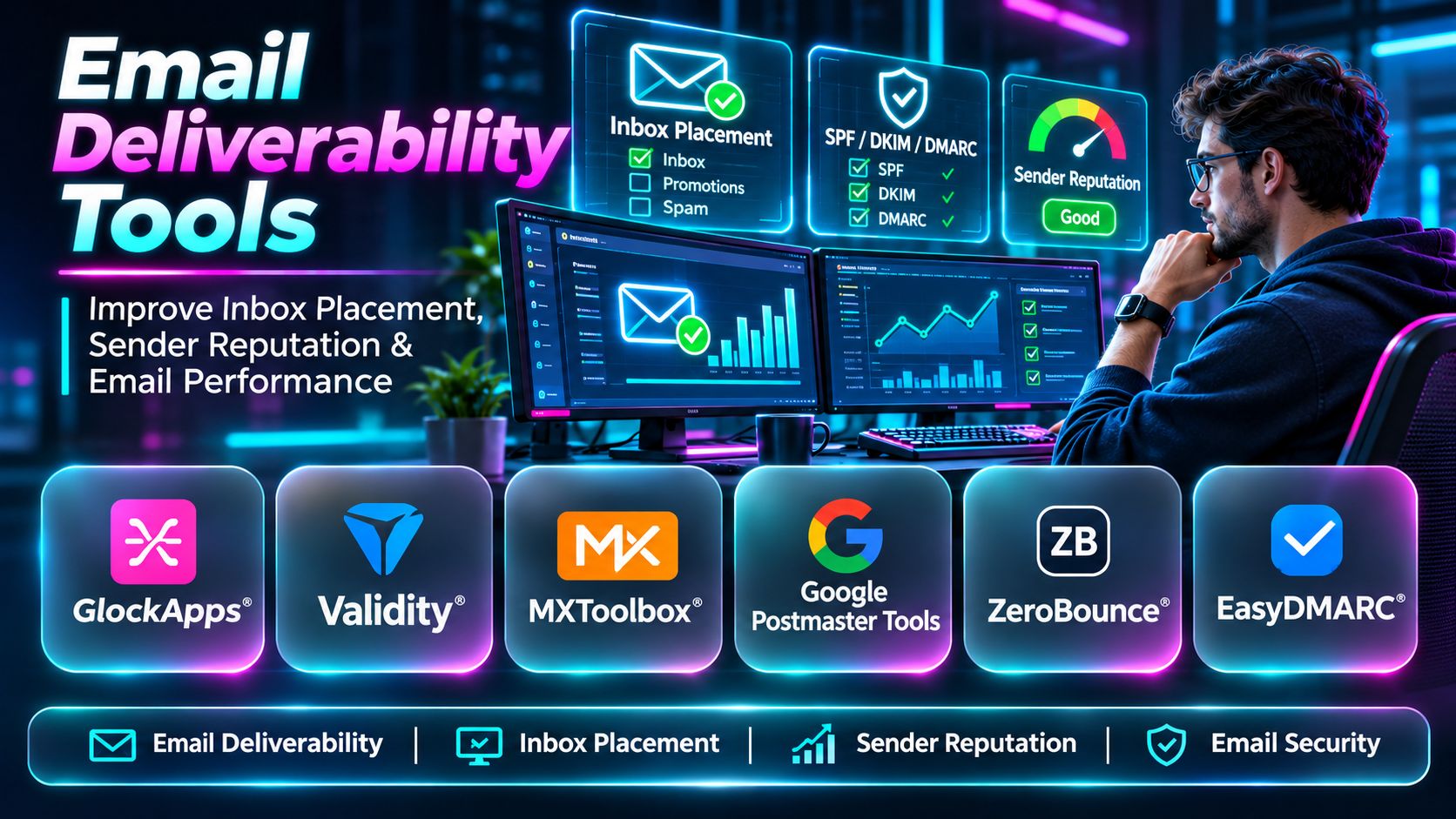
Email deliverability tools help organizations identify and address these issues. They provide capabilities such as inbox placement testing, sender reputation monitoring, email authentication analysis, blocklist monitoring, recipient verification, and technical diagnostics.
The right deliverability strategy combines reliable infrastructure, authenticated sending, permission-based contact lists, meaningful testing, and continuous monitoring.
This guide compares ten established email deliverability tools, explains their capabilities and limitations, and provides practical guidance for choosing the right solutions.
What Are Email Deliverability Tools?
Email deliverability tools are software platforms and services that help organizations evaluate and improve how legitimate email messages reach their intended recipients.
They examine different aspects of email sending, including technical configuration, sender reputation, recipient quality, and inbox placement.
Email Delivery vs. Email Deliverability
Email delivery means that a receiving mail server accepts a message.
Email deliverability concerns whether that message reaches the intended mailbox location, particularly the primary inbox.
A message can be accepted by the receiving server and still appear in the spam folder.
Important Deliverability Factors
- Sender reputation: How receiving providers evaluate a sending domain or IP address.
- SPF: Identifies authorized sending infrastructure.
- DKIM: Uses cryptographic signatures to authenticate messages.
- DMARC: Establishes authentication alignment policies and reporting.
- Bounce rates: Indicate failed delivery attempts.
- Spam complaints: Reflect recipients reporting messages as unwanted.
- Recipient engagement: Helps organizations understand whether messages remain relevant.
- Sending patterns: Sudden volume changes can affect filtering decisions.
- List quality: Invalid or outdated addresses create unnecessary delivery failures.
No single tool controls every factor. Organizations often combine multiple categories of deliverability software.
Top 10 Email Deliverability Tools
1. GlockApps
Short Description
GlockApps is an email deliverability testing platform focused on inbox placement, spam filtering, and sender diagnostics.
It allows organizations to send representative messages to controlled test accounts and examine where those messages are placed.
This provides information that standard email delivery statistics cannot offer.
A marketing team may see that 98% of its messages were accepted by receiving servers while still experiencing poor campaign engagement. GlockApps can help investigate whether test messages are reaching inboxes or spam folders.
The platform also provides authentication-related diagnostics and other monitoring capabilities.
Its primary strength is independent placement testing, although results from controlled accounts cannot guarantee how every real recipient will experience a campaign.
Key Features
- Inbox Placement Testing: Measures where test emails land across supported mailbox accounts.
- Spam Folder Analysis: Helps identify filtering patterns that may affect campaigns.
- Authentication Diagnostics: Examines relevant SPF, DKIM, and DMARC configuration.
- Sender Reputation Checks: Provides information related to sending domain and IP reputation.
- Blocklist Monitoring: Helps identify potential reputation problems associated with monitored lists.
- Pre-Send Testing: Supports campaign evaluation before large-scale distribution.
- Deliverability Reports: Presents test results through dashboards.
- Recurring Monitoring: Supports repeated checks to identify changing performance.
Benefits
GlockApps helps teams investigate inbox placement before sending important campaigns.
Its testing capabilities can reveal issues that delivery acceptance statistics alone may conceal.
Pros
- Dedicated inbox placement testing.
- Useful spam diagnostics.
- Authentication analysis.
- Clear reporting.
- Supports pre-campaign evaluation.
- Suitable for marketing agencies.
Cons
- Test placement does not guarantee real recipient placement.
- Paid usage may be necessary.
- Results require interpretation.
- Cannot directly control mailbox filtering.
- Fixes often require changes in other systems.
Use Cases
Newsletter Testing: Evaluate representative marketing emails before sending.
Spam Investigations: Identify potential filtering issues.
Agency Reporting: Compare placement results for client campaigns.
Sender Diagnostics: Investigate authentication and reputation concerns.
Best For
Marketing teams and agencies requiring independent inbox placement testing.
2. Validity Everest
Short Description
Validity Everest is an enterprise email deliverability platform designed for organizations managing large or complex email programs.
It provides visibility into inbox placement, sender reputation, and deliverability performance.
Large businesses often send messages through multiple domains, brands, and email platforms. Monitoring these systems separately can make it difficult to identify emerging problems.
Everest helps consolidate deliverability-related insights and supports ongoing performance analysis.
For example, a multinational retailer may need to compare sending performance across business units and mailbox providers.
The platform is especially relevant to organizations with dedicated deliverability specialists.
Its enterprise scope may be unnecessary for small businesses sending limited volumes.
Key Features
- Inbox Placement Monitoring: Helps evaluate message placement across supported providers.
- Sender Reputation Analysis: Provides information about reputation-related indicators.
- Deliverability Analytics: Supports investigation of email performance trends.
- Infrastructure Monitoring: Helps identify sending-related operational issues.
- Campaign Analysis: Supports assessment of email program performance.
- Enterprise Reporting: Consolidates information for larger teams.
- Reputation Diagnostics: Helps investigate deliverability deterioration.
- Performance Tracking: Supports continuous monitoring over time.
Benefits
Everest helps large organizations manage deliverability as an ongoing operational process.
Centralized reporting can improve coordination between marketing, IT, and email operations teams.
Pros
- Enterprise-focused capabilities.
- Inbox placement visibility.
- Sender reputation monitoring.
- Detailed reporting.
- Suitable for high-volume senders.
- Supports long-term analysis.
Cons
- Commercial enterprise pricing.
- Onboarding effort.
- Specialist knowledge may be required.
- More extensive than small senders need.
- Does not independently solve every delivery problem.
Use Cases
Enterprise marketing, multi-brand email operations, deliverability monitoring, and sender reputation investigations.
Best For
Large organizations with dedicated email operations teams.
3. MXToolbox
Short Description
MXToolbox provides email infrastructure diagnostics and monitoring tools.
It is widely used to investigate DNS configuration, email authentication, mail server connectivity, and blocklist status.
Many deliverability problems originate from incorrect technical settings.
A domain may have an invalid SPF record, a missing DKIM configuration, or incorrect mail routing information.
MXToolbox helps administrators identify these issues through targeted checks.
For example, an IT team investigating rejected messages can inspect the domain’s MX records and authentication configuration before reviewing broader sender reputation.
The platform is best understood as a technical diagnostic solution rather than a complete inbox placement system.
Key Features
- DNS Lookup: Inspects domain records used by email infrastructure.
- MX Record Analysis: Helps verify mail routing configuration.
- SPF Checks: Evaluates sender authorization records.
- DKIM Diagnostics: Helps inspect email signing configuration.
- DMARC Checks: Evaluates authentication policy records.
- Blocklist Lookups: Checks monitored IP and domain listings.
- SMTP Diagnostics: Investigates mail server behavior.
- Monitoring Alerts: Supports recurring infrastructure checks through applicable services.
Benefits
MXToolbox provides a practical starting point for technical deliverability investigations.
It helps administrators distinguish configuration failures from broader inbox placement problems.
Pros
- Broad technical diagnostics.
- DNS and authentication checks.
- Blocklist monitoring.
- Accessible individual tools.
- Useful for IT teams.
- Supports troubleshooting.
Cons
- Not primarily an inbox placement platform.
- Technical knowledge is useful.
- Advanced monitoring may cost extra.
- Cannot repair sender reputation automatically.
- Multiple checks may be required.
Use Cases
Email DNS audits, authentication troubleshooting, blocklist investigations, and mail server diagnostics.
Best For
IT administrators and technical email operations teams.
4. Google Postmaster Tools
Short Description
Google Postmaster Tools is a free service that provides eligible email senders with information about their sending performance within Gmail.
It offers provider-specific visibility into reputation, spam rates, authentication, and related delivery indicators where data is available.
This information is valuable because it comes from the receiving provider’s perspective.
A business may notice declining engagement among Gmail recipients and use Postmaster Tools to investigate whether spam complaints or reputation indicators have changed.
The service is especially useful for organizations sending meaningful volumes of email to Gmail users.
However, it does not provide universal mailbox coverage or independent inbox placement testing.
Some reporting requires sufficient eligible traffic.
Key Features
- Domain Reputation: Provides applicable reputation information.
- Spam Rate Monitoring: Displays relevant user-reported spam indicators.
- Authentication Reporting: Provides information about supported authentication results.
- Delivery Error Insights: Helps investigate selected Gmail delivery issues.
- Compliance Information: Supports monitoring of applicable sender requirements.
- Domain Verification: Confirms control of monitored domains.
- Historical Trends: Helps identify changes over time.
- Provider-Specific Data: Offers Gmail-related sender information.
Benefits
Google Postmaster Tools provides useful first-party information without a subscription fee.
It is a valuable complement to broader deliverability testing.
Pros
- Free.
- Gmail-specific insights.
- Spam rate visibility.
- Reputation indicators.
- Authentication information.
- Useful ongoing monitoring.
Cons
- Gmail-focused.
- Limited information for low-volume senders.
- Not independent inbox placement testing.
- Data may be aggregated or delayed.
- Does not automatically fix problems.
Use Cases
Gmail sender monitoring, complaint analysis, reputation investigations, and authentication reviews.
Best For
Organizations sending substantial volumes to Gmail recipients.
5. ZeroBounce
Short Description
ZeroBounce is an email verification and deliverability-related platform focused on improving recipient list quality.
Sending messages to invalid addresses can increase bounce rates and waste email sending resources.
ZeroBounce helps organizations identify addresses that may create delivery problems.
For example, a business preparing to contact subscribers from an older CRM database can verify addresses before sending.
The platform supports bulk verification and API-based workflows.
It is particularly useful for marketing operations teams maintaining large contact databases.
However, verification cannot guarantee inbox placement or prove that a recipient has consented to receive messages.
Key Features
- Email Verification: Evaluates address validity and selected risk indicators.
- Bulk List Cleaning: Processes large contact databases.
- Verification API: Supports integration with applications.
- Risk Classification: Identifies certain problematic address categories.
- Bounce Reduction: Helps remove addresses likely to fail delivery.
- CRM Integration: Connects with supported business systems.
- Verification Reporting: Provides address classifications.
- Additional Deliverability Services: Offers complementary capabilities through applicable products.
Benefits
ZeroBounce helps reduce avoidable bounces and improve contact database quality.
It supports more efficient email operations.
Pros
- Bulk verification.
- API integration.
- List hygiene capabilities.
- CRM compatibility.
- Risk identification.
- Useful preventive checks.
Cons
- Verification is not perfect.
- Does not guarantee inbox placement.
- Usage costs scale with volume.
- Cannot establish recipient consent.
- Valid addresses may still be unengaged.
Use Cases
CRM cleanup, mailing list verification, signup validation, and bounce reduction.
Best For
Marketing and sales operations teams managing large email lists.
6. EasyDMARC
Short Description
EasyDMARC is an email authentication and domain protection platform focused on SPF, DKIM, and DMARC.
Email authentication helps receiving systems determine whether messages are authorized to use a sending domain.
Organizations using multiple email services often struggle to identify every legitimate sending source.
EasyDMARC helps analyze authentication reporting and identify misconfigured senders.
For example, a company may discover that its billing platform sends messages without proper DKIM alignment.
The platform supports investigation and policy improvements before stricter DMARC enforcement.
Its primary purpose is authentication management rather than complete inbox placement testing.
Key Features
- DMARC Monitoring: Analyzes authentication reporting data.
- SPF Diagnostics: Evaluates sender authorization records.
- DKIM Checks: Helps inspect signing configuration.
- Alignment Analysis: Identifies messages failing DMARC alignment.
- Sender Discovery: Helps identify systems using a domain.
- Policy Guidance: Supports stronger authentication policies.
- Reporting Dashboards: Presents authentication trends.
- Monitoring Alerts: Highlights relevant configuration changes.
Benefits
EasyDMARC helps organizations improve authentication and domain protection.
Correct authentication also supports compliance with mailbox provider requirements.
Pros
- Specialized DMARC capabilities.
- Authentication reporting.
- Sender identification.
- Useful dashboards.
- Domain protection focus.
- Supports multiple domains.
Cons
- Does not guarantee inbox placement.
- DNS knowledge is useful.
- Policy changes require planning.
- Advanced features may require paid plans.
- Authentication is only one deliverability factor.
Use Cases
DMARC implementation, sender inventory, domain protection, and authentication troubleshooting.
Best For
Organizations improving email authentication and domain security.
7. Mailgun Optimize
Short Description
Mailgun Optimize provides deliverability-oriented capabilities for organizations managing application and business email.
It is especially relevant to developers and technical teams using programmatic sending infrastructure.
Transactional messages such as password resets, account confirmations, and billing notifications need reliable delivery.
Mailgun’s optimization capabilities help teams evaluate recipient quality and investigate delivery performance through supported products.
For example, a SaaS company may combine email verification with deliverability testing to reduce bounces.
The platform fits naturally into API-driven workflows.
However, users should verify which optimization capabilities are included in their selected Mailgun offering.
Key Features
- Email Validation: Evaluates recipient address quality.
- Inbox Placement Testing: Available through applicable offerings.
- Deliverability Diagnostics: Supports investigation of sending problems.
- API Integration: Connects with developer applications.
- Authentication Support: Helps teams configure sender authentication.
- Sending Analytics: Provides relevant operational information.
- Infrastructure Integration: Works with compatible email sending workflows.
- Testing Tools: Supports evaluation of email performance.
Benefits
Mailgun Optimize helps development teams incorporate deliverability checks into email operations.
Pros
- Developer-oriented.
- API integration.
- Email validation.
- Deliverability testing capabilities.
- Useful for application emails.
- Compatible with technical workflows.
Cons
- Feature availability varies.
- Additional costs may apply.
- Requires technical integration.
- Not a universal monitoring solution.
- Optimization and sending products differ.
Use Cases
Transactional email diagnostics, API verification, and application email optimization.
Best For
Developers and SaaS teams managing programmatic email.
8. Mailtrap
Short Description
Mailtrap provides email testing and sending capabilities designed for developers and application teams.
It helps organizations inspect email behavior before deploying messages to real recipients.
Development teams often need to test verification emails, password resets, receipts, and notification templates.
Mailtrap’s sandbox capabilities allow these messages to be captured and inspected without reaching actual customers.
The platform also offers production email sending services.
For example, a development team can verify message formatting and links before enabling a new account onboarding workflow.
However, sandbox testing is not equivalent to measuring actual inbox placement at public mailbox providers.
Key Features
- Email Sandbox: Captures development messages safely.
- Template Inspection: Helps identify formatting problems.
- Production Email Sending: Supports application email delivery.
- Sending Analytics: Provides relevant operational information.
- Authentication Configuration: Supports sending domain setup.
- API Integration: Connects with applications.
- SMTP Support: Works with compatible email clients.
- Development Testing: Supports email QA workflows.
Benefits
Mailtrap helps teams catch email implementation errors before production.
It connects testing and sending workflows within a developer-oriented environment.
Pros
- Strong development testing.
- Email sandbox.
- API and SMTP support.
- Template inspection.
- Production sending capabilities.
- Useful for QA.
Cons
- Sandbox testing does not prove inbox placement.
- Product features vary.
- Production delivery still needs monitoring.
- Paid plans may be required.
- Not a complete reputation management platform.
Use Cases
Application email testing, transactional email QA, template validation, and developer troubleshooting.
Best For
Software development teams testing and operating email workflows.
9. dmarcian
Short Description
dmarcian is a platform focused on DMARC reporting and email authentication analysis.
DMARC reports can contain substantial technical information about systems sending email on behalf of a domain.
Organizations often find these reports difficult to interpret manually.
dmarcian helps convert authentication data into information that administrators can use to identify legitimate and unauthorized senders.
For example, a company may discover that an older marketing integration is still sending messages using its domain.
The platform supports a structured approach to improving authentication alignment and enforcing DMARC policies.
Its specialization makes it useful for security teams, although it does not replace broader inbox placement monitoring.
Key Features
- DMARC Reporting: Organizes authentication report information.
- Sender Identification: Helps identify sending services.
- SPF Analysis: Supports authentication investigations.
- DKIM Analysis: Helps evaluate message signing.
- Alignment Monitoring: Identifies DMARC alignment failures.
- Policy Guidance: Supports progression toward enforcement.
- Reporting Dashboards: Presents authentication trends.
- Multi-Domain Monitoring: Supports multiple domains through applicable plans.
Benefits
dmarcian helps organizations understand their sending ecosystem and strengthen domain authentication.
Pros
- Specialized DMARC analysis.
- Sender visibility.
- Authentication reporting.
- Useful policy guidance.
- Supports domain security.
- Suitable for IT teams.
Cons
- Not an inbox placement platform.
- Requires DNS understanding.
- Reporting can be complex.
- Paid capabilities vary.
- Does not replace broader monitoring.
Use Cases
DMARC deployment, authentication audits, sender discovery, and domain protection.
Best For
Security and IT teams responsible for email authentication.
10. Microsoft Smart Network Data Services
Short Description
Microsoft Smart Network Data Services, or SNDS, provides eligible senders with information about email traffic associated with authorized sending IP addresses.
It focuses on relevant Microsoft consumer email infrastructure.
Organizations operating dedicated email sending servers may experience filtering issues that affect Microsoft recipients differently from Gmail or other providers.
SNDS can provide useful information for investigating these problems.
For example, an email infrastructure administrator can review available IP traffic and reputation-related indicators when messages to Outlook.com recipients experience difficulties.
The service complements broader deliverability monitoring.
However, its scope is limited, and shared sending environments may restrict the usefulness of IP-specific information.
Key Features
- IP Monitoring: Provides information for authorized sending IP addresses.
- Microsoft Traffic Visibility: Focuses on relevant Microsoft consumer email systems.
- Sending Activity Data: Helps administrators examine traffic patterns.
- Reputation Indicators: Supports investigation of sender health.
- Complaint Information: Provides applicable complaint-related data.
- Historical Monitoring: Helps identify changes over time.
- Authorized Access: Restricts data to eligible IP operators.
- Operational Diagnostics: Supports provider-specific troubleshooting.
Benefits
SNDS provides first-party Microsoft sending information for eligible infrastructure operators.
Pros
- Free monitoring service.
- Microsoft-specific information.
- Useful for dedicated IP senders.
- Supports reputation investigations.
- Complements other tools.
- Infrastructure-oriented.
Cons
- Limited provider coverage.
- IP authorization required.
- Not inbox placement testing.
- Shared IP environments may limit access.
- Data availability varies.
Use Cases
Dedicated IP monitoring, Microsoft delivery troubleshooting, and sender reputation analysis.
Best For
Email infrastructure teams operating dedicated sending IP addresses.
Email Deliverability Tools Comparison Table
| Tool | Main Function | Inbox Placement | Authentication | Best For |
|---|---|---|---|---|
| GlockApps | Deliverability testing | Yes | Yes | Marketing teams |
| Validity Everest | Enterprise monitoring | Yes | Related diagnostics | Large senders |
| MXToolbox | Infrastructure diagnostics | No dedicated testing | Yes | IT administrators |
| Google Postmaster Tools | Gmail sender monitoring | No independent testing | Provider data | Gmail senders |
| ZeroBounce | Email verification | Related offerings | Limited | List hygiene |
| EasyDMARC | Authentication management | Not primary | Yes | Domain security |
| Mailgun Optimize | Deliverability optimization | Applicable offerings | Related tools | Developers |
| Mailtrap | Email testing and sending | Product-dependent | Sending setup | Application teams |
| dmarcian | DMARC analysis | No | Yes | Security teams |
| Microsoft SNDS | IP reputation monitoring | No | Not primary | Dedicated IP operators |
How to Choose the Best Email Deliverability Tool
1. Identify the Main Problem
Determine whether messages are being rejected, placed in spam, sent to invalid addresses, or failing authentication.
2. Evaluate Inbox Placement Needs
Use dedicated placement testing when understanding spam versus inbox delivery is important.
3. Verify Authentication
Check SPF, DKIM, and DMARC configuration and alignment.
4. Monitor Sender Reputation
Review provider dashboards, complaints, and sending behavior.
5. Maintain Recipient List Quality
Remove invalid addresses and honor subscription preferences.
6. Review Mailbox Provider Coverage
Choose tools that support the providers used by your audience.
7. Evaluate Reporting
Look for actionable information rather than isolated technical scores.
8. Consider Integrations
Check compatibility with email service providers, CRMs, and marketing systems.
9. Plan Continuous Monitoring
Deliverability changes over time, so one-time testing is insufficient.
10. Compare Total Cost
Include subscriptions, testing volume, technical work, and operational effort.
Best Email Deliverability Tools by User Type
| User Type | Recommended Tool | Reason |
|---|---|---|
| Email marketing manager | GlockApps | Inbox placement testing |
| Enterprise deliverability team | Validity Everest | Broad monitoring |
| IT administrator | MXToolbox | Technical diagnostics |
| Gmail-focused sender | Google Postmaster Tools | Provider-specific insights |
| CRM manager | ZeroBounce | Email verification |
| Domain administrator | EasyDMARC | Authentication management |
| SaaS developer | Mailgun Optimize | Developer workflows |
| QA engineer | Mailtrap | Email testing |
| Security administrator | dmarcian | DMARC analysis |
| Dedicated IP operator | Microsoft SNDS | Microsoft traffic monitoring |
Practical Example: Improving Deliverability for an Online Store
An online retailer sends newsletters and promotional campaigns to thousands of customers.
Engagement declines, and several customers report that messages appear in spam folders.
Step 1: Review Sending Statistics
Collect delivery acceptance, bounce, complaint, and unsubscribe information.
Step 2: Check DNS Authentication
Use MXToolbox or a similar tool to inspect SPF, DKIM, and DMARC.
Step 3: Review Provider Reputation
Use Google Postmaster Tools where eligible.
Step 4: Verify Contact Addresses
Use a verification service to identify invalid addresses.
Step 5: Review Consent
Ensure recipients have a legitimate reason to receive messages.
Step 6: Test Inbox Placement
Send representative campaigns through a testing platform.
Step 7: Inspect Message Content
Review links, formatting, subject lines, and unsubscribe options.
Step 8: Segment Recipients
Prioritize relevant audiences and recent engagement.
Step 9: Stabilize Sending
Avoid sudden, unexplained increases in email volume.
Step 10: Monitor Improvements
Track provider-specific performance over subsequent campaigns.
Step 11: Document Findings
Record technical changes and observed results.
Step 12: Establish Routine Reviews
Make deliverability monitoring part of ongoing email operations.
Frequently Asked Questions
1. What is email deliverability?
The ability of legitimate messages to reach intended recipient mailboxes.
2. What is inbox placement?
The location where an accepted email appears, such as the inbox or spam folder.
3. What is sender reputation?
Signals used by mailbox providers to assess sending domains and IP addresses.
4. What is SPF?
An authentication mechanism identifying authorized sending infrastructure.
5. What is DKIM?
A cryptographic email signing mechanism.
6. What is DMARC?
An authentication policy and reporting mechanism based on SPF or DKIM alignment.
7. Does DMARC guarantee inbox placement?
No. It is one component of deliverability.
8. What is GlockApps?
An inbox placement and deliverability testing platform.
9. What is Validity Everest?
An enterprise email deliverability monitoring solution.
10. What is MXToolbox?
A collection of DNS and email infrastructure diagnostic tools.
11. Is Google Postmaster Tools free?
Yes, for eligible senders.
12. What is ZeroBounce?
An email verification and related deliverability services platform.
13. What is EasyDMARC?
A platform for managing email authentication.
14. What is dmarcian?
A service focused on DMARC reporting and analysis.
15. What is Mailtrap?
An email testing and sending platform.
16. What is Mailgun Optimize?
A set of deliverability-related capabilities for email operations.
17. What is Microsoft SNDS?
A service providing eligible senders with Microsoft-related IP traffic information.
18. What is a hard bounce?
A generally permanent email delivery failure.
19. What is a soft bounce?
A generally temporary email delivery problem.
20. What is an email blocklist?
A list identifying IPs or domains associated with certain abuse or reputation concerns.
21. Can email verification improve deliverability?
It can reduce invalid-address bounces.
22. Why do legitimate emails go to spam?
Possible reasons include complaints, reputation, authentication, content, and provider filtering.
23. Can spam placement be tested?
Yes, using controlled inbox placement testing.
24. Is a low spam score enough?
No. Spam scores cannot guarantee placement.
25. How often should deliverability be checked?
Continuously for important sending systems, with additional checks before major campaigns.
26. Does email volume affect deliverability?
Sudden or unusual sending patterns may affect filtering.
27. Are dedicated IPs always better?
No. Their suitability depends on sending volume, reputation, and operational practices.
28. Can one tool solve every deliverability problem?
Usually not. Different tools address different parts of the process.
29. What is the most important deliverability practice?
Maintain authenticated, permission-based, relevant sending with reliable monitoring.
30. What is the best email deliverability tool?
The best choice depends on whether the main challenge is placement, authentication, infrastructure, reputation, or list quality.
Final Thoughts
Email deliverability requires ongoing attention to technical configuration, sender reputation, recipient quality, and legitimate sending practices.
GlockApps and Validity Everest support inbox placement analysis. MXToolbox provides technical diagnostics, while Google Postmaster Tools and Microsoft SNDS offer provider-specific monitoring.
ZeroBounce improves list quality. EasyDMARC and dmarcian help organizations strengthen authentication. Mailgun Optimize and Mailtrap support developer-oriented email workflows.
Organizations should select tools according to their specific deliverability problems and measure results over time.
