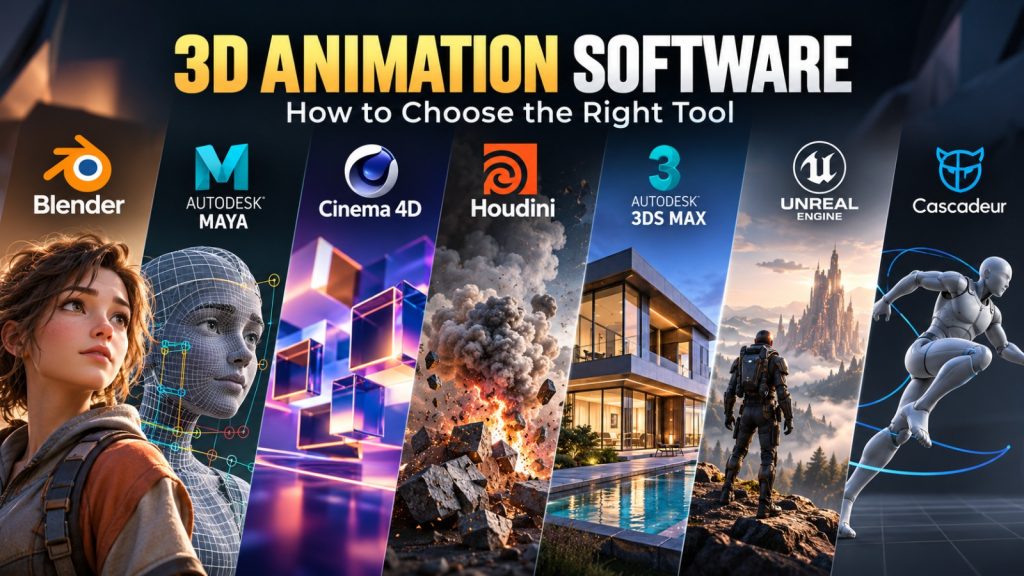
A character that looks convincing in a still render can fall apart the moment it moves. Joints deform unnaturally, facial expressions lose their appeal, and a scene that previews smoothly becomes painfully slow to render. These problems are rarely solved by buying the most expensive 3D animation software. They are solved by choosing tools that fit the work being produced.
The requirements for animating a short film are different from those for building game characters, architectural walkthroughs, product advertisements, or motion graphics. Some applications provide an entire production environment, from modeling to final rendering. Others specialize in character animation, procedural effects, or real-time production.
That distinction matters more than a feature count.
Blender, Autodesk Maya, Cinema 4D, Houdini, and Unreal Engine are all capable of contributing to professional 3D animation workflows, but they are not interchangeable. Their strengths emerge at different stages of production, and their limitations can affect everything from artist training to file compatibility and delivery costs.
This guide examines the major options, explains the technical decisions behind choosing them, and shows how to evaluate a workflow before investing substantial time or money.
What 3D animation software actually needs to do
3D animation involves creating or importing three-dimensional assets and changing their properties over time. Those changes might include a character’s pose, a camera’s position, the movement of machinery, the deformation of an object, or the behavior of a simulated fluid.
A typical production pipeline includes several connected disciplines:
- Modeling: Creating the geometry of characters, environments, props, or products.
- Rigging: Building controls, joints, and deformation systems that make objects easier to animate.
- Animation: Creating movement through keyframes, procedural systems, motion capture, or simulation.
- Materials and lighting: Defining surface appearance and how objects respond to light.
- Simulation: Producing effects such as cloth, hair, particles, destruction, smoke, and liquids.
- Rendering: Generating final images or sequences from the animated scene.
- Compositing and delivery: Combining rendered elements, applying finishing effects, and preparing the output.
Not every project requires every stage. A mechanical product animation might use rigid object transforms without character rigging. A game studio might export skeletal animation to a game engine rather than render its final images in the animation application.
Software selection should begin with the stages that matter most to the project, not with the assumption that one application must perform every task.
The major 3D animation tools and where they fit
The following comparison focuses on established applications with materially different workflows. It is organized by production suitability rather than an arbitrary overall ranking.
| Software | Primary strength | Licensing approach | Main consideration |
|---|---|---|---|
| Blender | General-purpose 3D production | Free, open source | Broad capabilities require learning several distinct workflows |
| Autodesk Maya | Character animation and rigging | Commercial subscription | Cost and production complexity |
| Cinema 4D | Motion graphics and design animation | Commercial subscription | Character-heavy and simulation-intensive projects may need additional tools |
| Houdini | Procedural animation and effects | Commercial, with restricted learning editions | Significant technical learning curve |
| Autodesk 3ds Max | Modeling, visualization, and animation | Commercial subscription | Windows-focused workflow |
| Unreal Engine | Real-time animation and cinematic production | License terms depend on use and revenue | Real-time engine pipeline and asset preparation |
| Cascadeur | Character posing and motion refinement | Free and paid tiers | Specialist tool rather than a complete 3D production suite |
| iClone | Character animation and performance workflows | Commercial licensing | Asset ecosystem and interoperability requirements |
These applications solve different problems. Blender and Maya can serve as central digital content creation environments. Houdini frequently complements other applications with procedural assets and effects. Unreal Engine often handles real-time scene assembly, animation, and final presentation. Cascadeur is primarily concerned with improving character motion.
Understanding these roles prevents one of the most common software purchasing mistakes: comparing complementary tools as though they perform identical jobs.
Blender: The strongest starting point for an independent 3D pipeline
Blender combines modeling, sculpting, rigging, animation, simulation, rendering, compositing, and video editing within a free, open-source application.
Its appeal is not simply that it costs nothing to license. Blender allows artists and small teams to develop a substantial production workflow without making commercial subscription commitments before they know what they need.
Where Blender performs particularly well
Blender supports traditional keyframe animation, armatures for skeletal animation, shape keys for deformation, constraints, and nonlinear animation workflows.
Its Geometry Nodes system supports procedural creation and manipulation of geometry. This is useful for generating repeated objects, constructing complex scenes, and creating effects that would be tedious to build manually.
Blender also includes two important rendering approaches:
- Cycles: A path-tracing renderer suited to physically based lighting and final-quality rendering.
- EEVEE: A real-time-oriented rendering engine useful for interactive workflows and projects where rendering speed matters.
The distinction allows artists to balance image quality, iteration speed, and hardware requirements.
Blender is particularly compelling for freelancers, independent filmmakers, educational institutions, small animation studios, and artists developing portfolios.
The limitations worth understanding
Having an extensive feature set does not mean every production task is equally straightforward.
Blender’s interface exposes many specialized editors, modes, and workflows. New users must learn not only how to animate but also how scene data, objects, modifiers, materials, and dependencies interact.
Collaboration also requires planning. A shared Blender project is not automatically a complete multi-artist production management system. Teams still need conventions for file ownership, asset versioning, dependencies, naming, and review.
Studios exchanging assets with Maya-based or other proprietary pipelines should test compatibility early, especially for complex rigs and procedural setups.
Choose Blender when: You need a capable, flexible production environment and want to minimize software licensing costs without restricting yourself to basic animation.
Autodesk Maya: Character animation built around production control
Autodesk Maya is a major commercial application for 3D character animation, rigging, modeling, and visual effects production.
Its most important advantage is not that it can create more animation than every alternative. It is the depth of its character-production tools and its established role in pipelines where technical artists, animators, and pipeline developers work together.
Why character-focused teams consider Maya
Complex character production involves more than setting keyframes.
A rig must give animators predictable controls while managing constraints, deformation, joint behavior, and relationships between different parts of a character. The rig also needs to remain practical when scenes become complicated.
Maya provides tools for skeletal animation, graph-based animation editing, character rigging, deformation, and procedural control through its dependency graph.
Its scripting and extensibility options, including Python and its application programming interfaces, make it suitable for building customized production tools.
For a studio handling many characters or repeated production tasks, automation can be as important as the animation interface itself.
Maya also includes Arnold rendering integration, although rendering entitlements and deployment requirements should be checked against the relevant Autodesk license.
Where Maya introduces overhead
Maya requires a commercial licensing commitment, and its capabilities come with operational complexity.
Teams may need dedicated technical expertise to develop rigs, maintain tools, manage plugins, and ensure consistent scene behavior across machines.
For a solo artist producing short product animations, that overhead may not be justified.
Maya is also not a guarantee of effortless interoperability. A sophisticated rig built around Maya-specific nodes or scripts may not transfer cleanly into another application.
Choose Maya when: Character animation, sophisticated rigging, scripting, and integration into an established production pipeline are central requirements.
Cinema 4D: A natural fit for motion design and commercial animation
Cinema 4D occupies an important position between traditional 3D production and motion design.
It is especially relevant to artists creating animated typography, broadcast graphics, brand identities, advertising sequences, product presentations, and abstract visual compositions.
Its MoGraph toolset is a defining differentiator.
Why MoGraph changes the workflow
Imagine an advertisement featuring hundreds of product packages moving into formation before resolving into a brand logo.
A traditional approach might involve manually animating numerous objects or writing custom scripts.
Cinema 4D’s MoGraph workflow provides cloners, effectors, and procedural controls for building coordinated animation from reusable rules.
This makes it practical to explore variations in timing, arrangement, and movement without manually editing every object.
Cinema 4D also has an established relationship with Adobe After Effects workflows, which matters to designers combining 3D animation with typography, compositing, and conventional motion graphics.
What to evaluate before subscribing
Cinema 4D supports character animation and broader 3D production, but its motion-design strengths should not be mistaken for automatic superiority in every animation discipline.
A studio whose primary output is complex character acting should compare rigging, deformation, and animation editing directly against Maya and Blender.
Commercial buyers should also understand the relationship between Cinema 4D and the broader Maxon product ecosystem, particularly when Redshift rendering or other Maxon applications are required.
Choose Cinema 4D when: Motion graphics, design-driven animation, advertising, and frequent creative iteration are more important than building a character-animation pipeline from scratch.
Houdini: Procedural thinking for complex animation and visual effects
Houdini approaches 3D production differently from applications centered primarily on direct object manipulation.
Its node-based procedural systems allow artists to construct operations that can be adjusted, reused, and recomputed.
This approach becomes particularly valuable when a scene contains complex relationships, repeated structures, simulations, or large quantities of generated geometry.
Where procedural animation earns its complexity
Consider a sequence in which a building breaks apart, fragments collide, dust spreads, and debris accumulates across a street.
Animating every fragment by hand would be impractical.
Houdini provides procedural and simulation workflows for rigid-body destruction, particles, fluids, volumes, and other effects. Artists can construct systems that respond to changing inputs instead of rebuilding the entire effect for each revision.
Proceduralism also helps when a client requests significant changes. If an effect has been designed with adjustable parameters, modifying the underlying geometry or behavior may be more manageable than manually revising thousands of elements.
Houdini’s KineFX toolset also supports procedural character-related workflows, including rigging and motion processing.
Why Houdini is not automatically the right first application
Procedural systems demand a different mental model.
Artists must understand data flow, attributes, dependencies, and the consequences of changes throughout a node network.
Houdini can handle conventional animation tasks, but someone whose primary goal is simple character acting may find its procedural architecture unnecessary for everyday work.
SideFX offers different licensing editions, including learning and limited-commercial options. Their usage, output, and commercial restrictions must be reviewed before committing a production to a particular edition.
Choose Houdini when: Procedural generation, simulations, effects, or reusable technical systems are essential to the work.
Autodesk 3ds Max: A practical choice for visualization and asset-heavy production
Autodesk 3ds Max is a Windows-based 3D modeling, rendering, and animation application with a long-standing presence in architectural visualization, product visualization, and game asset creation.
Its modifier-based modeling workflow is particularly useful when geometry needs repeated adjustments.
For example, an architectural visualization artist might build an interior scene, animate a camera moving through the space, and render a presentation showing materials, lighting, and spatial relationships.
The animation may be relatively simple, but modeling accuracy, scene organization, and rendering integration remain essential.
Where 3ds Max makes sense
3ds Max provides polygon modeling tools, animation controllers, keyframe animation, and scripting capabilities.
It also supports workflows involving external renderers and specialized visualization plugins.
That ecosystem can matter to studios maintaining extensive libraries of architectural assets, materials, and reusable scene components.
The main purchasing consideration is workflow fit. A studio already using 3ds Max for visualization may gain little from introducing another application solely to animate cameras and objects.
Conversely, an independent character animator starting from scratch should compare Maya and Blender before selecting 3ds Max.
Choose 3ds Max when: Architectural visualization, detailed modeling, existing asset libraries, or a Windows-based production pipeline drive the project.
Unreal Engine: When animation needs to happen in real time
Unreal Engine is fundamentally a real-time 3D engine rather than a conventional standalone modeling and animation package.
That difference is precisely why it belongs in a serious discussion of animation software.
Unreal Engine can assemble environments, play skeletal animations, control cameras, manage lighting, and produce cinematic sequences interactively.
Its Sequencer system supports timeline-based cinematic production, while Control Rig provides tools for character rigging and animation inside the engine.
Real-time production changes the economics of iteration
Traditional offline rendering can require substantial processing time for each finished frame.
Real-time rendering allows artists to inspect lighting, cameras, animation, and composition interactively, although demanding scenes may still require substantial hardware resources or offline-quality rendering passes.
This can be particularly valuable for:
- Virtual production and previs.
- Animated cinematic sequences.
- Interactive product demonstrations.
- Game cutscenes.
- Virtual environments and real-time presentations.
For example, a team producing an animated showroom might use Blender or Maya to build assets and Unreal Engine to assemble the environment, animate cameras, and produce the interactive experience.
The hidden work behind real-time animation
Real-time production requires attention to asset optimization, material compatibility, skeletal structure, scene performance, and rendering settings.
An asset designed for offline rendering may contain geometry or materials that require adaptation before performing well in a real-time engine.
Unreal Engine also has a licensing model that varies according to the type of product, revenue, and usage. Teams producing games, linear content, or commercial visualization should review the applicable Epic Games licensing terms rather than assuming every use is covered by the same arrangement.
Choose Unreal Engine when: Real-time rendering, interactive delivery, virtual production, or integration with a game-engine pipeline is a core requirement.
Specialist animation tools: Cascadeur and iClone
Not every animation application needs to provide modeling, simulation, lighting, and final rendering.
Specialist tools can improve a particular stage of production while relying on other applications for the remaining work.
Cascadeur: Character motion with physics-assisted tools
Cascadeur focuses on character animation, posing, and motion refinement.
Its physics-assisted approach is useful when animators need to create believable movement involving balance, weight, momentum, and body mechanics.
This is especially relevant to actions such as jumping, falling, running, and acrobatics.
Cascadeur includes tools for assisted posing, animation interpolation, and motion editing. These can help artists develop or refine movement without relying exclusively on conventional keyframe editing.
However, assisted animation is not a substitute for artistic judgment. An automatically generated pose may be physically plausible but still lack the timing, exaggeration, or emotional intent required by a particular scene.
Cascadeur is most useful when evaluated as part of a larger character-production workflow. Importing and exporting rigs and animation should be tested with the intended destination application.
iClone: A character-animation-centered production environment
Reallusion iClone is designed around character animation, performance capture, motion editing, and scene production.
Its workflow can appeal to creators who want to animate digital characters without developing every rig and asset from the ground up.
iClone can be particularly relevant to animated presentations, independent character-driven videos, virtual characters, and projects that benefit from reusable motion assets.
Reallusion’s broader ecosystem includes character creation and animation-related tools, but buyers should distinguish what is included in iClone from what requires separate software, plugins, or content purchases.
The main consideration is dependency on the asset and character workflow. A creator working extensively with Reallusion-compatible characters may benefit from its integrated approach, while a studio using custom rigs should test interoperability carefully.
The decision that matters most: What are you actually animating?
Software comparisons become more useful when organized around production outcomes.
| Production goal | Strong candidates | Why they deserve consideration |
|---|---|---|
| Learning 3D animation | Blender | No licensing cost and a broad set of production tools |
| Character-driven short films | Blender, Maya | Rigging, deformation, keyframe animation, and character controls |
| Professional character pipelines | Maya, Blender | Extensibility and substantial character-production capabilities |
| Advertising and motion graphics | Cinema 4D, Blender | Procedural object animation and design-oriented workflows |
| Destruction, smoke, and procedural effects | Houdini | Node-based simulation and procedural control |
| Architectural walkthroughs | 3ds Max, Blender, Unreal Engine | Modeling, camera animation, visualization, and rendering options |
| Real-time cinematics | Unreal Engine | Sequencer, Control Rig, and real-time scene production |
| Physics-assisted character motion | Cascadeur | Specialized posing and motion refinement |
| Reusable character performances | iClone | Character-oriented animation and motion workflows |
These are starting points, not exclusive assignments.
A production may use several applications because each solves a different problem. The objective is not to minimize the number of tools at all costs, but to avoid unnecessary complexity between them.
The technical capabilities that separate a suitable tool from an expensive mistake
A product demonstration can make almost any modern animation application look impressive. The real test is whether its underlying workflow supports the kind of revisions and production problems that occur repeatedly.
1. Animation controls and curve editing
Keyframe animation remains fundamental to 3D production.
Animators specify values at selected points in time, and the software interpolates between them.
The quality of the animation depends heavily on how much control the artist has over that interpolation.
A graph editor allows animators to adjust animation curves, controlling acceleration, deceleration, spacing, and timing.
For character animation, curve editing is especially important because believable movement rarely comes from uniformly spaced poses.
When evaluating software, examine how easily it handles overlapping action, animation layers, constraints, and repeated adjustments.
2. Rigging and deformation
A rig is the control system that allows an animator to pose and manipulate a character or mechanical object.
Simple rigs may contain only a few joints. Complex character rigs can include facial controls, inverse kinematics, corrective deformation, constraints, and specialized automation.
Inverse kinematics, commonly called IK, allows an animator to position an endpoint, such as a hand or foot, while the software calculates the corresponding joint relationships.
Forward kinematics, or FK, works by controlling joints through their hierarchy.
Both approaches are useful, and many character rigs combine them.
For character-heavy work, test how the software handles deformation around shoulders, elbows, hips, knees, and facial expressions. Attractive static models can conceal serious animation problems.
3. Procedural versus manual animation
Traditional keyframe animation gives artists direct control over individual movements.
Procedural animation generates or modifies movement through rules, relationships, simulations, or reusable systems.
Neither approach is universally superior.
A dramatic facial performance may require precise manual control. A crowd of hundreds of moving objects may benefit from procedural methods.
The relevant question is how often a project requires individual artistic decisions versus repeatable system-driven behavior.
4. Rendering quality and turnaround time
Rendering performance affects both deadlines and creative freedom.
An animator who can preview changes quickly may experiment with more variations than someone who must wait extensively for each result.
However, rendering speed depends on several factors:
- Scene complexity and geometry.
- Material and lighting settings.
- Resolution and frame rate.
- Rendering engine and quality settings.
- CPU, GPU, and available memory.
- Simulation and texture requirements.
A renderer should be evaluated using representative scenes, not only promotional demonstrations.
The distinction between viewport performance and final-frame rendering is particularly important. Smooth interactive playback does not guarantee equally fast final rendering.
5. Asset compatibility and pipeline integration
File compatibility is one of the most underestimated considerations in 3D production.
Common interchange formats include FBX, glTF, Alembic, and USD, but they are designed for different purposes.
FBX is widely used for exchanging geometry, skeletal animation, and related asset data, particularly in game-oriented workflows.
glTF is designed for efficient transmission and loading of 3D scenes and models, making it useful for web and real-time applications.
Alembic is commonly used for exchanging baked animated geometry, including complex deformation and simulation caches.
USD, or Universal Scene Description, supports sophisticated scene description and composition workflows across compatible applications.
None of these formats guarantees perfect transfer of every native application feature.
Custom rig controllers, procedural node networks, shaders, simulation systems, and application-specific modifiers may require conversion or baking.
Before adopting a workflow, test the complete round trip: export an asset, import it into the destination application, make a change, and verify that the resulting animation still behaves as expected.
Hardware requirements: Where to spend and where to save
3D animation performance is affected by the entire workstation, not just the graphics card.
The ideal configuration depends on whether the work emphasizes character animation, modeling, simulation, real-time rendering, or offline rendering.
| Component | Why it matters | Practical purchasing consideration |
|---|---|---|
| CPU | Scene evaluation, simulation, processing, and CPU rendering | Balance single-thread performance with multicore workloads |
| GPU | Viewport performance, real-time rendering, and supported GPU render engines | Check renderer compatibility and available VRAM |
| RAM | Large scenes, textures, simulation data, and multitasking | Plan for actual scene complexity rather than minimum requirements |
| Storage | Project files, textures, caches, and rendered sequences | Fast SSD storage improves many asset-loading and caching workflows |
| Display | Detailed interface work, animation curves, and visual review | Screen space and color accuracy can improve productivity |
Why GPU memory matters
A powerful graphics processor can still struggle when a scene exceeds its available video memory.
Large textures, detailed geometry, complex environments, and rendering buffers can consume substantial VRAM.
Some renderers can use system memory or alternative processing paths under particular conditions, but these approaches may reduce performance.
For GPU rendering, compatibility with the selected rendering engine matters as much as headline graphics-card specifications.
When additional RAM becomes important
Simulation-heavy work can generate substantial cached data.
Fluid simulations, cloth, particles, and complex environments may require far more memory than basic modeling or short character-animation exercises.
Artists planning to work with Houdini or large production scenes should assess memory requirements using realistic examples.
Avoid buying hardware before choosing the workflow
Purchasing an expensive workstation before identifying the target software can lead to poor resource allocation.
A creator using Blender’s Cycles GPU rendering may have different priorities from someone focused on CPU-intensive simulations or real-time Unreal Engine environments.
A sensible approach is to select the primary applications first, review their official hardware requirements, and then benchmark representative workloads before committing to major upgrades.
The real cost of 3D animation software is larger than its license
Software pricing is only one component of production cost.
Free software can still require significant investment in training, hardware, plugins, and pipeline development. Commercial software can justify its price when it reduces production time or integrates with an existing team.
The most useful comparison is total cost of ownership.
Licensing and subscriptions
Blender can be used without purchasing a software license.
Commercial applications such as Maya, 3ds Max, Cinema 4D, and Houdini have different licensing structures, editions, and eligibility conditions.
Specialist products may offer free tiers, subscriptions, perpetual licenses, or separate commercial entitlements.
Before purchasing, determine whether the license covers the intended commercial use, the number of artists, required rendering machines, and any necessary plugins.
Training and onboarding
A less expensive application is not necessarily cheaper to adopt.
If an established team already works efficiently in Maya, moving to another application could create training costs, conversion work, and production disruption.
For an individual beginner, however, learning Blender may be a sensible investment because it provides broad exposure to modeling, rigging, animation, and rendering without recurring licensing fees.
Rendering and infrastructure
Rendering costs can become significant when projects contain long sequences, high resolutions, complex lighting, or demanding simulations.
Cloud rendering may reduce the need to own extensive hardware, but introduces other costs and operational considerations.
Teams should evaluate data transfer, renderer compatibility, plugin licensing, asset dependencies, and the confidentiality of uploaded project files.
Plugins and asset libraries
Commercial and free applications alike may rely on external assets, scripts, add-ons, or plugins.
These dependencies can improve productivity but also introduce maintenance obligations.
A critical plugin that stops working after a software upgrade can interrupt production.
Studios should document essential dependencies and test application upgrades before deploying them across active projects.
A realistic production example: Animating a product advertisement
Consider a small creative team producing a short advertisement for a wireless speaker.
The sequence includes a rotating product, an exploded view of internal components, animated typography, and a final close-up with realistic materials.
The team has several viable workflows.
Workflow A: Blender-centered production
The product is modeled or imported into Blender.
The team creates materials, animates the camera and product components, and renders the sequence using Cycles or EEVEE.
Compositing and finishing can be completed in Blender or a separate editing application.
This approach minimizes software licensing expenses and keeps much of the production within one environment.
Its success depends on the team’s familiarity with Blender and the complexity of the desired motion design.
Workflow B: Cinema 4D and After Effects
The product geometry is prepared in Cinema 4D.
MoGraph tools control repeated elements and procedural movements, while After Effects handles typography, compositing, and final presentation.
This can be particularly suitable when the advertisement combines sophisticated 3D motion with conventional motion graphics.
The trade-off is commercial software cost and the need to manage multiple applications.
Workflow C: Unreal Engine for interactive presentation
If the advertisement must also support an interactive product experience, Unreal Engine becomes more attractive.
The team prepares optimized product assets, assembles the scene in Unreal Engine, and uses real-time rendering for presentation or cinematic output.
This approach may involve additional asset preparation but supports interactive applications beyond a conventional video.
The important lesson is that the same product can be animated successfully through different pipelines. The correct choice depends on the required deliverable and the production team’s capabilities.
How to evaluate 3D animation software before committing
A short, controlled pilot is more informative than comparing feature lists.
Instead of testing unrelated demonstration scenes, use the same representative assignment in each shortlisted application.
For character animation, the assignment might involve importing a rigged character, creating a walk cycle, editing a facial expression, and exporting the animation to a target engine.
For motion graphics, it might involve animating a group of objects, adjusting their timing procedurally, and producing a finished render.
A practical evaluation should answer five questions.
Can the software produce the required animation? Test the actual production requirement rather than assuming a documented feature will meet every need.
How difficult is it to revise? Change the timing, geometry, or camera after the initial animation is complete. Revision effort often reveals more than initial setup time.
Can assets move through the pipeline? Export and reimport representative files, checking materials, rigs, animation, and scene hierarchy.
Does performance remain acceptable? Test with realistic asset complexity and output settings on the intended hardware.
Can the workflow be maintained? Consider project organization, dependencies, collaboration, scripting, upgrades, and access to technical support.
A successful pilot should result in a usable deliverable, not merely a demonstration that the software launches and can animate a simple object.
Common mistakes that lead to the wrong software choice
Choosing based on the most impressive demo reel
A polished animation demonstrates what a skilled team can produce, not necessarily what an unfamiliar user can achieve efficiently.
The production may involve specialized plugins, custom tools, external renderers, and substantial artistic expertise.
Evaluate the workflow behind the result rather than the result alone.
Assuming expensive software produces better animation
Animation quality depends heavily on timing, posing, spacing, composition, character design, and artistic judgment.
Commercial applications may offer important pipeline advantages, but their licensing cost does not automatically translate into more convincing movement.
Ignoring export requirements
A beautifully animated character is of limited use if its rig or motion cannot be delivered to the required game engine or production application.
Export compatibility should be established before substantial animation work begins.
Treating AI-assisted animation as a complete replacement for animators
Assisted posing, motion generation, and interpolation can accelerate specific tasks.
However, generated motion still needs evaluation for foot contact, balance, continuity, character intent, and visual style.
For demanding work, artistic refinement remains important even when automated tools provide a useful starting point.
Switching applications too frequently
Learning several applications superficially can be less productive than developing strong skills in one application and adding specialist tools when a genuine need arises.
Most animation principles transfer between software packages. A strong understanding of timing, posing, deformation, and movement is more durable than memorizing a particular interface.
Which 3D animation software should beginners learn first?
For most beginners who want to explore the full 3D animation process, Blender is a practical first choice.
It provides access to modeling, rigging, animation, materials, lighting, and rendering without requiring a commercial subscription.
However, the best learning path depends on the intended career or project.
Someone pursuing character animation in a Maya-based studio may benefit from learning Maya after establishing fundamental animation skills.
A designer focused on advertising and animated graphics may find Cinema 4D especially relevant.
A technical artist interested in procedural effects should eventually investigate Houdini, while someone targeting game cinematics or real-time environments should become familiar with Unreal Engine.
The key is to learn animation fundamentals alongside the software.
A convincing bouncing ball, walk cycle, or simple character performance can teach more about movement than a complicated scene built from downloaded assets.
Can free 3D animation software be used professionally?
Yes. Blender is a full-featured, open-source application that supports commercial production.
Its licensing does not require users to purchase a subscription simply to create and sell original animated work.
However, individual assets, textures, fonts, plugins, and other third-party materials may carry their own licensing conditions.
Free software also does not eliminate the need for production planning.
Professional results still require capable artists, appropriate hardware, reliable asset management, and consistent quality control.
For some teams, commercial tools provide enough workflow or integration value to justify their cost. For others, Blender offers the necessary capabilities without additional licensing expenditure.
Is one 3D animation application enough for professional work?
It can be, particularly for independent artists and smaller productions.
Blender, Maya, and Cinema 4D can each support substantial parts of a production pipeline.
Larger or more specialized projects often combine applications because different tasks benefit from different tools.
A character may be modeled and rigged in Maya, processed through Houdini for effects, and presented in Unreal Engine. Another project may be completed almost entirely in Blender.
Using more applications is not inherently more professional. Every additional tool creates possible compatibility, licensing, training, and maintenance costs.
The goal is to use the smallest practical pipeline that reliably produces the required result.
Make the decision around the finished animation, not the software brand
The most useful distinction in 3D animation software is not between free and paid products, or between beginner and professional applications. It is between workflows designed for different production problems.
Blender offers a broad, accessible foundation for independent production. Maya is particularly relevant to character rigging and established animation pipelines. Cinema 4D is well suited to motion design. Houdini provides extensive procedural control. 3ds Max remains relevant to modeling and visualization workflows. Unreal Engine supports real-time cinematics and interactive presentation, while Cascadeur and iClone address specialized character-animation needs.
Before choosing, define one representative deliverable: a character performance, a product advertisement, a visual-effects sequence, or an interactive scene.
Build a small version of that deliverable in the most promising application. Test revisions, rendering, exports, and the complete delivery process.
The right 3D animation software is the one that lets you finish that work reliably, revise it without unnecessary friction, and expand the workflow as your projects become more demanding.
