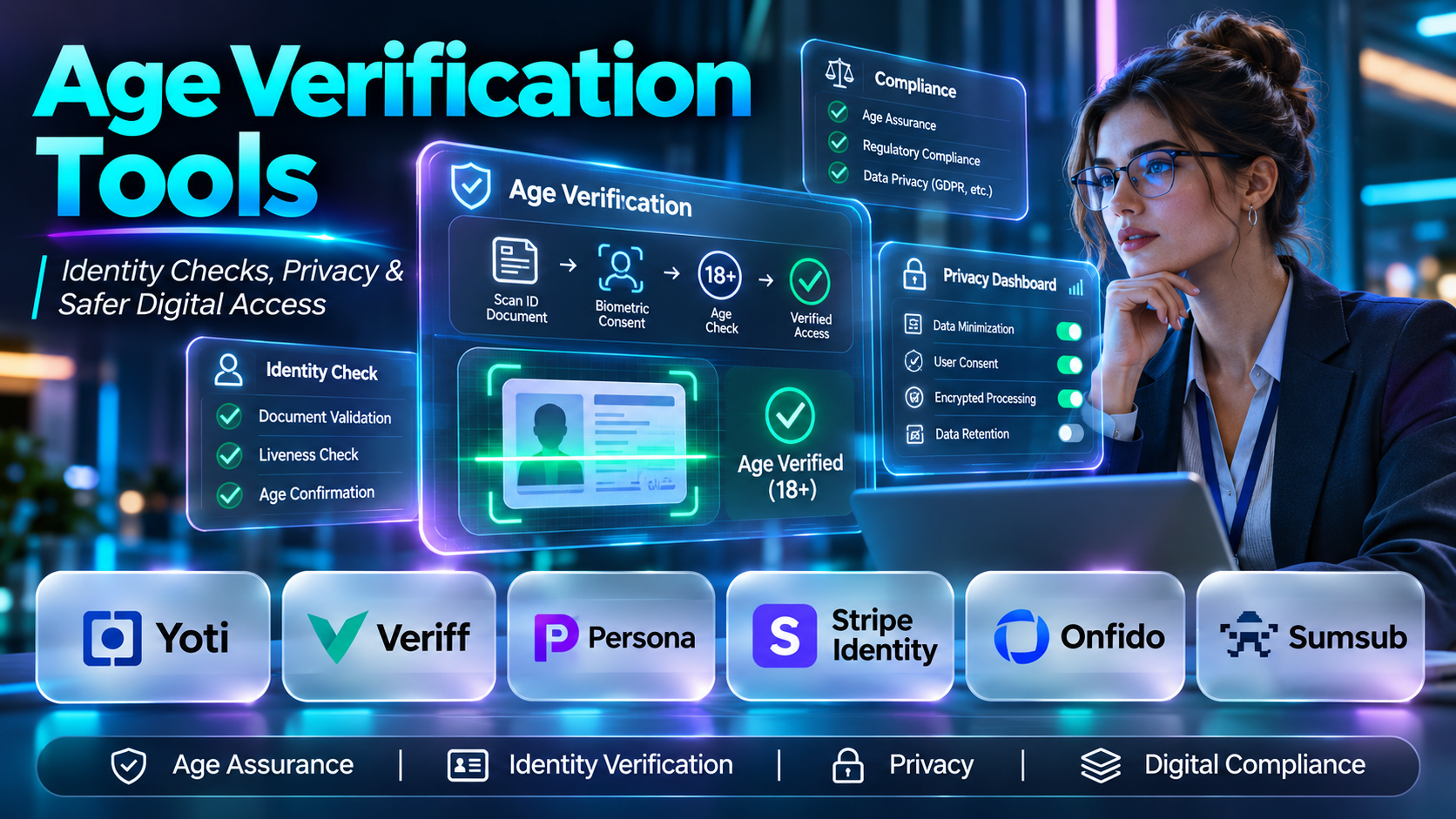
Introduction
Age verification has become an important consideration for digital services that need to restrict access to age-sensitive products, content, or experiences.
Online businesses may need to determine whether users meet an applicable minimum age before granting access to certain features or completing transactions.
However, verifying age is not as simple as requesting a date of birth. Self-declared information can be inaccurate, identity documents contain sensitive personal data, and biometric methods introduce additional privacy and accessibility considerations.
Age verification tools help organizations assess whether users meet specified age thresholds through methods such as identity document checks, age estimation, reusable credentials, and third-party verification.
Choosing a suitable solution requires balancing assurance, user privacy, accessibility, legal requirements, implementation complexity, and conversion rates.
This guide examines ten age verification tools and identity verification platforms, explains their capabilities and limitations, and provides practical guidance for implementing responsible age assurance.
What Are Age Verification Tools?
Age verification tools are digital systems that help organizations determine whether a person meets a specified age requirement.
They may establish age directly, estimate whether a user falls within an age range, or confirm that a trusted provider has already performed an appropriate check.
Age Verification vs. Age Estimation
Age verification attempts to establish whether a person meets an age requirement using evidence or an appropriate verification method.
Age estimation predicts a person’s age or age range, potentially using facial analysis or other signals.
Age estimation produces uncertainty and may require additional safeguards, especially near a legal age threshold.
Common Age Assurance Methods
Date-of-birth declaration: Users enter their age or birth date. This offers low assurance because information is self-reported.
Identity document verification: A service examines a supported identity document and may verify its authenticity.
Facial age estimation: A model estimates age using facial characteristics. Results are probabilistic.
Reusable verification: A user completes a check and subsequently provides a credential or confirmation without repeating the full process.
Third-party identity verification: A provider confirms relevant identity attributes through supported verification methods.
Age tokens: An application receives an age-threshold result rather than unnecessary identity details.
The appropriate method depends on the applicable law, risk level, and intended user experience.
Top 10 Age Verification Tools
1. Yoti
Short Description
Yoti provides digital identity and age assurance technology, including age verification and facial age estimation solutions.
Its services are relevant to organizations that need to establish whether users meet an age threshold while considering data minimization and user experience.
Yoti is particularly appropriate for applications seeking dedicated age assurance capabilities rather than relying exclusively on general identity verification.
Key Features
- Facial age estimation: Estimates age using supported facial analysis technology.
- Identity document checks: Supports age-related verification using appropriate documents.
- Age assurance workflows: Helps applications evaluate age thresholds.
- API integration: Connects verification to digital services.
- Privacy-oriented approaches: Supports designs intended to limit unnecessary disclosure.
- Verification results: Provides information applications can use for access decisions.
- Multiple verification methods: Offers alternative approaches according to product configuration.
- Digital identity capabilities: Supports broader identity-related use cases.
Benefits
Yoti can help organizations implement age assurance without requiring every application to develop its own verification technology.
Pros
- Dedicated age assurance capabilities.
- Facial age estimation options.
- Document-based verification.
- Relevant privacy-oriented approaches.
- Suitable for digital access workflows.
Cons
- Estimation introduces uncertainty.
- Integration and commercial costs require evaluation.
- Method availability may vary by jurisdiction.
- Some users may need alternative verification methods.
Use Cases
- Restricting access to age-sensitive digital content.
- Supporting age checks for online services.
- Implementing age assurance within user registration.
Best For: Organizations seeking specialized age assurance technology.
2. Veriff
Short Description
Veriff is an identity verification platform that supports document and identity checks.
Its capabilities can be relevant to age verification when an organization needs to establish age through identity information.
Veriff is particularly suitable for businesses that already require identity verification and want age-related checks incorporated into a broader onboarding process.
Key Features
- Document verification: Evaluates supported identity documents.
- Identity checks: Supports confirmation of user identity.
- Document data extraction: Helps process relevant identity attributes.
- Biometric verification: Supports applicable identity matching workflows.
- Liveness checks: Helps identify certain presentation attacks.
- API integration: Connects verification to applications.
- Fraud detection signals: Supports identification of suspicious verification attempts.
- Workflow customization: Enables different onboarding requirements.
Benefits
Veriff can help organizations combine age-related verification with broader identity assurance.
Pros
- Comprehensive identity verification capabilities.
- Document analysis.
- Fraud prevention functionality.
- API integration.
- Suitable for regulated onboarding.
Cons
- May collect more identity information than a simple age check requires.
- Verification introduces user friction.
- Commercial costs require assessment.
- Privacy obligations must be carefully managed.
Use Cases
- Identity-based age verification.
- Regulated digital onboarding.
- Age checks connected to account verification.
Best For: Businesses needing identity and age-related verification together.
3. Persona
Short Description
Persona provides configurable identity verification and related workflow capabilities.
Organizations can design identity checks that collect relevant information, evaluate verification results, and determine whether users satisfy defined requirements.
Persona can support age-related use cases, although businesses should verify the specific age assurance methods and jurisdictional suitability of their intended configuration.
Key Features
- Identity verification workflows: Supports configurable onboarding checks.
- Document verification: Processes supported identity documents.
- Identity data collection: Captures relevant verification information.
- Workflow orchestration: Coordinates verification steps.
- API integration: Connects checks to applications.
- Decision logic: Supports rules based on verification results.
- Fraud-related signals: Helps identify suspicious activity.
- Administrative review: Supports operational investigation workflows.
Benefits
Persona provides flexibility for organizations that need age checks within more complex identity workflows.
Pros
- Configurable verification processes.
- Document verification capabilities.
- Flexible integration.
- Useful for broader identity programs.
- Supports operational review.
Cons
- Configuration requires careful planning.
- May be more complex than dedicated age checks.
- Privacy requirements must be evaluated.
- Commercial pricing depends on selected services.
Use Cases
- Identity-based age checks.
- Multi-step onboarding.
- Platforms combining identity, fraud, and access controls.
Best For: Organizations requiring configurable verification workflows.
4. Stripe Identity
Short Description
Stripe Identity provides identity verification capabilities that can support age-related eligibility checks when appropriate identity attributes are available.
It is especially relevant to organizations already using Stripe for payments or related business workflows.
Stripe Identity should not automatically be treated as a dedicated age estimation product. Its suitability depends on the exact verification method and age-related information required.
Key Features
- Identity document verification: Checks supported documents.
- Identity data extraction: Supports retrieval of relevant document attributes.
- Verification sessions: Organizes identity checks.
- API integration: Connects verification with applications.
- Stripe ecosystem compatibility: Fits supported Stripe workflows.
- Verification status: Provides results for downstream decisions.
- Hosted verification experiences: Reduces some custom interface development.
- Identity fraud safeguards: Supports detection of certain suspicious verification attempts.
Benefits
Stripe Identity can simplify identity-related age checks for organizations already operating within the Stripe ecosystem.
Pros
- Familiar developer ecosystem.
- Identity document verification.
- Hosted verification options.
- Suitable for integrated onboarding.
- API-based implementation.
Cons
- Not a dedicated facial age estimation platform.
- Availability varies by region.
- Identity checks may introduce friction.
- Age assurance suitability must be evaluated separately.
Use Cases
- Identity-based eligibility checks.
- Verification within payment-related onboarding.
- Applications requiring identity and age attributes.
Best For: Stripe-integrated applications requiring document-based identity checks.
5. Entrust Identity Verification (formerly Onfido)
Short Description
Onfido became part of Entrust, and its identity verification technology is associated with Entrust’s identity portfolio.
The technology supports identity document verification and biometric checks that can contribute to age-related eligibility workflows.
Organizations should evaluate the current Entrust product offering rather than assume that every historical Onfido product remains independently available.
Key Features
- Document verification: Evaluates supported identity documents.
- Identity data processing: Supports extraction of relevant attributes.
- Biometric matching: Helps compare identity evidence where supported.
- Liveness detection: Addresses selected identity spoofing risks.
- Verification workflows: Coordinates identity checks.
- API integration: Connects services to applications.
- Fraud signals: Supports suspicious activity identification.
- Enterprise identity integration: Fits broader identity assurance programs.
Benefits
Entrust can help organizations combine age-related checks with identity security and fraud prevention.
Pros
- Broad identity verification capabilities.
- Document and biometric methods.
- Enterprise-oriented offering.
- Useful for regulated workflows.
- Fraud prevention relevance.
Cons
- Product packaging requires confirmation.
- May be excessive for simple age assurance.
- Verification can introduce friction.
- Sensitive data handling requires careful governance.
Use Cases
- Identity-based age eligibility.
- Regulated onboarding.
- Enterprise verification programs.
Best For: Organizations requiring comprehensive identity assurance.
6. Sumsub
Short Description
Sumsub provides identity verification, compliance, and fraud prevention technology.
Its identity verification workflows can support age-related eligibility checks where document or identity information is required.
Sumsub is particularly relevant to organizations combining age verification with broader compliance or fraud prevention requirements.
Key Features
- Identity verification: Supports user identity checks.
- Document analysis: Evaluates supported identity documents.
- Verification workflows: Coordinates onboarding steps.
- Biometric checks: Supports applicable identity matching.
- Fraud detection: Helps identify suspicious verification behavior.
- API integration: Connects verification with applications.
- Compliance workflows: Supports selected regulatory processes.
- Administrative review: Helps teams investigate verification results.
Benefits
Sumsub can consolidate age-related identity checks with broader onboarding and compliance processes.
Pros
- Comprehensive verification capabilities.
- Fraud prevention functionality.
- Workflow integration.
- Suitable for complex onboarding.
- Document verification.
Cons
- May be more complex than dedicated age checks.
- Commercial costs require evaluation.
- Identity data processing creates privacy responsibilities.
- Regional suitability must be confirmed.
Use Cases
- Age-restricted account onboarding.
- Identity and eligibility verification.
- Compliance-oriented digital services.
Best For: Businesses requiring age checks alongside identity and compliance processes.
7. AgeChecked
Short Description
AgeChecked specializes in age verification and age assurance services for digital businesses.
Its capabilities are relevant to organizations that need to restrict access to age-sensitive content, products, or services.
A dedicated age verification provider may offer more targeted workflows than a general identity verification platform.
Key Features
- Age verification: Supports confirmation of relevant age thresholds.
- Age assurance methods: Provides supported approaches for age-related checks.
- Application integration: Connects verification with websites and services.
- Access control support: Helps restrict age-sensitive experiences.
- Verification results: Supplies information for eligibility decisions.
- Compliance-oriented workflows: Supports businesses addressing applicable age requirements.
- User verification experience: Provides age-check processes.
- Business implementation options: Supports deployment according to available offerings.
Benefits
AgeChecked can help organizations implement focused age verification without building an entire identity verification system.
Pros
- Dedicated age verification focus.
- Relevant to age-restricted businesses.
- Integration options.
- Supports age assurance workflows.
- May reduce unnecessary identity workflow complexity.
Cons
- Available methods require verification.
- Jurisdictional suitability varies.
- Commercial costs apply.
- User experience depends on selected method.
Use Cases
- Age-restricted website access.
- Digital product eligibility.
- Age checks for regulated services.
Best For: Businesses requiring dedicated age verification.
8. OneID
Short Description
OneID provides digital identity verification technology that can support age-related verification through available identity information.
Its approach is relevant to organizations seeking alternatives to repeated identity document uploads.
Businesses should verify current geographic coverage, supported verification methods, and the precise attributes available for age assurance.
Key Features
- Digital identity verification: Supports confirmation of identity attributes.
- Age-related eligibility: Can support age checks where applicable.
- Online verification workflows: Connects identity checks with digital services.
- Integration capabilities: Supports application implementation.
- User verification experience: Provides identity confirmation processes.
- Identity data handling: Supports relevant attribute processing.
- Verification outcomes: Supplies results for access decisions.
- Reusable identity concepts: Supports identity confirmation approaches according to available services.
Benefits
OneID may help organizations reduce repeated document-based verification where supported identity methods are available.
Pros
- Digital identity focus.
- Relevant to age assurance.
- Potentially streamlined verification.
- Suitable for supported online services.
Cons
- Geographic coverage must be confirmed.
- Available identity attributes vary.
- Not every user may be eligible.
- Integration requirements depend on the offering.
Use Cases
- Digital age eligibility checks.
- Identity verification without repeated document uploads.
- Online access verification.
Best For: Businesses operating in supported digital identity environments.
9. Shufti Pro
Short Description
Shufti Pro provides identity verification technology that can support age-related eligibility checks through identity documents and associated verification workflows.
Its capabilities are relevant to organizations requiring broader identity assurance and fraud prevention.
Businesses should confirm the specific age verification functionality, supported documents, and regional availability before implementation.
Key Features
- Identity verification: Supports user identity checks.
- Document verification: Evaluates supported identity documents.
- Data extraction: Processes relevant identity attributes.
- Biometric verification: Supports applicable matching workflows.
- Liveness checks: Helps detect selected spoofing attempts.
- API integration: Connects verification to applications.
- Fraud detection: Supports suspicious activity identification.
- Verification management: Helps organizations handle results.
Benefits
Shufti Pro can support organizations combining age checks with identity verification and fraud controls.
Pros
- Broad identity verification capabilities.
- Document analysis.
- Biometric options.
- Developer integration.
- Relevant to compliance workflows.
Cons
- More extensive than simple age assurance.
- User friction may be significant.
- Privacy requirements must be considered.
- Commercial and regional details require confirmation.
Use Cases
- Identity-based age verification.
- Regulated customer onboarding.
- Fraud-aware eligibility checks.
Best For: Organizations needing identity verification alongside age requirements.
10. Veratad
Short Description
Veratad provides identity and age verification services intended to support businesses with eligibility and identity assurance requirements.
Its age verification capabilities are relevant to organizations that must establish whether users meet specified minimum ages.
The appropriate verification approach depends on the jurisdiction, available data sources, and applicable legal obligations.
Key Features
- Age verification: Supports age eligibility checks.
- Identity verification: Provides related identity assurance capabilities.
- Data-based checks: Supports available verification approaches.
- API integration: Connects checks with digital applications.
- Eligibility decisions: Supplies information for access workflows.
- Business verification processes: Supports operational requirements.
- Compliance-oriented services: Addresses selected verification use cases.
- Verification workflow integration: Helps businesses implement checks at relevant points.
Benefits
Veratad can provide specialized age and identity verification capabilities for businesses requiring eligibility controls.
Pros
- Age verification specialization.
- Identity verification capabilities.
- Business integration options.
- Relevant to age-restricted services.
- Supports eligibility workflows.
Cons
- Coverage varies by jurisdiction.
- Available methods require confirmation.
- Verification costs apply.
- Privacy and data handling must be assessed.
Use Cases
- Age-restricted digital services.
- Identity-based age eligibility.
- Business compliance workflows.
Best For: Organizations seeking dedicated age and identity verification services.
Age Verification Tools Comparison Table
| Platform | Primary Approach | Main Strength | Limitation | Best For |
|---|---|---|---|---|
| Yoti | Age assurance and estimation | Dedicated age technology | Estimation uncertainty | Digital age assurance |
| Veriff | Identity verification | Document checks | Identity-related friction | Regulated onboarding |
| Persona | Configurable identity workflows | Flexible orchestration | Setup complexity | Custom verification |
| Stripe Identity | Document identity checks | Stripe integration | Not age-specific | Stripe applications |
| Entrust | Identity and biometrics | Enterprise verification | Product scope complexity | Enterprise identity |
| Sumsub | Identity and compliance | Broad verification | Implementation complexity | Compliance workflows |
| AgeChecked | Age assurance | Dedicated age checks | Regional suitability | Age-restricted services |
| OneID | Digital identity | Streamlined verification | Coverage limitations | Supported identity markets |
| Shufti Pro | Document and identity checks | Fraud-aware verification | Data handling complexity | Identity-based eligibility |
| Veratad | Age and identity verification | Age-related services | Jurisdictional coverage | Age-restricted businesses |
How to Choose the Right Age Verification Tools
1. Identify the Applicable Age Threshold
Determine the relevant age requirement and the legal or contractual basis for enforcing it.
Requirements vary by jurisdiction, service, and content type.
2. Determine the Required Assurance Level
A low-risk application may not require the same verification strength as a regulated age-restricted service.
Select methods proportionate to the risk.
3. Evaluate Privacy
Prefer solutions that minimize unnecessary personal information.
Where possible, consider whether an age-threshold confirmation is sufficient instead of collecting a complete identity document.
4. Review Verification Methods
Compare document checks, age estimation, reusable credentials, and other available approaches.
Each has different strengths and limitations.
5. Consider Accessibility
Users may lack supported identity documents, suitable devices, or access to certain identity systems.
Provide appropriate alternative verification routes.
6. Evaluate Accuracy
Assess false acceptance and false rejection risks.
Age estimation deserves particular attention near the relevant threshold.
7. Review Security
Examine encryption, access controls, retention, vendor security practices, and incident response.
8. Assess Geographic Coverage
Verification methods and supported documents vary across countries.
9. Test User Experience
Measure completion rates, abandonment, verification time, and support requests.
10. Confirm Legal Suitability
Consult qualified legal and privacy professionals where necessary, especially for regulated services or minors.
Best Age Verification Tools by User Type
| User Type | Recommended Option | Why It Fits |
|---|---|---|
| Dedicated age assurance service | Yoti | Specialized age technology |
| Identity-heavy onboarding | Veriff | Document verification |
| Configurable verification workflow | Persona | Workflow flexibility |
| Stripe-integrated application | Stripe Identity | Ecosystem integration |
| Enterprise identity program | Entrust | Broad identity capabilities |
| Compliance-oriented onboarding | Sumsub | Verification and compliance |
| Age-restricted website | AgeChecked | Dedicated age checks |
| Supported digital identity environment | OneID | Digital verification |
| Identity and fraud requirements | Shufti Pro | Combined verification |
| Age eligibility workflows | Veratad | Age verification specialization |
Practical Step-by-Step Example: Implementing Age Verification
Consider an online service that must restrict access to a category of age-sensitive content.
Step 1: Determine Legal Requirements
Identify applicable age thresholds, privacy obligations, and required verification standards.
Step 2: Define the User Journey
Decide when age verification should occur and which features must remain inaccessible before successful verification.
Step 3: Select Appropriate Methods
Compare document verification, facial age estimation, and other available approaches.
Step 4: Minimize Data Collection
Determine whether the application needs only an eligibility result rather than identity information.
Step 5: Integrate the Provider
Connect verification through supported APIs or hosted verification flows.
Step 6: Handle Uncertain Results
Provide a fallback process for users who cannot complete the initial method.
Step 7: Protect Verification Data
Implement appropriate access controls, retention limits, and secure processing.
Step 8: Test Accessibility
Evaluate the process using different devices and representative user needs.
Step 9: Measure Outcomes
Track completion rates, failed attempts, support requests, and verification-related incidents.
Step 10: Review the System
Reassess legal requirements, vendor performance, and privacy safeguards periodically.
Common Mistakes and How to Avoid Them
1. Treating Date-of-Birth Entry as Strong Verification
Users can enter inaccurate information.
Choose assurance methods appropriate to the risk.
2. Collecting Excessive Identity Data
Unnecessary information increases privacy exposure.
Use data minimization.
3. Assuming Facial Age Estimation Is Exact
Age estimation produces uncertain results.
Provide safeguards near thresholds.
4. Ignoring Accessibility
Some users cannot complete particular verification methods.
Offer appropriate alternatives.
5. Applying One Method Worldwide
Legal requirements and identity systems vary by region.
Evaluate jurisdictional suitability.
6. Storing Documents Without Clear Necessity
Long retention periods create additional security risks.
Establish justified retention rules.
7. Neglecting Failed Verification Appeals
Legitimate users may be rejected incorrectly.
Provide an accessible correction process.
8. Choosing Only on Conversion Rate
A convenient process may provide insufficient assurance.
Balance usability with legal and safety requirements.
Frequently Asked Questions
1. What are age verification tools?
They help determine whether users meet specified age requirements.
2. How does age verification work?
It uses supported evidence or verification methods to establish age eligibility.
3. Is entering a birth date sufficient?
It provides self-declared information but generally offers limited assurance.
4. What is facial age estimation?
It uses automated analysis to estimate a person’s age or age range.
5. Is facial age estimation always accurate?
No. Estimates contain uncertainty.
6. What is the difference between age verification and age estimation?
Verification seeks to establish eligibility, while estimation predicts age.
7. Can age verification protect user privacy?
Yes, when designed to minimize data collection and disclosure.
8. Do age verification tools require identity documents?
Not always. Available methods vary.
9. What is an age assurance token?
It is a credential or result that can indicate age eligibility without necessarily exposing full identity details.
10. Are age verification laws the same worldwide?
No. Requirements differ across jurisdictions.
11. Can age verification tools integrate with websites?
Many providers offer APIs or hosted verification flows.
12. Are age verification services free?
Commercial services commonly involve fees, depending on their offerings.
13. Can age verification reduce conversion rates?
Yes. Additional steps may increase abandonment.
14. How can businesses reduce verification friction?
Use appropriate methods, clear instructions, and accessible alternatives.
15. What happens when verification fails?
The application should follow a documented process that may include retry or alternative verification.
16. Should businesses store identity documents?
Only when justified by applicable requirements and legitimate operational needs.
17. Can users verify their age without revealing their full identity?
Some methods support age-related confirmation with reduced identity disclosure.
18. What is reusable age verification?
It allows an eligible user to reuse an appropriate verification result or credential.
19. Are biometric checks necessary?
Not universally. The appropriate method depends on the requirements.
20. What is liveness detection?
It attempts to determine whether a biometric interaction involves a live person rather than certain spoofing methods.
21. Can age verification prevent all underage access?
No system guarantees complete prevention.
22. What is a false rejection?
It occurs when an eligible user is incorrectly denied verification.
23. What is a false acceptance?
It occurs when an ineligible user is incorrectly accepted.
24. How should businesses evaluate vendors?
Compare assurance, privacy, accuracy, accessibility, coverage, security, integration, and cost.
25. Is age verification the same as identity verification?
No. Age verification focuses on eligibility, while identity verification seeks to establish identity.
26. Do age verification tools support mobile devices?
Many offer mobile-compatible workflows, but capabilities vary.
27. Can age verification be performed before account creation?
Yes, where supported by the application design and verification method.
28. What should happen if a user has no identity document?
Provide an appropriate alternative where possible and legally permissible.
29. How often should age verification be repeated?
Frequency depends on legal requirements, account security, risk, and the reliability of previous verification.
30. What is the most important age verification principle?
Use a method that provides appropriate assurance while protecting privacy, accessibility, and legitimate access.
Final Thoughts
Age verification tools help organizations enforce age-related access requirements, but the strongest implementation is not necessarily the one collecting the most personal information.
Yoti, AgeChecked, and Veratad offer age-focused capabilities, while Veriff, Persona, Entrust, Sumsub, Shufti Pro, and Stripe Identity provide broader identity verification functionality. OneID offers digital identity approaches relevant to supported age assurance scenarios.
Organizations should evaluate legal suitability, assurance strength, user experience, data minimization, security, and accessibility before selecting a provider.
Responsible age verification balances protection with privacy and ensures that legitimate users have fair, practical ways to establish eligibility.
