Introduction
Every platform that accepts user-generated content faces a fundamental challenge: allowing people to participate freely while preventing harmful, unlawful, fraudulent, or policy-violating material from spreading.
The challenge becomes more complex when content includes text, photographs, videos, live interactions, and AI-generated material.
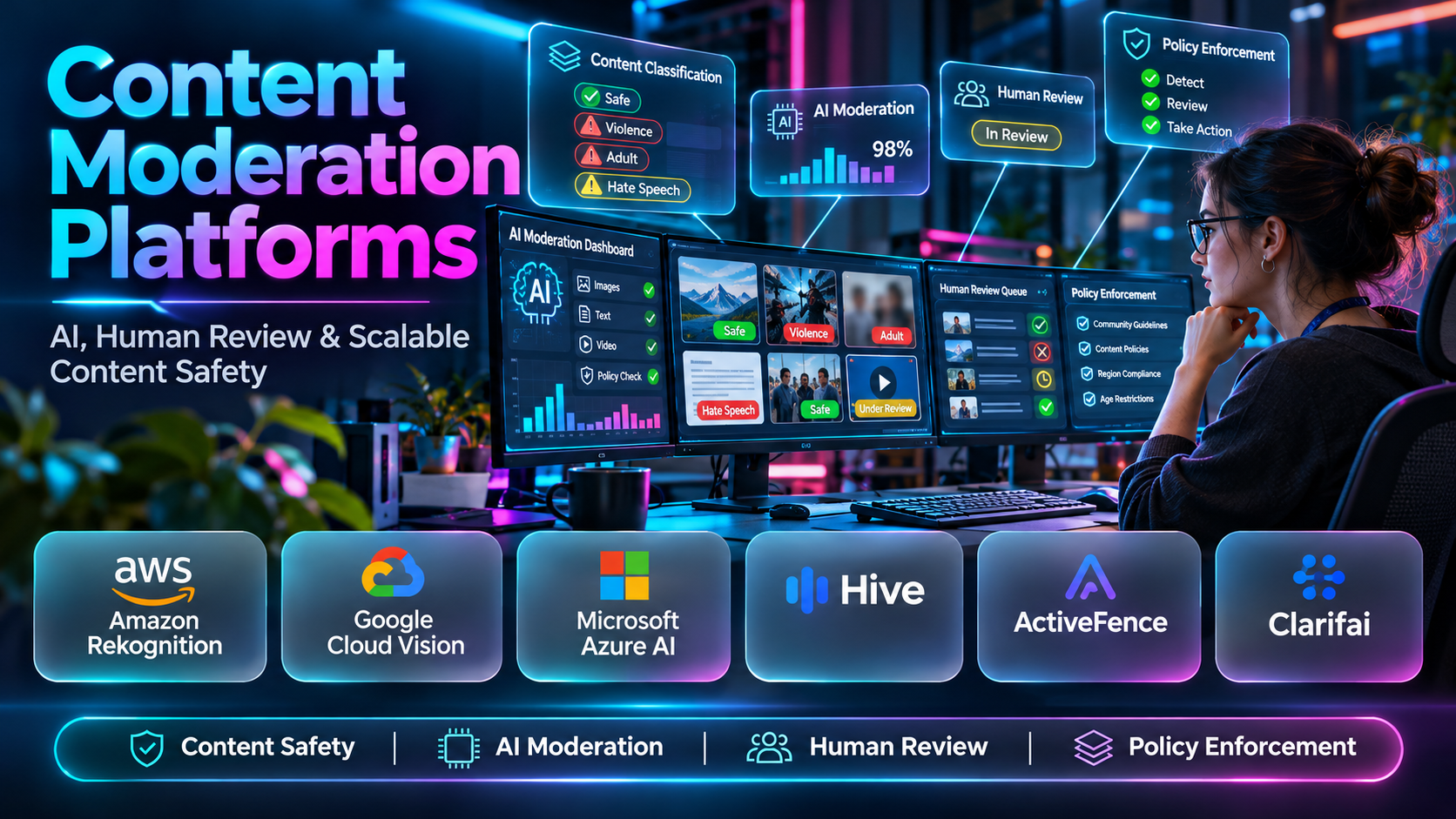
Content moderation platforms help organizations classify submissions, identify policy violations, organize human review, and enforce content standards.
However, different moderation products solve different problems. Some provide specialized machine-learning APIs. Others offer moderation dashboards, reviewer workflows, or broader managed services.
Choosing the wrong system can create unnecessary costs, inconsistent enforcement, and poor user experiences.
This guide examines ten content moderation platforms and services, explains their capabilities and limitations, and provides practical guidance for building a reliable moderation workflow.
What Are Content Moderation Platforms?
Content moderation platforms are software systems that help organizations evaluate user-generated or application-generated content against defined rules.
They may use machine learning, configurable rules, human reviewers, or combinations of these approaches.
Main Types of Content Moderation
Text moderation: Evaluates messages, comments, descriptions, and other written material.
Image moderation: Screens photographs and graphics for supported sensitive-content categories.
Video moderation: Analyzes uploaded or streamed video content.
Audio moderation: Supports speech-related review, often through transcription or specialized analysis.
Human moderation: Uses trained reviewers to interpret context and make policy decisions.
Hybrid moderation: Combines automated screening with human oversight.
Common Moderation Workflows
A platform typically receives content, performs initial screening, determines whether it requires review, and applies an appropriate action.
Possible actions include publishing the content, requesting additional review, restricting visibility, removing material, or escalating serious incidents.
Effective moderation systems also provide audit records, appeals, and performance measurement.
Top 10 Content Moderation Platforms
1. Amazon Rekognition
Short Description
Amazon Rekognition is an AWS service offering image and video analysis capabilities, including content moderation.
It helps applications identify visual material that may fall into supported moderation categories. Developers can use classification outputs to decide whether content should be published or reviewed.
Rekognition is particularly suitable for AWS-based platforms that handle significant volumes of user-uploaded photographs or videos.
Key Features
- Image moderation: Analyzes uploaded images for supported sensitive-content categories.
- Video moderation: Supports analysis of video material.
- Moderation labels: Returns categories useful for policy decisions.
- Confidence information: Helps applications interpret detections.
- API integration: Connects analysis with application workflows.
- AWS compatibility: Integrates with supported cloud infrastructure.
- Automated screening: Reduces repetitive visual inspection.
- Review routing: Supports human review workflows through application logic.
Benefits
Rekognition can help organizations screen visual submissions consistently and reduce manual inspection requirements.
Pros
- Image and video capabilities.
- AWS ecosystem integration.
- Programmatic access.
- Suitable for automated processing.
- Useful classification outputs.
Cons
- Not a complete moderation operations suite.
- Requires technical implementation.
- Detection errors remain possible.
- Does not replace contextual human review.
Use Cases
- Marketplace image moderation.
- User-uploaded video screening.
- Social platform media review.
Best For: AWS-based applications managing visual content.
2. Google Cloud Vision
Short Description
Google Cloud Vision provides image analysis services, including SafeSearch Detection.
SafeSearch Detection can help applications identify images associated with selected sensitive-content categories.
The service is best understood as an image analysis component rather than a complete moderation platform. Organizations must still implement policies, review workflows, and enforcement actions.
Key Features
- Image classification: Analyzes supported image content.
- SafeSearch Detection: Evaluates selected sensitive-content categories.
- API integration: Connects with applications.
- Automated image screening: Supports upload-time checks.
- Classification responses: Provides structured detection results.
- Cloud processing: Operates through Google Cloud.
- Workflow compatibility: Supports custom moderation pipelines.
- Programmatic scalability: Accommodates repeated analysis requests.
Benefits
Google Cloud Vision can simplify selected visual screening tasks for applications already using Google Cloud.
Pros
- Cloud API availability.
- Useful image classification.
- Straightforward application integration.
- Supports automated processing.
Cons
- Limited to supported image categories.
- No complete reviewer management system.
- Requires custom enforcement logic.
- Classification errors are possible.
Use Cases
- Screening profile photographs.
- Reviewing marketplace images.
- Filtering selected visual uploads.
Best For: Applications needing focused image moderation.
3. Microsoft Azure AI Content Safety
Short Description
Azure AI Content Safety offers text and image content analysis capabilities designed for application safety.
Developers can use the service to evaluate supported harmful-content categories and integrate results into their own moderation systems.
It is relevant to organizations developing AI applications, online communities, and other services that require automated content screening.
Key Features
- Text analysis: Evaluates supported written-content categories.
- Image analysis: Screens visual material.
- Severity classification: Provides information about detected content severity.
- API access: Enables application integration.
- Threshold configuration: Supports policy-specific handling.
- Azure integration: Connects with supported Microsoft cloud services.
- Automated moderation: Enables programmatic screening.
- Review workflows: Supports downstream human review.
Benefits
The service helps organizations build content screening into Azure-based applications.
Pros
- Text and image analysis.
- Cloud integration.
- Useful severity information.
- Flexible application workflows.
- Suitable for developer teams.
Cons
- Requires integration and policy logic.
- Not a complete human moderation service.
- Classification accuracy varies.
- Costs depend on service usage.
Use Cases
- Moderating community comments.
- Screening application-generated text.
- Reviewing uploaded images.
Best For: Azure-oriented development teams.
4. Hive
Short Description
Hive provides AI-based analysis for multiple content types, making it relevant to organizations with substantial multimedia moderation requirements.
Its classification services can support text, image, and video screening according to the selected capabilities.
Hive is particularly useful as an automated detection layer in larger moderation systems.
Key Features
- Text moderation: Screens written material.
- Image moderation: Classifies supported visual content.
- Video moderation: Analyzes video submissions.
- API integration: Connects with application workflows.
- Automated classification: Reduces first-pass review work.
- Policy-based screening: Supports configured safety needs.
- High-volume processing: Supports scalable analysis.
- Human review assistance: Helps prioritize suspicious content.
Benefits
Hive can consolidate automated screening across several content types.
Pros
- Multimodal moderation capabilities.
- Suitable for media-heavy applications.
- API integration.
- Supports large-scale screening.
- Complements human moderation.
Cons
- Commercial procurement required.
- Integration work may be substantial.
- Automated classifications can be inaccurate.
- Not a substitute for full governance.
Use Cases
- Social media content screening.
- Multimedia marketplace moderation.
- Video-sharing platform review.
Best For: Platforms with high volumes of multimedia content.
5. ActiveFence
Short Description
ActiveFence provides online safety technology and services that address harmful content and broader platform risks.
Its capabilities are relevant to organizations managing complex moderation challenges that extend beyond simple classification.
ActiveFence may be especially useful when moderation requires specialized safety knowledge and operational support.
Key Features
- Content risk identification: Helps detect potentially harmful material.
- Threat intelligence: Supports understanding of emerging safety risks.
- Safety analysis: Helps assess complex incidents.
- Policy support: Aligns safety work with organizational rules.
- Operational workflows: Supports moderation activities.
- Risk categorization: Helps distinguish incident types.
- Platform integration: Connects supported services with existing systems.
- Safety insights: Helps identify recurring threats.
Benefits
ActiveFence can support more comprehensive safety programs where content moderation intersects with complex online threats.
Pros
- Specialized safety expertise.
- Broad online risk perspective.
- Relevant to enterprise platforms.
- Supports complex moderation needs.
Cons
- May be excessive for small applications.
- Commercial scope requires evaluation.
- Integration complexity varies.
- Organizational policy ownership remains essential.
Use Cases
- Complex content safety investigations.
- Large-scale platform risk management.
- Emerging harmful-content detection.
Best For: Enterprise platforms with sophisticated safety requirements.
6. Clarifai
Short Description
Clarifai provides an AI platform with capabilities for building and deploying computer vision and other machine-learning workflows.
Its technology can support content moderation when organizations need configurable visual analysis or specialized models.
Clarifai differs from a turnkey moderation operations suite because teams may need to design the classification and enforcement workflow themselves.
Key Features
- Computer vision: Analyzes image content.
- Model-based classification: Supports categorization workflows.
- Custom model capabilities: Enables specialized analysis.
- API integration: Connects models with applications.
- Workflow development: Supports AI processing pipelines.
- Model deployment: Helps operationalize selected models.
- Visual content analysis: Supports image-based use cases.
- Extensibility: Allows developers to adapt analysis to specific requirements.
Benefits
Clarifai provides flexibility for organizations requiring specialized AI-based content analysis.
Pros
- Flexible AI development environment.
- Computer vision capabilities.
- Customizable classification workflows.
- Developer integration options.
Cons
- May require model configuration.
- Not inherently a complete moderation suite.
- Specialized expertise may be needed.
- Operational costs require evaluation.
Use Cases
- Custom visual content moderation.
- Specialized image classification.
- Building internal AI screening pipelines.
Best For: Teams requiring configurable AI analysis.
7. OpenAI Moderation API
Short Description
The OpenAI Moderation API provides automated classification of supported content against safety categories.
Developers can use it to screen submissions and determine whether additional review is necessary.
It is particularly relevant to custom applications that need a content moderation component but do not require a full enterprise moderation vendor.
Key Features
- Safety classification: Identifies supported harmful-content categories.
- API integration: Connects with applications.
- Automated screening: Supports checks before publication.
- Category-level results: Helps implement differentiated policies.
- Workflow flexibility: Supports custom enforcement logic.
- Review prioritization: Helps identify content needing human attention.
- Application scalability: Supports programmatic processing.
- Supported multimodal capabilities: Handles content types available through the selected moderation model.
Benefits
The API helps teams implement automated content screening within their own applications.
Pros
- Accessible developer integration.
- Flexible moderation workflows.
- Useful automated classification.
- Suitable for custom applications.
- Complements human review.
Cons
- Requires technical implementation.
- Not a complete moderation dashboard.
- False positives and negatives remain possible.
- Policy decisions must be managed separately.
Use Cases
- Screening forum submissions.
- Moderating user comments.
- Supporting AI application safety.
Best For: Developers building custom moderation pipelines.
8. Checkstep
Short Description
Checkstep provides moderation technology intended to help digital platforms manage user-generated content.
Its approach is relevant to organizations that need more than raw classification outputs and want to coordinate moderation operations.
A dedicated platform can help connect automated detection, policy workflows, and human review.
Key Features
- Content analysis: Supports identification of potentially problematic material.
- Automated detection: Helps reduce manual first-pass screening.
- Moderation workflows: Organizes policy enforcement activities.
- Human review support: Facilitates reviewer involvement.
- Policy configuration: Aligns decisions with platform rules.
- Content categorization: Supports differentiated handling.
- Operational management: Helps coordinate moderation teams.
- Reporting: Supports evaluation of moderation activity.
Benefits
Checkstep can help organizations organize moderation as a repeatable operational process.
Pros
- Dedicated moderation focus.
- Supports automated and human workflows.
- Relevant to platform operations.
- Useful for scaling review processes.
Cons
- Commercial evaluation required.
- Integration effort varies.
- Smaller applications may not need its scope.
- Policies require ongoing management.
Use Cases
- Coordinating moderation teams.
- Reviewing flagged submissions.
- Standardizing policy enforcement.
Best For: Platforms needing structured moderation operations.
9. Sightengine
Short Description
Sightengine provides automated content moderation APIs for analyzing supported images, text, and other media.
It is designed for developers who want to integrate content safety checks into applications without building every classification model internally.
Its modular approach is relevant to websites, marketplaces, and social applications with defined content screening requirements.
Key Features
- Image moderation: Screens visual content.
- Text moderation: Evaluates written submissions.
- Video moderation: Supports applicable video analysis workflows.
- API integration: Connects with applications.
- Content classification: Returns structured analysis results.
- Automated screening: Supports upload-time checks.
- Policy workflows: Enables applications to act on detections.
- Developer implementation: Supports programmatic moderation.
Benefits
Sightengine can provide an automated content analysis layer for applications managing user-generated material.
Pros
- Multiple moderation capabilities.
- API-focused implementation.
- Suitable for developer teams.
- Supports automated screening.
- Flexible integration options.
Cons
- Requires application development.
- Not a complete trust and safety operation.
- Classification accuracy varies.
- Usage costs must be evaluated.
Use Cases
- Image-sharing application moderation.
- Marketplace listing screening.
- Comment and media analysis.
Best For: Developers seeking dedicated content moderation APIs.
10. WebPurify
Short Description
WebPurify provides content moderation services, including automated filtering and human moderation options.
Its offerings are relevant to organizations that need assistance managing user-generated text and media.
The combination of automated analysis and human review can be useful where content volume, policy complexity, or operational constraints make purely internal moderation difficult.
Key Features
- Text filtering: Helps identify prohibited or unwanted language.
- Image moderation: Supports review of visual submissions.
- Video moderation: Addresses applicable video content.
- Human moderation services: Provides review options beyond automated classification.
- API integration: Connects moderation to applications.
- Policy customization: Supports organization-specific requirements.
- Moderation workflows: Helps manage content decisions.
- Operational scalability: Supports varying review volumes.
Benefits
WebPurify can help organizations combine automated screening with outsourced human moderation support.
Pros
- Automated and human moderation options.
- Multiple content types.
- Useful for operational outsourcing.
- Relevant to community platforms.
- Supports customized requirements.
Cons
- Service costs require evaluation.
- External review introduces vendor dependencies.
- Privacy requirements need careful assessment.
- Review performance depends on service arrangements.
Use Cases
- Moderating user-generated photographs.
- Outsourcing selected review queues.
- Supporting platforms with fluctuating content volume.
Best For: Organizations seeking automated moderation and human review services.
Content Moderation Platforms Comparison Table
| Platform | Main Capability | Primary Strength | Main Limitation | Best For |
|---|---|---|---|---|
| Amazon Rekognition | Image/video moderation | AWS integration | Media-focused | AWS applications |
| Google Cloud Vision | Image screening | SafeSearch classification | Limited scope | Image applications |
| Azure AI Content Safety | Text/image analysis | Azure integration | Custom workflows | Azure developers |
| Hive | Multimodal analysis | Media screening | Commercial integration | Media platforms |
| ActiveFence | Online safety | Complex risk support | Enterprise scope | Large platforms |
| Clarifai | AI model workflows | Custom analysis | Development effort | Specialized applications |
| OpenAI Moderation API | Safety classification | API flexibility | No full operations suite | Custom applications |
| Checkstep | Moderation operations | Workflow support | Commercial evaluation | Platform teams |
| Sightengine | Content moderation APIs | Multiple media types | Requires integration | Developers |
| WebPurify | Automated/human moderation | Review services | Vendor dependency | Outsourced moderation |
How to Choose the Right Content Moderation Platform
1. Identify Content Types
Determine whether the platform must moderate text, images, video, audio, or combinations of these.
2. Define Content Policies
Write clear rules describing prohibited material and the appropriate response to each category.
3. Evaluate Detection Accuracy
Test real-world examples and measure false positives and false negatives.
4. Review Language Coverage
Multilingual platforms need moderation systems that perform adequately across their supported languages.
5. Examine Human Review Capabilities
Automated detection should support appropriate escalation and appeals.
6. Assess Integration Requirements
Evaluate APIs, authentication, event handling, and compatibility with existing infrastructure.
7. Consider Privacy and Compliance
Review data processing, retention, access controls, and applicable legal obligations.
8. Evaluate Operational Scalability
Consider submission volume, peak traffic, review capacity, and incident response.
9. Calculate Total Cost
Include API charges, reviewer staffing, integration, monitoring, and maintenance.
10. Run a Pilot
Compare candidates using representative content and measurable criteria before full deployment.
Best Content Moderation Platforms by User Type
| User Type | Recommended Platform | Reason |
|---|---|---|
| AWS developer | Amazon Rekognition | Visual analysis integration |
| Google Cloud developer | Google Cloud Vision | Image screening |
| Azure developer | Azure AI Content Safety | Text and image classification |
| Multimedia platform | Hive | Multimodal screening |
| Enterprise safety team | ActiveFence | Broader risk support |
| Custom AI development team | Clarifai | Configurable analysis |
| Custom application developer | OpenAI Moderation API | Flexible API integration |
| Moderation operations team | Checkstep | Workflow management |
| API-focused media application | Sightengine | Dedicated moderation APIs |
| Outsourced review requirement | WebPurify | Human moderation options |
Practical Step-by-Step Example: Moderating a User-Generated Content Platform
A social application allows members to publish text, photographs, and short videos.
Step 1: Classify risks. Identify harmful-content categories relevant to the application.
Step 2: Establish policies. Define publication rules and enforcement actions.
Step 3: Select screening services. Evaluate text, image, and video moderation capabilities.
Step 4: Integrate APIs. Connect analysis to the content submission pipeline.
Step 5: Set decision thresholds. Separate clearly acceptable, uncertain, and high-risk submissions.
Step 6: Create review queues. Send ambiguous content to trained reviewers.
Step 7: Record decisions. Maintain proportionate audit information.
Step 8: Provide appeals. Allow users to challenge enforcement actions.
Step 9: Measure outcomes. Track detection accuracy, review time, appeals, and repeated violations.
Step 10: Improve continuously. Update policies and thresholds based on observed errors.
Common Mistakes and How to Avoid Them
1. Assuming All Platforms Moderate Every Content Type
Some services focus on images, while others analyze text or provide review workflows.
Verify actual capabilities.
2. Using Classification Scores Without Policy Context
A score does not automatically determine whether content violates community rules.
Define appropriate decision criteria.
3. Ignoring False Positives
Incorrect removals can discourage legitimate participation.
Measure and review mistaken decisions.
4. Neglecting Human Review
Automation may misunderstand context or cultural meaning.
Escalate uncertain cases.
5. Overlooking Data Privacy
External moderation may involve transmitting user content.
Review processing and retention requirements.
6. Failing to Plan for Peak Volume
Moderation queues can grow rapidly during unexpected events.
Test capacity and escalation procedures.
7. Treating Moderation as a One-Time Setup
Policies and abuse patterns change.
Maintain ongoing evaluation.
Frequently Asked Questions
1. What is a content moderation platform?
It helps organizations analyze, review, and manage content according to defined policies.
2. What types of content can be moderated?
Text, images, video, and some audio content, depending on the service.
3. What is AI content moderation?
It uses machine-learning systems to identify potentially problematic material.
4. Can automated moderation replace people?
It can reduce workload, but human judgment remains important for complex cases.
5. What is pre-publication moderation?
It evaluates content before users can see it.
6. What is post-publication moderation?
It reviews content after publication.
7. Which method is better?
The choice depends on risk, volume, and user experience.
8. What is multimodal moderation?
It evaluates multiple content types, such as text and images.
9. Can moderation APIs analyze video?
Some services provide video moderation capabilities.
10. Can moderation tools detect spam?
Some can, although dedicated spam prevention may be more appropriate.
11. What is a moderation threshold?
It is a configured decision boundary used to route or act on classification results.
12. Why do false positives matter?
They can restrict legitimate content and reduce user trust.
13. What are false negatives?
They are harmful submissions that a detection system fails to identify.
14. Do moderation platforms support multiple languages?
Coverage varies by vendor and model.
15. Are moderation APIs expensive?
Costs depend on content volume, media type, service pricing, and operational requirements.
16. What is human-in-the-loop moderation?
It combines automated detection with human review.
17. Can moderation platforms enforce community rules automatically?
Some workflows can, but organizations must define appropriate enforcement logic.
18. What is a moderation dashboard?
It is an interface for reviewing content, decisions, and operational activity.
19. Why are audit logs important?
They support accountability, troubleshooting, and decision review.
20. Can moderation tools prevent every harmful post?
No. Detection systems have limitations.
21. How should platforms select a vendor?
Use representative tests covering accuracy, integrations, privacy, cost, and workflow requirements.
22. Is image moderation the same as image recognition?
Image moderation is a specific application of visual analysis focused on policy-relevant content.
23. Should all flagged content be removed?
No. Flags may indicate the need for review rather than confirm a violation.
24. How can organizations measure moderation quality?
Track accuracy, response time, appeals, reviewer consistency, and user safety outcomes.
25. What is the most important implementation principle?
Combine automated screening with clear policies, proportionate enforcement, and appropriate human oversight.
Final Thoughts
Content moderation platforms provide important capabilities for organizations managing user-generated material.
Amazon Rekognition and Google Cloud Vision offer focused visual analysis. Azure AI Content Safety, Hive, Sightengine, and OpenAI Moderation API support automated content classification. Checkstep, ActiveFence, and WebPurify address additional moderation or operational requirements, while Clarifai offers flexibility for specialized AI workflows.
The most suitable platform depends on content types, moderation policies, technical infrastructure, review capacity, and privacy requirements.
Reliable moderation is not simply a filtering problem. It is an ongoing operational process that must balance user safety, consistent policy enforcement, and legitimate expression.
