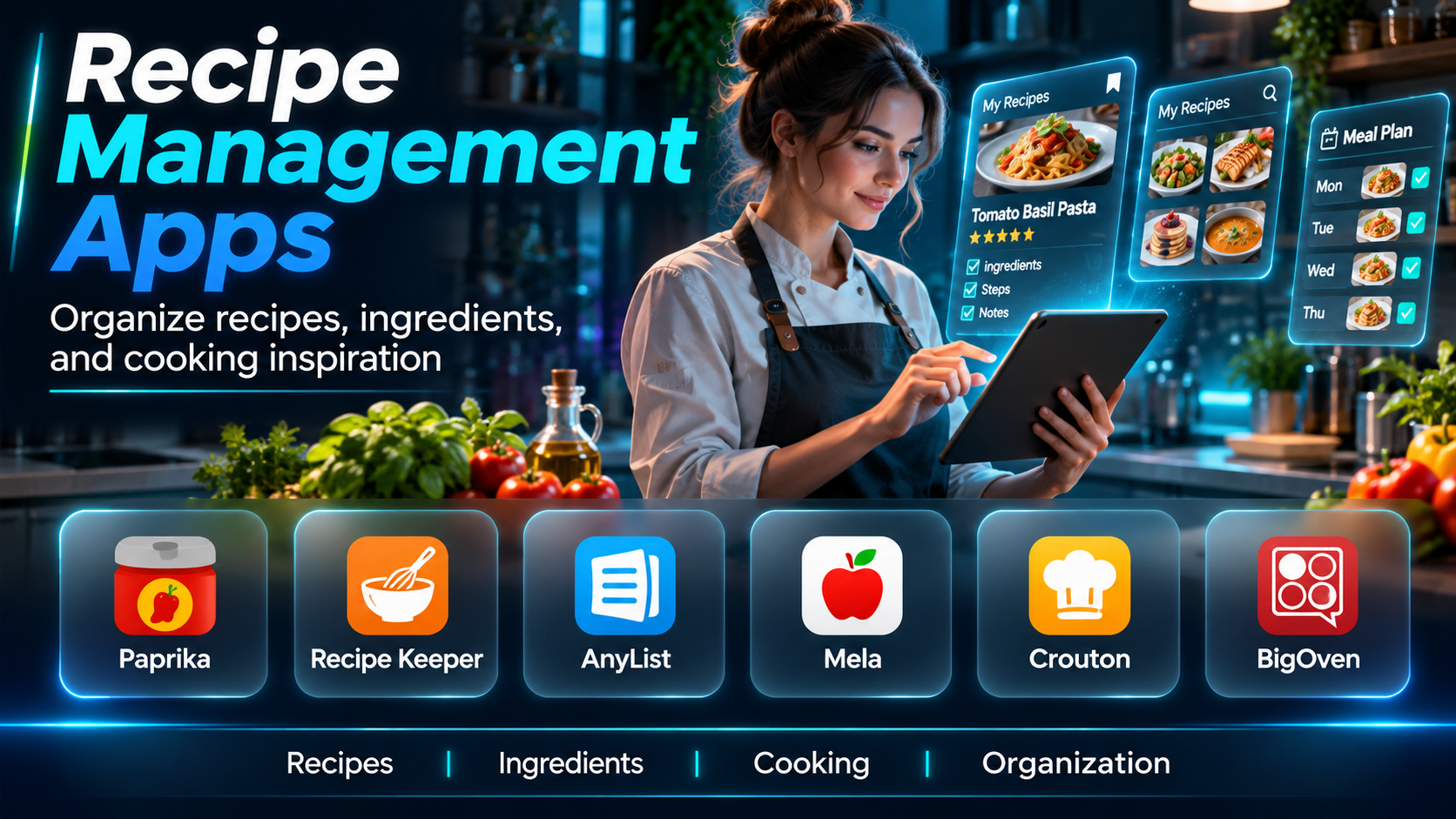
Introduction
Recipes are easy to collect but surprisingly difficult to organize. A home cook may save recipes from websites, social media, cookbooks, family messages, and personal notes. Over time, these sources become scattered, making it difficult to find the right recipe when preparing a meal.
Recipe management apps solve this problem by providing a central location for storing, organizing, editing, and retrieving recipes. Many also support grocery lists, meal planning, recipe scaling, and cooking instructions.
Some applications focus on importing recipes from websites. Others emphasize family collections, visual recipe discovery, or integration with broader meal-planning workflows.
The right application should make cooking more convenient without introducing unnecessary complexity.
This guide compares ten recipe management apps, explains their features and limitations, and helps readers select the best option for their cooking habits.
What Are Recipe Management Apps?
Recipe management apps are digital tools that help users collect, organize, store, and retrieve cooking instructions.
They typically maintain information about ingredients, preparation steps, cooking times, serving quantities, and personal notes.
Many also support importing recipes from websites, categorizing collections, generating grocery lists, and adjusting ingredient quantities.
Recipe management software can serve individual home cooks, families, food bloggers, and people who regularly plan meals.
Its primary purpose is to transform scattered recipes into an accessible and reusable personal collection.
Top 10 Recipe Management Apps
1. Paprika Recipe Manager
Short Description
Paprika Recipe Manager is a dedicated recipe organization application designed for people who want to build and maintain a personal digital cookbook.
Its main strength is combining recipe storage, website importing, grocery lists, and meal planning within a focused interface. Rather than relying on a constantly changing discovery feed, Paprika emphasizes recipes that users intentionally save and organize.
A home cook might discover a recipe online, import it into Paprika, adjust the ingredients, and assign it to a category such as Weeknight Dinners. The recipe can then become part of a reusable collection.
Paprika is especially useful for people who repeatedly prepare favorite meals and want to preserve their own modifications. Users can record substitutions, preparation notes, and preferred quantities.
Its dedicated cooking features make it more suitable for structured recipe management than a general notes application.
However, users should review purchasing arrangements and platform support before adopting it. Some device versions are purchased separately, and synchronization depends on the supported account setup.
Key Features
- Website Recipe Importing: Captures recipe information from supported cooking websites.
- Recipe Categories: Organizes recipes into searchable collections.
- Ingredient Scaling: Adjusts quantities for different serving sizes.
- Grocery Lists: Converts recipe ingredients into shopping tasks.
- Meal Planning: Assigns recipes to planned meals.
- Cooking Timers: Supports timed preparation steps.
- Personal Notes: Stores substitutions and cooking observations.
- Recipe Search: Finds saved dishes through keywords and categories.
- Cloud Synchronization: Keeps supported installations connected.
Benefits
Paprika reduces time spent searching for recipes and makes personal cooking collections easier to maintain.
Pros
- Strong recipe organization.
- Convenient website importing.
- Useful grocery list tools.
- Dedicated cooking interface.
- Recipe scaling and notes.
Cons
- Platform-specific purchasing considerations.
- Limited social recipe discovery.
- Import results may need correction.
- Less suitable for commercial kitchen operations.
Use Cases
Personal digital cookbooks, family meal planning, grocery preparation, and recipe collection management.
Best For: Home cooks who want a comprehensive personal recipe organizer.
2. Recipe Keeper
Short Description
Recipe Keeper is a recipe management application designed to organize personal recipes across supported devices.
It allows users to collect recipes from websites, documents, photographs, and manual entries. This makes it especially useful for people who have recipes stored in different formats.
For example, a family may have handwritten recipes, printed cookbook pages, and digital recipes collected over many years. Recipe Keeper provides a way to bring these materials into one searchable collection.
The application also includes meal-planning and shopping-list functionality, allowing recipes to become part of a broader household cooking workflow.
Its practical approach is appealing to users who want to preserve family recipes rather than constantly discover new dishes.
However, imported or scanned content may require manual correction. Handwritten instructions, unusual measurements, and incomplete ingredient lists can be difficult to interpret automatically.
Key Features
- Recipe importing from supported sources.
- Manual recipe creation.
- Photo and document recipe capture.
- Recipe categorization.
- Ingredient scaling.
- Shopping list generation.
- Meal planning.
- Recipe search.
- Supported device synchronization.
Benefits
Recipe Keeper helps preserve recipes collected from both physical and digital sources.
Pros
- Multiple recipe input methods.
- Family cookbook support.
- Meal-planning features.
- Shopping lists.
- Practical organization.
Cons
- Scanned recipes may require editing.
- Platform availability varies.
- Some capabilities require payment.
- Collaboration features are less extensive than dedicated shared-workspace tools.
Use Cases
Family recipe archives, cookbook digitization, and household meal planning.
Best For: Families preserving recipes from multiple sources.
3. AnyList
Short Description
AnyList is a grocery list and meal-planning application that also provides recipe collection functionality.
Its primary advantage is connecting recipes directly with shopping activities. Instead of treating recipe management as an isolated task, AnyList integrates saved dishes with household grocery planning.
A family might save several recipes, schedule them for upcoming dinners, and add the required ingredients to a shared shopping list.
This makes the application especially convenient for households where multiple people participate in grocery shopping and meal preparation.
AnyList supports recipe importing and organization, but its strongest identity is as a combined shopping and planning tool.
Users who want a highly specialized cookbook editor may prefer a more recipe-focused application.
Key Features
- Recipe collection.
- Recipe importing.
- Shared grocery lists.
- Meal planning.
- Ingredient-to-list conversion.
- Shopping list categorization.
- Household collaboration.
- Recipe organization.
- Supported device synchronization.
Benefits
AnyList connects recipes with practical household shopping workflows.
Pros
- Strong grocery list functionality.
- Household collaboration.
- Meal planning.
- Convenient recipe integration.
- Simple daily use.
Cons
- Some features require a subscription.
- Less specialized recipe editing.
- Limited advanced cookbook publishing.
- Best suited to household rather than professional workflows.
Use Cases
Family shopping, shared meal planning, and recipe-based grocery lists.
Best For: Households that want recipes and grocery lists in one application.
4. CookBook
Short Description
CookBook is a digital recipe organizer designed to help users collect, customize, and manage recipes from different sources.
The application emphasizes building a personal recipe library while supporting additional cooking tasks such as shopping and meal organization.
Users can import recipes from supported websites and maintain personal collections. This is useful for people who regularly discover dishes online but want a permanent location for their favorites.
A home cook might organize recipes by cuisine, preparation time, or dietary preference, making it easier to select meals based on available ingredients and time.
CookBook also provides features that help turn saved recipes into practical cooking plans.
However, the experience depends on supported importing methods, subscription arrangements, and platform availability.
Key Features
- Recipe importing.
- Personal recipe storage.
- Recipe categories.
- Ingredient scaling.
- Meal planning.
- Shopping lists.
- Recipe search.
- Custom recipe editing.
- Cross-device access on supported platforms.
Benefits
CookBook helps users maintain a reusable and organized collection of recipes.
Pros
- Recipe-focused interface.
- Useful importing.
- Meal planning.
- Grocery list support.
- Customization options.
Cons
- Subscription considerations.
- Import accuracy varies.
- Some advanced features may be restricted.
- Limited professional kitchen functionality.
Use Cases
Digital cookbooks, personal recipe collections, and weekly cooking preparation.
Best For: Home cooks seeking a modern recipe management interface.
5. Samsung Food
Short Description
Samsung Food is a recipe discovery and meal-planning platform that combines saved recipes with personalized cooking workflows.
It is relevant to users who want to discover new dishes while maintaining a collection of recipes they intend to prepare.
The platform supports saving recipes, organizing collections, and using meal-planning and shopping-related features.
For example, someone exploring new vegetarian meals may collect recipes, compare ingredients, and organize dishes for the coming week.
Samsung Food is especially appealing to users who enjoy discovering recipes online and want planning tools connected to that process.
However, recipe recommendations and nutritional information depend on the underlying data and supported features.
Users should also verify whether particular advanced functions are available in their region or subscription tier.
Key Features
- Recipe discovery.
- Recipe saving.
- Collection organization.
- Meal planning.
- Shopping list functionality.
- Recipe sharing.
- Personalized recommendations.
- Ingredient-related tools.
- Supported ecosystem integrations.
Benefits
Samsung Food connects recipe discovery with everyday cooking preparation.
Pros
- Recipe discovery.
- Planning features.
- Shopping integration.
- Collection management.
- Modern interface.
Cons
- Recommendations vary in relevance.
- Some features may be premium.
- Regional availability can differ.
- Imported recipes may need review.
Use Cases
Recipe discovery, meal inspiration, and weekly meal preparation.
Best For: Users who want discovery and recipe management together.
6. Copy Me That
Short Description
Copy Me That is a recipe clipping and organization platform designed to help users save recipes found on the internet.
Its core value is simplifying the process of capturing recipes from websites and storing them in a personal collection.
A user researching several dinner ideas may save recipes from different cooking blogs without needing to remember the original websites.
Saved recipes can then be organized and used for meal planning or grocery preparation.
This workflow is especially useful for people who collect recipes frequently and prefer a browser-oriented system.
However, website layouts differ, and recipe extraction may not work perfectly with every source.
Users should review imported ingredients and instructions before relying on them during cooking.
Key Features
- Recipe clipping.
- Website importing.
- Recipe collections.
- Recipe editing.
- Meal planning.
- Shopping lists.
- Recipe search.
- Personal notes.
- Browser-oriented workflows.
Benefits
Copy Me That makes it easier to save recipes from multiple websites.
Pros
- Convenient recipe clipping.
- Personal organization.
- Browser-friendly.
- Shopping features.
- Meal-planning support.
Cons
- Import quality depends on source websites.
- Interface preferences vary.
- Some features may require payment.
- Less focused on recipe discovery.
Use Cases
Online recipe collecting, digital cookbooks, and meal preparation.
Best For: Users who regularly save recipes from cooking websites.
7. BigOven
Short Description
BigOven is a recipe and meal-planning platform that combines recipe collections with cooking inspiration.
It is designed for people who want access to a broad recipe ecosystem while maintaining their own saved dishes.
Users can search for recipes, organize favorites, and use meal-planning features to prepare for upcoming meals.
A household might use BigOven to identify recipes suitable for available ingredients and create a plan for several dinners.
The platform’s emphasis on inspiration differentiates it from applications that function primarily as private recipe archives.
However, users who prefer a minimalist personal cookbook may find discovery-oriented features less relevant.
Advanced features and account requirements should be reviewed before committing to the platform.
Key Features
- Recipe discovery.
- Recipe collections.
- Meal planning.
- Grocery list support.
- Recipe search.
- Ingredient-based inspiration.
- Personal recipe management.
- Cooking ideas.
- Mobile access.
Benefits
BigOven helps users discover recipes and organize them into practical cooking plans.
Pros
- Broad recipe content.
- Meal-planning functionality.
- Grocery integration.
- Cooking inspiration.
- Personal collections.
Cons
- Some capabilities are premium.
- Discovery features may create clutter.
- Recipe quality varies.
- Less specialized for private family archives.
Use Cases
Recipe discovery, meal inspiration, and weekly dinner planning.
Best For: Home cooks who enjoy exploring new recipes.
8. Plan to Eat
Short Description
Plan to Eat is a recipe organizer and meal-planning application that emphasizes turning saved recipes into scheduled meals and shopping lists.
Its workflow begins with collecting recipes and continues through planning and grocery preparation.
A family may import favorite dishes, drag recipes into a weekly meal calendar, and generate a consolidated shopping list.
This approach reduces the need to switch between unrelated recipe, calendar, and shopping applications.
Plan to Eat is particularly relevant to households that prepare meals at home regularly and want a repeatable planning routine.
However, users who only want a recipe archive may find its planning emphasis unnecessary.
The platform also requires consideration of subscription costs.
Key Features
- Recipe importing.
- Personal recipe collection.
- Meal calendar.
- Shopping list generation.
- Recipe organization.
- Ingredient management.
- Recipe search.
- Reusable meal plans.
- Household cooking workflows.
Benefits
Plan to Eat connects recipe storage with structured weekly meal planning.
Pros
- Integrated planning workflow.
- Useful grocery lists.
- Recipe importing.
- Repeatable meal plans.
- Household orientation.
Cons
- Subscription cost.
- Less focused on public recipe discovery.
- Initial recipe setup requires effort.
- May be excessive for occasional cooks.
Use Cases
Weekly meal preparation, household grocery planning, and recipe reuse.
Best For: Families planning meals around saved recipes.
9. RecipeSage
Short Description
RecipeSage is an open-source recipe management application that supports storing, organizing, and sharing recipes.
It is relevant to users who value software transparency, flexible access, and control over their personal recipe collections.
The platform supports recipe importing, categorization, and other common cookbook management tasks.
A technically inclined household may use RecipeSage to build a shared digital recipe library without relying entirely on a conventional commercial recipe service.
Its open-source nature can be attractive to users interested in self-hosting or customizable workflows.
However, installation and maintenance requirements vary depending on the deployment approach.
Users seeking a fully managed consumer application with extensive customer support may prefer a commercial alternative.
Key Features
- Recipe storage.
- Recipe importing.
- Recipe organization.
- Recipe sharing.
- Shopping list support.
- Meal planning.
- Search functionality.
- Open-source software.
- Self-hosting options.
Benefits
RecipeSage provides flexible recipe organization with open-source accessibility.
Pros
- Open-source approach.
- Flexible deployment.
- Recipe sharing.
- Useful organization.
- Suitable for technical users.
Cons
- Self-hosting requires technical knowledge.
- Interface preferences vary.
- Fewer commercial ecosystem features.
- Maintenance responsibility may fall on the user.
Use Cases
Personal recipe libraries, shared household collections, and self-hosted cookbooks.
Best For: Users who prefer open-source recipe management.
10. Tandoor Recipes
Short Description
Tandoor Recipes is an open-source recipe management platform designed for organizing recipes and supporting cooking workflows.
It is particularly relevant to users who want greater control over their recipe data and hosting environment.
The platform provides recipe storage, organization, and planning-related features through a web-based interface.
A technically experienced user may deploy Tandoor on a private server to create a household recipe collection.
This arrangement can provide flexibility and control over where data is stored.
However, self-hosting introduces responsibilities such as software updates, backups, security, and system maintenance.
For users who prefer an application that works immediately without setup, a managed consumer recipe app may be more convenient.
Key Features
- Recipe storage.
- Recipe organization.
- Ingredient management.
- Meal planning.
- Shopping lists.
- Recipe importing.
- Recipe search.
- Self-hosting.
- Open-source customization.
Benefits
Tandoor supports flexible recipe management for users comfortable with self-hosted software.
Pros
- Open-source.
- Data control.
- Flexible organization.
- Planning features.
- Custom deployment.
Cons
- Technical setup.
- Ongoing maintenance.
- Hosting responsibilities.
- Less suitable for nontechnical beginners.
Use Cases
Self-hosted cookbooks, family recipe collections, and customizable recipe systems.
Best For: Technical users seeking control over recipe data.
Recipe Management Apps Comparison Table
| App | Primary Strength | Best For | Main Limitation |
|---|---|---|---|
| Paprika | Complete personal cookbook | Home cooks | Platform purchases |
| Recipe Keeper | Recipe digitization | Families | Import corrections |
| AnyList | Grocery integration | Households | Premium features |
| CookBook | Modern recipe organization | Home cooks | Subscription |
| Samsung Food | Discovery and planning | Recipe explorers | Feature variability |
| Copy Me That | Website recipe clipping | Online collectors | Import variability |
| BigOven | Cooking inspiration | Recipe explorers | Premium content |
| Plan to Eat | Recipe-based meal planning | Families | Subscription |
| RecipeSage | Open-source recipe storage | Technical users | Setup complexity |
| Tandoor Recipes | Self-hosted cookbook | Self-hosters | Maintenance |
How to Choose the Right Recipe Management App
1. Identify Your Recipe Sources
Choose an app that supports websites, photographs, manual entries, or other formats you commonly use.
2. Evaluate Import Accuracy
Test recipes containing multiple sections, unusual measurements, and detailed instructions.
3. Consider Organization Features
Categories, tags, and search tools become increasingly important as collections grow.
4. Review Meal-Planning Support
A recipe archive may be sufficient for some users, while others need a calendar.
5. Examine Shopping Lists
Check whether ingredients can be transferred to grocery lists conveniently.
6. Test Recipe Scaling
Confirm that serving adjustments work for your typical recipes.
7. Consider Household Sharing
Families may benefit from shared collections and synchronized shopping lists.
8. Evaluate Offline Access
Cooking environments do not always have reliable internet connectivity.
9. Review Data Portability
Look for export and backup options before building a large collection.
10. Compare Costs and Maintenance
Consider subscriptions, device purchases, and technical responsibilities.
Best Recipe Management App by User Type
| User Type | Recommended App | Reason |
|---|---|---|
| Dedicated home cook | Paprika | Complete recipe management |
| Family archivist | Recipe Keeper | Multiple import methods |
| Shared household | AnyList | Grocery collaboration |
| Digital cookbook user | CookBook | Recipe organization |
| Recipe explorer | Samsung Food | Discovery features |
| Website recipe collector | Copy Me That | Recipe clipping |
| Cooking inspiration seeker | BigOven | Broad recipe ecosystem |
| Weekly meal planner | Plan to Eat | Integrated planning |
| Open-source enthusiast | RecipeSage | Flexible deployment |
| Self-hosting user | Tandoor Recipes | Data control |
Practical Example: Building a Family Digital Cookbook
Step 1: Collect recipes from websites, cookbooks, handwritten notes, and family messages.
Step 2: Choose an application that supports the required input formats.
Step 3: Create categories such as Breakfast, Lunch, Dinner, Desserts, and Family Favorites.
Step 4: Import a small sample of recipes.
Step 5: Verify ingredient quantities, preparation instructions, and cooking temperatures.
Step 6: Add personal notes and preferred substitutions.
Step 7: Save photographs where useful.
Step 8: Create a weekly meal plan using the saved recipes.
Step 9: Generate a grocery list and remove ingredients already available at home.
Step 10: Share relevant recipes with household members.
Step 11: Establish a routine for updating recipes after cooking.
Step 12: Export or back up the collection periodically.
Frequently Asked Questions
1. What is a recipe management app?
Software for storing and organizing cooking recipes.
2. Can recipe apps import recipes from websites?
Many support website importing.
3. Can I save handwritten recipes?
Some apps support photo or document capture.
4. What is a digital cookbook?
An electronic collection of recipes.
5. Can recipe apps scale ingredients?
Many provide serving-size adjustments.
6. Do recipe apps create grocery lists?
Several can convert ingredients into shopping lists.
7. Can families share recipes?
Some platforms support shared collections.
8. What is recipe tagging?
Assigning descriptive labels to recipes.
9. Can recipes be organized by cuisine?
Yes, in applications supporting categories or tags.
10. Do recipe apps work offline?
Offline capabilities vary.
11. Can I edit imported recipes?
Most dedicated organizers allow editing.
12. What is recipe clipping?
Saving recipe information from a website.
13. Are recipe imports always accurate?
No. Imported content should be checked.
14. Can I add recipe photographs?
Many apps support images.
15. What is meal-planning integration?
Connecting saved recipes to scheduled meals.
16. Can recipe apps store family traditions?
Yes, through notes and custom recipes.
17. Are free recipe apps available?
Yes, including open-source options.
18. What is self-hosting?
Running an application on infrastructure you manage.
19. Are self-hosted recipe apps suitable for beginners?
They may require technical assistance.
20. Can recipes be exported?
Some platforms offer export functions.
21. Why is exporting important?
It helps preserve data portability.
22. Can recipe apps support dietary preferences?
Some provide filters or categories.
23. Do recipe apps calculate nutrition?
Some offer nutritional estimates.
24. Are nutritional estimates exact?
No. They depend on ingredient and portion data.
25. Can recipe apps help reduce food waste?
They can support planning around available ingredients.
26. Can I organize recipes by preparation time?
Many allow relevant tags or filters.
27. Are grocery lists shareable?
Some applications support shared lists.
28. What is the difference between a recipe app and a meal planner?
Recipe apps emphasize storage; meal planners emphasize scheduling meals.
29. Can food bloggers use recipe management apps?
Yes, for personal organization and preparation workflows.
30. Which recipe management app is best?
The best choice depends on recipe sources, sharing needs, and planning preferences.
Final Thoughts
Recipe management apps transform scattered cooking instructions into organized, reusable collections.
Paprika and Recipe Keeper emphasize personal recipe storage, while AnyList and Plan to Eat connect recipes with household planning. Samsung Food and BigOven support discovery, and Copy Me That simplifies online collection.
RecipeSage and Tandoor provide open-source alternatives for users seeking greater control.
The best application is one that makes favorite recipes easy to find, practical to prepare, and simple to preserve.
