Introduction
Spoken communication contains valuable information, but audio recordings are difficult to search, review, analyze, and reuse without a written transcript.
Businesses record customer calls, meetings, interviews, and training sessions. Researchers collect spoken observations. Media professionals work with interviews, podcasts, and documentaries. Healthcare and legal organizations also use transcription within specialized workflows that require careful attention to accuracy, privacy, and professional standards.
Speech-to-text technology helps convert spoken language into written text.
Modern transcription platforms use automatic speech recognition (ASR) to identify words in audio recordings or live speech. Many also provide speaker identification, timestamps, multilingual recognition, searchable transcripts, and application programming interfaces.
Some platforms focus on developers building voice-enabled applications. Others provide meeting transcription, media editing, professional transcription services, or enterprise speech analytics.
However, automatic transcription is not perfectly accurate. Background noise, overlapping speakers, technical vocabulary, accents, and poor recording quality can affect results.
Organizations must also consider how recordings are collected, stored, processed, and shared. Sensitive conversations may require strict access controls, consent procedures, retention policies, and human verification.
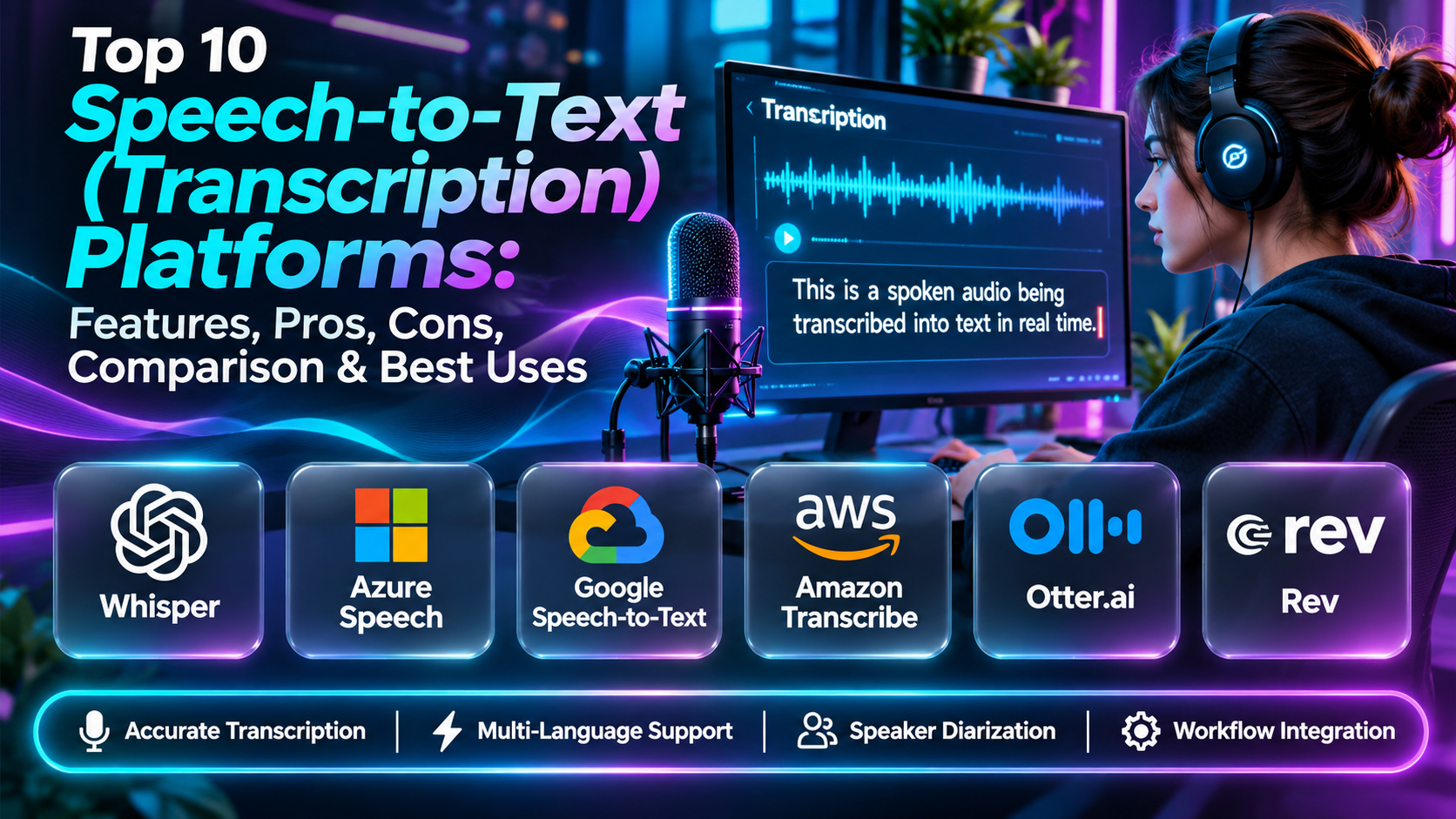
This guide compares ten speech-to-text platforms, examining their features, strengths, limitations, and practical applications.
What Are Speech-to-Text Platforms?
Speech-to-text platforms convert spoken language into written text using speech recognition technology.
A typical workflow begins when an application receives audio from a microphone, recording, or streaming source. The speech recognition system analyzes the audio and generates text representing the recognized words.
Depending on the platform, additional processing may identify speakers, insert punctuation, assign timestamps, or extract information from the conversation.
Common capabilities include:
- Automatic speech recognition.
- Real-time transcription.
- Recorded audio transcription.
- Speaker diarization.
- Word-level timestamps.
- Automatic punctuation.
- Multilingual recognition.
- Custom vocabulary.
- Audio processing APIs.
- Searchable transcripts.
- Meeting summaries.
- Transcript export.
- Integration with business applications.
Speech-to-text differs from text-to-speech. Speech-to-text recognizes spoken input and produces text, while text-to-speech generates spoken audio from written content.
Top 10 Speech-to-Text (Transcription) Platforms
1. OpenAI Speech-to-Text
Short Description
OpenAI provides speech recognition capabilities through its audio APIs, allowing developers to convert recorded speech into written text.
The technology is relevant to organizations building applications that process interviews, voice messages, meetings, educational recordings, and other spoken content.
A software developer can submit supported audio to a transcription model and receive text for further processing. The transcript can then be indexed for search, displayed in an application, or used as input for other authorized workflows.
OpenAI’s speech capabilities are particularly relevant to teams building broader AI applications. For example, a customer research platform might transcribe interviews, identify discussion topics, and help analysts organize qualitative findings.
Its API-oriented approach provides flexibility but also requires engineering work. Developers must manage audio uploads, application authentication, errors, usage costs, and data handling.
Transcription accuracy should be evaluated with real recordings, especially when audio includes overlapping speakers, technical vocabulary, or languages that require specialized recognition.
Key Features
- Automatic transcription: Converts supported audio into text.
- Speech recognition models: Provides model-based transcription capabilities.
- API integration: Enables transcription within custom applications.
- Multilingual applications: Supports recognition across multiple languages.
- Audio processing workflows: Accepts supported audio inputs.
- Programmable automation: Connects transcription with downstream processing.
- Developer documentation: Supports application implementation.
- AI workflow integration: Enables authorized analysis of transcripts.
- Usage-based operation: Supports programmatic processing at varying volumes.
Benefits
OpenAI speech recognition helps developers build transcription capabilities without training and hosting their own speech recognition models.
Pros
- Developer-oriented API.
- Integration with AI workflows.
- Multilingual applications.
- Flexible software implementation.
- Suitable for automated transcription pipelines.
Cons
- Requires technical implementation.
- Model outputs can contain recognition errors.
- Usage costs and service limits apply.
- Sensitive recordings require appropriate governance.
Use Cases
Interview transcription, voice-enabled applications, educational recordings, and automated content processing.
Best For: Developers building AI-powered transcription applications.
2. Google Cloud Speech-to-Text
Short Description
Google Cloud Speech-to-Text is a managed speech recognition service that enables developers to transcribe audio through Google Cloud APIs.
It is designed for applications requiring automated speech recognition across different audio sources, languages, and operational environments.
The service is particularly relevant to organizations already using Google Cloud. Developers can connect transcription with cloud storage, data processing systems, analytics tools, and application infrastructure.
For example, a contact center analytics application could process recorded calls and make the resulting transcripts searchable. A media organization might use the service to generate preliminary transcripts before editorial review.
Google Cloud Speech-to-Text provides infrastructure for speech recognition rather than a complete meeting management or professional editing application.
Teams must therefore build surrounding capabilities such as file management, transcript review, permissions, and user interfaces.
Its suitability depends on language coverage, recognition models, audio characteristics, latency, pricing, and integration requirements.
Key Features
- Speech recognition APIs: Converts audio into text programmatically.
- Streaming recognition: Supports interactive transcription workflows.
- Batch processing: Handles recorded audio.
- Language support: Provides recognition for supported languages.
- Speaker-related capabilities: Supports diarization in applicable configurations.
- Punctuation processing: Improves transcript readability.
- Recognition adaptation: Supports vocabulary-related configuration.
- Google Cloud integration: Connects with cloud applications.
- Managed infrastructure: Reduces model hosting responsibilities.
Benefits
Google Cloud Speech-to-Text provides scalable transcription infrastructure for software teams.
Pros
- Managed cloud service.
- API integration.
- Streaming and recorded audio use cases.
- Enterprise cloud ecosystem.
- Recognition configuration options.
Cons
- Requires engineering resources.
- Costs depend on usage and configuration.
- Accuracy varies with audio quality.
- Not a standalone editorial transcription workspace.
Use Cases
Call transcription, voice interfaces, media processing, and enterprise applications.
Best For: Google Cloud development teams.
3. Amazon Transcribe
Short Description
Amazon Transcribe is an AWS speech recognition service that converts audio recordings and supported streaming audio into text.
It is relevant to organizations that need transcription as part of cloud-based applications, contact center workflows, or automated media processing.
Businesses operating within AWS can integrate Amazon Transcribe with storage, compute, and other cloud services to create end-to-end processing pipelines.
For example, an organization may upload recorded customer conversations, generate transcripts, and make the resulting text available for authorized quality analysis.
Amazon Transcribe also provides capabilities related to speaker identification, vocabulary customization, and transcription processing.
Its main advantage is integration with AWS infrastructure. However, organizations must still develop processes for reviewing errors, securing recordings, managing retention, and controlling access.
The service is better understood as transcription infrastructure than as a complete meeting productivity platform.
Key Features
- Automatic speech recognition.
- Batch transcription.
- Streaming transcription.
- Supported language recognition.
- Speaker identification capabilities.
- Custom vocabulary.
- Timestamped output.
- AWS integration.
- Programmatic processing.
Benefits
Amazon Transcribe helps AWS teams automate speech recognition without managing recognition models directly.
Pros
- AWS ecosystem integration.
- Managed infrastructure.
- Batch and streaming workflows.
- Vocabulary customization.
- Enterprise application relevance.
Cons
- Requires development and configuration.
- Usage costs.
- Accuracy varies.
- Transcript review tools may need to be built separately.
Use Cases
Contact centers, media processing, application transcription, and business analytics.
Best For: AWS-based software and data teams.
4. Azure AI Speech to Text
Short Description
Azure AI Speech provides speech recognition technology for applications built within or connected to Microsoft’s cloud ecosystem.
It supports the conversion of spoken audio into text and can be used in real-time interfaces, recorded media processing, and enterprise communication systems.
Azure AI Speech is particularly relevant to organizations using Microsoft Azure and related development technologies.
For example, a business might integrate speech recognition into a customer-facing application, while an enterprise software team could use it to capture spoken instructions or transcribe authorized recordings.
The service provides developer tools and speech-related configuration capabilities. Some workflows can benefit from customized recognition for domain-specific vocabulary.
However, implementing a reliable transcription application requires more than calling a speech API. Teams must manage microphones, audio quality, network reliability, permissions, storage, and transcript correction.
Organizations should evaluate regional availability, data handling, language support, and applicable service costs.
Key Features
- Speech-to-text APIs.
- Real-time recognition.
- Recorded audio transcription.
- Speech SDKs.
- Supported language recognition.
- Custom speech capabilities.
- Microsoft Azure integration.
- Enterprise security integration.
- Application development tools.
Benefits
Azure AI Speech supports transcription and voice interaction in enterprise applications.
Pros
- Microsoft cloud integration.
- Developer SDKs.
- Custom recognition options.
- Enterprise deployment relevance.
- Real-time applications.
Cons
- Requires technical implementation.
- Advanced configuration can be complex.
- Usage-based pricing.
- Recognition errors require review.
Use Cases
Enterprise voice interfaces, transcription applications, and customer communication systems.
Best For: Microsoft Azure development teams.
5. Deepgram
Short Description
Deepgram is a speech AI platform providing transcription and related voice technologies for developers and businesses.
Its speech recognition capabilities are relevant to applications that need to process large volumes of audio or provide low-latency transcription.
Deepgram is particularly associated with developer-focused speech infrastructure, making it suitable for conversational systems, contact center applications, and voice-enabled products.
A customer support technology company might use Deepgram to transcribe authorized calls and make the text available for quality monitoring. A voice application developer could use streaming recognition to process speech while a person is speaking.
The platform’s API-oriented design supports custom application workflows rather than requiring users to work through a traditional transcription editor.
However, performance depends on the chosen model, language, audio environment, and configuration. Teams should test realistic speech samples and compare latency, accuracy, pricing, and integration complexity.
Key Features
- Speech-to-text APIs.
- Streaming transcription.
- Batch transcription.
- Speech recognition models.
- Speaker diarization capabilities.
- Timestamped transcripts.
- Developer integration.
- Voice application workflows.
- Transcription infrastructure options.
Benefits
Deepgram helps developers build speech recognition into real-time and automated applications.
Pros
- Speech AI specialization.
- Developer-friendly integration.
- Streaming applications.
- Contact center relevance.
- Suitable for custom voice systems.
Cons
- Engineering resources required.
- Accuracy varies by language and recording.
- Commercial usage costs.
- Not a complete document editing platform.
Use Cases
Voice agents, contact center transcription, and speech-enabled applications.
Best For: Developers building real-time voice products.
6. AssemblyAI
Short Description
AssemblyAI provides speech recognition and audio intelligence APIs for developers.
The platform helps applications convert audio into text and extract additional information from supported recordings.
AssemblyAI is particularly relevant to businesses that want to build products around spoken content, such as meeting analytics, podcast processing, customer research, and conversation intelligence.
For example, a research platform could use AssemblyAI to transcribe customer interviews and organize the resulting text for analysis. A media application might generate transcripts and identify important moments within recorded content.
Its API-first approach makes it flexible for software teams. Rather than offering only a manual transcription interface, it provides building blocks for custom processing pipelines.
However, organizations need to evaluate which speech analysis features are available for their chosen models and languages.
They should also verify transcript accuracy, processing costs, latency, and data governance requirements before deploying production workloads.
Key Features
- Automatic transcription.
- Speech recognition APIs.
- Speaker diarization.
- Word timestamps.
- Audio intelligence capabilities.
- Content analysis features.
- Application integration.
- Batch processing.
- Developer documentation.
Benefits
AssemblyAI helps teams combine transcription with broader audio analysis.
Pros
- Developer-focused platform.
- Audio intelligence capabilities.
- Suitable for custom products.
- Structured transcription output.
- Automated processing workflows.
Cons
- Requires application development.
- Feature support varies.
- Usage costs.
- AI-generated analysis requires validation.
Use Cases
Conversation analytics, podcast applications, research platforms, and media processing.
Best For: Developers building audio intelligence products.
7. Rev
Short Description
Rev provides transcription, captioning, and related speech processing services for individuals and organizations.
Unlike platforms that primarily expose developer APIs, Rev offers workflows that can include automated transcription and human transcription services.
This makes it relevant to users who need finished transcripts but do not want to build their own transcription software.
Journalists, researchers, legal professionals, educators, and business teams may use Rev to process interviews, meetings, and recordings.
The availability of human transcription options is particularly useful when accuracy and editorial review matter. However, human transcription is not automatically a substitute for specialist certification or domain-specific verification.
Rev can simplify the operational process of ordering and receiving transcripts, but buyers should examine turnaround times, supported formats, confidentiality requirements, and pricing.
For sensitive or high-stakes recordings, users should also confirm whether the selected service meets their professional and organizational obligations.
Key Features
- Automated transcription.
- Human transcription services.
- Captioning services.
- Audio and video uploads.
- Transcript delivery.
- Editing and review options.
- Export formats.
- Business transcription workflows.
- Service-based processing.
Benefits
Rev offers a practical transcription workflow for organizations that do not want to manage speech recognition infrastructure.
Pros
- Automated and human service options.
- Accessible ordering workflow.
- Useful for professional content.
- Captioning capabilities.
- Reduced engineering requirements.
Cons
- Human services can be more expensive.
- Turnaround depends on service.
- Confidentiality requirements need review.
- Specialized terminology may still require correction.
Use Cases
Journalism, research interviews, educational recordings, and business transcription.
Best For: Organizations needing transcription services rather than APIs.
8. Otter.ai
Short Description
Otter.ai is an AI-powered meeting transcription and productivity platform.
It helps users capture spoken discussions, generate transcripts, and organize meeting-related information.
Otter.ai is particularly relevant to teams that spend substantial time in online meetings and want to reduce manual note-taking.
A project team might use Otter.ai to create searchable records of authorized meetings, identify discussion topics, and revisit decisions after a session.
Its meeting-oriented workflow distinguishes it from general-purpose transcription infrastructure. Users can focus on the meeting experience rather than uploading audio through a custom application.
However, automatic meeting transcripts can contain mistakes, especially when several people speak simultaneously or use unfamiliar terminology.
Meeting participants should also be informed about recording and transcription practices in accordance with applicable requirements.
Key Features
- Meeting transcription.
- Automatic speech recognition.
- Searchable transcripts.
- Speaker-related identification.
- Meeting summaries.
- Collaboration features.
- Meeting platform integrations.
- Transcript sharing.
- Meeting productivity workflows.
Benefits
Otter.ai helps teams retain and review information from spoken meetings.
Pros
- Meeting-focused interface.
- Searchable records.
- Collaboration.
- Reduced manual note-taking.
- Productivity applications.
Cons
- Recognition errors.
- Meeting privacy considerations.
- Plan restrictions.
- Not designed as a general speech recognition infrastructure service.
Use Cases
Team meetings, interviews, project discussions, and internal collaboration.
Best For: Teams seeking AI meeting notes.
9. Descript
Short Description
Descript is an audio and video editing platform that uses transcription as a central component of its editing experience.
It is particularly useful for creators who need to turn spoken recordings into editable media content.
When a podcaster uploads an interview, Descript can generate a transcript that helps the editor locate sections, identify mistakes, and make editing decisions through text.
This approach connects transcription directly with content production. Rather than treating the transcript as a separate document, Descript makes it part of the editing workflow.
Video creators, educators, marketers, and podcast producers can benefit from this combination of speech recognition and media editing.
However, Descript is not primarily a general-purpose speech recognition API. Teams requiring custom streaming transcription or large-scale application integration may need a more infrastructure-oriented platform.
Transcript accuracy and editing results still require human review.
Key Features
- Automatic transcription.
- Text-based audio editing.
- Video editing.
- Transcript correction.
- Speaker-related workflows.
- Audio cleanup.
- Collaboration.
- Media export.
- Creator production tools.
Benefits
Descript connects transcription with practical audio and video editing.
Pros
- Integrated editing workflow.
- Accessible transcript interface.
- Useful for spoken-word media.
- Collaboration.
- Audio and video production support.
Cons
- Not primarily a speech API.
- Automated errors require correction.
- Advanced production features depend on plan.
- Complex engineering workflows need other tools.
Use Cases
Podcast editing, video interviews, educational content, and media production.
Best For: Content creators and editors.
10. Trint
Short Description
Trint is a transcription and content workflow platform designed for teams working with recorded speech.
It is particularly relevant to journalists, broadcasters, documentary producers, and organizations that need to turn interviews and recordings into searchable, editable text.
Trint helps users transcribe audio and video, review the resulting text, and collaborate on content development.
For a newsroom, this can reduce the time required to locate quotations and organize interview material. A documentary team may use transcripts to identify relevant scenes and coordinate editorial decisions.
The platform emphasizes transcription as part of a broader content production process rather than only providing raw speech recognition output.
Its value depends on collaboration needs, language support, editorial workflow integration, and the volume of recordings being processed.
Organizations should verify accuracy and permissions before using transcripts in published or sensitive materials.
Key Features
- Automated transcription.
- Transcript editing.
- Searchable recordings.
- Collaborative workflows.
- Speaker-related processing.
- Multilingual capabilities.
- Media production applications.
- Transcript export.
- Editorial content workflows.
Benefits
Trint helps editorial teams convert spoken material into usable written content.
Pros
- Journalism and media relevance.
- Collaborative editing.
- Searchable transcripts.
- Editorial workflow support.
- Useful for interview-heavy projects.
Cons
- Commercial subscription.
- Automatic transcription requires verification.
- Less suitable for custom speech API development.
- Specialized compliance requirements need evaluation.
Use Cases
Newsrooms, documentaries, interviews, and editorial research.
Best For: Journalists and media production teams.
Speech-to-Text Platforms Comparison Table
| Platform | Primary Strength | Best For | Main Limitation |
|---|---|---|---|
| OpenAI Speech-to-Text | AI application integration | Developers | Engineering required |
| Google Cloud Speech-to-Text | Managed cloud recognition | Google Cloud teams | Technical implementation |
| Amazon Transcribe | AWS transcription workflows | AWS teams | Setup and costs |
| Azure AI Speech | Enterprise speech integration | Microsoft enterprises | Configuration complexity |
| Deepgram | Real-time speech APIs | Voice developers | Engineering requirements |
| AssemblyAI | Audio intelligence | Software teams | Feature and usage costs |
| Rev | Transcription services | Professionals | Service pricing |
| Otter.ai | Meeting transcription | Business teams | Meeting-specific focus |
| Descript | Transcript-based editing | Creators | Not infrastructure-first |
| Trint | Editorial transcription | Media teams | Subscription investment |
How to Choose the Right Speech-to-Text Platform
1. Define the Audio Source
Recorded interviews, live conversations, telephone calls, and studio recordings have different recognition requirements.
2. Evaluate Recognition Accuracy
Test actual recordings with realistic accents, background noise, terminology, and speaker overlap.
3. Review Real-Time Requirements
Live captions and voice interfaces may require streaming recognition with low latency.
4. Assess Speaker Identification
Speaker diarization can help distinguish participants, but results require verification.
5. Consider Language Coverage
Confirm supported languages and regional variants before deployment.
6. Evaluate Custom Vocabulary
Specialized industries benefit from systems that support domain-specific terminology.
7. Examine Editing and Review
Professional workflows often require transcript correction and quality assurance.
8. Review Security and Consent
Recordings may contain confidential, personal, or regulated information.
9. Compare Integration Requirements
API-based platforms require development, while meeting and editorial tools provide more complete user interfaces.
10. Calculate Total Cost
Include transcription usage, storage, human review, integration, and ongoing administration.
Best Speech-to-Text Software by User Type
| User Type | Recommended Platform | Reason |
|---|---|---|
| AI application developer | OpenAI Speech-to-Text | Programmable transcription |
| Google Cloud engineer | Google Cloud Speech-to-Text | Cloud integration |
| AWS developer | Amazon Transcribe | AWS workflows |
| Microsoft enterprise developer | Azure AI Speech | Enterprise integration |
| Real-time voice application developer | Deepgram | Streaming speech recognition |
| Audio intelligence product team | AssemblyAI | Transcription and analysis |
| Research professional | Rev | Service-based transcription |
| Business meeting participant | Otter.ai | Meeting productivity |
| Podcast editor | Descript | Text-based media editing |
| Journalist | Trint | Editorial transcription |
Practical Example: Building a Customer Interview Transcription Workflow
A product research team conducts fifty customer interviews every month.
Step 1: Obtain Appropriate Consent
Inform participants about recording, transcription, storage, and intended use.
Step 2: Standardize Recording Quality
Use suitable microphones and minimize background noise.
Step 3: Define Transcript Requirements
Determine whether the team needs speaker labels, timestamps, summaries, or verbatim text.
Step 4: Select Candidate Platforms
Compare transcription services and API-based solutions.
Step 5: Test Representative Recordings
Include different accents, technical terms, and audio conditions.
Step 6: Measure Accuracy
Compare machine transcripts against carefully reviewed reference transcripts.
Step 7: Configure Data Protection
Establish permissions, retention policies, and secure storage.
Step 8: Automate Processing
Connect approved recordings to the transcription workflow.
Step 9: Review Important Sections
Correct product terminology, customer statements, and quotations.
Step 10: Organize the Results
Index transcripts by interview, participant code, date, and research topic.
Step 11: Analyze Findings
Use verified transcripts to identify recurring themes and customer needs.
Step 12: Monitor Performance
Review transcription errors, processing times, costs, and researcher satisfaction.
Frequently Asked Questions
1. What is speech-to-text?
Technology that converts spoken language into written text.
2. What is automatic speech recognition?
Computer-based recognition of spoken words.
3. What is transcription software?
Software used to convert recordings or live speech into text.
4. What is real-time transcription?
Generating text while speech is being received.
5. What is batch transcription?
Processing previously recorded audio files.
6. What is speaker diarization?
Identifying which speaker is talking during different portions of a recording.
7. What is word-level timestamping?
Assigning time information to individual recognized words.
8. What is automatic punctuation?
Adding punctuation to recognized text.
9. What is a custom vocabulary?
A list of specialized terms used to improve recognition.
10. What is transcription accuracy?
How closely a transcript matches the spoken recording.
11. What is word error rate?
A metric comparing substitutions, deletions, and insertions against reference text.
12. Can AI transcription recognize accents?
Many systems can, although accuracy varies.
13. Can speech recognition handle multiple languages?
Many platforms support multilingual recognition.
14. What is multilingual transcription?
Recognizing speech across more than one language.
15. Can speech-to-text identify speakers?
Some platforms provide speaker identification capabilities.
16. Does background noise affect accuracy?
Yes.
17. Does overlapping speech cause problems?
Yes, it can reduce recognition accuracy.
18. Can transcription tools process video?
Many can extract or process the audio from video files.
19. What is a transcription API?
An interface allowing applications to request speech recognition.
20. What is streaming speech recognition?
Processing audio incrementally as it arrives.
21. Can transcription support accessibility?
Yes, particularly when combined with appropriate captioning workflows.
22. Are transcripts the same as captions?
No. Captions also require timing and relevant audio information.
23. Can AI transcription replace human review?
Not reliably for every high-stakes application.
24. What is verbatim transcription?
A transcript intended to preserve the spoken wording closely.
25. What is edited transcription?
A transcript revised for readability according to defined rules.
26. Can transcription software summarize meetings?
Some platforms include summarization features.
27. Is recording consent important?
Yes. Applicable laws and organizational policies must be followed.
28. How should transcription costs be compared?
Consider audio duration, features, processing volume, and review requirements.
29. What is a common transcription mistake?
Treating machine-generated text as a perfectly accurate record without verification.
30. Which transcription platform is best?
The right platform depends on audio quality, accuracy, language support, workflow, security, and cost.
Final Thoughts
Speech-to-text platforms make spoken information easier to search, analyze, edit, and reuse.
OpenAI Speech-to-Text, Google Cloud Speech-to-Text, Amazon Transcribe, Azure AI Speech, Deepgram, and AssemblyAI provide programmable speech recognition capabilities.
Rev supports service-based transcription, Otter.ai focuses on meetings, Descript connects transcripts with media editing, and Trint serves editorial production workflows.
The most suitable solution depends on the type of audio being processed and how the resulting text will be used.
Organizations should prioritize accuracy, privacy, workflow integration, and human verification rather than relying on transcription speed alone.
